Speech 2.6 is not just a higher-quality successor to 2.5; it enables entire classes of real-time, multimodal, and data-aware applications that 2.5 could not support reliably.
For developers selecting a production TTS/voice-agent backend, the crucial question is not which model “sounds” better, but which one expands the boundary of what your product can do. This article frames both models through concrete developer pain points—custom voices, real-time agents, multilingual experiences, long-form content, multimodal data reading, and cost control—and explains how Speech 2.6 lifts several application ceilings.
Comparison of MiniMax Speech 2.6 Model Variants
| Dimension | Speech 2.6 Turbo | Speech 2.6 HD |
|---|---|---|
| Primary Objective | Low latency and cost efficiency | Maximum fidelity and expressiveness |
| End-to-End Latency | < 250 ms for typical sentences | ~0.8–1.0 s for short sentences |
| Throughput | Faster than real time for long text; optimized for streaming | Lower throughput; optimized for quality |
| Streaming Support | Yes; first audio tokens within a few hundred ms | Partial; supports real-time for moderate input length |
| Prosody Quality | Standard prosody; prioritizes speed | Enhanced prosody, micro-details, Fluent Emotion support |
| Multilingual Capability | 40+ languages; seamless switching | 40+ languages with improved naturalness |
| Emotion Styles | Supported (basic) | Supported with higher expressiveness |
| Pricing | $0.06 / 1,000 characters | $0.10 / 1,000 characters |
| Best Use Cases | Interactive agents, chatbots, streaming dialog | Voiceovers, audiobooks, studio-grade narration |
Why Does Speech 2.6 Finally Make Real-Time Voice Agents Viable?
Speech 2.6’s sub-250 ms latency and stabilized streaming unlock natural voice interaction workflows that Speech 2.5 cannot support.
Real-time interaction is the single largest gap between 2.5 and 2.6. Developers building customer-service bots, in-store assistants, or voice UI features often reported that Speech 2.5’s latency—though acceptable for synchronous TTS—felt too slow for true dialogue.
Speech 2.6 addresses this by redesigning the decoding pipeline and streaming scheduler, reducing round-trip delay to under 250 ms and making turn-taking nearly instantaneous from a user’s perspective. This change shifts the model from a content generator into an interactive voice layer suitable for production agents. Developers no longer need to hack around delays or add artificial pauses; the model finally fits conversational timing.
What New Multilingual Become Possible in Speech 2.6?
Speech 2.6 improves cross-language prosody, making multilingual agents naturally switch languages in a single utterance
For global apps, developers need pronunciation accuracy in Chinese–English mixes, Southeast Asian markets, and multilingual customer flows. Speech 2.6 improves cross-lingual prosody and keeps cloned voices stable across 40+ languages.
| Feature | Speech 2.5 | Speech 2.6 HD |
|---|---|---|
| Language Count | 40+ | 40+ |
| Code-Switching | Good | Fluid and natural |
| Accent Preservation | Stable | More stable across languages |
| Mixed Format Reading | Limited | Robust, locale-aware |
How Does Speech 2.6 Improve Custom Voice Cloning?
Speech 2.6 delivers more expressive, emotionally coherent cloned voices, enabling long-term brand and creator voice ownership.
Developers building AI influencers, learning platforms, role-playing agents, or brand avatars require consistent, reusable voice identities. Speech 2.5 introduced zero-shot cloning using a learnable speaker encoder, a major milestone for personalized content.
Jointly Trained Speaker Encoder
The learnable speaker encoder, trained jointly with the main transformer, achieves state-of-the-art voice cloning fidelity without transcripts of the reference audio. Exposure to multiple languages during training enables consistent timbre, accent stability, and robust multilingual behavior.
Fluent LoRA for Rapid Voice Adaptation
Fluent LoRA provides efficient low-rank adaptation for fine-grained voice customization. Even imperfect reference samples containing accent deviations or background noise can be converted into clean and fluent synthesized voices, enabling fast deployment in diverse environments.
What New Multimodal Data Types Can Speech 2.6 Read Without Preprocessing?
Speech 2.6 introduces intelligent formatting, allowing developers to feed raw URLs, emails, numbers, currencies, and dates directly without regex cleanup.
In real applications—dashboards, alerts, CRM updates, logistics notifications, RAG pipelines—TTS often needs to read structured data. Speech 2.5 can only read such content literally, resulting in awkward letter-by-letter spelling or mispronunciation.
Speech 2.6 includes built-in text normalization that automatically interprets URLs, phone numbers, IP addresses, currencies, and timestamp formats. This drastically reduces preprocessing work and lets developers integrate TTS directly into dynamic multimodal flows, such as reading analytics dashboards aloud or voicing e-commerce notifications in multiple locales.For example, an input of “$1,234.56” will be spoken as “one thousand two hundred thirty-four dollars and fifty-six cents” automatically, and an IP address like “192.168.1.1” becomes “one nine two dot one six eight dot one dot one” without you needing to spell it out. This significantly boosts accuracy in technical or financial readouts and is a unique strength of MiniMax Speech 2.6.
| Data Type | Speech 2.5 | Speech 2.6 |
|---|---|---|
| URLs | Literal characters | Correct, context-aware |
| Emails | Often misread | Natural, segment-aware |
| Dates, Times | Inconsistent | Stable per locale |
| Currency / Numbers | Basic | Smart numeric formatting |
Which Speech Model Should Developers Use, and When?
Speech 2.6 Best Fits
- developers building real-time conversational agents,
- apps requiring multilingual code-switching,
- products needing expressive cloned voices,
- systems reading structured multimodal data (URLs, emails, numbers),
- UX flows demanding human-like emotional tone.
Speech 2.5 Best Fits
- platforms generating bulk long-form TTS,
- educational content, audiobooks, scripted videos,
- cost-sensitive pipelines with predictable volume,
- stable voice outputs where expressiveness is less critical.
Developer pattern emerging in production
- Speech 2.6 handles interactive, real-time, multilingual, or data-rich flows.
- Speech 2.5 handles long-form, batch, or large-scale narration.
- The most robust deployments combine both:
- Speech 2.6 for live dialogue
- Speech 2.5 for content generation
How Fine-Grained is Control Over Pronunciation, Emphasis, and Pauses of Speech 2.6?
| Field | Description |
|---|---|
| text | Text to synthesize (<10,000 chars). Supports <#x#> pauses (x in seconds). No consecutive pause markers. |
| voice_setting | Controls speed, volume, pitch, timbre ID, emotion, and normalization. |
| speed | 0.5–2.0; speaking speed (default 1.0). |
| vol | 0–10; audio loudness (default 1.0). |
| pitch | -12 to 12; pitch shift in semitones. |
| voice_id | Timbre ID; system or cloned voices. Required unless using timbre_weights. |
| emotion | One of: happy, sad, angry, fearful, disgusted, surprised, neutral. |
| text_normalization | English text normalization (default false). |
| audio_setting | Controls audio output quality. |
| sample_rate | One of: 8000–44100 (default 32000). |
| bitrate | mp3 only; 32000–256000 (default 128000). |
| format | mp3 / pcm / flac / wav (wav not for streaming). |
| channel | 1 (mono) or 2 (stereo); default 1. |
| pronunciation_dict | Custom pronunciation rules; Chinese tone override supported. |
| tone | Replace text or tones (e.g., "omg" → "oh my god"). |
| timbre_weights | Required if voice_id not used. Up to 4 mixed timbres. |
| oice_id | Timbre ID for mixing. |
| weight | 1–100; mix ratio. |
| stream | Enable streaming output (default false). |
| language_boost | Improve performance for a language/dialect, e.g., Chinese, English, Japanese, auto. |
| output_format | hex (default) or url; url only in non-stream mode. |
| voice_modify | Post-processing voice FX. |
| pitch | -100 to 100; darker ↔ brighter. |
| ntensity | -100 to 100; stronger ↔ softer. |
| timbre | -100 to 100; magnetic ↔ crisp. |
| sound_effects | spacious_echo, auditorium_echo, lofi_telephone, robotic. |
import requests

url = "https://api.novita.ai/v3/minimax-speech-2.6-hd"

payload = {
    "text": "Hello <#0.5#> this is a MiniMax Speech 2.6 HD test example.",

    "voice_setting": {
        "speed": 1.1,
        "vol": 1.0,
        "pitch": 0,
        "voice_id": "Elegant_Man",
        "emotion": "neutral",
        "text_normalization": False
    },

    "audio_setting": {
        "sample_rate": 32000,
        "bitrate": 128000,
        "format": "mp3",
        "channel": 1
    },

    "pronunciation_dict": {
        "tone": [
            { "AI": "A I" }
        ]
    },

    "timbre_weights": [
        { "voice_id": "Elegant_Man", "weight": 80 }
    ],

    "stream": True,

    "language_boost": "English",

    "output_format": "hex",

    "voice_modify": {
        "pitch": 0,
        "intensity": 0,
        "timbre": 0,
        "sound_effects": "none"
    }
}

headers = {
    "Content-Type": "application/json",
    "Authorization": "Bearer YOUR_API_KEY"
}

response = requests.post(url, json=payload, headers=headers)
print(response.text)Dose Minimax Speech 2.6 Supports Stream?
Yes. MiniMax Speech 2.5 supports streaming for both speech recognition (ASR) and text-to-speech (TTS). The API explicitly includes the field:
"stream": truein a TTS request, the system begins generating audio immediately and sends it back in segments. This allows playback to start before the full sentence is synthesized. Typical TTS startup latency is within a few seconds, and optimized scenarios can reach sub-second end-to-end response times.
How to Use Minimax Speech 2.5 at A Good Price?
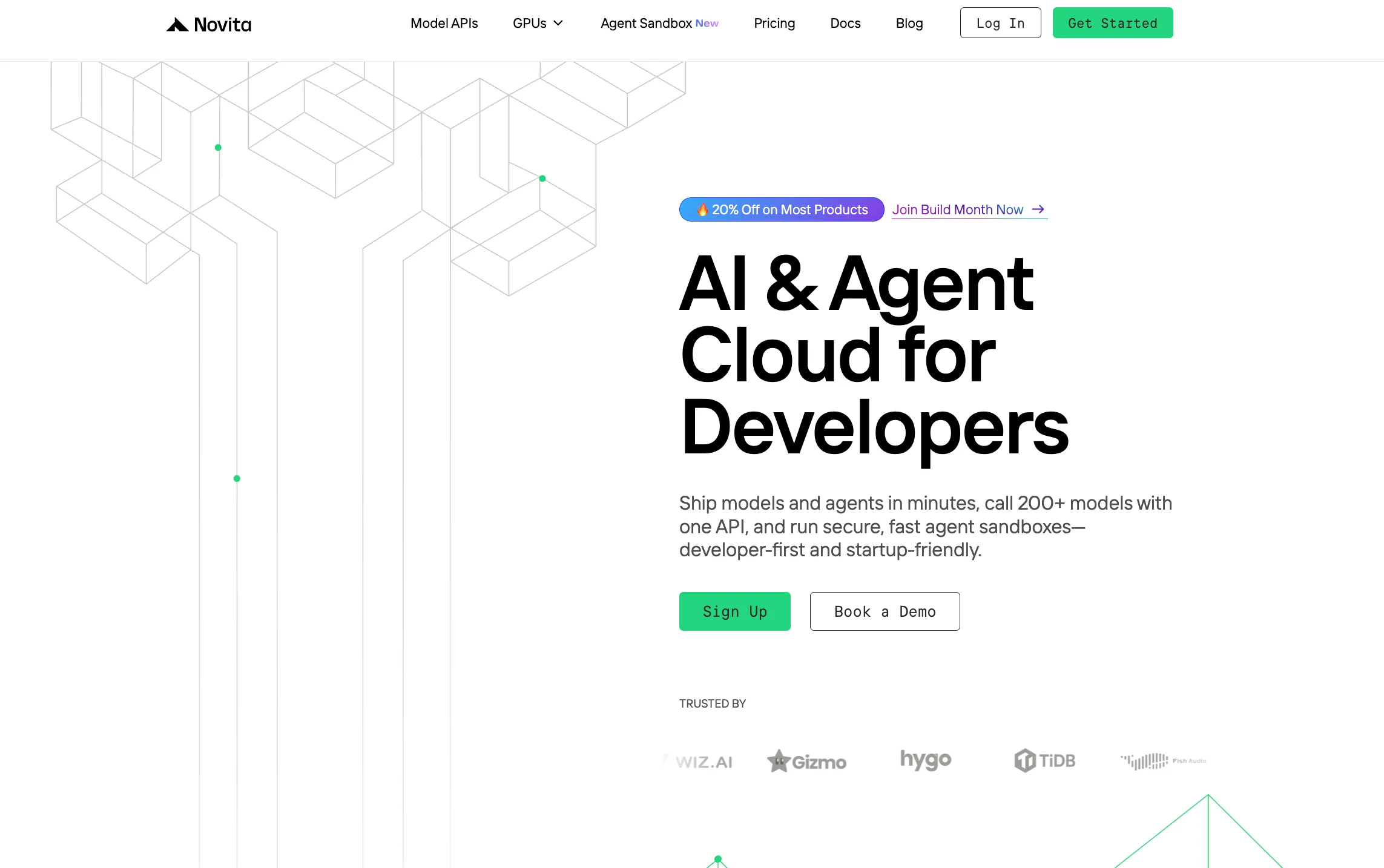
Step 1: Log In and Access the Model Library
Log in to your account and click on the Model Library button.
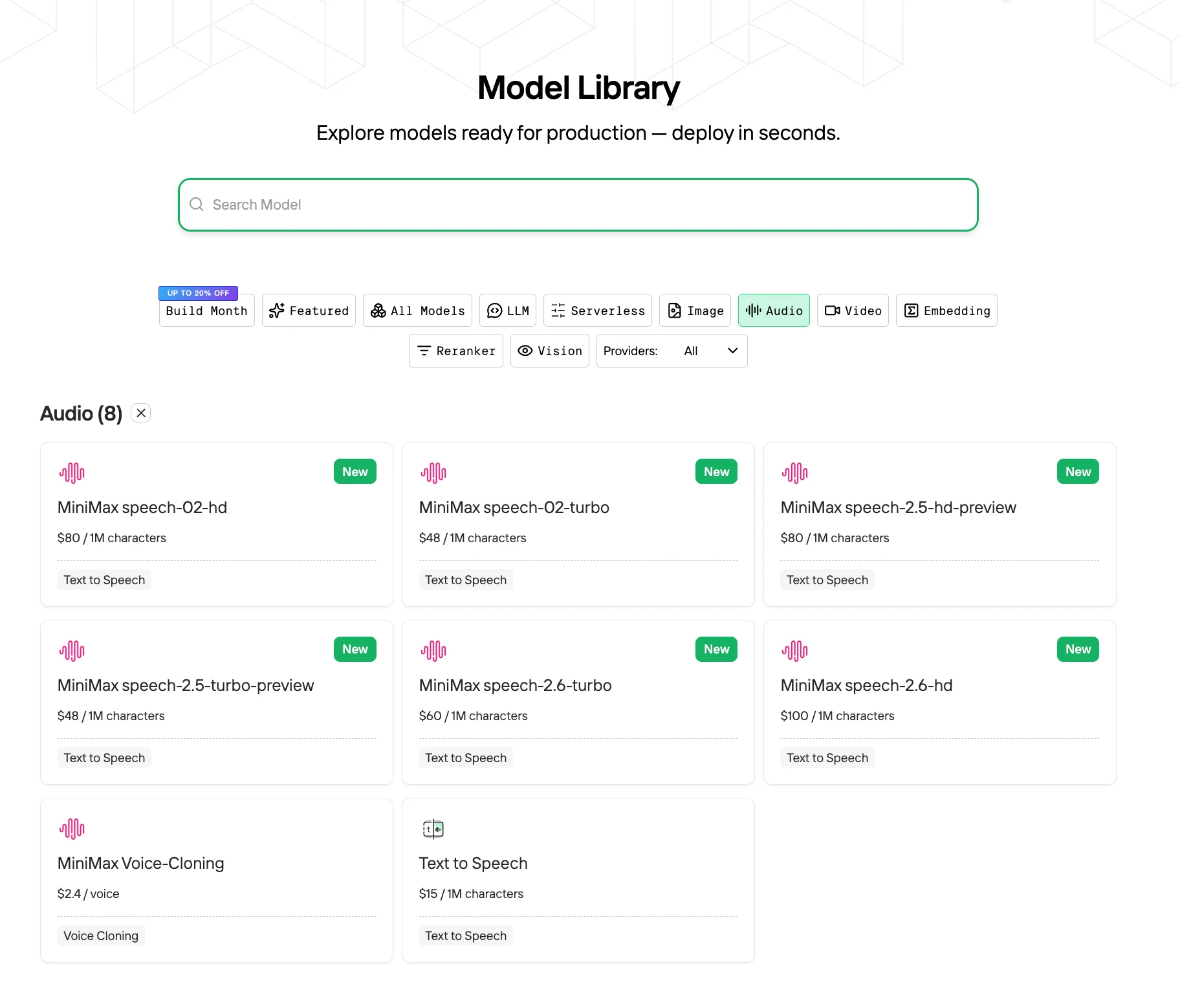
Step 2: Choose Your Model
Browse through the available options and select the model that suits your needs.
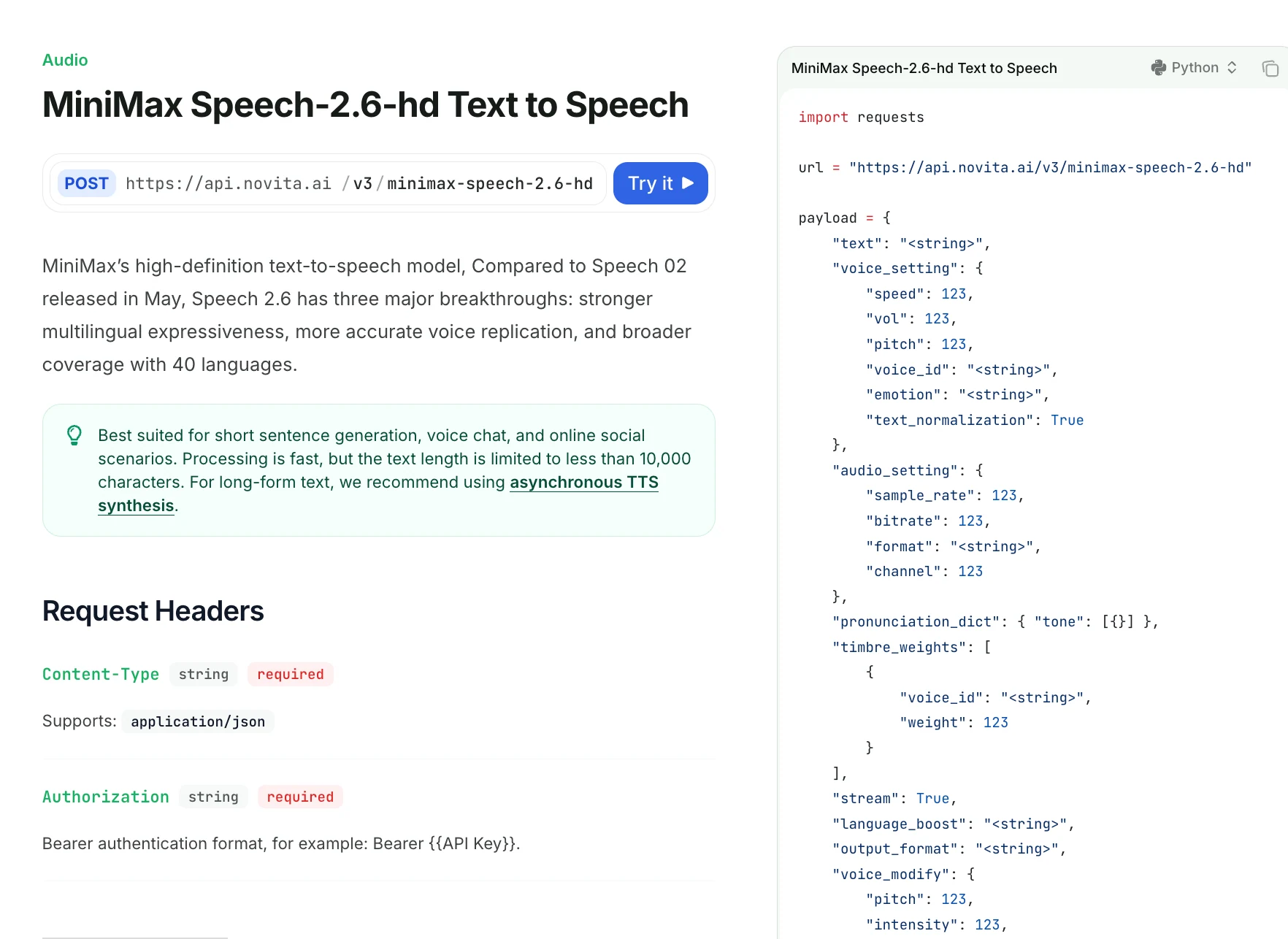
Step 3: Start Your Free Trial
Begin your free trial to explore the capabilities of the selected model.
Step 4: Get Your API Key
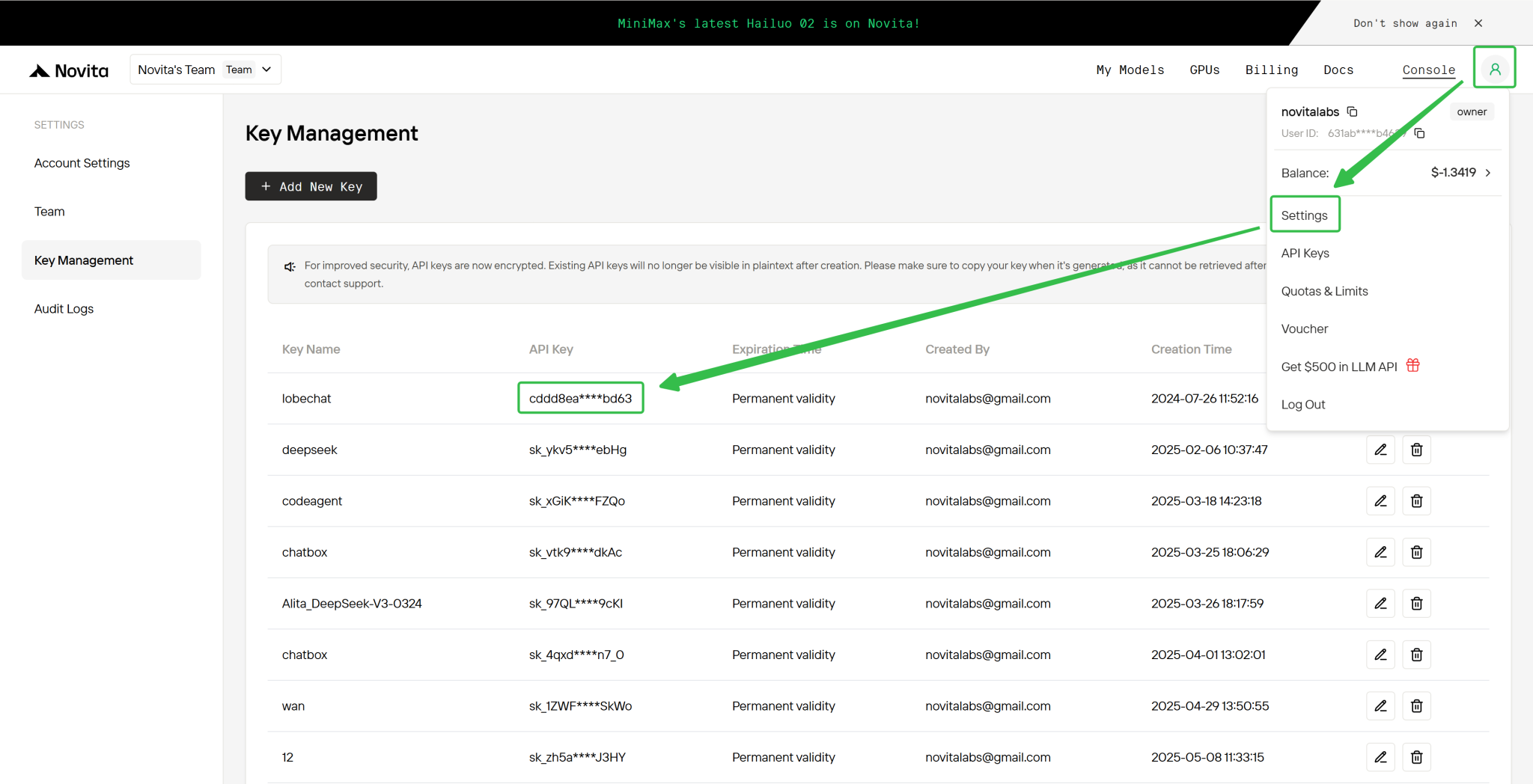
To authenticate with the API, we will provide you with a new API key. Entering the “Settings“ page, you can copy the API key as indicated in the image.
MiniMax Speech 2.6 delivers new capabilities—sub-250 ms latency, seamless multilingual prosody, Fluent LoRA expressive cloning, and automatic formatting for URLs, emails, numbers, and dates—enabling real-time, multimodal, and data-rich voice applications that MiniMax Speech 2.5 cannot reliably support. Meanwhile, Speech 2.5 remains the stable, cost-efficient choice for long-form content and bulk TTS generation. Together, the two models form a complementary pipeline: Speech 2.6 for interactive dialog and Speech 2.5 for scalable content production.
Frequently Asked Questions
What makes MiniMax Speech 2.6 more suitable for real-time applications than MiniMax Speech 2.5?
MiniMax Speech 2.6 offers <250 ms latency and more stable streaming, while MiniMax Speech 2.5 has higher delay and is better suited for synchronous TTS.
How does MiniMax Speech 2.6 improve multilingual output compared with MiniMax Speech 2.5?
MiniMax Speech 2.6 strengthens cross-language prosody, accent stability, and mixed-language fluency, whereas MiniMax Speech 2.5 handles multilingual text but with less natural switching.
Is voice cloning more expressive in MiniMax Speech 2.6 than in MiniMax Speech 2.5?
Yes. MiniMax Speech 2.6 uses Fluent LoRA and a jointly trained speaker encoder for higher emotional coherence, while MiniMax Speech 2.5 provides solid but less expressive cloning.
Novita AI is the All-in-one cloud platform that empowers your AI ambitions. Integrated APIs, serverless, GPU Instance — the cost-effective tools you need. Eliminate infrastructure, start free, and make your AI vision a reality.