Novita AI provides four distinct models in the MiniMax Speech 02 series. Each model is designed to suit different scenarios, whether you need studio-quality narration or fast, interactive speech.
- Speech 02 hd Text to Speech
- Speech 02 hd Async Long TTS
- Speech 02 turbo Text to Speech
- Speech 02 turbo Async Long TTS
In the following sections, we’ll explore the differences between these models in more detail, helping you choose the best option for your specific use case.
Minimax Speech 02 Algorithm
What Does ‘02’ Refer to?
| Term | Meaning |
|---|---|
| 02 | Refers to the second generation of the MiniMax Speech model series. |
| TTS | Text-to-Speech: Technology that converts written text into spoken audio. |
| Async | Asynchronous: The speech is generated in the background and delivered once it’s ready, useful for long texts. |
| HD | High Definition/High Fidelity: Focuses on producing audio that is very realistic and high-quality. |
| Turbo | Turbo (Low Latency): Prioritizes speed and quick response, making it ideal for real-time interactions. |
Minimax Speech 02 Models Comparsion
| Model / API Name | Suitable Scenarios | Advantages | Supported Text Length |
|---|---|---|---|
| speech‑02‑hd Text to Speech | Short text, real-time dialogue | Extremely high audio quality and naturalness | Up to ~5,000 characters |
| speech‑02‑hd Async Long TTS | Audiobooks, long-form content | Supports long texts with the same audio quality | Up to hundreds of thousands or millions of characters, processed in queue |
| speech‑02‑turbo Text to Speech | Real-time voice interaction | Fast response, low latency | Up to ~5,000 characters |
| speech‑02‑turbo Async Long TTS | Long text in real-time interactions | Balances speed and scalability | Also supports long texts, with faster processing than synchronous mode |
Minimax Speech 02 Customization Options
- Extensive Voice Library:
Access a library of over 300 authentic and natural-sounding voices, supporting true-to-life delivery in Cantonese, Mandarin Chinese, Japanese, Korean, and many other major languages. - Advanced Voice Controls:
Effortlessly adjust emotion, volume, speaking rate, and output format for every voice to perfectly match your needs. - Innovative Voice Mixing:
Combine multiple existing voices to create entirely new and unique vocal profiles. - Multiple Audio Formats:
Output audio in a variety of formats, including FLAC, WAV, MP3, and PCM, for maximum compatibility. - Real-Time Streaming:
Enjoy instant audio delivery with seamless real-time streaming, ensuring smooth integration into your applications. - High Concurrency Support:
Robust infrastructure guarantees reliable performance, even under heavy workloads and high request volumes.
How does Minimax Improve Speech Synthesis?
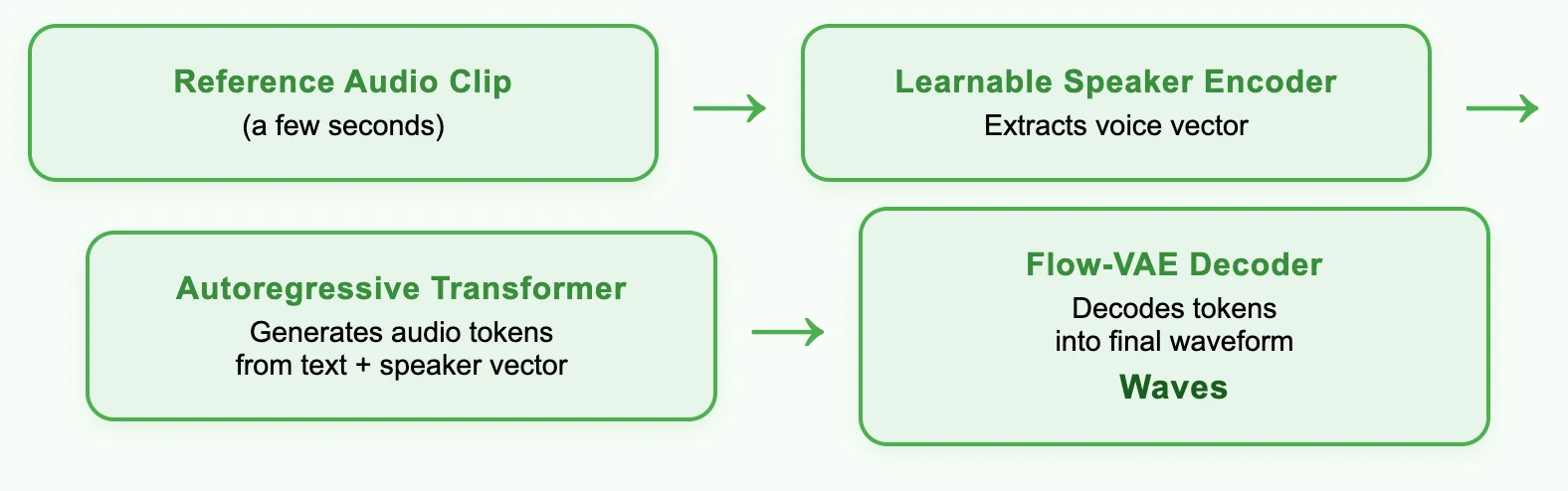
Driven by Innovations, MiniMax Ranks First
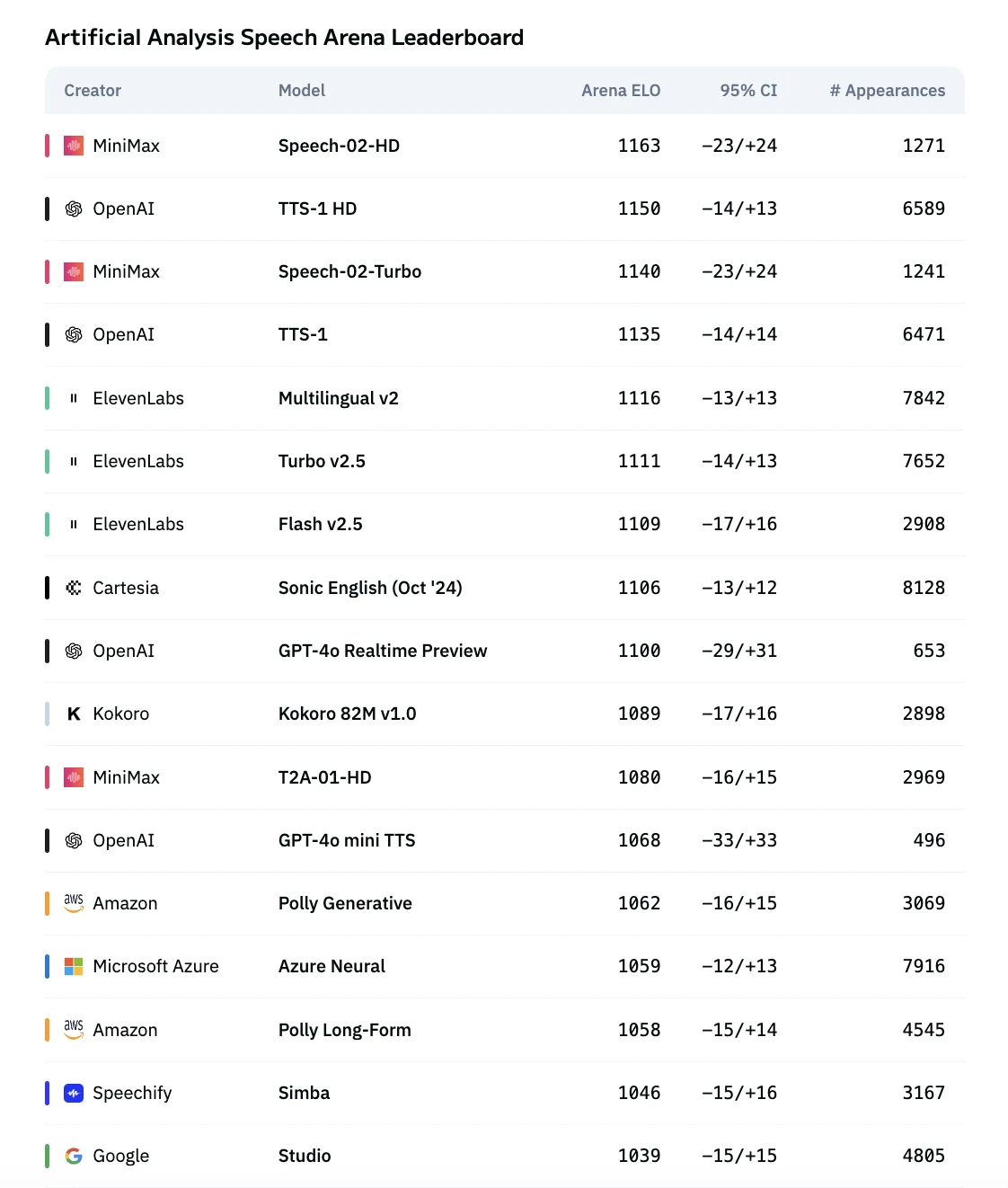
From Artificial Analysis Arena
Minimax Speech 02 for Real-Time or Robust Speech Recognization
| Scenario Type | Core Objective | Key Model Capabilities | Speech‑02 Adaptation Method |
|---|---|---|---|
| Real-time Speech Synthesis | Fast response and streaming playback | Ultra-low latency, real-time output, natural timbre and intonation, multilingual support | Speech‑02‑Turbo generates audio instantly, supports up to about 5,000 characters for streaming output with minimal latency, ideal for conversational applications |
| Robust Speech Recognition (for ASR) | Synthesized speech must be clear, recognizable, and high quality | Exceptional speech clarity, accurate pronunciation with low error rate, good rhythm and intonation | Speech‑02‑HD is used to generate high-fidelity speech, with low word error rate, high speaker similarity, and excellent audio quality |
How to Access Minimax Speech 02?
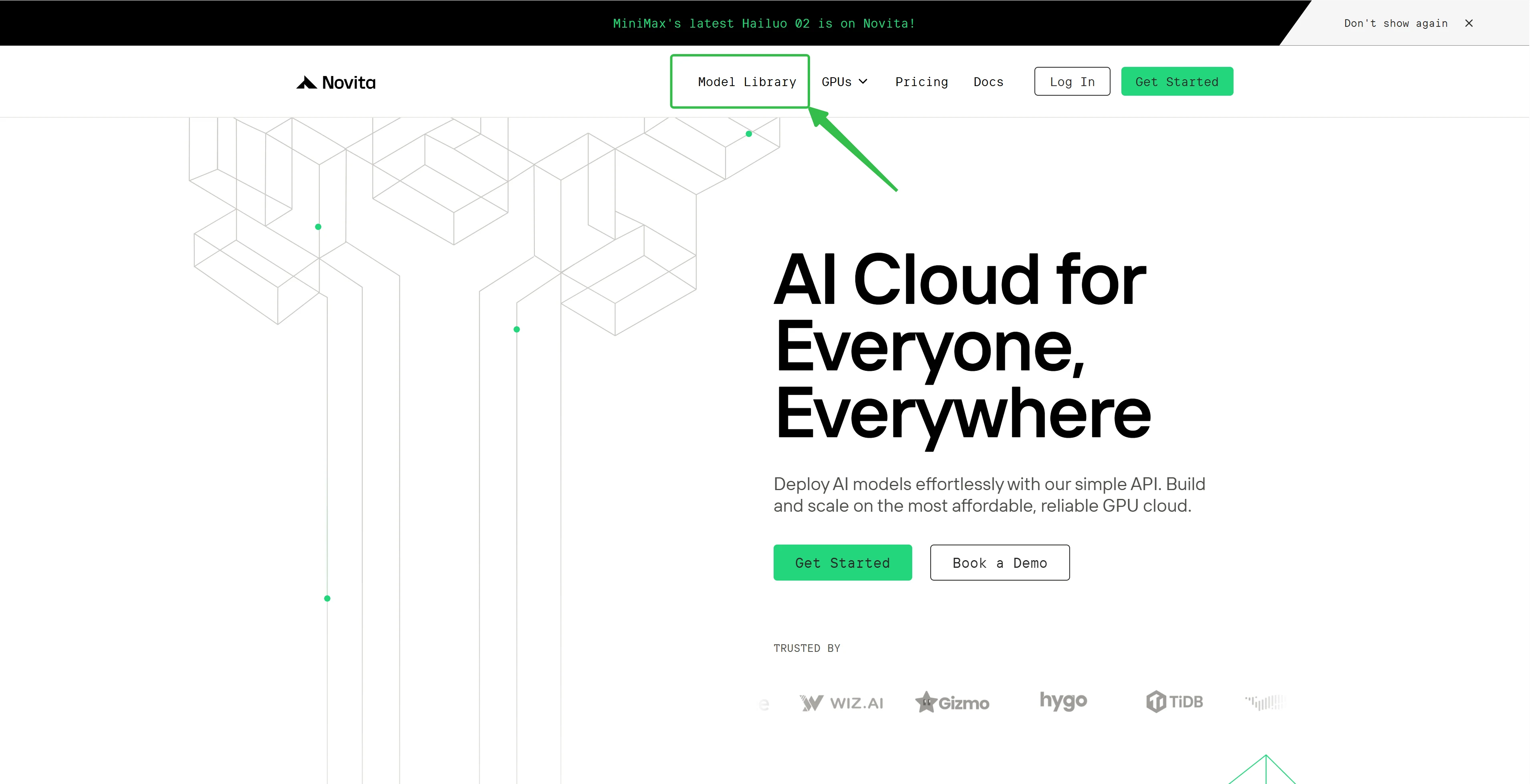
Step 1: Log In and Access the Model Library
Log in to your account and click on the Model Library button.
Step 2: Choose Your Model
Browse through the available options and select the model that suits your needs.
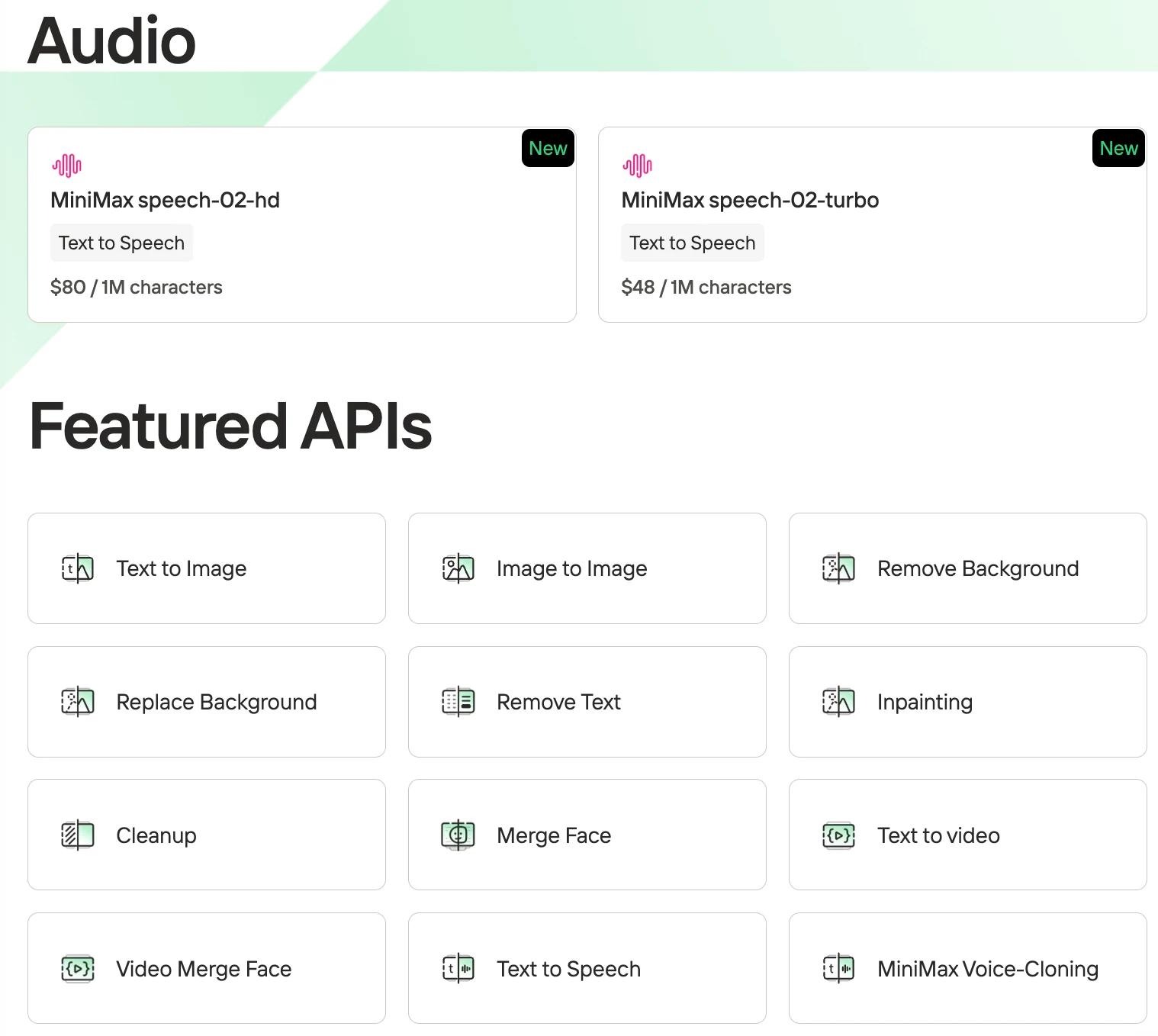
Step 3: Start Your Free Trial
Begin your free trial to explore the capabilities of the selected model.
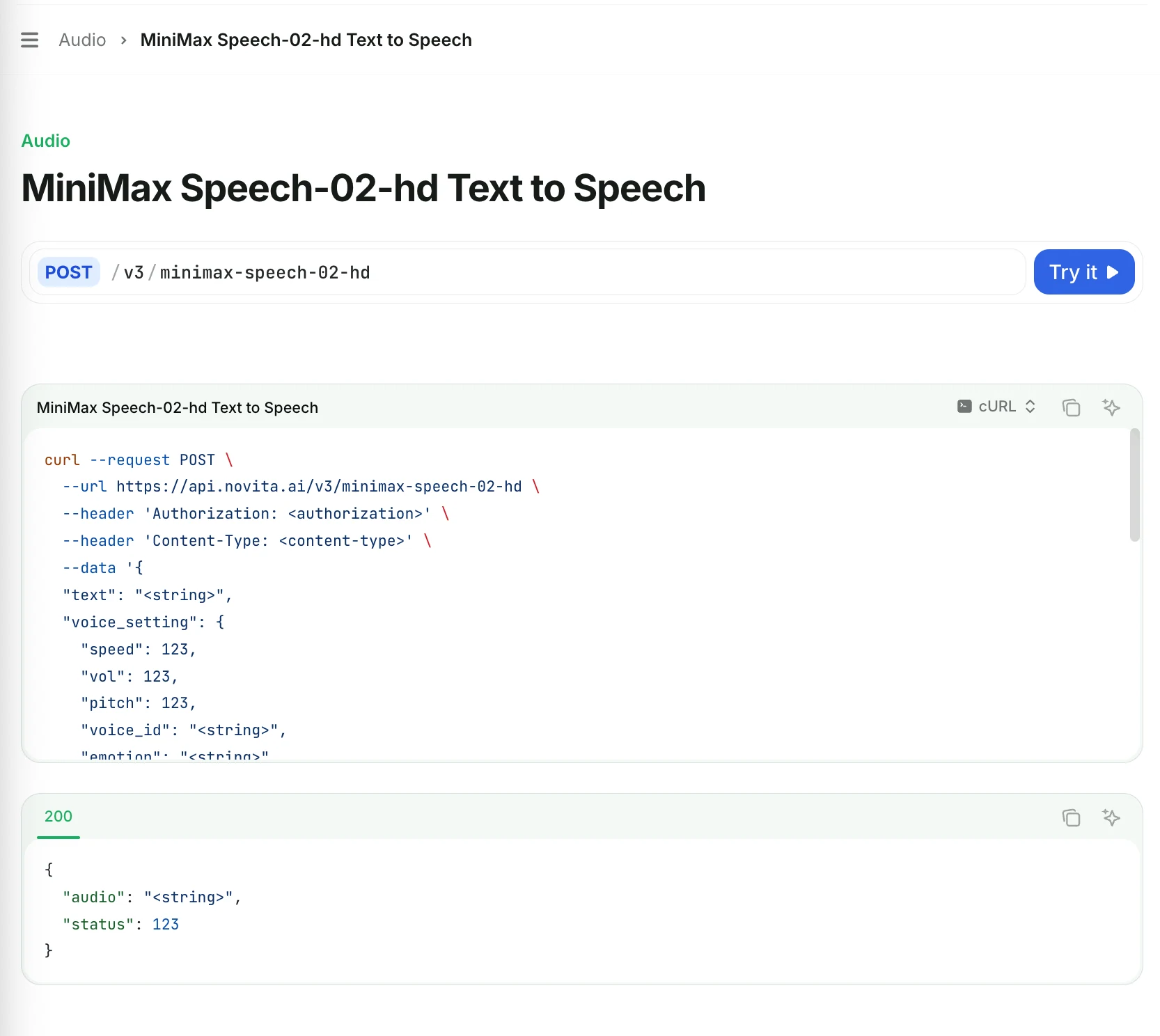
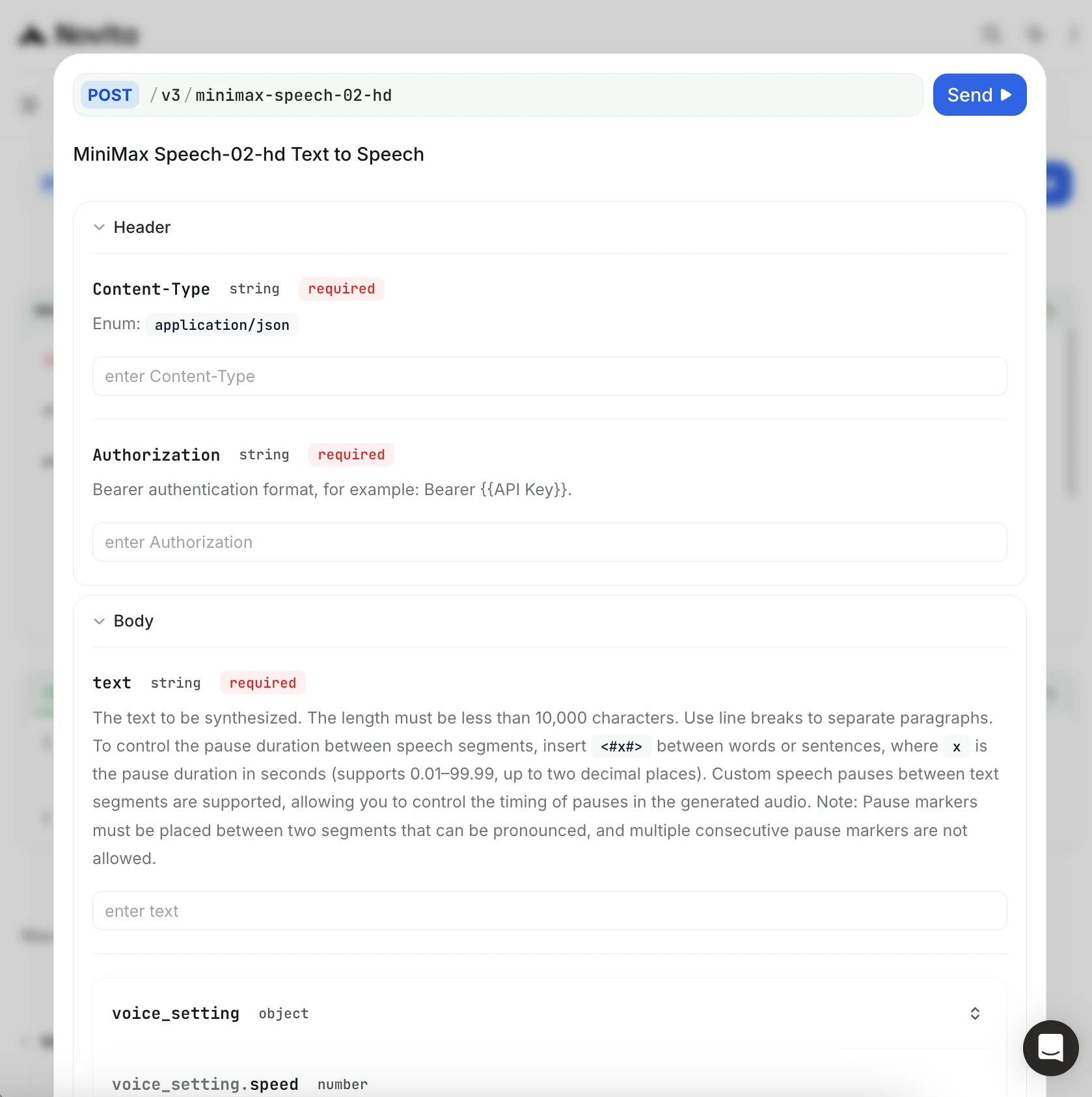
Click “Try it” to see what each field represents and to choose values to customize your API settings.
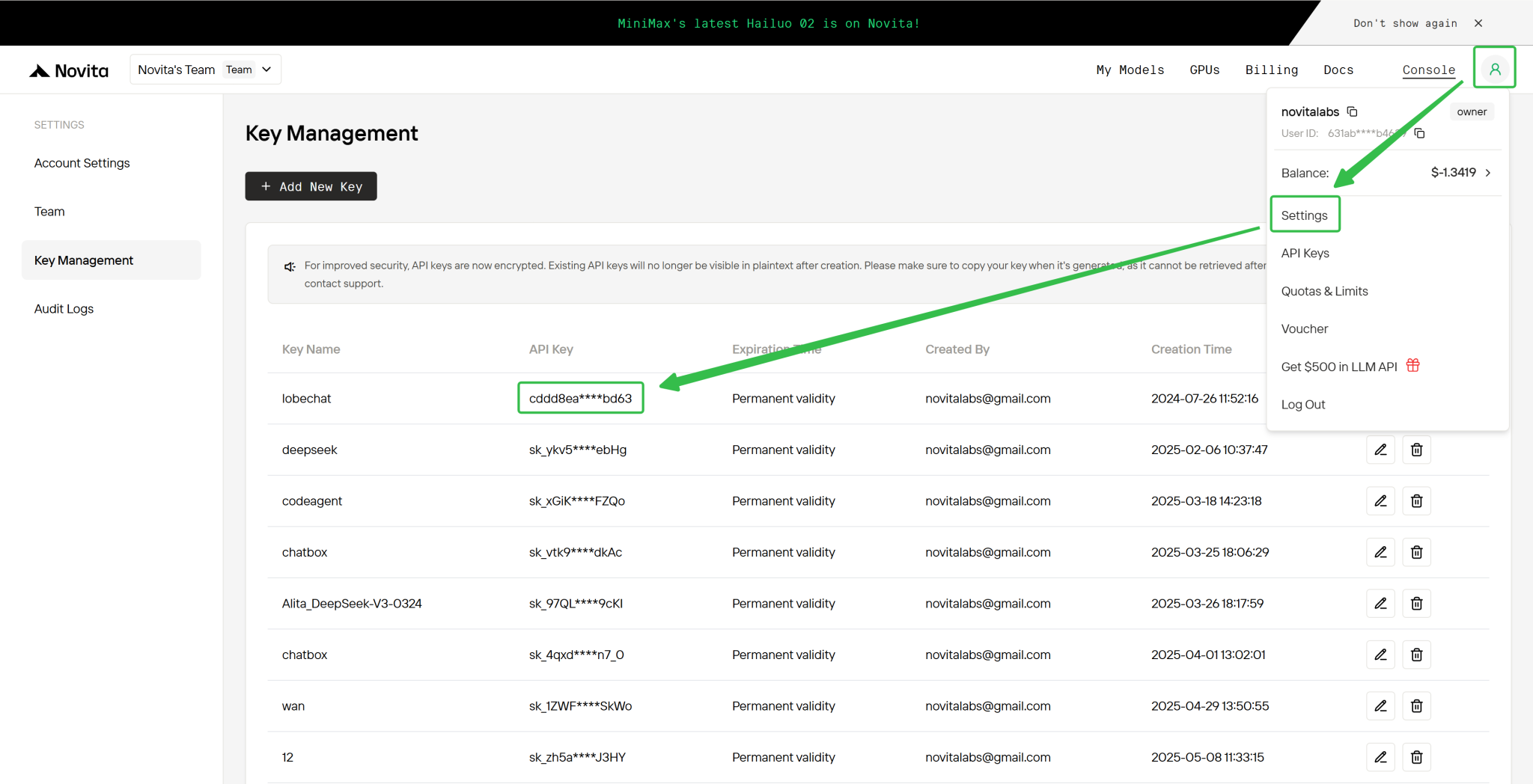
Step 4: Get Your API Key
To authenticate with the API, we will provide you with a new API key. Entering the “Settings“ page, you can copy the API key as indicated in the image.
Step 5: Install the API
After installation, import the necessary libraries into your development environment. Initialize the API with your API key to start interacting with Novita AI LLM. This is an example of using chat completions API for python users.
import requests

url = "https://api.novita.ai/v3/minimax-speech-02-hd"

payload = {
    "text": "<string>",
    "voice_setting": {
        "speed": 123,
        "vol": 123,
        "pitch": 123,
        "voice_id": "<string>",
        "emotion": "<string>",
        "english_normalization": True
    },
    "audio_setting": {
        "sample_rate": 123,
        "bitrate": 123,
        "format": "<string>",
        "channel": 123
    },
    "pronunciation_dict": { "tone": [{}] },
    "timber_weights": [
        {
            "voice_id": "<string>",
            "weight": 123
        }
    ],
    "stream": True,
    "language_boost": "<string>",
    "output_format": "<string>"
}
headers = {
    "Content-Type": "<content-type>",
    "Authorization": "<authorization>"
}

response = requests.post(url, json=payload, headers=headers)

print(response.json())
Step 6: Change to Another Model
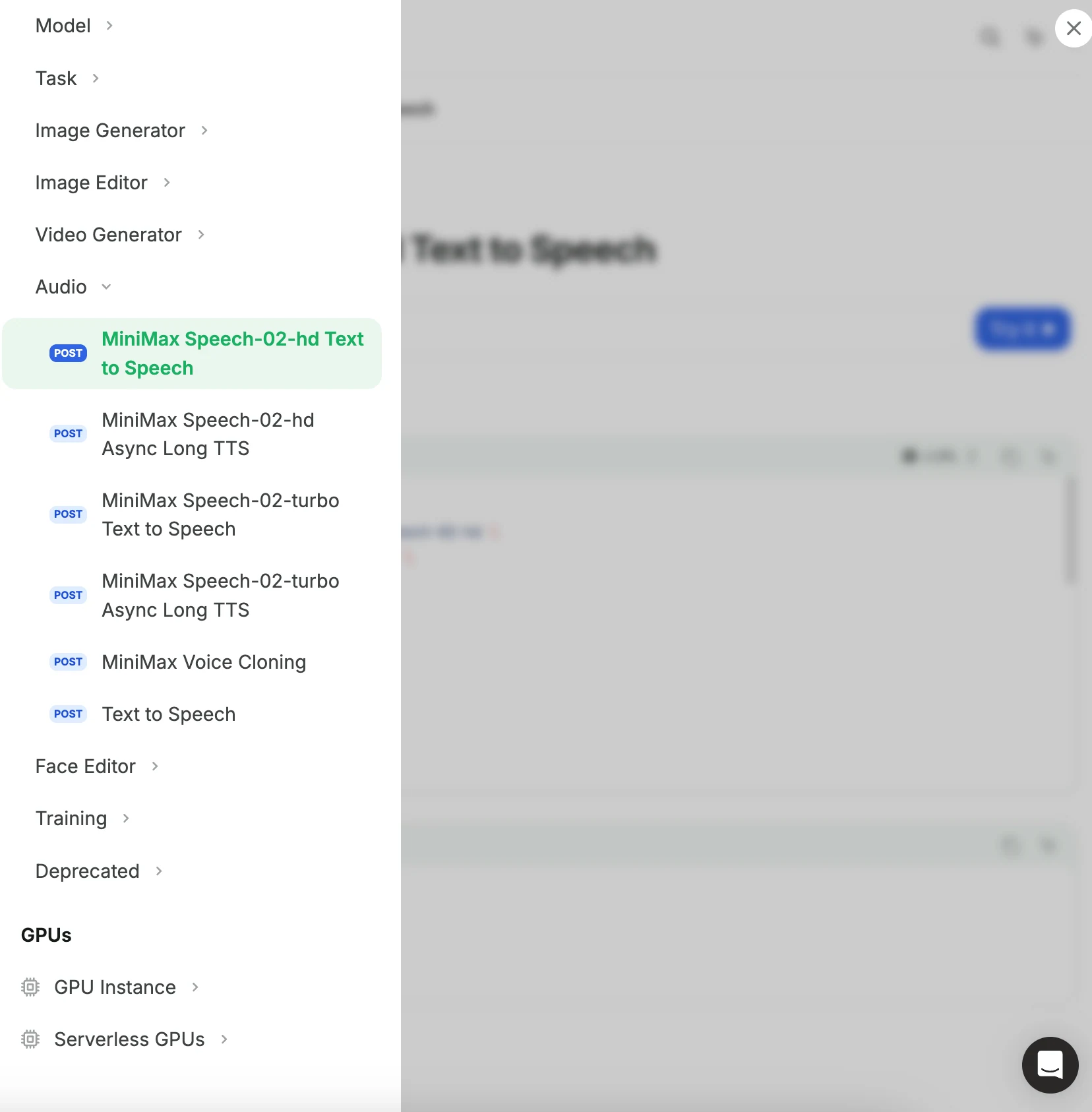
You can click the sidebar in the upper left corner to select different audio models. Novita AI also offers voice cloning capabilities.
MiniMax Speech 02 stands out as a top-performing text-to-speech solution, offering both high-fidelity and low-latency audio generation. With extensive voice options, advanced controls, and robust support for real-time and large-scale applications, MiniMax Speech 02 fits a wide range of speech synthesis scenarios. Its innovative features and easy customization have helped it earn first place among speech AI models.
Frequently Asked Questions
What does “02” mean in MiniMax Speech 02?
“02” refers to the second generation of the MiniMax Speech model series, representing significant improvements in quality and speed.
Can MiniMax Speech 02 handle long texts?
Yes. The Async models (HD Async and Turbo Async) are designed to process long-form content, such as audiobooks, supporting up to millions of characters.
Does it support real-time streaming?
Yes. MiniMax Speech 02’s Turbo mode offers real-time streaming with ultra-low latency, perfect for interactive or conversational apps.
Novita AI is the All-in-one cloud platform that empowers your AI ambitions. Integrated APIs, serverless, GPU Instance — the cost-effective tools you need. Eliminate infrastructure, start free, and make your AI vision a reality.