As large language models continue to scale past 70 billion parameters, the demand for GPUs that can handle memory-bound AI workloads has never been greater. Enter the NVIDIA H200—a next-gen accelerator built to push the limits of generative AI, scientific computing, and real-time visualization.
Equipped with HBM3e memory, FP8 Tensor Core performance, and MIG multi-model support, the H200 promises to reduce the number of GPUs needed for massive workloads while accelerating training and inference like never before. But here’s the question: Is this powerhouse right for you?
This article breaks down what the H200 does best, what models it can support, when it makes sense—and when you’re better off saving money with smarter alternatives like the RTX 4090 or cloud platforms like Novita AI.
What is H200?
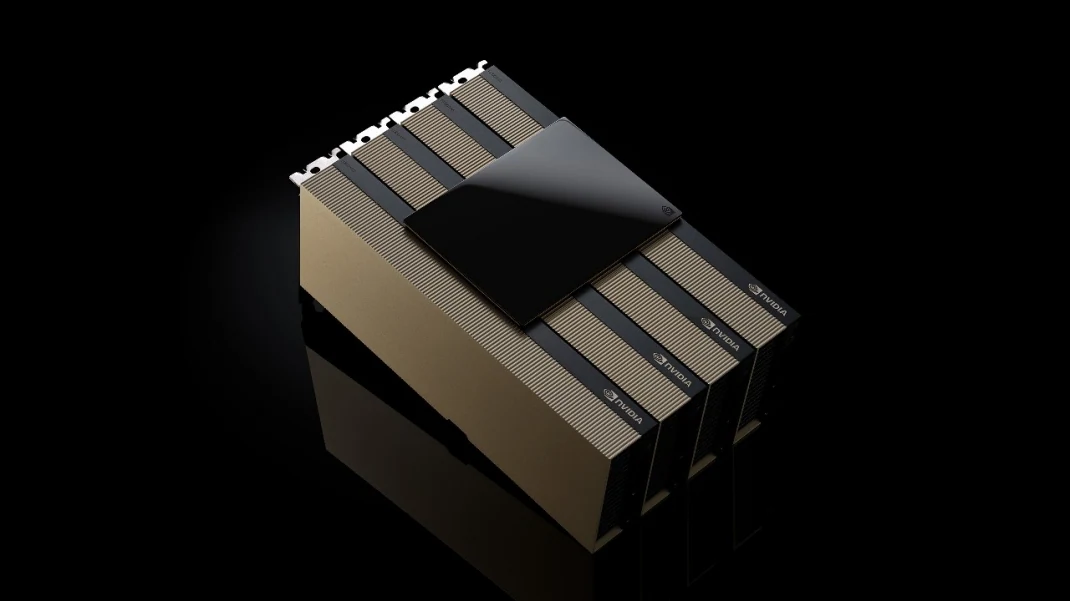
NVIDIA introduces the H200 as a major step beyond the H100, purpose-built for the most demanding generative AI and high-performance computing (HPC) tasks—especially those bottlenecked by memory. At the heart of this upgrade is the debut of HBM3e memory, offering up to 1.8× greater capacity and roughly 1.4× higher bandwidth compared to its predecessor. This means fewer GPUs are needed to run massive models efficiently. The H200 is tailored for hyperscale cloud platforms, advanced research labs, and enterprises tackling large-scale LLMs or precision-heavy simulations.
| Metric | H200 SXM | H200 NVL |
|---|---|---|
| Memory | 141 GB @ 4.8 TB/s | 141 GB @ 4.8 TB/s |
| CUDA Cores | 16 896 | 16 896 |
| Tensor Cores (gen 4) | FP8 3.96 PFLOPS; FP16 1.98 PFLOPS; TF32 0.99 PFLOPS | FP8 3.34 PFLOPS; FP16 1.67 PFLOPS; TF32 0.84 PFLOPS |
| RT Cores | 142 | 142 |
| FP32 | 67 TFLOPS | 60 TFLOPS |
| FP64 / FP64 Tensor | 34 / 67 TFLOPS | 30 / 60 TFLOPS |
| MIG Slices | 7 × 18 GB | 7 × 16.5 GB |
| TDP | Up to 700 W | Up to 600 W |
| Interconnect | NVIDIA NVLink™: 900GB/s PCIe Gen5: 128GB/s | 2- or 4-way NVIDIA NVLink bridge: 900GB/s per GPU PCIe Gen5: 128GB/s |
| Confidential Compute | Supported | Supported |
What LLM Can be Run on H200 in 2025?
| Model (2025) | Params | VRAM Need* | Fits 1 × H200? | Notes |
|---|---|---|---|---|
| Llama 3.3 70B | 70 B dense | 70 GB (FP8) | ✔ | FP16 needs 2 GPUs. |
| Qwen 2.5 72B | 72 B dense | 72 GB (FP8) | ✔ | tight but works. |
| Any dense model ≤ 70 B | — | ≤ 70 GB (FP8) | ✔ | Practical single-card ceiling. |
| Small models ≤ 30 B | — | ≤ 60 GB (FP16) | ✔ (but wasteful) | Better on cheaper GPUs. |
With FP8 weights, a dense 140 B model is the theoretical single-GPU maximum before exceeding 141 GB. MoE architectures can soar past a trillion parameters because only a subset is active each token.
H200 Cost & Power Considerations
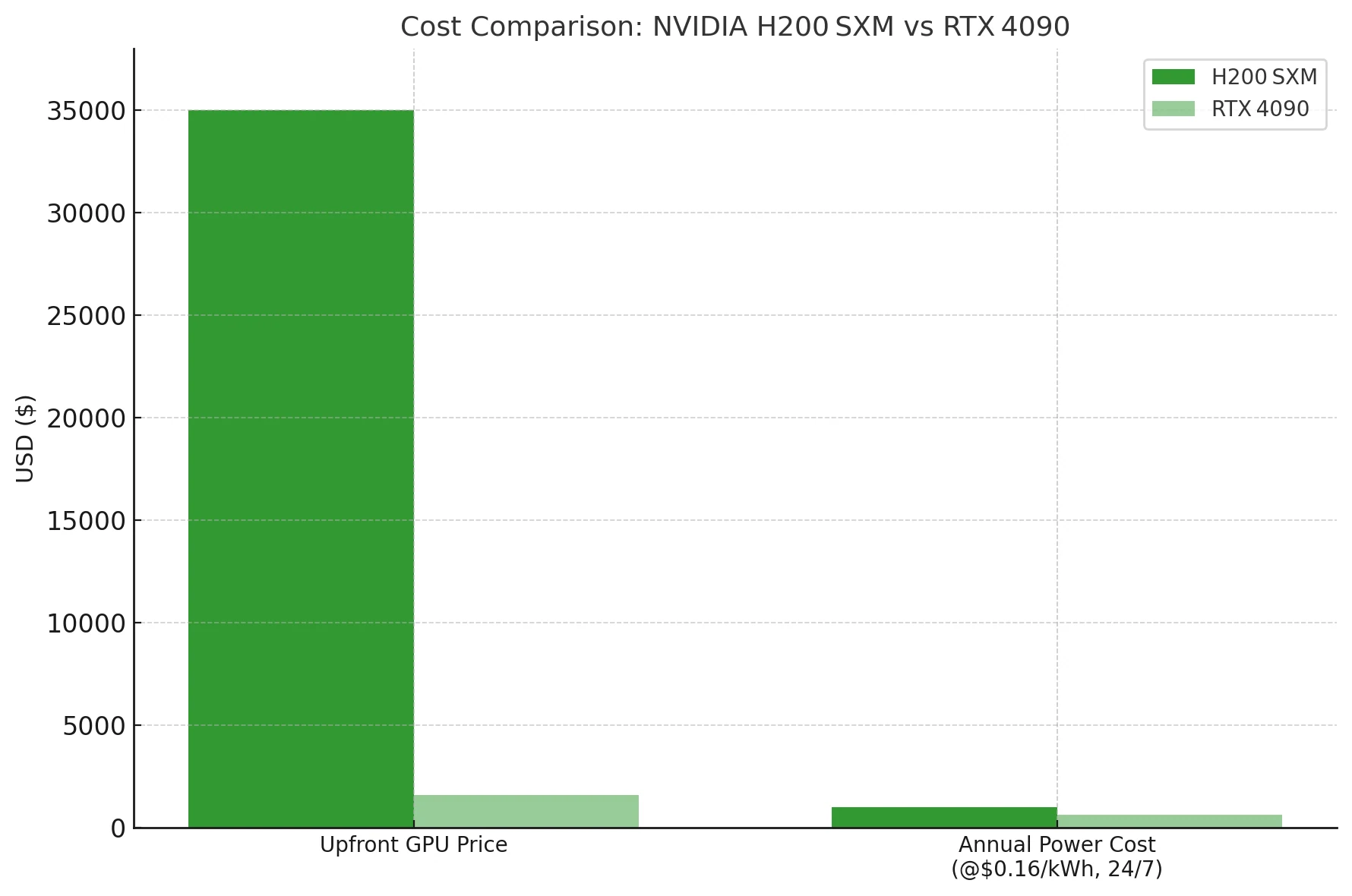
Unless you must fit a 70 B dense LLM or bigger on a single card, the 4090 delivers orders-of-magnitude better cost-per-token—even before electricity. The H200 is a data-centre sledgehammer; the 4090 is a budget-friendly mallet.
Real-World Use Cases for NVIDIA H200
AI Training & Inference
Thanks to its high FP8 and TF32 Tensor Core throughput, the H200 accelerates training and inference significantly—especially for memory-bound tasks like attention mechanisms in large language models (LLMs). Compared to the H100, it completes epochs faster and delivers lower-latency prompt responses.
Additionally, with Multi-Instance GPU (MIG) support, the same card can be partitioned to run several mid-sized models simultaneously, improving resource efficiency during idle periods.
Graphics & Visualization
Equipped with 142 RT Cores, the H200 enables real-time ray-traced scientific visualization, making it viable for advanced rendering workloads in research and engineering.
Precision HPC
With up to 34 TFLOPS of FP64 performance (SXM variant), the H200 powers demanding simulations in fields like computational fluid dynamics (CFD), climate modeling, and quantitative finance. Even better, it supports the integration of AI surrogate models within the same system, blending traditional simulation and modern AI.
When the H200 Makes Sense?
| ✅ Great Fit | ❌ Not Ideal |
|---|---|
| Training GPT-class models (≥100B) under tight timelines | Running <30B models for chatbots or RAG—overkill in power and cost |
| Inference of 70B+ dense models with sub-10ms latency goals | Edge/office deployments lacking robust cooling and power |
| Double-precision HPC workloads with large memory needs for AI integration | Pure graphics rendering—RTX or Quadro GPUs are more economical |
H200 VS Other GPU
Why Small Models Don’t Need the Big Guns?
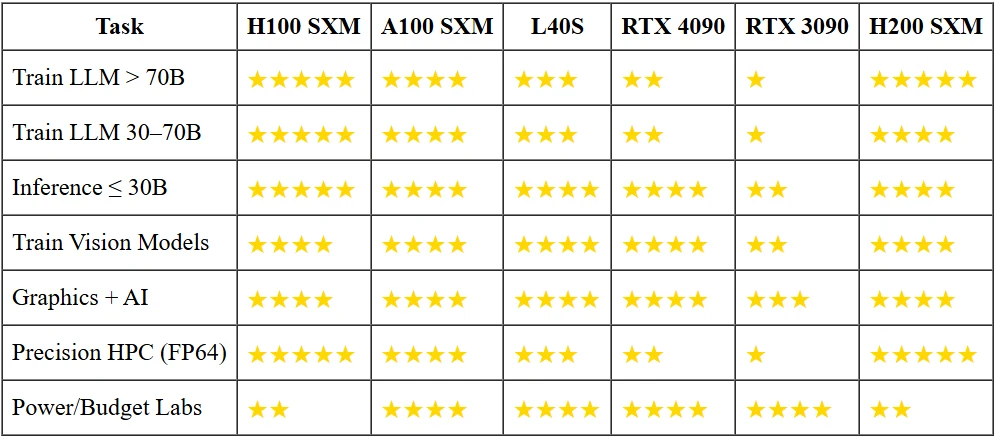
Running a 13B-parameter chat-bot in 16-bit takes <30 GB of VRAM. That already fits an RTX 3090 at one-third the power of an H100, and a 4090 will serve five times as many tokens per second for one-tenth the purchase price. Unless you must cram a 70B model into single-digit latency or train it from scratch, the flagship accelerators are gold-plated hammers for peanut-sized nails.
How to Choose Suitable GPU at a very low price?
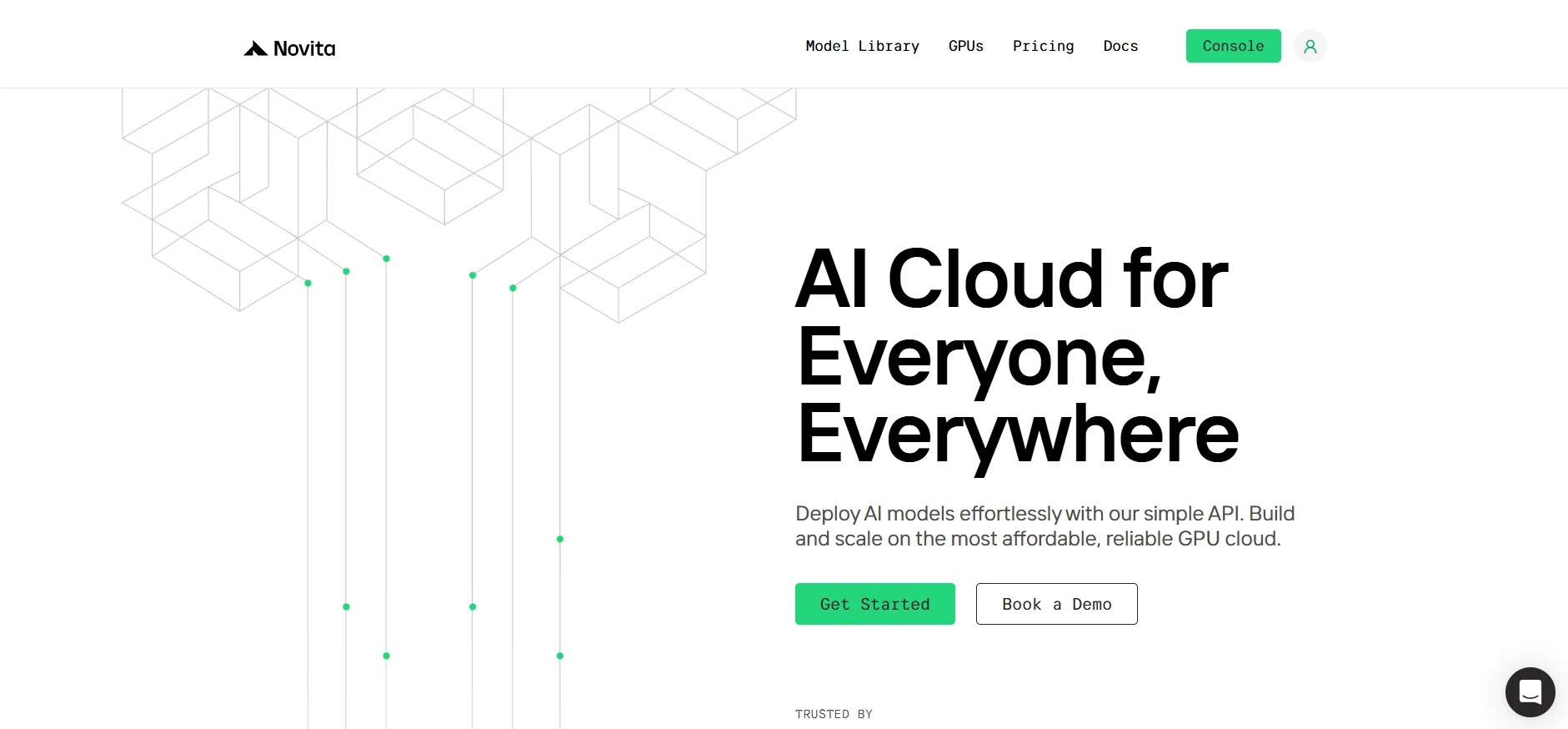
Novita AI provides a cloud-based platform with high-performance GPU instances. With powerful GPUs, it ensures efficient performance for complex tasks, enhances accessibility for deployment across various hardware, and offers a cost-effective solution compared to maintaining local hardware for large-scale AI deployments.
Step 1:Register an account
Create your Novita AI account through our website. After registration, navigate to the “Explore” section in the left sidebar to view our GPU offerings and begin your AI development journey.
Step 2:Exploring Templates and GPU Servers
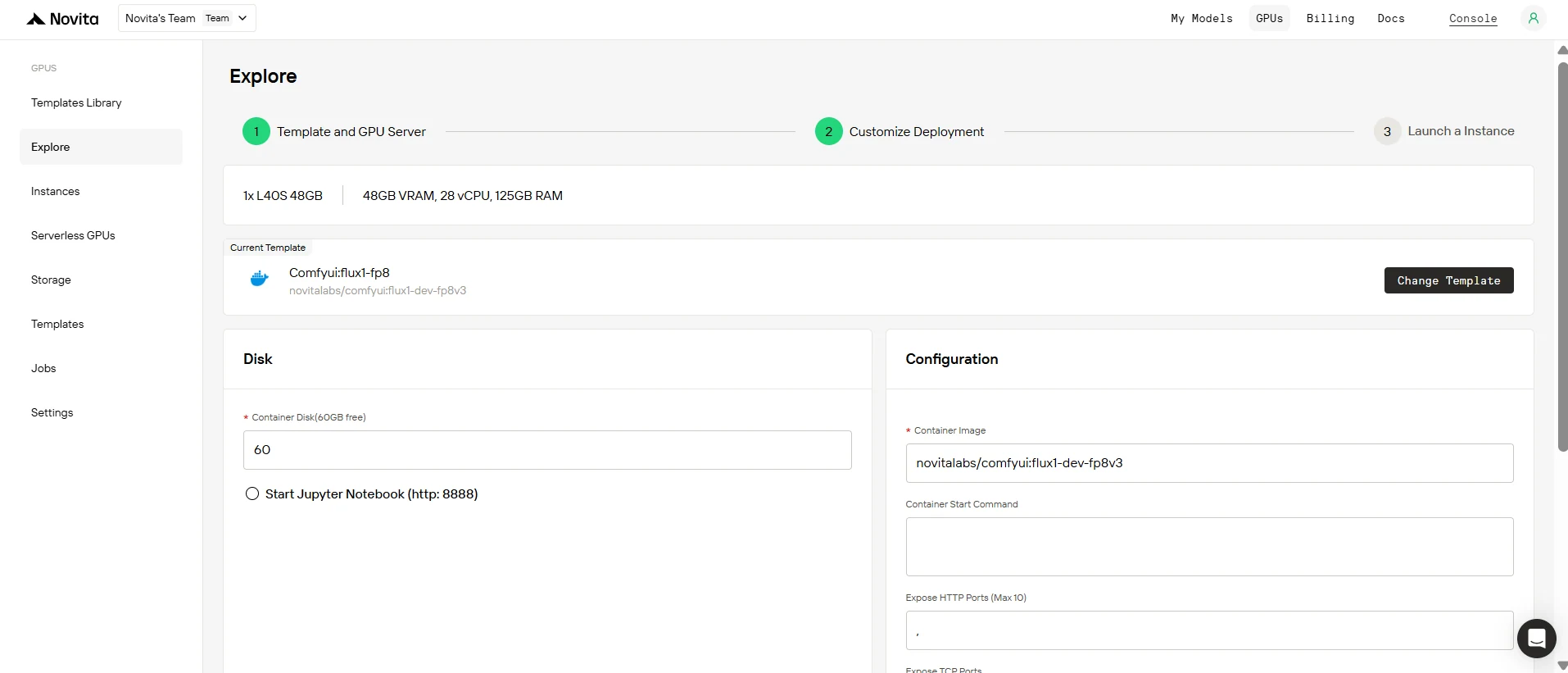
Choose from templates like PyTorch, TensorFlow, or CUDA that match your project needs. Then select your preferred GPU configuration—options include the powerful L40S, RTX 4090, H200 or A100 SXM4, each with different VRAM, RAM, and storage specifications.
Step 3:Tailor Your Deployment
Customize your environment by selecting your preferred operating system and configuration options to ensure optimal performance for your specific AI workloads and development needs.
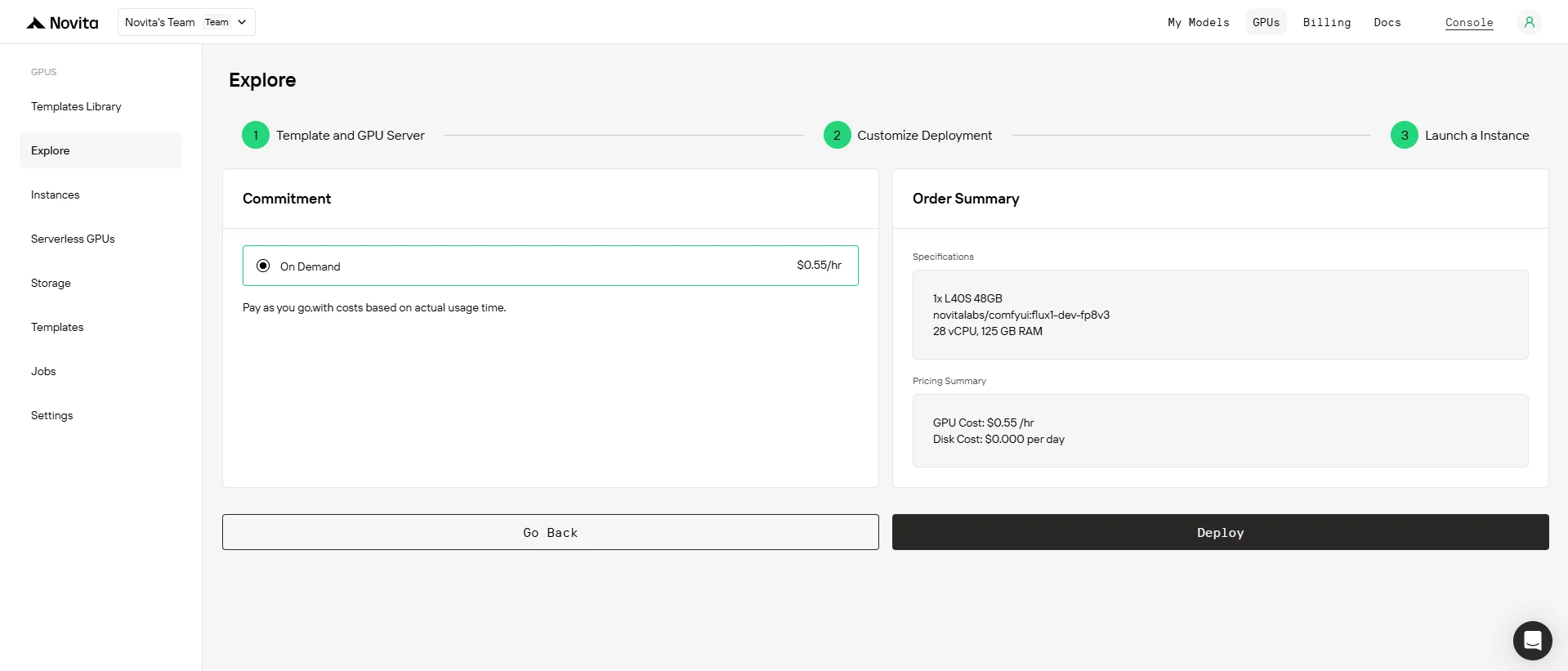
Step4:Launch an instance
Select “Launch Instance” to start your deployment. Your high-performance GPU environment will be ready within minutes, allowing you to immediately begin your machine learning, rendering, or computational projects.
The NVIDIA H200 is a powerful upgrade over the H100, purpose-built for large-scale AI training, inference, and precision HPC workloads. With cutting-edge HBM3e memory, exceptional FP8 performance, and MIG support, it excels at running dense 70B+ LLMs or blending AI with traditional simulation.
However, for smaller models or less intensive tasks, more affordable GPUs like the RTX 4090 offer far better cost efficiency. If you’re not bound by memory-heavy use cases, consider a leaner setup—or explore cloud platforms like Novita AI to access H200-grade power without the infrastructure cost.
Frequently Asked Questions
What is the H200 used for?
It’s ideal for training or serving large (70B+) LLMs, real-time AI inference, ray-traced scientific visualization, and FP64-heavy HPC simulations.
Can I run a 70B model on a single H200?
Yes, if you use FP8 quantization. But anything beyond 70B (dense) may require model splitting or multiple GPUs.
Is the H200 overkill for small models?
Yes. A 13B model fits easily on GPUs like the RTX 3090 or 4090, which are much cheaper and more power-efficient.
Novita AI is an AI cloud platform that offers developers an easy way to deploy AI models using our simple API, while also providing the affordable and reliable GPU cloud for building and scaling.
Recommended Reading