GLM-5, the latest flagship model from Z.AI, has pushed the boundaries of open-source language models with its massive 754 billion parameter architecture. But here’s the catch: while it delivers best-in-class performance on coding, reasoning, and agentic tasks, running GLM-5 locally demands enterprise-grade hardware that puts it far beyond reach for most developers.
This guide breaks down exactly how much VRAM GLM-5 needs across different precision levels, which GPUs can handle it, and realistic deployment strategies for both local experimentation and production workloads. We’ll also explore why GLM-5’s size matters for its intended use cases: complex systems engineering and multi-step agentic workflows.
Quick Answer: GLM-5 VRAM Requirements
Unlike dense models where all parameters activate for every token, GLM-5 uses a Mixture-of-Experts (MoE) architecture with:
- 754B total parameters spread across multiple expert networks
- 40B active parameters per inference pass (only ~5.4% of total parameters active)
- DeepSeek Sparse Attention (DSA) for efficient long-context processing
- 28.5T tokens of pre-training data (up from GLM-4.5’s 23T)
| Precision Level | Minimum VRAM | GPU Configuration |
|---|---|---|
| BF16 (Full Precision) | 1.51TB | 24× NVIDIA H100 80GB |
| FP8 | About 800GB | 8× NVIDIA H200 141GB |
| INT4 (Community Quants) | 400GB+ | 8× NVIDIA H100 80GB |
Recommended configuration: 8× H100 80GB with NVLink for INT4. This provides 640GB total VRAM with high-bandwidth GPU interconnect (900 GB/s per NVLink bridge), essential for efficient parameter routing in MoE models.
Consumer Hardware: Not Realistic
Let’s be blunt: GLM-5 is not designed for consumer GPUs. Even if you can fit the model, inference speed will be painfully slow without NVLink. Consumer motherboards lack the inter-GPU bandwidth needed for efficient tensor parallelism.
GLM-5 Performance: Is the VRAM Cost Worth It?
GLM-5 makes sense when you need high execution reliability and long-horizon tool workflows, especially inside Claude Code-style environments. The strongest evidence is that GLM-5 behaves like an engineering-execution model:
- 98% Frontend Build Success Rate
This strongly suggests GLM-5 produces code that compiles and runs, not just code that “sounds right.”
It also performs extremely well on agentic benchmarks:
- BrowseComp w/ Context Manage: 75.9
- τ²-Bench: 89.7
- MCP-Atlas Public Set: 67.8
When GLM-5 is not worth it
If your work is:
- small scripts
- single-file coding
- short Q&A debugging
- simple web components
- “generate code snippet” tasks
Then GLM-5’s long-context engineering advantage does not activate, and you are paying huge VRAM for minimal gain. In that case, models like Minimax M2.5 are far more cost-effective.
https://www.youtube.com/watch?v=3XCYruBYr-0
Deployment Options: Cloud vs Local
Option 1: API Providers (Easiest)
For most developers, using GLM-5 via API is the only practical option.
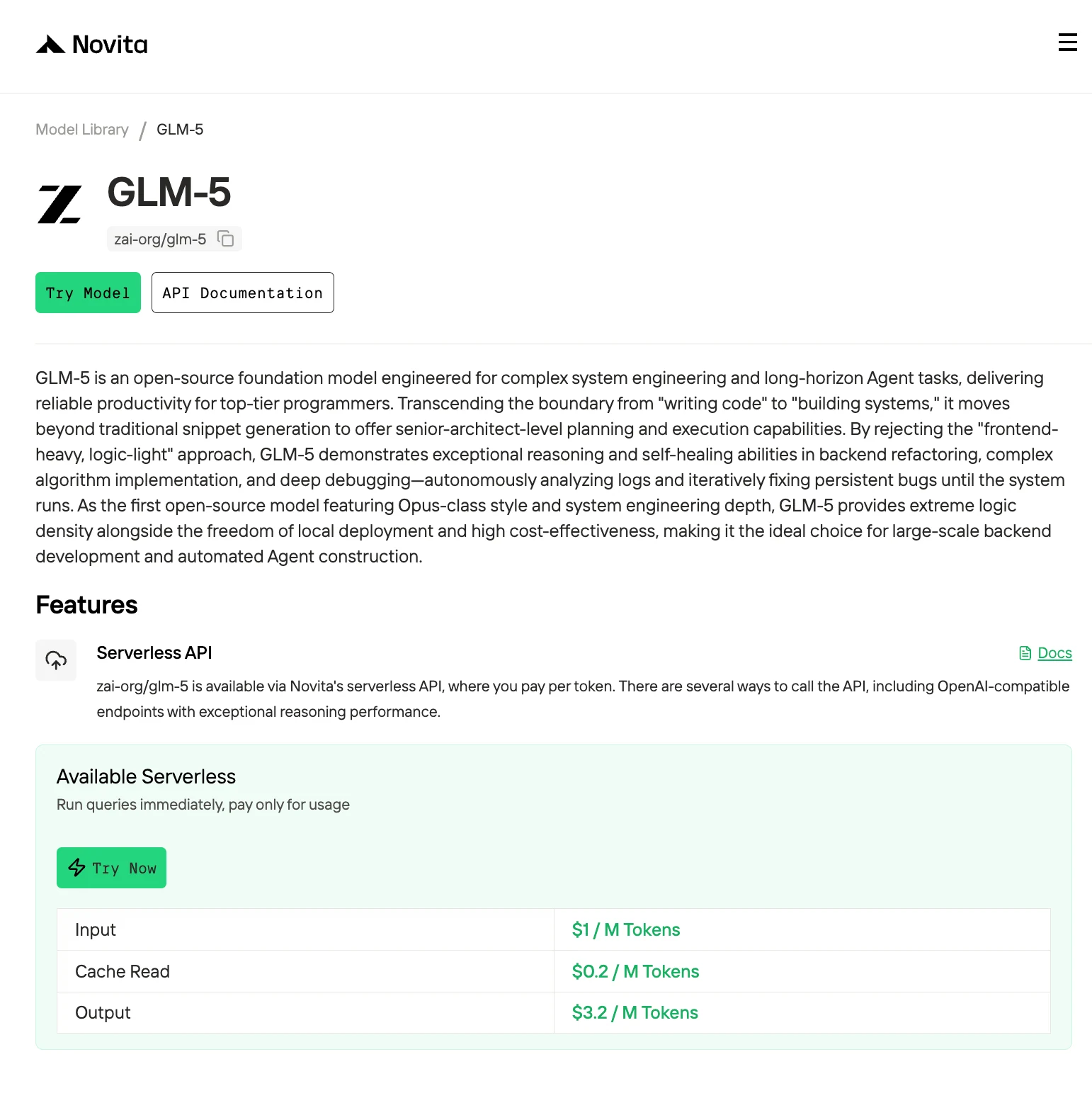
Easily connect Novita AI with partner platforms like Claude Code, Trae, Continue, Codex, OpenCode,AnythingLLM,LangChain, Dify, Langflow, and OpenClaw through official integrations and step-by-step setup guides.
Option 2: Cloud GPU Rental
Step1:Register an account
Create your Novita AI account through our website. After registration, navigate to the “Explore” section in the left sidebar to view our GPU offerings and begin your AI development journey.
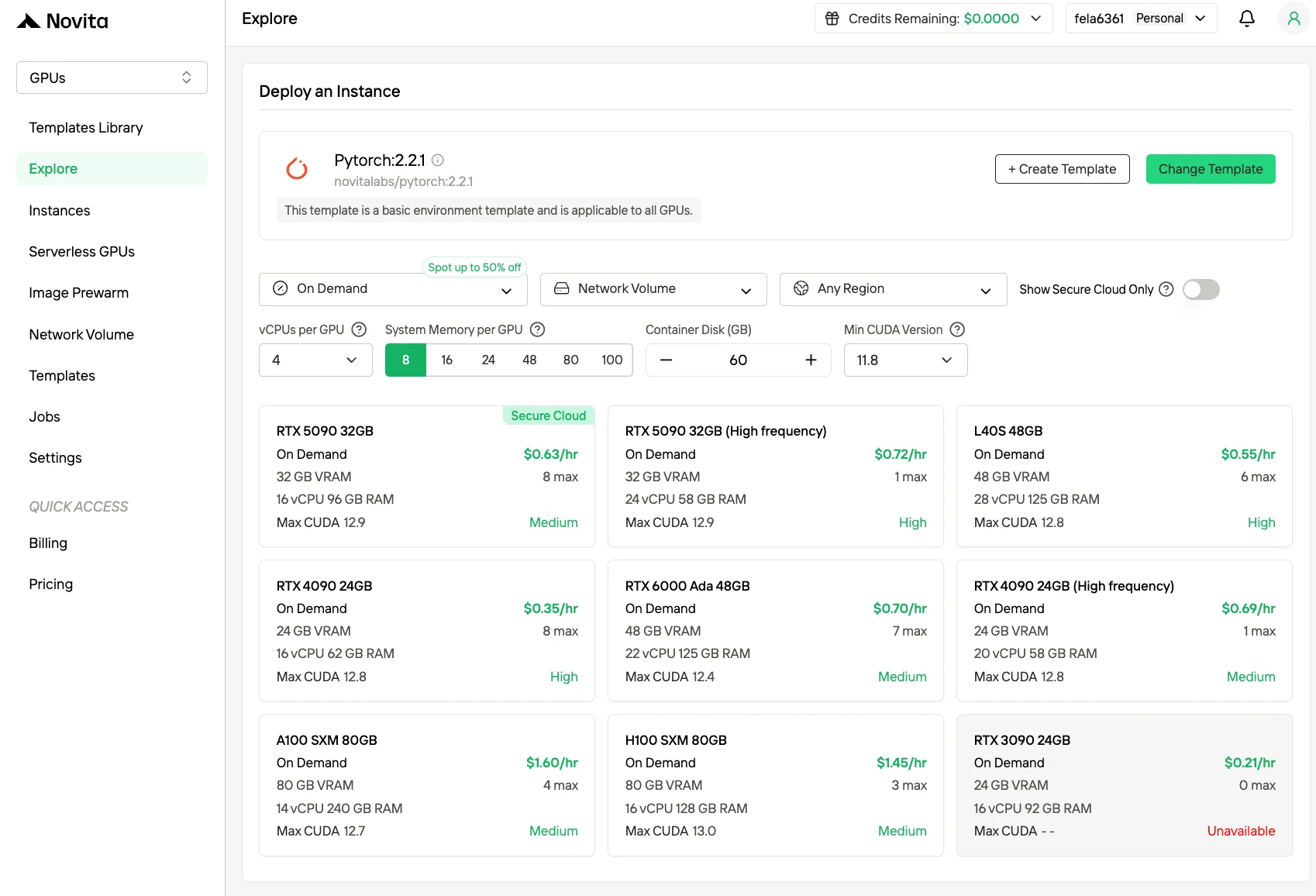
Step2:Exploring Templates and GPU Servers
Choose from templates like PyTorch, TensorFlow, or CUDA that match your project needs. Then select your preferred GPU configuration—options include the powerful H100, each with different VRAM, RAM, and storage specifications.
Step3:Tailor Your Deployment
Customize your environment by selecting your preferred operating system and configuration options to ensure optimal performance for your specific AI workloads and development needs.
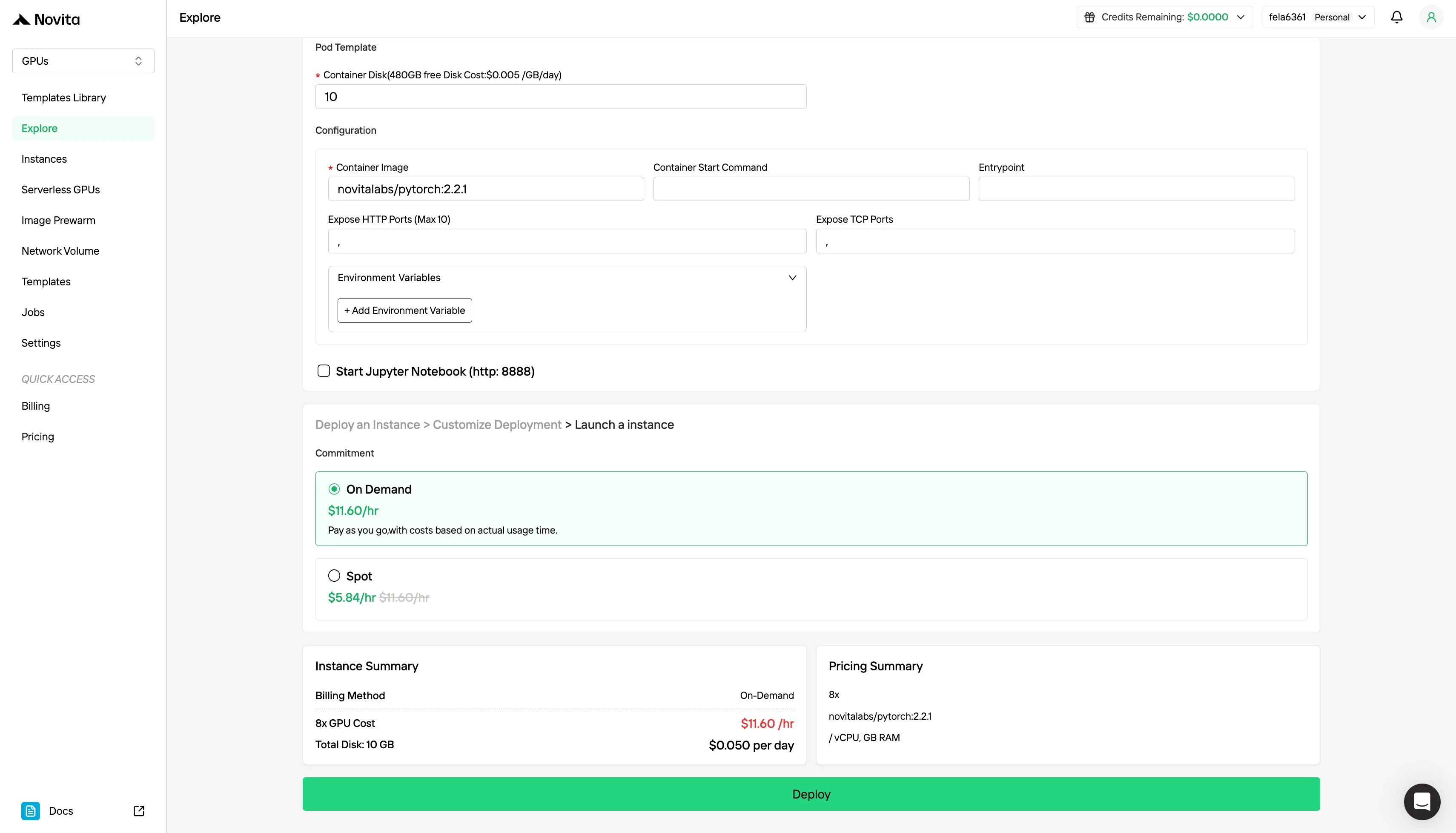
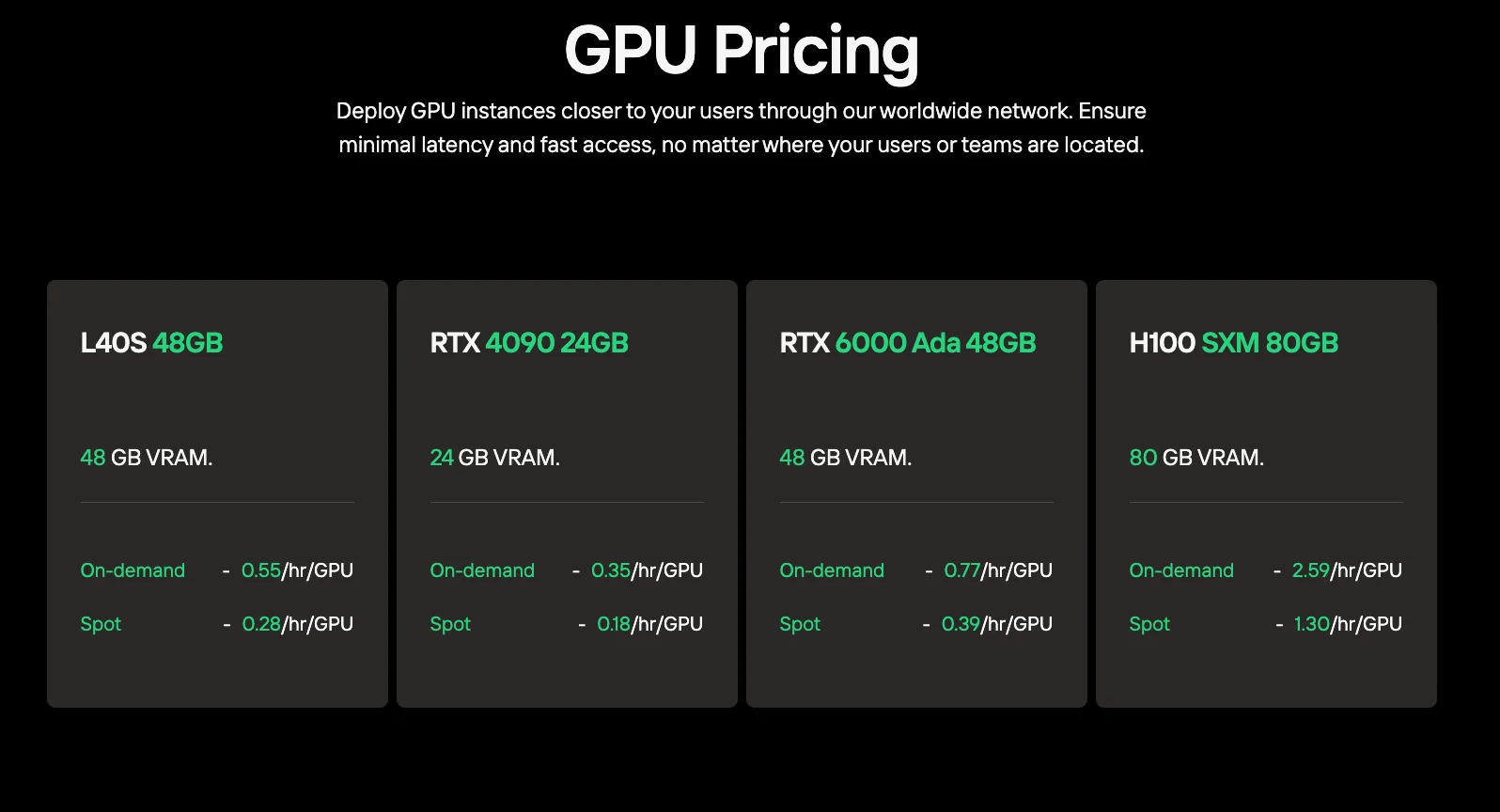
Besides the standard On-Demand pricing model, Novita AI also offers Spot mode, a significantly cheaper GPU option designed for cost-sensitive workloads.
Novita AI’s Spot mode is a cost-optimized GPU rental system that leverages the platform’s idle or unused GPU capacity. Unlike on-demand instances, which reserve dedicated hardware for stable, continuous usage, Spot instances are interruptible—your job may be paused or terminated if the GPU is reclaimed by the system. Because Spot mode reallocates otherwise unused GPU resources, it is typically 40–60% cheaper than on-demand pricing.
Option 3: Local Deployment (Research Only)
If you have access to a high-end workstation or lab cluster:
- Hardware requirement: 8× H100/A100 for INT4
- Software stack: vLLM 0.6+ or SGLang with tensor parallelism support
- Storage: 2TB+ NVMe SSD for model weights and fast loading
- Memory: 512GB+ system RAM for loading checkpoints before GPU transfer
GLM-5 represents a new class of ultra-large open-source models that push the boundaries of what’s possible in agentic AI—but at a steep hardware cost. With 754GB VRAM required even in INT4, GLM-5 is firmly in enterprise territory, requiring 8+ H100-class GPUs for viable deployment. For individual developers and small teams, the API route via providers like Novita AI is the only practical option.
Frequently Asked Questions
Can I run GLM-5 on RTX 4090s?
No chance. Eight H100 GPUs are the baseline.
What’s the difference between GLM-5 BF16 and FP8 versions?
Surprisingly, both are ~754GB due to mixed-precision quantization in FP8. FP8 offers minimal quality loss with slightly better inference speed on H100+ GPUs.
Can I fine-tune GLM-5 on consumer hardware?
No. Fine-tuning requires 2-3× the VRAM of inference (optimizer states, gradients), making it impossible.
Novita AI is an AI cloud platform that offers developers an easy way to deploy AI models using our simple API, while also providing an affordable and reliable GPU cloud for building and scaling.
Recommended Reading



