Key Highlights
AI Inference: Use L40S for mid-scale deployments; choose H100 for hyperscale inference tasks.
AI Training: L40S is ideal for models up to 30B parameters; H100 is necessary for 70B+ model training.
Graphics & Visualization: L40S is the clear winner with RT Cores; H100 lacks graphics acceleration entirely.
Scientific Computing: Choose H100 for high-precision FP64 workloads; L40S handles basic simulations efficiently.
Novita AI
Runpod
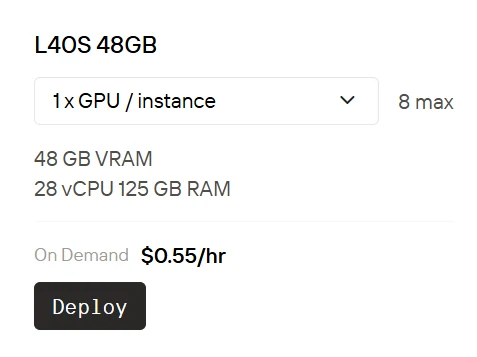
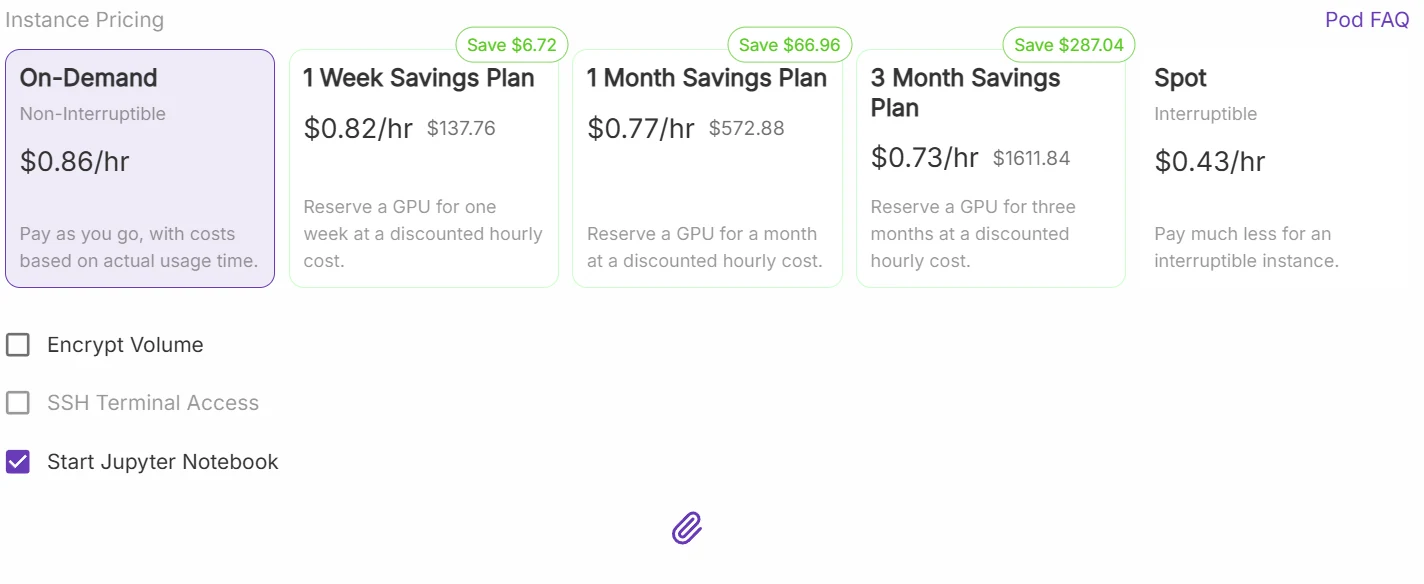
The cost of using L40S on Novita AI is approximately half the price of RunPod.
Choosing between the L40S and H100 is no simple task. Do you prioritize the H100’s raw power for large-scale AI training and scientific precision, or the L40S’s versatility and efficiency for inference, training, and visualization?
Each GPU has its unique strengths—but which one is truly right for your needs? In the following analysis, we’ll break it all down and help you decide.
The NVIDIA L40S and H100 are both powerful GPUs designed for demanding workloads, but they serve different roles. The L40S is a versatile, power-efficient GPU optimized for AI inference, graphics rendering, and general-purpose computing. The H100, on the other hand, is NVIDIA’s flagship for large-scale AI training and HPC, offering unmatched tensor and double-precision compute performance.
L40S vs H100: Real-World AI Workloads
AI Inference:
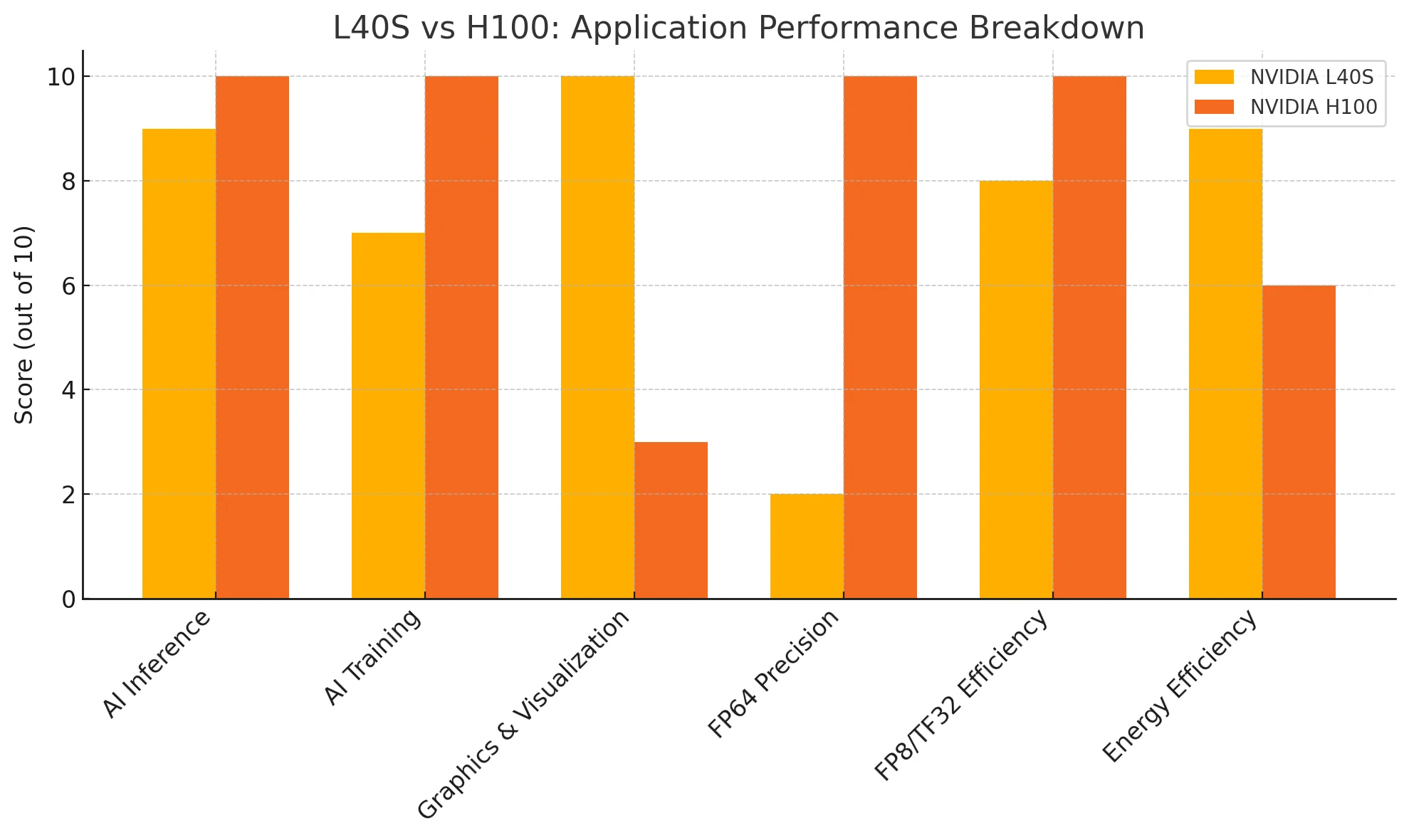
H100 has a slight edge in raw inference performance, but L40S still delivers excellent results with higher energy efficiency.
AI Training:
H100 offers unmatched performance for ultra-large models. L40S, while not as powerful, is highly cost-effective for mid- to large-scale training tasks.
Graphics & Visualization:
L40S clearly wins, featuring dedicated RT Cores and optimized drivers for professional rendering and visualization workloads.
FP64 Precision:
H100 is the go-to option for scientific computing and high-precision workloads. L40S supports basic FP64 tasks.
FP8/TF32 Efficiency:
H100 leads in high-precision tensor computing, but L40S’s FP8 inference capabilities are more than sufficient for most deployment scenarios.
L40S is the best choice for users seeking a versatile, power-efficient GPU for inference, graphics, and balanced training. H100 excels in large-scale AI training and high-precision computing, but its advantages come with higher power and cost requirements. The right choice depends on your specific workload and scalability needs.
Why Developers Are Choosing L40S or H100?
AI Inference
| Metric | L40S | H100 |
|---|---|---|
| FP8 Tensor (Sparse) | 733|1466 PFLOPS | 3958|3341 |
| TDP | 300W–350W | Up to 700W (SXM5) |
| MIG | No | Yes |
✅ Recommendation:
- Choose H100 if you need the highest single-node inference throughput for very large models (≥ 70 B parameters) and your data-centre budget and power envelope can handle 700 W per GPU.
- Choose L40 S when power, cap-ex, or slot count is constrained, or when you plan to host many mid-size models (≤ 40 B) with MIG. It offers the best performance-per-dollar and strong performance-per-watt, while still supporting FP8 and MIG.
AI Training
| Metric | L40S | H100 |
|---|---|---|
| TF32 Tensor (Sparse) | 183|366 | 989|835 |
| Memory Bandwidth | 864 GB/s (GDDR6) | Up to 3.9TB/s (NVL) |
| Memory Capacity | 48 GB | 80 |98GB |
✅ Recommendation:
- H100 is the go-to for training massive models (e.g., >70B parameters) thanks to its superior memory bandwidth and Transformer Engine.
- L40S is a strong fit for models up to 30B–40B, with modern architecture and 4th-gen tensor cores.
Cost-sensitive labs and startups often favor L40S for FP8/TF32 mixed-precision training with acceptable speed.
Graphics, Visualization, and Real-Time Simulation
| Metric | L40S | H100 |
|---|---|---|
| RT Cores | 142 (3rd Gen) | None |
✅ Recommendation:
- L40S wins by default. With dedicated RT cores, it supports real-time ray tracing and professional graphics workloads.
- H100 has no RT cores and is unsuitable for rendering, simulation engines, or Omniverse-based pipelines.
Scientific Computing / HPC
| Metric | L40S | H100 |
|---|---|---|
| FP64 Performance | 1.4 TFLOPS | 26|34TFLOPS |
✅ Recommendation:
- H100 is essential for double-precision floating-point workloads, such as quantum mechanics, fluid dynamics, or materials science.
- L40S, while capable of basic FP64, should not be used where high precision is mandatory.
| Metric | NVIDIA L40S (PCIe) | NVIDIA H100 (SXM5) |
|---|---|---|
| Architecture | Ada Lovelace | Hopper |
| CUDA Cores | 18,176 | 16,896 |
| Tensor Cores | 568 (4th Gen) | 528 (4th Gen + Transformer Engine) |
| RT Cores | 142 (3rd Gen) | 0 |
| FP32 Peak | 91.6 TFLOPS | 66.9 TFLOPS |
| TF32 Tensor (dense) | 366 TFLOPS | 989 TFLOPS |
| TF32 Tensor (sparse ×2) | 733 PFLOPS | 1.979 PFLOPS |
| FP8 Tensor (dense) | 1.466 PFLOPS | 3.958 PFLOPS |
| FP8 Tensor (sparse ×2) | 2.93 PFLOPS | 7.91 PFLOPS |
| FP64 Scalar | 1.43 TFLOPS | 34 TFLOPS |
| FP64 Tensor | — | 60 TFLOPS |
| Memory Bandwidth | 864 TB/s (GDDR6) | 3.35 TB/s (HBM3) |
| TDP | 300 – 350 W | 700 W |
L40S vs H100: Power Efficiency
| Application Scenario | GPU | Hardware Cost (USD) | Monthly Power Cost (USD) | Key Strengths |
|---|---|---|---|---|
| AI Inference | L40S | $7,569 – $10,750 | ~$32.10 | the L40S offers approximately 80% of the H100’s performance |
| H100 | $27,000 – $40,000 | ~$64.25 | ||
| AI Training | L40S | $7,569 – $10,750 | ~$32.10 | Efficient for models up to ~30B params |
| H100 | $27,000 – $40,000 | ~$64.25 | Required for 70B+ scale models | |
| Graphics & Visualization | L40S | $7,569 – $10,750 | ~$32.10 | 142 RT cores, optimized Ada drivers; ideal for Omniverse, Blender, 3D pipelines |
| H100 | $27,000 – $40,000 | ~$64.25 | ❌ No RT cores, no rendering optimization | |
| Scientific Computing (FP64) | L40S | $7,569 – $10,750 | ~$32.10 | Basic FP64 (1.4 TFLOPS) |
| H100 | $27,000 – $40,000 | ~$64.25 | Superior FP64 performance for high-precision workloads |
How to run L40S and H100 at a very low price?
Novita AI provides a cloud-based platform with high-performance GPU instances. With powerful GPUs, it ensures efficient performance for complex tasks, enhances accessibility for deployment across various hardware, and offers a cost-effective solution compared to maintaining local hardware for large-scale AI deployments.
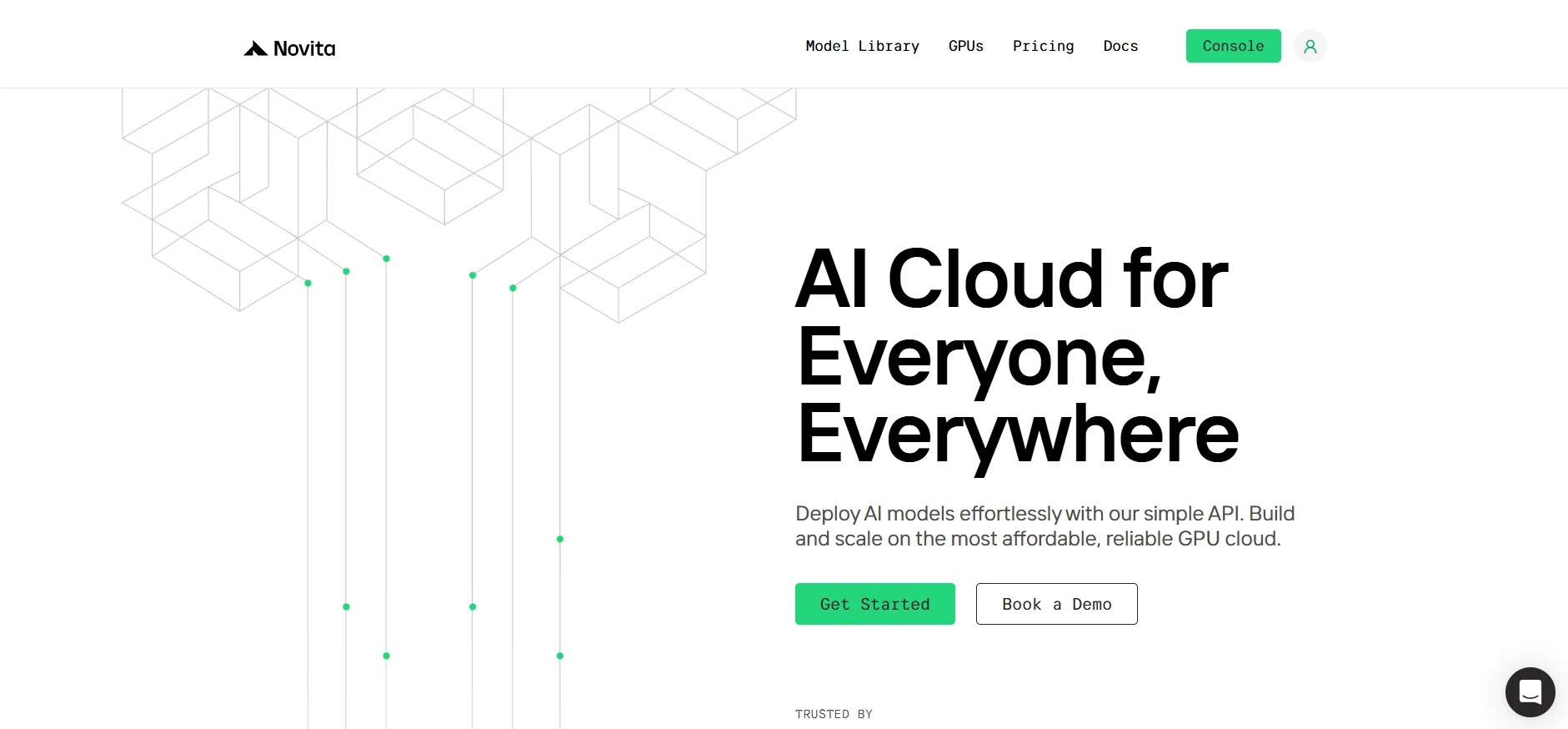
Step1:Register an account
Create your Novita AI account through our website. After registration, navigate to the “Explore” section in the left sidebar to view our GPU offerings and begin your AI development journey.
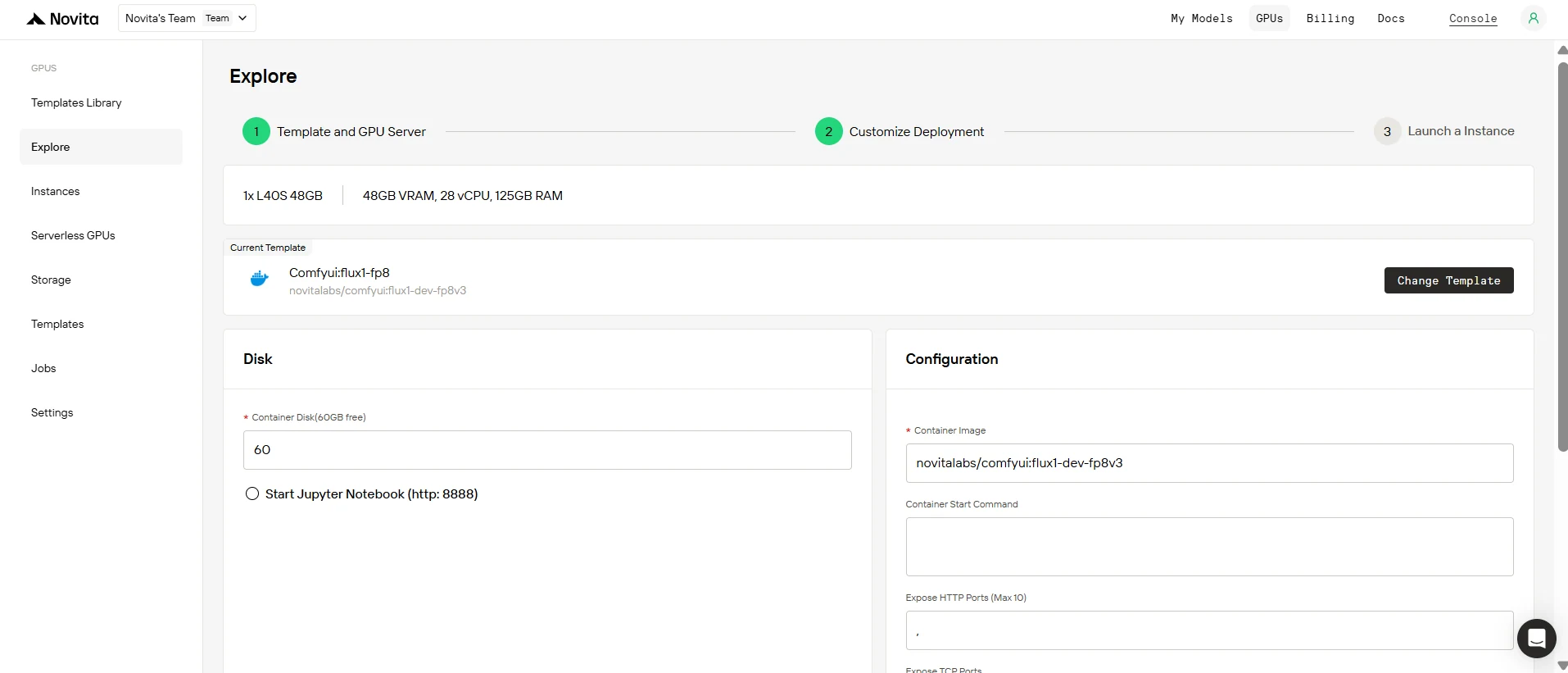
Step2:Exploring Templates and GPU Servers
Choose from templates like PyTorch, TensorFlow, or CUDA that match your project needs. Then select your preferred GPU configuration—options include the powerful L40S, RTX 4090 or A100 SXM4, each with different VRAM, RAM, and storage specifications.
Step3:Tailor Your Deployment
Customize your environment by selecting your preferred operating system and configuration options to ensure optimal performance for your specific AI workloads and development needs.
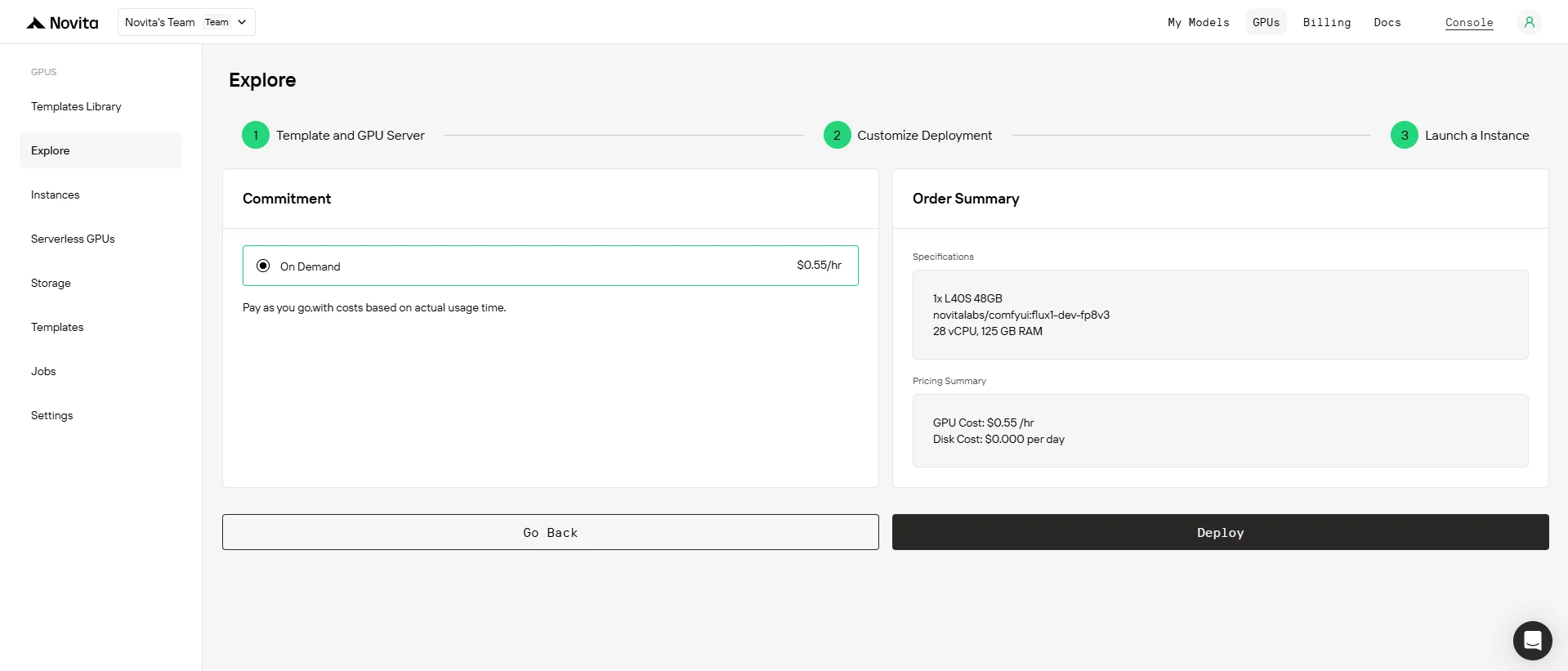
Step4:Launch an instance
Select “Launch Instance” to start your deployment. Your high-performance GPU environment will be ready within minutes, allowing you to immediately begin your machine learning, rendering, or computational projects.
If your workload emphasizes efficiency, flexibility, and deployment scale, the L40S is the smarter investment. If you’re building large LLMs, HPC clusters, or latency-critical AI systems and have the budget to match, the H100 delivers industry-leading performance.
Frequently Asked Questions
Which GPU is better for AI inference?
Both perform well, but L40S is more efficient and cost-effective due to native FP8 support and lower power usage. H100 is only worth it if you need ultra-high throughput or lowest latency at scale.
Can I train large models on L40S?
Yes—for mid- to large-scale training, L40S is a solid choice with excellent TF32 performance. For massive foundation models or multi-GPU clusters, H100 is better.
Which GPU has better energy efficiency?
L40S. Its 300–350W TDP and strong performance-per-watt make it a better option for power-sensitive deployments. H100 (up to 700W SXM5) requires significant infrastructure.
Novita AI is an AI cloud platform that offers developers an easy way to deploy AI models using our simple API, while also providing the affordable and reliable GPU cloud for building and scaling.
Recommended Reading



