Key Highlights
A6000 = mature, stable, good for legacy workloads.
L40S = future-ready, FP8-powered, better suited for LLMs, generative AI, and advanced simulation.
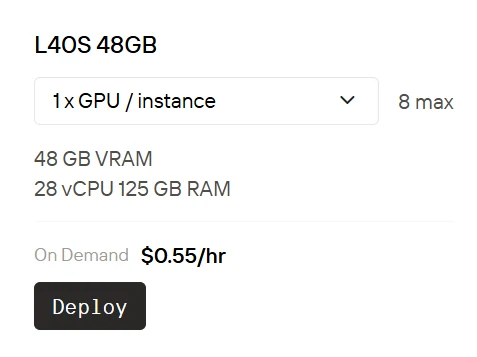
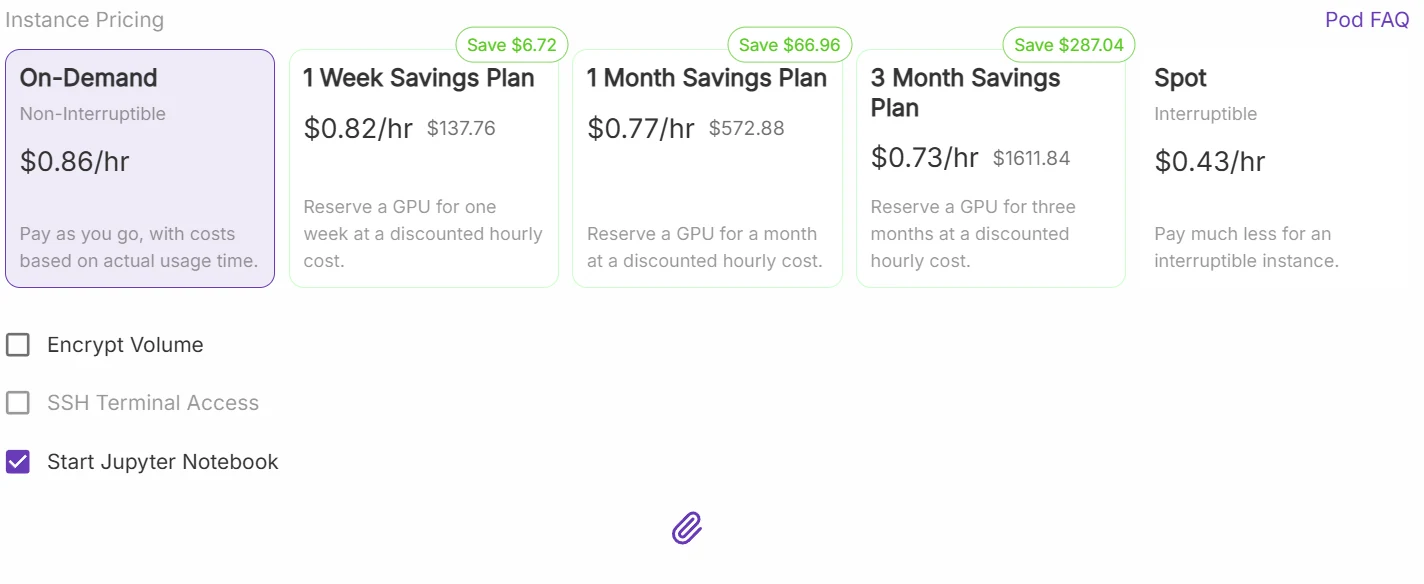
Novita AI currently offers L40S usage at just $0.55/hr—roughly half the price of RunPod. Give Novita AI a try now!
Novita AI
Runpod
The cost of using L40S on Novita AI is approximately half the price of RunPod.
Launch your L40s GPU instance now
Imagine you’re training a giant Transformer model, rendering high-fidelity 3D scenes, or running low-latency inference in production. You visit NVIDIA’s site—only to be hit by walls of specs: CUDA cores, Tensor cores, RT cores, memory bandwidth, power consumption… Confusing, right?
Choosing the wrong GPU can delay your project and waste serious money. This article compares the NVIDIA A6000 and L40S in plain terms—so you can pick wisely and focus on building, not guessing.
A6000 vs L40s: Architecture Comparison
CUDA Cores – Your GPU’s Muscle
Takeaway: More cores = better parallelism = faster training and rendering.
- A6000: 10,752 cores (Ampere). Great for FP32 workloads—reliable for general-purpose tasks.
- L40S: 18,176 cores (Ada Lovelace). More and better—especially when paired with newer Tensor cores.
Tensor Cores – AI’s Specialized Engine
Takeaway: FP8 gives L40S a massive edge in modern AI workloads.
- A6000: 3rd-gen Tensor cores, supports FP16 and TF32.
- L40S: 4th-gen cores, adds FP8 support and efficient sparsity. FP8 is critical for training LLMs and diffusion models.
RT Cores – Realistic Rendering
Takeaway: If realism matters, L40S wins.
- A6000: 84 2nd-gen RT cores.
- L40S: 142 3rd-gen RT cores—better for VR, animation, and simulation.
Memory
Takeaway: Same size, but L40S moves data faster—ideal for large models.
Both offer 48 GB GDDR6, but L40S has higher bandwidth (1 TB/s vs. 768 GB/s).
L40s vs A6000: Cost Breakdown
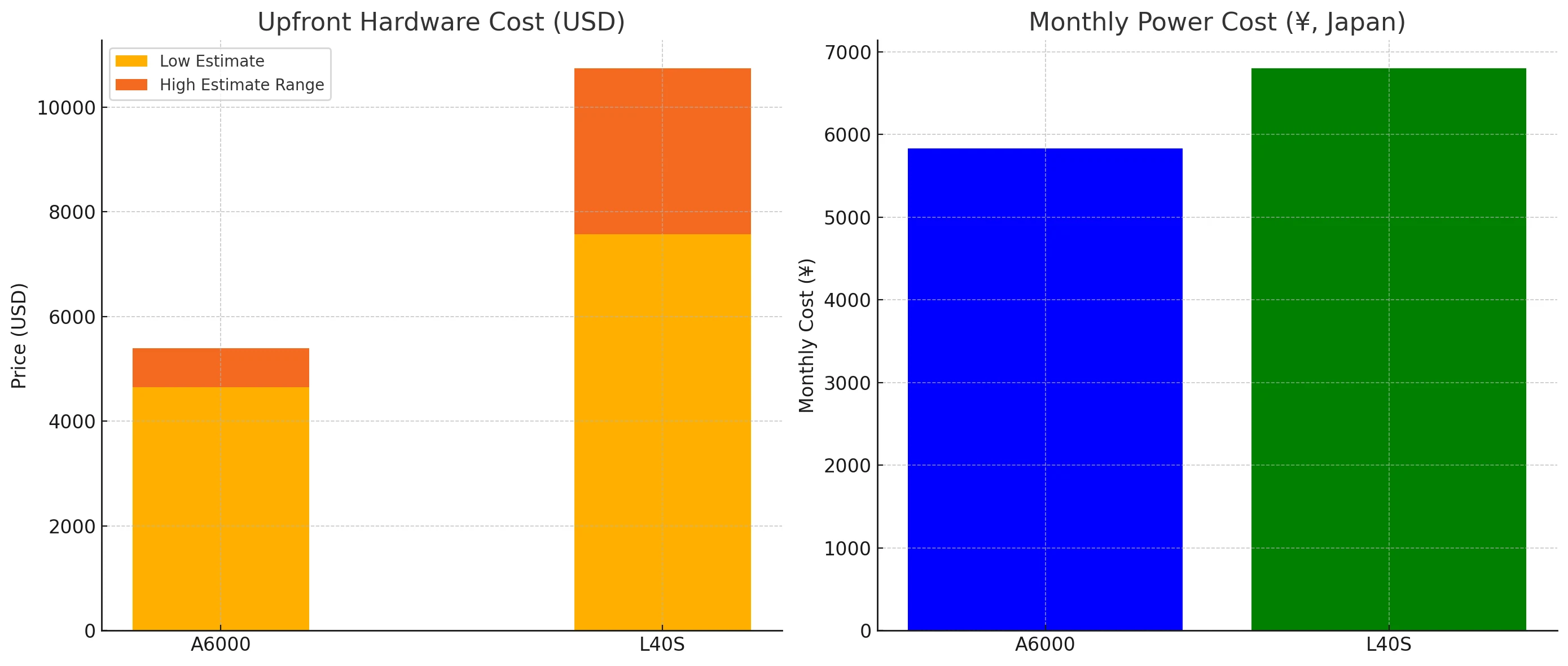
Cooling & Infrastructure Costs
- L40S generates more heat, requiring upgraded server racks, power supplies, and cooling systems.
- A6000 is easier to deploy in traditional workstations with minimal upgrades.
Deployment & Maintenance
- L40S often requires data center-class integration, including NVLink bridges, driver tuning, and optimized networking.
- A6000 installs smoothly in desktop workstations and is easier for solo developers or small teams.
A6000 vs L40s: Application Scenarios
1. Training Large Language Models (LLMs)
Choose L40S
- L40S is specifically designed for modern AI needs like LLMs and generative models (e.g., GPT-style architectures, diffusion models).
- With native FP8 support, higher memory bandwidth, and more Tensor Cores, it significantly reduces training time and compute cost.
2. Real-Time Rendering, Gaming & Metaverse Development
Choose L40S
- L40S includes third-generation RT Cores—ideal for real-time ray tracing, high-fidelity VFX, and immersive VR/AR environments.
- Enables faster rendering and smoother scene simulation.
3. Medical Imaging & Scientific Simulation
Consider Both
- A6000 is still a powerful and stable choice for memory-intensive workloads in healthcare and scientific computing.
- L40S, however, handles the same workloads faster due to higher CUDA core count and faster memory throughput.
4. Traditional Deep Learning & Data Science
Choose A6000 or L40S, depending on scale
- A6000 is a versatile GPU that handles CNNs, RNNs, tabular ML, and general-purpose tasks with ease.
- L40S offers better performance on large datasets, batch inference, and high-resolution input processing.
How to run L40S at a very low price?
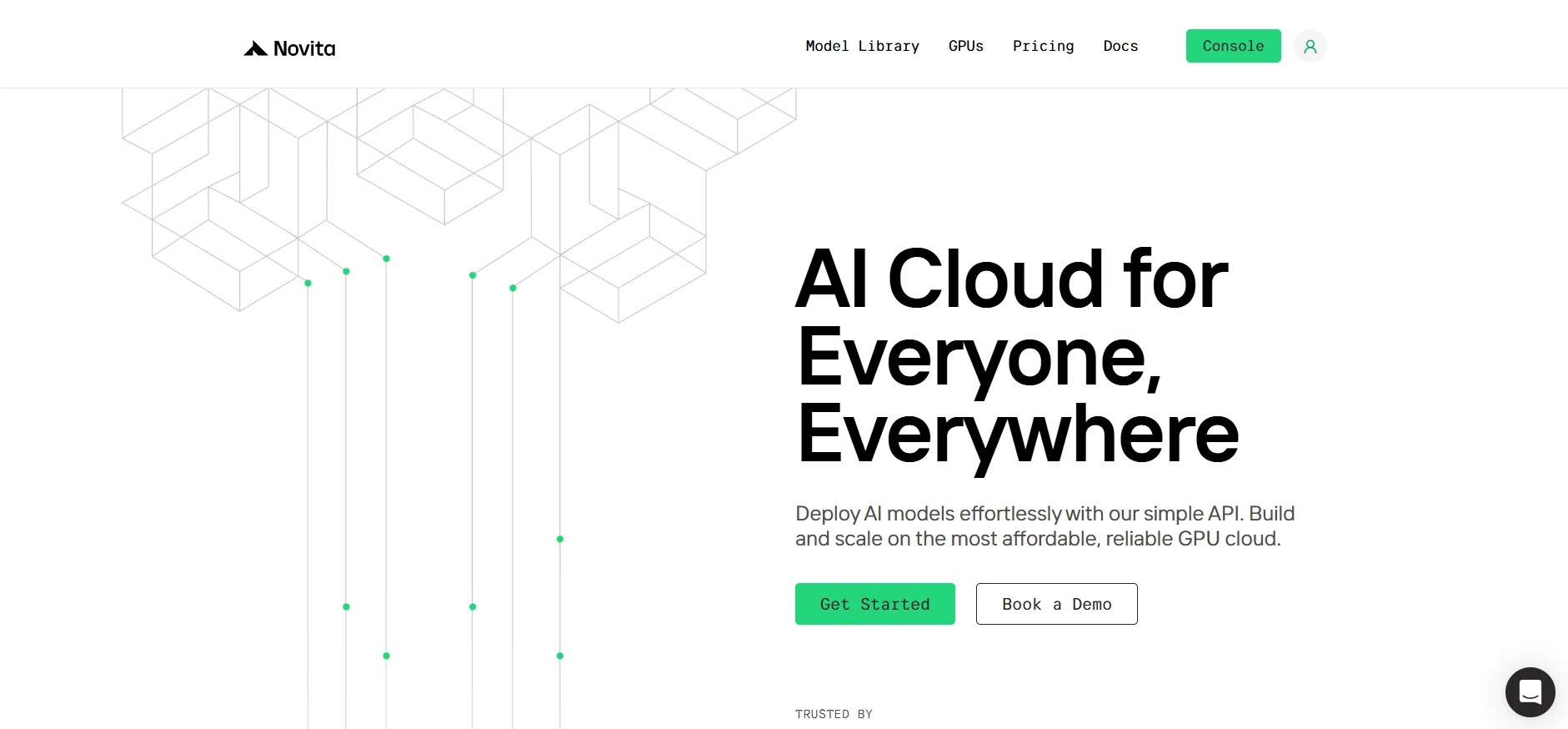
Step1:Register an account
Create your Novita AI account through our website. After registration, navigate to the “Explore” section in the left sidebar to view our GPU offerings and begin your AI development journey.
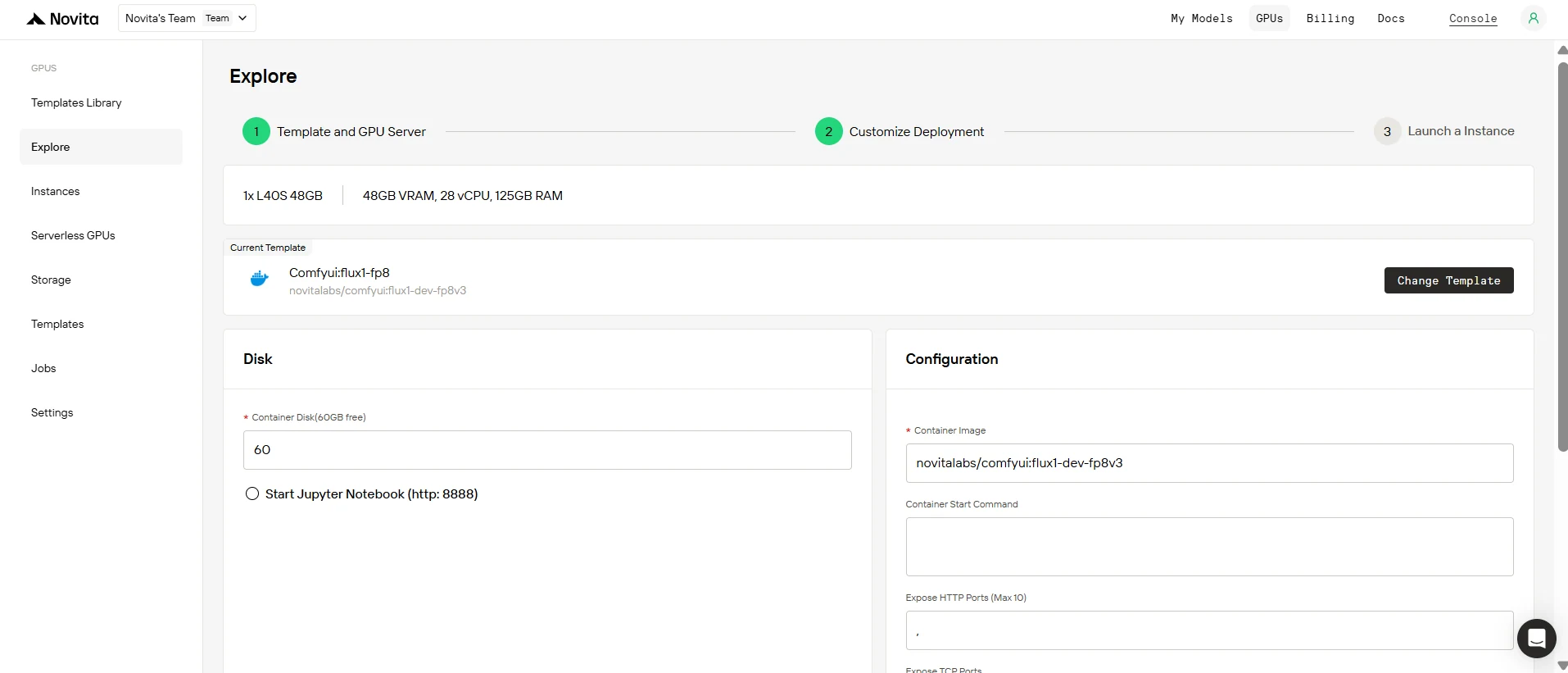
Step2:Exploring Templates and GPU Servers
Choose from templates like PyTorch, TensorFlow, or CUDA that match your project needs. Then select your preferred GPU configuration—options include the powerful L40S, RTX 4090 or A100 SXM4, each with different VRAM, RAM, and storage specifications.
Step3:Tailor Your Deployment
Customize your environment by selecting your preferred operating system and configuration options to ensure optimal performance for your specific AI workloads and development needs.
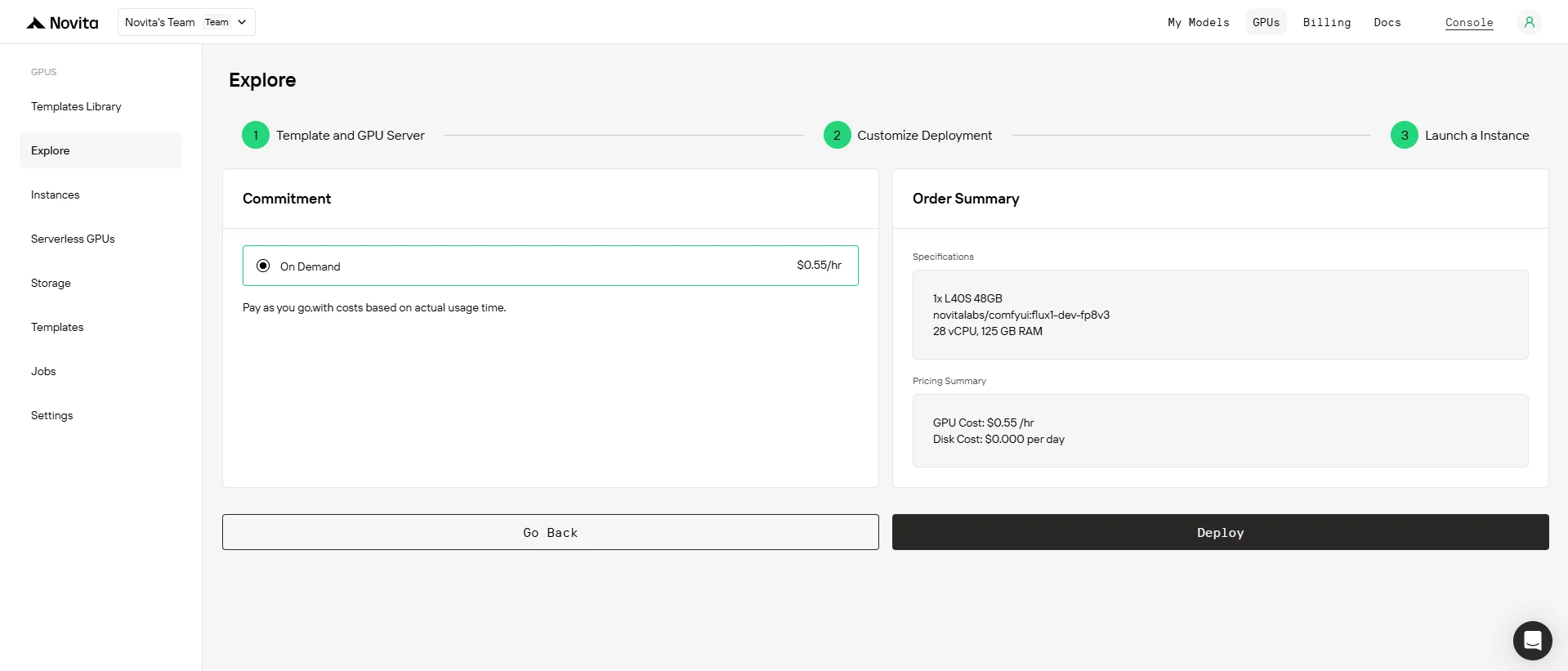
Step4:Launch an instance
Select “Launch Instance” to start your deployment. Your high-performance GPU environment will be ready within minutes, allowing you to immediately begin your machine learning, rendering, or computational projects.
Both GPUs are great. But hardware is just the beginning. Real success comes from using compute efficiently. Novita AI offers cloud-powered L40S performance, fully managed and scalable—so you build faster, spend smarter, and stay ahead.
Frequently Asked Questions
Is L40S a complete replacement for A6000?
Not fully. L40S is better for AI/LLMs, but A6000 still performs well for traditional graphics and compute.
Is A6000 still worth buying?
Yes—for CAD, VFX, and non-FP8 AI tasks. If budget is tight, A6000 remains solid. But for LLMs or future workloads, L40S is the better investment.
Why use Novita AI instead of buying my own GPU?
1. No hardware setup or maintenance
2. Pay-as-you-go pricing
3. Always up-to-date infrastructure
4. Easy scaling
5. Professional support
Novita AI is an AI cloud platform that offers developers an easy way to deploy AI models using our simple API, while also providing the affordable and reliable GPU cloud for building and scaling.
Recommended Reading



