Key Highlights
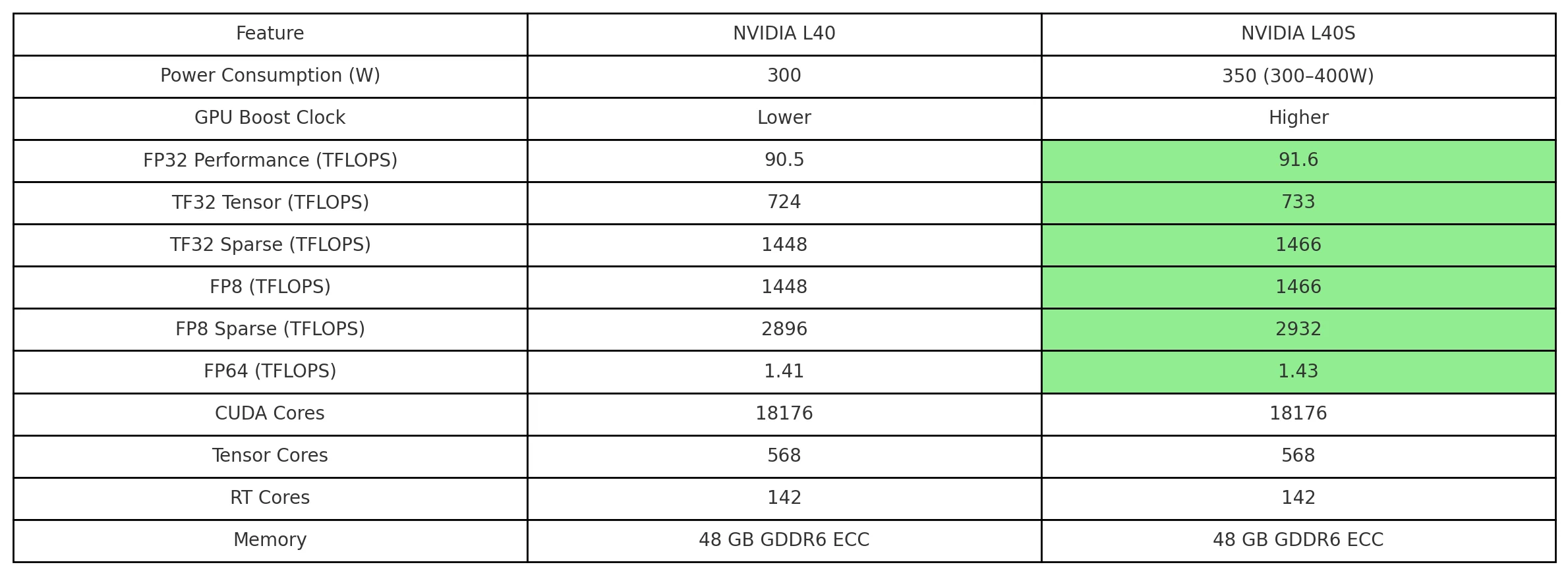
Identical Hardware Specs: Both feature 18,176 CUDA cores, 48GB ECC GDDR6, and 568 Tensor Cores.
Performance Edge: L40S delivers ~1.2% more FP32/TF32/FP8 performance due to higher boost clocks and TDP.
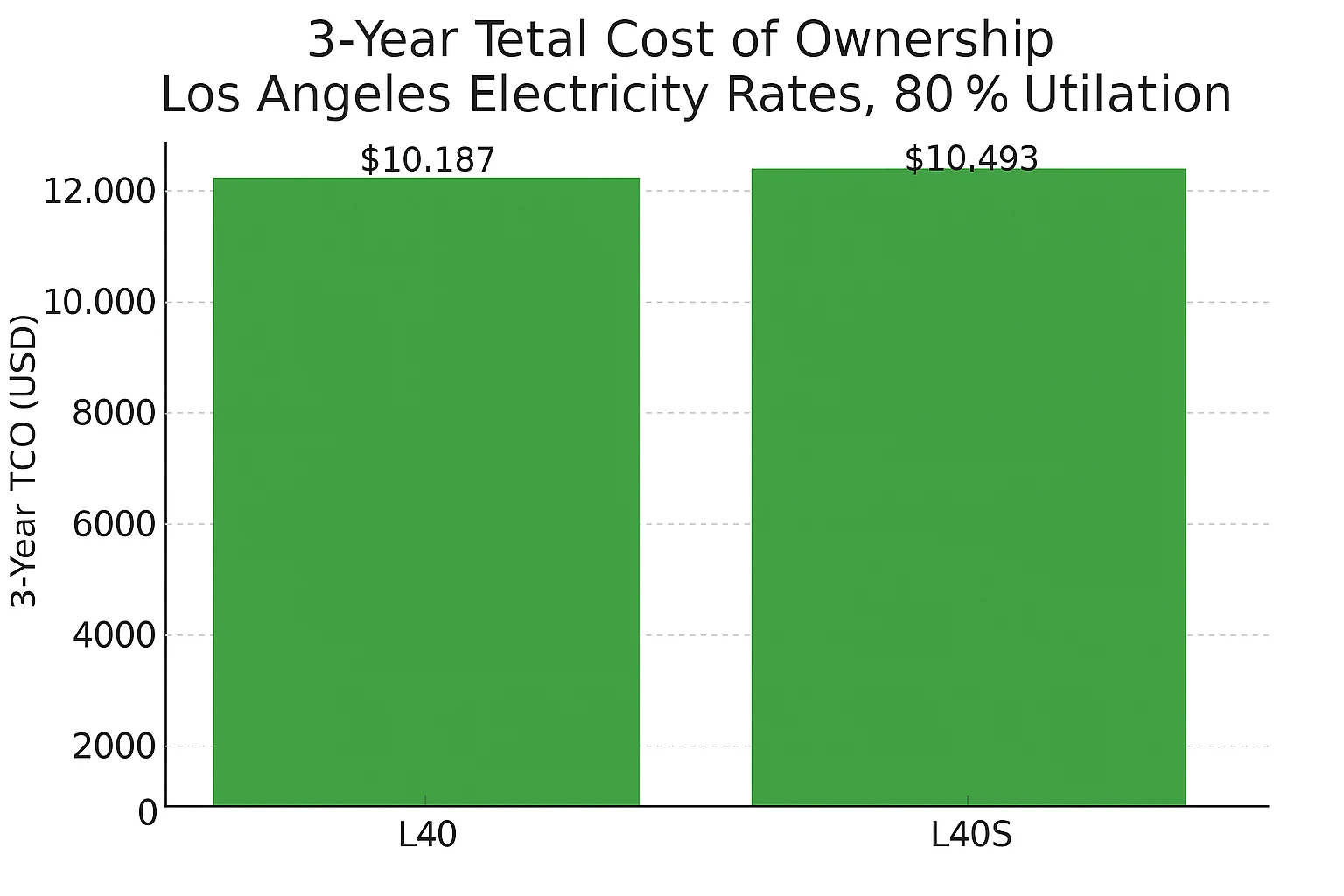
Power Use: L40S consumes ~350W vs. L40’s 300W—adding $102/year to electricity cost in Los Angeles.
TCO Difference: Over 3 years, L40S costs ~$306 more (3%) but may finish jobs faster in AI or graphics.
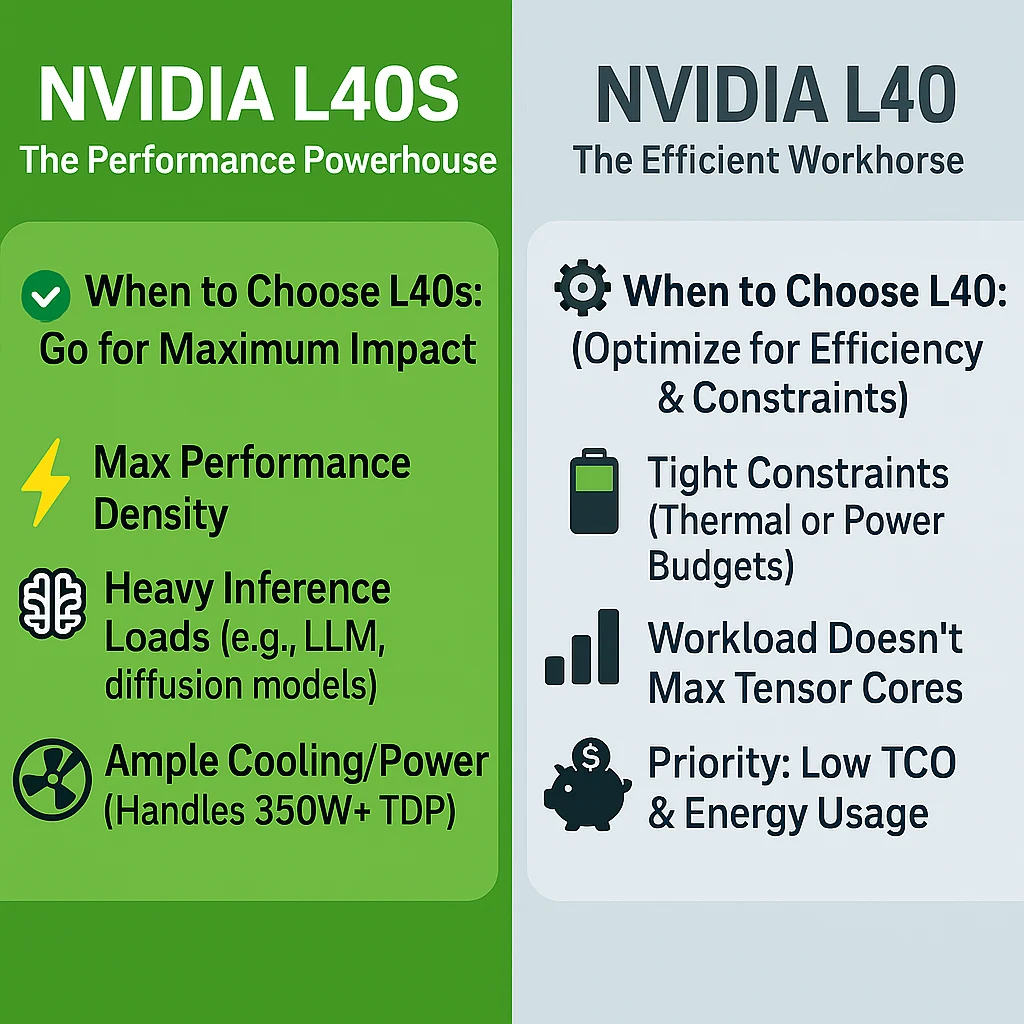
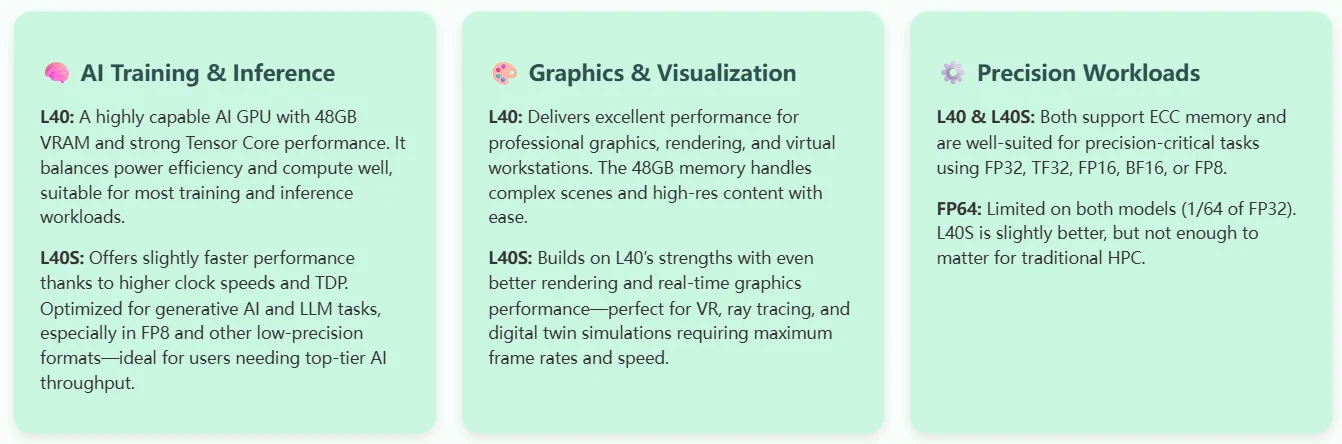
Best for AI: L40S excels in generative AI, LLM inference, and real-time rendering.
Best for Efficiency: L40 suits thermally constrained or energy-sensitive deployments.
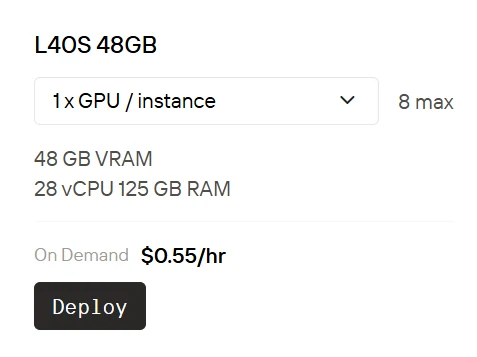
Novita AI
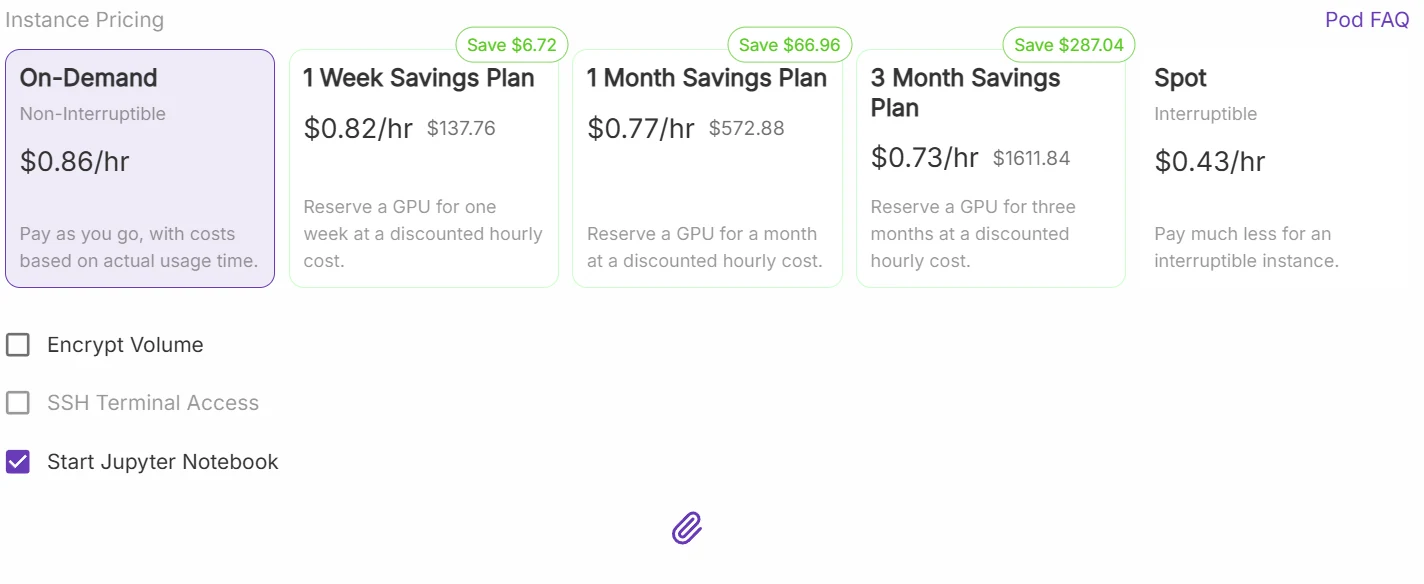
Runpod
The cost of using L40S on Novita AI is approximately half the price of RunPod.
Launch your L40s GPU instance now
NVIDIA’s L40 and L40S are both powerful Ada Lovelace-based GPUs designed for AI, rendering, and visualization tasks. While they share most specs—same cores, memory, and architecture—the L40S adds a slight performance edge through a higher TDP and clock speed.
This article breaks down their technical differences, real-world cost (using Los Angeles electricity as an example), and use-case recommendations.
NVIDIA L40 vs L40S: Feature Comparison
L40S vs L40: Cost at a Glance (Los Angeles Example)
L40S vs L40: Applications
How to run L40S at a very low price?
Novita AI provides a cloud-based platform with high-performance GPU instances. With powerful GPUs, it ensures efficient performance for complex tasks, enhances accessibility for deployment across various hardware, and offers a cost-effective solution compared to maintaining local hardware for large-scale AI deployments.
Step1:Register an account
Create your Novita AI account through our website. After registration, navigate to the “Explore” section in the left sidebar to view our GPU offerings and begin your AI development journey.
Step2:Exploring Templates and GPU Servers
Choose from templates like PyTorch, TensorFlow, or CUDA that match your project needs. Then select your preferred GPU configuration—options include the powerful L40S, RTX 4090 or A100 SXM4, each with different VRAM, RAM, and storage specifications.
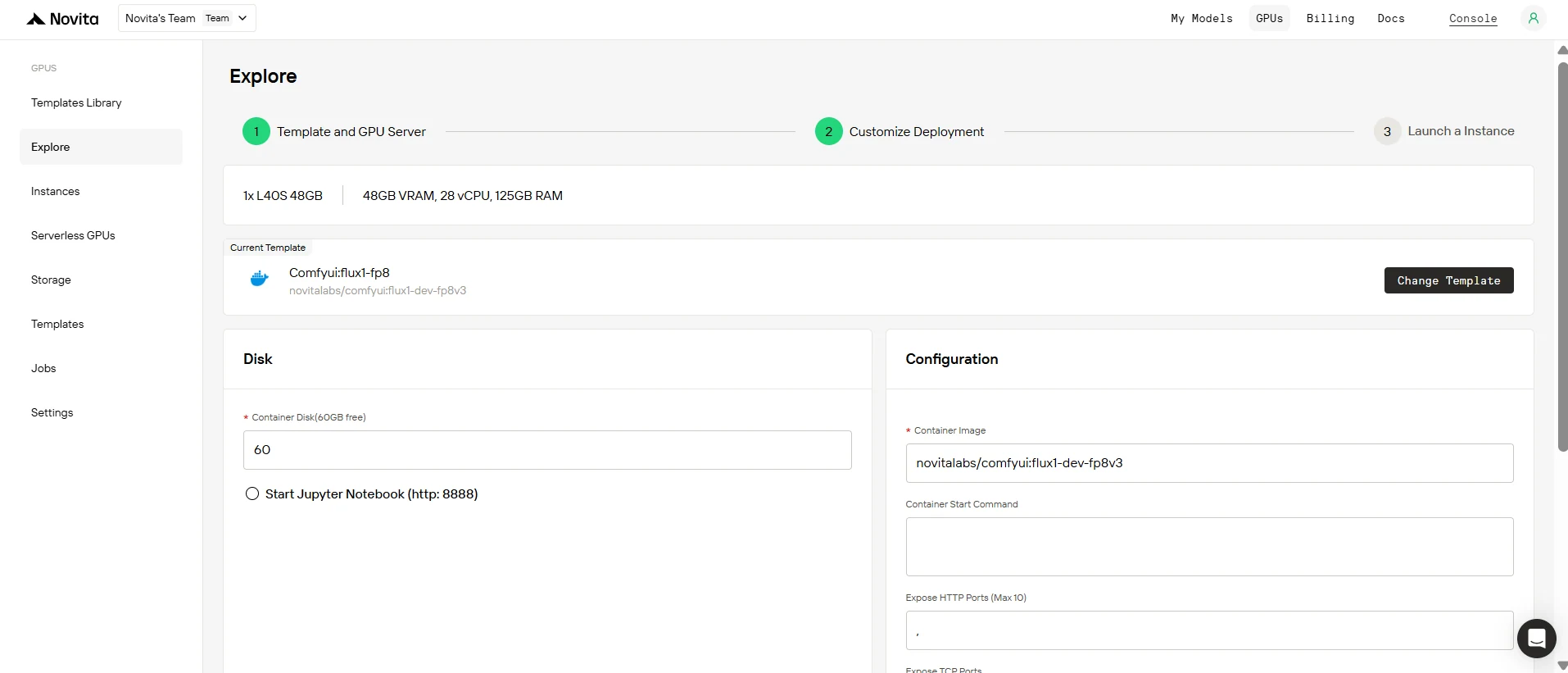
Step3:Tailor Your Deployment
Customize your environment by selecting your preferred operating system and configuration options to ensure optimal performance for your specific AI workloads and development needs.
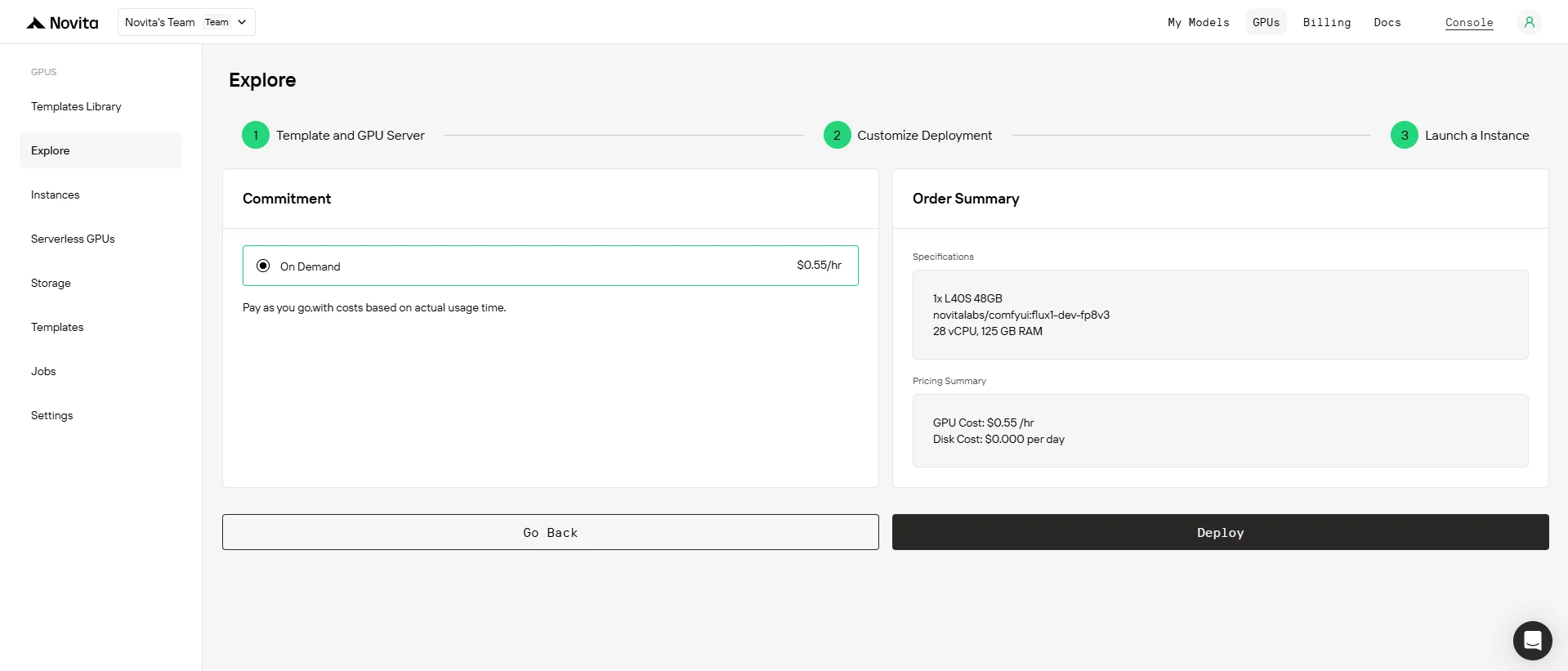
Step4:Launch an instance
Select “Launch Instance” to start your deployment. Your high-performance GPU environment will be ready within minutes, allowing you to immediately begin your machine learning, rendering, or computational projects.
If your workloads benefit from faster tensor ops or real-time rendering, L40S’s minor cost bump delivers real-world gains. However, L40 remains a strong choice for balanced performance and power efficiency. When power, cooling, or budget are constrained, L40 is more cost-effective. Still undecided? You can try both via Novita AI cloud instances—no upfront GPU purchase required.
Frequently Asked Questions
How much faster is L40S than L40?
About 1–2% across FP32, TF32, and FP8 workloads, with higher gains in low-precision AI tasks.
Is the extra 50W power draw significant?
Not really—adds only ~$102/year in Los Angeles. Over 3 years, that’s a ~3% increase in TCO.
Do L40S and L40 support ECC memory?
Yes, both L40 and L40S include ECC, critical for reliable AI and simulation workloads.
Novita AI is an AI cloud platform that offers developers an easy way to deploy AI models using our simple API, while also providing the affordable and reliable GPU cloud for building and scaling.
Recommended Reading



