
主要亮点
Novita AI 推出了 Llama 4 Maverick !而且,这个版本完全支持 ** 函数调用 (function calling)**。
Llama 4 Maverick 结合了前沿的 128 混合专家 (Mixture-of-Experts, MoE) 架构和先进的 ** 多模态能力**
如果您想测试其性能,请直接在 Novita AI Playground 开始免费试用!
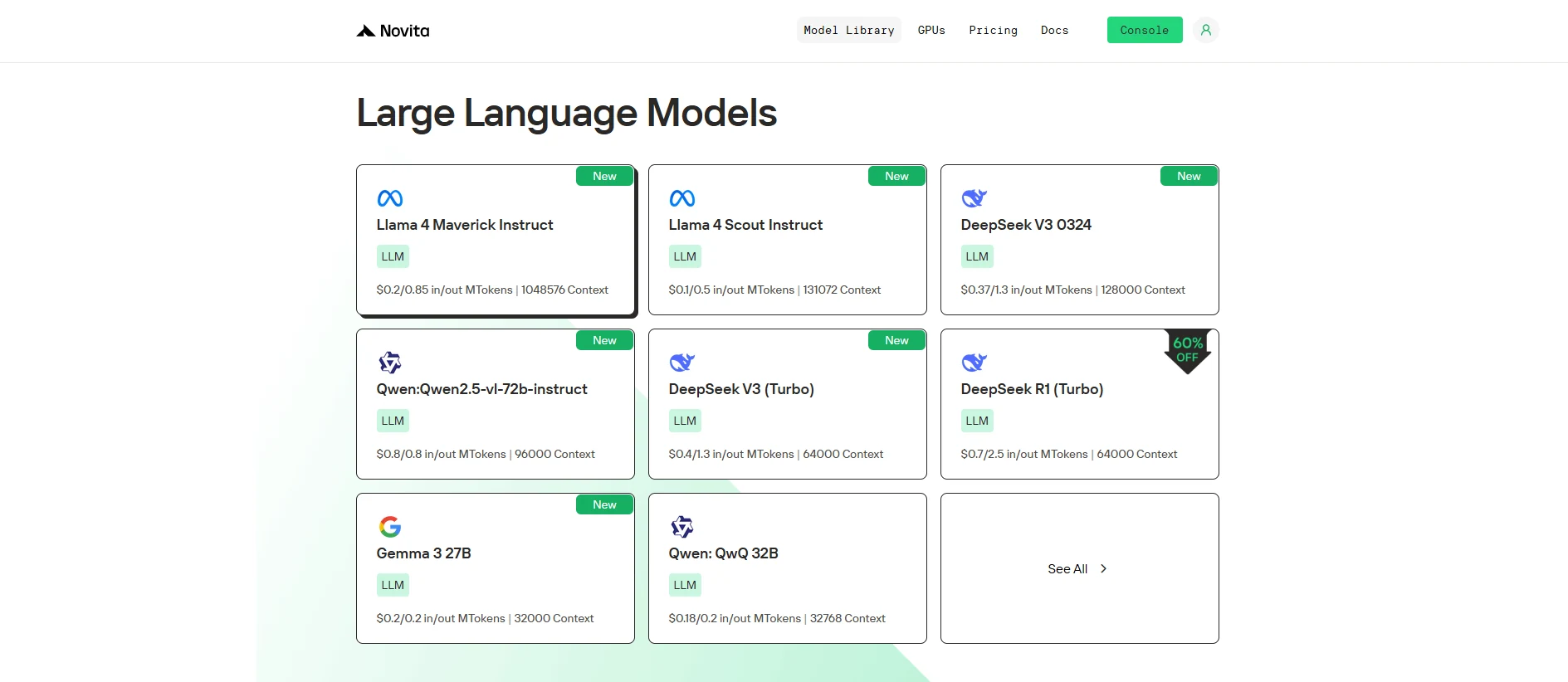
Llama 4 Maverick 以卓越的函数调用能力重新定义了 AI,通过其先进架构提供了无与伦比的性能、实时交互和全局功能。
什么是函数调用 (Function Calling)?
函数调用 (Function calling) 指的是系统(如模型或应用程序)在执行过程中调用外部函数或服务的能力。这些函数可以是 API、数据库或其他执行主模型或系统范围之外特定任务的服务。
- 外部服务:该函数可以与 API、数据库或第三方服务(例如支付处理器、天气数据等)进行交互。
- 实时交互:函数调用发生在执行期间,提供实时数据或操作。
- 预定义函数:这些函数通常是预定义的,意味着系统知道它们将做什么(例如检索数据、处理事务)。
https://www.youtube.com/watch?v=aqdWSYWC\_LI
函数调用如何工作?
- 系统向外部函数(例如 API 或服务)发送请求。
- 该函数执行任务(例如获取数据、处理信息)。
- 结果返回给系统,系统将其用于进一步处理。
函数调用有哪些好处?
- 实时数据:通过与外部源交互提供最新信息。
- 扩展功能:允许系统使用外部服务(例如支付处理、天气数据)。
- 模块化:通过集成外部能力而不重复造轮子,使系统更加灵活和适应性强。
函数调用与 RAG 对比
函数调用示例:
import requests

def get_weather(city: str):
    # Replace with your actual API key and URL
    api_key = "your_api_key"
    url = f"http://api.openweathermap.org/data/2.5/weather?q={city}&appid={api_key}&units=metric"

    response = requests.get(url)
    data = response.json()

    if response.status_code == 200:
        temperature = data['main']['temp']
        description = data['weather'][0]['description']
        return f"The current temperature in {city} is {temperature}°C with {description}."
    else:
        return "Sorry, I couldn't fetch the weather data at the moment."

# Use the function to get weather info for New York
city = "New York"
weather_info = get_weather(city)
print(weather_info)
RAG 示例:
from transformers import pipeline

# Simulated knowledge base (this could be a database or a larger dataset in a real application)
knowledge_base = {
    "force majeure": "Force Majeure refers to unforeseeable circumstances that prevent someone from fulfilling a contract.",
    "breach of contract": "A breach of contract occurs when one party fails to perform its obligations as outlined in the contract.",
    "arbitration": "Arbitration is a method of resolving disputes outside the courts, where an arbitrator makes a binding decision."
}

def retrieve_information(query: str):
    # Retrieve relevant information based on the query (could be replaced with a database query or more advanced search)
    query = query.lower()
    if query in knowledge_base:
        return knowledge_base[query]
    else:
        return "Sorry, I couldn't find any relevant information in the knowledge base."

def generate_answer(query: str):
    # Retrieve information first
    retrieved_info = retrieve_information(query)

    # Use a text generation model (e.g., GPT-2) for generating a response based on the retrieved information
    model = pipeline("text-generation", model="gpt-2")
    answer = model(f"Based on the information: {retrieved_info}. Answer the following question: {query}")[0]['generated_text']

    return answer

# User query
query = "What is force majeure in a contract?"
answer = generate_answer(query)
print(answer)
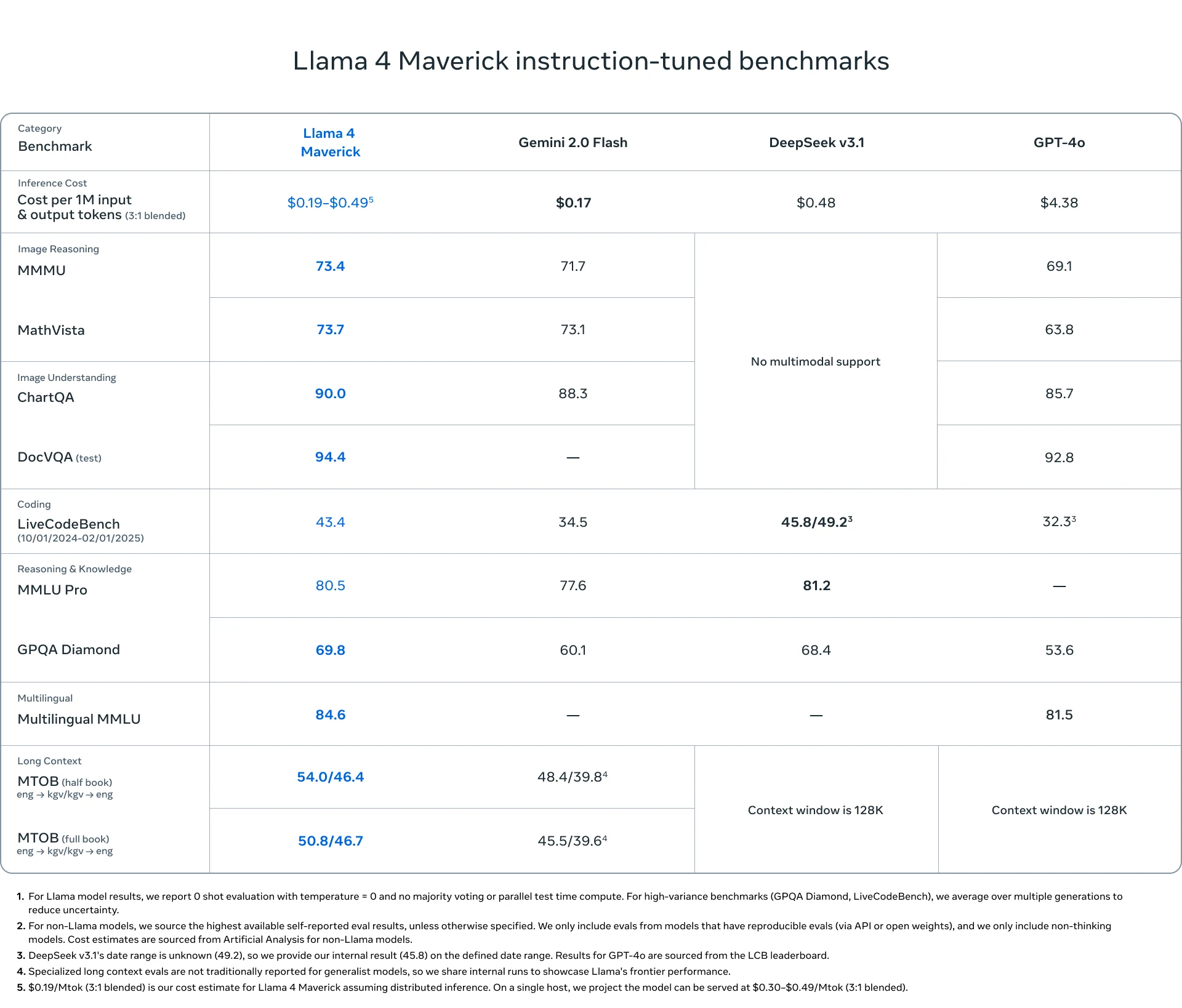
什么是 Llama 4 Maverick?
| **分类 ** | ** 项目 ** | ** 详情** |
|---|---|---|
| 基本信息 | 发布日期 | 2025 年 4 月 5 日 |
| 模型大小 | 400B 参数(每个 token 激活 17B) | |
| 开源 | 是 | |
| 架构 | 128 混合专家 (Mixture-of-Experts, MoE) | |
| 语言支持 | 语言支持 | 预训练于 200 种语言。支持阿拉伯语、英语、法语、德语、印地语、印尼语、意大利语、葡萄牙语、西班牙语、他加禄语、泰语和越南语。 |
| 多模态 | 多模态能力 | 输入:多语言文本和图像;输出多语言文本和代码 |
| 训练 | 训练数据 | 约 22 万亿个多模态数据 token(部分来自 Instagram 和 Facebook) |
| 预训练 | MetaP:自适应专家配置 + 中期训练 | |
| 后训练 | SFT(简单数据)→ RL(困难数据)→ DPO |
如何通过 Novita AI 使用 Llama 4 Maverick 函数调用
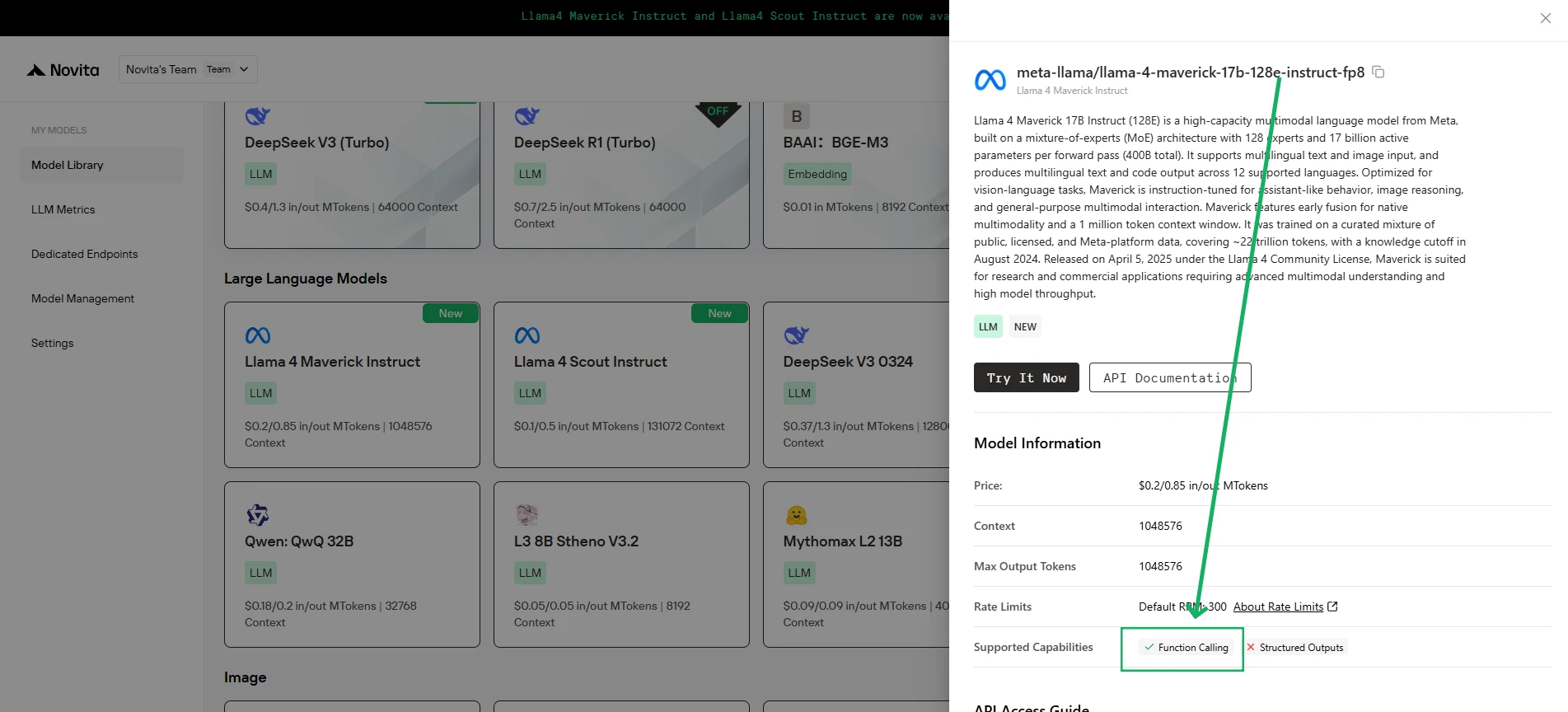
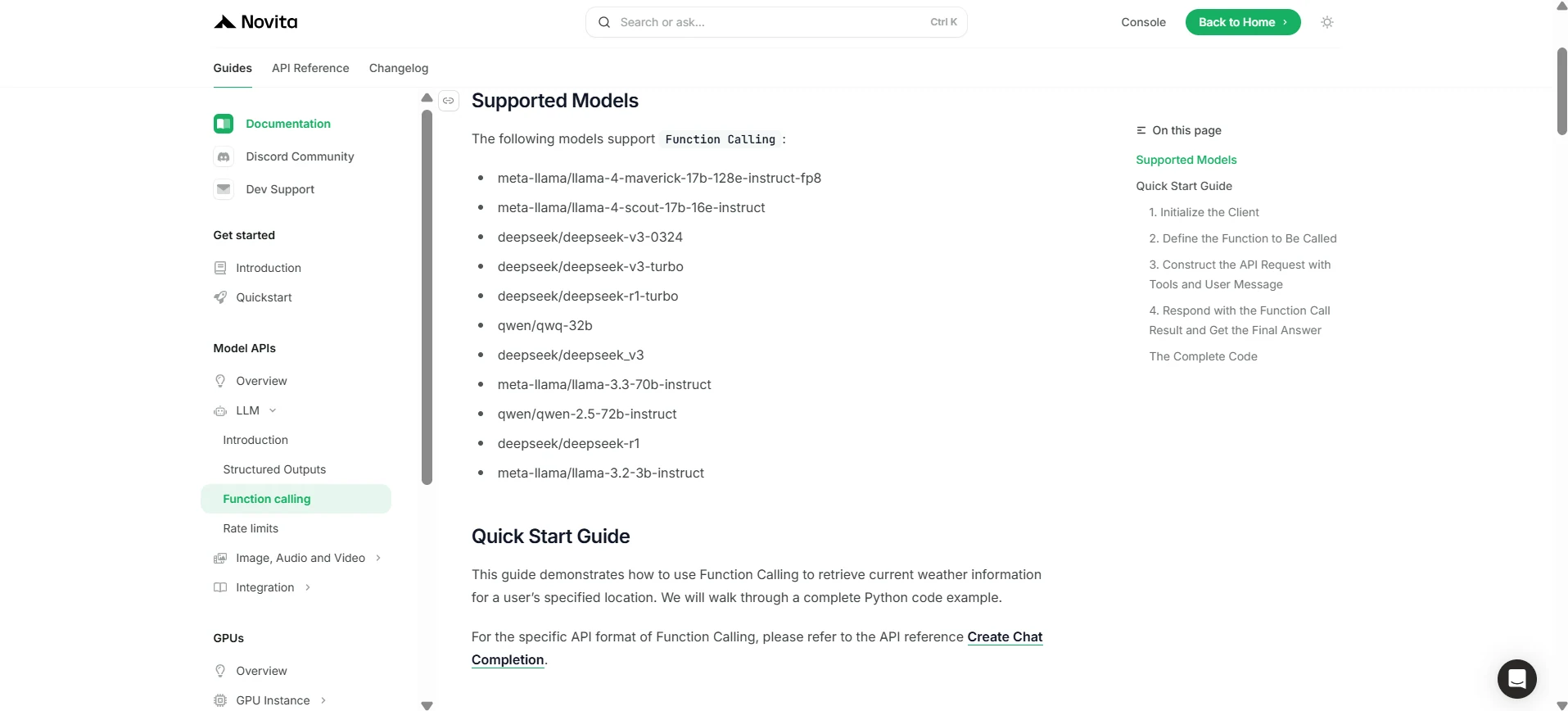
Novita AI 已为每个 LLM 推出支持能力描述,您可以直接在[控制台](https://novita.ai/models-console/?utm_source=blog_llm&utm_medium=article&utm_campaign=/ llama-4-maverick-function-calling/)和[文档](https://novita.ai/docs/guides/llm-function-calling/?utm_source=blog_llm&utm_medium=article&utm_campaign= llama-4-maverick-function-calling)中查看。
1. 初始化客户端
首先,您需要使用您的 Novita API 密钥初始化客户端。
from openai import OpenAI
import json

client = OpenAI(
    base_url="https://api.novita.ai/v3/openai",
    # Get the Novita AI API Key from: https://novita.ai/settings/key-management.
    api_key="<YOUR Novita AI API Key>",
)

model = "meta-llama/llama-4-maverick-17b-128e-instruct-fp8"
- 定义要调用的函数
接下来,定义模型可以调用的 Python 函数。在本例中,它是一个获取天气信息的函数。
# Example function to simulate fetching weather data.
def get_weather(location):
    """Retrieves the current weather for a given location."""
    print("Calling get_weather function with location: ", location)
    # In a real application, you would call an external weather API here.
    # This is a simplified example returning hardcoded data.
    return json.dumps({"location": location, "temperature": "60 degrees Fahrenheit"})
2. 构建包含工具和用户消息的 API 请求
现在,向 Novita 端点创建 API 请求。该请求包含 tools 参数(定义模型可以使用的函数)和用户消息。
tools = [
    {
        "type": "function",
        "function": {
            "name": "get_weather",
            "description": "Get weather of an location, the user shoud supply a location first",
            "parameters": {
                "type": "object",
                "properties": {
                    "location": {
                        "type": "string",
                        "description": "The city and state, e.g. San Francisco, CA",
                    }
                },
                "required": ["location"]
            },
        }
    },
]

messages = [
    {
        "role": "user",
        "content": "What is the weather in San Francisco?"
    }
]

# Let's send the request and print the response.
response = client.chat.completions.create(
    model=model,
    messages=messages,
    tools=tools,
)

# Please check if the response contains tool calls if in production.
tool_call = response.choices[0].message.tool_calls[0]
print(tool_call.model_dump())
3. 输出
{'id': '0', 'function': {'arguments': '{"location": "San Francisco, CA"}', 'name': 'get_weather'}, 'type': 'function'}
4. 以函数调用结果回复并获取最终答案
下一步是处理函数调用,执行 get_weather 函数,并将结果发送回模型以生成对用户的最终响应。
# Ensure tool_call is defined from the previous step
if tool_call:
    # Extend conversation history with the assistant's tool call message
    messages.append(response.choices[0].message)

    function_name = tool_call.function.name
    if function_name == "get_weather":
        function_args = json.loads(tool_call.function.arguments)
        # Execute the function and get the response
        function_response = get_weather(
            location=function_args.get("location"))
        # Append the function response to the messages
        messages.append(
            {
                "tool_call_id": tool_call.id,
                "role": "tool",
                "content": function_response,
            }
        )

    # Get the final response from the model, now with the function result
    answer_response = client.chat.completions.create(
        model=model,
        messages=messages,
        # Note: Do not include tools parameter here.
    )
    print(answer_response.choices[0].message)
5. 输出
{'id': '0', 'function': {'arguments': '{"location": "San Francisco, CA"}', 'name': 'get_weather'}, 'type': 'function'}
凭借其尖端设计以及通过 Novita AI 的无缝集成, Llama 4 Maverick 超越了其他模型,为现代 AI 驱动应用提供了强大、可靠且灵活的解决方案。
常见问题
什么是函数调用?
它让 LLM 能够触发外部工具或 API 来执行任务和检索数据。
Llama 4 Maverick 如何与函数调用配合使用?
Llama 4 Maverick 通过 Novita AI 简化了实时系统集成。
是什么让 Llama 4 Maverick 更胜一筹?
Llama 4 Maverick 拥有 400B 参数、128 混合专家架构以及强大的多语言/多模态能力,使其比其他模型更强大、更通用。
Novita AI 是一体化云平台,助您实现 AI 愿景。集成 API、无服务器、GPU 实例——您所需的经济高效工具。消除基础设施负担,免费开始,让您的 AI 梦想成真。