주요 하이라이트
Novita AI가 Llama 4 Maverick 을 출시했습니다! 또한 이 버전은 함수 호출 을 완벽히 지원합니다.
Llama 4 Maverick은 최첨단 128 Mixture-of-Experts (MoE) 아키텍처와 고급 ** 멀티모달 기능**을 결합합니다.
성능을 테스트하고 싶다면 Novita AI Playground에서 무료 체험을 시작하세요!
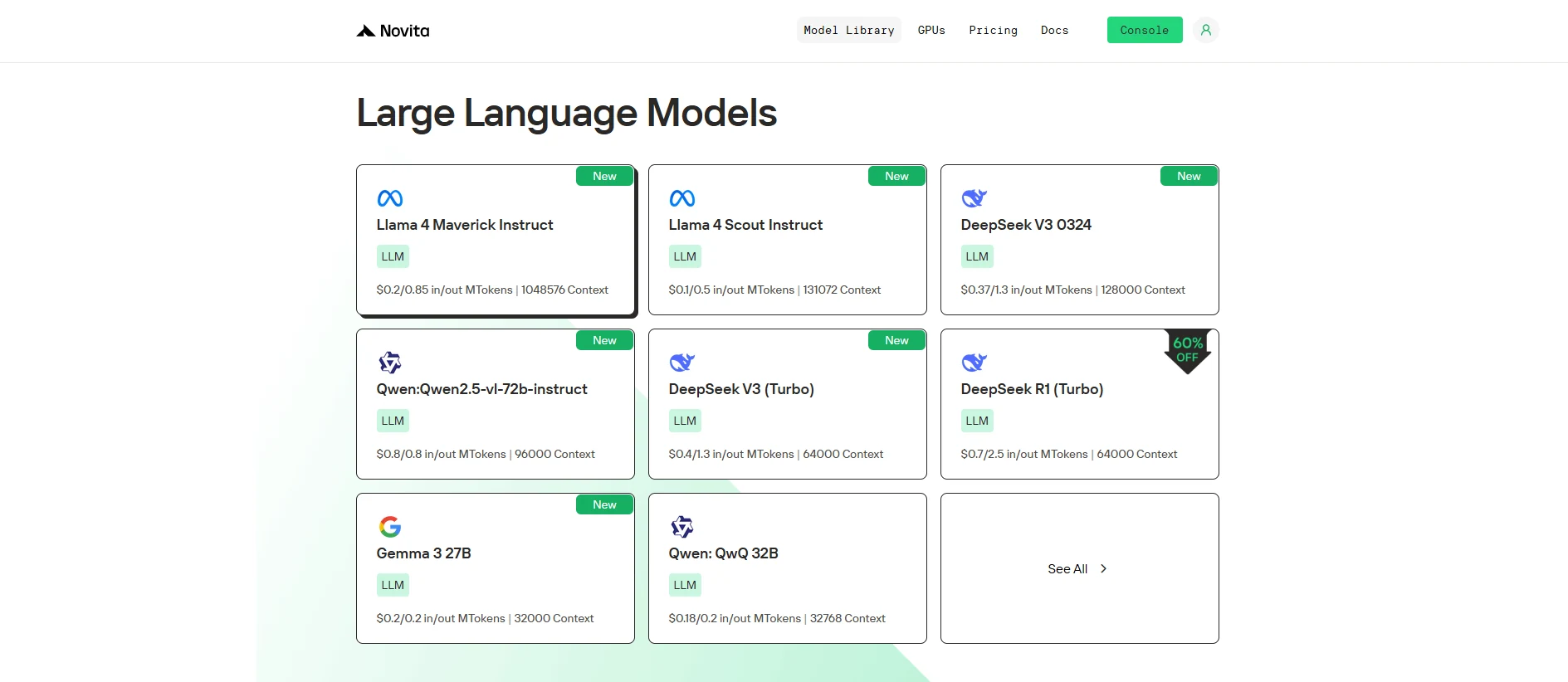
Llama 4 Maverick 은 뛰어난 함수 호출 기능으로 AI를 재정의하며, 고급 아키텍처를 통해 비교할 수 없는 성능, 실시간 상호작용 및 글로벌 기능을 제공합니다.
함수 호출이란?
함수 호출 은 시스템(모델 또는 애플리케이션)이 실행 중에 외부 함수나 서비스를 호출할 수 있는 능력을 의미합니다. 이러한 함수는 주 모델이나 시스템의 범위를 벗어난 특정 작업을 수행하는 API, 데이터베이스 또는 기타 서비스일 수 있습니다.
- 외부 서비스: 함수는 API, 데이터베이스 또는 타사 서비스(예: 결제 처리기, 날씨 데이터 등)와 상호작용할 수 있습니다.
- 실시간 상호작용: 함수 호출은 실행 중에 발생하여 실시간 데이터나 작업을 제공합니다.
- 사전 정의된 함수: 이러한 함수는 일반적으로 사전 정의되어 있어 시스템이 수행할 작업(예: 데이터 검색, 트랜잭션 처리)을 알고 있습니다.
https://www.youtube.com/watch?v=aqdWSYWC\_LI
함수 호출 작동 방식
- 시스템이 외부 함수(예: API 또는 서비스)에 요청을 보냅니다.
- 함수가 작업(예: 데이터 가져오기, 정보 처리)을 수행합니다.
- 결과가 시스템에 반환되고, 시스템은 이를 추가 처리에 사용합니다.
함수 호출의 장점
- 실시간 데이터: 외부 소스와 상호작용하여 최신 정보를 제공합니다.
- 확장된 기능: 시스템이 외부 서비스(예: 결제 처리, 날씨 데이터)를 사용할 수 있게 합니다.
- 모듈성: 바퀴를 재발명하지 않고 외부 기능을 통합하여 시스템을 더 유연하고 적응력 있게 만듭니다.
함수 호출 vs RAG
함수 호출 예제:
import requests

def get_weather(city: str):
    # Replace with your actual API key and URL
    api_key = "your_api_key"
    url = f"http://api.openweathermap.org/data/2.5/weather?q={city}&appid={api_key}&units=metric"

    response = requests.get(url)
    data = response.json()

    if response.status_code == 200:
        temperature = data['main']['temp']
        description = data['weather'][0]['description']
        return f"The current temperature in {city} is {temperature}°C with {description}."
    else:
        return "Sorry, I couldn't fetch the weather data at the moment."

# Use the function to get weather info for New York
city = "New York"
weather_info = get_weather(city)
print(weather_info)
RAG 예제:
from transformers import pipeline

# Simulated knowledge base (this could be a database or a larger dataset in a real application)
knowledge_base = {
    "force majeure": "Force Majeure refers to unforeseeable circumstances that prevent someone from fulfilling a contract.",
    "breach of contract": "A breach of contract occurs when one party fails to perform its obligations as outlined in the contract.",
    "arbitration": "Arbitration is a method of resolving disputes outside the courts, where an arbitrator makes a binding decision."
}

def retrieve_information(query: str):
    # Retrieve relevant information based on the query (could be replaced with a database query or more advanced search)
    query = query.lower()
    if query in knowledge_base:
        return knowledge_base[query]
    else:
        return "Sorry, I couldn't find any relevant information in the knowledge base."

def generate_answer(query: str):
    # Retrieve information first
    retrieved_info = retrieve_information(query)

    # Use a text generation model (e.g., GPT-2) for generating a response based on the retrieved information
    model = pipeline("text-generation", model="gpt-2")
    answer = model(f"Based on the information: {retrieved_info}. Answer the following question: {query}")[0]['generated_text']

    return answer

# User query
query = "What is force majeure in a contract?"
answer = generate_answer(query)
print(answer)
Llama 4 Maverick이란?
| **카테고리 ** | ** 항목 ** | ** 세부 정보** |
|---|---|---|
| 기본 정보 | 출시일 | 2025년 4월 5일 |
| 모델 크기 | 400B 파라미터 (토큰당 17B 활성) | |
| 오픈 소스 | 오픈 | |
| 아키텍처 | 128 Mixture-of-Experts (MoE) | |
| 언어 지원 | 언어 지원 | 200개 언어로 사전 훈련. 아랍어, 영어, 프랑스어, 독일어, 힌디어, 인도네시아어, 이탈리아어, 포르투갈어, 스페인어, 타갈로그어, 태국어, 베트남어 지원. |
| 멀티모달 | 멀티모달 능력 | 입력: 다국어 텍스트 및 이미지; 출력 다국어 텍스트 및 코드 |
| 훈련 | 훈련 데이터 | 약 22조 토큰의 멀티모달 데이터 (일부는 Instagram 및 Facebook 출처) |
| 사전 훈련 | MetaP: 적응형 전문가 구성 + 중간 훈련 | |
| 후 훈련 | SFT (Easy Data) → RL (Hard Data) → DPO |
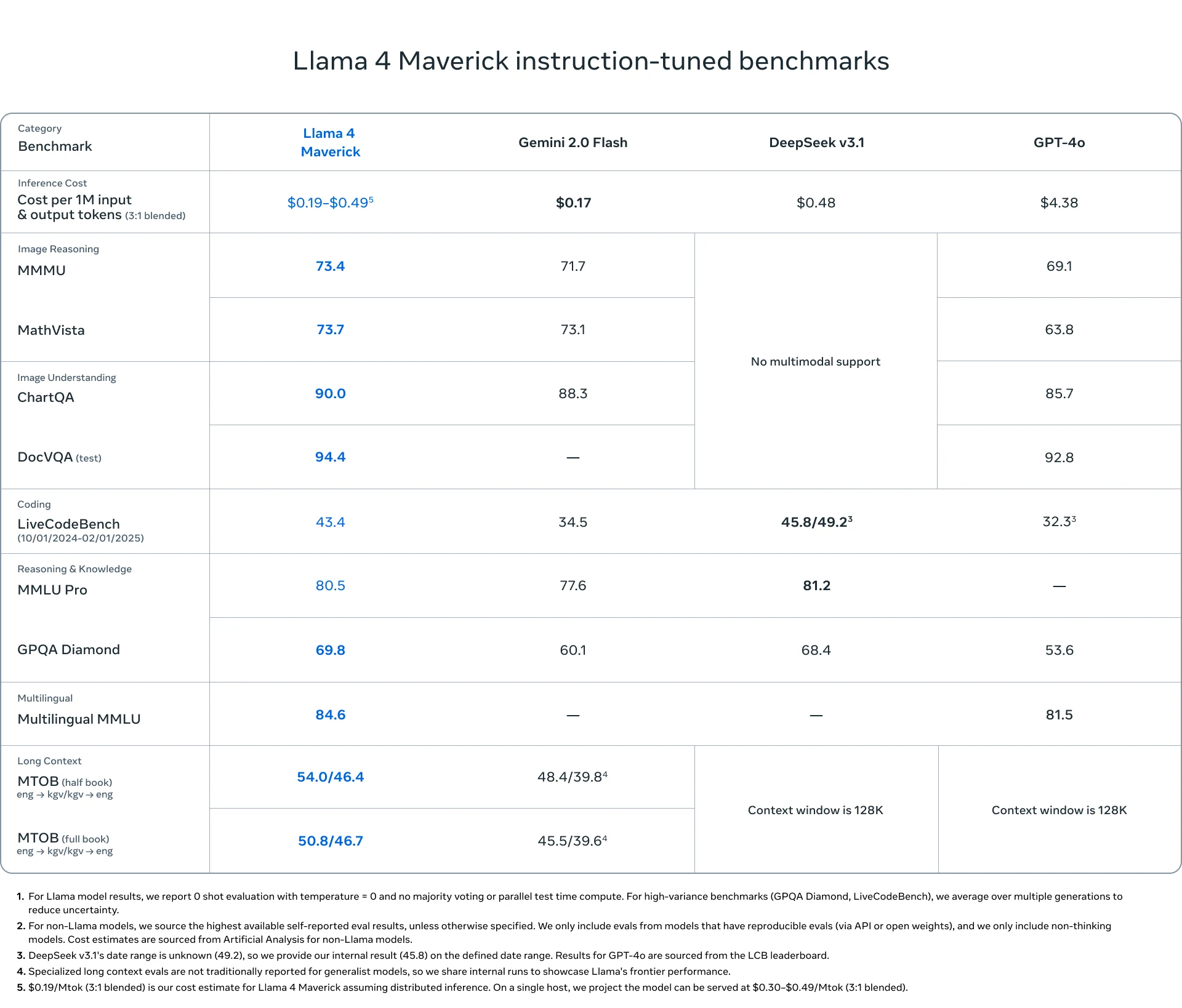
Novita AI를 통해 Llama 4 Maverick 함수 호출 사용 방법
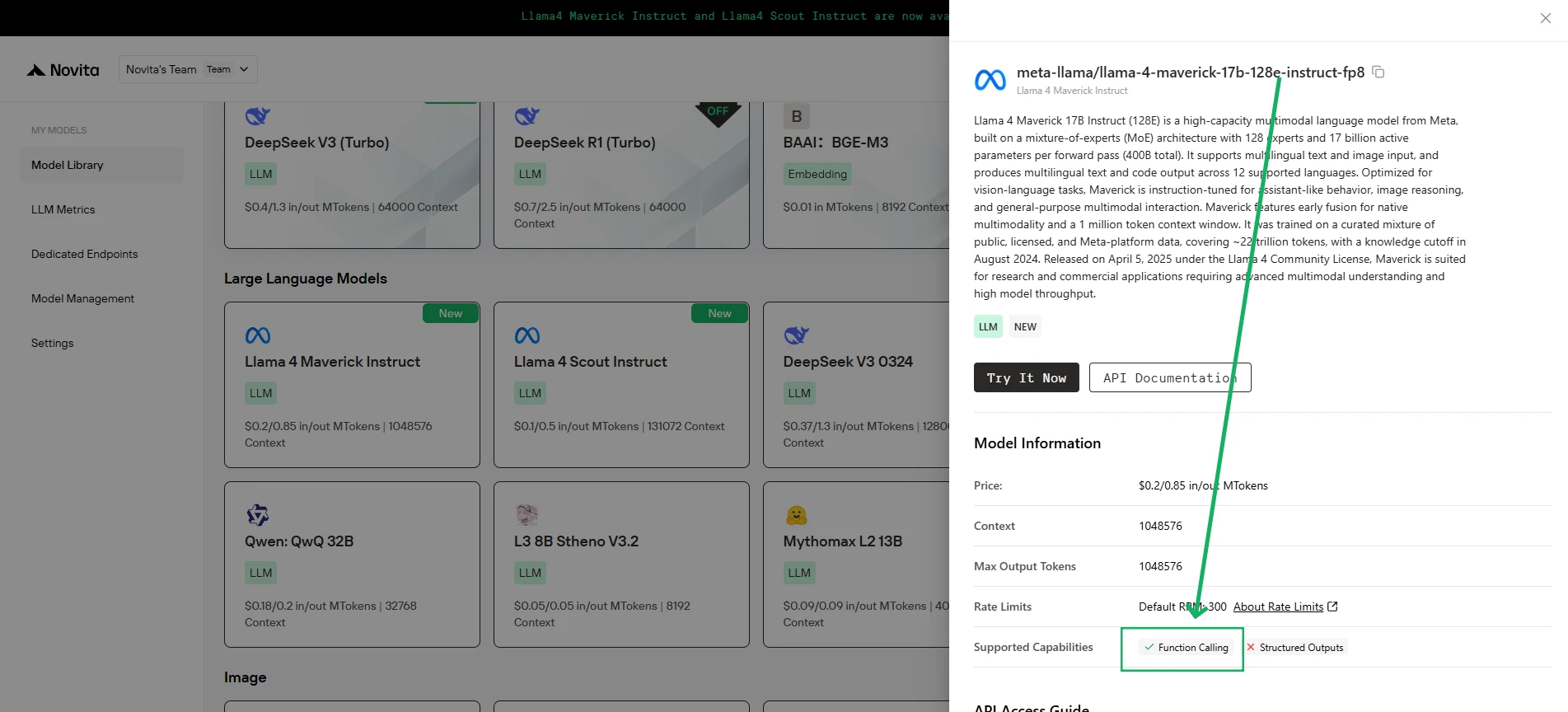
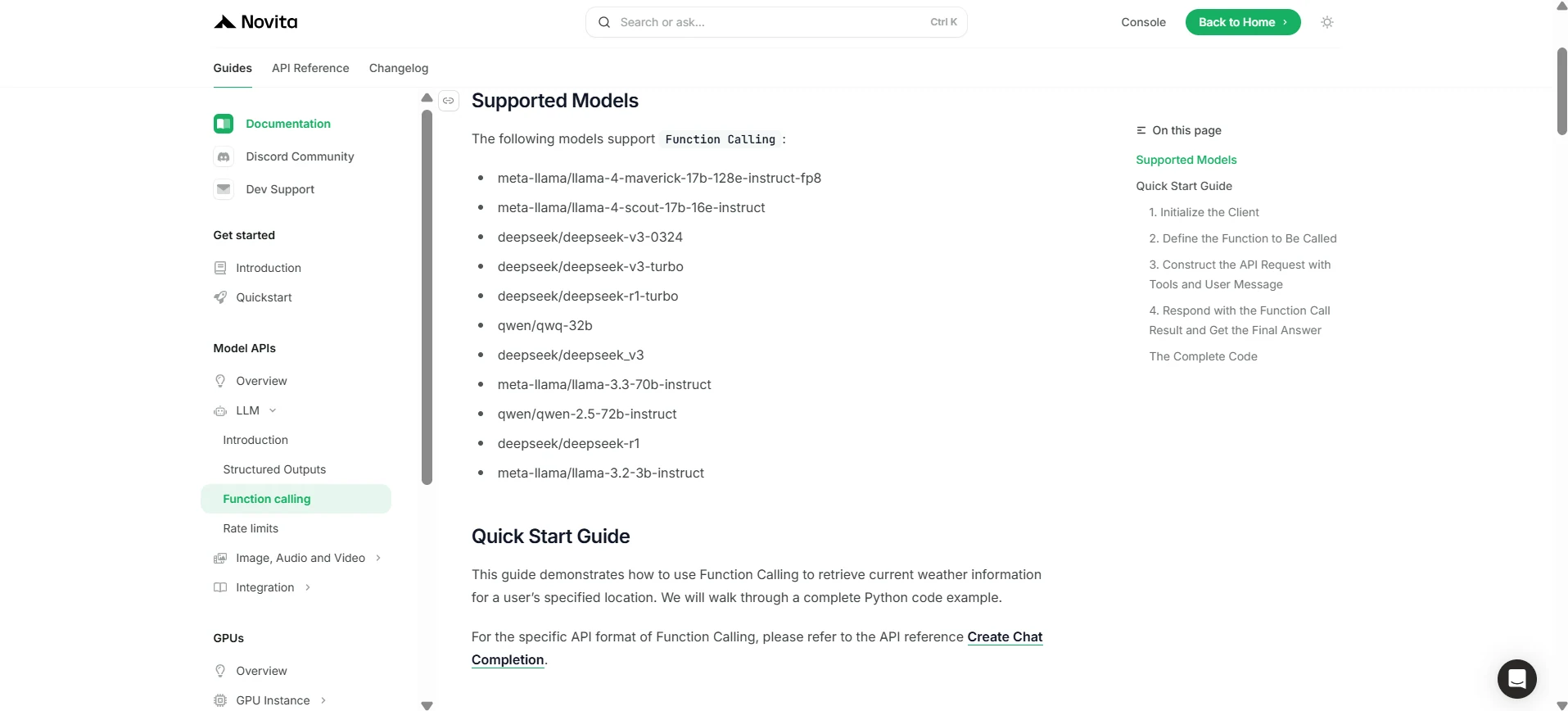
Novita AI는 각 LLM에 대한 지원 기능 설명을 출시했습니다. [콘솔](https://novita.ai/models-console/?utm_source=blog_llm&utm_medium=article&utm_campaign=/ llama-4-maverick-function-calling/) 및 [문서](https://novita.ai/docs/guides/llm-function-calling/?utm_source=blog_llm&utm_medium=article&utm_campaign= llama-4-maverick-function-calling)에서 직접 확인할 수 있습니다.
1. 클라이언트 초기화
먼저, Novita API 키로 클라이언트를 초기화해야 합니다.
from openai import OpenAI
import json

client = OpenAI(
    base_url="https://api.novita.ai/v3/openai",
    # Get the Novita AI API Key from: https://novita.ai/settings/key-management.
    api_key="<YOUR Novita AI API Key>",
)

model = "meta-llama/llama-4-maverick-17b-128e-instruct-fp8"
- 호출할 함수 정의
다음으로, 모델이 호출할 수 있는 Python 함수를 정의합니다. 이 예제에서는 날씨 정보를 가져오는 함수입니다.
# Example function to simulate fetching weather data.
def get_weather(location):
    """Retrieves the current weather for a given location."""
    print("Calling get_weather function with location: ", location)
    # In a real application, you would call an external weather API here.
    # This is a simplified example returning hardcoded data.
    return json.dumps({"location": location, "temperature": "60 degrees Fahrenheit"})
2. 도구 및 사용자 메시지를 사용하여 API 요청 구성
이제 Novita 엔드포인트에 대한 API 요청을 생성합니다. 이 요청에는 tools 매개변수가 포함되어 모델이 사용할 수 있는 함수와 사용자의 메시지를 정의합니다.
tools = [
    {
        "type": "function",
        "function": {
            "name": "get_weather",
            "description": "Get weather of an location, the user shoud supply a location first",
            "parameters": {
                "type": "object",
                "properties": {
                    "location": {
                        "type": "string",
                        "description": "The city and state, e.g. San Francisco, CA",
                    }
                },
                "required": ["location"]
            },
        }
    },
]

messages = [
    {
        "role": "user",
        "content": "What is the weather in San Francisco?"
    }
]

# Let's send the request and print the response.
response = client.chat.completions.create(
    model=model,
    messages=messages,
    tools=tools,
)

# Please check if the response contains tool calls if in production.
tool_call = response.choices[0].message.tool_calls[0]
print(tool_call.model_dump())
3. 출력
{'id': '0', 'function': {'arguments': '{"location": "San Francisco, CA"}', 'name': 'get_weather'}, 'type': 'function'}
- 함수 호출 결과로 응답하고 최종 답변 얻기
다음 단계는 함수 호출을 처리하고 get_weather 함수를 실행한 후 결과를 모델로 다시 보내 사용자에게 최종 응답을 생성하는 것입니다.
# Ensure tool_call is defined from the previous step
if tool_call:
    # Extend conversation history with the assistant's tool call message
    messages.append(response.choices[0].message)

    function_name = tool_call.function.name
    if function_name == "get_weather":
        function_args = json.loads(tool_call.function.arguments)
        # Execute the function and get the response
        function_response = get_weather(
            location=function_args.get("location"))
        # Append the function response to the messages
        messages.append(
            {
                "tool_call_id": tool_call.id,
                "role": "tool",
                "content": function_response,
            }
        )

    # Get the final response from the model, now with the function result
    answer_response = client.chat.completions.create(
        model=model,
        messages=messages,
        # Note: Do not include tools parameter here.
    )
    print(answer_response.choices[0].message)
5. 출력
{'id': '0', 'function': {'arguments': '{"location": "San Francisco, CA"}', 'name': 'get_weather'}, 'type': 'function'}
최첨단 설계와 Novita AI를 통한 원활한 통합으로 Llama 4 Maverick 은 다른 모델을 능가하며 현대 AI 기반 애플리케이션을 위한 강력하고 안정적이며 유연한 솔루션을 제공합니다.
자주 묻는 질문
함수 호출이란 무엇인가요?
LLM이 외부 도구나 API를 트리거하여 작업을 수행하고 데이터를 검색할 수 있게 합니다.
Llama 4 Maverick은 함수 호출과 어떻게 작동하나요?
Llama 4 Maverick 은 Novita AI를 통해 실시간 시스템 통합을 간소화합니다.
Llama 4 Maverick이 더 우수한 이유는 무엇인가요?
Llama 4 Maverick은 400B 파라미터, 128 Mixture-of-Experts, 강력한 다국어/멀티모달 기능을 갖추고 있어 다른 모델보다 더 강력하고 다재다능합니다.
Novita AI는 AI 야망을 실현하는 올인원 클라우드 플랫폼입니다. 통합 API, 서버리스, GPU 인스턴스 — 필요한 비용 효율적인 도구를 제공합니다. 인프라를 없애고 무료로 시작하여 AI 비전을 현실로 만드세요.