Key Highlights
Massive Context Window: Supports up to 1 million tokens—ideal for long documents, codebases, or books.
Multimodal Support: Handles text and image input simultaneously.
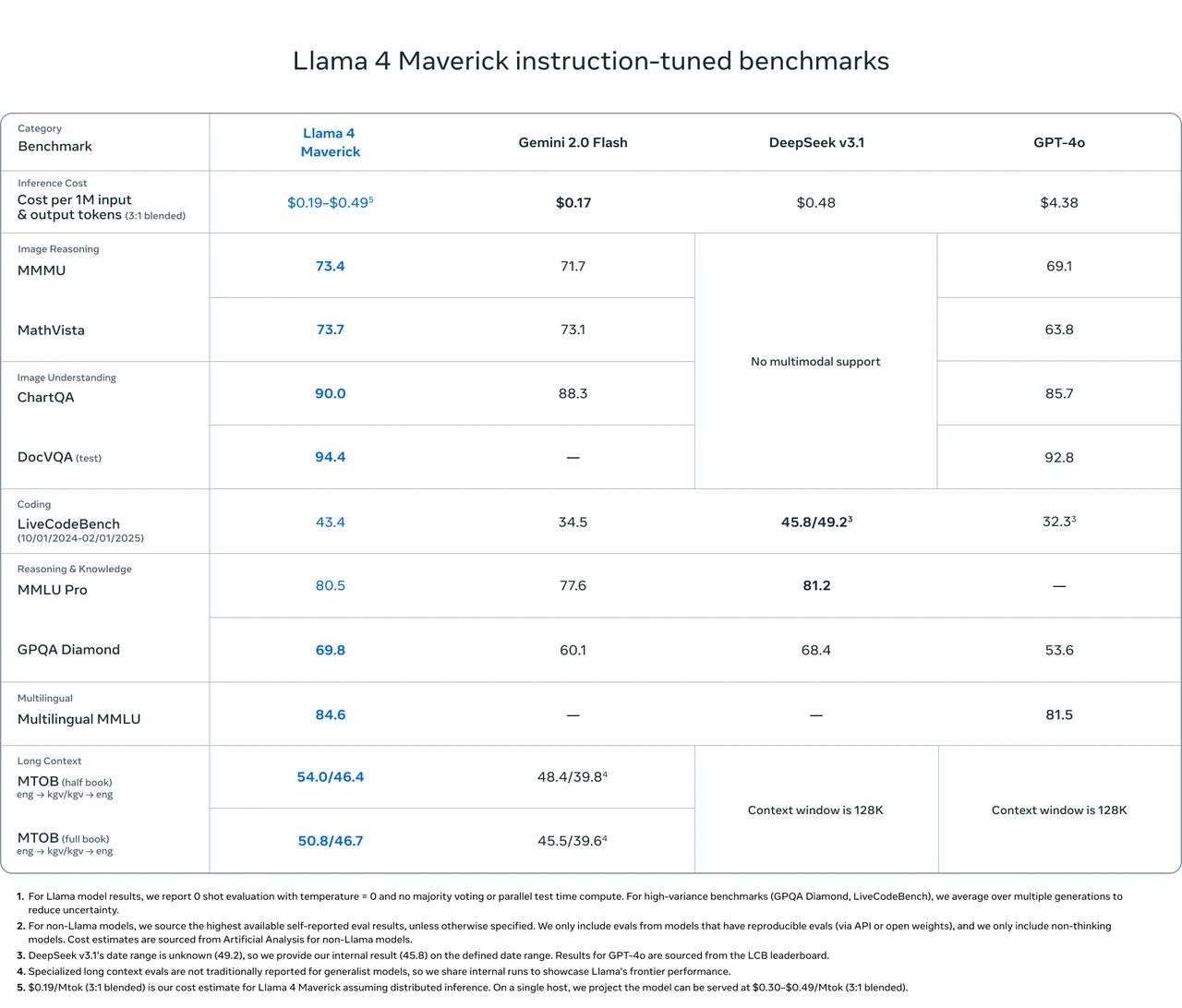
Multilingual Strength: Pretrained on 200 languages, with strong multilingual MMLU scores (84.6), making it a global-ready model.
Cost-Effective: Delivers state-of-the-art performance at a fraction of GPT-4o’s price ($0.2 on Novita AI vs $4.38 per million tokens).
Llama 4 Maverick is Meta’s latest open-source large language model, released on April 5, 2025. Built with a 128-Mixture-of-Experts (MoE) architecture and trained on 22 trillion tokens of multimodal data, it’s designed for performance, flexibility, and global scale. With a context length up to 10 million tokens, support for text and image inputs, and superior performance in multilingual and reasoning benchmarks.
What is Llama 4 Maverick?
https://www.youtube.com/watch?v=8G-GI4bvWZU
Llama 4 Maverick Overview
| Category | Details |
|---|---|
| Release Date | April 5, 2025 |
| Model Size | 400B parameters (17B active per token) |
| Open Source | Yes |
| Architecture | 128 Mixture-of-Experts (MoE) |
| Context Length | Up to 1M tokens (1,000,000 tokens) |
| Language Support | Pre-trained on 200 languages, including Arabic, English, French, German, Hindi, Indonesian, Italian, Portuguese, Spanish, Tagalog, Thai, and Vietnamese. |
| Multimodal Capability | Combines text and image inputs, supporting both textual and visual content processing. |
| Training Data | ~22 trillion tokens of multimodal data (some sourced from Instagram and Facebook). |
| Pre-Training | MetaP (Adaptive Expert Configuration with mid-training optimization). |
| Post-Training Steps | 1. SFT (Supervised Fine-Tuning on easy data). |
| 2. RL (Reinforcement Learning on hard data). | |
| 3. DPO (Direct Preference Optimization). |
Llama 4 Maverick Benchmark
Llama 4 Maverick outperforms Gemini 2.0 Flash, DeepSeek v3.1, and GPT-4o on several major benchmarks, especially in image reasoning, image understanding, and multilingual tasks.
How to Access Llama 4 Maverick Locally?
Llama 4 Maverick Hardware Requirements
| Context Length | INT4 VRAM | GPU Needs (INT4) | FP16 VRAM | GPU Needs (FP16) |
|---|---|---|---|---|
| 4K Tokens | ~318 GB | 4×H100/A100 | ~1.22 TB | 16×H100 |
| 128K Tokens | ~552 GB | 8×H100 | ~1.45 TB | ~16×H100 |
Install Llama 4 Maverick Locally
Step 1: Prepare the Environment
- Install Python (preferably version 3.9 or higher).
- Use a virtual environment for dependency management:text
python -m venv llama_env source llama_env/bin/activate
Step 2: Install Required Python Libraries
Run the following commands to install dependencies:
bash<code>pip install -U transformers==4.51.0
pip install torch
pip install huggingface-hub
pip install hf_xet
These libraries are essential for loading and running the model.
Step 3: Download Model
- Visit the Hugging Face Hub page for Llama 4 Maverick.
- Use the following Python code to download the model:
from transformers import AutoProcessor, Llama4ForConditionalGeneration

model_id = "meta-llama/Llama-4-Maverick-17B-128E-Instruct"
processor = AutoProcessor.from_pretrained(model_id)
model = Llama4ForConditionalGeneration.from_pretrained(model_id, torch_dtype=torch.bfloat16)
This will download the model and prepare it for inference.
How to Access Llama 4 Maverick via Novita API?
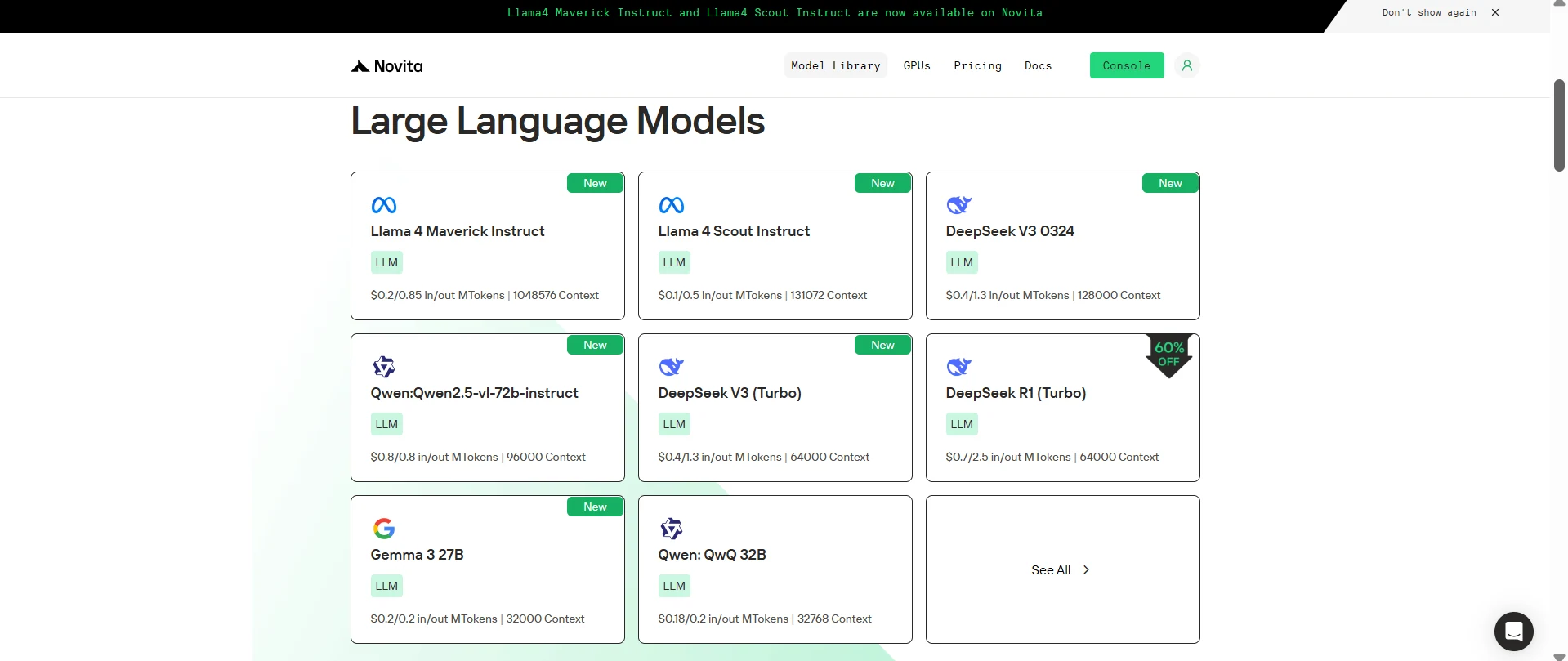
Step 1: Log In and Access the Model Library
Log in to your account and click on the Model Library button.

Step 2: Choose Your Model
Browse through the available options and select the model that suits your needs.
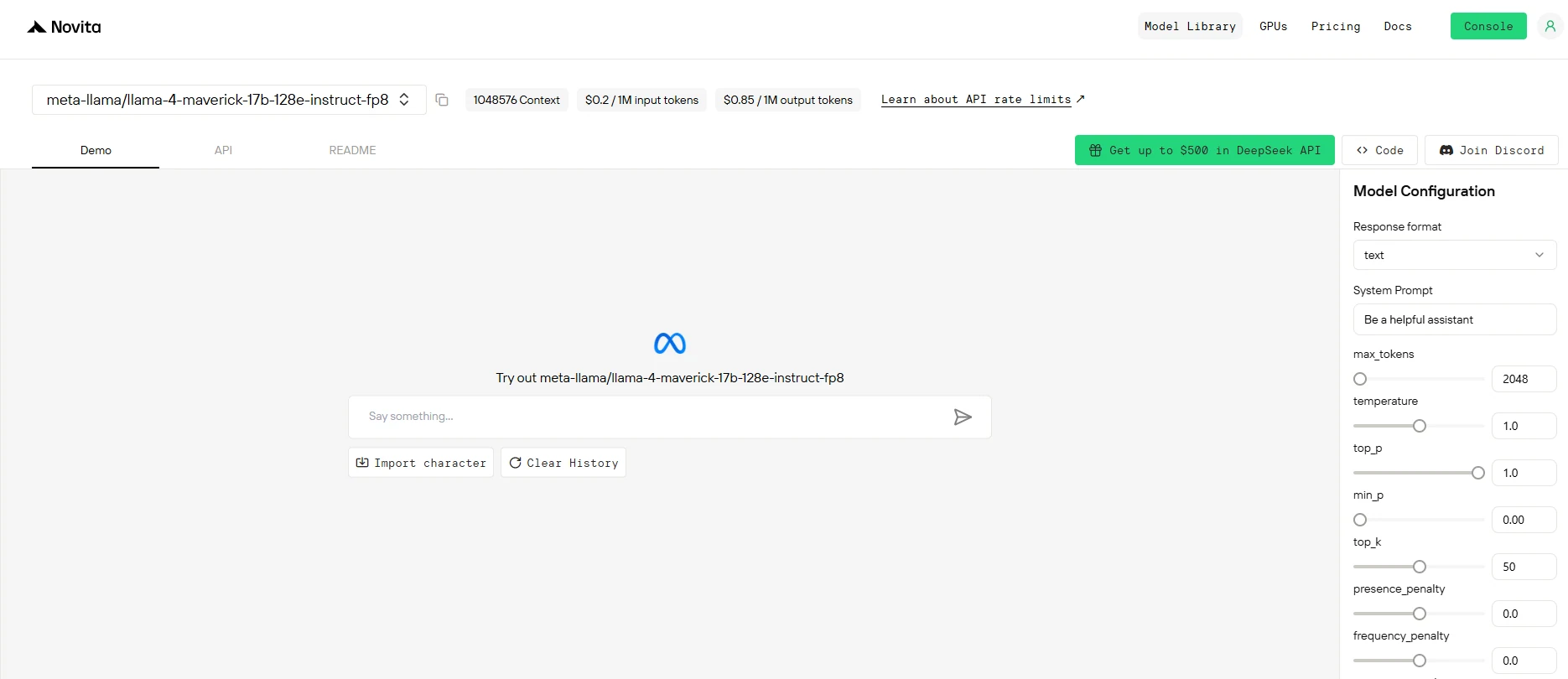
Step 3: Start Your Free Trial
Begin your free trial to explore the capabilities of the selected model.
Step 4: Get Your API Key
To authenticate with the API, we will provide you with a new API key. Entering the “Settings“ page, you can copy the API key as indicated in the image.

Step 5: Install the API
Install API using the package manager specific to your programming language.
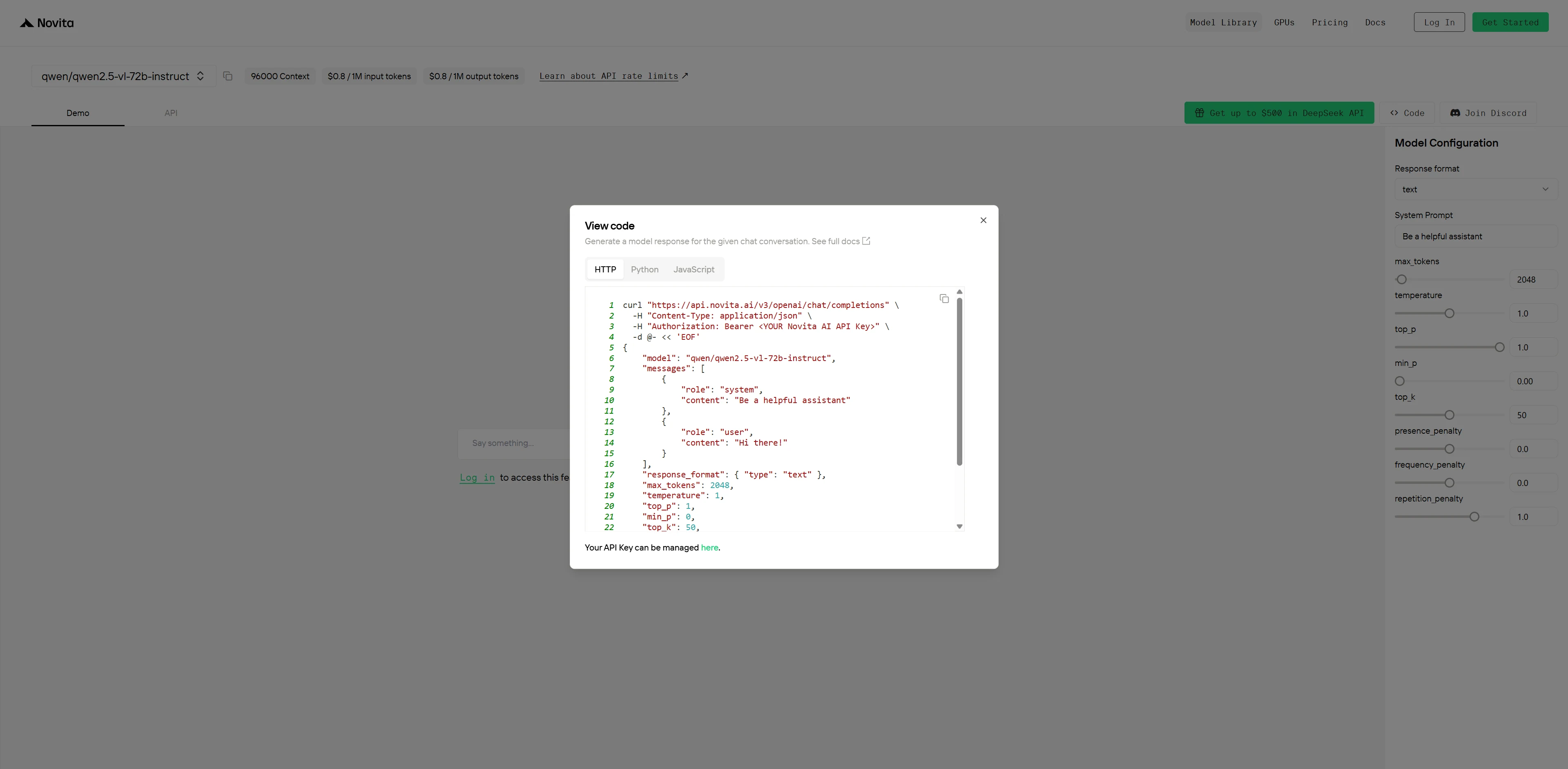
After installation, import the necessary libraries into your development environment. Initialize the API with your API key to start interacting with Novita AI LLM. This is an example of using chat completions API for python users.
from openai import OpenAI

client = OpenAI(
    base_url="https://api.novita.ai/v3/openai",
    api_key="<YOUR Novita AI API Key>",
)

model = "meta-llama/llama-4-maverick-17b-128e-instruct-fp8"
stream = True # or False
max_tokens = 2048
system_content = """Be a helpful assistant"""
temperature = 1
top_p = 1
min_p = 0
top_k = 50
presence_penalty = 0
frequency_penalty = 0
repetition_penalty = 1
response_format = { "type": "text" }

chat_completion_res = client.chat.completions.create(
    model=model,
    messages=[
        {
            "role": "system",
            "content": system_content,
        },
        {
            "role": "user",
            "content": "Hi there!",
        }
    ],
    stream=stream,
    max_tokens=max_tokens,
    temperature=temperature,
    top_p=top_p,
    presence_penalty=presence_penalty,
    frequency_penalty=frequency_penalty,
    response_format=response_format,
    extra_body={
      "top_k": top_k,
      "repetition_penalty": repetition_penalty,
      "min_p": min_p
    }
  )

if stream:
    for chunk in chat_completion_res:
        print(chunk.choices[0].delta.content or "", end="")
else:
    print(chat_completion_res.choices[0].message.content)
Using Llama 4 Scout via Cloud GPU
Step1:Register an account
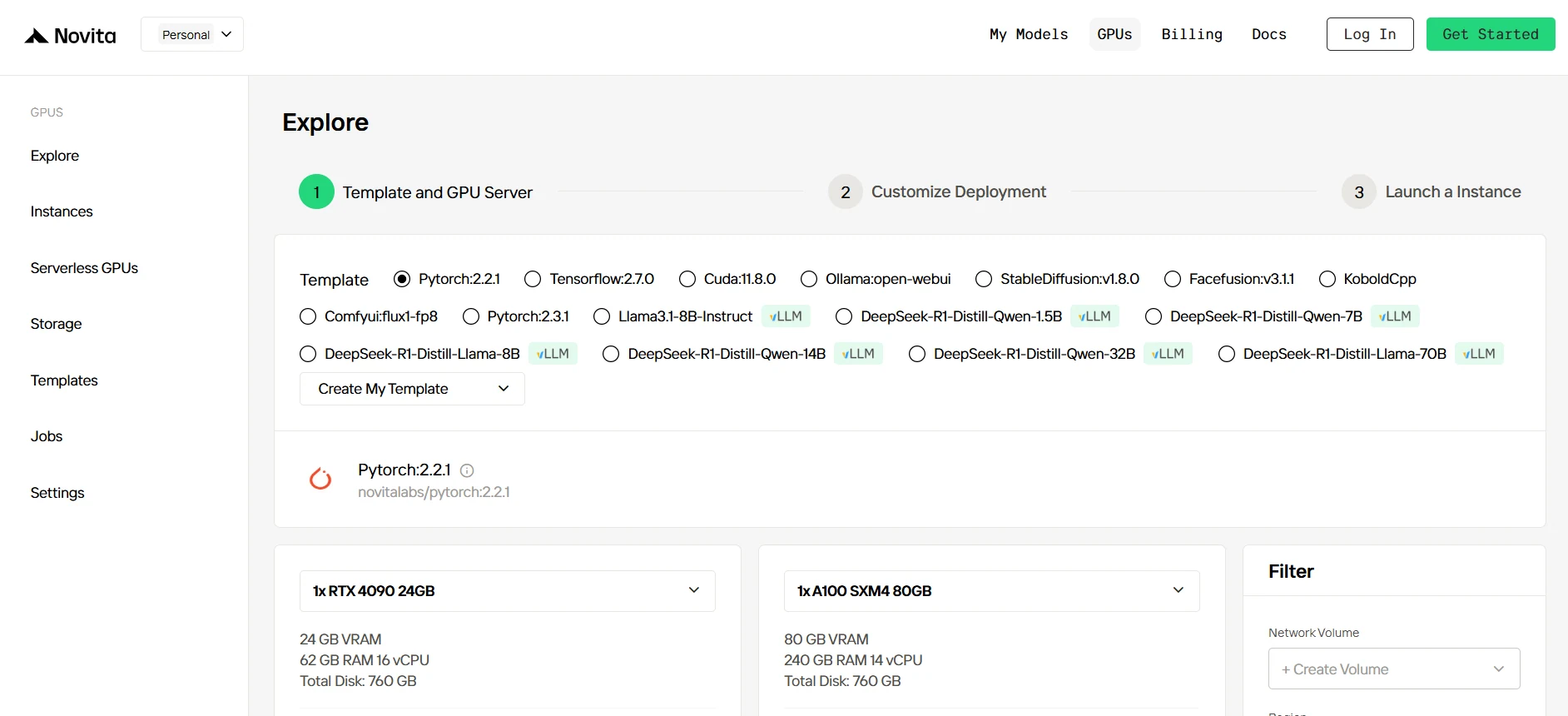
If you’re new to Novita AI, begin by creating an account on our website. Once you’re registered, head to the “GPUs” tab to explore available resources and start your journey.
Step2:Exploring Templates and GPU Servers
Start by selecting a template that matches your project needs, such as PyTorch, TensorFlow, or CUDA. Choose the version that fits your requirements, like PyTorch 2.2.1 or CUDA 11.8.0. Then, select the A100 GPU server configuration, which offers powerful performance to handle demanding workloads with ample VRAM, RAM, and disk capacity.
Try Novita AI’s High-Performance GPUs
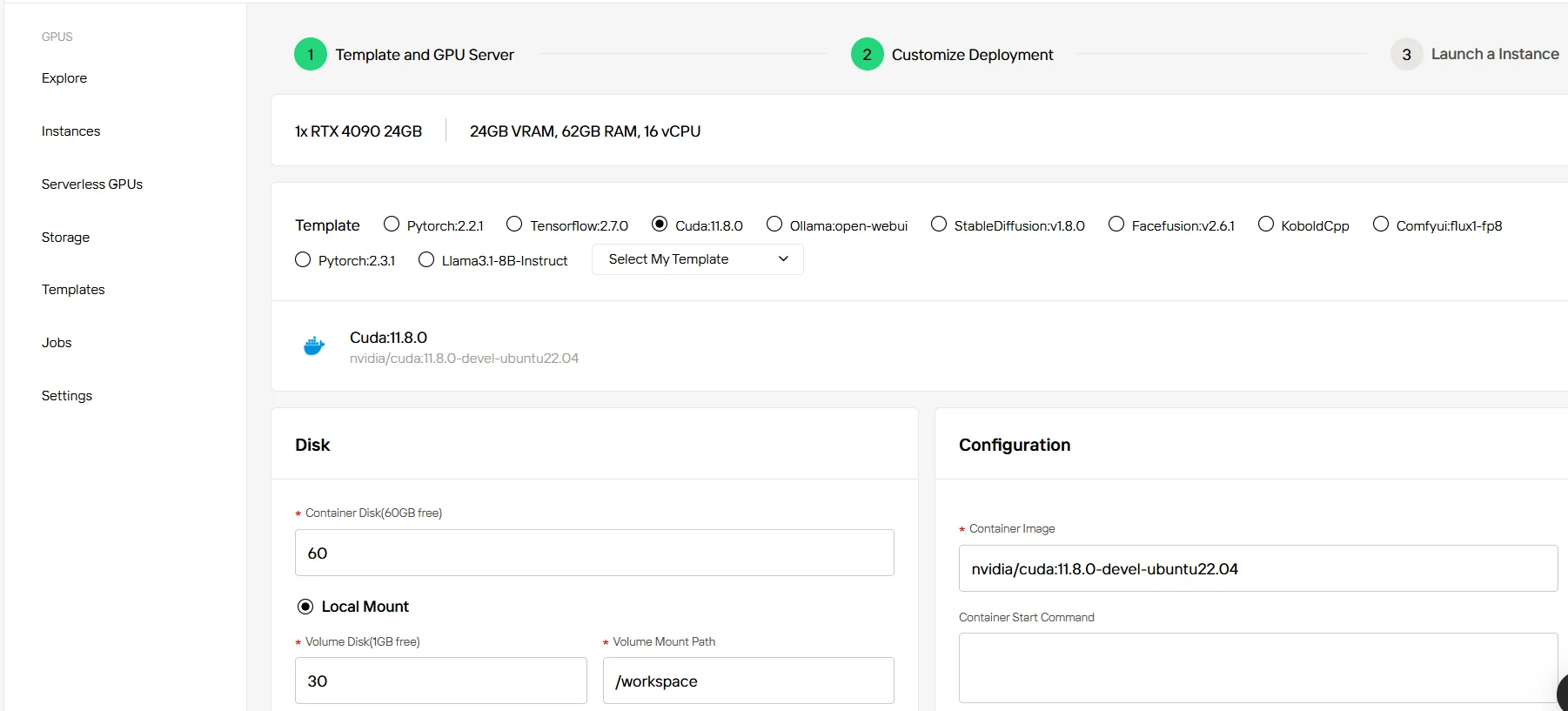
Step3:Tailor Your Deployment
After selecting a template and GPU, customize your deployment settings by adjusting parameters like the operating system version (e.g., CUDA 11.8). You can also tweak other configurations to tailor the environment to your project’s specific requirements.
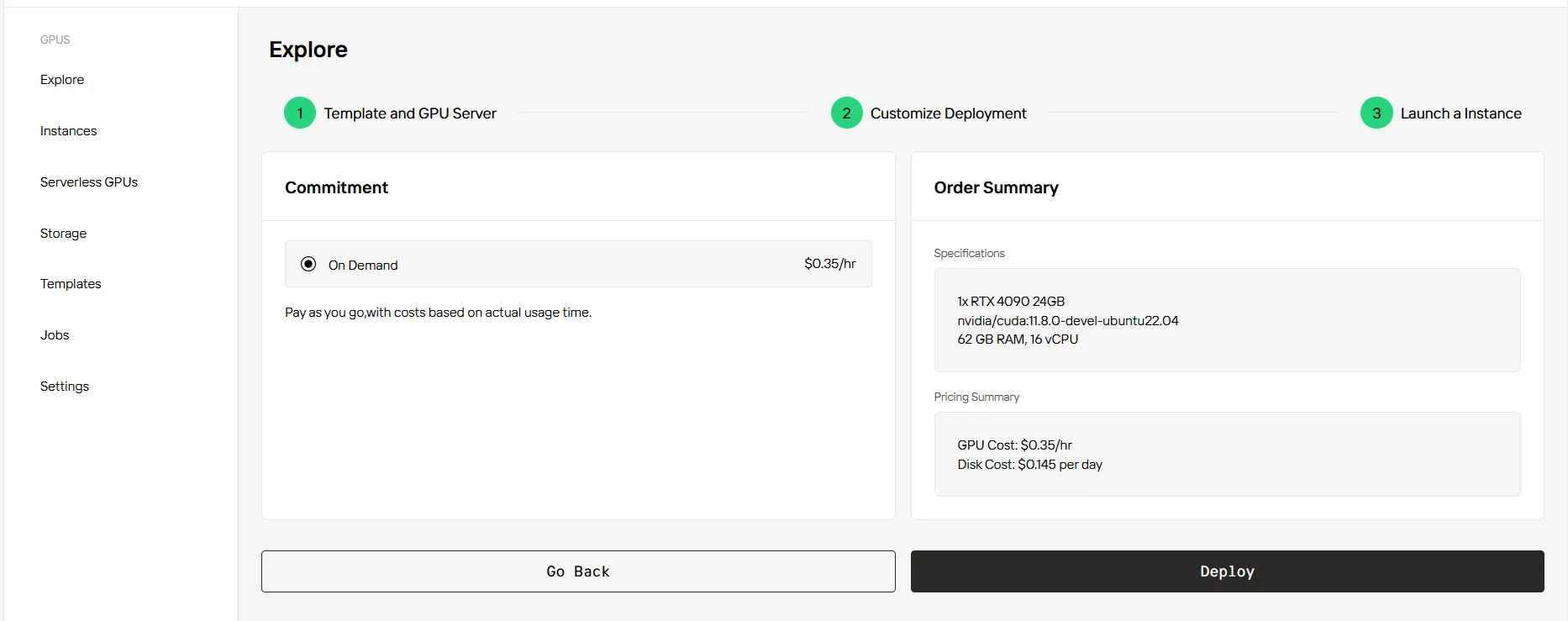
Step4:Launch an instance
Once you’ve finalized the template and deployment settings, click “Launch Instance” to set up your GPU instance. This will start the environment setup, enabling you to begin using the GPU resources for your AI tasks.
If you’re looking for a powerful, affordable, and developer-friendly LLM, Llama 4 Maverick is your best bet. It outperforms leading models like GPT-4o and Gemini 2.0 Flash in key areas—image reasoning, multilingual support, long-context understanding, and inference cost. Whether running locally or through Novita AI’s high-performance API, getting started is fast and easy. Try it today and see the difference.
Frequently Asked Questions
What is Llama 4 Maverick?
Llama 4 Maverick is an open-source large language model developed by Meta, capable of handling text and image inputs, supporting up to 10M token context, and trained across 200 languages.
Can I use Llama 4 Maverick without a powerful local GPU?
Yes! You can access Llama 4 Maverick easily through Novita AI’s API or cloud GPU platform, with free trials available.
Is Llama 4 Maverick suitable for large-scale documents or books?
Absolutely. With support for up to 1 million tokens, it’s ideal for processing long texts, complex documents, and contextual memory tasks.
Novita AI is an AI cloud platform that offers developers an easy way to deploy AI models using our simple API, while also providing an affordable and reliable GPU cloud for building and scaling.