If you want to fully unlock DeepSeek R1 0528’s potential in specific domains, fine-tuning is the most effective method. While the model already excels in advanced reasoning, math, and coding, fine-tuning enables it to specialize in areas like natural language generation, domain-specific expertise, or multimodal tasks. This article will give you a concreate guide about finetuning DeepSeek R1 0528.
What Part Does DeepSeek R1 0528 Excel in?
Model Card
- Model Size: 685B parameters
- Open Source: Yes
- Architecture: Mixture of Experts (MoE)
- Language Support: Multilingual (Excels in English and Chinese)
- Multimodal Capability: Yes (Text-to-text)
- Training: DeepSeek R1’s latest update leverages increased computational resources and algorithmic post-training optimizations. This has significantly improved its depth of reasoning and inference abilities.
Model Performance
| Benchmark | DeepSeek R1 0528 | Higher Than |
|---|---|---|
| AIME 2024 | 91.4 | All (except OpenAI-o3, nearly tied) |
| AIME 2025 | 87.5 | All |
| GPQA Diamond | 81.0 | Qwen3-235B, DeepSeek-R1 |
| LiveCodeBench | 73.3 | All |
| Aider | 71.6 | Qwen3-235B, DeepSeek-R1 |
| Humanity’s Last Exam | 17.7 | Qwen3-235B, DeepSeek-R1 |
- Excels at advanced mathematical reasoning and problem-solving
- Demonstrates strong programming and code generation abilities
- Handles complex logic and analytical tasks effectively
Since DeepSeek R1 0528 is already strong in math, code, and logic, your best finetuning direction is to target areas where it is less dominant, such as natural language generation, domain-specific expertise, multimodal tasks, or safety and alignment. This will make the model more versatile and useful for a wider range of applications.
When Should you Choose Fine-Tuning?
Fine-tuning is the process of adapting a pre-trained large language model (LLM) to serve a particular purpose or dataset, enhancing its ability to deliver optimal results for targeted tasks.
| Aspect | Prompt Engineering | Fine-Tuning |
|---|---|---|
| Core Idea | Instructing a general brain | Training a specialist brain |
| Cost | Low (mainly time & tokens) | High (data & compute) |
| Knowledge | Uses the model’s general knowledge | Implants your specialist knowledge |
| Reliability | Medium; can be inconsistent | High; behavior is baked in |
See which of the following scenarios best fits your project.
You should choose Fine-Tuning if you need:
-
Deep Domain Expertise
- Scenario: You need the model to learn your company’s private codebase, extensive product docs, or niche scientific papers. This is knowledge it can’t find on the public internet.
-
Strict Structural Reliability
- Scenario: Your application requires the model to consistently output perfect JSON or XML, with no missing fields or extra conversational text.
-
A Unique, Ingrained Personality
- Scenario: You want the model to adopt a specific brand voice, a fictional character’s style, or a therapeutic communication framework that feels deeply integrated.
You should choose Prompt Engineering if you need:
-
To Perform General Tasks
- Scenario: You just need help writing emails, summarizing articles, translating text, or brainstorming ideas.
-
To Prototype and Iterate Quickly
- Scenario: You want to test a new AI feature fast, without the time or resources to create a large, high-quality dataset.
-
To Handle Diverse, One-Off Tasks
- Scenario: You need the model to handle a wide variety of temporary requests that don’t follow a fixed pattern.
What Is Needed to Fine-Tuning Deepseek R1 0528?
| Item Description | Unit Price (USD) | Quantity | Total (USD) |
|---|---|---|---|
| NVIDIA A100 80GB GPUs | $22,217.71 | 116 | $2,577,251.96 |
| Server Nodes (Dual A100s) | $50,000 | 58 | $2,900,000 |
| High-Speed Networking (InfiniBand) | $100,000 | 1 | $100,000 |
| Storage (NVMe SSDs, 100TB) | $20,000 | 1 | $20,000 |
| Liquid Cooling System | $80,000 | 1 | $80,000 |
| Power Supply & UPS | $50,000 | 1 | $50,000 |
| Rack Enclosure | $10,000 | 1 | $10,000 |
| Software Licenses (OS, Frameworks) | $10,000 | 1 | $10,000 |
| Annual Maintenance & Support | $100,000 | 1 | $100,000 |
| Electricity (Annual, 700W per GPU) | $0.15/kWh | 1 | $50,000 |
| Total Estimated Cost | $5,887,251.96 |
Fine-tuning large language models (LLMs) involves various techniques and strategies, such as Parameter-Efficient Fine-Tuning (PEFT), optimizing training parameters, and data preprocessing. While these methods are effective, they often require substantial human and material resources, including specialized technical teams, powerful computing hardware, and ample time. Therefore, choosing a stable and cost-effective cloud service provider becomes a more efficient solution.
A Stable and Cost-effective Choice: Novita AI Cloud GPU
When it comes to production-scale deployments, striking the perfect balance between performance and cost is essential. Novita AI stands out with industry-leading pricing, offering the most affordable hourly rates for dedicated H100 and H200 GPUs among top providers—delivering maximum computing power at minimum cost!
| Provider | A100 (1 card/H) | H100 (1 card/H) | H200 (1 card/H) |
| Novita AI | $1.6 | $2.41 | $2.99 |
| Fireworks AI | $2.9 | $5.80 | $9.99 |
| Friendli AI | $2.9 | $4.90 | $5.90 |
| Deepinfra | $1.5 | $2.40 | $3.00 |
Deployment Steps and Usage Guide
Step1:Register an account
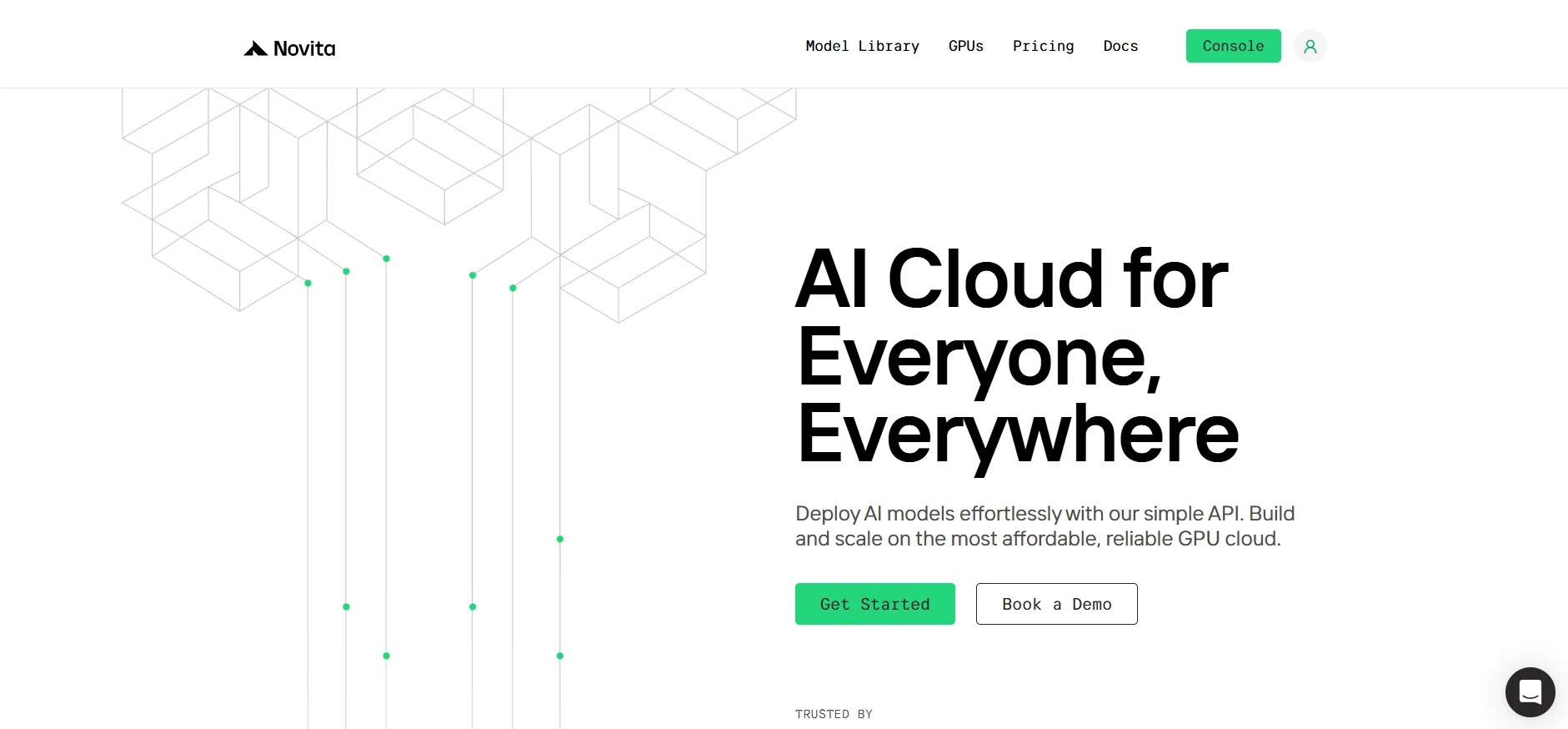
Create your Novita AI account through our website. After registration, navigate to the “Explore” section in the left sidebar to view our GPU offerings and begin your AI development journey.
Step2:Exploring Templates and GPU Servers
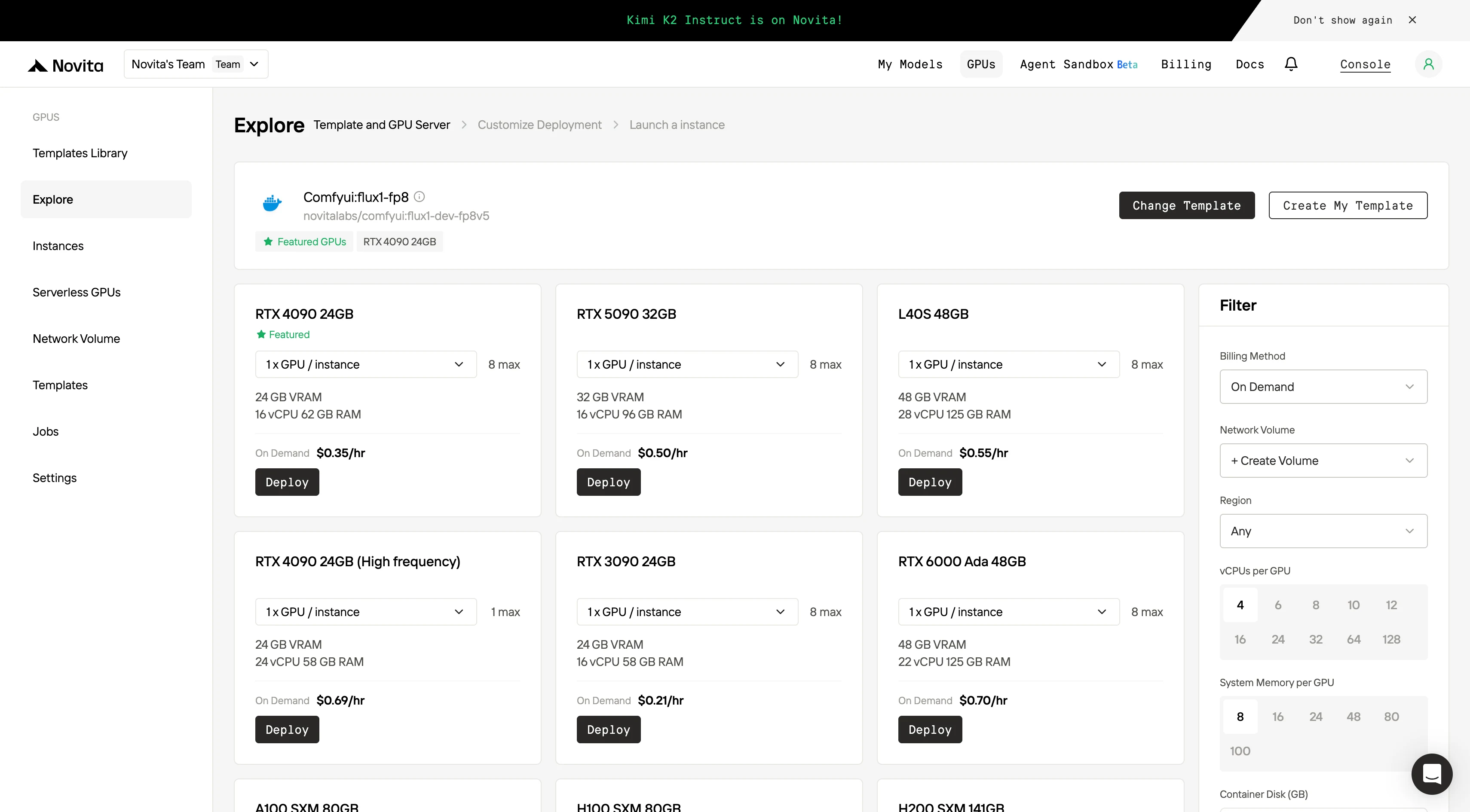
Choose from templates like PyTorch, TensorFlow, or CUDA that match your project needs. Then select your preferred GPU configuration—options include the powerful L40S, RTX 4090 or A100 SXM4, each with different VRAM, RAM, and storage specifications.
Step3:Tailor Your Deployment
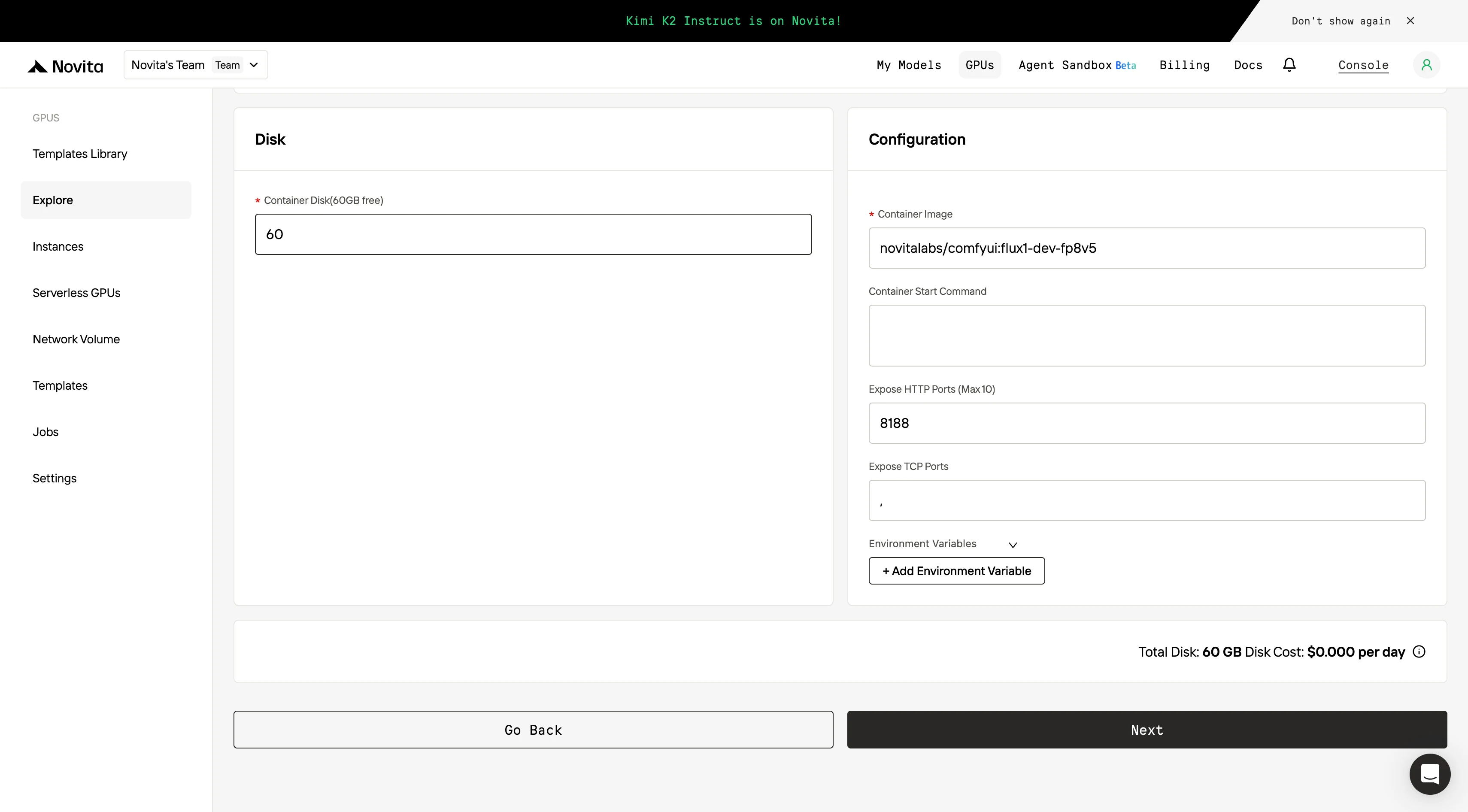
Customize your environment by selecting your preferred operating system and configuration options to ensure optimal performance for your specific AI workloads and development needs.
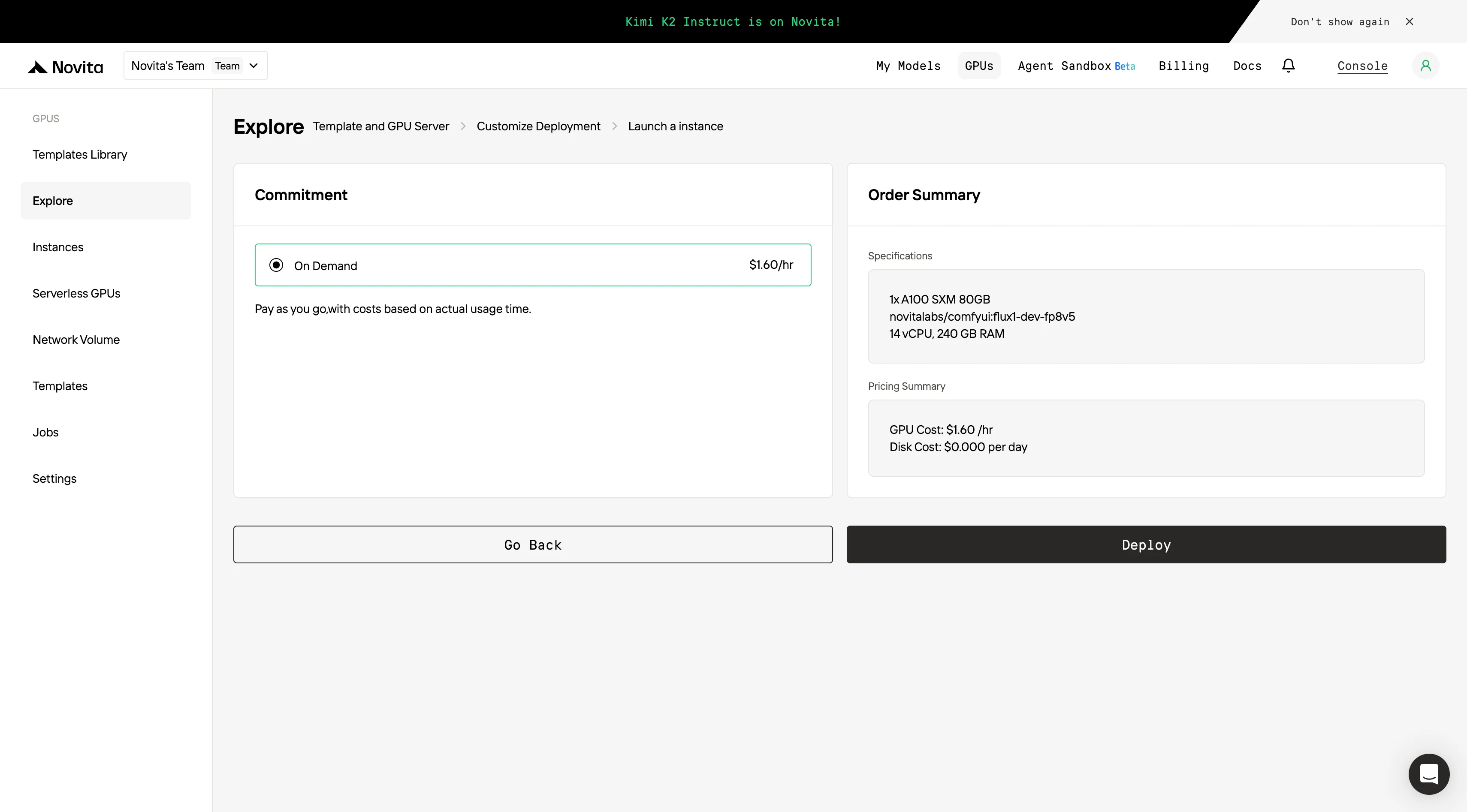
Step4:Launch an instance
Select “Launch Instance” to start your deployment. Your high-performance GPU environment will be ready within minutes, allowing you to immediately begin your machine learning, rendering, or computational projects.
For Performance, Security, and Saving, Choose a Dedicated Endpoint
A dedicated endpoint on Novita AI provides significant benefits, including consistent high performance with guaranteed throughput, complete data privacy through isolated resources, and the ability to deploy custom or fine-tuned Hugging Face models. It also offers flexible scaling of up to 8 GPUs (or more for enterprise users), transparent and predictable pricing for sustained workloads, and a 99.5% SLA for production-grade reliability.
Deployment Steps and Usage Guide
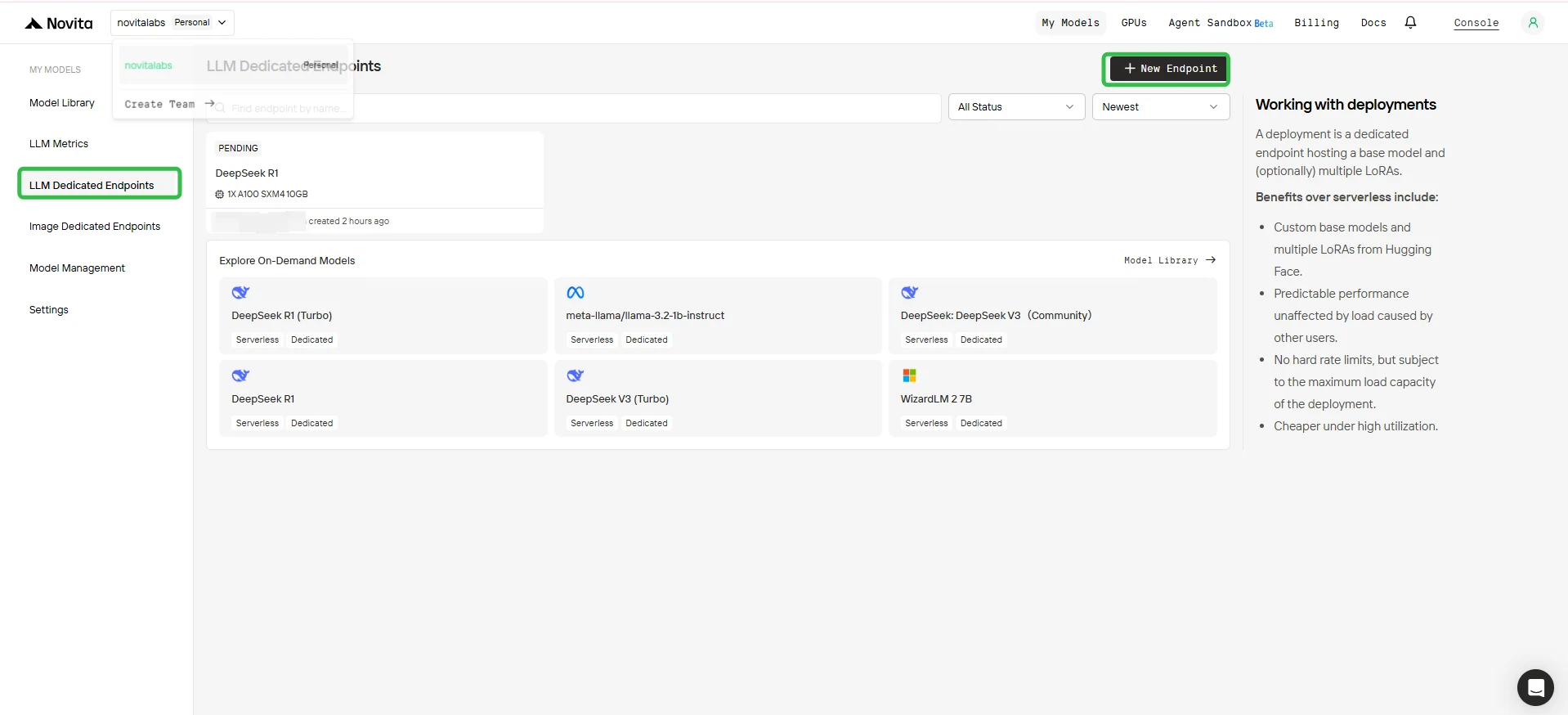
1. Access the Console
- Log in to your Novita AI Console.
- In the left sidebar, click LLM Dedicated Endpoints.
2. Create a New Endpoint
- Click the + New Endpoint button in the upper right corner.
3. Configure Your Endpoint
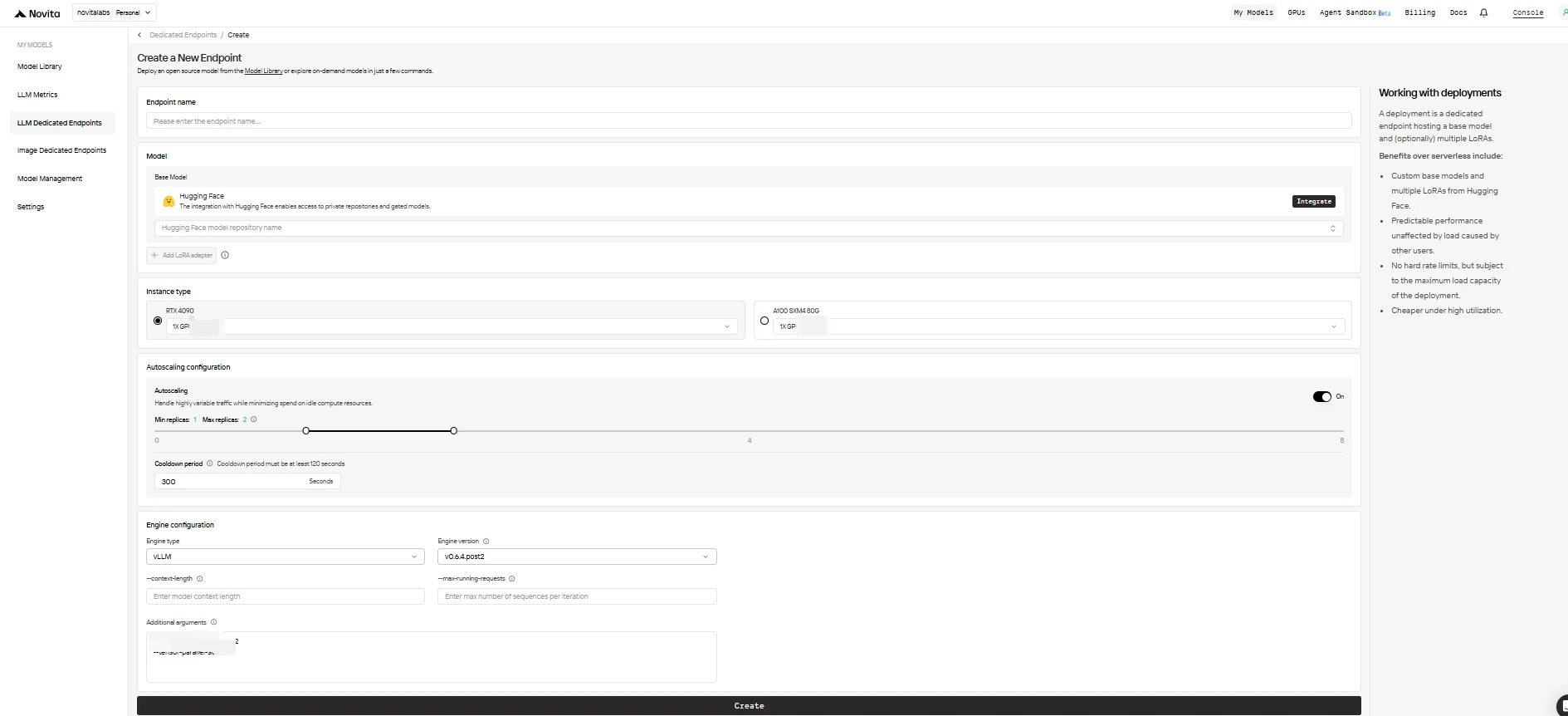
Fill out the configuration form with the following options:
-
Endpoint Name: Give your deployment a unique and descriptive name.
-
Base Model: Enter the Hugging Face repository name for your base model (only Hugging Face models are supported, including public, private, or gated).
-
LoRA Adapters (optional): Add one or more Hugging Face Model IDs to attach LoRA adapters to your base model.
-
Instance Type: Select the GPU hardware (e.g., H100, H200, RTX4090). Each user can use up to 8 GPUs across all endpoints.
-
Autoscaling Configuration:
- Minimum Replicas: Set to
0to allow the endpoint to sleep when idle (cost saving), or a higher value to always keep a minimum number of active replicas. - Maximum Replicas: Set the maximum number of replicas for scaling (up to 10).
- Cooldown Period: Set the delay (in seconds) before scaling down replicas to avoid premature downscaling during brief traffic drops.
- Minimum Replicas: Set to
-
Engine Configuration:
- Engine Type: Choose the inference engine (
vLLMorSGLang). - Engine Version: Use the default (latest) or specify a version.
- Context Length: Optionally set the max token context length; if omitted, will be derived from the model config.
- Max Running Requests: Set the maximum number of sequences processed per iteration.
- Additional Arguments: Add any extra engine parameters for advanced customization.
- Engine Type: Choose the inference engine (
When you’re done, click Create to deploy your endpoint.
4. Endpoint Deployment Status
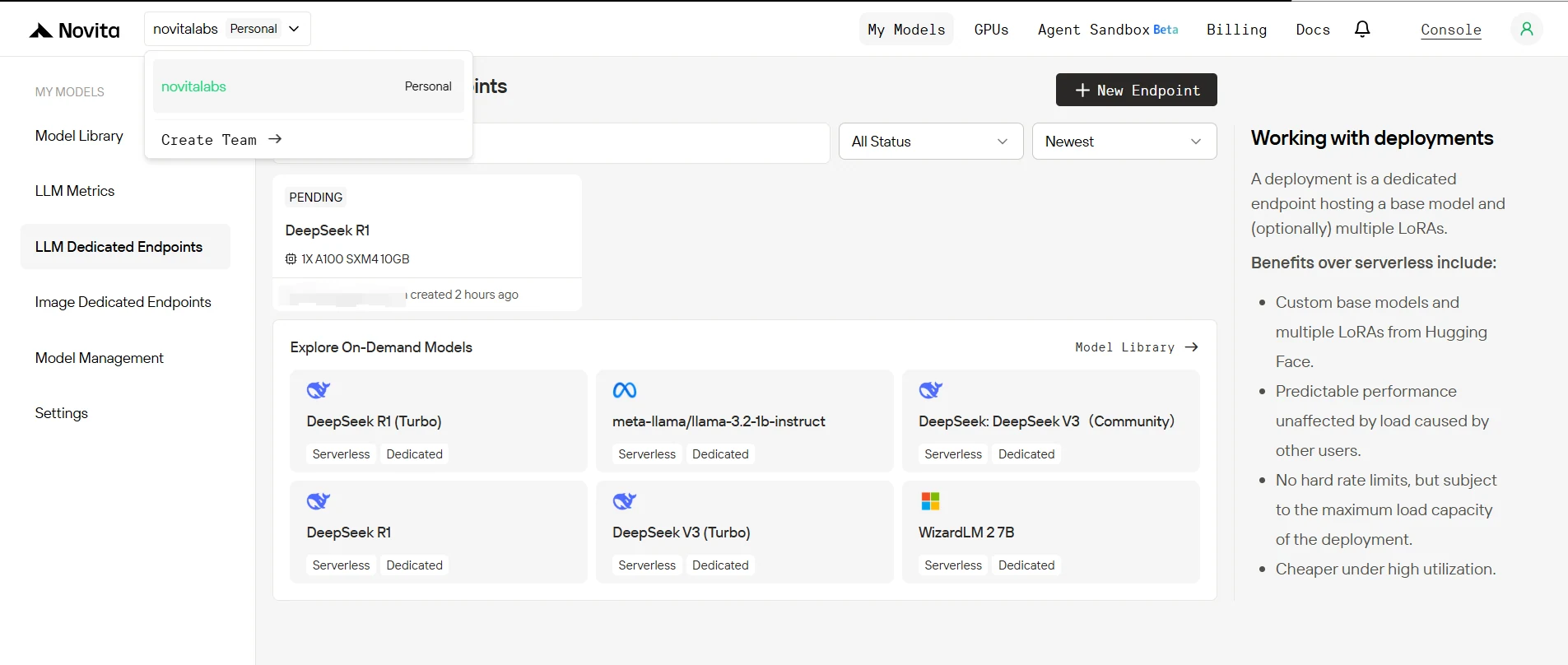
After creation, your endpoint will transition through several statuses:
- Sleeping: The endpoint is idle, consuming no compute resources (if minimum replicas is set to 0).
- Pending: The deployment is initializing.
- Rolling: The model and infrastructure are being set up.
- Running: The endpoint is active and ready to serve requests.
You can monitor this status on the Endpoints page in the console.
5. Test Your Endpoint in Playground
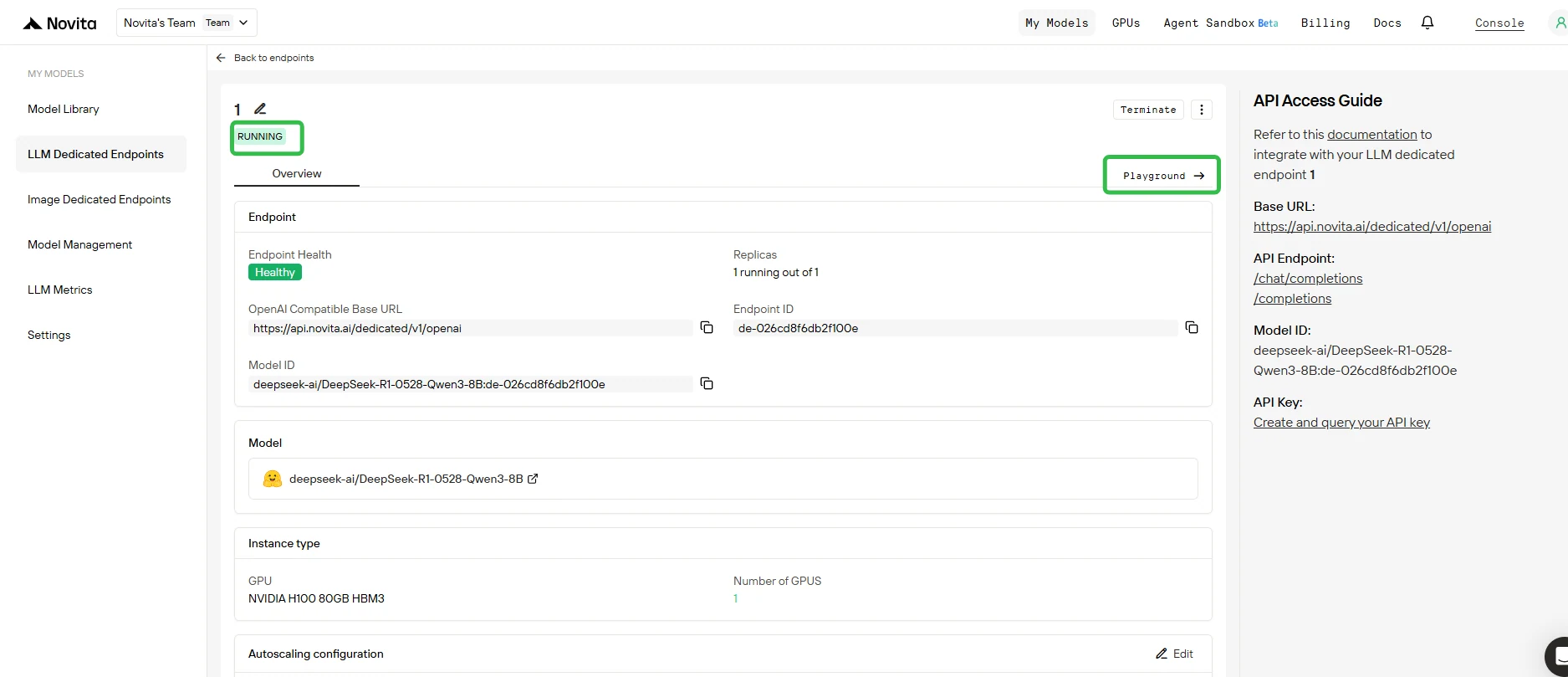
- Once deployment is complete and status is Running, Click on your endpoint and open the Playground tab.
- In the Playground, you can:
- Send test prompts to your base model and any attached LoRA adapters.
- Instantly compare the output of different adapters versus the base model.
6. Next Steps
- Multi-LoRA Endpoints: Deploy multiple LoRA adapters on a single endpoint for flexible model switching.
- API Integration: Use the provided API endpoints to send requests and integrate your model into your own applications.
- Optimize and Scale: Adjust autoscaling, engine configuration, and GPU quota as your needs grow.
- Need More Resources? Contact our sales team for an enterprise solution if you need more than 8 GPUs or require enterprise-level features.
Code Examples (For Python users)
from openai import OpenAI

client = OpenAI(
    base_url="https://api.novita.ai/dedicated/v1/openai",
    api_key="<Your API Key>",
)

model = "deepseek-ai/DeepSeek-R1-0528-"
stream = True  # or False
max_tokens = 512

chat_completion_res = client.chat.completions.create(
    model=model,
    messages=[
        {
            "role": "system",
            "content": "you are a professional AI helper.",
        },
        {
            "role": "user",
            "content": "Where can the example of GPU provided by novita ai be adapted?",
        }
    ],
    stream=stream,
    max_tokens=max_tokens,
)

if stream:
    for chunk in chat_completion_res:
        print(chunk.choices[0].delta.content or "", end="")
else:
    print(chat_completion_res.choices[0].message.content)
Fine-tuning DeepSeek R1 0528 allows you to harness its full potential for domain-specific tasks, enabling it to deliver precise, reliable, and customized outputs. By leveraging efficient techniques like LoRA adapters and deploying on cost-effective platforms like Novita AI, you can reduce expenses while achieving high performance. Whether you need deep expertise, strict reliability, or a unique personality, fine-tuning ensures the model meets your specific requirements.
Frequently Asked Questions
What is the cost of fine-tuning DeepSeek R1 0528?
The estimated cost for building your own infrastructure is around $5.89M. However, using Novita AI’s cloud GPUs significantly reduces upfront costs, with H100 GPUs starting at $2.41/hour.
How can I ensure the fine-tuned model meets my needs?
Prepare a clean, relevant dataset and use LoRA adapters or PEFT methods to efficiently fine-tune specific layers of the model. This ensures high performance without overfitting.
Can I deploy my fine-tuned model on Novita AI?
Yes, Novita AI supports deploying fine-tuned models as dedicated endpoints, with options for autoscaling, multi-LoRA setups, and API integration for seamless use in your applications.
Novita AI is an AI cloud platform that offers developers an easy way to deploy AI models using our simple API, while also providing the affordable and reliable GPU cloud for building and scaling.



