As small businesses look to adopt AI for tasks like document parsing, customer support, visual automation, or coding assistance, the choice between powerful open-source models like Qwen3-VL-235B-A22B and GLM 4.5V can feel overwhelming. What’s the real difference between their performance, cost, accessibility, and deployment difficulty?
This article breaks down the comparison across architecture, application capabilities, performance benchmarks, pricing, and access methods, giving you a clear path to decide which model suits your business best. Whether you’re building intelligent workflows, deploying locally, or calling APIs, this guide helps you make an informed, confident choice.
What Can Qwen3-VL-235B-A22B and GLM 4.5V Really Do For Your Small Business?
Want to see which model fits your workflow best?
Both Qwen3-VL-235B-A22B and GLM 4.5V offer free online demos from Novita AI!
| Application Area | Qwen3-VL-235B-A22B | GLM 4.5V | Who Wins |
|---|---|---|---|
| GUI Interaction | Operates PC/mobile UIs, understands interface elements, invokes tools. | Supports screen reading and basic desktop actions. | May Tie |
| Visual-to-Code Generation | ✅ Converts screenshots/videos into HTML, CSS, JS, Draw.io diagrams. | ❌ No visual-to-code capabilities disclosed. | Qwen Wins |
| 3D & Spatial Reasoning | ✅ Advanced: recognizes object position, occlusion, viewpoint; enables 3D grounding. | ⚠️ Handles spatial layout across images, no 3D grounding or embodied AI. | Qwen Wins |
| Video Understanding | ✅ Handles hours-long videos with 256K–1M token context; fine-grained temporal analysis. | ⚠️ Supports event segmentation but likely limited by 66K token window. | Qwen Wins |
| Visual Recognition Scope | ✅ Trained to “recognize everything”: celebrities, anime, rare species, landmarks, signs, ancient text. | ⚠️ Strong scene analysis, but no claim of niche/rare entity recognition. | Qwen Wins |
| OCR/Text Extraction | ✅ 32 languages, robust under blur/tilt, supports rare/ancient characters and structured layouts. | ⚠️ Extracts long documents well but lacks language and rare-text breadth. | Qwen Wins |
| Text Understanding | ✅ Comparable to pure LLMs; fluent vision-text fusion with no comprehension loss. | ✅ Strong generator with “reasoning mode” toggle; high language quality. | May Tie |
| Ease of Access | Available via API or demo. | Available via API or demo and a Desktop Assistant supporting images, PDFs, videos, etc. | GLM Wins |
How Do Qwen3-VL-235B-A22B and GLM 4.5V Differ in Architecture?
Qwen3-VL stands out as the “heavyweight” option, prioritizing scale and information capacity: its 235B total parameters, 256K (expandable to 1M) token context window, and specialized reasoning variants make it ideal for large-scale tasks.
GLM 4.5V, by contrast, emphasizes flexibility and efficiency without sacrificing performance. Its more compact 106B parameter design, 128K token context window, and unified model with a toggleable “Thinking Mode” strike a balance between speed and depth
| Comparison Dimension | Qwen3-VL-235B-A22B | GLM 4.5V |
|---|---|---|
| Model Size & MoE Architecture | Total Parameters: 235B Active Parameters per Input: 22B | Total Parameters: 106B Active Parameters per Input: 12B |
| Context Window Capacity | Native: 256K tokens Expandable to: 1M tokens | Native: 128K tokens |
| Reasoning & Instruction Modes | a Thinking Mode switch, allowing users to balance between quick responses and deep reasoning. | a Thinking Mode switch, allowing users to balance between quick responses and deep reasoning. |
| Visual Processing | ViT-based encoder + text decoder Enhancements: Interleaved-MRoPE (video reasoning), fused vision features | ViT-based encoder + text decoder Enhancement: Clean adapter for vision-language fusion |
| Speed | Latency in 1.8-2s | Lantecy in 0.3-1.5s |
| Hardware Requirements | 8 NVIDIA H200 GPUs. | a single 80GB GPU (like one NVIDIA A100/H100 80GB) in 16-bit precision |
So,which Model Performs Better: Qwen3-VL-235B-A22B or GLM 4.5V?
Qwen3-VL-235B-A22B generally leads in core reasoning, document processing, and code generation. GLM 4.5V performs closely in several tasks but doesn’t surpass Qwen in any shown benchmark.
| Category | Benchmark | Qwen3-VL-235B-A22B | GLM 4.5V |
|---|---|---|---|
| 1. General VQA | MMbench v1.1 | 89.9 | 88.2 |
| MMStar | 78.4 | 75.3 | |
| MUIRBENCH | 72.8 | 75.3 | |
| HallusionBench | 63.2 | 65.4 | |
| 2. STEM & Puzzle | MMMU (val) | 78.7 | 75.4 |
| MMMU Pro | 68.1 | 65.2 | |
| MathVista | 84.9 | 84.6 | |
| MathVision | 66.5 | 65.6 | |
| MathVerse | 72.5 | 72.1 | |
| AI2D | 89.7 | 88.1 | |
| 3. Long Doc & OCR/Chart | MMLongBench-Doc | 57.0 | 44.7 |
| OCRBench | 920.0* | 86.5 | |
| 4. Coding | Design2Code | 92.0 | 82.2 |
| 5. Video Understanding | VideoMME (w/o sub) | 79.2 | 74.6 |
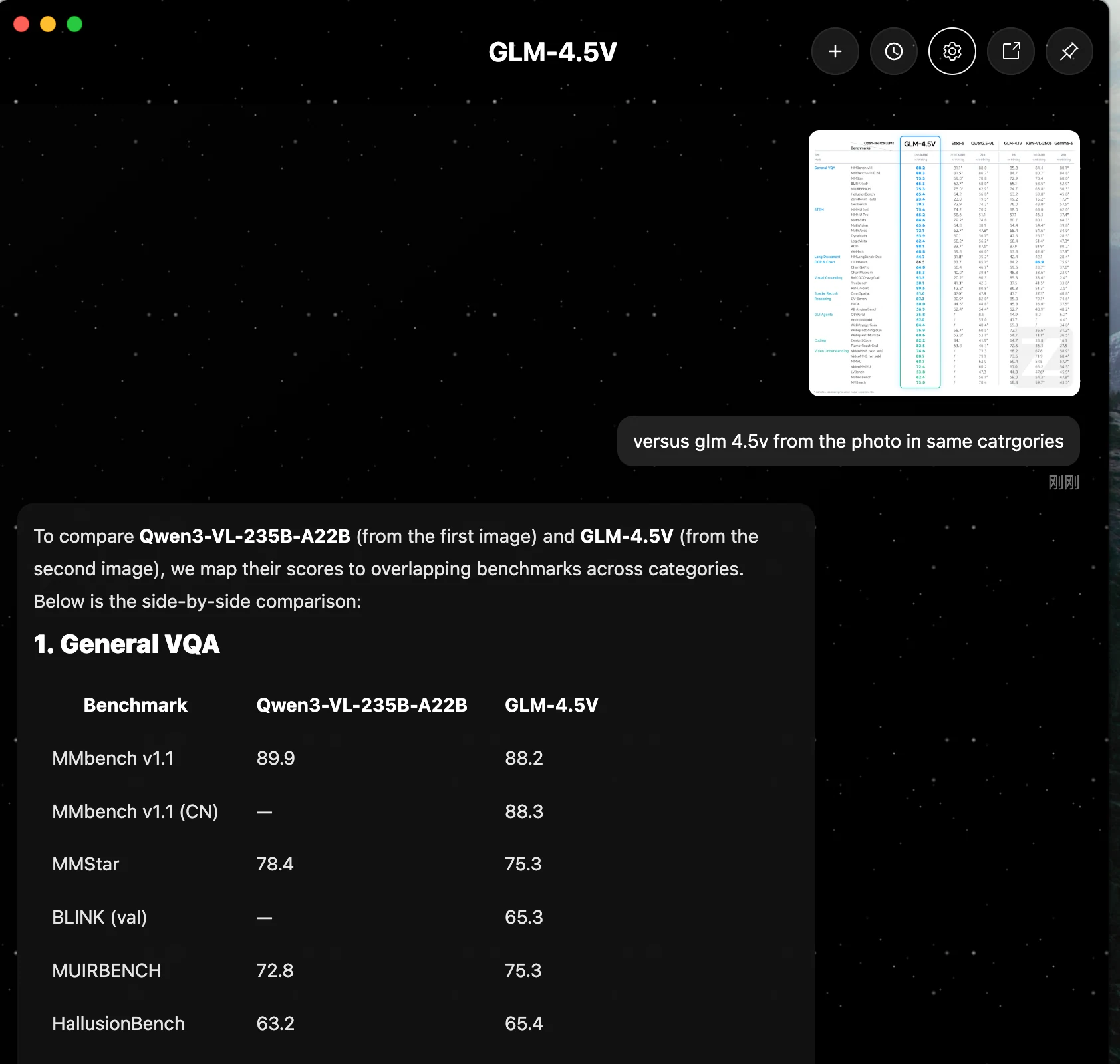
You can also use a Novita AI API key to access GLM’s Desktop Assistant for free—no payment required, unlike the official site!
The Desktop is designed for the GLM series multimodal models (GLM-4.5V, compatible with GLM-4.1V), supporting interactive conversations with text, images, videos, PDFs, PPTs, and more. It connects to the GLM multimodal API to enable intelligent services across various scenarios.
The setting:
Model name:zai-org/glm-4.5v
API URL:https://api.novita.ai/openai
Endpoint: /v1/chat/completions
API Key: from Novita AI
Get API Key and Try Free GLM’s Desktop Assistant Now!
How to Access Qwen3-VL-235B-A22B and GLM 4.5V in Cheap and Fast Way?
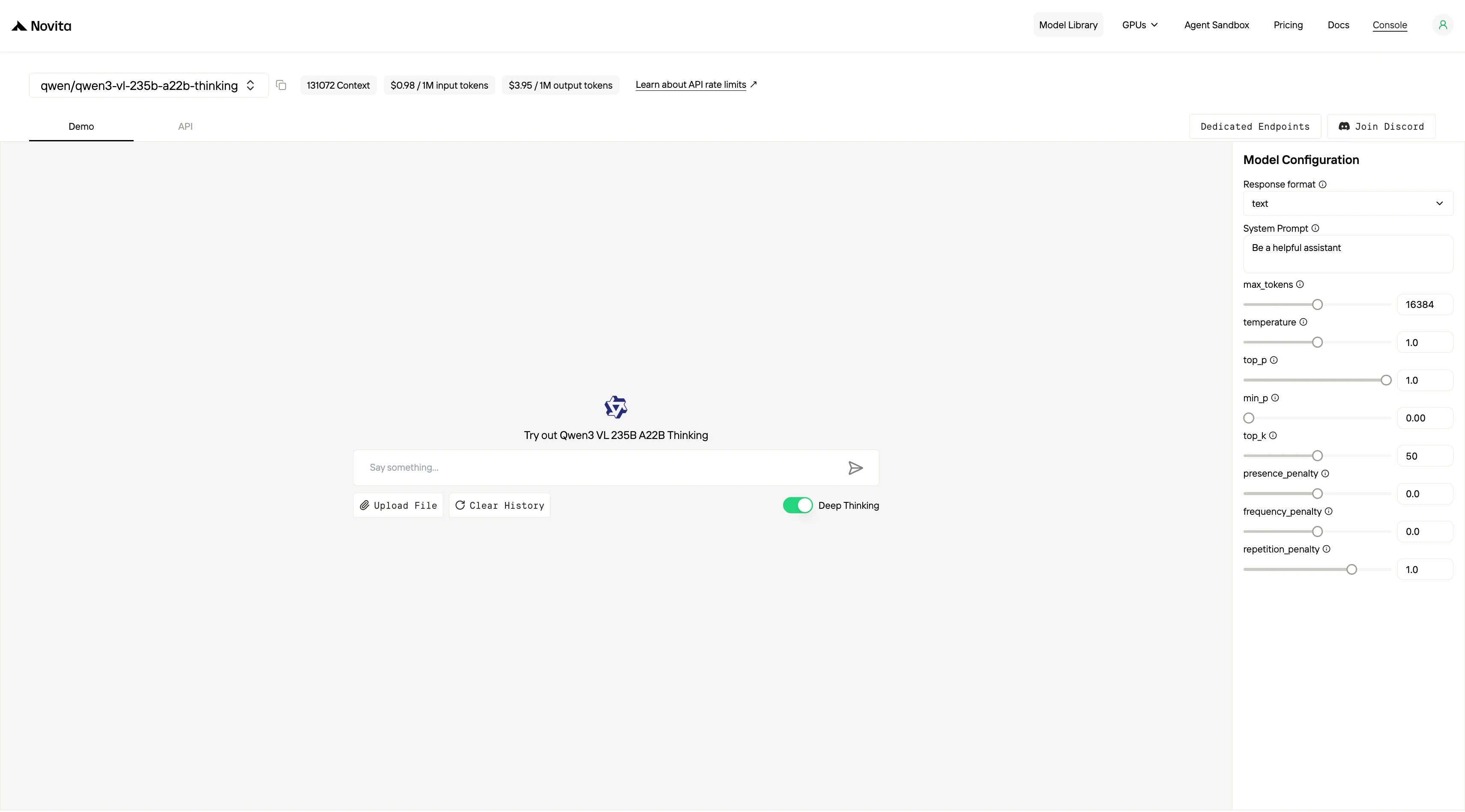
Novita AI offers Qwen3-VL APIs with a 131K context window at $0.98 per input and $3.95 per output. It also provides GLM-4.6V APIs with a 208K context window at $0.60 per input and $2.20 per output, supporting structured outputs and function calling.
1. Web Interface (Easiest for Beginners)
2. API Access (For Developers)
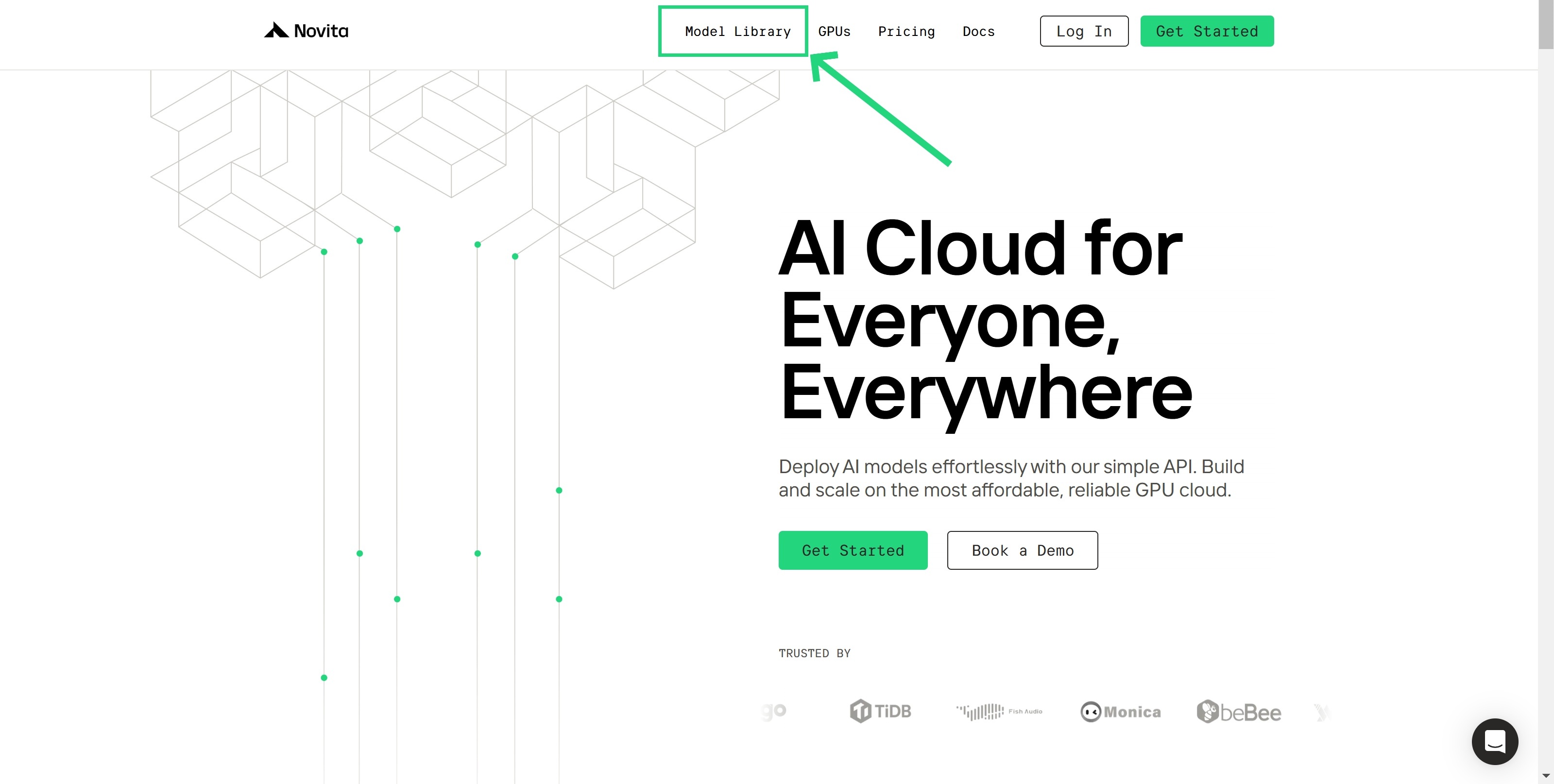
Step 1: Log In and Access the Model Library
Log in to your account and click on the Model Library button.
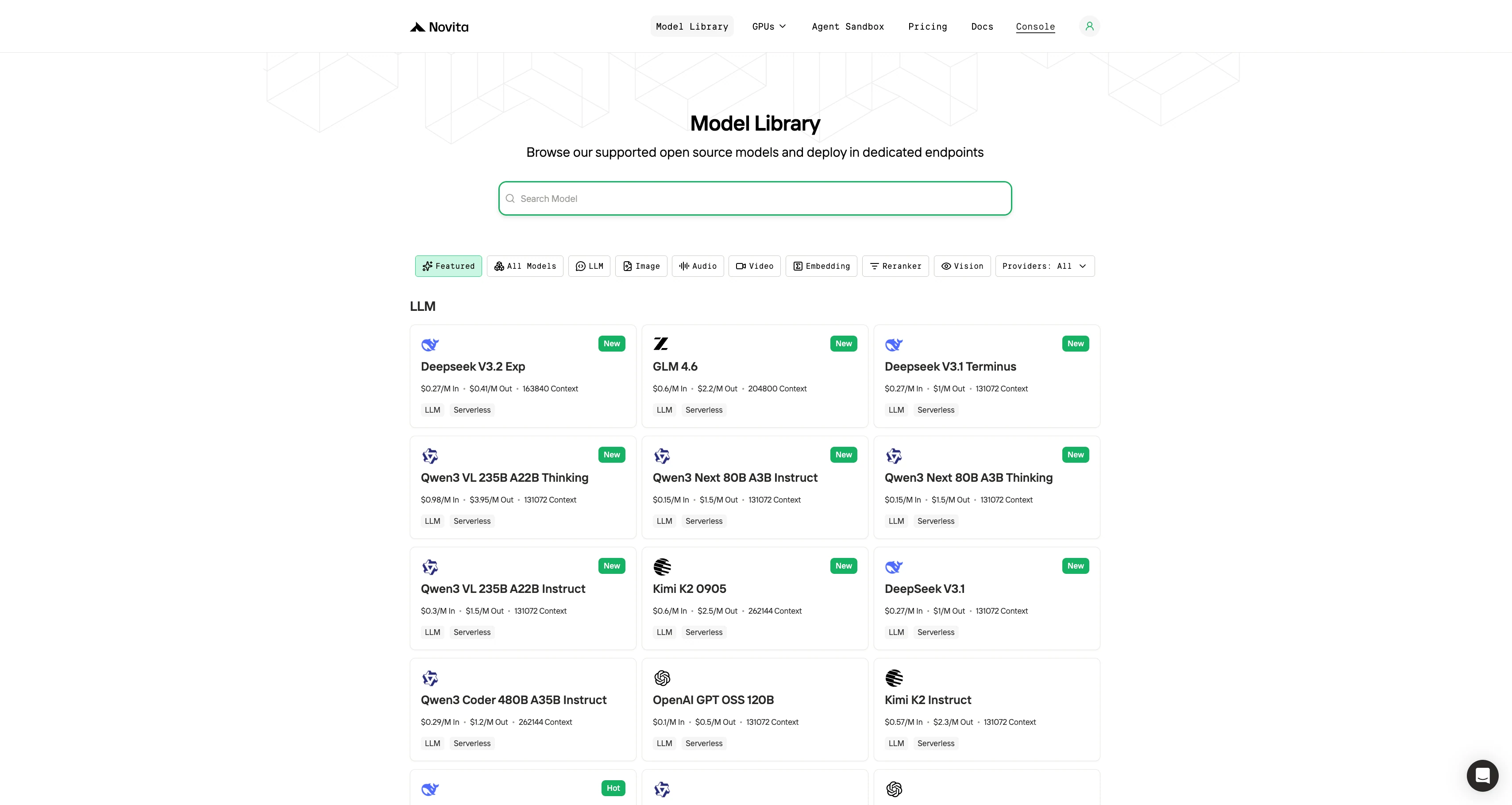
Step 2: Choose Your Model
Browse through the available options and select the model that suits your needs.
Step 3: Start Your Free Trial
Begin your free trial to explore the capabilities of the selected model.
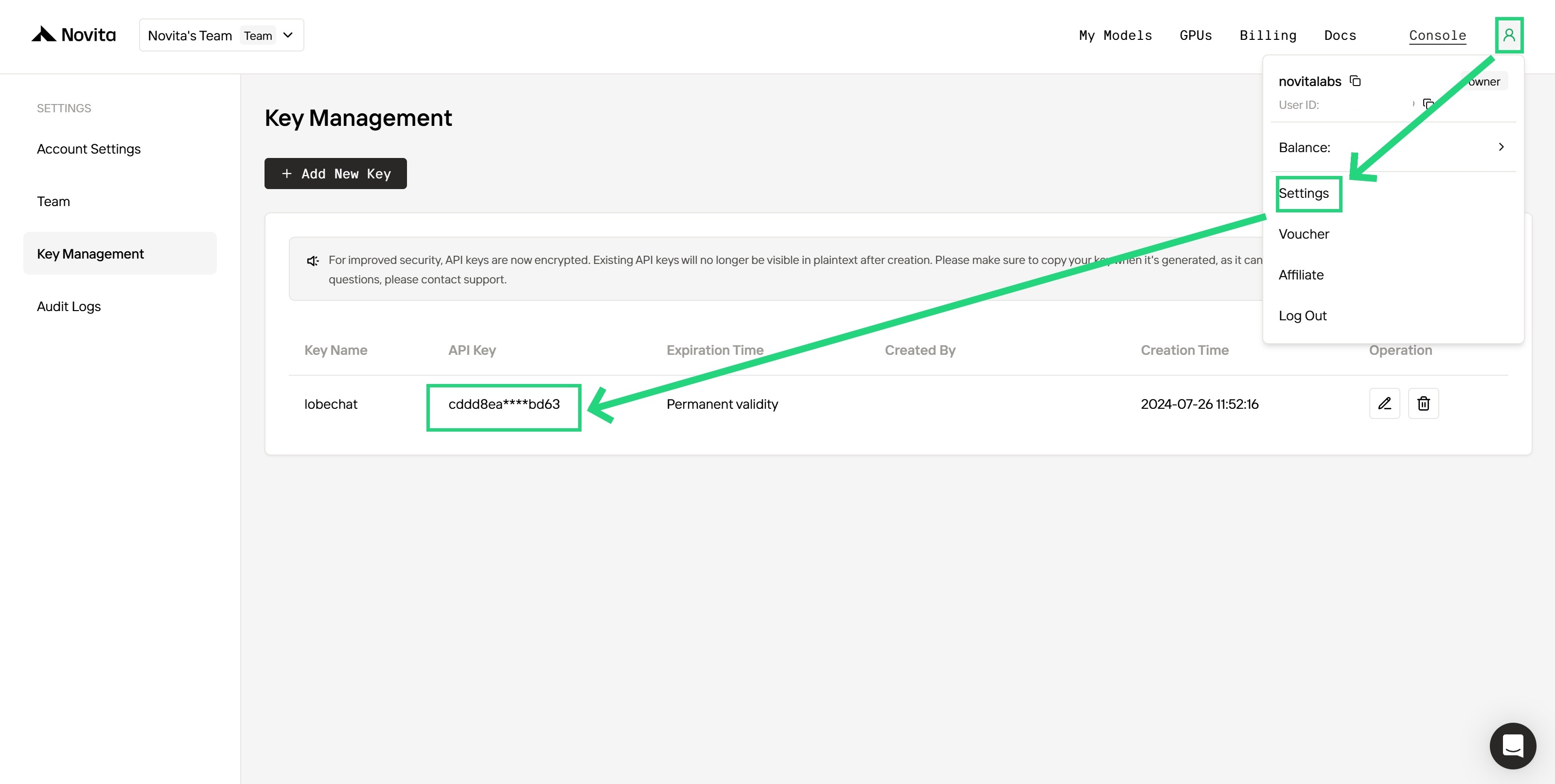
Step 4: Get Your API Key
To authenticate with the API, we will provide you with a new API key. Entering the “Settings“ page, you can copy the API key as indicated in the image.
Step 5: Install the API
Install API using the package manager specific to your programming language.
After installation, import the necessary libraries into your development environment. Initialize the API with your API key to start interacting with Novita AI LLM. This is an example of using chat completions API for python users.
from openai import OpenAI

client = OpenAI(
    base_url="https://api.novita.ai/openai",
    api_key="<YOUR Novita AI API Key>",
)

model = "qwen/qwen3-vl-235b-a22b-thinking"
stream = True # or False
max_tokens = 16384
system_content = "Be a helpful assistant"
temperature = 1
top_p = 1
min_p = 0
top_k = 50
presence_penalty = 0
frequency_penalty = 0
repetition_penalty = 1
response_format = { "type": "text" }

chat_completion_res = client.chat.completions.create(
    model=model,
    messages=[
        {
            "role": "system",
            "content": system_content,
        },
        {
            "role": "user",
            "content": "Hi there!",
        }
    ],
    stream=stream,
    max_tokens=max_tokens,
    temperature=temperature,
    top_p=top_p,
    presence_penalty=presence_penalty,
    frequency_penalty=frequency_penalty,
    response_format=response_format,
    extra_body={
      "top_k": top_k,
      "repetition_penalty": repetition_penalty,
      "min_p": min_p
    }
  )

if stream:
    for chunk in chat_completion_res:
        print(chunk.choices[0].delta.content or "", end="")
else:
    print(chat_completion_res.choices[0].message.content)
3. Local Deployment (Advanced Users)
Requirements:
- Qwen3-VL-235B-A22B: 8 NVIDIA H200 GPUs.
- GLM 4.5V: a single 80GB GPU (like one NVIDIA A100/H100 80GB) in 16-bit precision
Installation Steps:
- Download model weights from HuggingFace or ModelScope
- Choose inference framework: vLLM or SGLang supported
- Follow deployment guide in the official GitHub repository
4. Integration
Using CLI like Trae,Claude Code, Qwen Code
If you want to use Novita AI’s top models (like Qwen3-Coder, Kimi K2, DeepSeek R1) for AI coding assistance in your local environment or IDE, the process is simple: get your API Key, install the tool, configure environment variables, and start coding.
For detailed setup commands and examples, check the official tutorials:
- Trae : Step-by-Step Guide to Access AI Models in Your IDE
- Claude Code:How to Use Kimi-K2 in Claude Code on Windows, Mac, and Linux
- Qwen Code:How to Use OpenAI Compatible API in Qwen Code (60s Setup!)
Multi-Agent Workflows with OpenAI Agents SDK
Build advanced multi-agent systems by integrating Novita AI with the OpenAI Agents SDK:
- Plug-and-play: Use Novita AI’s LLMs in any OpenAI Agents workflow.
- Supports handoffs, routing, and tool use: Design agents that can delegate, triage, or run functions, all powered by Novita AI’s models.
- Python integration: Simply set the SDK endpoint to
https://api.novita.ai/v3/openaiand use your API key.
Connect API on Third-Party Platforms
OpenAI-Compatible API: Enjoy hassle-free migration and integration with tools such as Cline and Cursor, designed for the OpenAI API standard.
Hugging Face: Use Modeis in Spaces, pipelines, or with the Transformers library via Novita AI endpoints.
Agent & Orchestration Frameworks: Easily connect Novita AI with partner platforms like Continue, AnythingLLM,LangChain, Dify and Langflow through official connectors and step-by-step integration guides.
Qwen3-VL-235B-A22B demonstrates clear strengths in advanced reasoning, visual coding, multilingual OCR, and long-context processing—making it a top choice for demanding workflows and multimodal tasks.
GLM 4.5V, while slightly behind in raw performance, is more lightweight and offers a desktop assistant, faster inference speed, and broader plug-and-play usability—especially for developers and startups.For most use cases, Qwen3-VL-235B-A22B is ideal for depth and complexity, while GLM 4.5V excels in ease of use and flexibility.
Frequently Asked Questions
Can GLM 4.5V be used offline or outside the browser?
Yes, GLM 4.5V supports a free desktop assistant (via Novita AI) that allows users to interact with text, images, videos, and PDFs locally—something Qwen3-VL-235B-A22B doesn’t offer natively.
What’s the cheapest and fastest way to try Qwen3-VL-235B-A22B and GLM 4.5V?
Qwen3-VL API: 131K context, $0.98/input, $3.95/output
GLM-4.6V API: 208K context, $0.60/input, $2.20/output, with structured output and function calling
Which model performs better in benchmark evaluations—Qwen3-VL-235B-A22B or GLM 4.5V?
Qwen3-VL-235B-A22B consistently scores higher than GLM 4.5V in categories such as STEM reasoning (e.g. MMMU), long document analysis (MMLongBench-Doc), OCR (OCRBench), and coding (Design2Code). GLM 4.5V performs well but doesn’t surpass Qwen in any listed benchmark.
Novita AI is an AI cloud platform that offers developers an easy way to deploy AI models using our simple API, while also providing an affordable and reliable GPU cloud for building and scaling.