An in-depth look at Trae as a code agent tool reveals a powerful and versatile Integrated Development Environment (IDE) designed to augment the software development process with artificial intelligence. When combined with advanced large language models (LLMs) like Qwen3-Next-80B-A3B, Trae’s capabilities are significantly enhanced, offering a potent toolkit for developers. This report delves into the reasons for choosing Trae, the empowerment it gains from Qwen3-Next-80B-A3B, instructions for their integration, and potential limitations and troubleshooting measures.
Why Qwen3-Next-80B-A3B Can Rival a 235B Model ?
Qwen3-Next-80B-A3B is the first model in the Qwen3-Next series, designed to handle massive and long-context workloads with remarkable efficiency and stability. Through innovative attention mechanisms, smarter resource usage, enhanced robustness, and faster training and inference, it delivers powerful performance for demanding real-world applications.
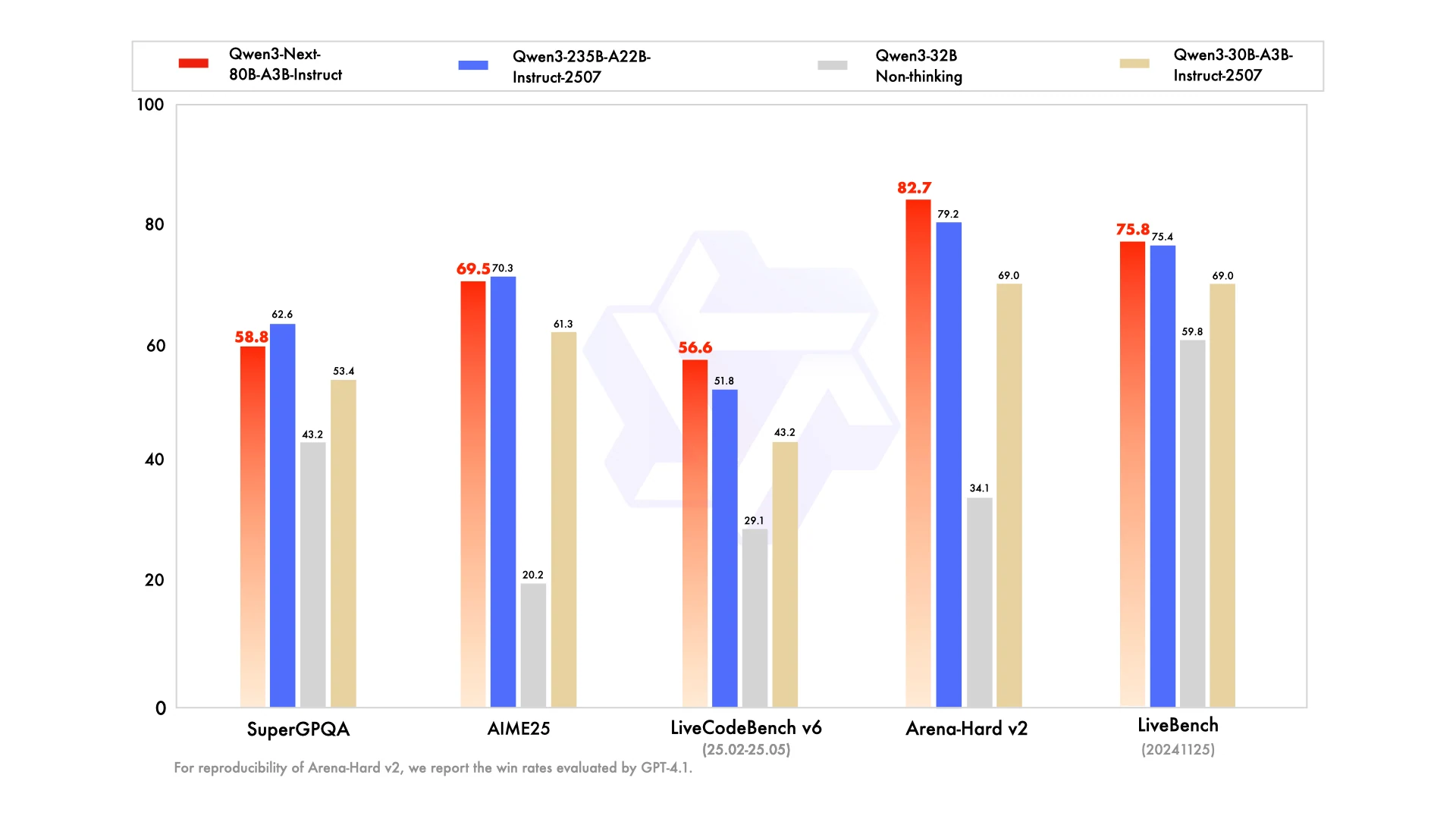
From Hugging Face
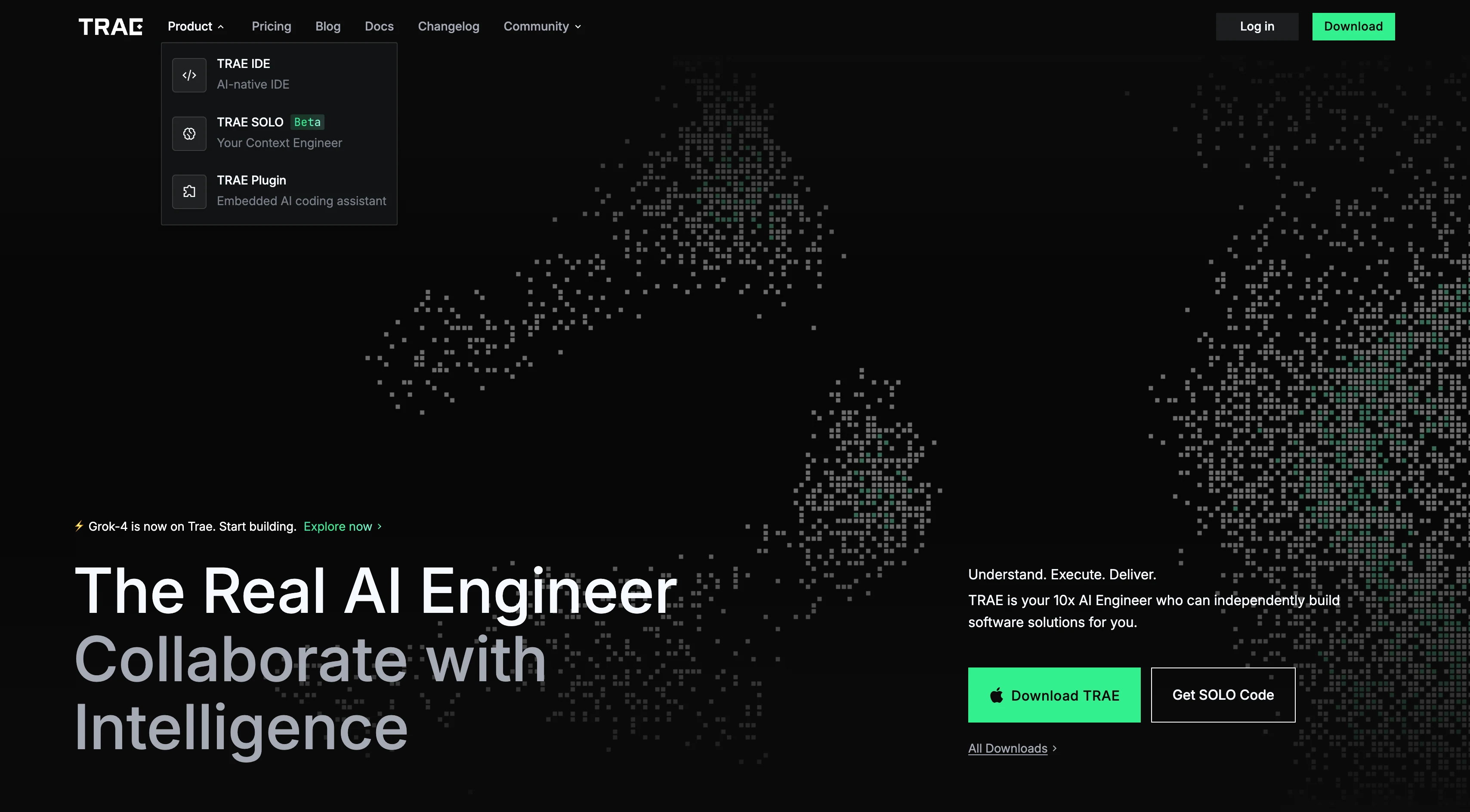
Why Choose Trae as Code Agent Tool?
Agent-Based AI Programming
Trae’s defining capability is its agentic workflow. Powered by AI agents, it can autonomously handle complex tasks with minimal user guidance. This functionality is centered around two main modes:
- Builder Mode: Automatically decomposes large projects into smaller, sequential tasks and applies code changes across multiple files.
- Chat Mode: Provides an interactive, natural-language interface for asking questions, debugging, and requesting code snippets.
Intelligent, Context-Aware Assistance
Trae goes beyond autocomplete by offering deep context awareness. It delivers real-time bug detection, vulnerability analysis, and refactoring suggestions, drawing on the entire project environment—including files and terminal interactions—to build a holistic understanding.
Multimodal Interaction
Developers can go beyond text by uploading images, diagrams, or screenshots. Trae interprets these inputs, making it especially useful for tasks like converting design mockups into code.
Extensibility & Customization
Trae supports a flexible AI ecosystem. Developers can integrate third-party models—including state-of-the-art options like Claude 3.7 and GPT-4o—via API keys. It also allows the creation of custom, workflow-specific agents, giving users the freedom to tailor automation to their needs.
Accessible & Free to Use
One of Trae’s biggest advantages is accessibility: its core features are offered free of charge, lowering the barrier to entry for advanced AI-powered development tools. While premium plans exist for additional functionality, the essential toolkit remains free.
Seamless Integration
Built on the familiar foundation of VS Code, Trae ensures a comfortable transition for developers. It also integrates smoothly with popular platforms like GitHub, fitting naturally into existing workflows.
How Qwen3-Next-80B-A3B + Trae Empowers?
Enhanced reasoning for agent tasks
The series includes a “Thinking” variant (Qwen3-Next-80B-A3B-Thinking), purpose-built for deep reasoning and generating longer chains of thought. When powering Trae’s agents, this model enables more advanced problem-solving, supports more effective task decomposition in Builder Mode, and delivers more insightful responses in Chat Mode.
Efficient handling of large codebases
Qwen3-Next is optimized for ultra-long context windows, with native support for up to 262,144 tokens and extensibility to 1 million tokens. Within Trae, this allows the model to gain a broader understanding of the entire codebase, resulting in more accurate and contextually relevant code generation and analysis.
Cost-efficient performance
Leveraging a sparse Mixture-of-Experts (MoE) architecture, Qwen3-Next achieves computational efficiency superior to dense models of similar scale. This enables developers to harness the capabilities of an 80B-parameter model in Trae without incurring prohibitive costs or significant latency—especially when using their own API keys.
Professional instruction following
The “Instruct” variant (Qwen3-Next-80B-A3B-Instruct) is optimized for stable and reliable instruction adherence. This makes it particularly well-suited for tasks in Trae that require precise code generation, refactoring, or compliance with specific formatting rules.
How to use Qwen3-Next-80B-A3B via Trae?
The First: Get API Key
Step 1: Log in to your account and click on the Model Library button.

Step 2: Choose Your Model
Browse through the available options and select the model that suits your needs.
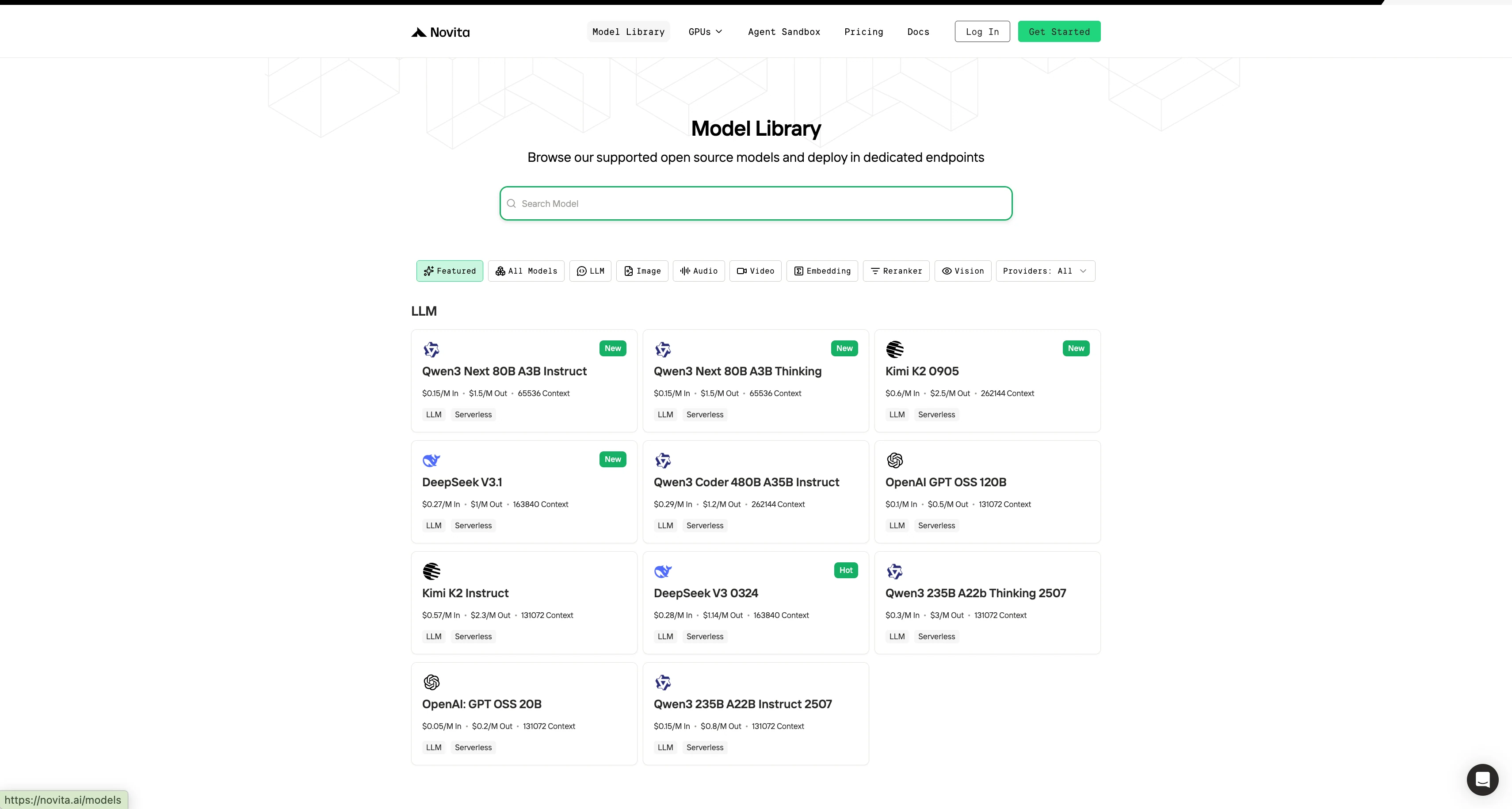
Step 3: Start Your Free Trial
Begin your free trial to explore the capabilities of the selected model.
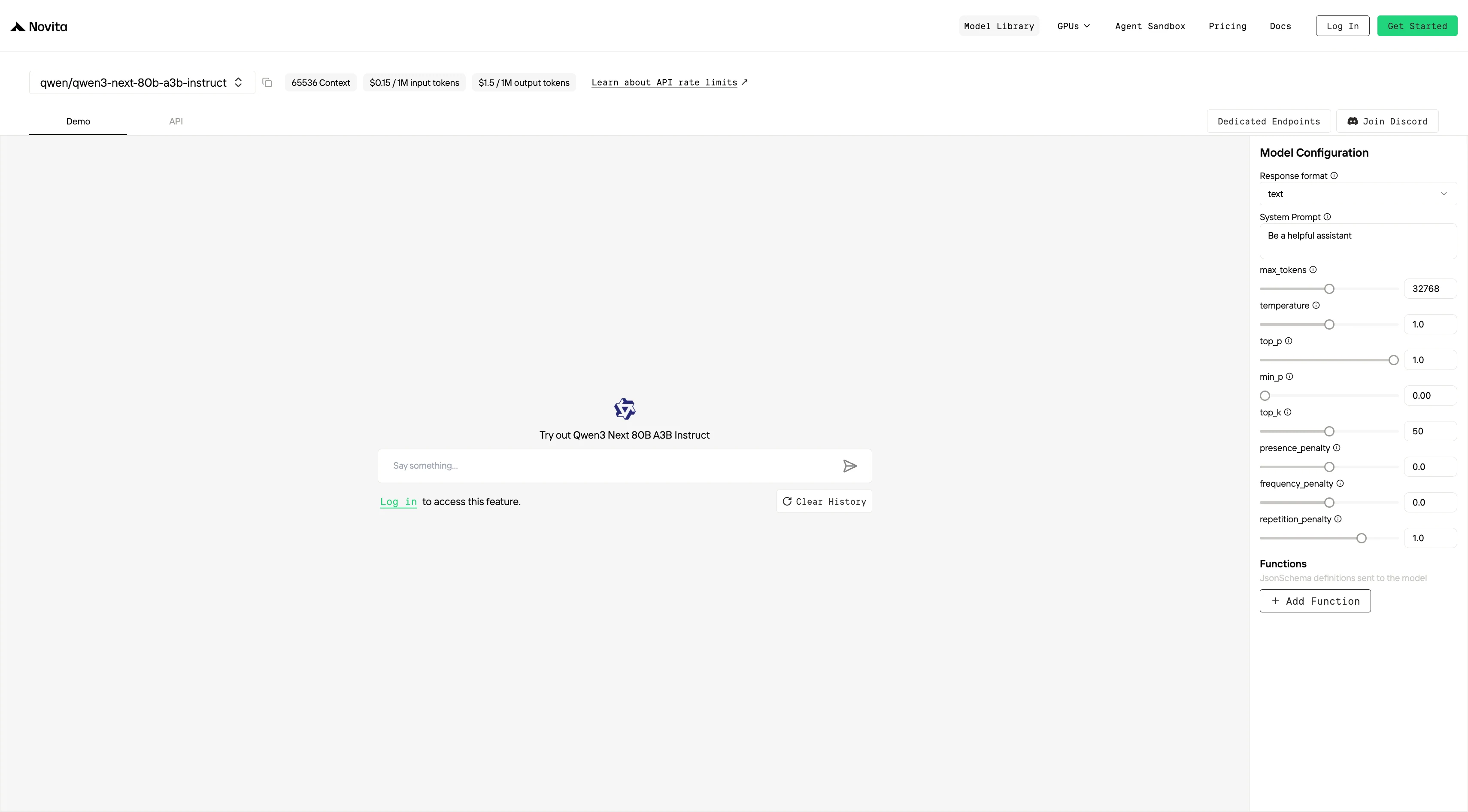
Step 4: Get Your API Key
To authenticate with the API, we will provide you with a new API key. Entering the “Settings“ page, you can copy the API key as indicated in the image.

Step 5: Install the API
Install API using the package manager specific to your programming language.
After installation, import the necessary libraries into your development environment. Initialize the API with your API key to start interacting with Novita AI LLM. This is an example of using chat completions API for python users.
#Chat API
from openai import OpenAI

client = OpenAI(
    api_key="<Your API Key>",
    base_url="https://api.novita.ai/openai"
)

response = client.chat.completions.create(
    model="qwen/qwen3-next-80b-a3b-instruct",
    messages=[
        {"role": "system", "content": "You are a helpful assistant."},
        {"role": "user", "content": "Hello, how are you?"}
    ],
    max_tokens=65536,
    temperature=0.7
)

print(response.choices[0].message.content)
#Completion API
from openai import OpenAI
client = OpenAI(
api_key="<Your API Key>",
base_url="https://api.novita.ai/openai"
)
response = client.completions.create(
model="qwen/qwen3-next-80b-a3b-instruct",
prompt="The following is a conversation with an AI assistant.",
max_tokens=65536,
temperature=0.7
)
print(response.choices[0].text)Qwen 3 Coder 480B A35B with Trae
Step 1: Open Trae and Access Models
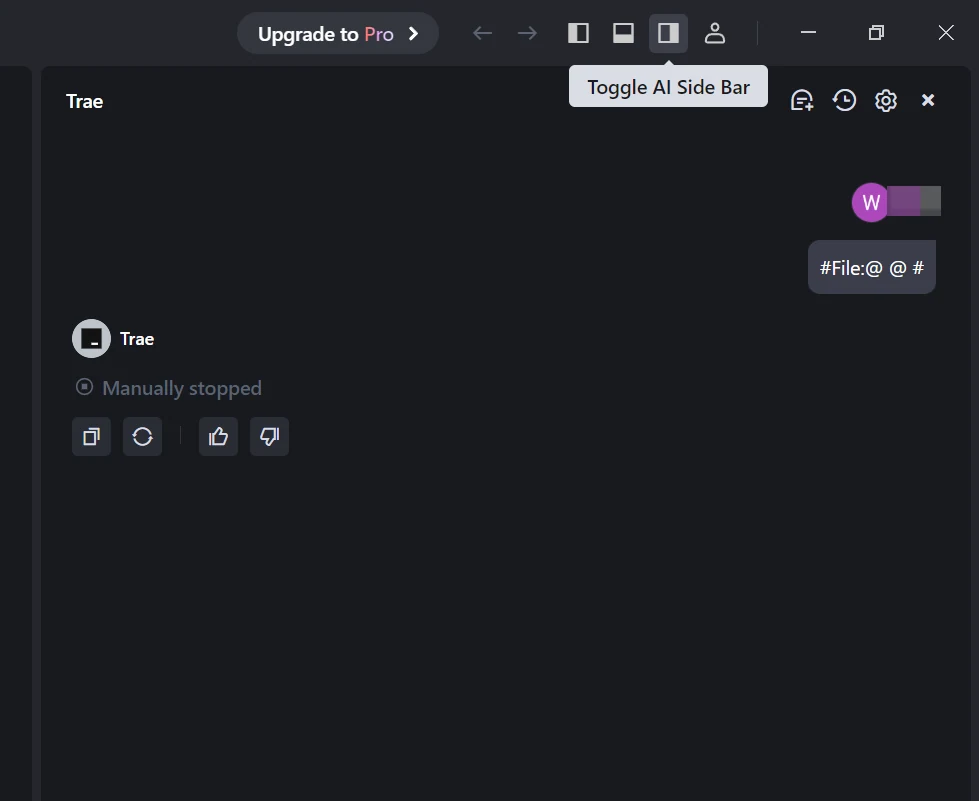
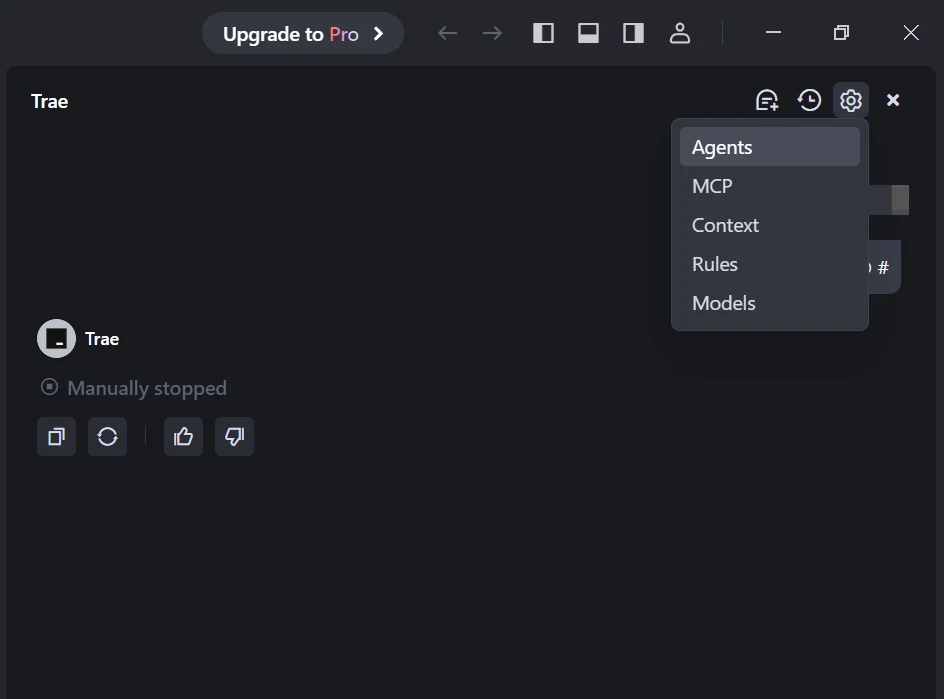
Launch the Trae app. Click the Toggle AI Side Bar in the top-right corner to open the AI Side Bar. Then, go to AI Management and select Models.
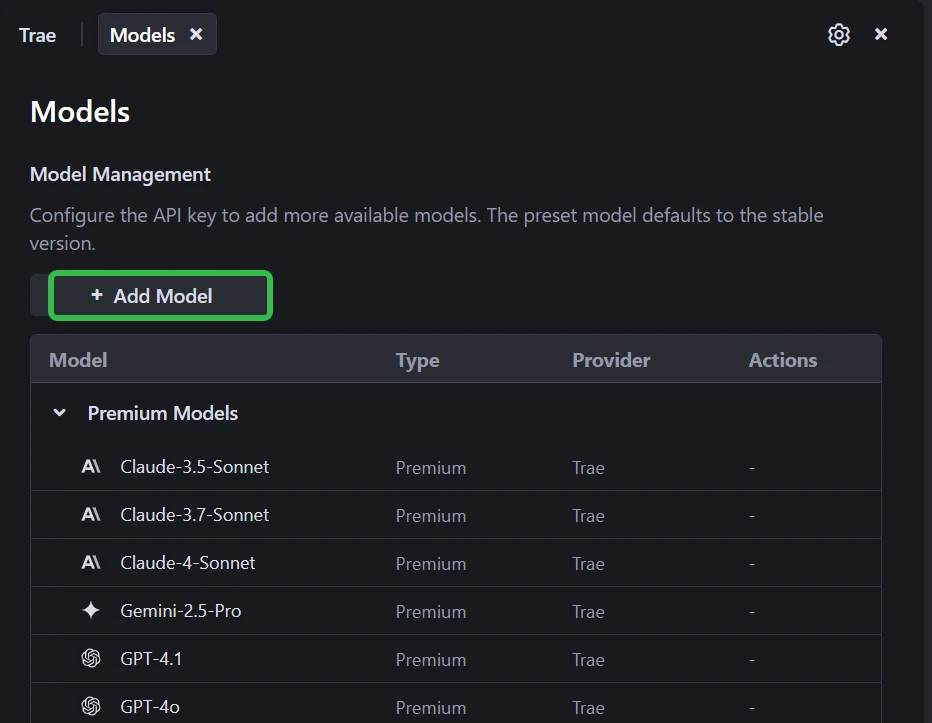
Step 2: Add a Custom Model and Choose Novita as Provider
Click the Add Model button to create a custom model entry. In the add-model dialog, select Provider = Novita from the dropdown menu.
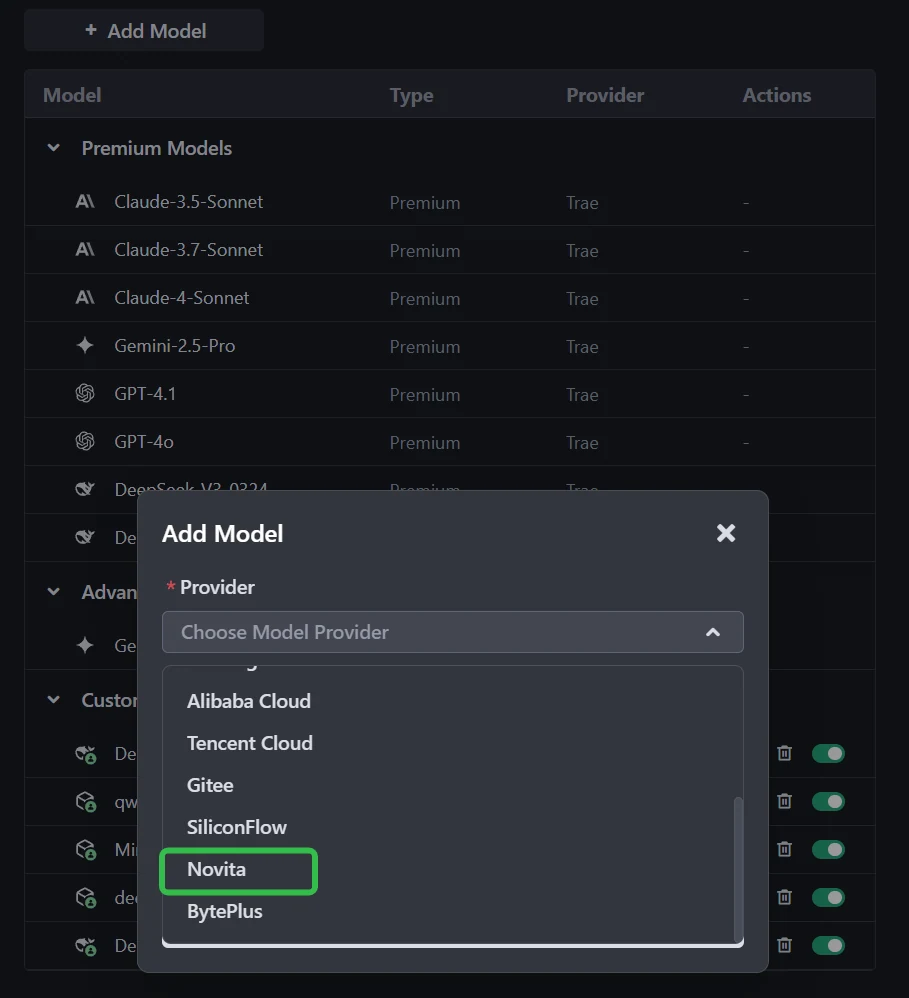
Step 3: Select or Enter the Model
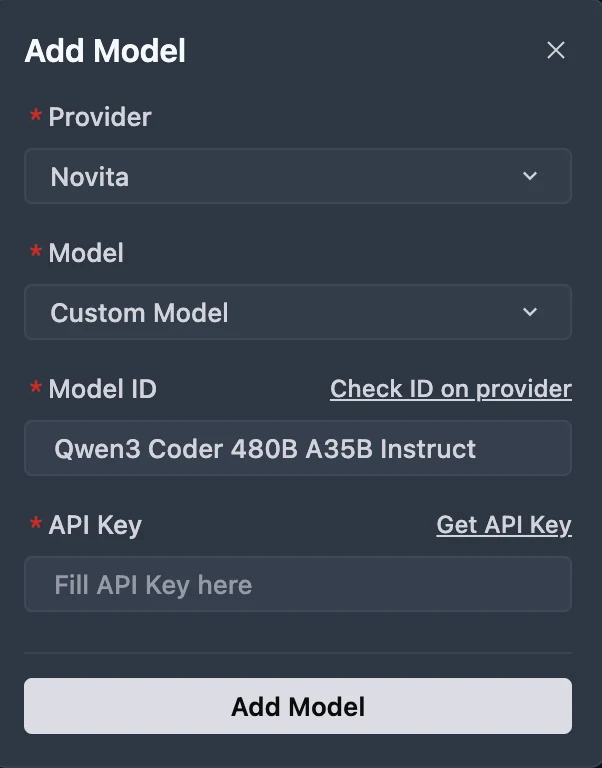
From the Model dropdown, pick your desired model (DeepSeek-R1-0528, Kimi K2 DeepSeek-V3-0324, or MiniMax-M1-80k). If the exact model isn’t listed, simply type the model ID that you noted from the Novita library. Ensure you choose the correct variant of the model you want to use.
You can get API Key on Novita console!
Limitations and Troubleshooting for Qwen3-Next-80B-A3B in Trae
Known Limitations of Sparse MoE Models
High Memory Requirements for Inference
Although sparse MoE models are computationally efficient during inference, they still require all expert parameters to be loaded into memory. This means that running a model like Qwen3-Next-80B-A3B—even locally—demands a substantial amount of VRAM.
Non-Determinism
Sparse MoE models can show a higher degree of non-determinism, even at a temperature setting of 0. This behavior is often linked to the nature of batched inference in the architecture, which may produce slightly different outputs for the same input.
Training and Specialization Challenges
While not directly an end-user concern, training sparse MoE models presents its own challenges. Ensuring that experts specialize properly and managing load balance are critical steps; if not addressed, these factors may impact the overall quality and reliability of the model.
Local Deployment Complexity
Running Qwen3-Next-80B-A3B locally can be complex. It often requires up-to-date libraries, specific hardware configurations, and troubleshooting of issues—such as compatibility problems with frameworks like vLLM under certain offloading settings.
Troubleshooting Tips
Restart or Reload
For issues such as unexpected behavior or the IDE freezing, try reloading the window or restarting the application.
Use Custom Models
To bypass queues in Trae’s native models, connect a custom model from providers such as OpenRouter or Alibaba Cloud.
Check for Updates
Make sure you are running the latest version of Trae, as new releases often fix bugs and improve stability.
Hardware Acceleration
If you encounter window termination errors or graphical glitches, disabling hardware acceleration in Trae’s settings may help.
Consult Documentation and Community
For issues with custom models or advanced features, refer to Trae’s official documentation. Community forums such as Reddit are also good sources for user-driven solutions and workarounds.
For Qwen3-Next Issues
When deploying or using Qwen3-Next via an API, follow the recommended settings for sampling parameters and context length from its documentation. If you run into out-of-memory errors, reducing the context length may resolve the issue.
The combination of Qwen3-Next-80B-A3B and Trae creates a powerful development environment that rivals even much larger models. Qwen3-Next brings advanced reasoning, long-context understanding, and efficient MoE performance, while Trae delivers an agent-driven IDE built for collaboration, automation, and seamless context integration. Together, they empower developers to manage massive codebases, accelerate complex workflows, and access cutting-edge AI assistance—all with flexibility and cost efficiency.
Frequently Asked Questions
Why can Qwen3-Next-80B-A3B rival a 235B model?
Through innovative attention mechanisms, smarter resource allocation, and sparse MoE efficiency, it delivers performance comparable to larger dense models while maintaining faster inference and lower costs.
Why should I choose Trae as my code agent tool?
Trae provides agent-based programming with Builder Mode and Chat Mode, deep context awareness, multimodal inputs, extensibility with third-party models, and seamless VS Code and GitHub integration—all with a free entry point.
How do Qwen3-Next-80B-A3B and Trae work together?
Qwen3-Next enhances Trae with superior reasoning, large codebase understanding, cost-efficient performance, and strong instruction-following. This enables Trae’s agents to autonomously tackle complex coding and refactoring tasks.
Novita AI is an AI cloud platform that offers developers an easy way to deploy AI models using our simple API, while also providing an affordable and reliable GPU cloud for building and scaling.