Large language models (LLMs) have become indispensable tools for modern developers, especially in Python programming, debugging, and large-scale codebase management. Two of the strongest open-source contenders are DeepSeek V3.1 and Qwen3-Coder-480B-A35B-Instruct.
Although both rely on Mixture-of-Experts (MoE) architectures, their design priorities differ:
- DeepSeek V3.1 emphasizes reasoning flexibility, hybrid inference modes (Think vs Non-Think), and precise code correctness in benchmarks.
- Qwen3-Coder focuses on long-context code understanding, efficient deployment, and developer tooling integration (e.g., CLI tools and function-call formats).
This article aims to help developers choose the right model for their coding workflows—whether it’s handling repository-scale Python projects, achieving high benchmark accuracy, or deploying efficiently with limited resources.
What are the Main Architectural Differences Between Qwen3 Coder and Deepseek V3.1?
| Feature | Qwen3-Coder-480B-A35B | DeepSeek-V3.1 |
|---|---|---|
| Total Parameters | 480 B | 671 B |
| Activated per Token | 35 B (MoE) | 37 B (MoE) |
| MoE Configuration | 160 experts; 8 active | ~256 routed + 1 shared expert; 8 active |
| Attention Mechanism | GQA heads (96 Q, 8 KV) | MLA + standard MoE + memory-efficient cache |
| Layers | 62 | Not specified (follows V3 architecture) |
| Context Window | 256K native; extendable to ~1 M | 128K extended via two-phase training |
| Precision | FP8 variant available | FP8 mixed-precision (UE8M0) |
| Inference Modes | Non-thinking (clean output focus) | Hybrid: Think & Non-Think |
| Agentic Tool Integration | CLI tools (Qwen Code), function-call formats | Post-training tool skill enhancements |
| Focus | Agentic coding, long code contexts, efficiency | Efficient reasoning, flexibility, agentic multimode interactions |
Qwen3-Coder-480B-A35B-Instruct is engineered for efficient coding and agentic tasks with very long context support and integrated developer tooling.
DeepSeek-V3.1 expands on DeepSeek-V3 by introducing hybrid inference behaviors, stronger agent capabilities, and precision-efficient computation, while also maintaining MoE and extended context handling.
Benchmark Results for Qwen3 Coder and Deepseek V3.1 in Code Generation Tasks
| Benchmark | Deepseek V3.1 Reasoning | Deepseek V3.1 non-Reasoning | Qwen 3 Coder |
| LivecodeBench | 78% | 58% | 59% |
| Scicode | 39% | 37% | 36% |
https://twitter.com/paradite\_/status/1961365802629697770
- DeepSeek V3.1 (Reasoning) clearly outperforms on LiveCodeBench (78%) and SciCode (39%), and achieves 71.6% on Aider. Its Codeforces rating (~1189) also reflects strong real-world coding ability. However, the reasoning mode has higher compute overhead.
- DeepSeek V3.1 (Non-Reasoning) trades accuracy for efficiency—dropping to 58% on LiveCodeBench, but maintaining the same 71.6% on Aider.
- Qwen3-Coder-480B-A35B scores 59% (LiveCodeBench) and 36% (SciCode), slightly below DeepSeek’s Reasoning mode. While official claims highlight SOTA performance on SWE-Bench and CodeForces ELO, no concrete numeric scores are published. Its strengths lie in long-context code understanding and integration into developer workflows.
👉 Takeaway:
- If you need raw reasoning power and coding benchmark performance, DeepSeek V3.1 (Reasoning) leads.
- If you need developer tooling, integration, and long-context handling, Qwen3-Coder is more specialized.
Qwen3 Coder vs Deepseek V3.1 for Beginners: Speed and Price
| Model | VRAM | Recommended GPU |
| Qwen 3 Coder | 1050GB | 8 x H100 NVL |
| Deepseek V3.1 | 1424..12GB | 8 x H100 NVL |
Although both need the same class of GPUs, Qwen 3 Coder runs faster and more efficiently because of its lower VRAM footprint, while Deepseek V3.1 is heavier and slower under the same conditions.
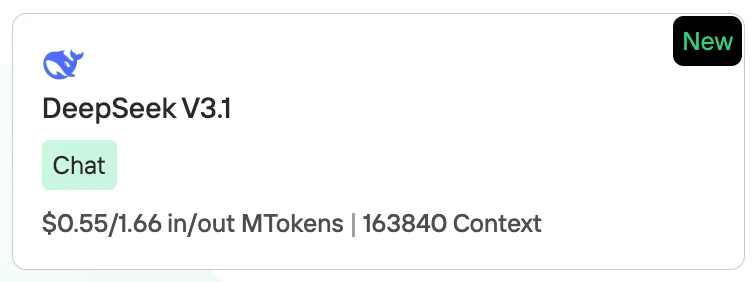
Deepseek V3.1 Price
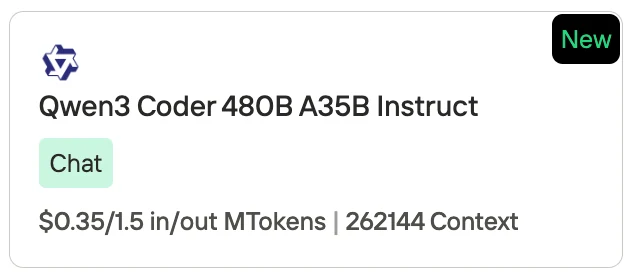
Qwen 3 Coder Price
Novita AI, as one of the most important providers in the LLM API field, offers stable and highly cost-effective APIs. From the pricing information, we can see that Qwen3-Coder is slightly cheaper than Deepseek V3.1.
- Deepseek V3.1: $0.55 per 1M input tokens / $1.66 per 1M output tokens, with a context length of 163,840 tokens.
- Qwen3-Coder (480B A35B Instruct): $0.35 per 1M input tokens / $1.50 per 1M output tokens, with a context length of 262,144 tokens.
Qwen3 Coder vs Deepseek V3.1: Which is Better for Python Programming?
1. Empirical Performance in Python Code Generation
DeepSeek V3.1
- On the Aider programming benchmark, it achieved a first-pass rate of 41.3% and a second-pass rate of 71.6%, reflecting strong capabilities in generating functional Python code. It also excelled in format accuracy (95.6%) with 0% syntax or indentation errors, which is crucial for writing clean Python code.
- An independent evaluation reported a 71.6% pass rate on various programming challenges, slightly surpassing Anthropic’s Claude 4—suggesting competitive accuracy in Python or general code tasks.
Qwen3-Coder
- On the SWE‑Bench Verified, it reportedly achieved state-of-the-art performance among open-source models—a benchmark that includes heavy algorithmic challenges typical in Python.
- A general coding evaluation noted that it performs on par with premium models for medium-level tasks, producing correct and concise code—though it may struggle with uncommon patterns or strict output formatting (“output-only diff” tasks).
2. Overall Frame & Contextual Strengths
- DeepSeek V3.1 is portrayed as a balanced and highly capable model, proficient in code generation, debugging, and agentic tasks. It delivers concise outputs and remains competitive in real-world scenarios, including Python workflows.
- Qwen3‑Coder is particularly built for long-context agentic coding tasks, offering vast token windows (up to ~1M) with strong tooling support. It’s optimized for Python and multiple paradigms (OOP, functional) and excels in repository-scale code understanding and automation.
If your priority is maximum code correctness, formatting precision, and reliable pass rates on Python tasks—especially in isolated coding challenges—DeepSeek V3.1 holds a clear advantage.
However, if you’re working within complex, multi-file or long-context Python projects, or require tight integration with tooling, automation, and agentic workflows, Qwen3-Coder is the superior choice.
Comparison of Qwen3 Coder and Deepseek V3.1 for Code
You can directly access to Novita Playground to start a free trail!
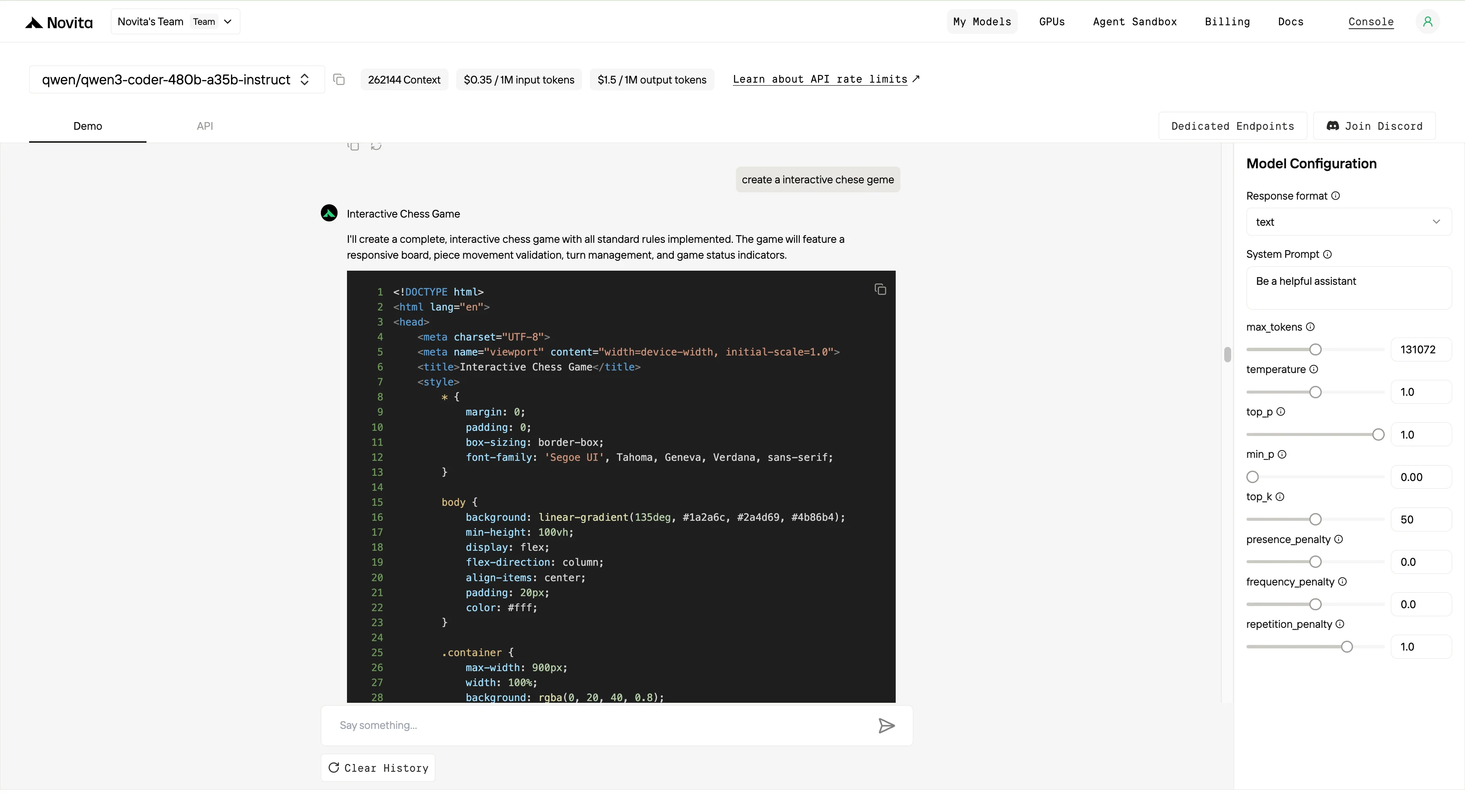
Try Qwen 3 Coder Model and deepseek V3.1 Now!
create a interactive and brief website to compare to qwen 3 coder 480b a35b and deepseek v3.1
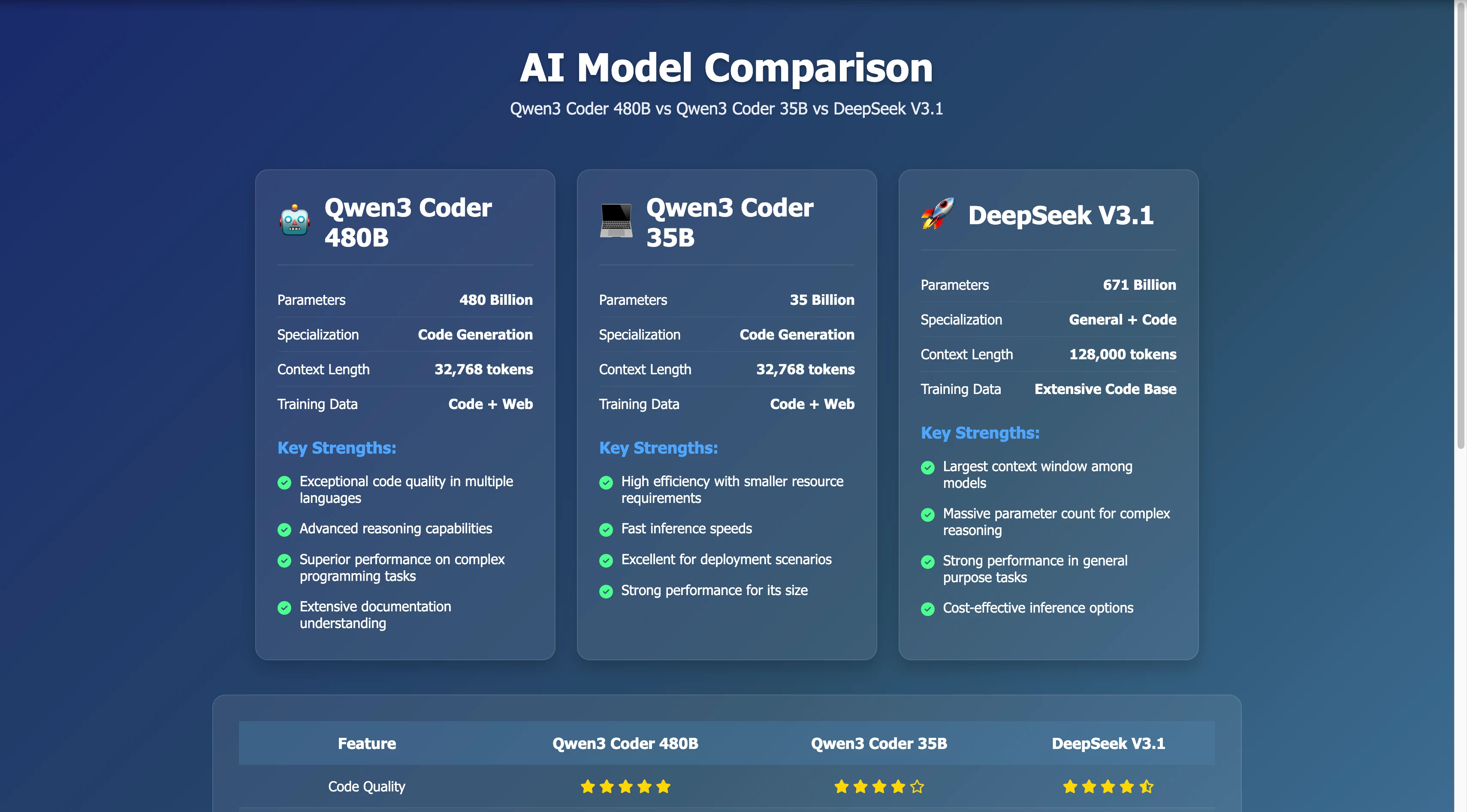
Qwen 3 Coder
Strong webpage generation capability: The information layout and visual design are excellent, providing a user-friendly experience. The language is concise and professional, making this a well-crafted comparison page.
High information accuracy: The key data points, functional positioning, and pros/cons align closely with publicly available information. Although the context length is presented in a simplified way, there are no major inaccuracies overall.
High reference value: Even though some of the ratings are subjective, the page still serves as a highly valuable quick reference for comparing different models.
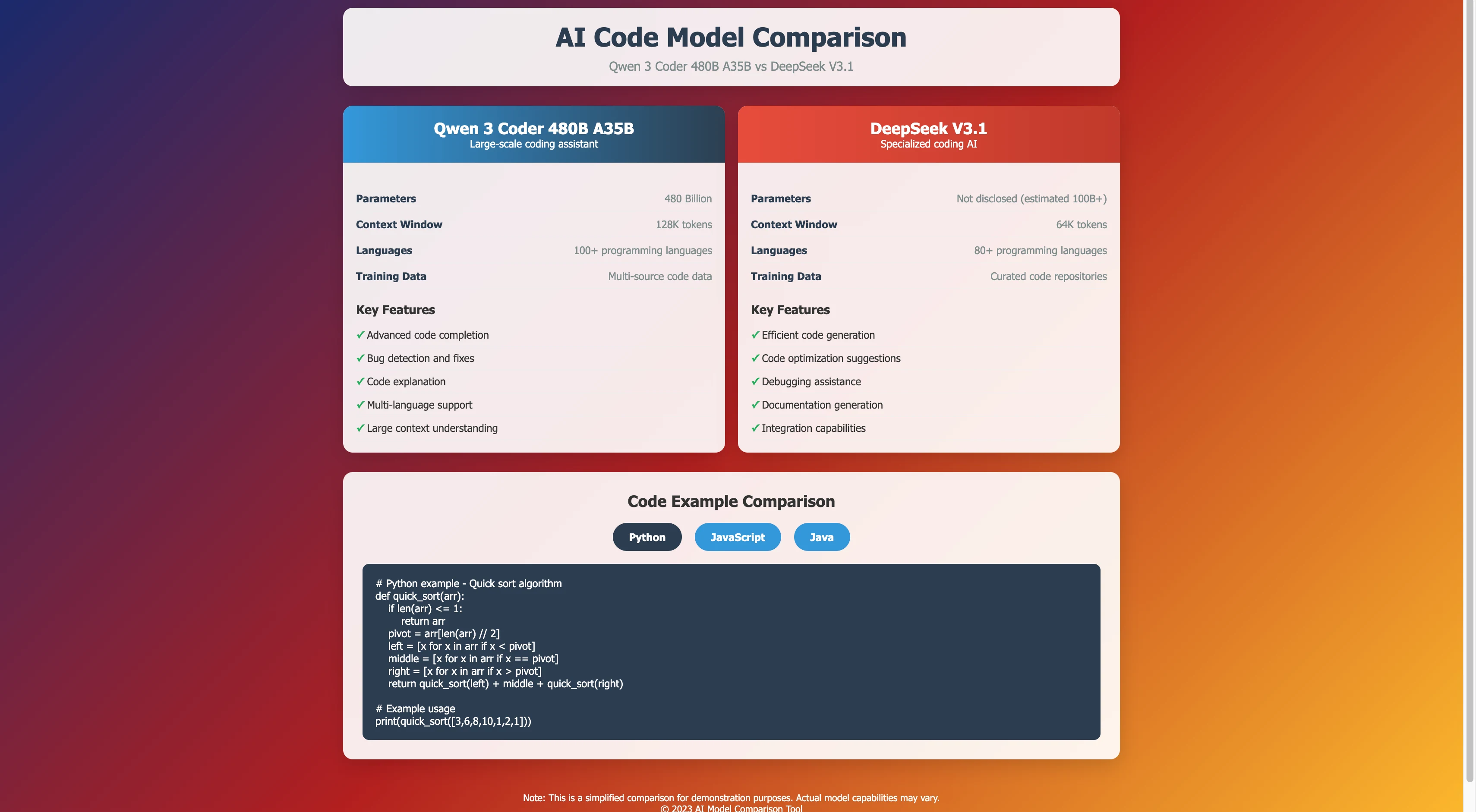
Deepseek V3.1
The site offers solid UX and clarity, but content accuracy is uneven—accurate but conservative for Qwen-3, and notably incomplete for DeepSeek. As a quick overview tool, it’s functional, but for precise evaluation or technical decisions, supplementing with official model documentation is strongly recommended.
create a interactive chese game!
Qwen 3 Coder
Deepseek V3.1
How to Access Qwen 3 Coder and Deepseek V3.1?
The First: Get API Key
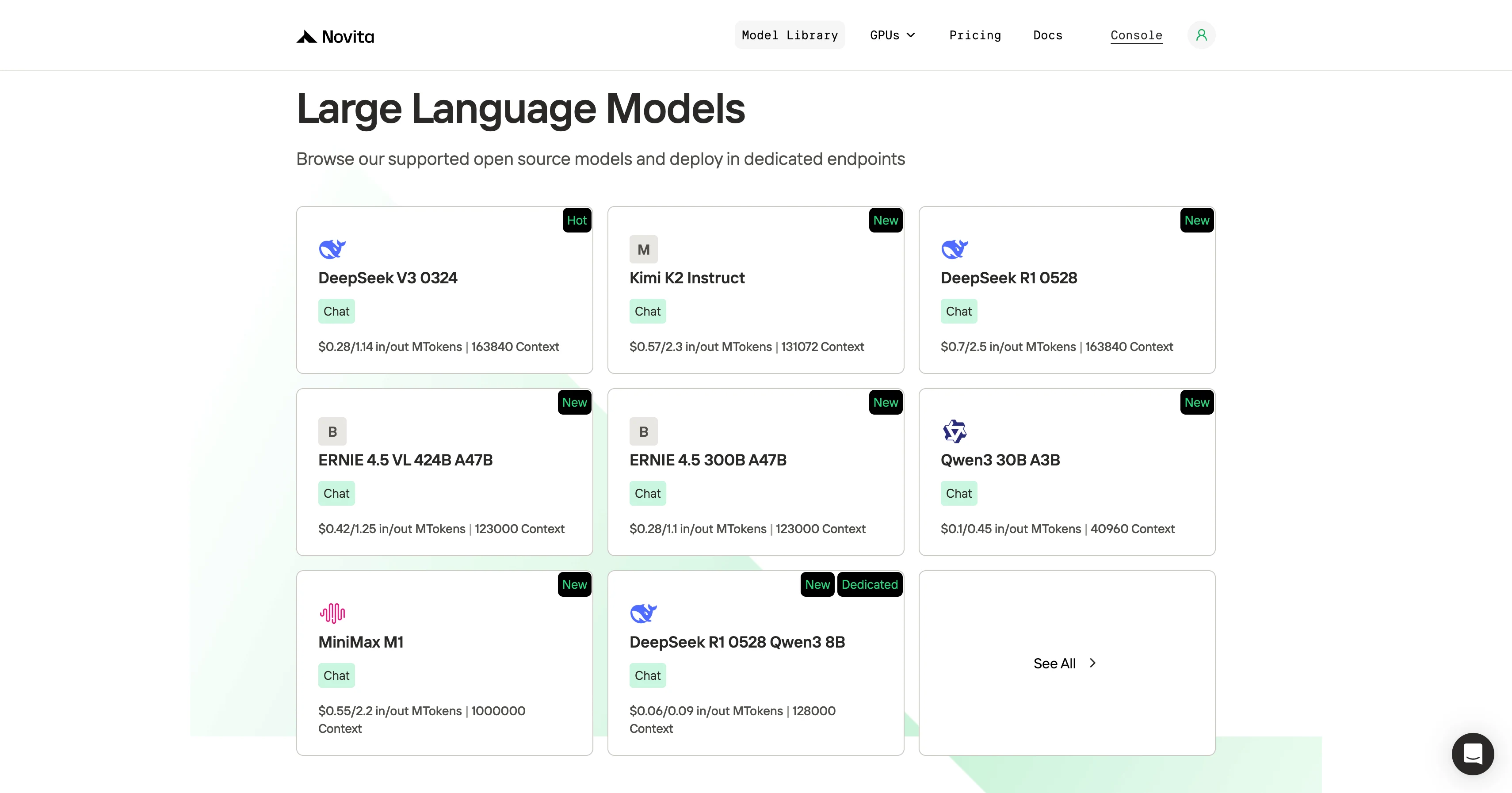
Step 1: Log in to your account and click on the Model Library button.

Try Qwen 3 Coder Model and deepseek V3.1 Now!
Step 2: Choose Your Model
Browse through the available options and select the model that suits your needs.
Step 3: Start Your Free Trial
Begin your free trial to explore the capabilities of the selected model.
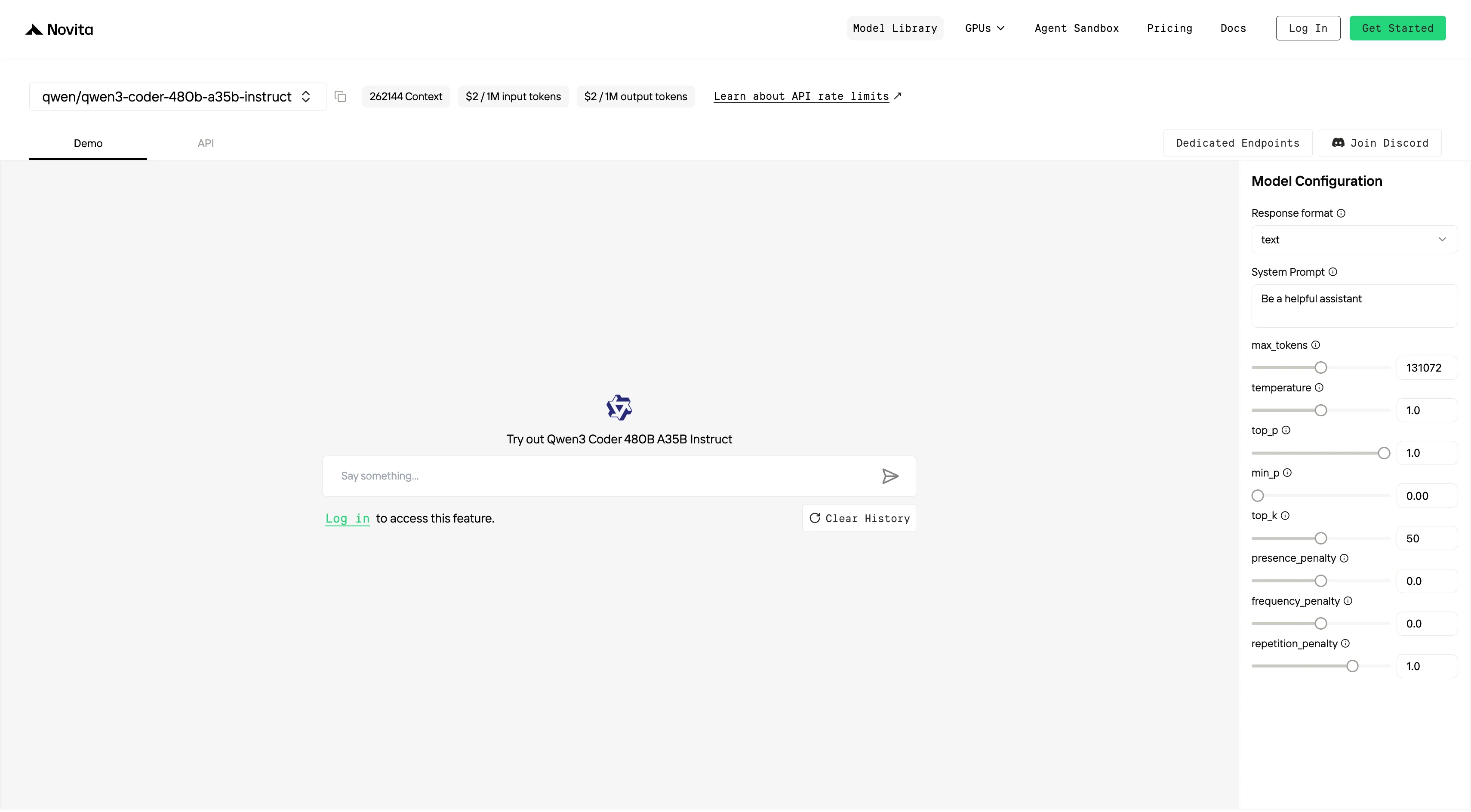
Step 4: Get Your API Key
To authenticate with the API, we will provide you with a new API key. Entering the “Settings“ page, you can copy the API key as indicated in the image.

Step 5: Install the API
Install API using the package manager specific to your programming language.
After installation, import the necessary libraries into your development environment. Initialize the API with your API key to start interacting with Novita AI LLM. This is an example of using chat completions API for python users.
pip install 'openai>=1.0.0'
from openai import OpenAI

client = OpenAI(
    base_url="https://api.novita.ai/v3/openai",
    api_key="",
)

model = "qwen/qwen3-coder-480b-a35b-instruct"
stream = True # or False
max_tokens = 131072
system_content = ""Be a helpful assistant""
temperature = 1
top_p = 1
min_p = 0
top_k = 50
presence_penalty = 0
frequency_penalty = 0
repetition_penalty = 1
response_format = { "type": "text" }

chat_completion_res = client.chat.completions.create(
    model=model,
    messages=[
        {
            "role": "system",
            "content": system_content,
        },
        {
            "role": "user",
            "content": "Hi there!",
        }
    ],
    stream=stream,
    max_tokens=max_tokens,
    temperature=temperature,
    top_p=top_p,
    presence_penalty=presence_penalty,
    frequency_penalty=frequency_penalty,
    response_format=response_format,
    extra_body={
      "top_k": top_k,
      "repetition_penalty": repetition_penalty,
      "min_p": min_p
    }
  )

if stream:
    for chunk in chat_completion_res:
        print(chunk.choices[0].delta.content or "", end="")
else:
    print(chat_completion_res.choices[0].message.content)
Qwen 3 Coder 480B A35B and Deepseek V3.1 with Trae
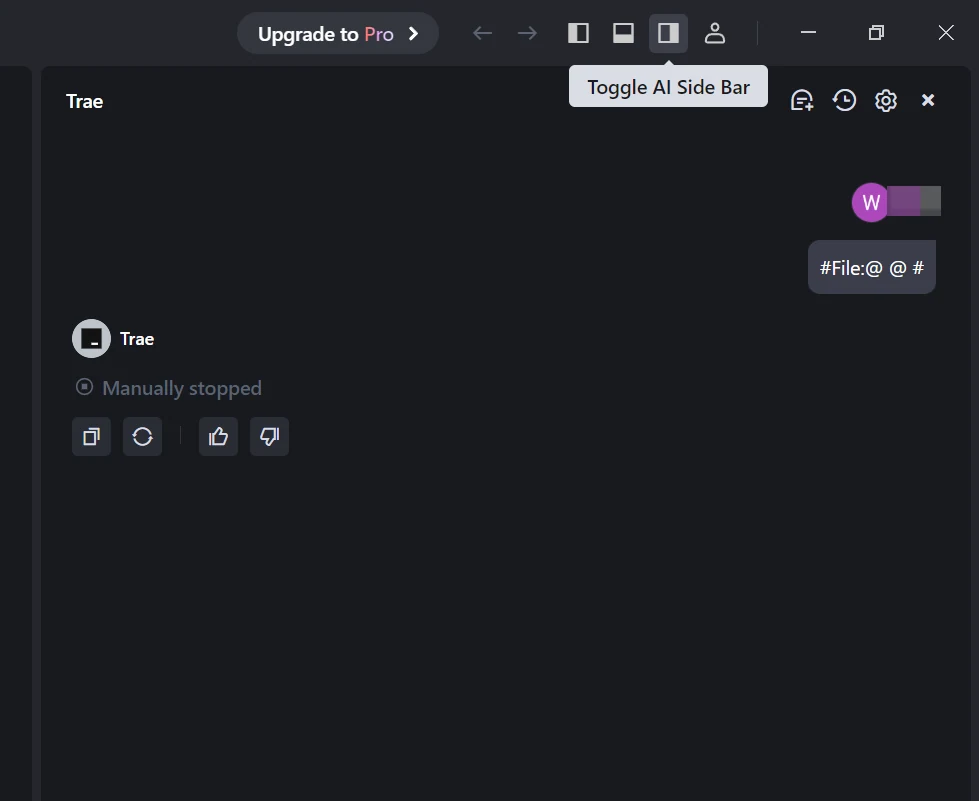
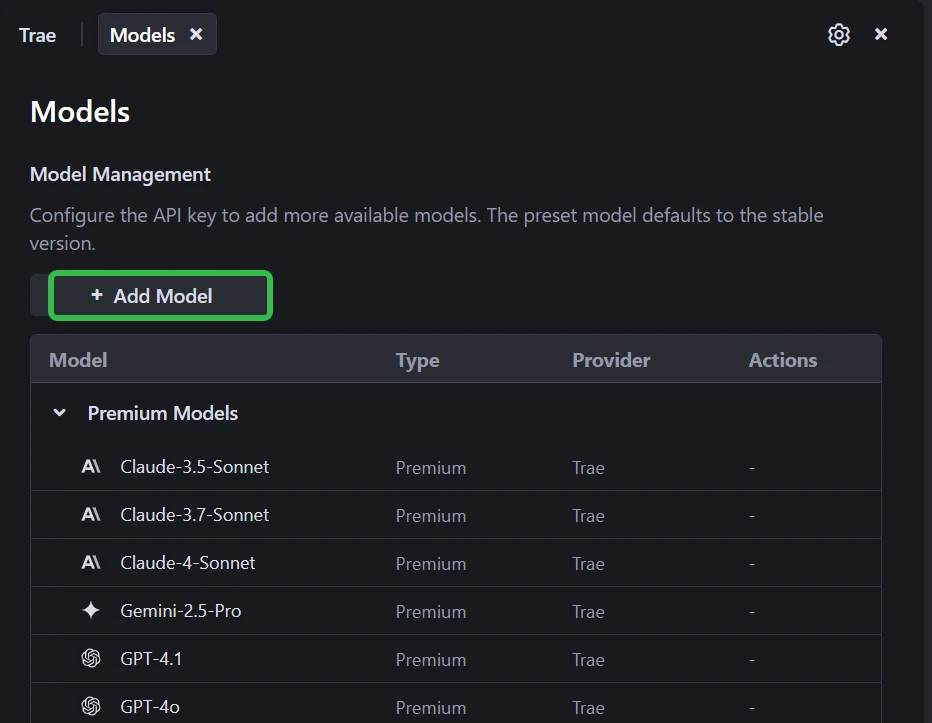
Step 1: Open Trae and Access Models
Launch the Trae app. Click the Toggle AI Side Bar in the top-right corner to open the AI Side Bar. Then, go to AI Management and select Models.
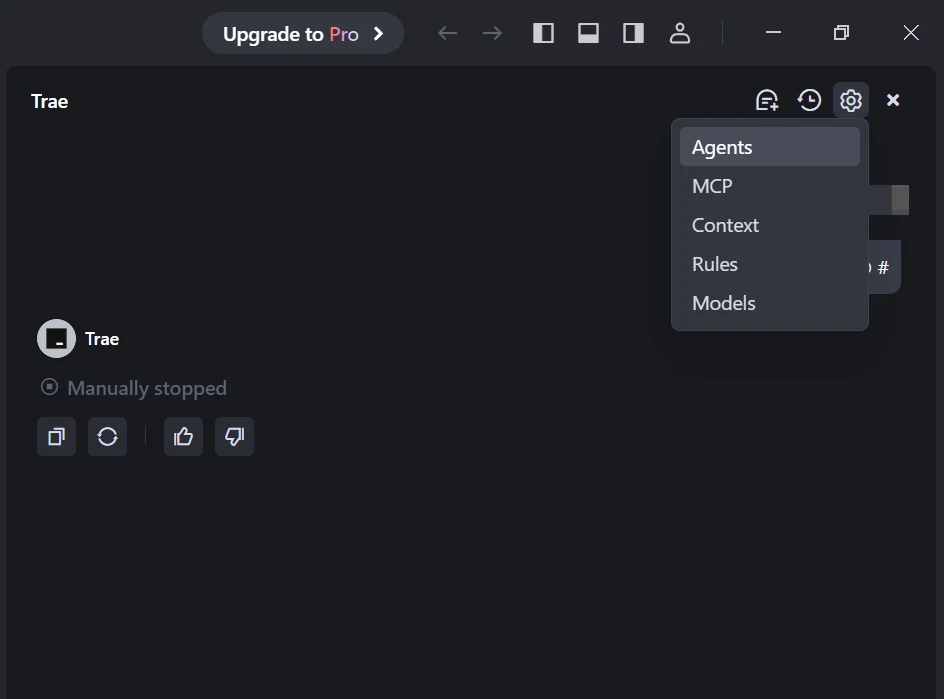
Step 2: Add a Custom Model and Choose Novita as Provider
Click the Add Model button to create a custom model entry. In the add-model dialog, select Provider = Novita from the dropdown menu.
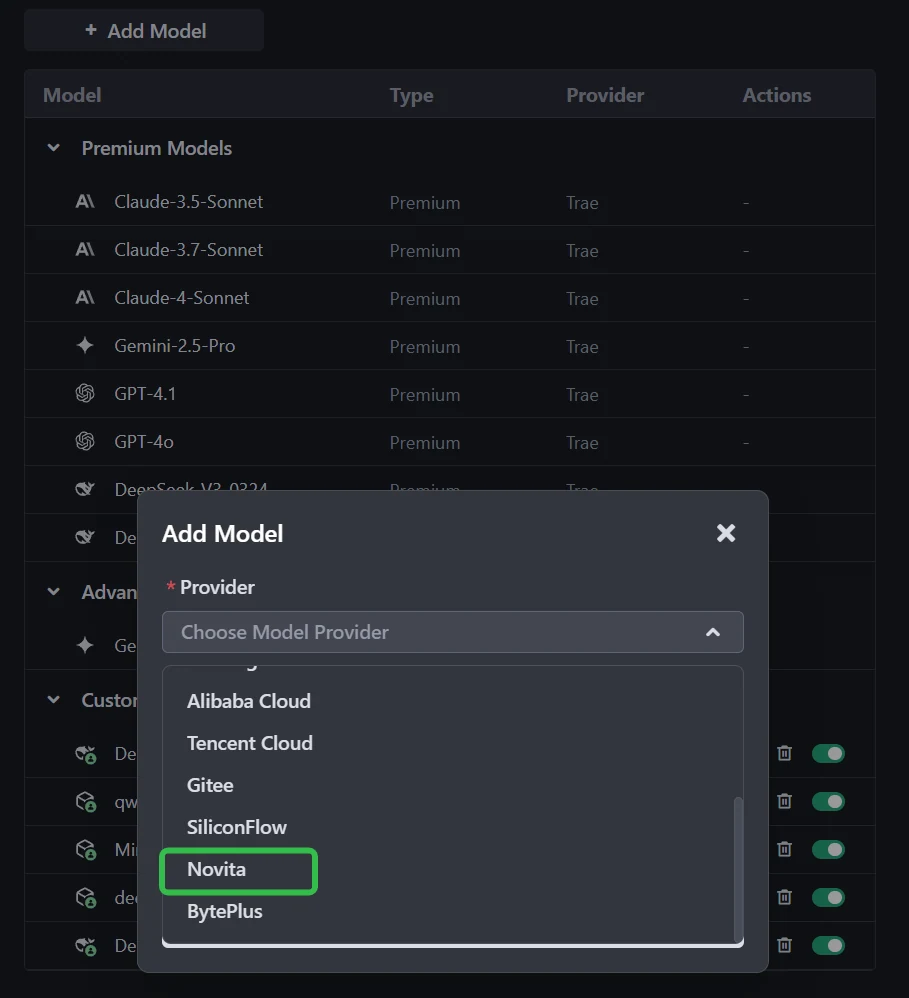
Step 3: Select or Enter the Model
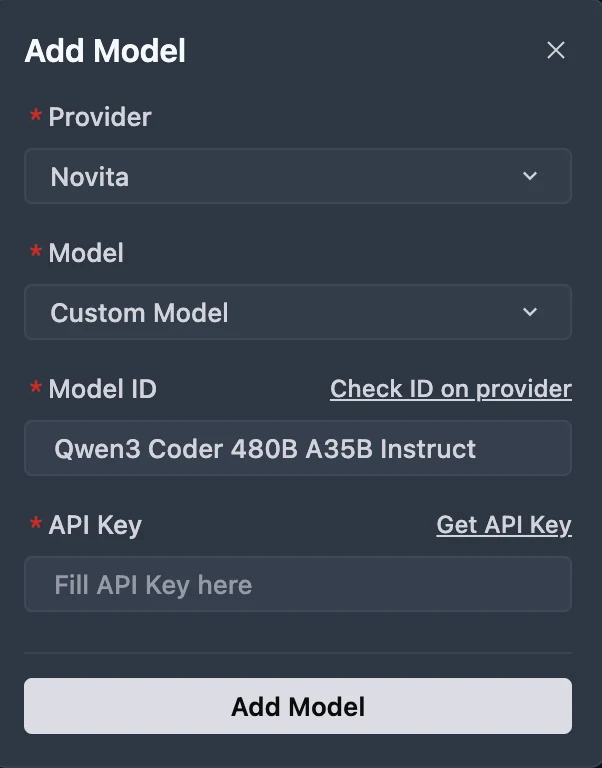
From the Model dropdown, pick your desired model (DeepSeek-R1-0528, Kimi K2 DeepSeek-V3-0324, or MiniMax-M1-80k). If the exact model isn’t listed, simply type the model ID that you noted from the Novita library. Ensure you choose the correct variant of the model you want to use.
You can get API Key on Novita console!
Qwen 3 Coder 480B A35B and Deepseek V3.1 with Claude Code
Step 1: Installing Claude Code
Before installing Claude Code, ensure your system meets the minimum requirements. Node.js 18 or higher must be installed on your local environment. You can verify your Node.js version by running node --version in your terminal.
For Windows
Open Command Prompt and execute the following commands:
npm install -g @anthropic-ai/claude-code
npx win-claude-code@latest
The global installation ensures Claude Code is accessible from any directory on your system. The npx win-claude-code@latest command downloads and runs the latest Windows-specific version.
For Mac and Linux
Open Terminal and run:
npm install -g @anthropic-ai/claude-codeMac users can proceed directly with the global installation without requiring additional platform-specific commands. The installation process automatically configures the necessary dependencies and PATH variables.
Step 2 :Setting Up Environment Variables
Environment variables configure Claude Code to use Kimi-K2 through Novita AI’s API endpoints. These variables tell Claude Code where to send requests and how to authenticate.
For Windows
Open Command Prompt and set the following environment variables:
set ANTHROPIC_BASE_URL=https://api.novita.ai/anthropic
set ANTHROPIC_AUTH_TOKEN=<Novita API Key>
set ANTHROPIC_MODEL="qwen/qwen3-coder-480b-a35b-instruct"
set ANTHROPIC_SMALL_FAST_MODEL=qwen/qwen3-coder-480b-a35b-instruct
Replace <Novita API Key> with your actual API key obtained from the Novita AI platform. These variables remain active for the current session and must be reset if you close the Command Prompt.
For Mac and Linux
Open Terminal and export the following environment variables:
export ANTHROPIC_BASE_URL="https://api.novita.ai/anthropic"
export ANTHROPIC_AUTH_TOKEN="<Novita API Key>"
export ANTHROPIC_MODEL="qwen/qwen3-coder-480b-a35b-instruct"
export ANTHROPIC_SMALL_FAST_MODEL="qwen/qwen3-coder-480b-a35b-instruct"
Step 3: Starting Claude Code
With installation and configuration complete, you can now start Claude Code in your project directory. Navigate to your desired project location using the cd command:
cd <your-project-directory>
claude .
The dot (.) parameter instructs Claude Code to operate in the current directory. Upon startup, you’ll see the Claude Code prompt appear in an interactive session.
This indicates the tool is ready to receive your instructions. The interface provides a clean, intuitive environment for natural language programming interactions.
Step 4: Using Claude Code in VSCode or Cursor
Claude Code integrates seamlessly with popular development environments. It enhances your existing workflow rather than replacing it.
You can use Claude Code directly in the terminal within VSCode or Cursor. This maintains access to your familiar development tools while leveraging AI assistance.
Additionally, Claude Code plugins are available for both VSCode and Cursor. These plugins provide deeper integration with these editors, offering inline AI assistance, code suggestions.
Qwen 3 Coder 480B A35B and Deepseek V3.1 with Qwen Code
Qwen Code is developed on top of Gemini Code, but we have adapted the prompts and tool-calling protocols to maximize Qwen3-Coder’s performance in agentic coding tasks.
Step 1: Install Qwen Code
Prerequisites: Ensure you have Node.js version 20 or higher installed. You can download it from the official Node.js website.
Install the package globally:
npm install -g @qwen-code/qwen-codeStep 2: Configure Environment Variables
For Windows (Command Prompt):
set OPENAI_API_KEY=Your_Novita_API_Key
set OPENAI_BASE_URL=https://api.novita.ai/v3/openai
set OPENAI_MODEL=qwen/qwen3-coder-480b-a35b-instruct
For Linux and Mac (Bash):
export OPENAI_API_KEY="Your_Novita_API_Key"
export OPENAI_BASE_URL="https://api.novita.ai/v3/openai"
export OPENAI_MODEL="qwen/qwen3-coder-480b-a35b-instruct"
Step 3: Start Coding
Once configured, you can start using Qwen Code with your chosen Novita AI model. The tool will now utilize the specified model for all coding assistance tasks.
cd <your-project-directory>
qwen .
Choose Qwen3-Coder if you need efficient integration, long-context support, and scalable coding workflows.
Choose DeepSeek V3.1 if you need raw reasoning power and benchmark-leading Python accuracy.
Frequently Asked Questions
Which model is more resource-efficient?
Qwen3-Coder is lighter, requiring ~250GB VRAM unquantized, and supports FP8/4-bit quantization with CPU offloading, making deployment easier.
DeepSeek V3.1 is heavier (671B params) and needs more memory, though low-bit quantization can make it feasible on fewer GPUs.
Which model is better for Python programming?
DeepSeek V3.1 achieves higher benchmark scores, fewer formatting errors, and excels in isolated coding tasks.
Qwen3-Coder performs better in repository-scale, long-context Python projects where multi-file reasoning is key.
Who should use DeepSeek V3.1 vs Qwen3-Coder?
DeepSeek V3.1 → Competitive coders, researchers, and developers who need maximum correctness and reasoning ability.
Qwen3-Coder → Engineers and teams managing large codebases, automation pipelines, or long-context tasks where context length and tooling are critical.
Novita AI is the All-in-one cloud platform that empowers your AI ambitions. Integrated APIs, serverless, GPU Instance — the cost-effective tools you need. Eliminate infrastructure, start free, and make your AI vision a reality.
Recommend Reading
Llama 3.2 3B vs DeepSeek V3: Comparing Efficiency and Performance.
How to Access ERNIE 4.5: Effortless Ways via Web, API, and Code