- Qwen 2.5 7B delivers advanced programming and math abilities, improved instruction following, and structured text generation.
- The model supports function calling. Novita AI offers this model completely free to support and contribute to the open-source community.
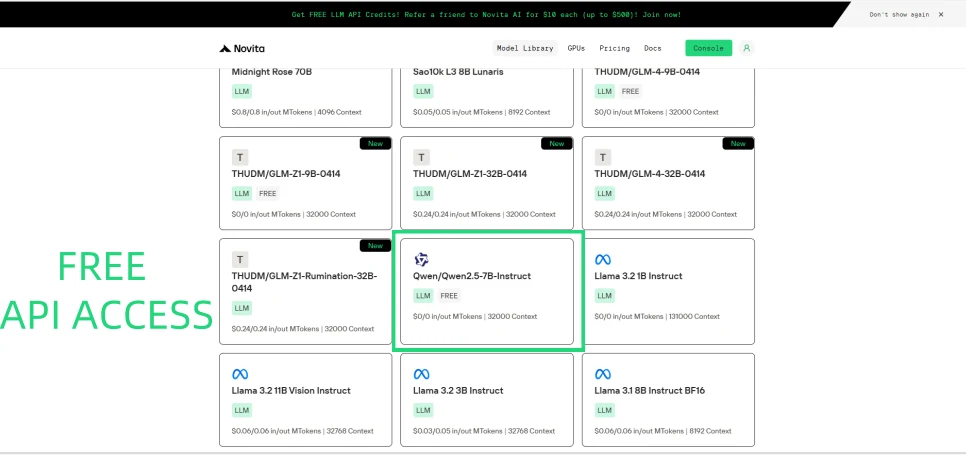
Novita AI now offers Qwen 2.5 7B for free, empowering developers with powerful programming, math, and structured text generation capabilities. With full function-calling support, this model bridges the gap between AI and real-world automation—perfect for building smarter applications effortlessly.
What is Function Calling?
Function calling is a capability in AI, especially with large language models (LLMs), that enables the model to interact with external functions, tools, or APIs to perform specific tasks beyond generating text responses. Instead of just producing text, the model identifies when a particular function should be called based on the user’s prompt, determines the correct function to invoke, and specifies the necessary parameters for that function. The actual execution of the function is handled by an external system or application, not by the model itself.
https://www.youtube.com/watch?v=aqdWSYWC\_LI
How Function Calling Works?
Function Calling allows AI models to interact with external tools, APIs, or internal functions during a conversation.Instead of simply generating text, the model can recognize when a function is needed, generate the correct function call with structured arguments, and execute it to retrieve results.This bridges the gap between natural language understanding and real-world action, enabling models to perform tasks like fetching real-time data, managing workflows, or triggering system actions automatically.
What Are the Benefits of Function Calling?
- Real-World Interaction: Models can trigger actions, not just provide information.
- Automation: Streamline processes like data retrieval, bookings, form submissions, and more.
- Structured Understanding: Instead of relying only on text generation, the model organizes output into predefined formats, reducing errors.
- Enhanced Use Cases: Build dynamic apps, assistants, and systems that are more reliable and efficient.
- Developer Efficiency: By knowing a model supports Function Calling upfront, you can plan integrations faster without heavy modifications.
What is Qwen 2.5 7B?
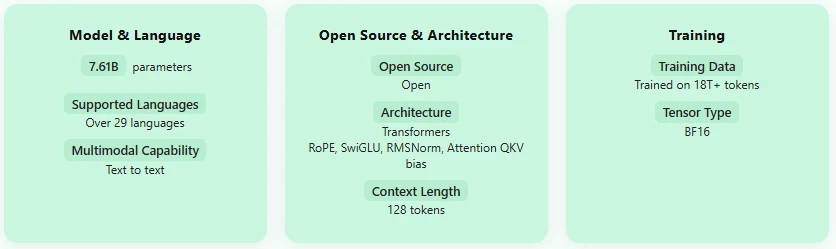
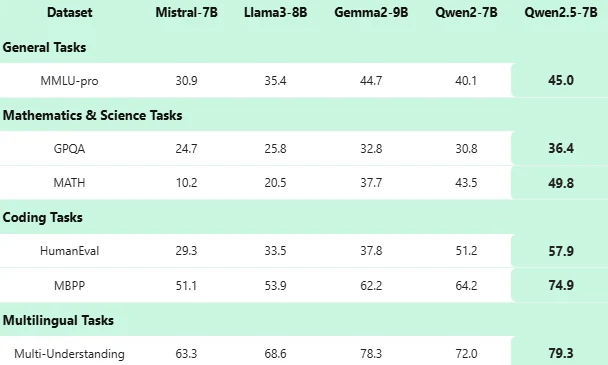
Qwen 2.5 7B Benchmark
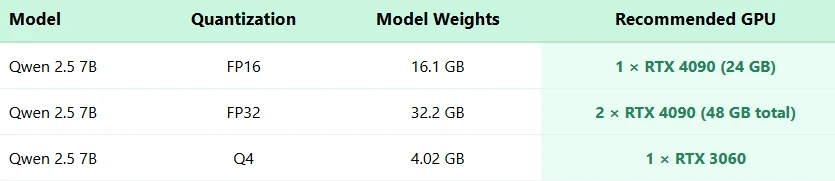
Qwen 2.5 7B Hardware Requiremnets
How to Use Qwen 2.5 7B Function Calling via Novita AI
Novita AI has been launched support capability descriptions for each LLM, which you can directly view in the [console](https://novita.ai/models-console/?utm_source=blog_llm&utm_medium=article&utm_campaign=/ llama-4-maverick-function-calling/) and [docs](https://novita.ai/docs/guides/llm-function-calling/?utm_source=blog_llm&utm_medium=article&utm_campaign= llama-4-maverick-function-calling).
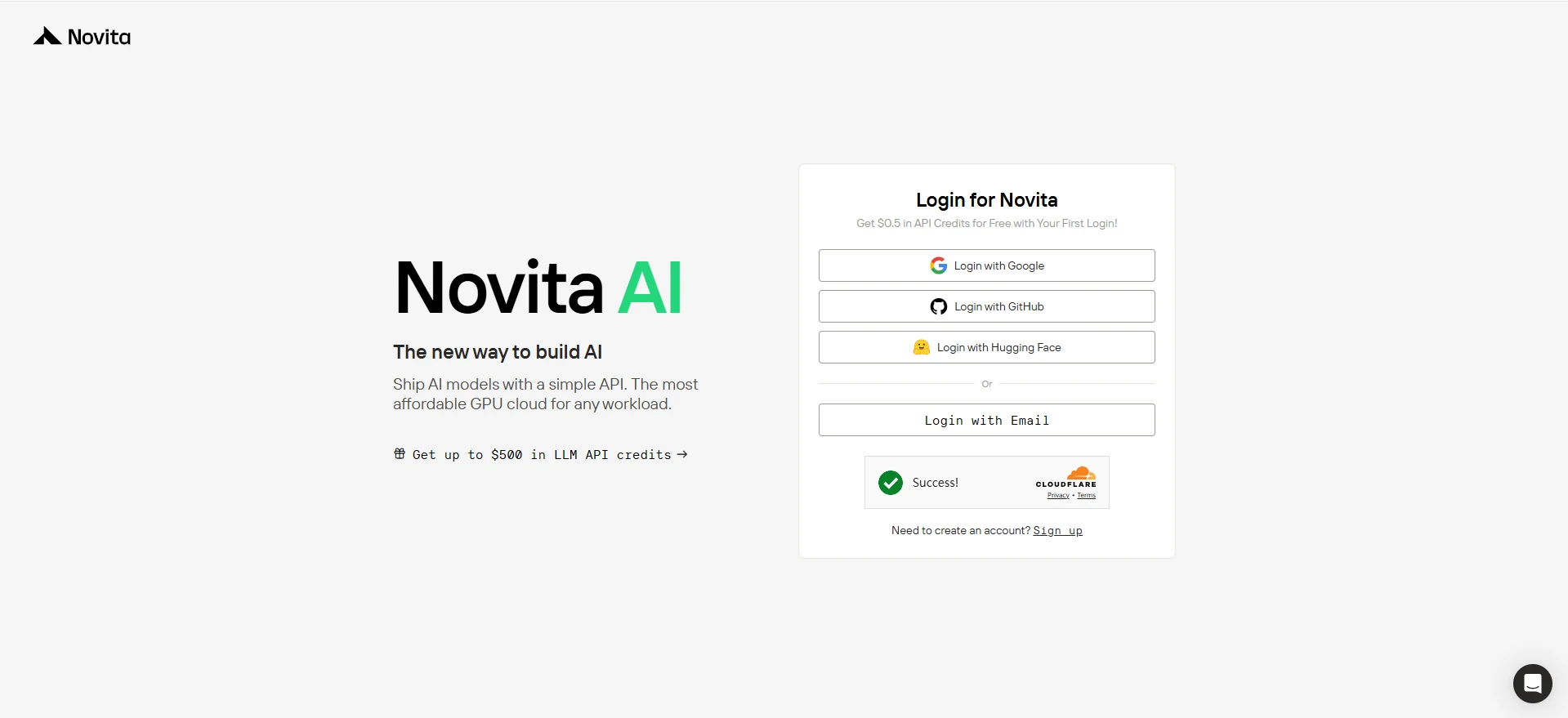
Step 1: Log in Novita AI
Once you land on the Novita AI homepage, simply hit the “Log In” or “Get Started” button at the top right. You can easily log in with Google, GitHub, Hugging Face, or just your Email—your choice!

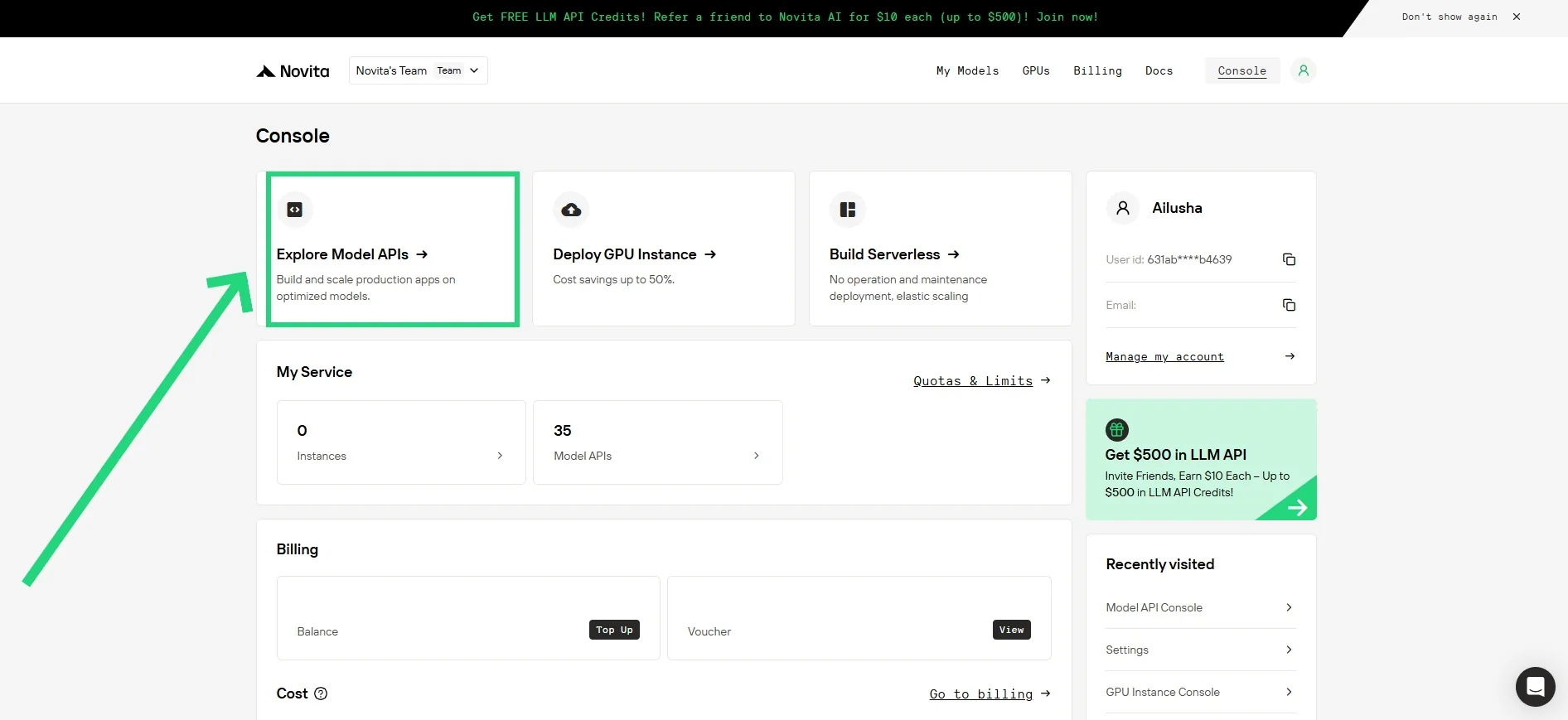
Step2: Click “Model API” in Console!
Once you’re logged in, you’ll be directed to the Novita Console dashboard. From the top, click on “Model API”. This section gives you access to a full list of available models, along with detailed information about their capabilities—including whether they support Function Calling and Structured Outputs.
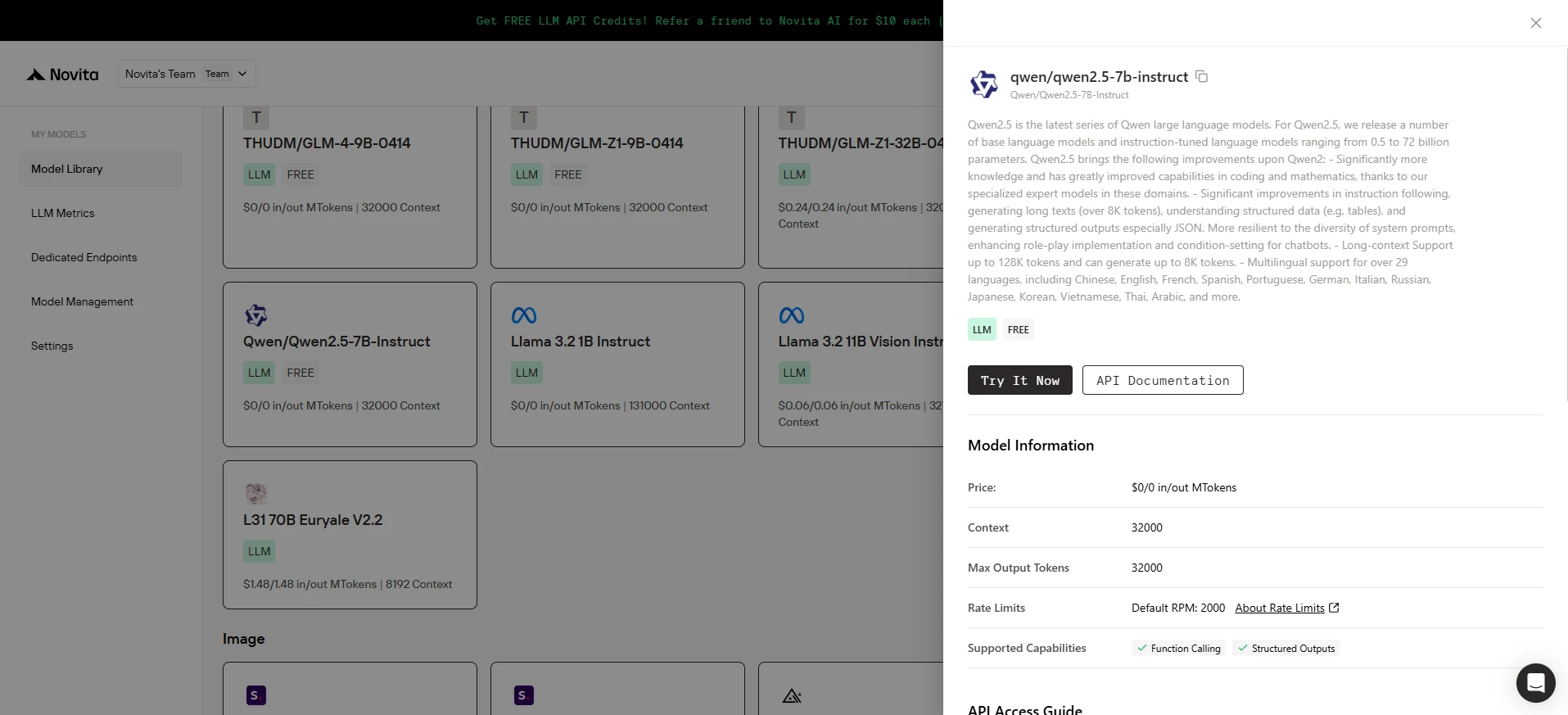
Step3: Choose your Model and Check it!
Just find the model you’re interested in, click on it, and a panel will pop up on the right. Under “Supported Capabilities,” you’ll instantly see whether Function Calling and Structured Outputs are supported.
Step4: Initialize the Client
First, you need to initialize the client with your Novita API key.
from openai import OpenAI
import json

client = OpenAI(
    base_url="https://api.novita.ai/v3/openai",
    # Get the Novita AI API Key from: https://novita.ai/settings/key-management.
    api_key="<YOUR Novita AI API Key>",
)

model = "deepseek/deepseek_v3"
Step 5: Define the Function to Be Called
Next, define the Python function that the model can call. In this example, it’s a function to get weather information.
# Example function to simulate fetching weather data.
def get_weather(location):
    """Retrieves the current weather for a given location."""
    print("Calling get_weather function with location: ", location)
    # In a real application, you would call an external weather API here.
    # This is a simplified example returning hardcoded data.
    return json.dumps({"location": location, "temperature": "60 degrees Fahrenheit"})
Step 6: Construct the API Request with Tools and User Message
Now, create the API request to the Novita endpoint. This request includes the tools parameter, defining the functions the model can use, and the user’s message.
tools = [
    {
        "type": "function",
        "function": {
            "name": "get_weather",
            "description": "Get weather of an location, the user shoud supply a location first",
            "parameters": {
                "type": "object",
                "properties": {
                    "location": {
                        "type": "string",
                        "description": "The city and state, e.g. San Francisco, CA",
                    }
                },
                "required": ["location"]
            },
        }
    },
]

messages = [
    {
        "role": "user",
        "content": "What is the weather in San Francisco?"
    }
]

# Let's send the request and print the response.
response = client.chat.completions.create(
    model=model,
    messages=messages,
    tools=tools,
)

# Please check if the response contains tool calls if in production.
tool_call = response.choices[0].message.tool_calls[0]
print(tool_call.model_dump())
Output:
{'id': '0', 'function': {'arguments': '{"location": "San Francisco, CA"}', 'name': 'get_weather'}, 'type': 'function'}Qwen 2.5 7B on Novita AI isn’t just free—it’s a game-changer. With built-in function calling, you can go beyond text generation and create dynamic, actionable AI solutions. Dive into the future of AI-driven workflows with Novita’s free, easy-to-access platform.
Frequently Asked Questions
What is function calling?
It lets LLMs trigger external tools or APIs to perform tasks and retrieve data.
Why should developers care about Function Calling?
It turns AI from a text responder into an action taker—automating tasks, improving app performance, and saving time.
How do I use Qwen 2.5 7B’s Function Calling?
Just log in to Novita AI, access “Model API,” pick Qwen 2.5 7B, check its function-calling support, and integrate using the provided client setup and tool definition.
Novita AI is the All-in-one cloud platform that empowers your AI ambitions. Integrated APIs, serverless, GPU Instance — the cost-effective tools you need. Eliminate infrastructure, start free, and make your AI vision a reality.