Picture an AI assistant that doesn’t sit around waiting for commands. Instead, it sends you reminders before you forget, manages your inbox, and checks you in for flights automatically. That’s OpenClaw (formerly Clawdbot), an open-source project that’s earned over 107,000 stars on GitHub.
The catch? Setting up a self-hosted AI agent usually means wrestling with servers, dependencies, and configuration files. That’s where Novita Sandbox comes in. With pre-built templates and isolated environments, you can get OpenClaw running in minutes instead of hours.
This guide covers everything from initial setup to deployment, whether you’re automating workflows, keeping your data private, or just curious about what AI agents can do.
What is OpenClaw?
OpenClaw is an open-source AI assistant that runs on your own hardware and actually takes initiative. It connects to WhatsApp, Telegram, Discord, Signal, and Slack, letting it:
- Send smart reminders
- Handle email and calendar tasks
- Control smart home devices
- Book flights and check you in automatically
- Run custom scripts
- Understand video content
- Start conversations across different platforms
Since it runs on your Mac Mini, VPS, or Novita Sandbox, you control your data completely.
Install Novita SDK/ CLI
# Install Novita SDK
pip install novita-sandbox

# Install Novita CLI
npm i -g novita-sandbox-cli
Launch Sandbox
CLI
# Log in
novita-sandbox-cli auth login

# Create a sandbox using the clawdbot template
# Note: The sandbox will be destroyed upon exit
novita-sandbox-cli sandbox create clawdbot
SDK (Recommended)
Get API KEY
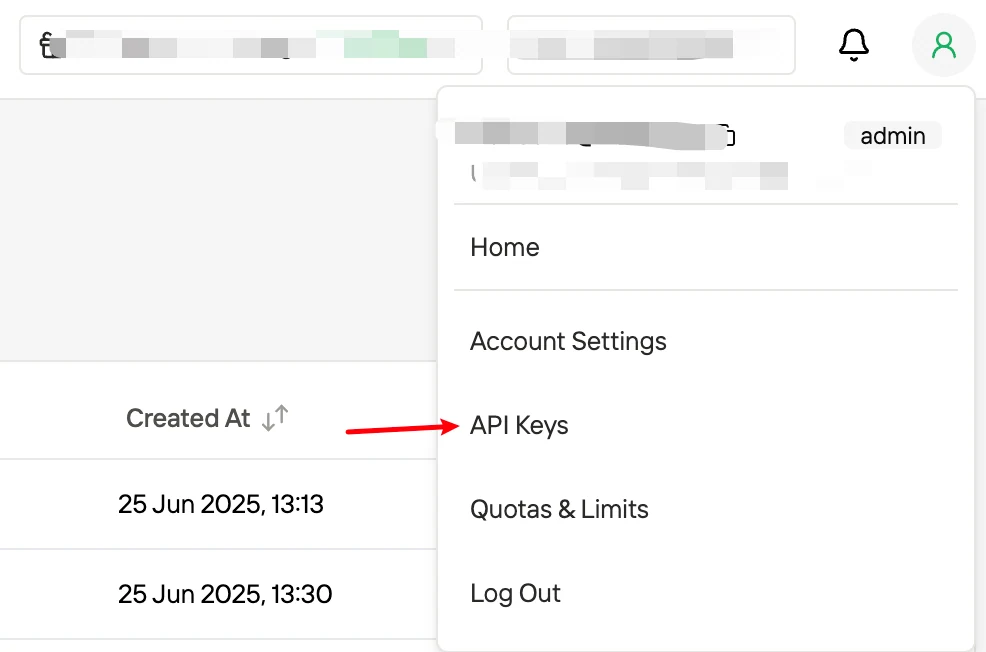
Log in to Novita Console, click your avatar to access API Keys.
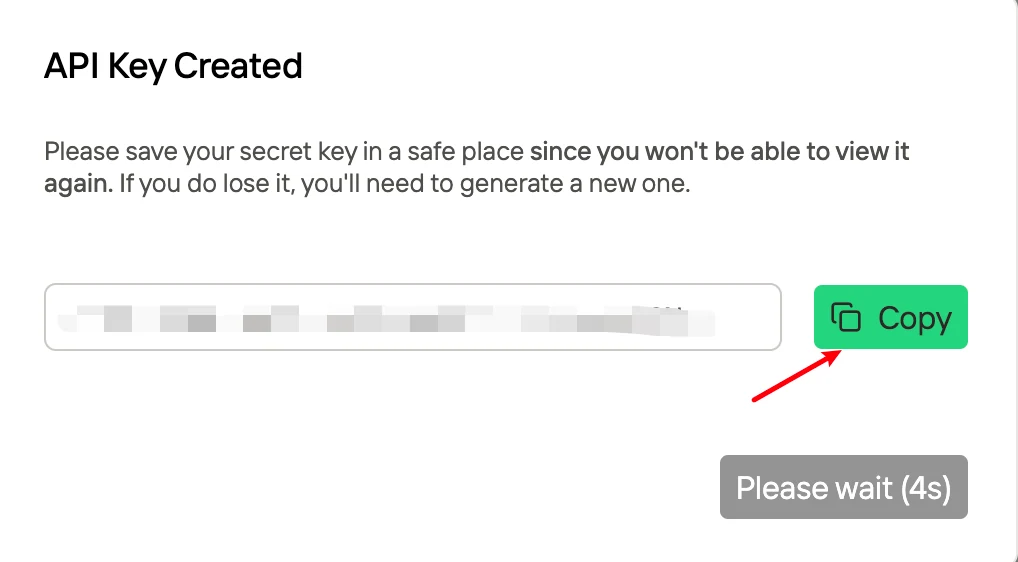
Click to create an API Key and copy it
Create Sandbox
A simple SDK script sandbox_novita.py for subsequent demos.
#!/usr/bin/env python3
"""
Novita Sandbox SDK Simple Example

Usage:
    python sandbox_demo.py create [--template base] [--timeout 300]
    python sandbox_demo.py list
    python sandbox_demo.py set-timeout <SANDBOX_ID> <SECONDS>
    python sandbox_demo.py get-url <SANDBOX_ID> <PORT>

Environment Variables:
    NOVITA_API_KEY=sk_xxx
    NOVITA_DOMAIN=sandbox.novita.ai
"""

import os
import sys

from dotenv import load_dotenv
load_dotenv()

from novita_sandbox.core import Sandbox

API_KEY = os.getenv("NOVITA_API_KEY", "")
DOMAIN = os.getenv("NOVITA_DOMAIN", "sandbox.novita.ai")

def check_config():
    if not API_KEY:
        print("Error: NOVITA_API_KEY not set")
        sys.exit(1)

def cmd_create(args):
    """Create sandbox"""
    check_config()
    template = "base"
    timeout = 300

    i = 0
    while i < len(args):
        if args[i] == "--template" and i + 1 < len(args):
            template = args[i + 1]
            i += 2
        elif args[i] == "--timeout" and i + 1 < len(args):
            timeout = int(args[i + 1])
            i += 2
        else:
            i += 1

    sandbox = Sandbox.create(
        template=template,
        timeout=timeout,
        api_key=API_KEY,
        domain=DOMAIN,
    )
    print(f"Created: {sandbox.sandbox_id}")

def cmd_list():
    """List sandboxes"""
    check_config()
    paginator = Sandbox.list(api_key=API_KEY, domain=DOMAIN)

    sandboxes = []
    while paginator.has_next:
        sandboxes.extend(paginator.next_items())

    if not sandboxes:
        print("(no sandboxes)")
        return

    for sbx in sandboxes:
        print(f"{sbx.sandbox_id}  |  {sbx.template_id}  |  {sbx.started_at}  |  {sbx.end_at}")

def cmd_set_timeout(sandbox_id, seconds):
    """Set timeout"""
    check_config()
    Sandbox.set_timeout(sandbox_id, int(seconds), api_key=API_KEY, domain=DOMAIN)
    print(f"Set {sandbox_id} timeout to {seconds}s")

def cmd_get_url(sandbox_id, port):
    """Get URL"""
    check_config()
    sandbox = Sandbox.connect(sandbox_id, api_key=API_KEY, domain=DOMAIN)
    host = sandbox.get_host(int(port))
    print(f"https://{host}")

def print_help():
    print(__doc__)

def main():
    if len(sys.argv) < 2:
        print_help()
        return

    cmd = sys.argv[1]
    args = sys.argv[2:]

    if cmd == "create":
        cmd_create(args)
    elif cmd == "list":
        cmd_list()
    elif cmd == "set-timeout":
        if len(args) < 2:
            print("Usage: set-timeout <SANDBOX_ID> <SECONDS>")
            sys.exit(1)
        cmd_set_timeout(args[0], args[1])
    elif cmd == "get-url":
        if len(args) < 2:
            print("Usage: get-url <SANDBOX_ID> <PORT>")
            sys.exit(1)
        cmd_get_url(args[0], args[1])
    else:
        print_help()

if __name__ == "__main__":
    main()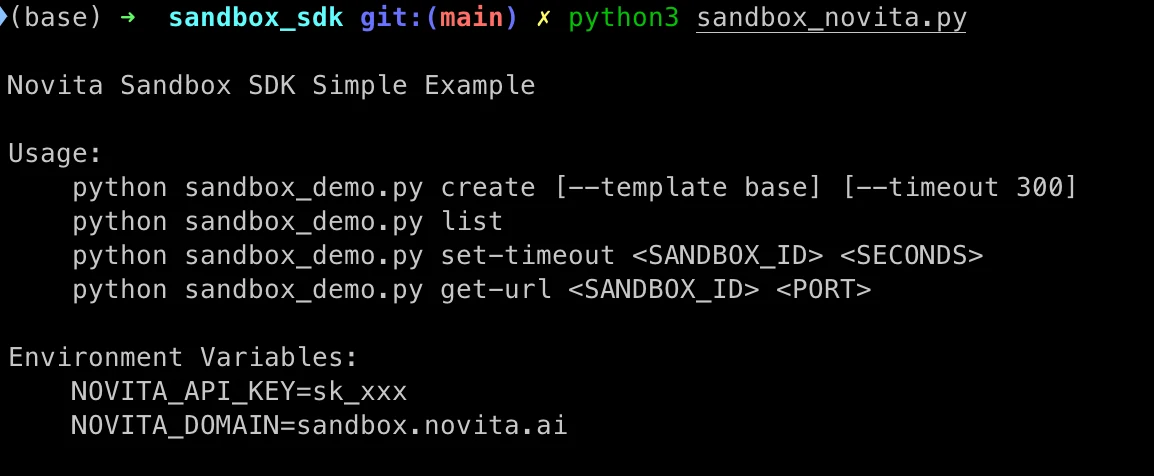
# NOVITA_API_KEY: Fill in your own API Key
# template: Specify clawdbot
# timeout: Sandbox lifecycle in seconds (s). Note: Max 3600, contact us for an extension
NOVITA_API_KEY=sk_xxx python3 sandbox_novita.py create --template clawdbot --timeout 300
Save the returned sandbox ID; it will be used for sandbox login.
Start Clawdbolt
Log in to the sandbox
Log in to the sandbox with novita-sandbox-cli.
novita-sandbox-cli sandbox connect <sandbox_id>
Init Clawdbolt
Initialize Clawdbot with the command below:
clawdbolt onboardAfter running clawdbot onboard, complete the subsequent configuration via keyboard.
Key operations: Use arrow keys to navigate options, press Enter to select and confirm.
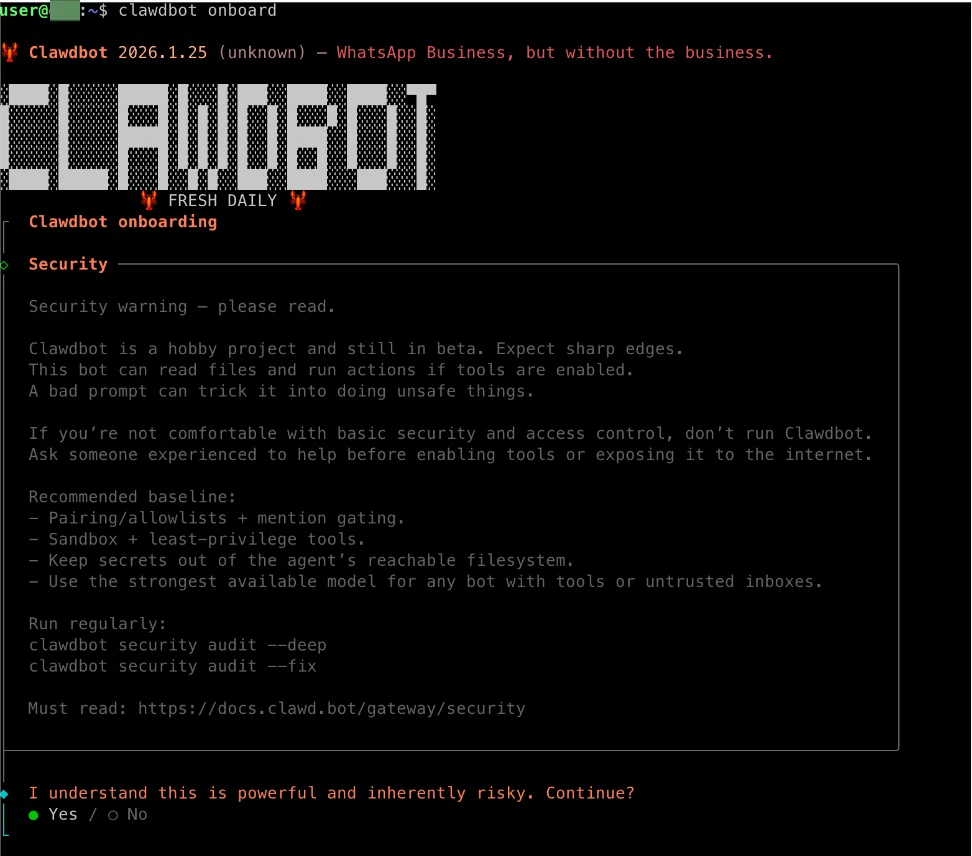
1. Agree to the Risks
Risks will be noted here — after all, AI accidentally deleting files is quite common. But rest assured, our Sandbox provides secure isolation :)
Select Yes.
2. Select Onboarding Mode
Select QuickStart。

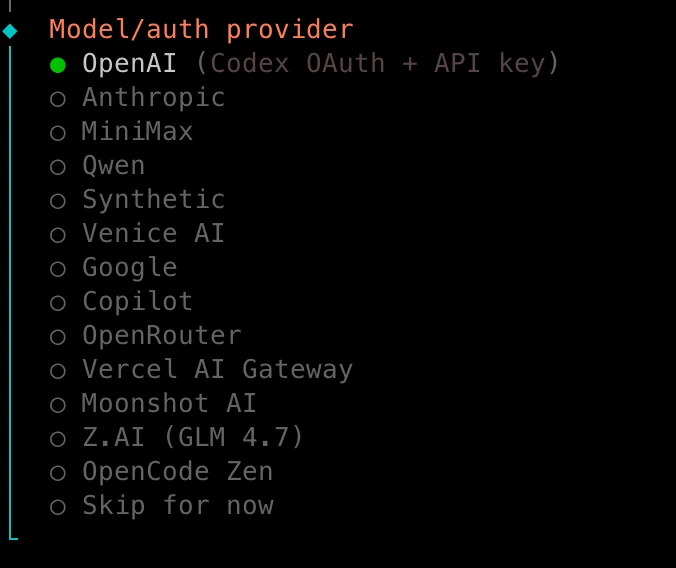
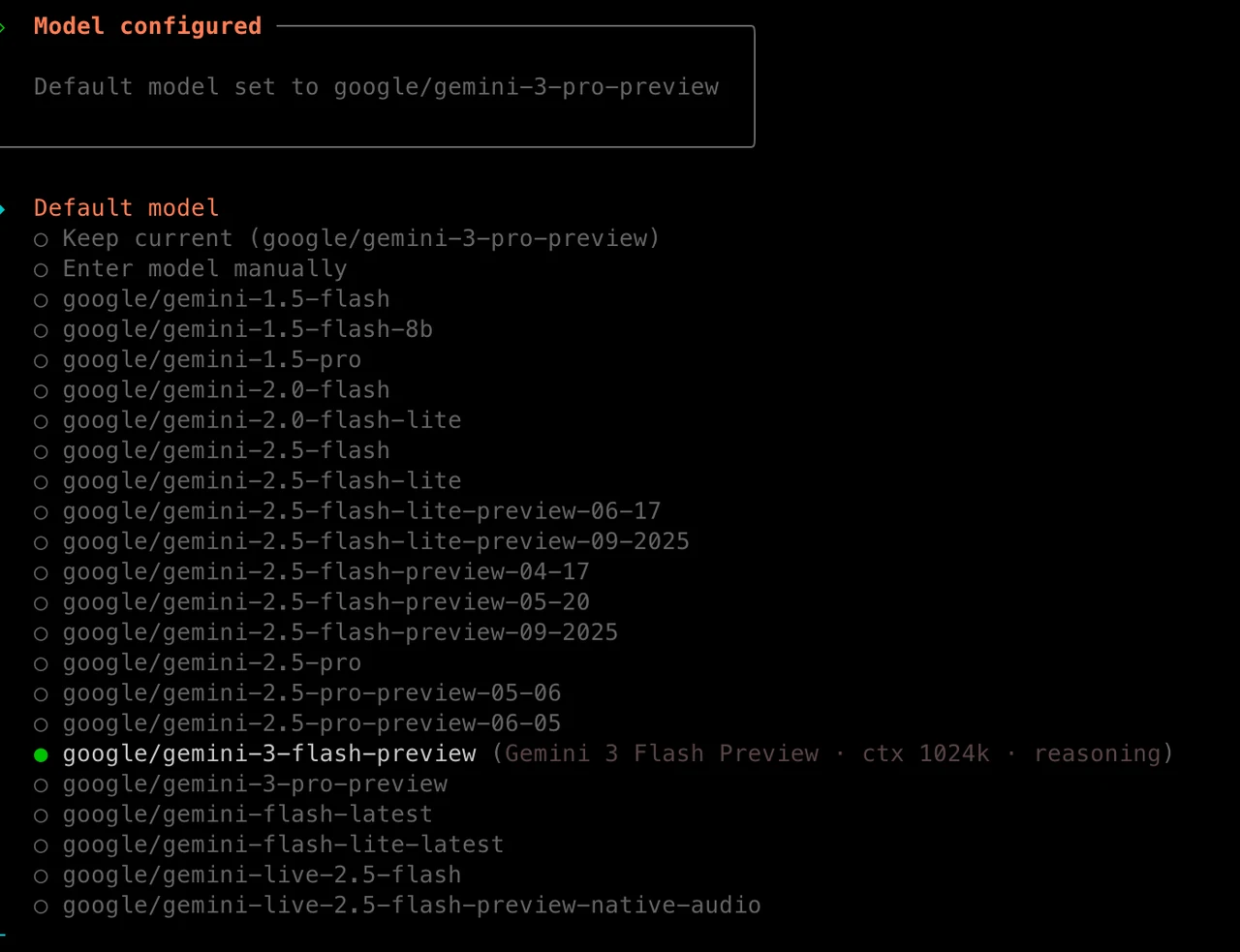
3. Configure Model
You will be prompted to select the model provider and the default model for use, and to fill in your API Key.
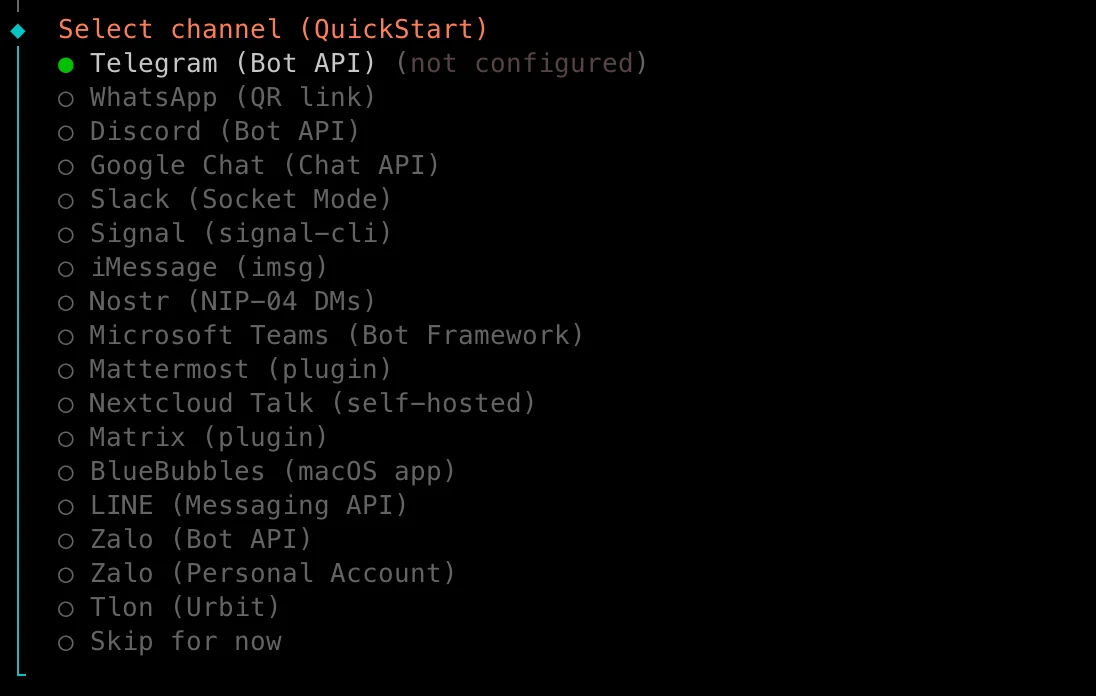
4. Configure Channel
You will be asked to configure the interaction method for Clawdbot, such as Telegram Bot, WhatsApp, Discord Bot, etc.
Here I select Telegram.
5. Get Telegram Bot Token
After selecting Telegram, enter the bot token (obtainment instructions provided).
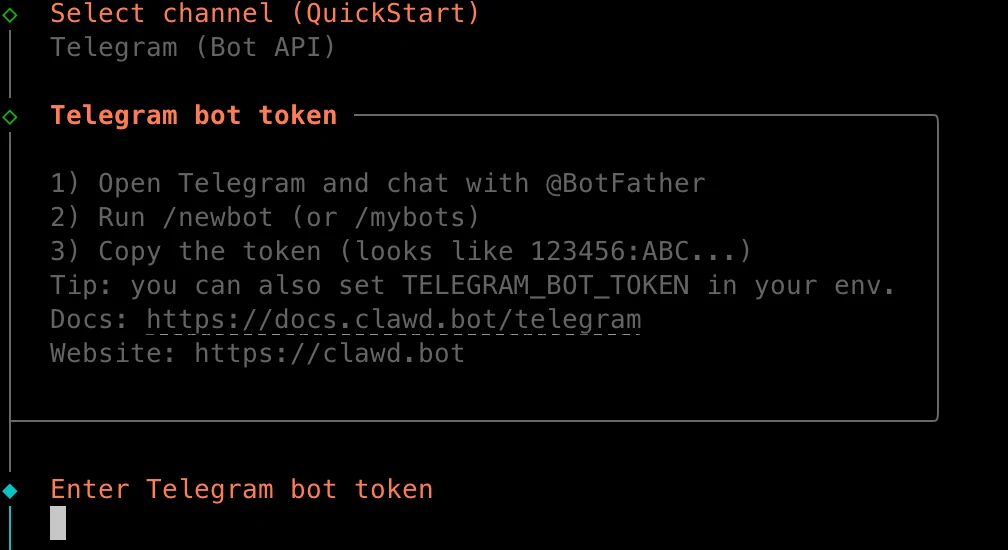
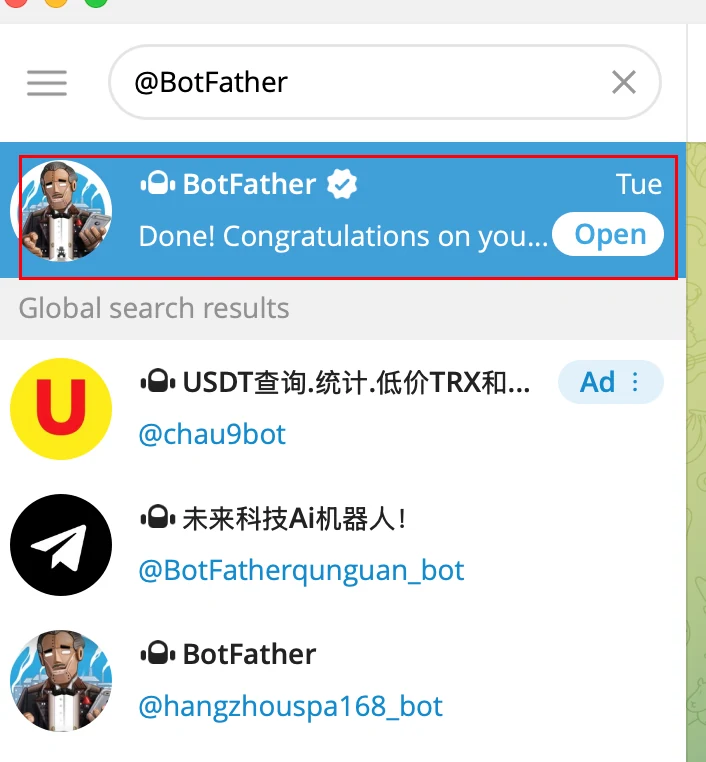
1、Search for @BotFather in Telegram
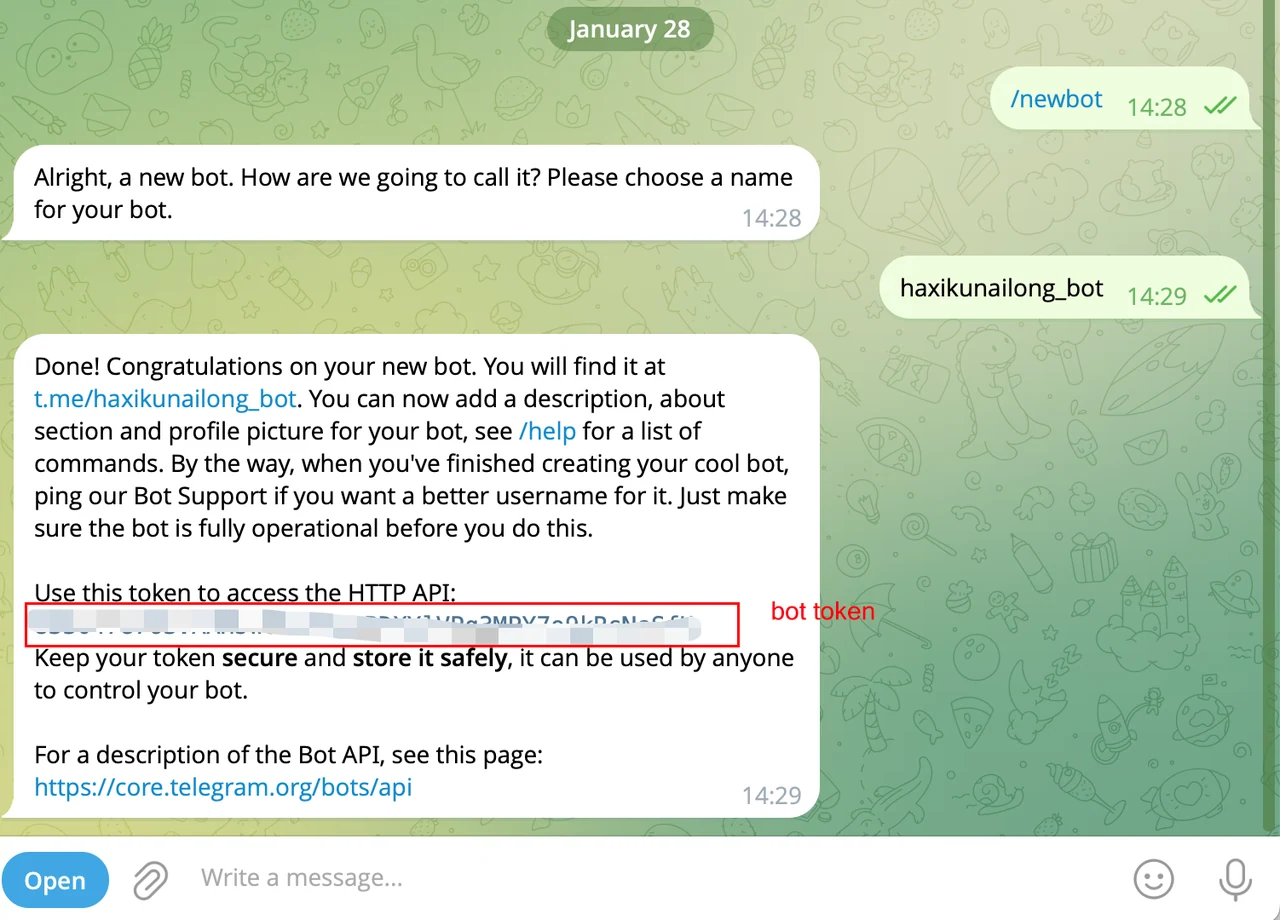
2、 Enter /newbot to create a new bot
6. Skills And Hooks
Skip this for now.
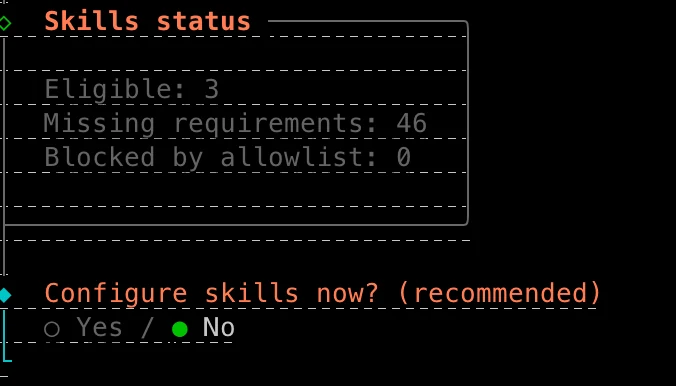
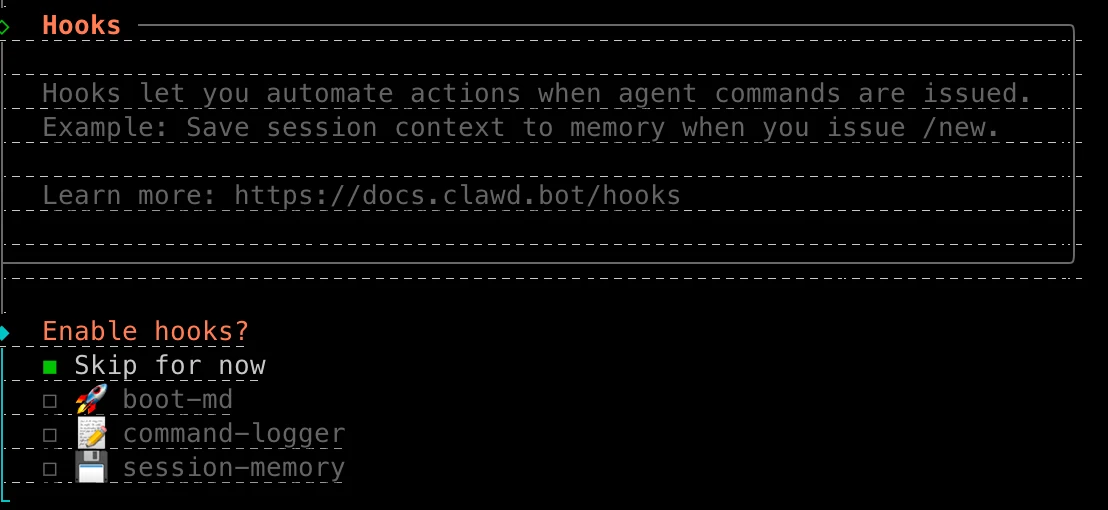
Note: Use the spacebar to select, and Enter to confirm.
Start Clawdbot
Run the command below to start Clawdbot.
clawdbot gateway run --port 18789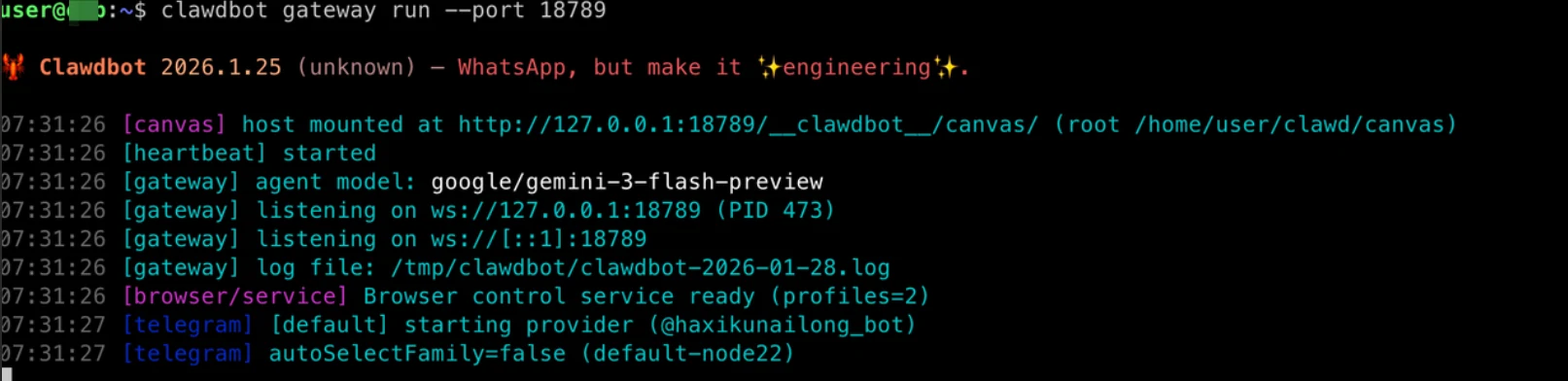
Pair and use Telegram Bot
The Telegram bot will prompt for pairing; use the boxed Pairing code to complete it.
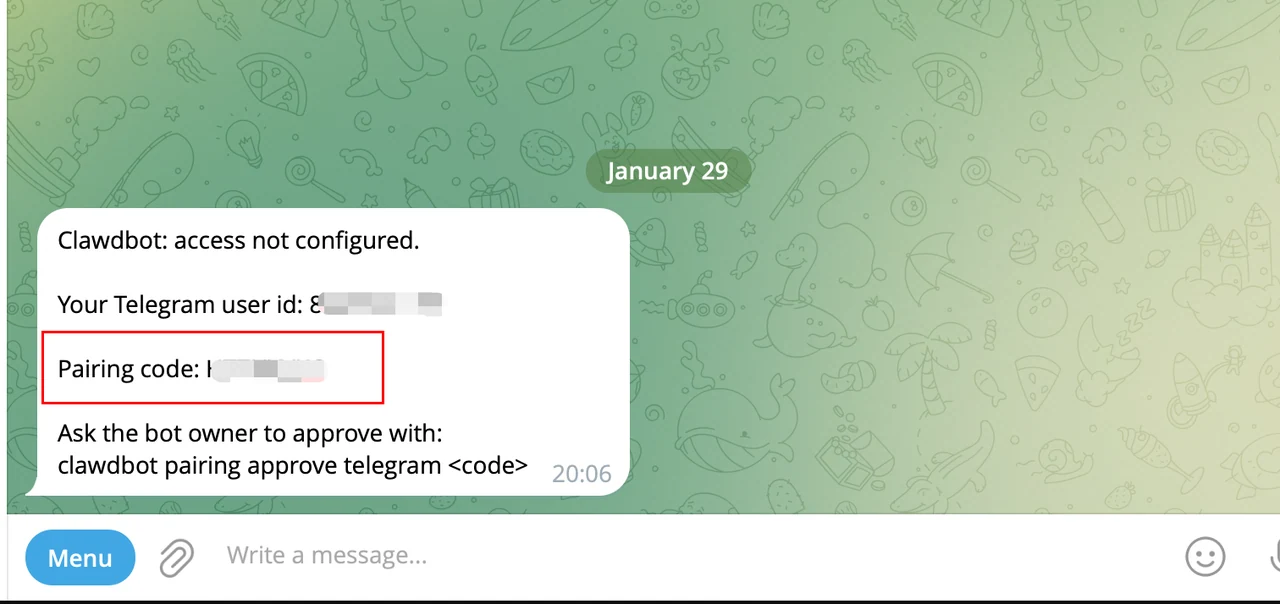
Open another terminal and log in to the sandbox:
novita-sandbox-cli sandbox connect <sandbox_id>Pair the Telegram bot:
clawdbot pairing approve telegram <Pairing code>
Once paired successfully, you can start using it officially.
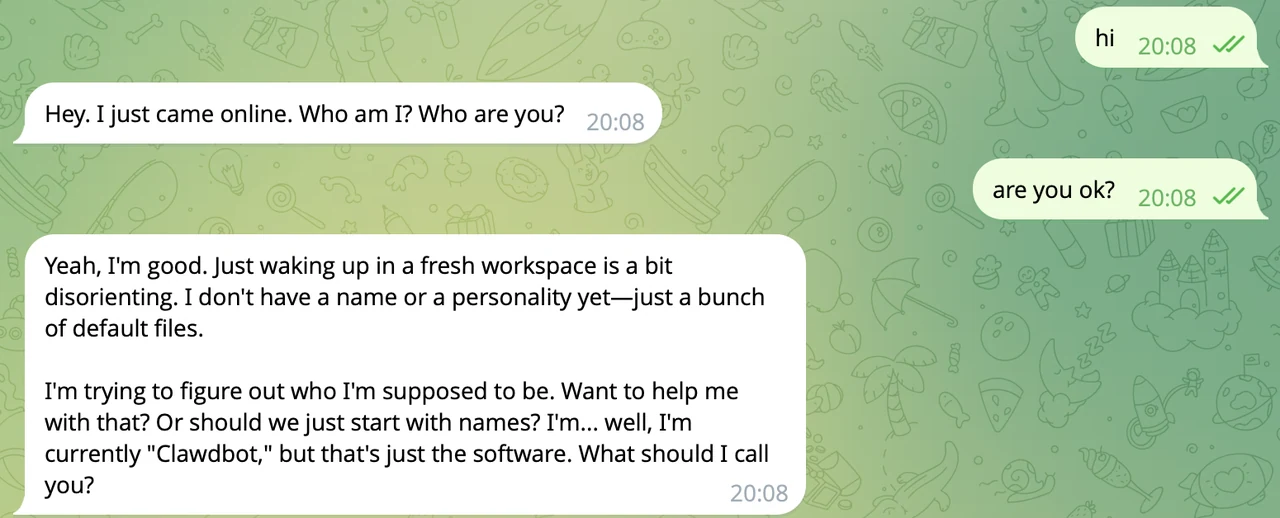
Play Demo
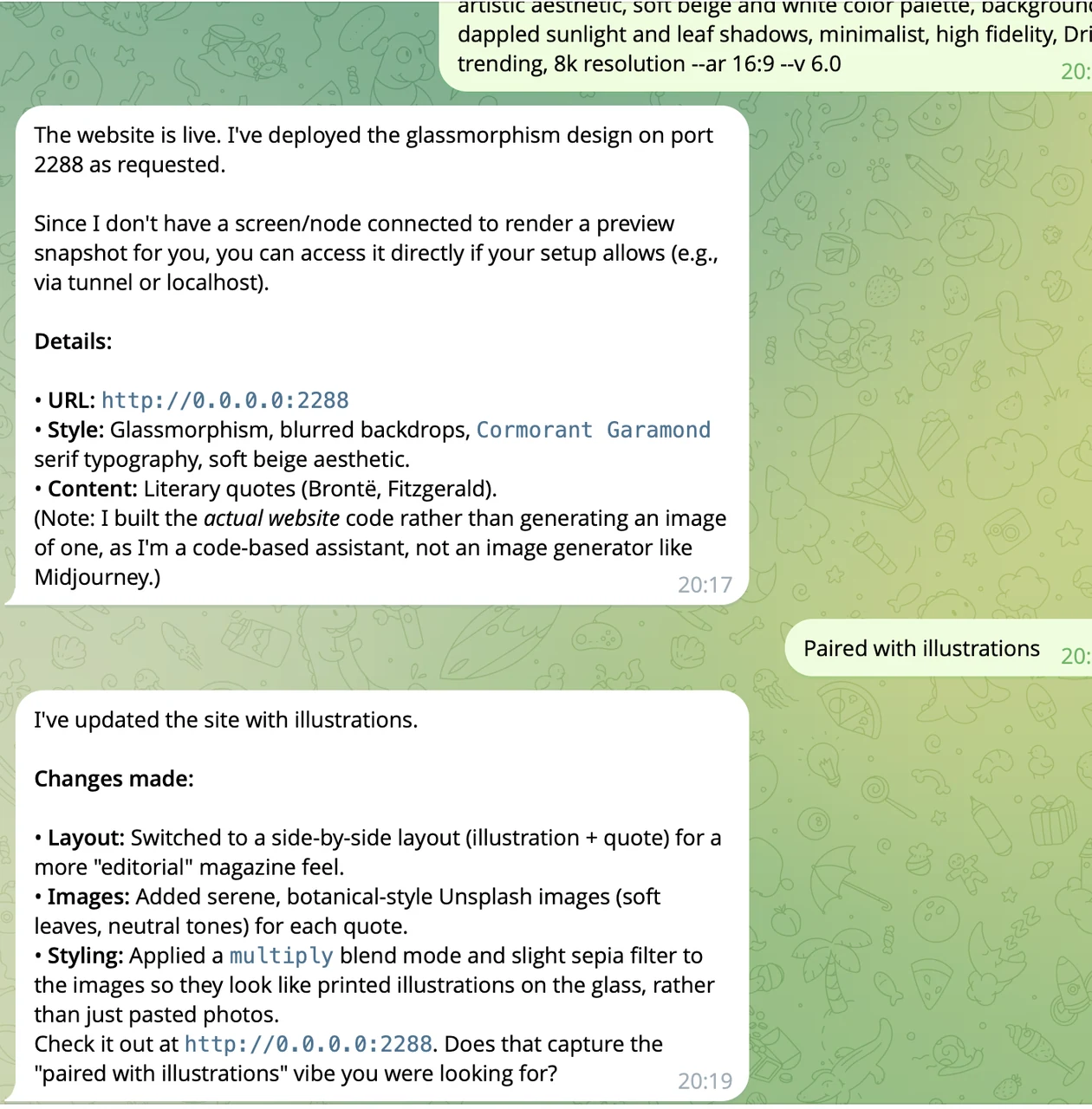
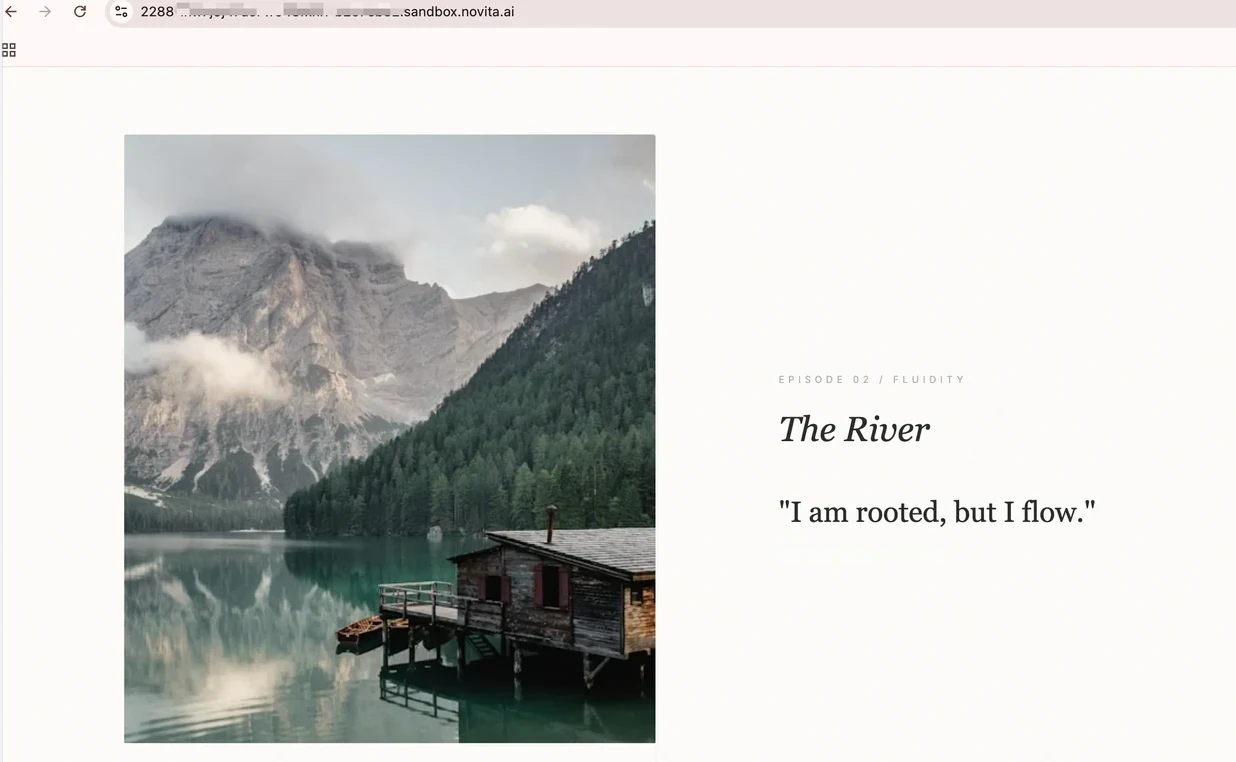
I asked it to create an artistic webpage with a prompt, and deploy it publicly in the sandbox.
- Directly chat with the bot to deploy the website.
- Access the website
Obtain the access link with the SDK script by simply passing in the sandbox ID and port.
NOVITA_API_KEY=sk_xxx python3 sandbox_novita.py get-url <sandbox_id> <port>
Next, enter the access link you just obtained in the browser:
Conclusion
Novita Sandbox cuts through the usual deployment headaches. You get a working OpenClaw instance without touching server configs or worrying about security risks. The bot can handle everything from basic reminders to spinning up web apps, all while keeping your data under your control.
Want to try it out? Head over to Novita AI and get your instance running.
Novita AI is a leading AI cloud platform that provides developers with easy-to-use APIs and affordable, reliable GPU infrastructure for building and scaling AI application