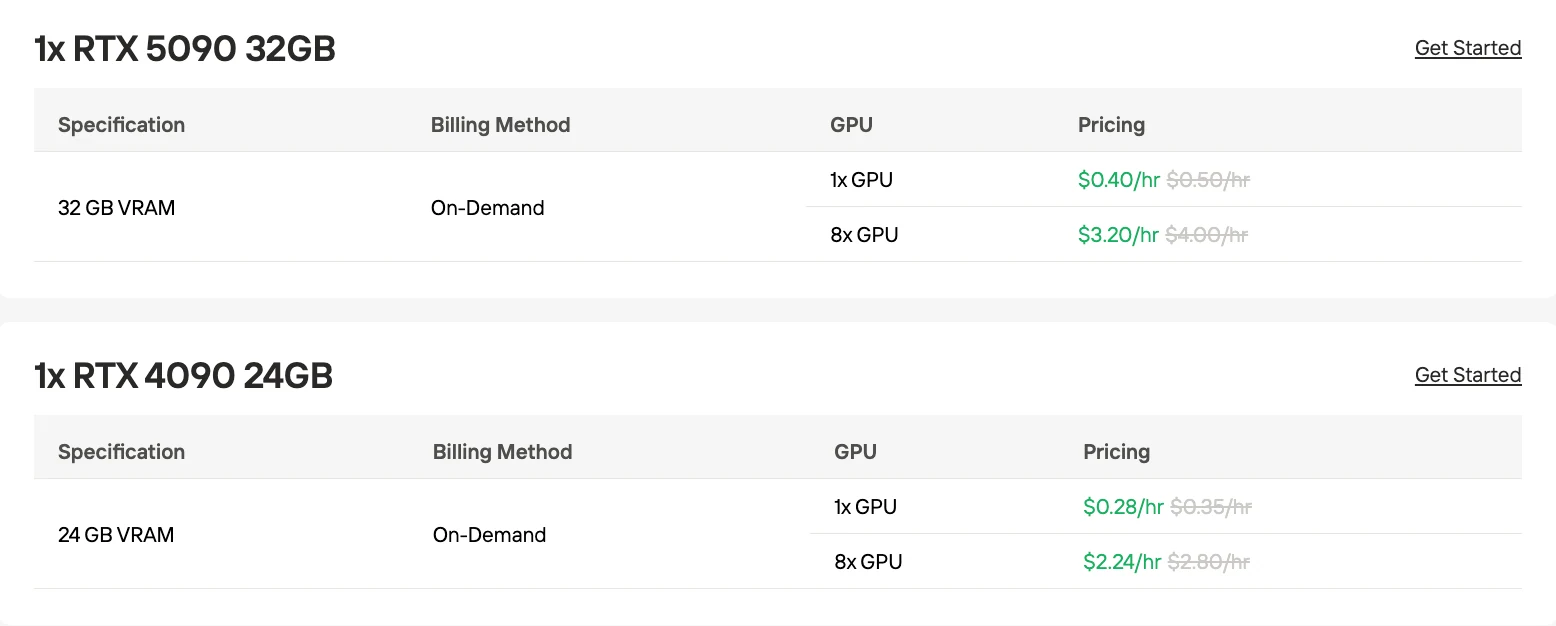
Novita AI is launching its “Build Month” campaign, offering developers an exclusive incentive of up to 20% off on all major products!
Deploying ERNIE-4.5-VL-A3B in real-world scenarios presents a clear dilemma for developers: while the model delivers strong multimodal reasoning performance, its high VRAM requirements and infrastructure costs make local deployment complex and expensive. Many teams struggle to balance hardware investment, migration effort, and operational scalability, especially when aiming for full-precision inference, long context windows, and production-level concurrency. This article addresses these challenges by systematically examining ERNIE-4.5-VL-A3B hardware requirements, true local deployment costs, and a more cost-efficient cloud GPU alternative via Novita AI, while also providing a practical, step-by-step deployment path to help developers get started quickly and reliably.
ERNIE-4.5-VL-A3B VRAM Requirements
Recommended configuration
- GPU: 1 × NVIDIA A100 (80 GB) or H100
- VRAM usage: approximately 70–75 GB
- Use case: full-precision inference (BF16), maximum context length (128k), and high-concurrency batching under production load.
Minimum configuration
- GPU: 2 × NVIDIA RTX 3090 or RTX 4090 (24 GB each, NVLink preferred), or 1 × RTX 6000 Ada (48 GB)
- VRAM usage: more than 48 GB required
- Quantization: WINT8 (weight-only INT8) is explicitly supported to reduce memory footprint.
How Much Does ERNIE-4.5-VL-A3B Cost in Local Deployment?
Self-hosting extends beyond just the GPU: servers, networking, cooling, and power infrastructure significantly add to the total upfront cost.
Migration/upgrade cost is largely engineering time and integration work; even if existing hardware is partially reusable, software stack migration, scaling orchestration, and performance tuning are non-trivial and require dedicated labor.
| Cost Category | Production Setup (High-end) | Minimum Self-Hosted Setup (Quantized) | Incremental Migration/Upgrade |
|---|---|---|---|
| GPU Hardware | NVIDIA H100 80GB NVIDIA H100 NVL $29,700–$42,700 | NVIDIA A100‑80G NVIDIA A100 80G $30,000–$42,000 | If replacing older consumer GPUs (e.g., 3090/4090), incremental cost is roughly the full price of new cards minus residual value of old cards; consider ~ $25,000–$40,000 per GPU as upgrade delta for each pro GPU added. |
| Supporting System (Server, PSU, Cooling, Networking) | $15,000–$40,000+ (enterprise chassis, high-power PSU, racks, 10/25/100 GbE) | $5,000–$15,000 (workstation class server, NVLink bridges) | Varies — in production upgrade cases, you’ll likely need new server infrastructure to accommodate H100/A100. Upgrading older chassis typically means $10,000–$30,000 for server refit + cabling + NVLink. |
| Storage & Memory | $2,000–$6,000 (NVMe + ECC RAM ) | $1,000–$3,000 | Minor if reusing existing storage, else $1,000–$2,000 |
| Networking | $2,000–$8,000 | $500–$2,000 | |
| Facility & Power Upgrades | $5,000–$15,000 (UPS, cooling improvements) | $1,000–$5,000 | Dependent on site upgrades, often $3,000–$10,000 |
| Migration / Integration Engineering | $15,000–$50,000(100–300+ hours enginering) | $10,000–$30,000(80–200+ hours) | For teams moving from consumer GPUs to these pro cards, integration includes model server reconfiguration, driver and CUDA/NCCL environment migration, performance baselining, and automation — typically $15,000–$40,000 labor, depending on internal skill level. |
A Better Way to Access ERNIE-4.5-VL-A3B Cloud GPU
Novita AI’s cloud GPU platform supports multiple billing modes so that users can match cost and stability based on workload patterns:
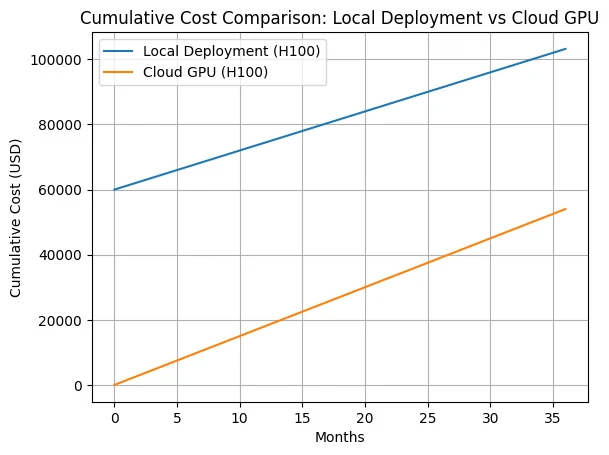
Over the entire 36-month horizon shown, cloud GPU remains significantly cheaper in cumulative cost, with the gap driven almost entirely by avoided CapEx in the early stages.
1. On-Demand (Pay-as-you-go)
This is the standard model where you pay for GPU compute by runtime (per second/hour) with no long-term contracts or reservations. It offers maximum flexibility and is ideal for variable workloads, intermittent use, and experimentation since you only incur costs while the instance is running. Storage and additional resources (e.g., disk, network) are also billed per usage.
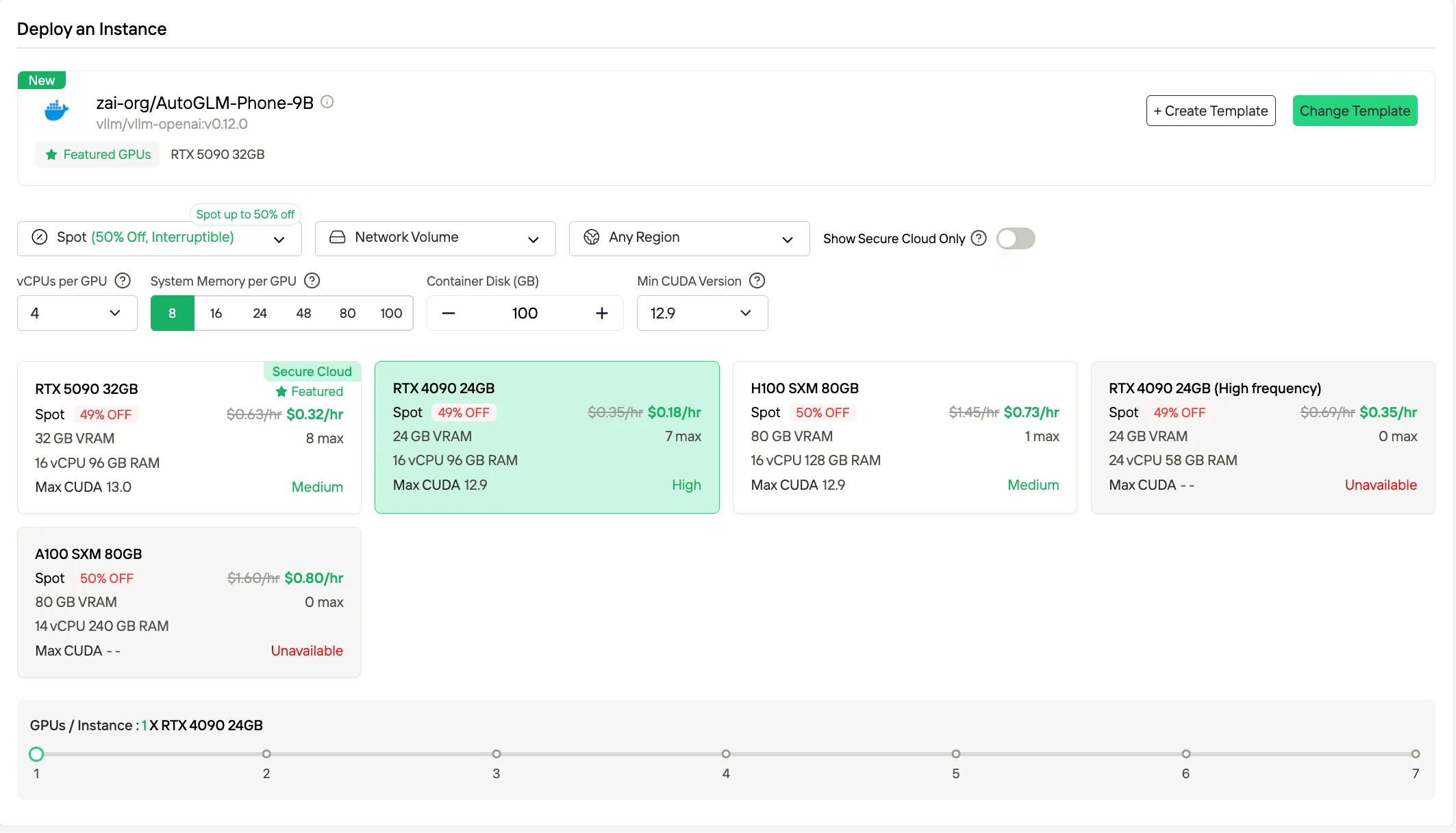
2. Spot Instances
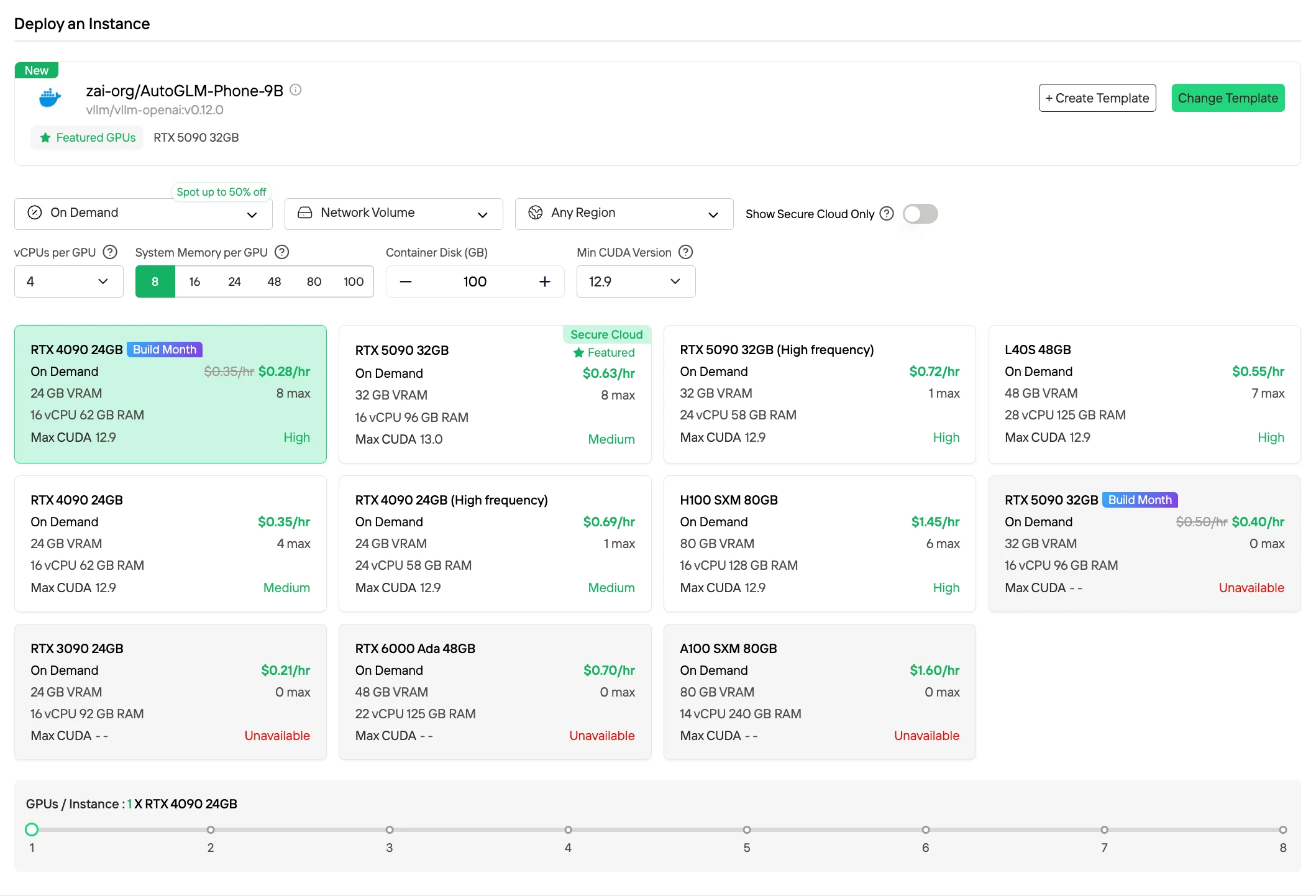
Spot pricing delivers significantly lower hourly rates (often up to ~50 % off) compared to On-Demand by leveraging unused capacity. These instances can be preempted by the platform, but Novita provides a 1-hour guaranteed protection window and advance termination notices, making this mode suitable for interruptible workloads or batch jobs where occasional interruptions are acceptable.
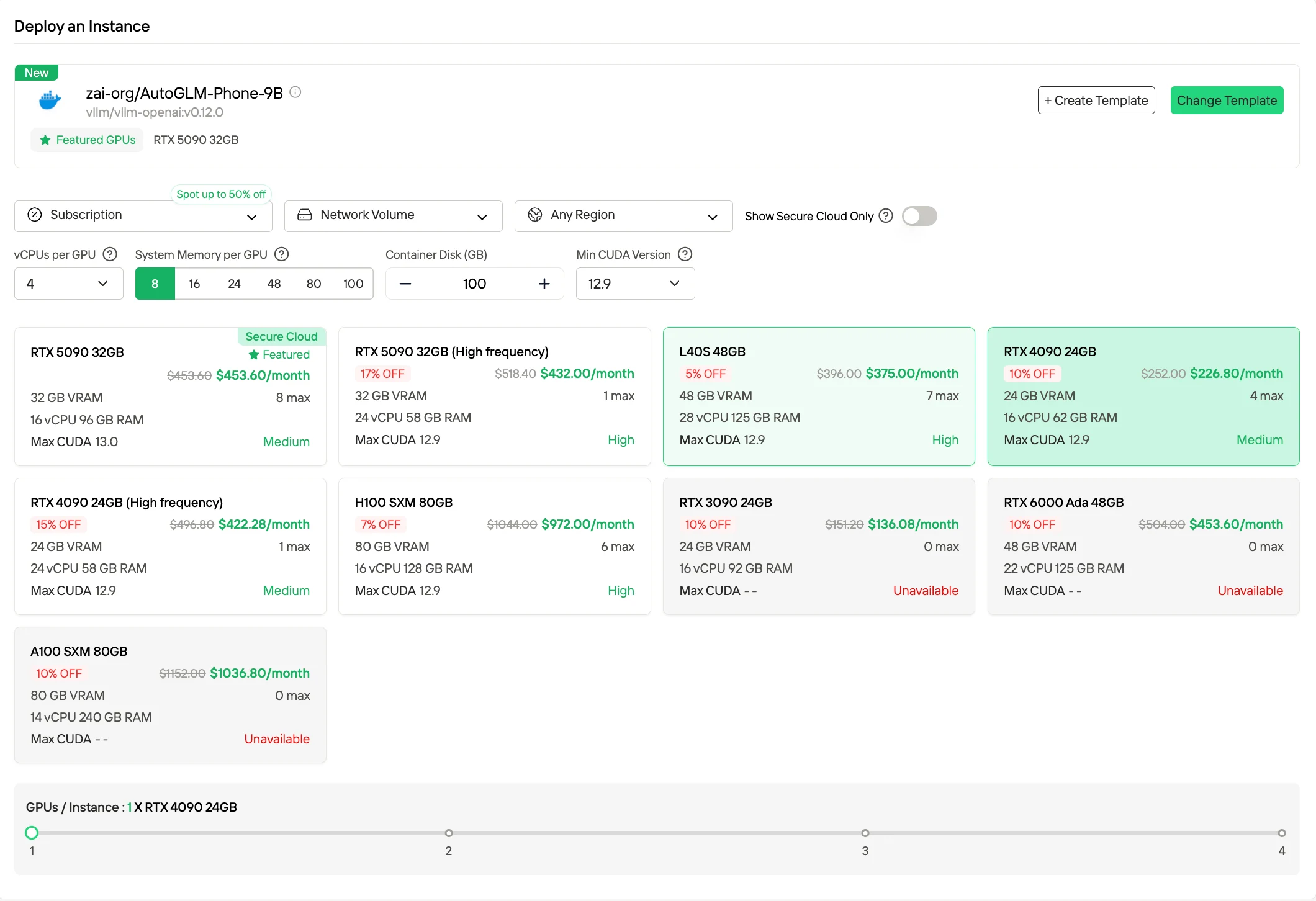
3. Subscription / Reserved Plans
Novita also offers monthly and yearly subscription options for GPU instances. These plans provide dedicated resources with predictable availability and often come with discounted rates compared to on-demand pricing. This mode benefits users with steady, long-term compute needs who want to lower unit costs through commitment.
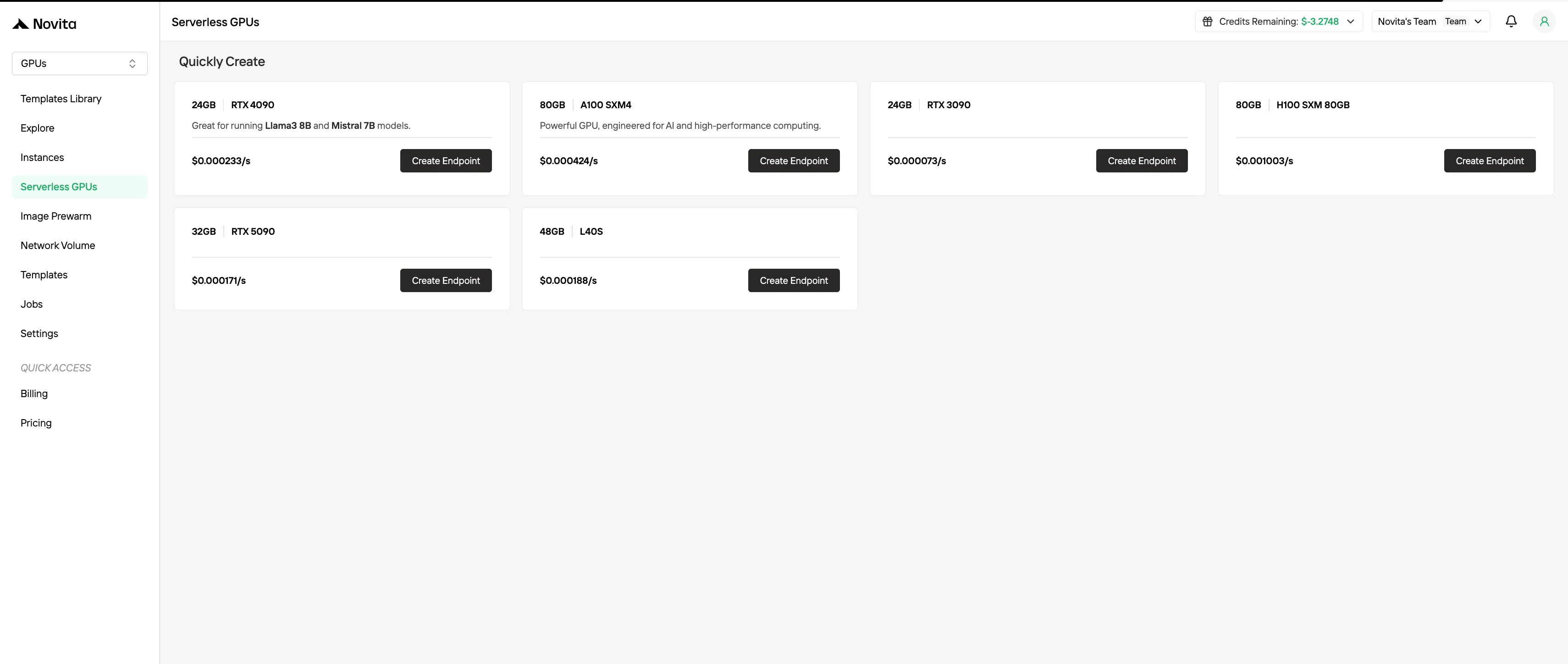
4. Serverless GPU Billing
In addition to traditional instance models, Novita supports serverless GPU execution, where resources automatically scale with workload and you are billed only for the compute resources consumed. This mode abstracts away instance management and is optimized for workflows with unpredictable or highly variable traffic.
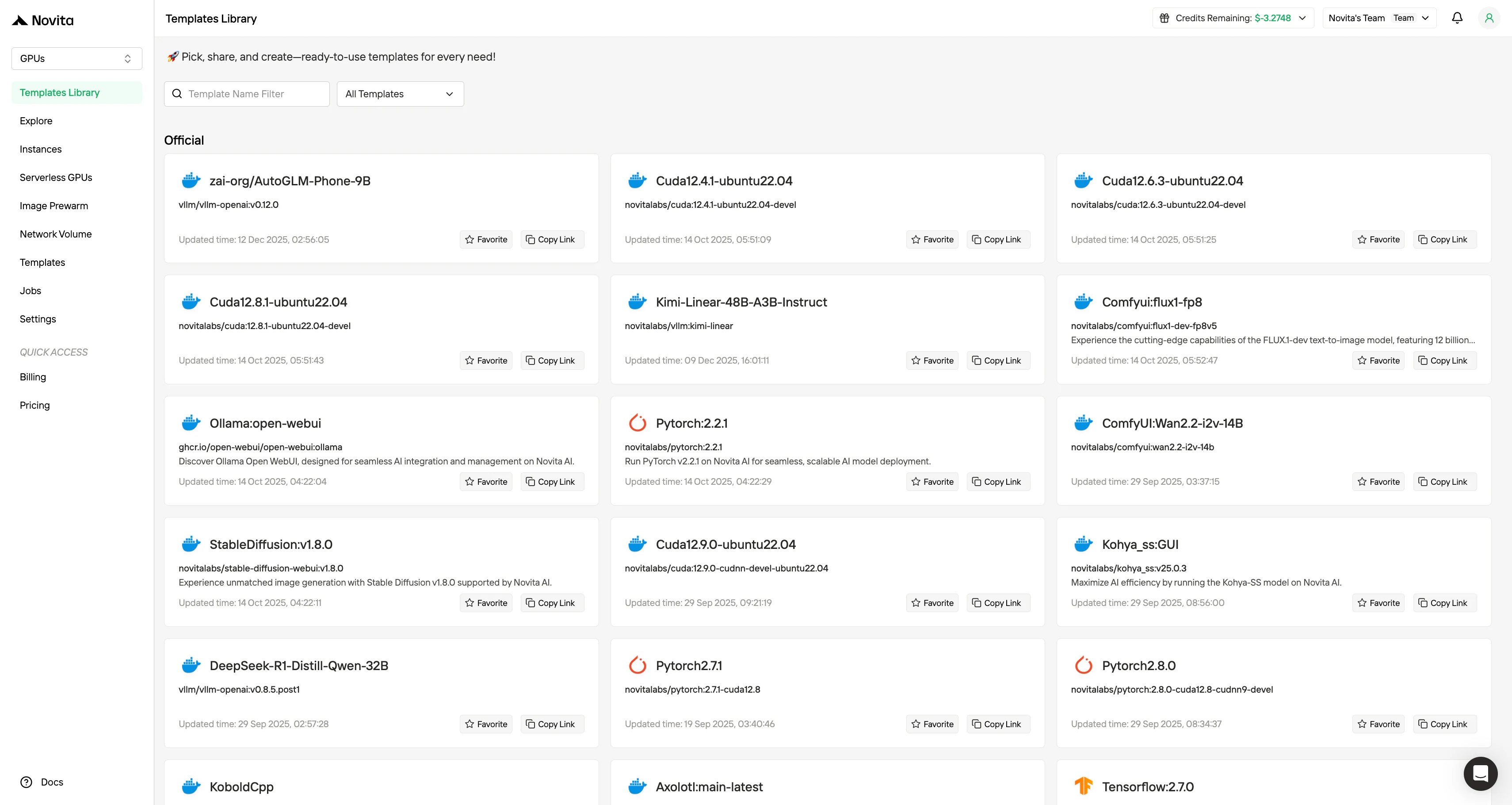
Novita AI also offers templates, which is designed to significantly lower the operational and cognitive overhead associated with deploying GPU-based AI workloads. Instead of requiring developers to manually assemble environments from scratch, the template system provides pre-configured, production-ready images that bundle the operating system, CUDA and cuDNN versions, deep learning frameworks, inference engines, and in some cases even fully wired model serving stacks.
How to Deploy ERNIE-4.5-VL-A3B on Novita AI
Step1:Register an account
Create your Novita AI account through our website. After registration, navigate to the “Explore” section in the left sidebar to view our GPU offerings and begin your AI development journey.
Step2:Exploring Templates and GPU Servers
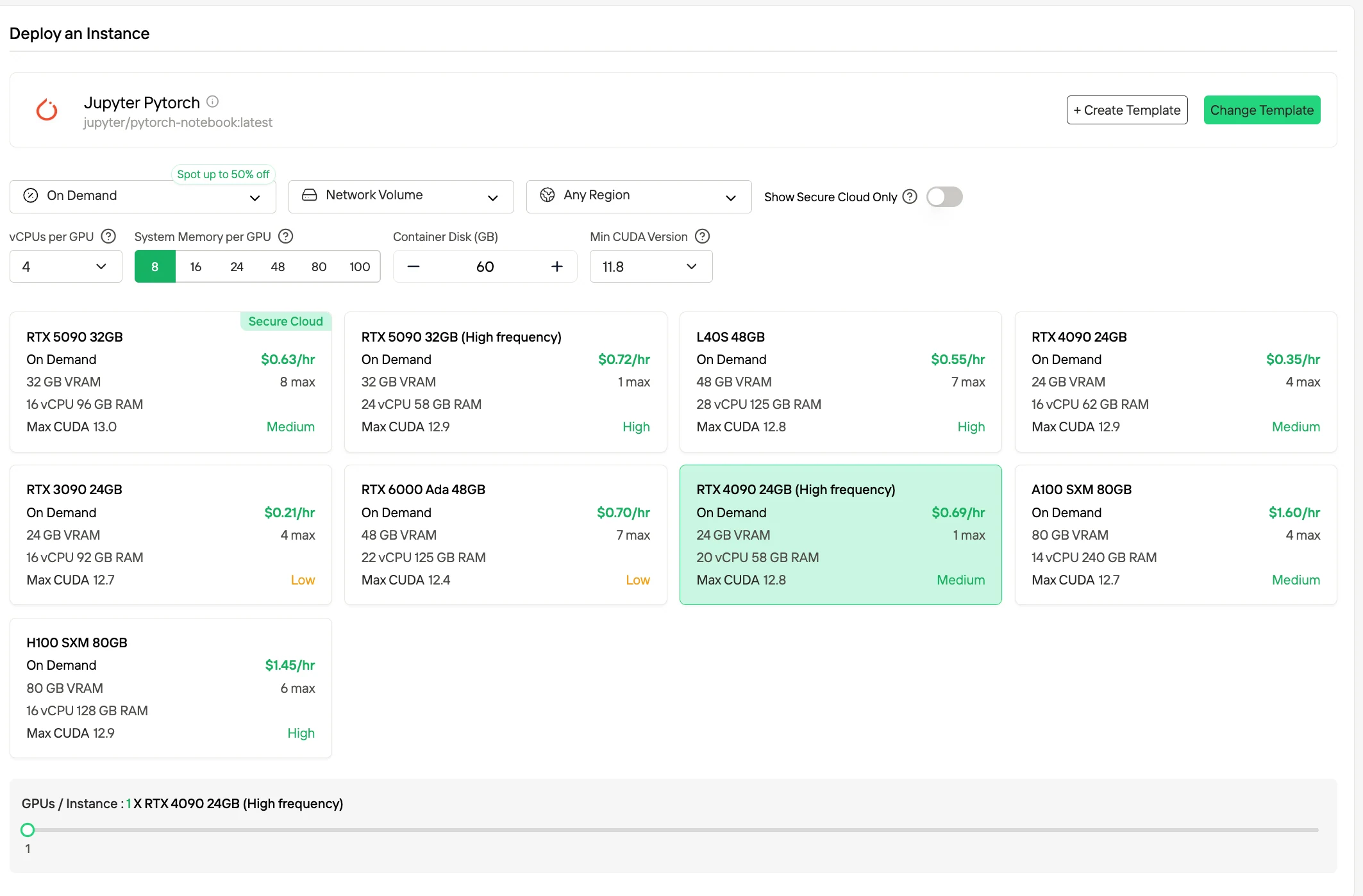
Choose from templates like PyTorch, TensorFlow, or CUDA that match your project needs. Then select your preferred GPU configuration—options include the powerful L40S, RTX 4090 or A100 SXM4, each with different VRAM, RAM, and storage specifications.
Step3:Tailor Your Deployment and Launch an instance
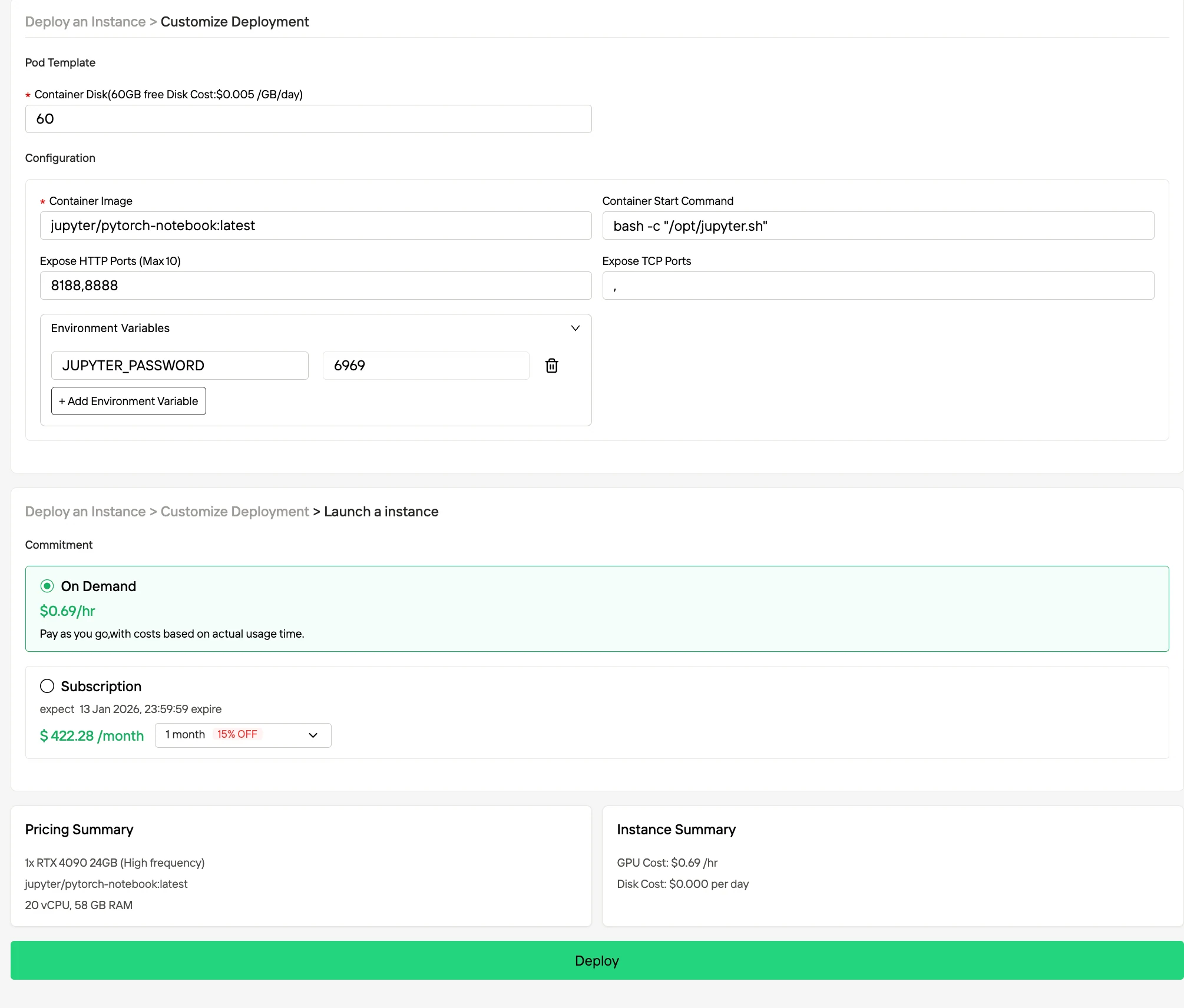
Customize your environment by selecting your preferred operating system and configuration options to ensure optimal performance for your specific AI workloads and development needs.And then your high-performance GPU environment will be ready within minutes, allowing you to immediately begin your machine learning, rendering, or computational projects.
Step 4: Monitor Deployment Progress
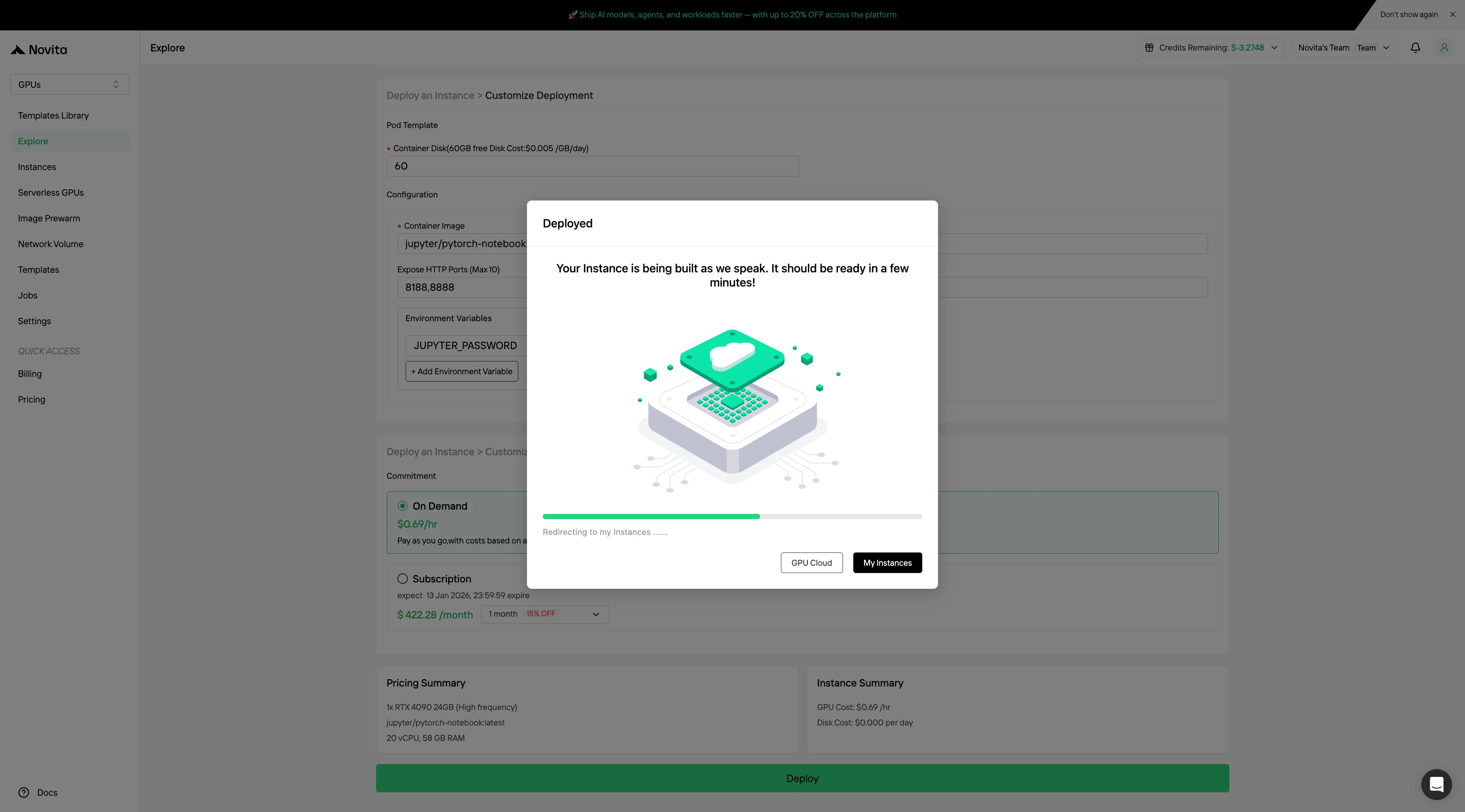
Navigate to Instance Management to access the control console. This dashboard allows you to track the deployment status in real-time.
Step 5: View Image Pulling Status
Click on your specific instance to monitor the container image download progress. This process may take several minutes depending on network conditions.
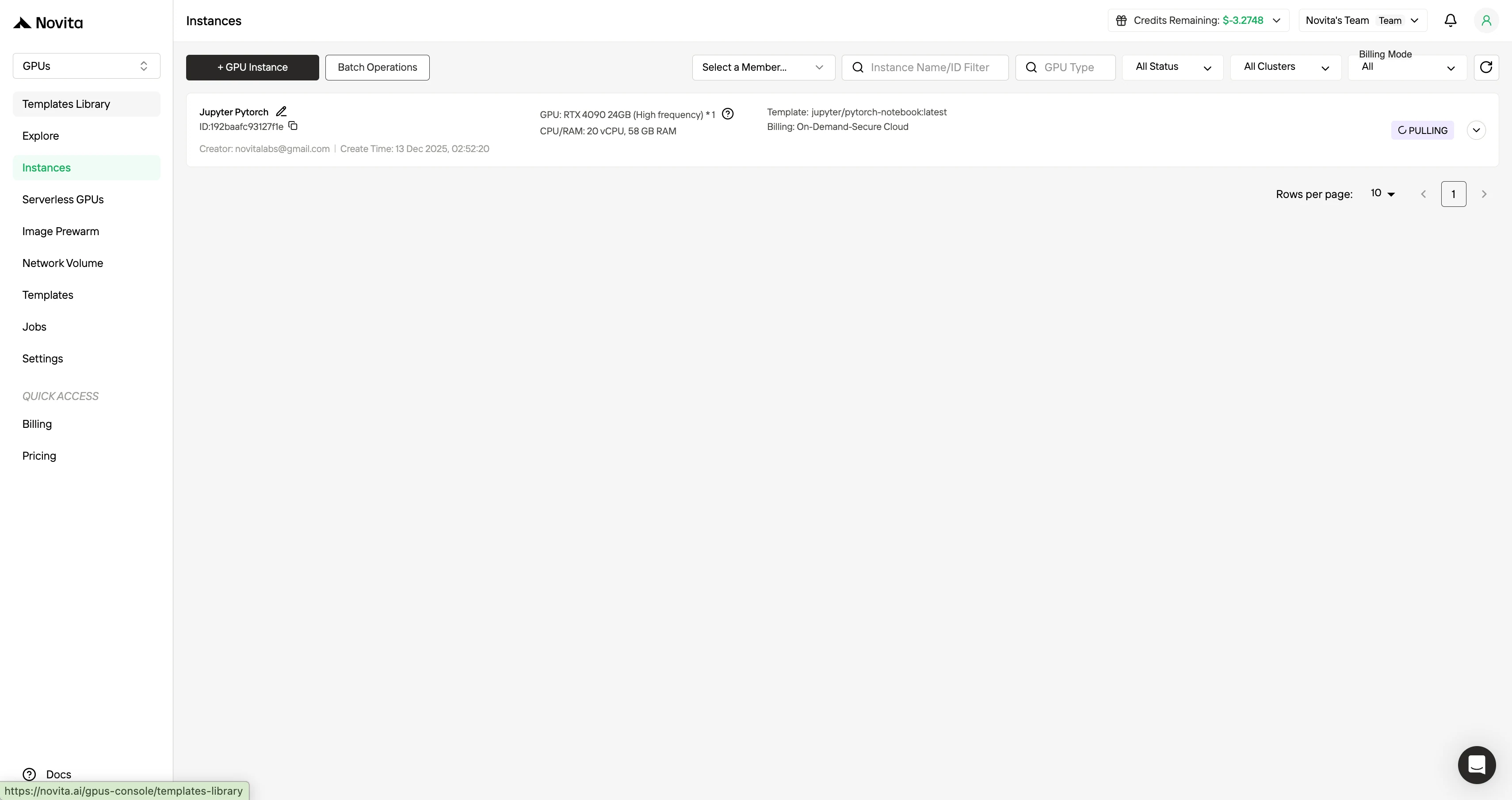
Step 6: Verify Successful Deployment
After the instance starts, it will begin pulling the model. Click “Logs” –> “Instance Logs” to monitor the model download progress. Look for the message
"Application startup complete."in the instance logs. This indicates that the deployment process has finished successfully.Click “Connect“, then click –> “Connect to HTTP Service [Port 8000]“. Since this is an API service, you’ll need to copy the address.
To make requests to your model, please replace***“http://7a65a32b51e37482-8000.jp-tyo-1.gpu-instance.novita.ai”*** with your actual exposed address. Copy the following code to access your private model!
ERNIE-4.5-VL-A3B demands substantial GPU memory and infrastructure investment when self-hosted, with total costs extending far beyond the GPU itself to include servers, networking, power, and engineering labor. By contrast, Novita AI’s cloud GPU platform significantly lowers both upfront and long-term costs through flexible billing models, on-demand scalability, and ready-to-use templates. For most teams, accessing ERNIE-4.5-VL-A3B via cloud GPUs offers a faster, cheaper, and operationally simpler path to production-grade deployment without sacrificing performance or flexibility.
Frequently Asked Questions
What GPU configuration is recommended for ERNIE-4.5-VL-A3B?
ERNIE-4.5-VL-A3B is recommended to run on 1× NVIDIA A100 (80 GB) or H100, using BF16 precision to support long-context and high-concurrency inference.
What is the minimum GPU setup required for ERNIE-4.5-VL-A3B?
ERNIE-4.5-VL-A3B requires either 2× RTX 3090/4090 (24 GB each, NVLink preferred) or 1× RTX 6000 Ada (48 GB), with WINT8 quantization to reduce memory usage.
Why is local deployment of ERNIE-4.5-VL-A3B expensive?
Local deployment of ERNIE-4.5-VL-A3B involves not only high-end GPUs but also servers, storage, networking, cooling, power upgrades, and extensive engineering work for migration and optimization.
Novita AI is the All-in-one cloud platform that empowers your AI ambitions. Integrated APIs, serverless, GPU Instance — the cost-effective tools you need. Eliminate infrastructure, start free, and make your AI vision a reality.



