This article clarifies how DeepSeek-V3.2 and DeepSeek-V3.2-Speciale differ in architecture, performance, inference efficiency, and deployment requirements. By presenting concrete specs, quantized VRAM thresholds, benchmark implications, and access pathways, it provides a focused decision guide for choosing the most suitable DeepSeek-V3.2 API for real-world coding tasks.
Your Attention Please! Novita AI is launching its “Build Month” campaign, offering developers an exclusive incentive of up to 20% off on all major products!
DeepSeek V3.2 for Developers
A compact technical guide helping developers evaluate whether DeepSeek-V3.2 is the right API for real-world coding workloads.
Architecture Overview of Deepseek V3.2
| Component | DeepSeek-V3.2 | DeepSeek-V3.2-Speciale | Notes |
|---|---|---|---|
| Total Parameters | 671B MoE | 671B MoE | Full model size unchanged |
| Active Parameters per Token | 37B | 37B | |
| Context Window | 128K tokens | 128K tokens | Long enough for entire codebases |
| Attention | DeepSeek Sparse Attention (DSA) | DSA (enhanced tuning) | Major acceleration for long sequences |
| Precision | FP16 / FP8 / Int8 / Int4 | FP16 / FP8 | Int8/Int4 recommended for deployment |
Enhancements Relevant to Coding of Deepseek V3.2
- DeepSeek Sparse Attention (DSA)
Reduces attention complexity on long code sequences; improves VRAM efficiency. - Long-Context Stability (>100K tokens)
Maintains reference consistency—important for multi-file code navigation, dependency tracing, and refactoring. - Hybrid CoT + Tool-Use Training
V3.2 is explicitly tuned for “think-then-act” patterns. - Speciale Variant
Extra optimization for algorithmic reasoning tasks. They introduce DSA, an efficient attention mechanism that substantially reduces computational complexity while preserving model performance, specifically optimized for long-context scenarios.
Benchmark Performance of Deepseek V3.2
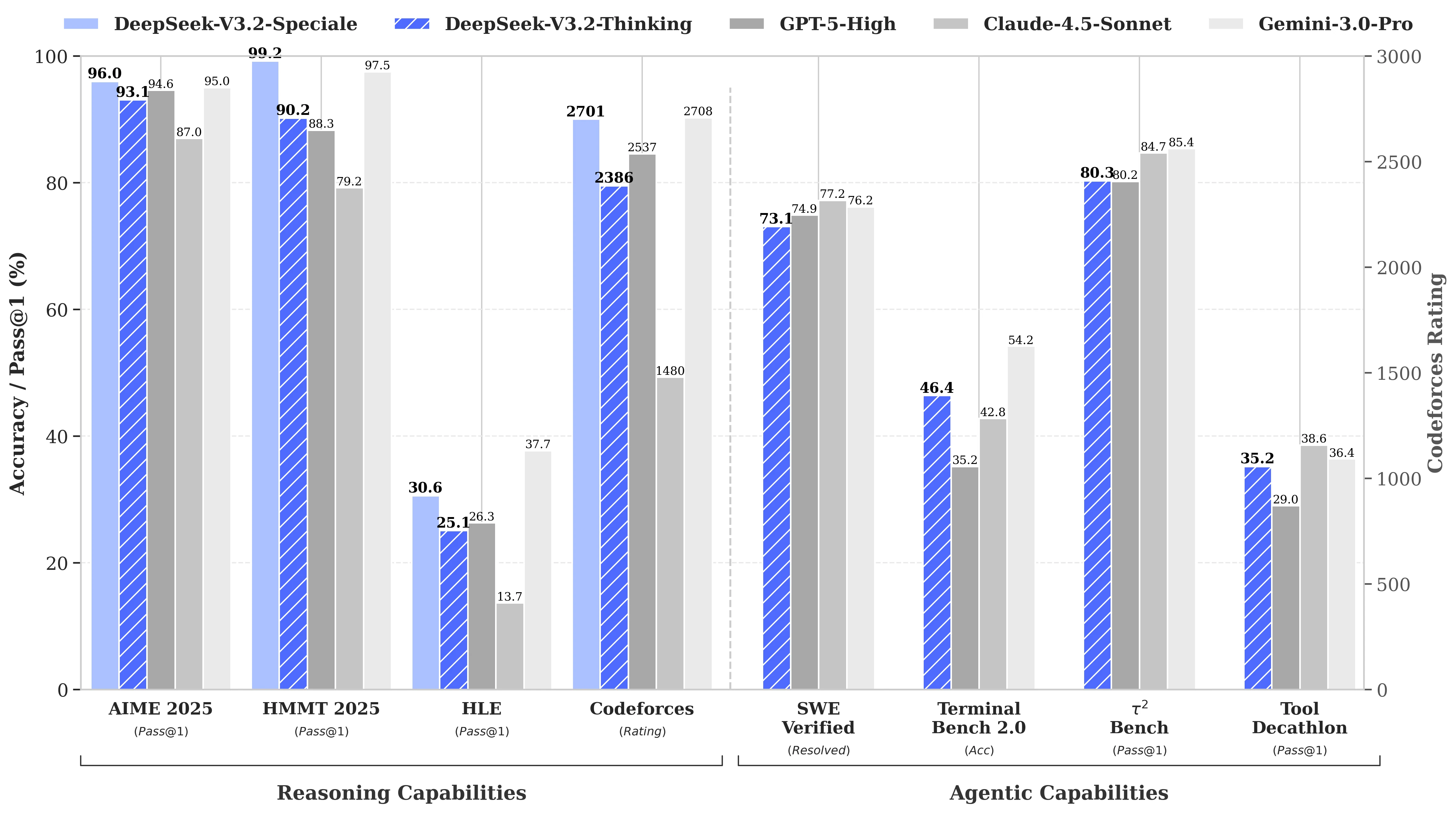
DeepSeek-V3.2 performs comparably to GPT-5. Notably, our high-compute variant, DeepSeek-V3.2-Speciale, surpasses GPT-5 and exhibits reasoning proficiency on par with Gemini-3.0-Pro.
From Hugging Face
Hardware Requirements of Deepseek V3.2
Practical Speed Tips
- Int8 or Int4 quantization gives the best latency/VRAM balance
- Use vLLM or TensorRT-LLM backends for max throughput
- Avoid FP16-only deployments unless you have >1TB VRAM
| Precision | GPUs Needed | Total VRAM | Deployment Notes |
|---|---|---|---|
| FP16 (full) | 8–16× H100/A100 80GB | 1.3–1.4 TB | Only enterprise clusters |
| FP8 | 6–8× H100/A100 | 800–900 GB | High-throughput setting |
| Int8 | 4–8× 80GB GPUs | 670 GB | Recommended for standard server deployment |
| Int4 | 2–4× 80GB GPUs | 330 GB | Most realistic option for labs/companies |
| CPU-only | Not feasible | N/A | Do not attempt |
Developer Interpretation
- For custom on-prem inference → Int4 or Int8
- For highest-accuracy coding tasks → FP8 multi-GPU clusters
- For enterprise pipelines → You can choose Novita AI
Novita offers the lowest on-demand H100 pricing at $1.80/hr up to 30% cheaper than other providers with identical GPU performance.
| GPU Type | Specification | Pricing Model | 1× GPU | 8× GPU |
|---|---|---|---|---|
| H100 SXM 80GB | 80 GB VRAM | On-Demand | $1.45/hr | $11.60/hr |
| Spot | $0.73/hr | $5.84/hr | ||
| A100 SXM 80GB | 80 GB VRAM | On-Demand | $1.60/hr | $12.80/hr |
| Spot | $0.80/hr | $6.40/hr |
Novita AI’s Spot mode is a cost-optimized GPU rental option that leverages the platform’s unused or idle GPU capacity. Unlike on-demand instances, which reserve dedicated hardware for guaranteed continuous use, Spot instances are interruptible—offered at significantly lower prices, typically 40–60% cheaper.
This pricing model works because Novita dynamically reallocates idle GPUs to short-term users instead of leaving them unused. By doing so, the platform improves overall infrastructure utilization efficiency, while developers benefit from much lower computational costs for flexible workloads.
How to Access Deepseek V3.2?
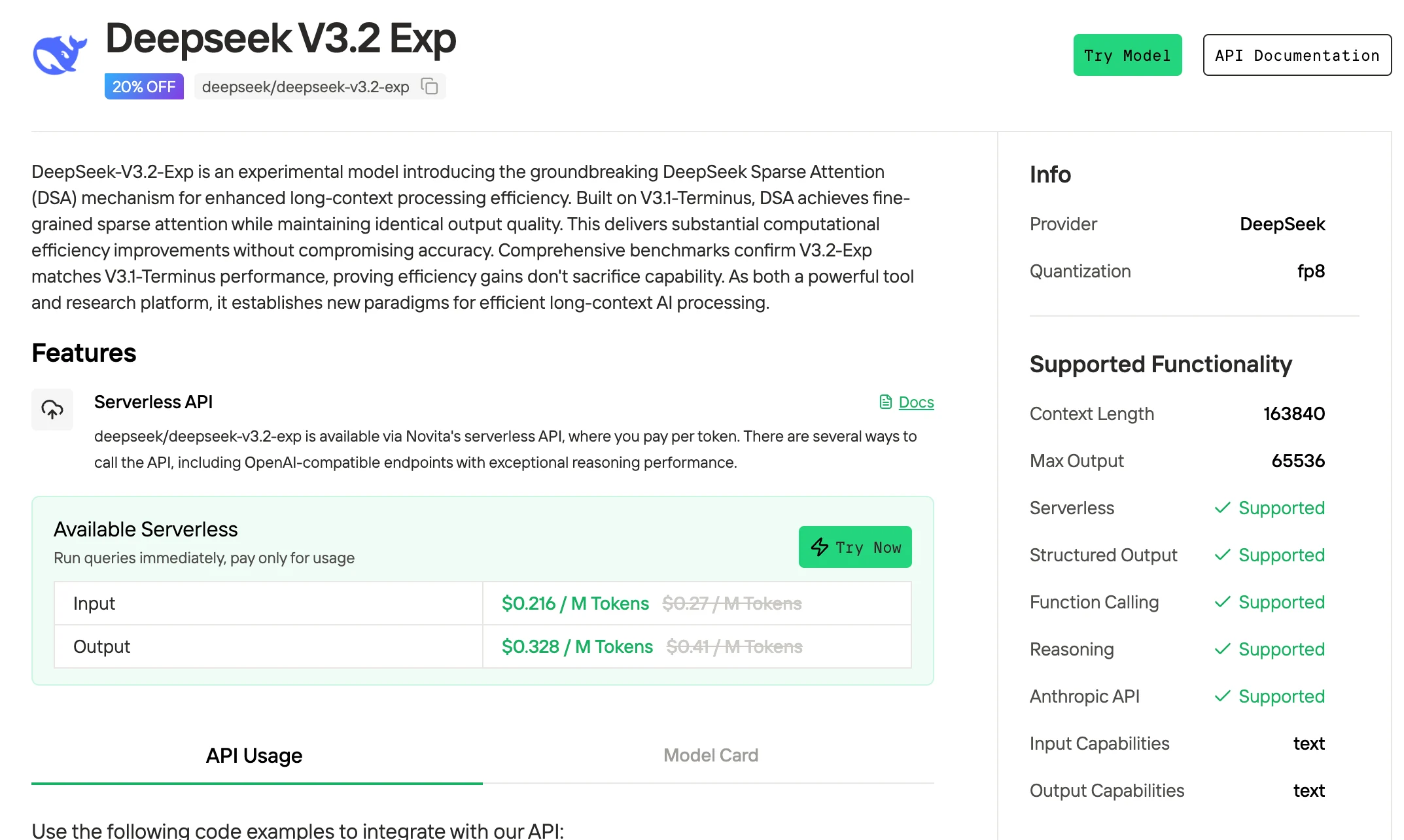
Novita AI offers Deepseek V3.2 Exp APIs with a 163K context window at $0.216 per input and $0.318per output supporting structured outputs and function calling.
Your Attention Please! Novita AI is launching its “Build Month” campaign, offering developers an exclusive incentive of up to 20% off on all major products!
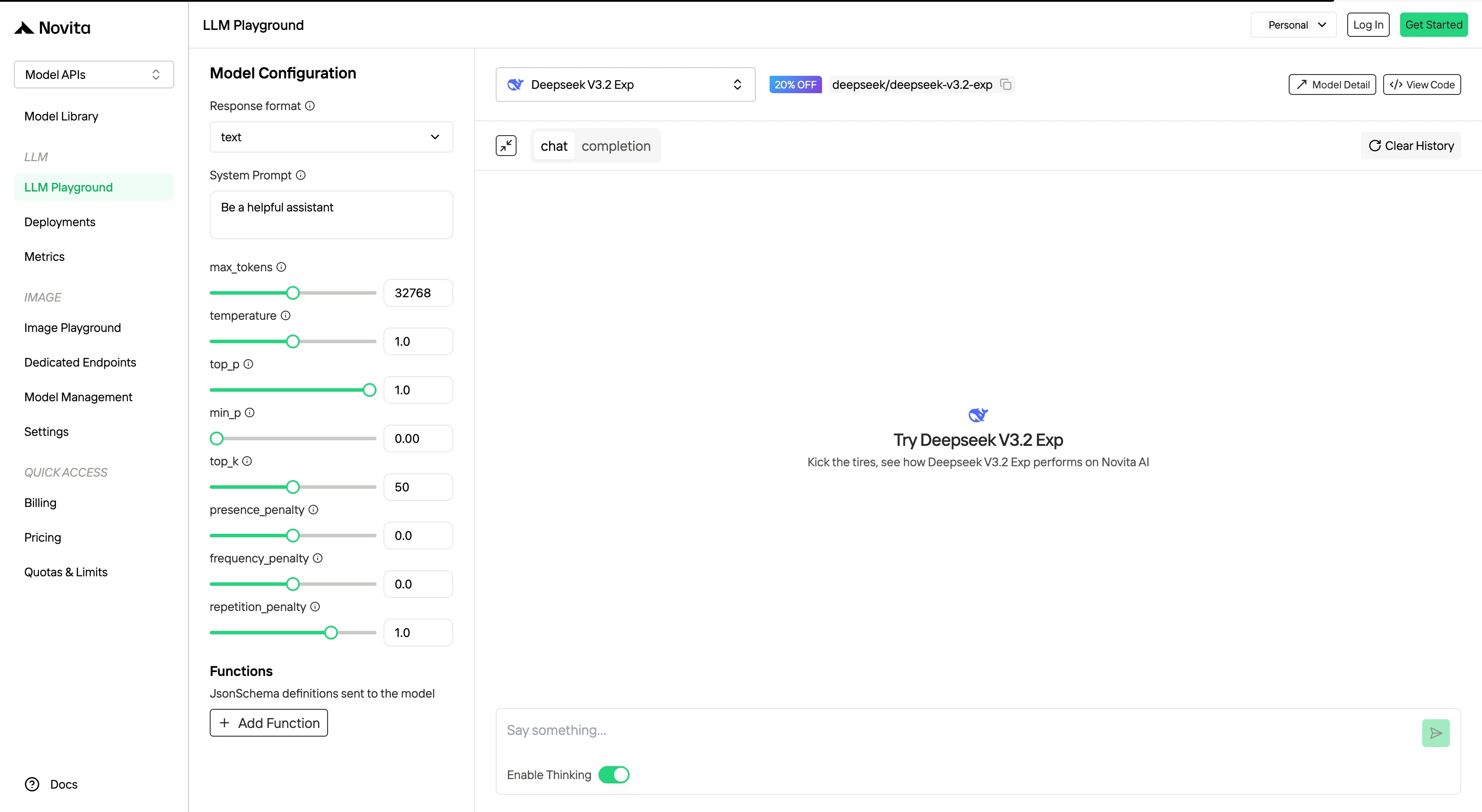
1. Access Deepseek V3.2 on Web Interface (Easiest for Beginners)
**2. **Access Deepseek V3.2****via API (For Developers)
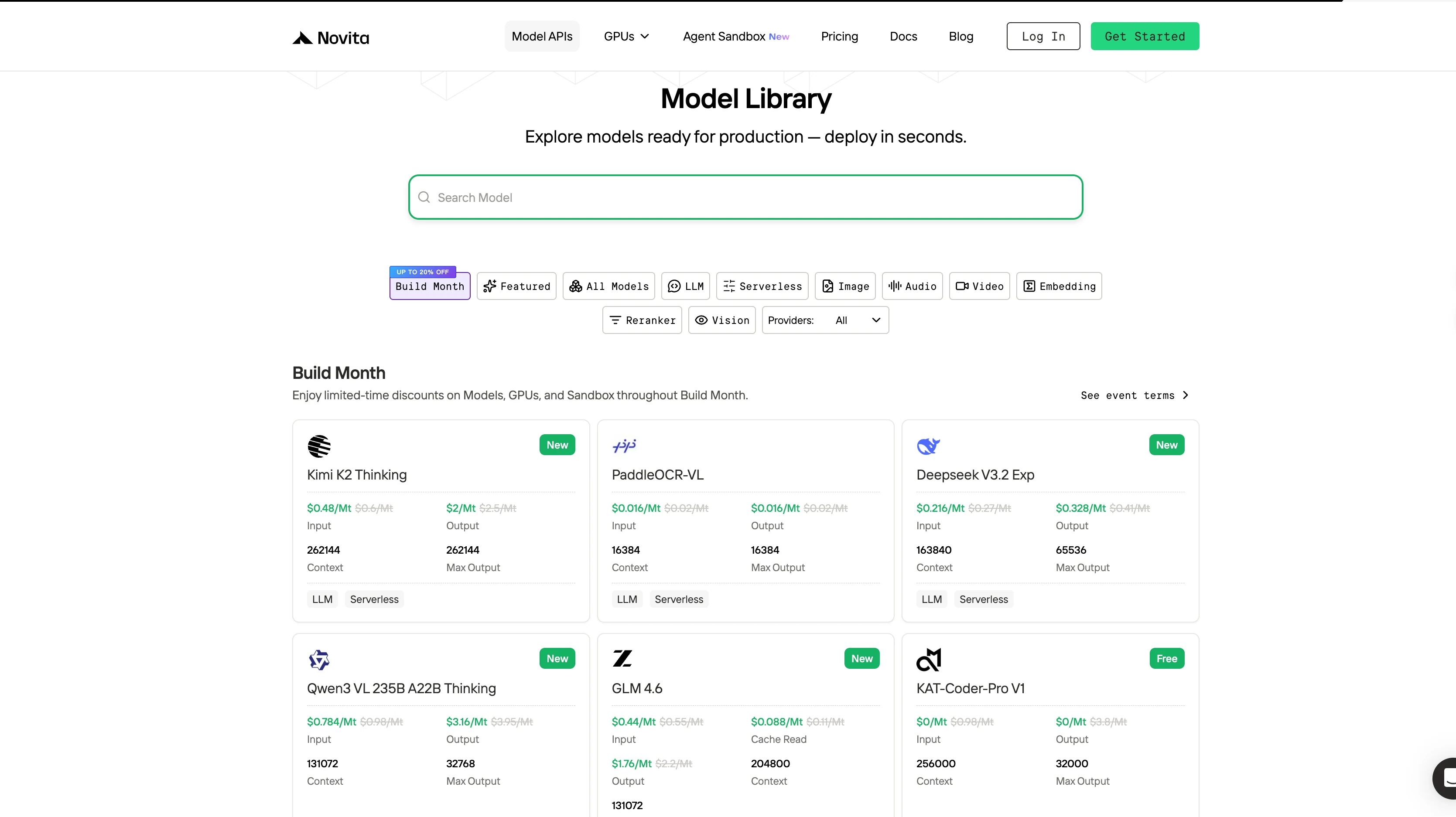
Step 1: Log In and Access the Model Library
Log in to your account and click on the Model Library button.

Step 2: Choose Your Model
Browse through the available options and select the model that suits your needs.
Step 3: Start Your Free Trial
Begin your free trial to explore the capabilities of the selected model.
Step 4: Get Your API Key
To authenticate with the API, we will provide you with a new API key. Entering the “Settings“ page, you can copy the API key as indicated in the image.

Step 5: Install the API
Install API using the package manager specific to your programming language.
After installation, import the necessary libraries into your development environment. Initialize the API with your API key to start interacting with Novita AI LLM. This is an example of using chat completions API for python users.
from openai import OpenAI

client = OpenAI(
    api_key="<Your API Key>",
    base_url="https://api.novita.ai/openai"
)

response = client.chat.completions.create(
    model="deepseek/deepseek-v3.2",
    messages=[
        {"role": "system", "content": "You are a helpful assistant."},
        {"role": "user", "content": "Hello, how are you?"}
    ],
    max_tokens=65536,
    temperature=0.7
)

print(response.choices[0].message.content)
3. Access Deepseek V3.2 on Local Deployment (Advanced Users)
| Precision | GPUs Needed |
|---|---|
| FP16 (full) | 8–16× H100/A100 80GB |
| FP8 | 6–8× H100/A100 |
| Int8 | 4–8× 80GB GPUs |
| Int4 | 2–4× 80GB GPUs |
| CPU-only | Not feasible |
Installation Steps:
- Download model weights from HuggingFace or ModelScope
- Choose inference framework: vLLM or SGLang supported
- Follow deployment guide in the official GitHub repository
**4. **Access Deepseek V3.2****via Code Integration Like Claude Code
Using CLI like Trae,Claude Code, Qwen Code
If you want to use Novita AI’s top models (like Qwen3-Coder, Kimi K2, DeepSeek R1) for AI coding assistance in your local environment or IDE, the process is simple: get your API Key, install the tool, configure environment variables, and start coding.
For detailed setup commands and examples, check the official tutorials:
- Trae : Step-by-Step Guide to Access AI Models in Your IDE
- Claude Code:How to Use Kimi-K2 in Claude Code on Windows, Mac, and Linux
- Qwen Code:How to Use OpenAI Compatible API in Qwen Code (60s Setup!)
Multi-Agent Workflows with OpenAI Agents SDK
Build advanced multi-agent systems by integrating Novita AI with the OpenAI Agents SDK:
- Plug-and-play: Use Novita AI’s LLMs in any OpenAI Agents workflow.
- Supports handoffs, routing, and tool use: Design agents that can delegate, triage, or run functions, all powered by Novita AI’s models.
- Python integration: Simply set the SDK endpoint to
https://api.novita.ai/v3/openaiand use your API key.
Connect API on Third-Party Platforms
OpenAI-Compatible API: Enjoy hassle-free migration and integration with tools such as Cline and Cursor, designed for the OpenAI API standard.
Hugging Face: Use Modeis in Spaces, pipelines, or with the Transformers library via Novita AI endpoints.
Agent & Orchestration Frameworks: Easily connect Novita AI with partner platforms like Continue, AnythingLLM,LangChain, Dify and Langflow through official connectors and step-by-step integration guides.
If your coding workload involves complex logic, long context, multi-file analysis, or agent behavior, DeepSeek-V3.2 (or Speciale) is one of the strongest and most cost-efficient open-source options available.If your needs are light (short scripts, simple debugging), a smaller model is more appropriate.
Frequently Asked Questions
What makes DeepSeek-V3.2 different from DeepSeek-V3.2-Speciale?
DeepSeek-V3.2 is optimized for general coding, long-context reasoning, and tool-use workflows, while DeepSeek-V3.2-Speciale includes enhanced algorithmic reasoning suited for advanced debugging, complex logic, and contest-level tasks.
How much VRAM do I need to run DeepSeek-V3.2 locally?
DeepSeek-V3.2 requires ~1.3–1.4 TB VRAM for FP16, ~800–900 GB for FP8, ~670 GB for Int8, and ~330 GB for Int4. DeepSeek-V3.2 cannot run on CPU-only setups.
Is DeepSeek-V3.2 suitable for long codebases and multi-file analysis?
Yes. DeepSeek-V3.2 provides a 128K-token context window and DeepSeek Sparse Attention, which maintain stability and reference consistency across large repositories.
Novita AI is an AI cloud platform that offers developers an easy way to deploy AI models using our simple API, while also providing an affordable and reliable GPU cloud for building and scaling.