Developers managing large codebases or multi-document workflows encounter persistent challenges that include high computational cost, unstable long-context performance, and inconsistent code understanding when using conventional Transformer models. These constraints limit iteration efficiency, restrict repository-scale analysis, and increase operational expenses. The introduction of DeepSeek V3.2 addresses these pain points by integrating DeepSeek Sparse Attention (DSA), a mechanism designed to reduce attention overhead, accelerate context reasoning, and stabilize code generation.
This article examines how DeepSeek V3.2 improves cost efficiency, long-context processing, and code-focused capabilities. It presents operational guidance for deploying DeepSeek V3.2 through Novita AI and Claude Code.
Your Attention Please! Novita AI is launching its “Build Month” campaign, offering developers an exclusive incentive of up to 20% off on all major products!
What are the New Coding Features in DeepSeek V3.2?
DSA is a revolutionary attention mechanism that fundamentally changes how the model processes information. While traditional Transformers require every token to attend to all other tokens—resulting in quadratic computational cost (O(n²))—DSA introduces a fine-grained, content-aware selection mechanism:
- Intelligent Filtering: During training, the model learns to identify which token relationships are truly important for specific tasks
- Dynamic Connections: Real-time selection of necessary attention connections based on input content.
- Task Optimization: Focuses on different structural patterns when processing code versus legal documents
Three Core Improvements Enabled by DSA
Direct Self-Adaptation is employed as an auxiliary mechanism to enhance overall model performance without altering the core architecture. Through this approach, the model achieves significant cost efficiency by enabling more economical inference while preserving code generation and analysis quality comparable to v3.1, thereby supporting frequent testing and rapid iteration.
DSA also strengthens long-context utilization by effectively leveraging a context window of up to 128K tokens, which improves simultaneous multi-file analysis, cross-file dependency understanding, and the processing of complex technical documentation.
Furthermore, DSA contributes to improved code-related capabilities, including faster inference response, more accurate code comprehension, and more stable code generation quality, collectively enhancing the model’s reliability and efficiency in large-scale software development scenarios.
Scalable Reinforcement Learning Framework
By adopting a robust reinforcement learning protocol and scaling post-training computation, DeepSeek-V3.2 achieves performance comparable to GPT-5. Notably, the high-compute variant, DeepSeek-V3.2-Speciale, consistently outperforms GPT-5 and demonstrates reasoning capabilities on par with Gemini-3.0-Pro.
| Benchmark | Metric | DeepSeek-V3.2-Speciale | DeepSeek-V3.2-Thinking | GPT-5-High | Claude-4.5-Sonnet | Gemini-3.0-Pro |
|---|---|---|---|---|---|---|
| AIME 2025 | Pass@1 (%) | 96.0 | 93.1 | 94.6 | 87.0 | 95.0 |
| HMMT 2025 | Pass@1 (%) | 99.2 | 90.2 | 88.3 | 79.2 | 97.5 |
| HLE | Pass@1 (%) | 30.6 | 25.1 | 26.3 | 13.7 | 37.7 |
| Codeforces | Rating | 2701 | 2386 | 2537 | 1480 | 2708 |
| SWE Verified | Resolved (%) | – | 73.1 | 74.9 | 77.2 | 76.2 |
| Terminal Bench 2.0 | Accuracy (%) | – | 46.4 | 35.2 | 42.8 | 54.2 |
| τ² Bench | Pass@1 (%) | – | 80.3 | 80.2 | 84.7 | 85.4 |
| Tool Decathlon | Pass@1 (%) | – | 35.2 | 29.0 | 38.6 | 36.4 |
DeepSeek V3.2: What Has Been Done to Better Collaborate with Developers?
To better integrate reasoning into tool-use scenarios, DeepSeek introduced a Large-Scale Agentic Task Synthesis Pipeline during the post-training stage of V3.2. The core idea is to systematically generate agentic training data at scale, rather than relying on handcrafted prompts or limited human demonstrations.
This pipeline programmatically constructs tasks that require the model to reason, decide, call tools, observe intermediate results, and adjust its behavior accordingly. By exposing the model to a wide variety of structured interactions, DeepSeek enables scalable agentic post-training, significantly improving both behavioral compliance and generalization in complex, multi-step interactive environments such as search, coding, and tool-augmented workflows.
The two most important updates are:
A revised tool-calling format, designed to be more explicit and more stable in multi-step interactions
Native support for “thinking with tools”, where reasoning and tool usage are structurally integrated rather than loosely interleaved
To help the community understand and adopt this new template, DeepSeek provides a dedicated encoding folder. This folder includes Python scripts and test cases that demonstrate:how to encode OpenAI-compatible messages into a single input string expected by DeepSeek-V3.2 and How to parse the model’s text output back into structured messages.
import transformers
# encoding/encoding_dsv32.py
from encoding_dsv32 import encode_messages, parse_message_from_completion_text

tokenizer = transformers.AutoTokenizer.from_pretrained("deepseek-ai/DeepSeek-V3.2")

messages = [
    {"role": "user", "content": "hello"},
    {"role": "assistant", "content": "Hello! I am DeepSeek.", "reasoning_content": "thinking..."},
    {"role": "user", "content": "1+1=?"}
]
encode_config = dict(thinking_mode="thinking", drop_thinking=True, add_default_bos_token=True)

prompt = encode_messages(messages, **encode_config)
tokens = tokenizer.encode(prompt)
It is worth noting that this release does not include a Jinja-based chat template. The provided Python implementation is the authoritative reference. In addition, the output parsing function assumes well-formed model outputs and is intended for demonstration and experimentation, not direct production use without additional error handling.
Why Is the developer Role Needed
In real-world agent scenarios, a model often needs to handle three distinct types of information simultaneously:
- The user’s actual intent or task objective
- The model’s own reasoning and decision-making process
- Search strategies, tool constraints, and execution rules provided by the system or developer
In earlier versions, these signals were typically mixed within user or system prompts. Over time, this led to two major issues. First, the model could struggle to distinguish user intent from mandatory behavioral constraints. Second, as toolchains became more complex, the stability and reliability of tool invocation degraded noticeably.
The developer role introduced in DeepSeek-V3.2 essentially serves as a dedicated control channel for search agents and tool-oriented agents. It is designed to carry instructions that are strictly related to agent behavior, such as search scope, tool usage order, or policy constraints, without participating in ordinary conversational semantics. This explicit separation enables clearer contextual understanding and establishes a structural foundation for more scalable and robust agentic training.
How to Access DeepSeek V3.2 in Claude Code?
Novita AI currently offers the most affordable full-context Deepseek V3.2 API.
Novita AI provides APIs with 65K context, and costs of $0.269/input and $0.4/output, supporting structured output and function calling, which delivers strong support for maximizing Deepseek V3.2”s code agent potential.
Cache Read: $0.1345 / M Token” indicates the cost for reading cached tokens when a cache hit occurs. These tokens have been previously computed and stored, so no additional model inference is required. In systems where many requests share the same prompt prefix, reuse conversation history, tool instructions, or fixed rule texts, or where RAG retrieval results are highly repetitive, a high cache hit rate can be achieved, significantly reducing the overall inference cost.
The First: Get API Key
Step 1: Log in to your account and click on the Model Library button.

Step 2: Choose Your Model
Browse through the available options and select the model that suits your needs.
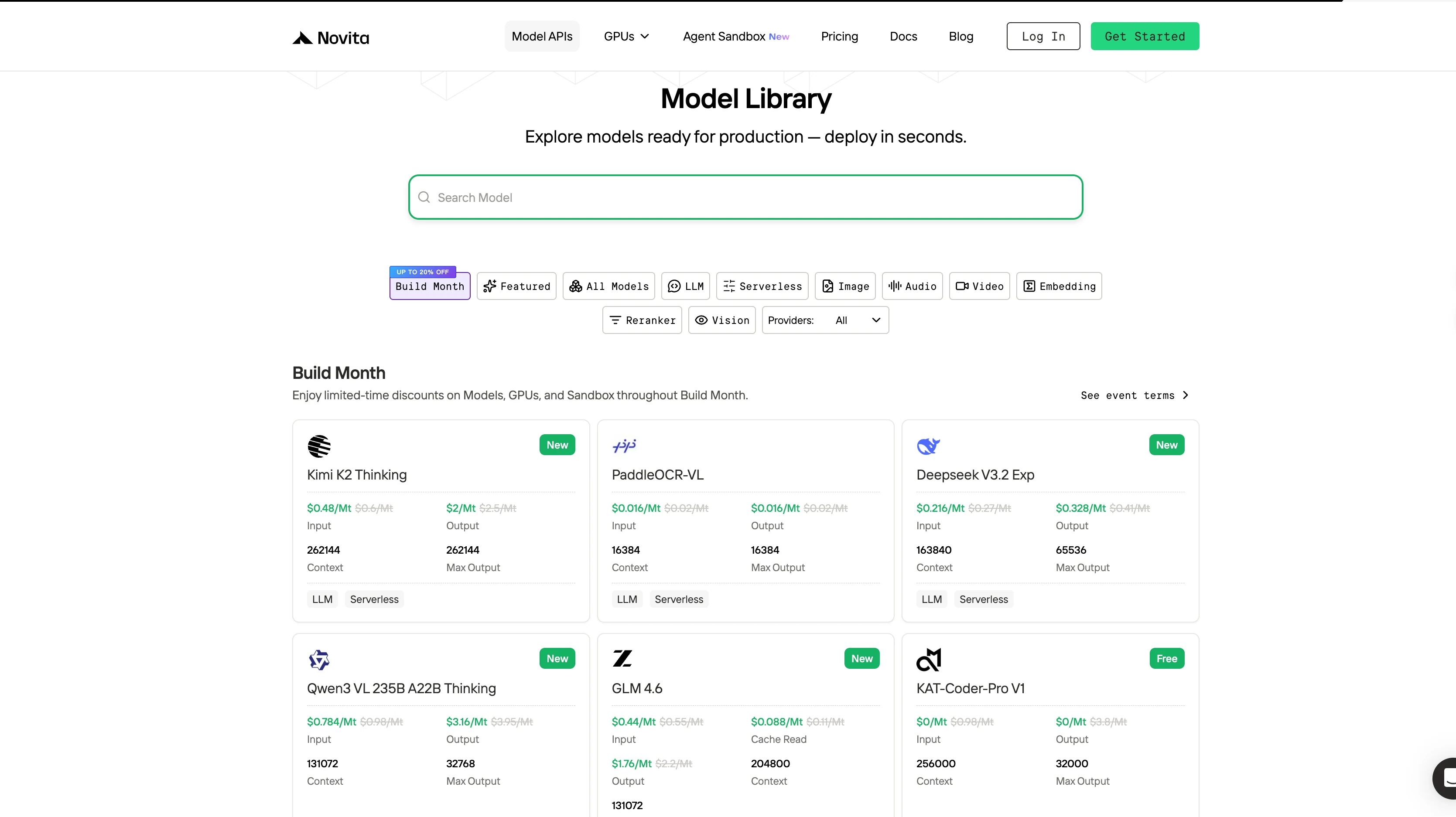
Step 3: Start Your Free Trial
Begin your free trial to explore the capabilities of the selected model.
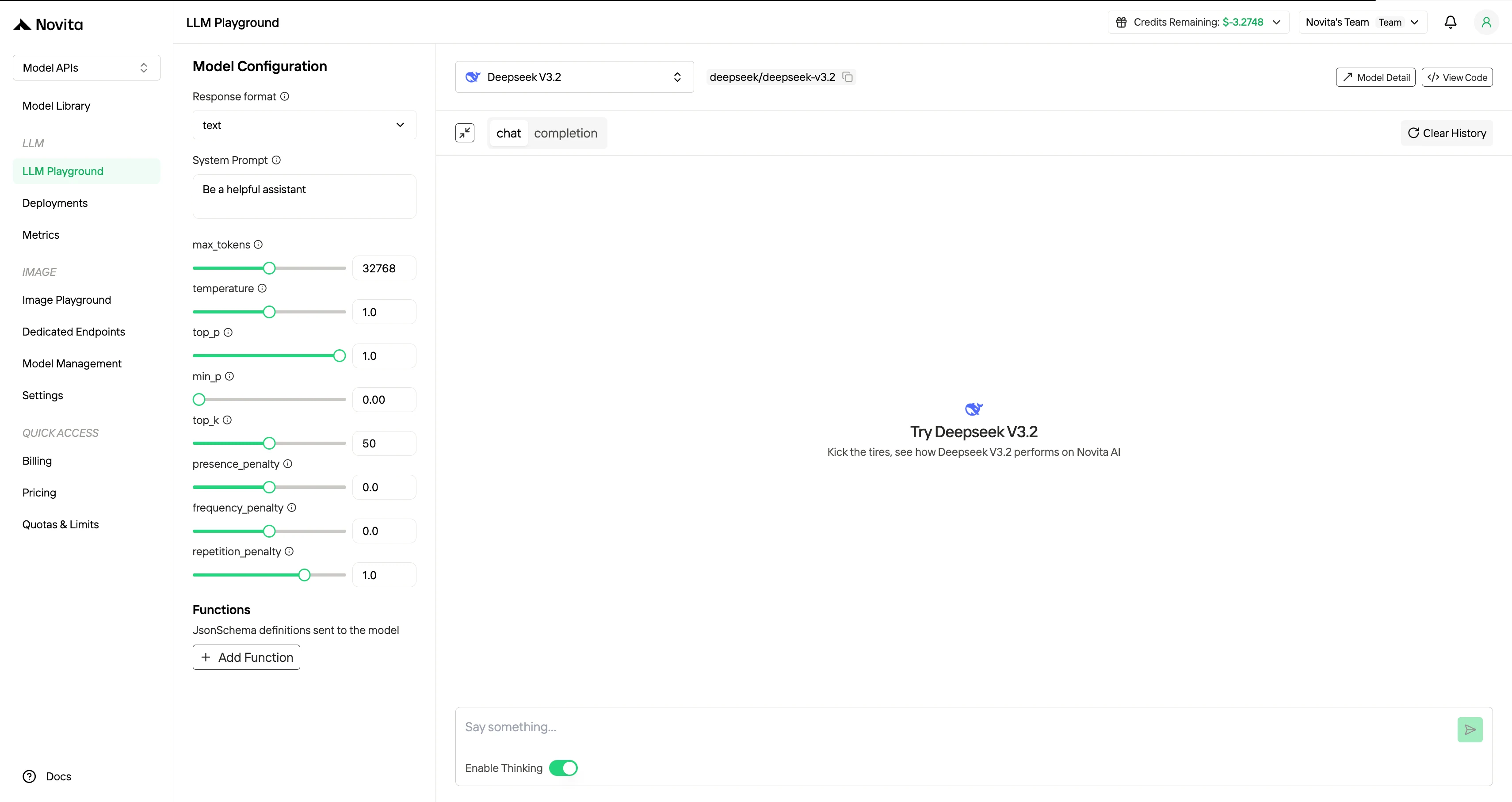
Step 4: Get Your API Key
To authenticate with the API, we will provide you with a new API key. Entering the “Settings“ page, you can copy the API key as indicated in the image.

Step 5: Install the API
Install API using the package manager specific to your programming language.
After installation, import the necessary libraries into your development environment. Initialize the API with your API key to start interacting with Novita AI LLM. This is an example of using chat completions API for python users.
from openai import OpenAI

client = OpenAI(
    api_key="<Your API Key>",
    base_url="https://api.novita.ai/openai"
)

response = client.chat.completions.create(
    model="deepseek/deepseek-v3.2",
    messages=[
        {"role": "system", "content": "You are a helpful assistant."},
        {"role": "user", "content": "Hello, how are you?"}
    ],
    max_tokens=65536,
    temperature=0.7
)

print(response.choices[0].message.content)
Use DeepSeek V3.2 with Claude Code
Step 1: Installing Claude Code
Before installing Claude Code, ensure your system meets the minimum requirements. Node.js 18 or higher must be installed on your local environment. You can verify your Node.js version by running node --version in your terminal.
For Windows
Open Command Prompt and execute the following commands:
npm install -g @anthropic-ai/claude-code
npx win-claude-code@latest
The global installation ensures Claude Code is accessible from any directory on your system. The npx win-claude-code@latest command downloads and runs the latest Windows-specific version.
For Mac and Linux
Open Terminal and run:
npm install -g @anthropic-ai/claude-codeMac users can proceed directly with the global installation without requiring additional platform-specific commands. The installation process automatically configures the necessary dependencies and PATH variables.
Step 2 :Setting Up Environment Variables
Environment variables configure Claude Code to use Deepseek v3.2 through Novita AI’s API endpoints. These variables tell Claude Code where to send requests and how to authenticate.
For Windows
Open Command Prompt and set the following environment variables:
set ANTHROPIC_BASE_URL=https://api.novita.ai/anthropic
set ANTHROPIC_AUTH_TOKEN=<Novita API Key>
set ANTHROPIC_MODEL="deepseek/deepseek-v3.2"
set ANTHROPIC_SMALL_FAST_MODEL="deepseek/deepseek-v3.2"
Replace <Novita API Key> with your actual API key obtained from the Novita AI platform. These variables remain active for the current session and must be reset if you close the Command Prompt.
For Mac and Linux
Open Terminal and export the following environment variables:
export ANTHROPIC_BASE_URL="https://api.novita.ai/anthropic"
export ANTHROPIC_AUTH_TOKEN="<Novita API Key>"
export ANTHROPIC_MODEL="deepseek/deepseek-v3.2"
export ANTHROPIC_SMALL_FAST_MODEL="deepseek/deepseek-v3.2"
Step 3: Starting Claude Code
With installation and configuration complete, you can now start Claude Code in your project directory. Navigate to your desired project location using the cd command:
cd <your-project-directory>
claude .
The dot (.) parameter instructs Claude Code to operate in the current directory. Upon startup, you’ll see the Claude Code prompt appear in an interactive session.
This indicates the tool is ready to receive your instructions. The interface provides a clean, intuitive environment for natural language programming interactions.
Step 4: Using Claude Code in VSCode or Cursor
Claude Code integrates seamlessly with popular development environments. It enhances your existing workflow rather than replacing it.
You can use Claude Code directly in the terminal within VSCode or Cursor. This maintains access to your familiar development tools while leveraging AI assistance.
Additionally, Claude Code plugins are available for both VSCode and Cursor.
How to Use External Models in Claude Code?
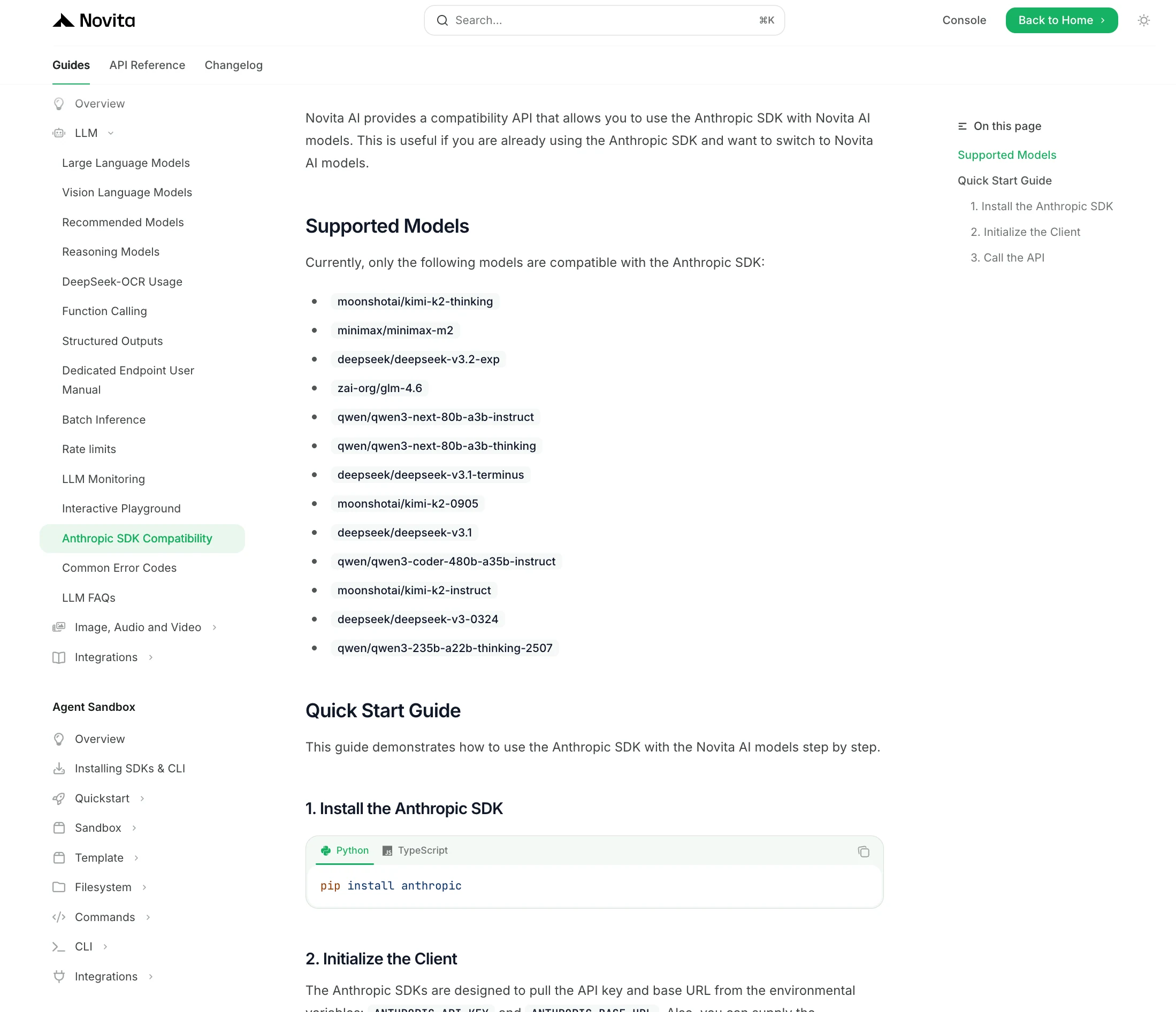
If you want to dynamically switch between different large language models (e.g. Anthropic’s Claude, Zhipu’s GLM, and Moonshot’s Kimi) in your development workflow, there are strategies to do so without heavy code changes. This section explains how to quickly swap models using unified APIs and configuration toggles.
Using Environment Variables (Claude Code approach):
If you’re working with tools like Claude Code or an SDK tied to a specific API, you can switch models simply by adjusting your environment configuration. Novita AI provides multiple model options that you can experiment with to find the best fit.
DeepSeek V3.2 introduces DSA as a targeted architectural upgrade that substantially lowers computational cost, increases long-context effectiveness, and improves code-centric accuracy while maintaining competitive reasoning performance. The model enables scalable analysis of large repositories and complex technical documents, demonstrating a favorable balance between efficiency and capability compared with DeepSeek V3.1-Terminus and proprietary alternatives. These advancements establish DeepSeek V3.2 as a cost-effective solution for sustained development workflows and long-context AI applications.
Frequently Asked Questions
What is the primary advantage of DeepSeek Sparse Attention (DSA) inside DeepSeek V3.2?
DeepSeek V3.2 uses DSA to selectively activate attention connections, reducing quadratic attention cost while preserving accurate code understanding across long contexts.
How does DeepSeek V3.2 differ from DeepSeek V3.1-Terminus in practical coding workflows?
DeepSeek V3.2 provides lower operational cost, a 128K context window, and faster inference stability compared with DeepSeek V3.1-Terminus, resulting in more efficient repository-scale code analysis.
Does DeepSeek V3.2 improve long-context technical document processing?
Yes. DeepSeek V3.2 supports simultaneous analysis of complex documents and cross-file relationships, outperforming DeepSeek V3.1-Terminus in multi-document reasoning tasks.
Novita AI is the All-in-one cloud platform that empowers your AI ambitions. Integrated APIs, serverless, GPU Instance — the cost-effective tools you need. Eliminate infrastructure, start free, and make your AI vision a reality.
Recommended Reading
How to Use Kimi K2.7 Code in Claude Code via Novita AI
How to Access Qwen 3 Coder: Qwen Code; Claude Code; Trae
DeepSeek vs Qwen: Identify Which Ecosystem Fits Production Needs