DeepSeek models have emerged as a compelling choice in the LLM space, offering impressive performance at competitive costs. While these models present powerful capabilities, successful deployment requires a robust and efficient infrastructure solution. This guide demonstrates how to leverage Novita AI’s cloud platform for optimal DeepSeek model deployment, combining high performance with cost-effectiveness.
Model Variants Overview
Distilled Versions
- Based on open-source models (Qwen2.5 and Llama series)
- Parameter ranges: 1.5B, 7B, 8B, 14B, 32B, and 70B
- Optimized for efficient inference while maintaining high performance
- Ideal for cost-effective private deployments
- Easily deployable through Novita AI’s one-click solution
Full-Scale Version
- DeepSeek-R1-671B
- Built upon DeepSeek-V3 architecture
- Features 671B parameters for maximum performance
- Requires significant computational resources
- Available through our optimized API service
Deployment Guide
Step 1: Accessing Novita AI Platform
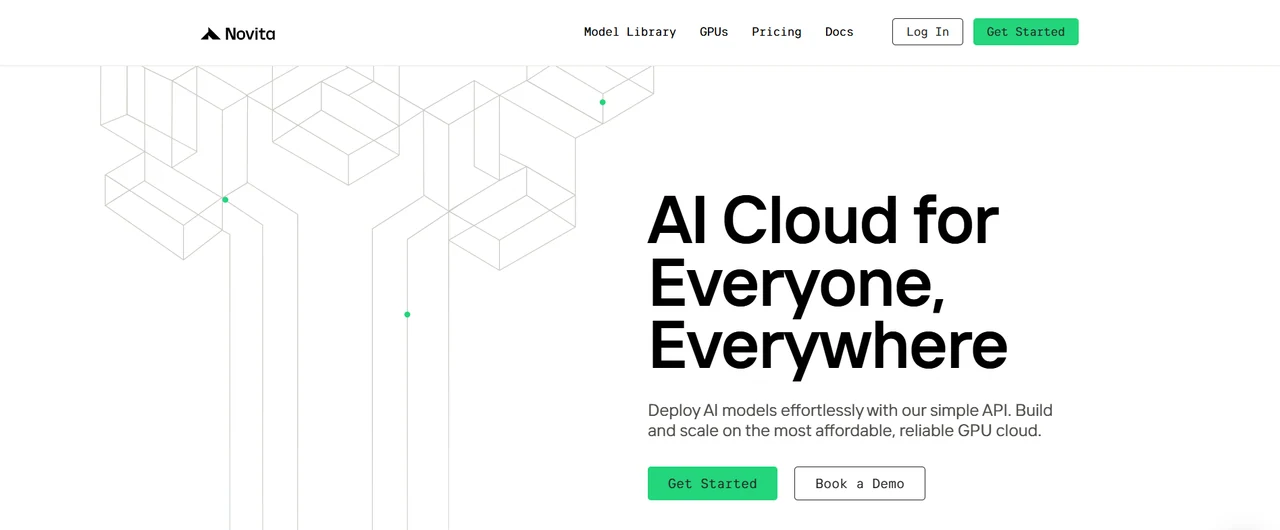
- Visit Novita AI’s official website:https://novita.ai/
[Try using Novita AI now](https://novita.ai/?utm_source=blogs_GPU&utm_medium=article&utm_campaign=Deploying DeepSeek Models on Novita AI Cloud Platform: A Comprehensive Guide)
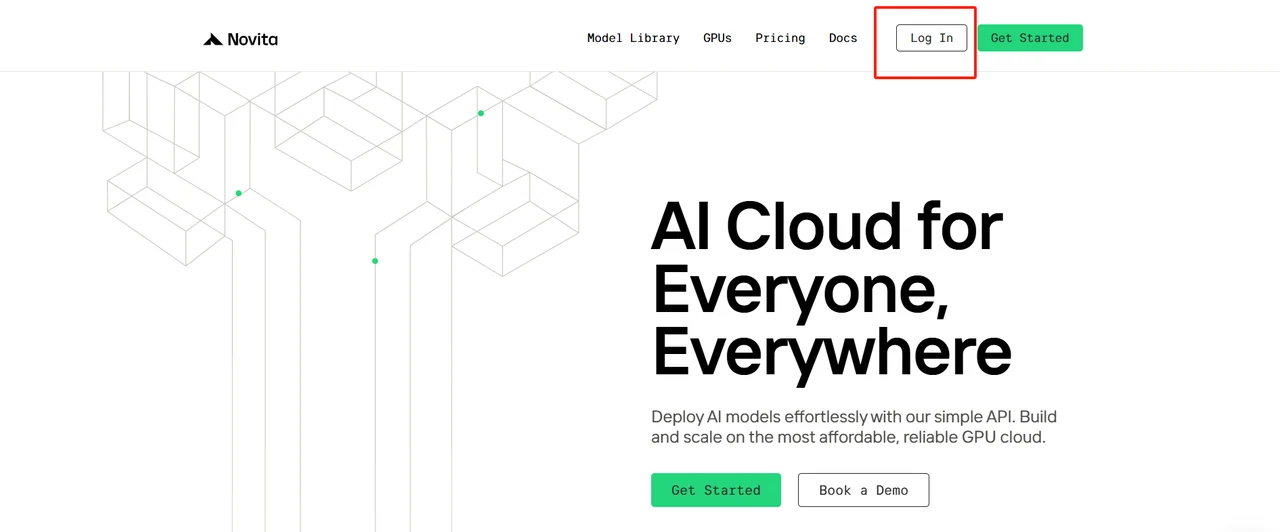
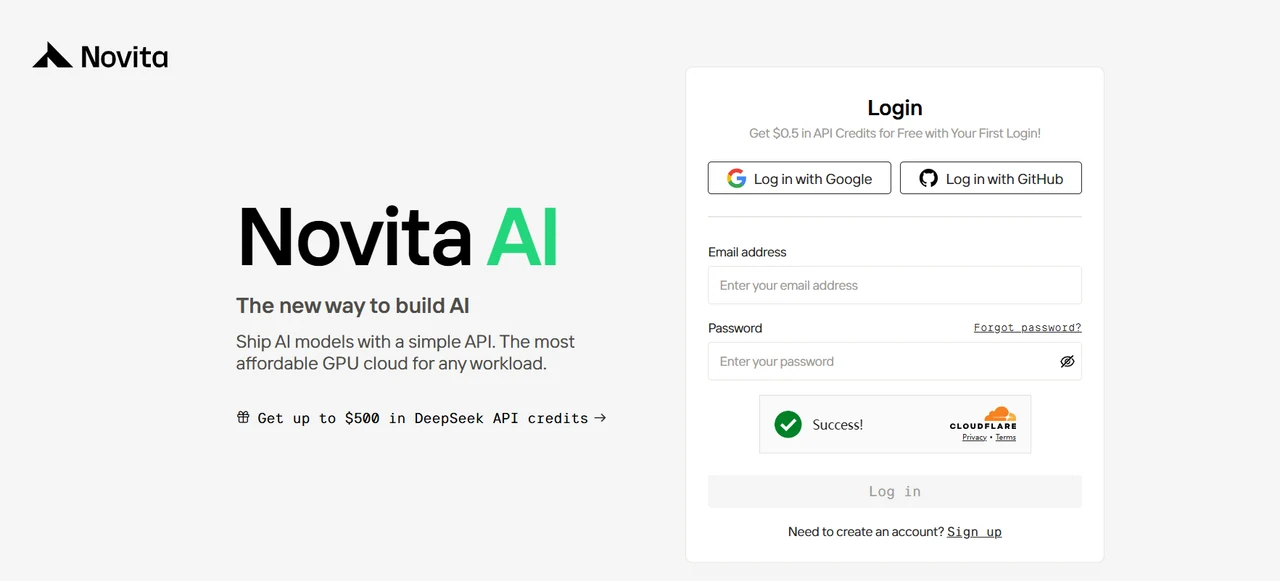
- Create an account or sign in to your existing account
Step 2: Accessing GPU Instance Configuration
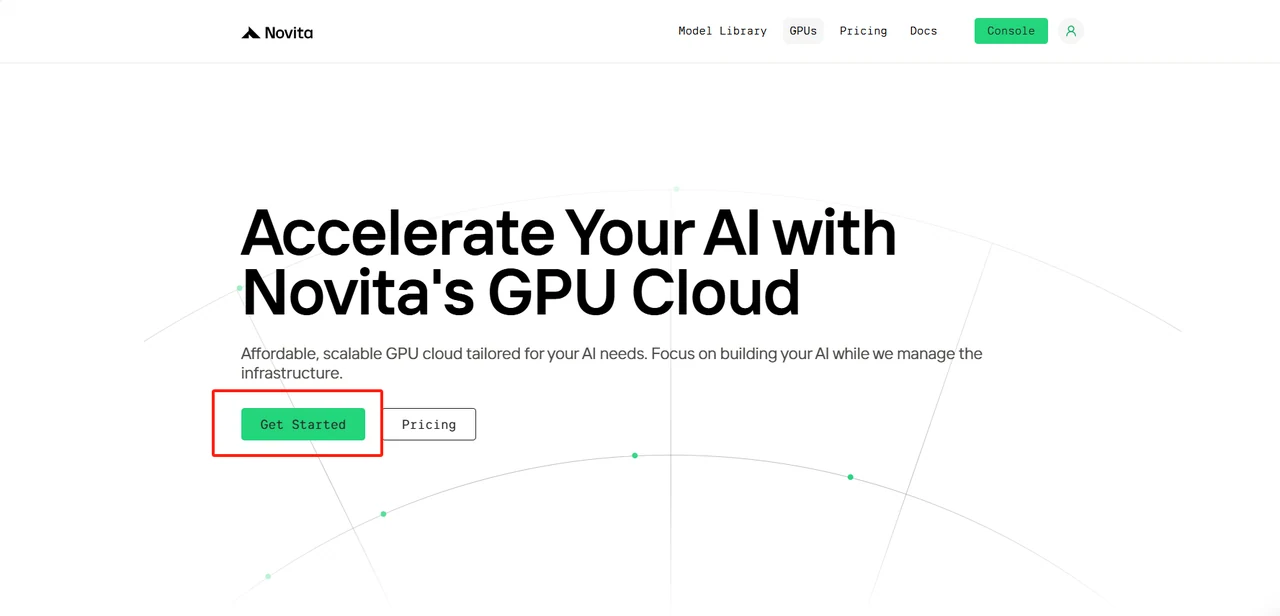
- Click “GPUs” in the main navigation
2.Click “Get Started” to proceed
step3: Select and Configure DeepSeek Model
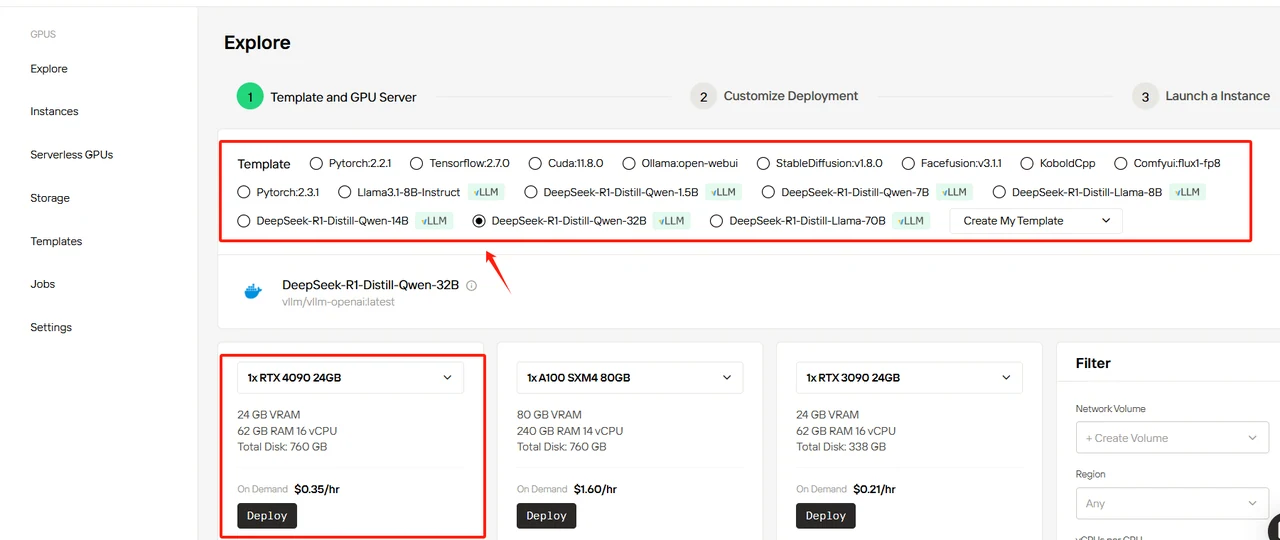
In this guide, we’ll use DeepSeek-R1-Distill-Llama-32B as an example. While you can select any template based on your needs, this template defines the model’s base parameters. You’ll need to configure the required number of GPUs - we recommend using RTX 4090 for this deployment. All templates use official DeepSeek models with a default BF16 precision. Below are our recommended configurations:
| Model | GPU | GPU | Quantity |
| DeepSeek-R1-Distill-Qwen-1.5B | BF16 | RTX 4090 | 1 |
| DeepSeek-R1-Distill-Qwen-7B | BF16 | RTX 4090 | 1 |
| DeepSeek-R1-Distill-Llama-8B | BF16 | RTX 4090 | 1 |
| DeepSeek-R1-Distill-Qwen-14B | BF16 | RTX 4090 | 2 |
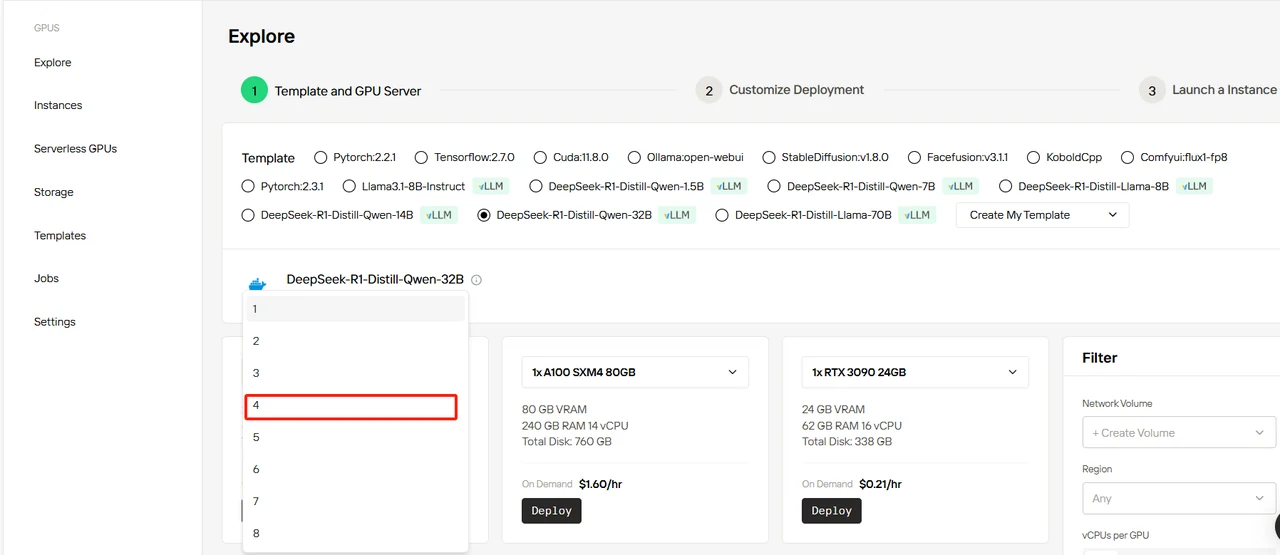
| DeepSeek-R1-Distill-Qwen-32B | BF16 | RTX 4090 | 4 |
| DeepSeek-R1-Distill-Llama-70B | BF16 | RTX 4090 | 8 |
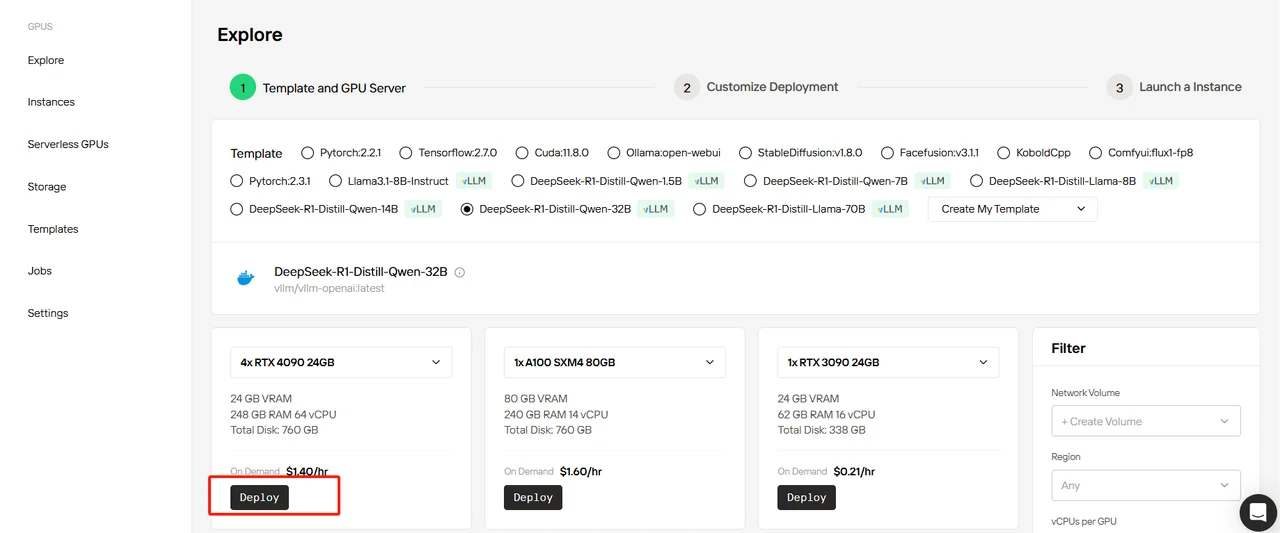
Select DeepSeek-R1-Distill-Qwen-32B template, set 4 GPUs, and click “Deploy”.
Step4: Customize Deployment
Confirm the template parameters and make sure to fill in the HF_TOKEN variable.
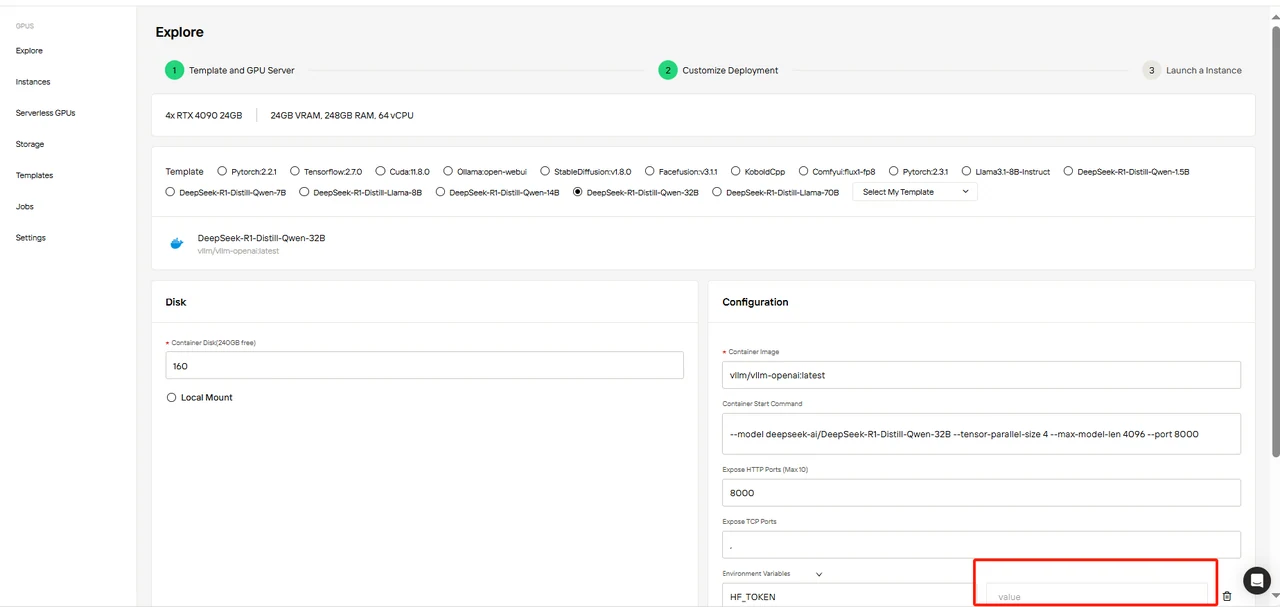
You can obtain the HF_TOKEN by following these tips:
1.Visit huggingface.co:https://huggingface.co/
2.Click “Log In” in the top right corner to sign in, or “Sign Up” to create a new account
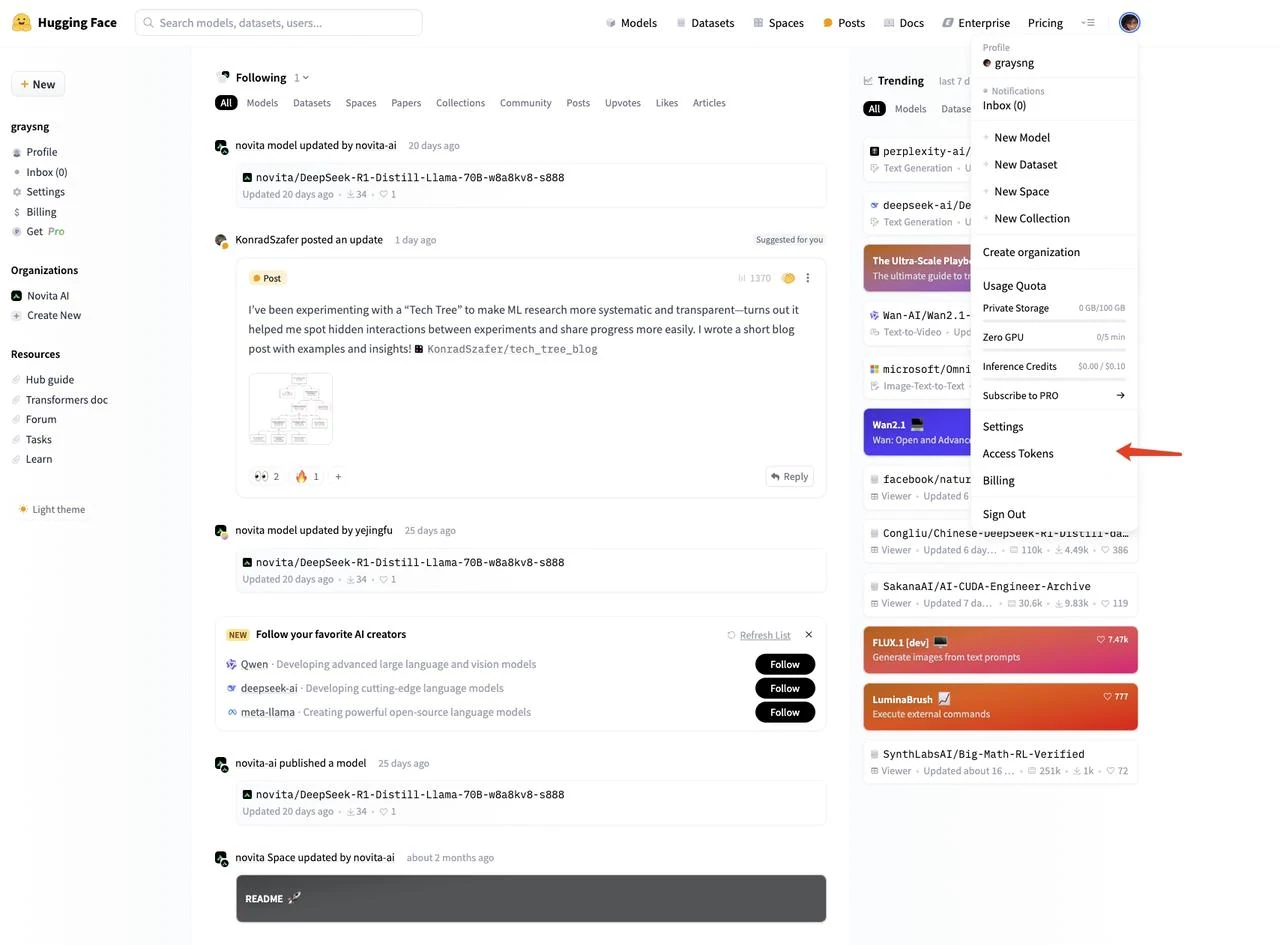
3.After logging in, click your profile picture in the top right and select “Access Tokens” in the left menu
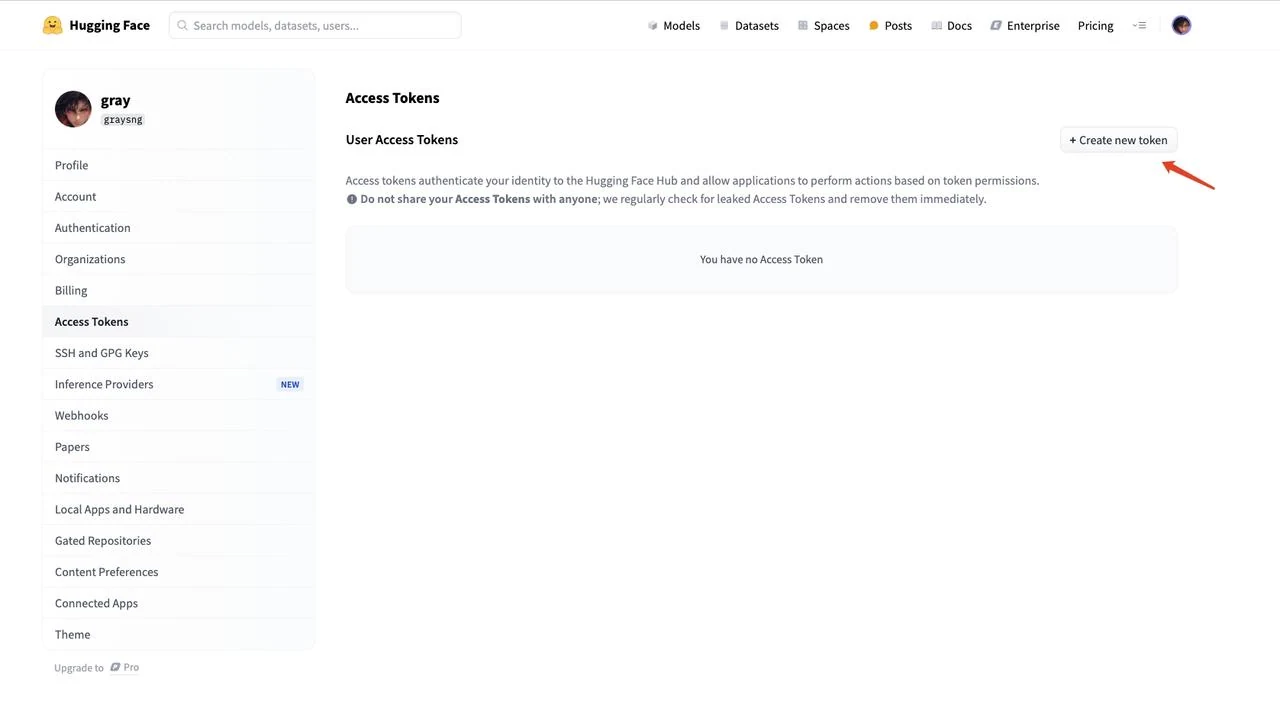
4.Click “New token” to create a new access token
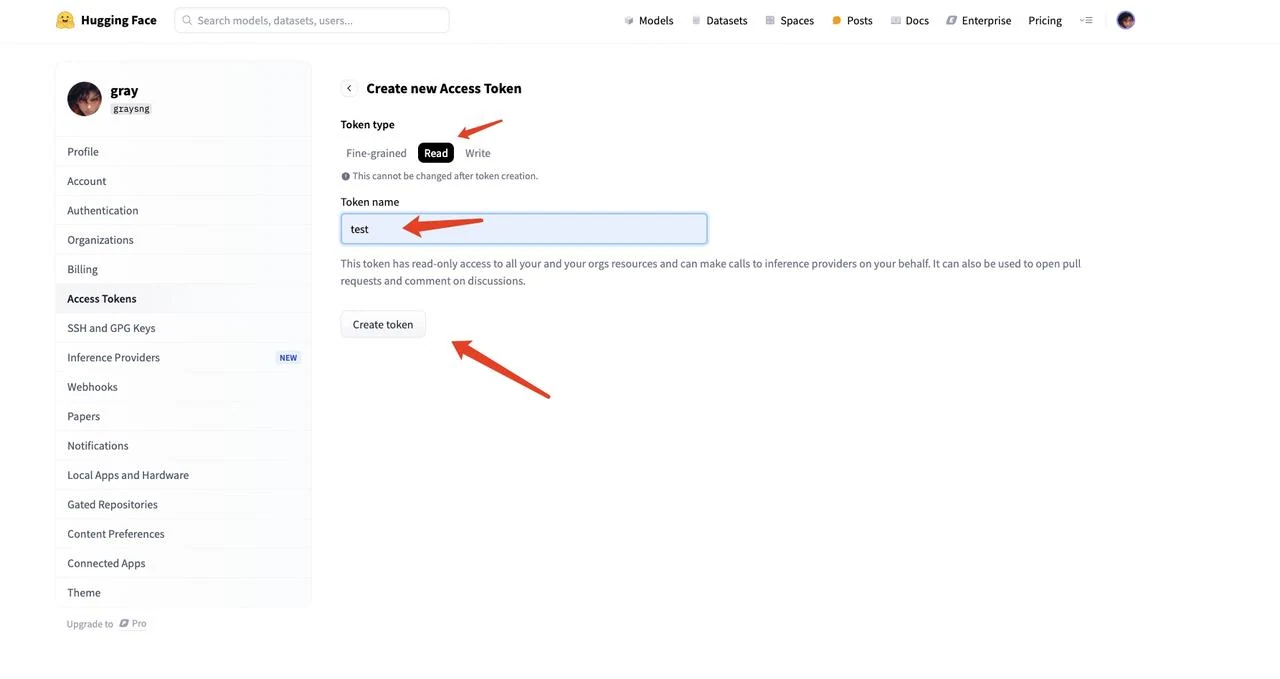
5.Select “Read” for the token types, name your token (e.g., “text”), and click “Create token” to generate the token.
6.Copy the generated token string
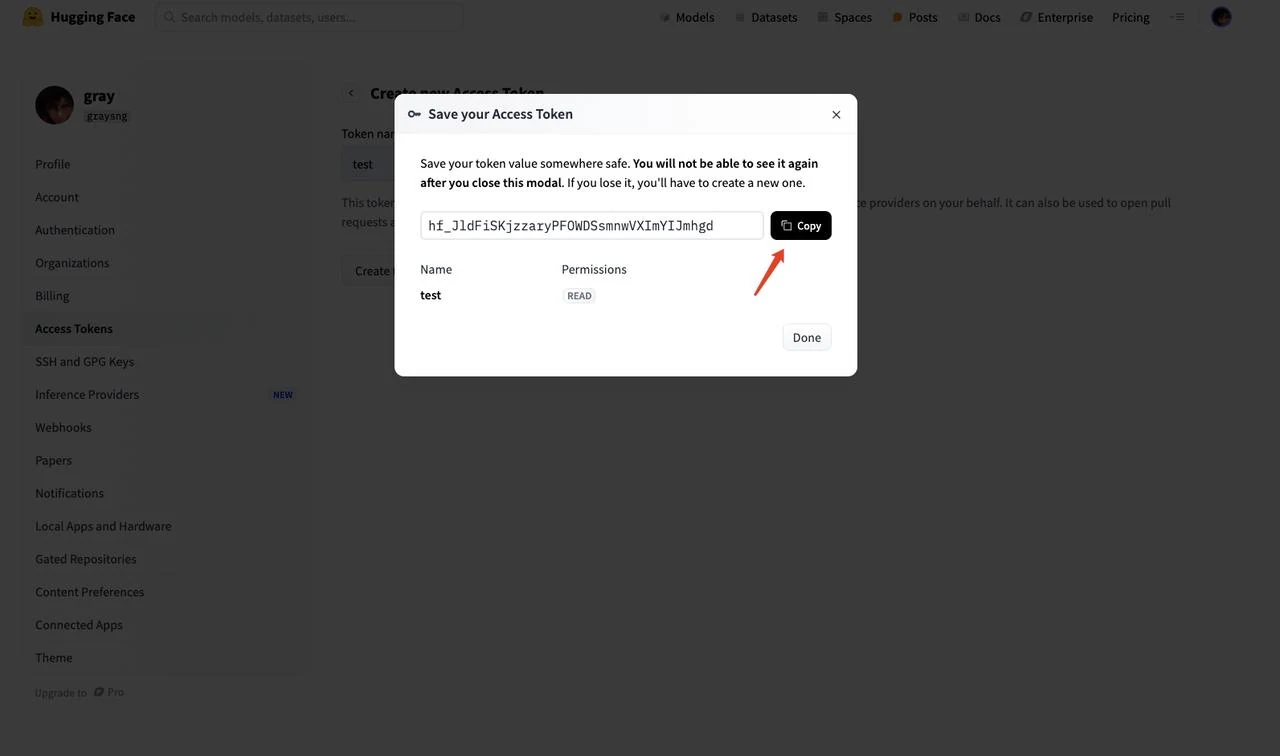
After obtaining the token, enter it into the HF_TOKEN environment variable in the template. Then click “Next”.
Step5: Launch an instance
Click “Launch Instance” to deploy your configured environment.
Wait a few minutes while the instance is being configured and managed.
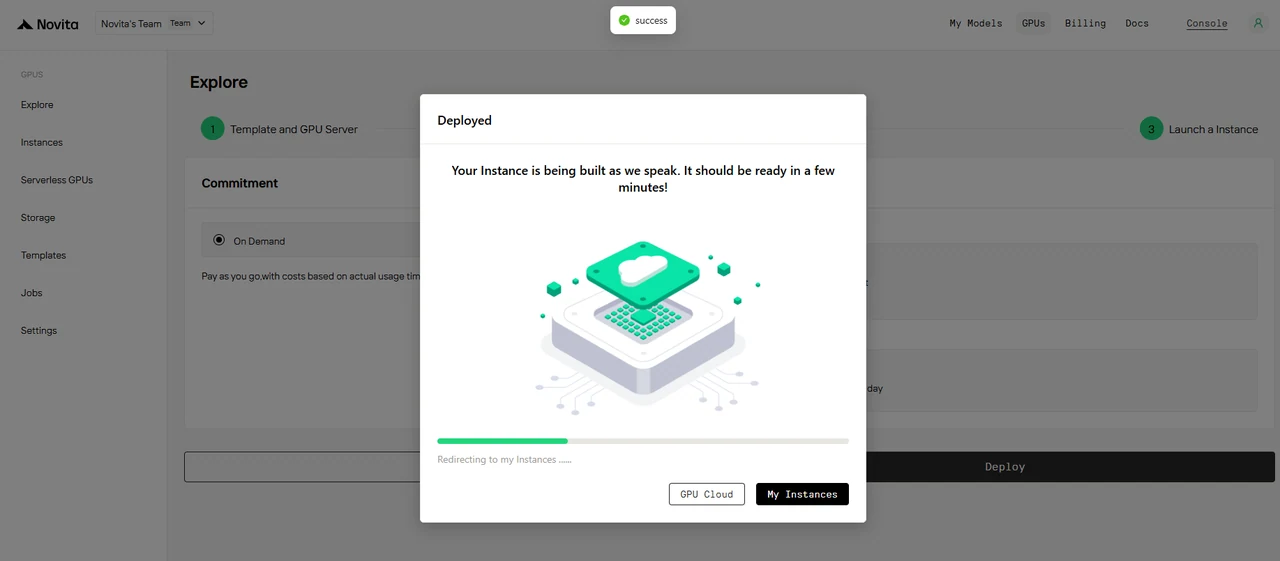
Click the dropdown menu to view the instance logs.

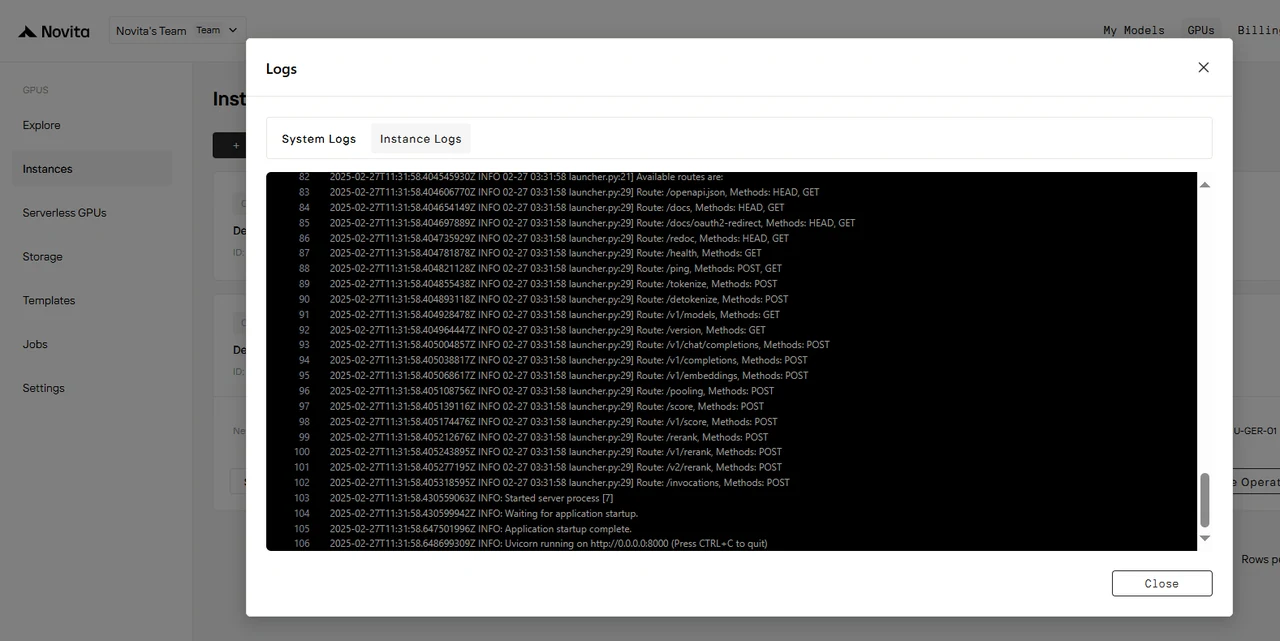
After the instance starts, it will begin pulling the model. Click “Logs” —> “Instance Logs” to monitor the model download progress.
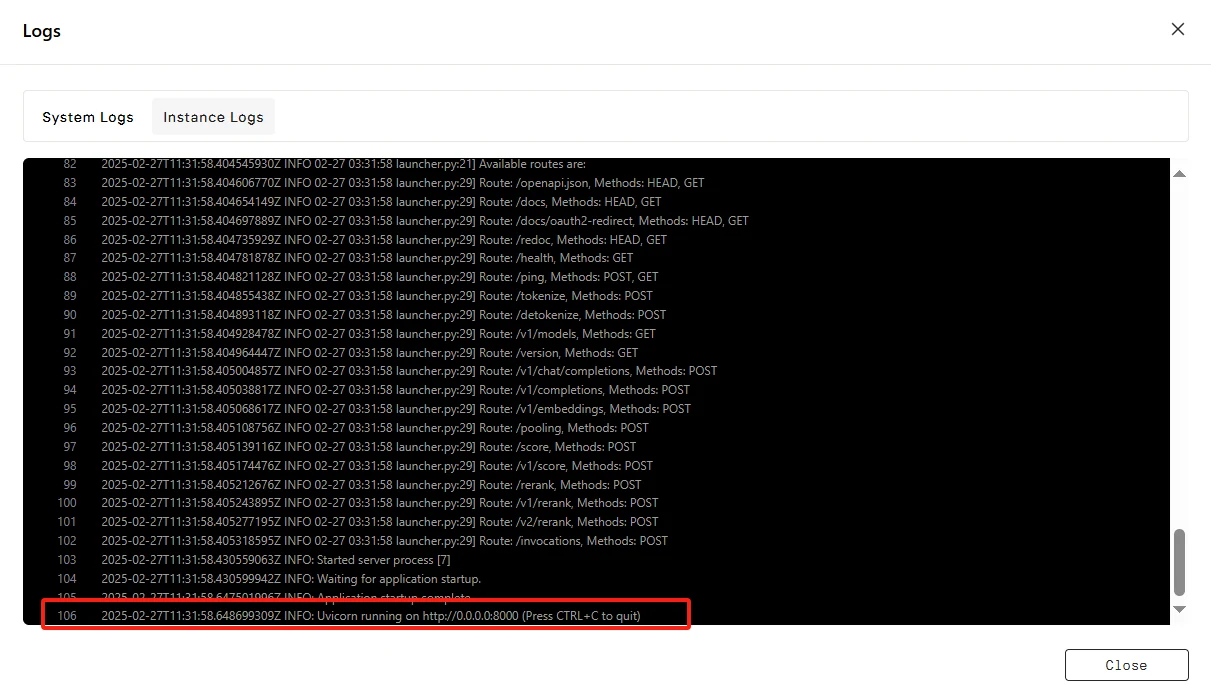
When the log shows “INFO: Uvicorn running on http://0.0.0.0:8000 (Press CTRL+C to quit)”, the startup is successful. Now let’s access your private model!
Click “Connect”, then click —> “Connect to HTTP Service [Port 8000]”. Since this is an API service, you’ll need to copy the address.

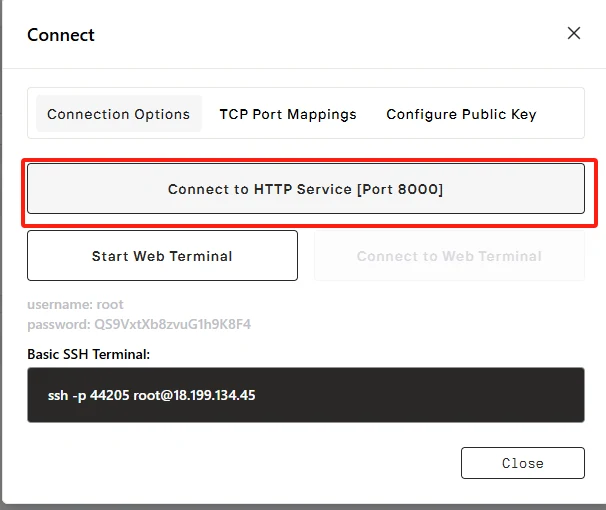

To make requests to your private model, please replace***“https://f6d29cb6f71e585e-8000.us-ca-1.gpu-instance.novita.ai”***with your actual exposed address. Copy the following code to access your private model!
$ curl https://f6d29cb6f71e585e-8000.us-ca-1.gpu-instance.novita.ai/v1/chat/completions  \
   -H "Content-Type: application/json"     -d '{
        "model": "deepseek-ai/DeepSeek-R1-Distill-Qwen-32B",
        "messages": [{"role": "user", "content": "hello"}]
    }'
{"id":"chatcmpl-57b3296f87f54dd4b69cfb6d2196f48e","object":"chat.completion","created":1740711405,"model":"deepseek-ai/DeepSeek-R1-Distill-Qwen-32B","choices":[{"index":0,"message":{"role":"assistant","content":"Alright, the user said \"hello.\" That's a friendly greeting. I should respond in a welcoming manner.\
\
Maybe I can acknowledge their greeting and offer assistance.\
\
It's important to sound approachable and ready to help.\
\
I'll keep it simple and polite.\
</think>\
\
Hello! How can I assist you today?","tool_calls":[]},"logprobs":null,"finish_reason":"stop","stop_reason":null}],"usage":{"prompt_tokens":6,"total_tokens":70,"completion_tokens":64,"prompt_tokens_details":null},"prompt_logprobs":null}
Configure the API address in your applications like Chatbox, and you’ll have your own personal assistant!
[Novita AI](https://novita.ai/?utm_source=blogs_GPU&utm_medium=article&utm_campaign=Deploying DeepSeek Models on Novita AI Cloud Platform: A Comprehensive Guide) is an AI cloud platform that offers developers an easy way to deploy AI models using our simple API, while also providing the affordable and reliable GPU cloud for building and scaling.



