Key Highlights
10M Token Context: Far greater than most models.
Multimodal Support: Handles both text and images as input.
Multilingual Capability: Supports 12 languages, enabling global applications.
Open Source: Free to use and customize.
Experience the convenience of starting your free trial with the Novita AI API today—quick, easy, and hassle-free!
Llama 4 Scout stands out with 10 million tokens of context, setting it apart from most AI models with limited context windows. This high capacity makes it ideal for handling large-scale tasks like long document analysis, multilingual synthesis, or multimodal input processing.
What is Llama 4 Scout?
https://www.youtube.com/watch?v=MwHol73Cw\_I
Llama 4 Scout Overview
| Property | Value |
|---|---|
| Release Date | April 5, 2025 |
| Model Size | 109B parameters (17B active/token) |
| Open Source | open |
| Architecture | 16 Mixture-of-Experts (MoE) |
| Context | 10M (10000k) |
| Supported Languages | Arabic, English, French, German, Hindi, Indonesian, Italian, Portuguese, Spanish, Tagalog, Thai, and Vietnamese |
| Multimodal | Input: Multilingual text and image Output: Multilingual text and code |
| Training Data | ~40 trillion tokens |
| Pre-Training | MetaP (Adaptive Expert Configuration + mid-training) |
| Post-Training | SFT (Easy Data) → RL (Hard Data) → DPO |
| Tensor Type | BF16 |
Llama 4 Scout Benchmark
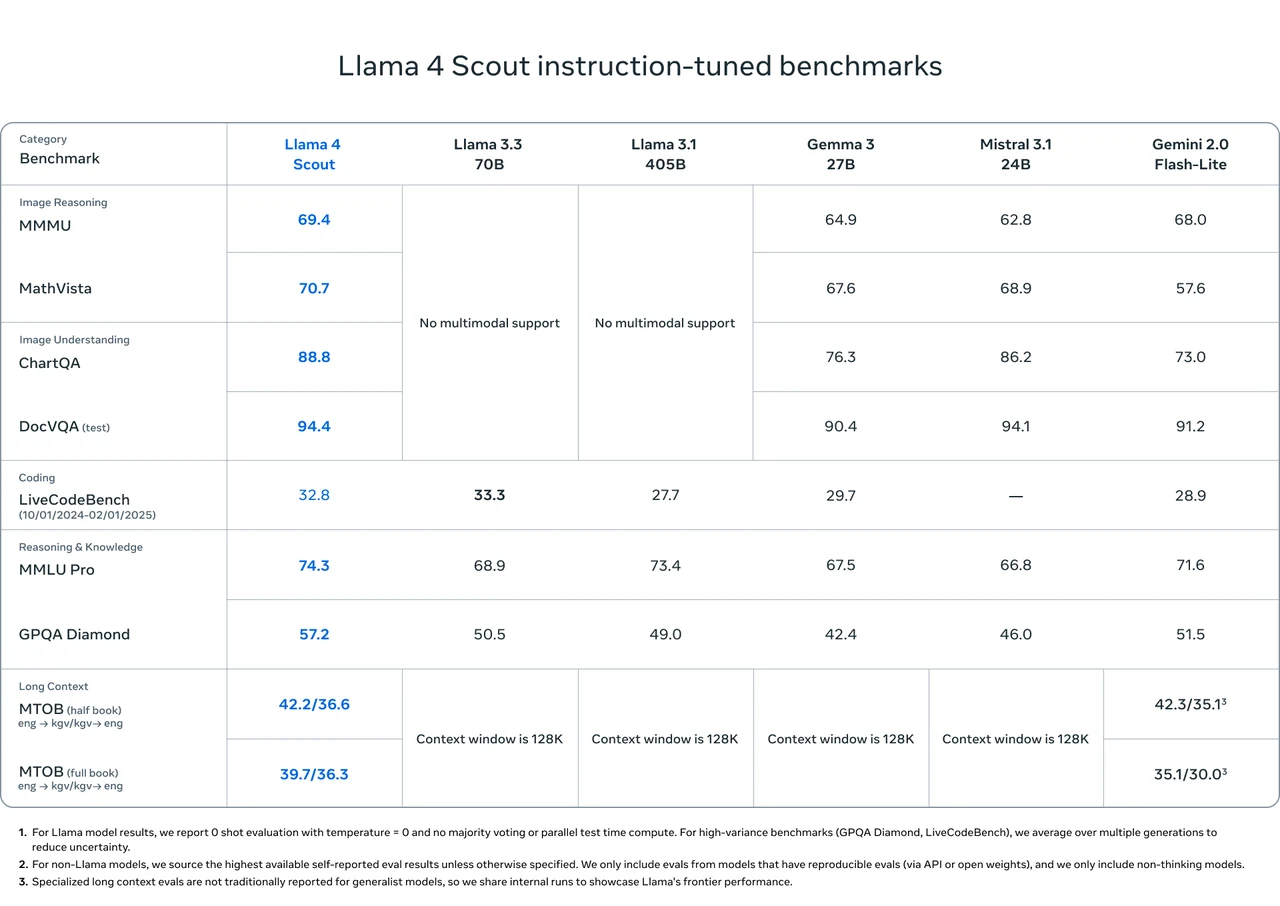
From Meta
How to Access Llama 4 Scout Locally?
Llama 4 Scout Hardware Requirements
| Context Length | Int4 VRAM | GPU Needs (Int4) | FP16 VRAM | GPU Needs (FP16) |
|---|---|---|---|---|
| 4K Tokens | ~99.5 GB / ~76.2 GB | 1xH100 | ~345 GB | 8×H100 |
| 128K Tokens | ~334 GB | 8×H100 | ~579 GB | 8×H100 |
| 10M Tokens | ~18.8 TB (dominated by KV Cache) | 240×H100 | Same as INT4 (KV dominance) | 240×H100 |
Although the promotion claims that LLaMA 4 Scout can run on a single H100, this is only feasible with quantization, shorter context lengths, smaller batch sizes, and an efficient inference framework.
Install Llama 4 Scout Locally
Step 1: Prepare Environment
- Install Python: Ensure your system has a suitable version of Python installed (required for Llama 4).
- Set Up GPU: Verify that your system has a powerful GPU capable of running the model.
- Create Python Environment: Use tools like
condaorvenvto manage dependencies.
Step 2: Obtain the Model
- Visit the Website: Go to www.llama.com.
- Select the Model: Download Llama 4 Scout.
Step 3: Install Dependencies
Run the following command to install the required Python packages:
pip install llama-stackStep 4: Verify the Model
List all available models and locate the model ID for Llama 4 Scout:
llama model listStep 5: Download and Run the Model
- Specify the Model ID: Enter the correct model ID and download URL.
- Check URL Expiry: The download link is typically valid for only 48 hours; you may need to re-download it.
Once these steps are completed, you’ll be ready to run Llama 4 Scout!
How to Access Llama 4 Scout via Novita API?
Step 1: Log In and Access the Model Library
Log in to your account and click on the Model Library button.

Step 2: Choose Your Model
Browse through the available options and select the model that suits your needs.
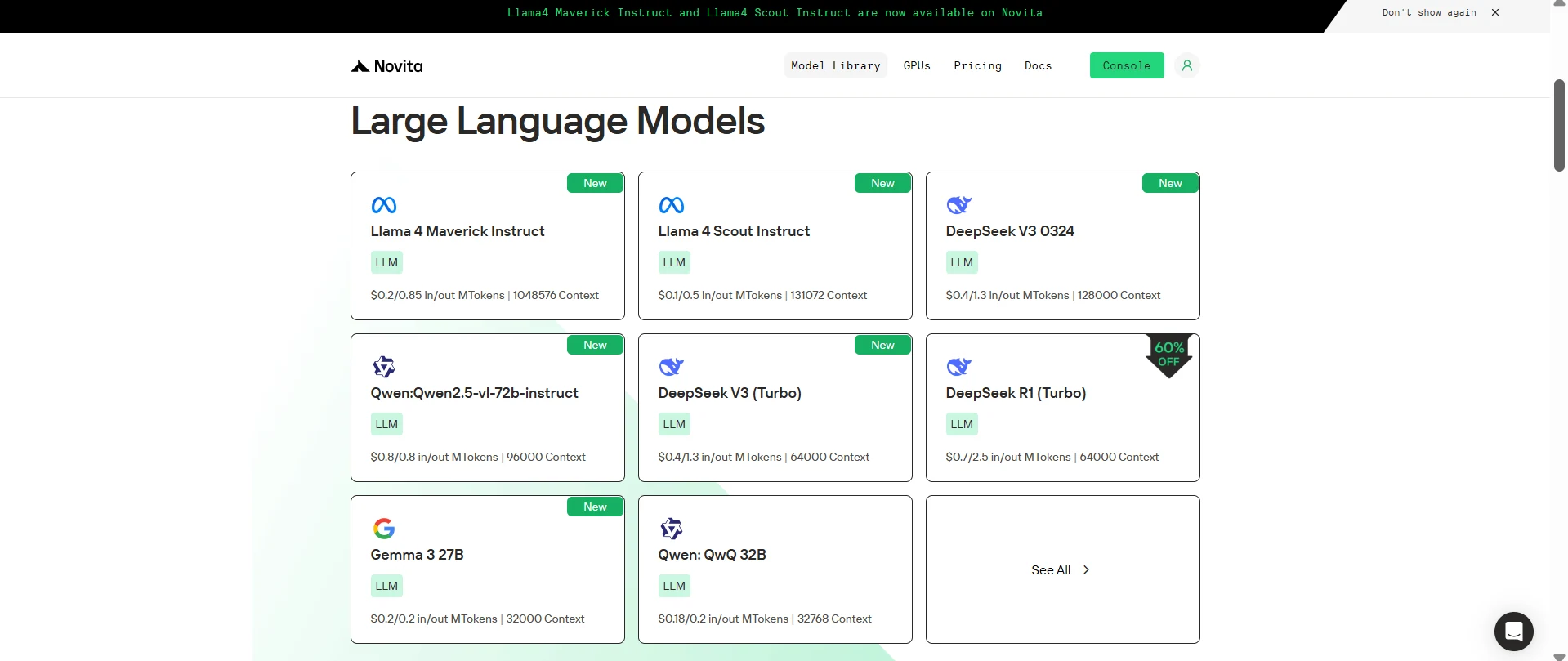
Step 3: Start Your Free Trial
Begin your free trial to explore the capabilities of the selected model.
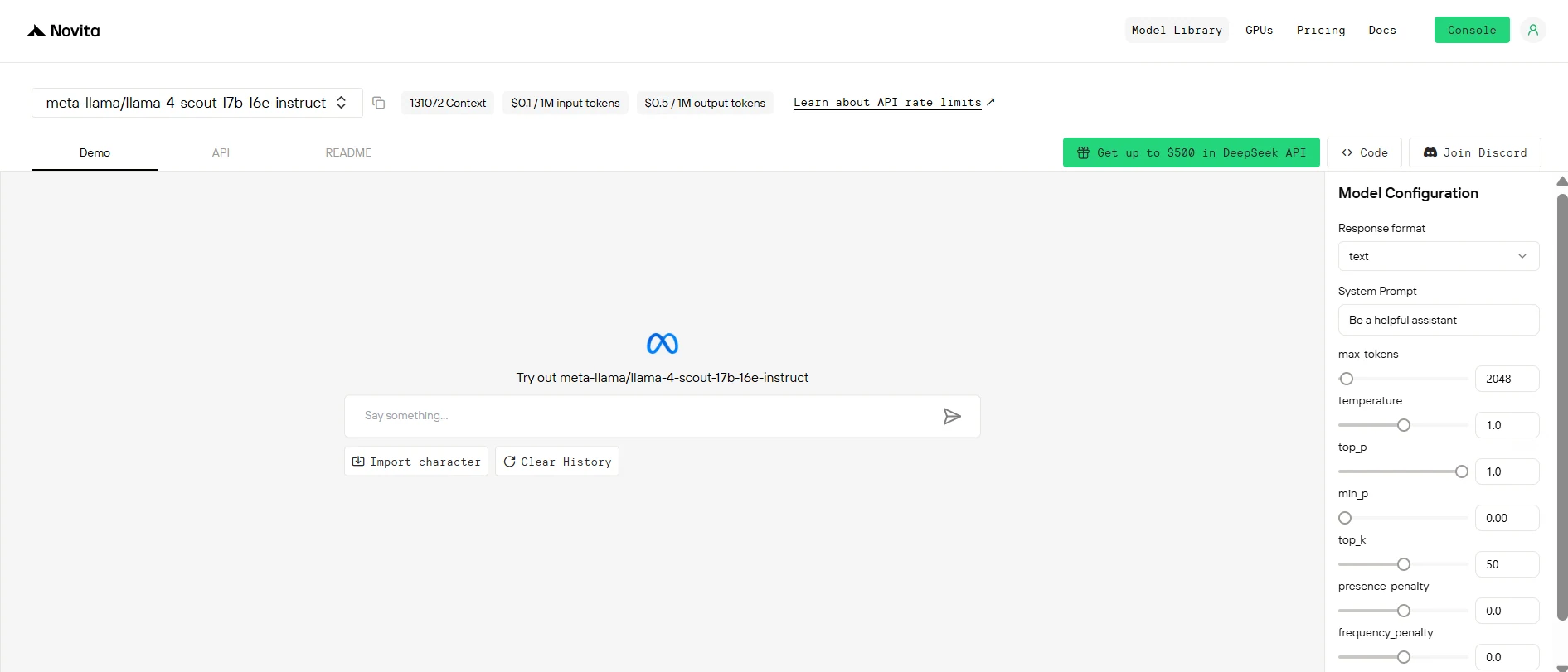
Step 4: Get Your API Key
To authenticate with the API, we will provide you with a new API key. Entering the “Settings“ page, you can copy the API key as indicated in the image.

Step 5: Install the API
Install API using the package manager specific to your programming language.
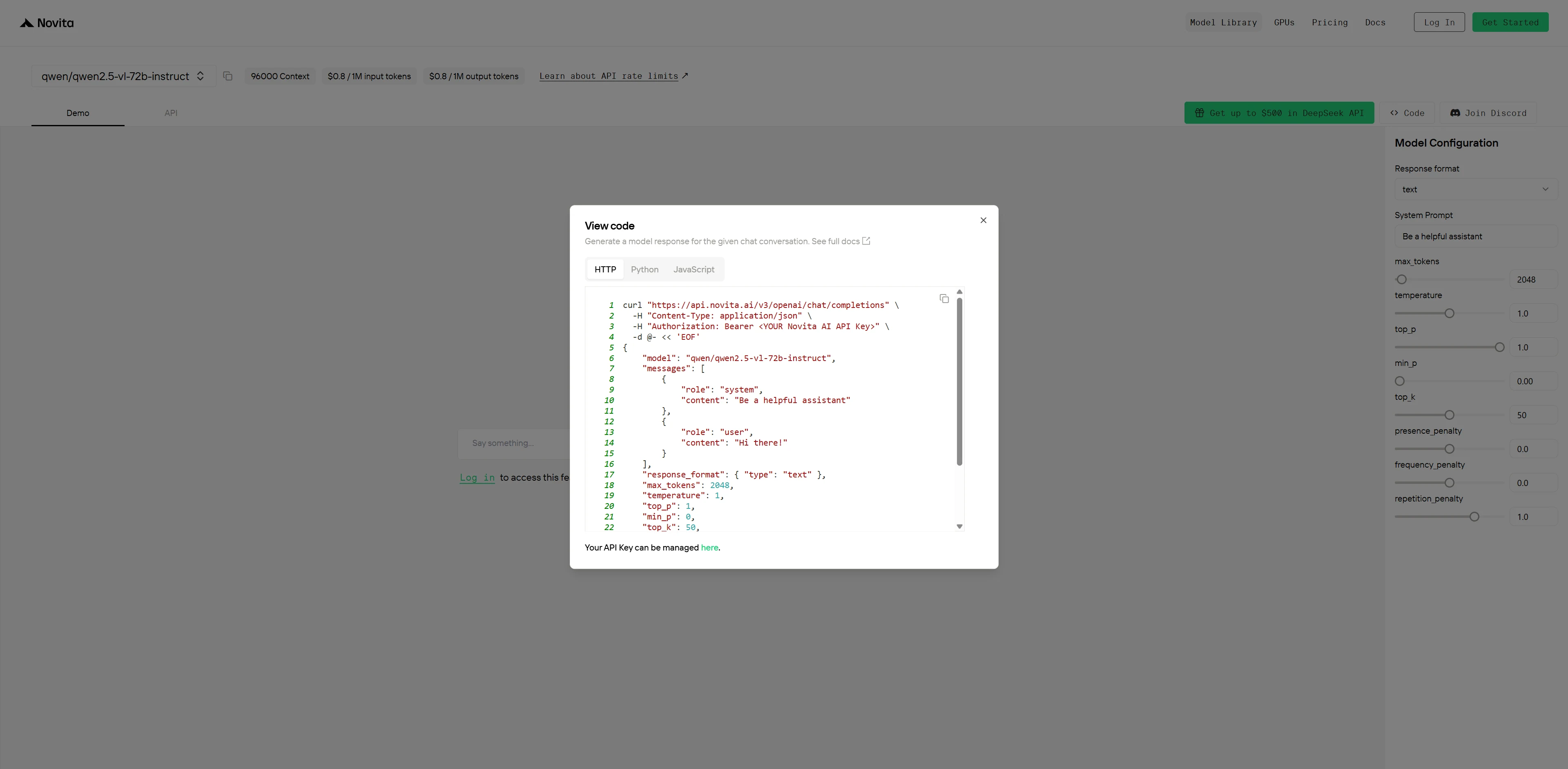
After installation, import the necessary libraries into your development environment. Initialize the API with your API key to start interacting with Novita AI LLM. This is an example of using chat completions API for python users.
from openai import OpenAI

client = OpenAI(
    base_url="https://api.novita.ai/v3/openai",
    api_key="<YOUR Novita AI API Key>",
)

model = "meta-llama/llama-4-scout-17b-16e-instruct"
stream = True # or False
max_tokens = 2048
system_content = """Be a helpful assistant"""
temperature = 1
top_p = 1
min_p = 0
top_k = 50
presence_penalty = 0
frequency_penalty = 0
repetition_penalty = 1
response_format = { "type": "text" }

chat_completion_res = client.chat.completions.create(
    model=model,
    messages=[
        {
            "role": "system",
            "content": system_content,
        },
        {
            "role": "user",
            "content": "Hi there!",
        }
    ],
    stream=stream,
    max_tokens=max_tokens,
    temperature=temperature,
    top_p=top_p,
    presence_penalty=presence_penalty,
    frequency_penalty=frequency_penalty,
    response_format=response_format,
    extra_body={
      "top_k": top_k,
      "repetition_penalty": repetition_penalty,
      "min_p": min_p
    }
  )

if stream:
    for chunk in chat_completion_res:
        print(chunk.choices[0].delta.content or "", end="")
else:
    print(chat_completion_res.choices[0].message.content)
Using Llama 4 Scout via Cloud GPU
Step1:Register an account
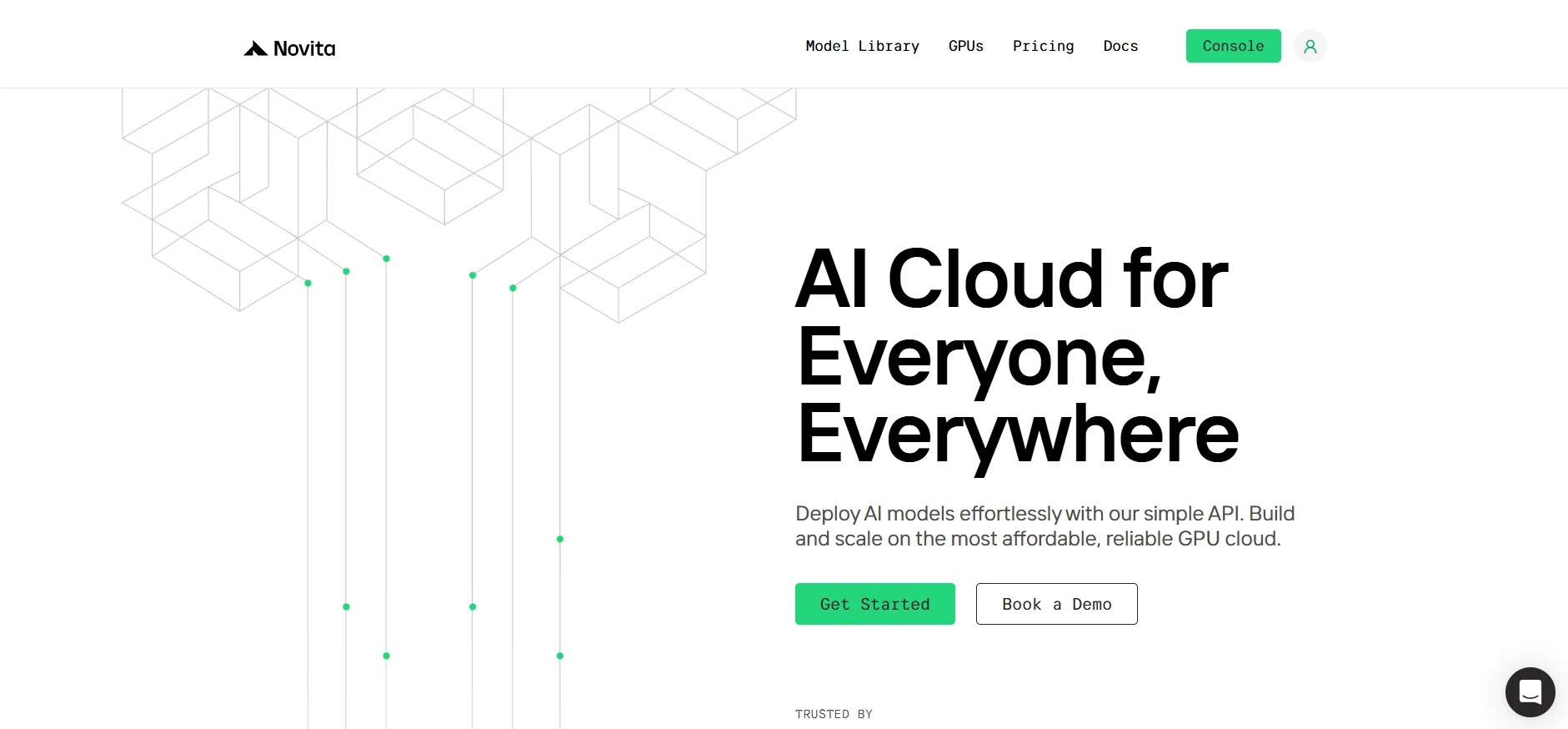
If you’re new to Novita AI, begin by creating an account on our website. Once you’re registered, head to the “GPUs” tab to explore available resources and start your journey.
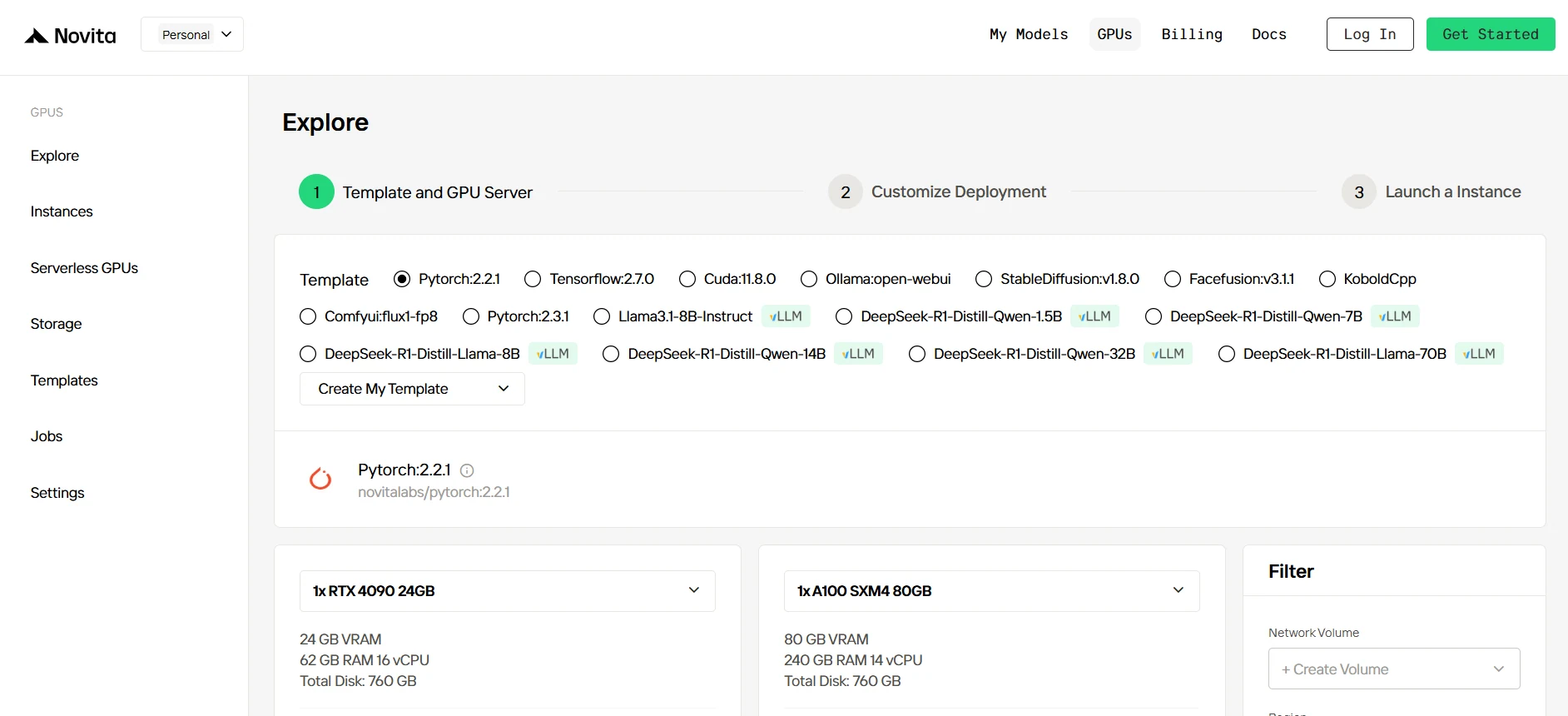
Step2:Exploring Templates and GPU Servers
Start by selecting a template that matches your project needs, such as PyTorch, TensorFlow, or CUDA. Choose the version that fits your requirements, like PyTorch 2.2.1 or CUDA 11.8.0. Then, select the A100 GPU server configuration, which offers powerful performance to handle demanding workloads with ample VRAM, RAM, and disk capacity.
Try Novita AI’s High-Performance GPUs
Step3:Tailor Your Deployment
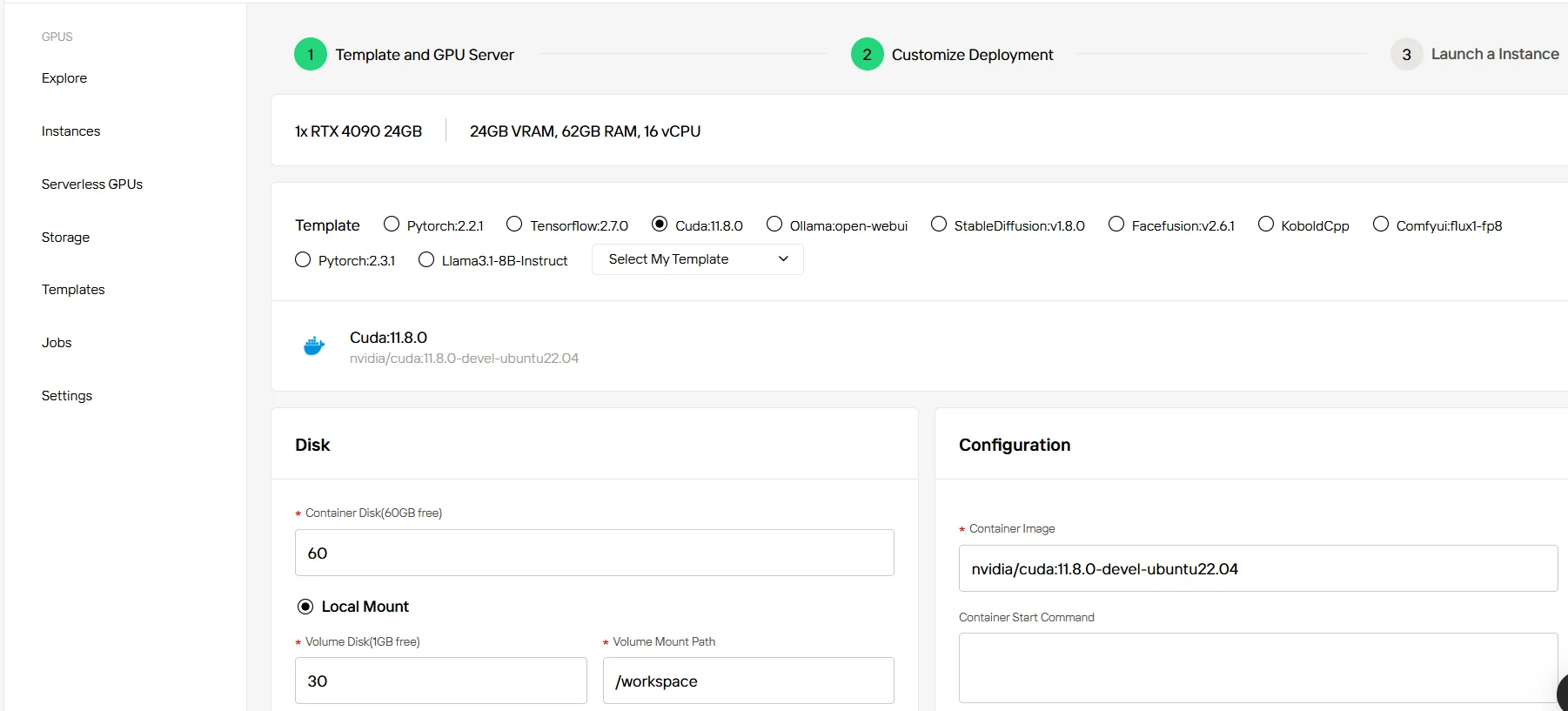
After selecting a template and GPU, customize your deployment settings by adjusting parameters like the operating system version (e.g., CUDA 11.8). You can also tweak other configurations to tailor the environment to your project’s specific requirements.
Step4:Launch an instance
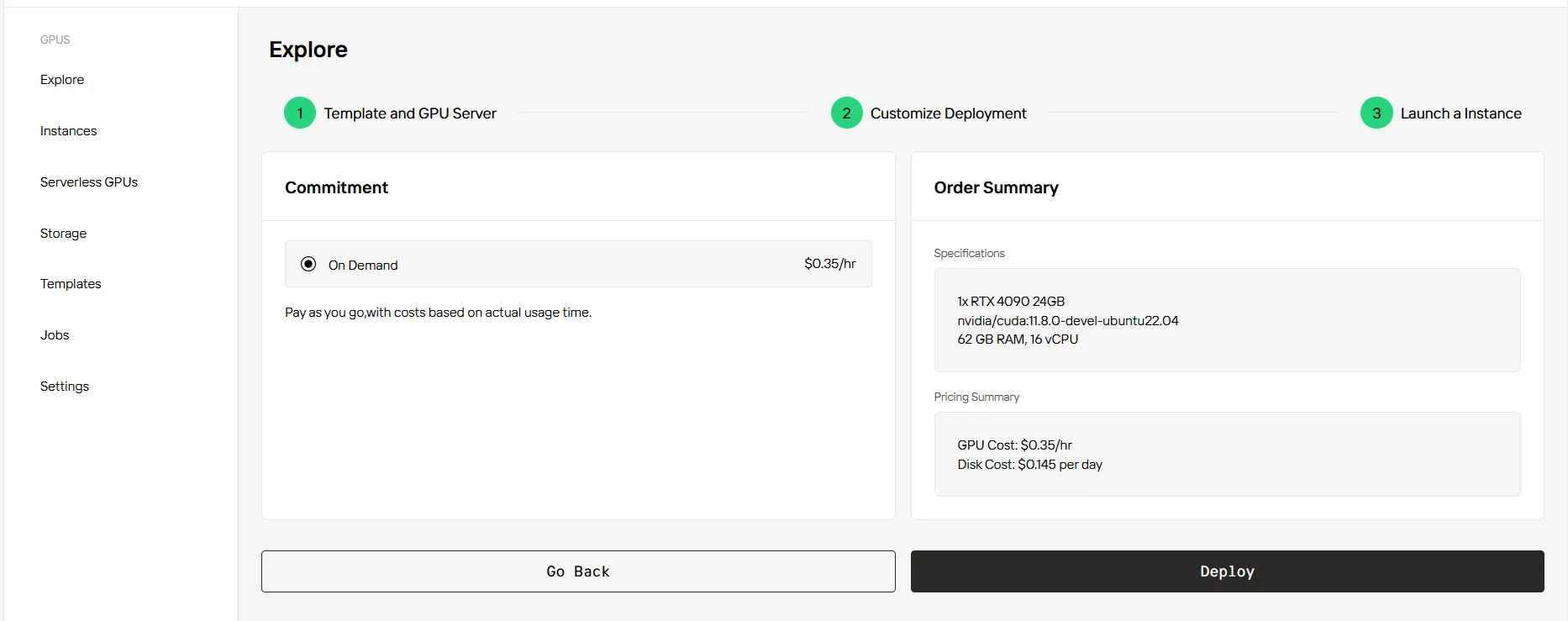
Once you’ve finalized the template and deployment settings, click “Launch Instance” to set up your GPU instance. This will start the environment setup, enabling you to begin using the GPU resources for your AI tasks.
Llama 4 Scout’s unparalleled context length and multimodal capabilities make it a revolutionary tool for long-form, multilingual, and large-scale tasks. Its scalability and open-source nature ensure flexibility for developers and researchers.
Frequently Asked Questions
What makes Llama 4 Scout unique?
10M Token Context: Far greater than most models.
Multimodal Support: Handles both text and images as input.
Multilingual Capability: Supports 12 languages, enabling global applications.
Open Source: Free to use and customize.
Can I use Llama 4 Scout without a high-end GPU?
Yes, but only for smaller contexts (e.g., 4K tokens) by quantizing the model. Full 10M token contexts require at least 240×H100 GPUs due to memory demands, especially for KV cache. Or you can choose Novita AI via API!
What hardware is recommended for Llama 4 Scout?
Small Contexts (4K tokens): 1×H100 GPU
Large Contexts (128K tokens): 8×H100 GPUs
Full Contexts (10M tokens): 240×H100 GPUs
Novita AI is an AI cloud platform that offers developers an easy way to deploy AI models using our simple API, while also providing an affordable and reliable GPU cloud for building and scaling.