Accessing state-of-the-art AI models shouldn’t require weeks of infrastructure setup. Kimi K2.5 is available through four pathways: web playground (zero setup), Novita AI API (3 lines of code), code tool integration (Claude Code, Cursor, Continue), and local deployment (375GB+ infrastructure).
This guide covers all access methods—from the simplest to the most advanced—with setup times ranging from about 30 seconds (web access) to several days (self-hosting). API access, priced at $0.60 / $3.00 per 1M tokens, provides production-grade performance without the operational overhead of managing GPU clusters.
Model Introduction of Kimi K2.5
What’s New in Kimi K2.5
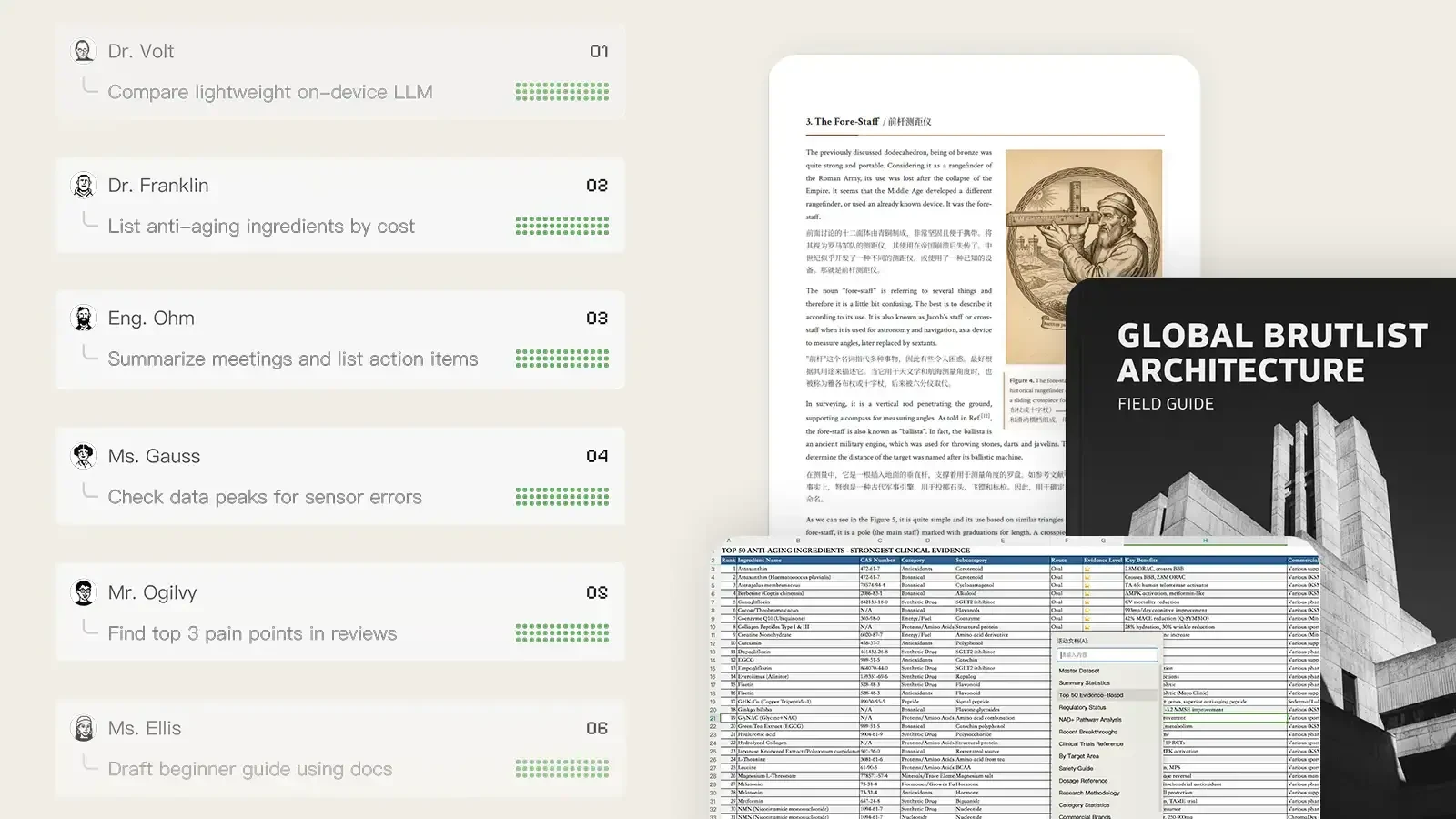
Kimi K2.5 introduces an Agent Swarm mode that coordinates up to 100 specialized sub-agents executing workflows in parallel. By dynamically spawning agents for concurrent tasks, it achieves up to 4.5× faster execution compared to sequential processing. The model also maintains stable performance across 200–300 sequential tool calls without drift, addressing a common failure point where many models lose coherence during long agentic sessions.
From Kimi
Core Specifications
| Developer | Moonshot AI |
| Parameters | 1 trillion total, 32B active (MoE architecture) |
| Context Window | 256K tokens |
| Modalities | Text, Vision |
| Operating Modes | Instant (3-8s), Thinking (reasoning traces), Agent (search/code/web), Agent Swarm (parallel coordination) |
Benchmark Performance
Overall, Kimi K2.5 is particularly strong in:
- Agentic search and autonomous research
- Mathematical reasoning
- Document/OCR-based vision tasks
- Long-video multimodal understanding
| Category | Benchmark | Kimi K2.5 | GPT-5.2 |
|---|---|---|---|
| Reasoning | HLE-Full | 30.1 | 34.5 |
| HLE-Full (w/ tools) | 50.2 | 45.5 | |
| AIME 2025 | 96.1 | 100 | |
| HMMT 2025 | 95.4 | 99.4 | |
| IMO-AnswerBench | 81.8 | 86.3 | |
| GPQA-Diamond | 87.6 | 92.4 | |
| MMLU-Pro | 87.1 | 86.7 | |
| Vision / Multimodal | MMMU-Pro | 78.5 | 79.5 |
| MathVision | 84.2 | 83.0 | |
| MathVista | 90.1 | 82.8 | |
| OCRBench | 92.3 | 80.7 | |
| InfoVQA | 92.6 | 84.0 | |
| SimpleVQA | 71.2 | 55.8 | |
| Video Understanding | VideoMMMU | 86.6 | 85.9 |
| MotionBench | 70.4 | 64.8 | |
| LongVideoBench | 79.8 | 76.5 | |
| Coding | SWE-Bench Verified | 76.8 | 80.0 |
| SWE-Bench Pro | 50.7 | 55.6 | |
| TerminalBench | 50.8 | 54.0 | |
| LiveCodeBench | 85.0 | — | |
| Agentic Search | BrowseComp | 60.6 | 65.8 |
| BrowseComp (Agent Swarm) | 78.4 | — | |
| DeepSearchQA | 77.1 | 71.3 |
Access Method 1: Novita AI Playground
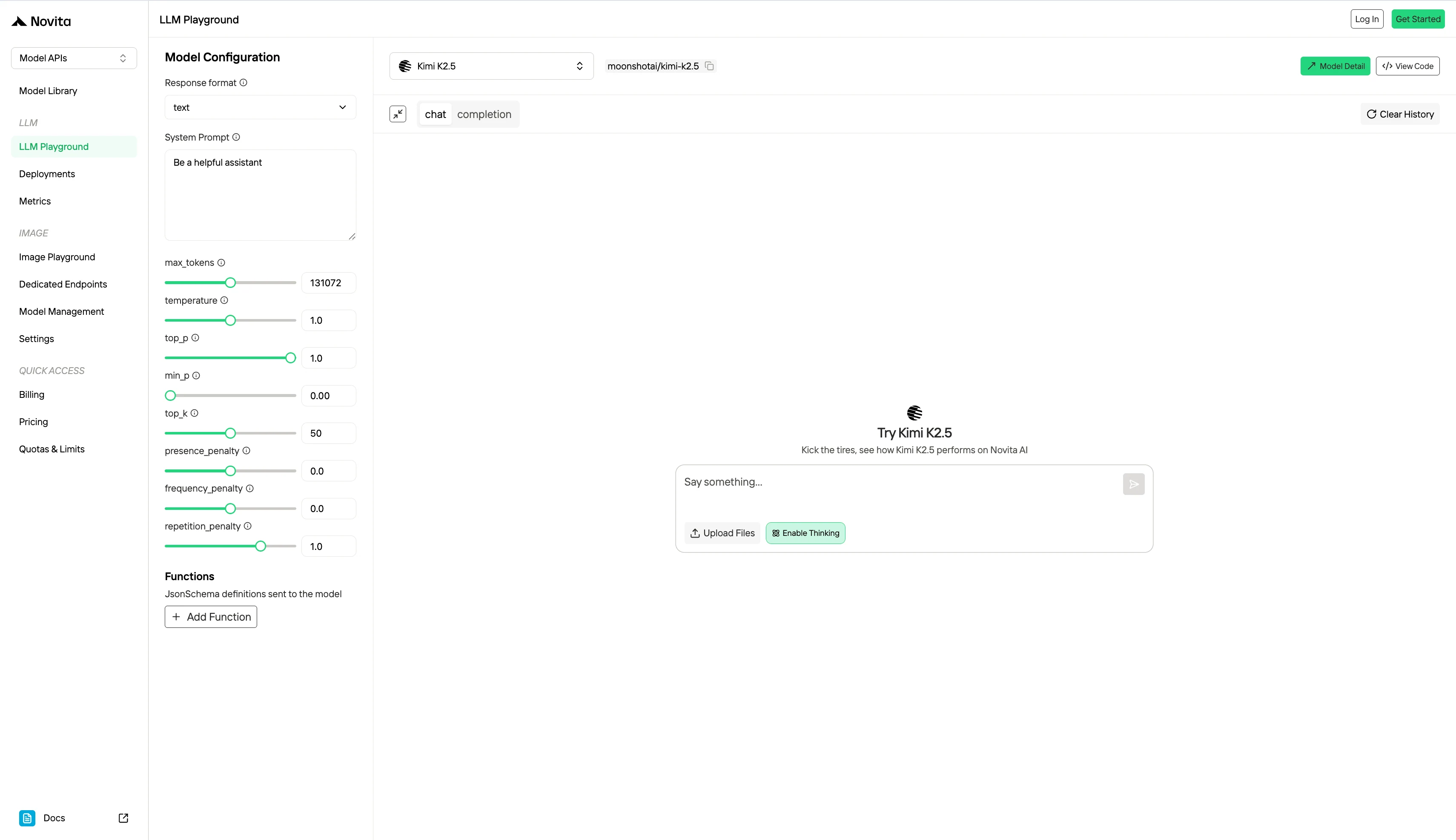
Novita’s Playground provides a straightforward way to explore and use Kimi K2.5 without setup overhead. You can interact with the model directly in a chat or completion interface, adjust parameters like temperature and max tokens in real time, and immediately observe how outputs change. It allows you to test prompts, refine system instructions, and evaluate response quality before integrating into your application.
Access Method 2: Novita AI API Access (For Developers)
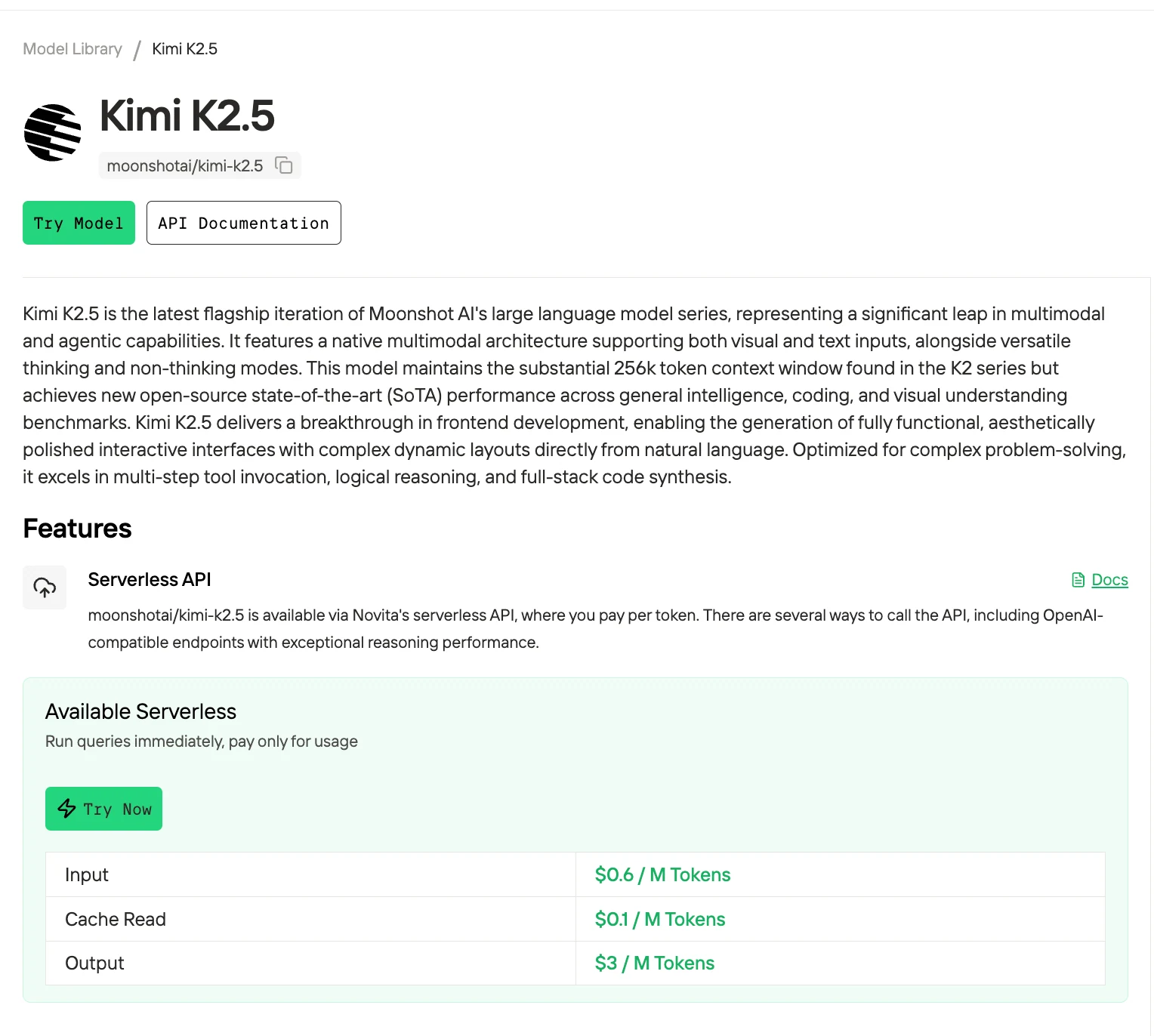
Production-grade programmatic access with OpenAI-compatible endpoints. Novita AI provides instant API access to Kimi K2.5 at $0.60 per 1M input tokens and $3.00 per 1M output tokens — 76% cheaper than Claude Opus 4.5 for equivalent reasoning tasks. The OpenAI-compatible endpoint means your existing code requires only two configuration changes: base URL and API key.
Get Your API Key
- Create an account at novita.ai
- Navigate to Key Management
- Generate a new API key (keep it secure — treat it like a password)
Integrate with API
Install the OpenAI SDK and connect to Novita’s endpoint:
pip install openaifrom openai import OpenAI
client = OpenAI(
api_key="<Your API Key>",
base_url="https://api.novita.ai/openai"
)
response = client.chat.completions.create(
model="moonshotai/kimi-k2.5",
messages=[
{"role": "system", "content": "You are a helpful assistant."},
{"role": "user", "content": "Hello, how are you?"}
],
max_tokens=262144,
temperature=0.7
)
print(response.choices[0].message.content)Access Method 3: Code Tool Integration
Integrate Kimi K2.5 into your development environment for agentic coding workflows. These tools provide terminal automation, IDE integration, and multi-step task execution capabilities that leverage Kimi’s extended tool-calling stability.
Easily connect Novita AI with partner platforms like Trae, Continue, Codex, OpenCode,AnythingLLM,LangChain, Dify,Langflow, and Openclaw through official integrations and step-by-step guides.
Claude Code
Best for: Terminal-based workflows, Git operations, file system tasks, and developers who prefer keyboard-driven development.
Claude Code is Anthropic’s official CLI agent. While designed for Claude models, it supports custom model endpoints via environment variables. Setup takes 2 minutes:
# Install Claude Code
npm install -g @anthropic-ai/claude-code

# Configure for Kimi K2.5 via Novita
export ANTHROPIC_BASE_URL="https://api.novita.ai/anthropic"
export ANTHROPIC_AUTH_TOKEN="YOUR_NOVITA_API_KEY"
export ANTHROPIC_MODEL="moonshotai/kimi-k2.5"
export ANTHROPIC_SMALL_FAST_MODEL="moonshotai/kimi-k2.5"

# Start a session in your project directory
cd ~/my-project
claude .
Full setup guide: Novita AI Claude Code Integration
Cursor
Best for: Multi-file editing, codebase-aware context, GUI-based development, and developers wanting VS Code familiarity with AI superpowers.
Cursor is a VS Code fork built for AI-native development. Integration steps:
- Download Cursor from cursor.sh
- Open Settings → Models
- Uncheck default models
- Add custom model:
- Provider: OpenAI-compatible
- Base URL:
https://api.novita.ai/v3/openai - API Key: Your Novita API key
- Model Name:
moonshotai/kimi-k2.5
- Use Cmd+K (inline edit), Cmd+L (chat), or Composer (multi-file) features
Full setup guide: Novita AI Cursor Integration
NovitaClaw CLI
Prerequisites
- Python installed
- A Novita API key — here’s how to get one:
- Log into novita.ai — sign in with Google or GitHub (a new account is created automatically on first login), or sign up with your email address
- Create an API key — go to the Key Management settings page to create or manage your API keys. Copy it somewhere handy — you’ll need it in the next step.
How to install Python
Windows
- Download the Python installer
- Run the installer — check “Add Python to PATH” before clicking anything else. Skipping this is the most common reason beginners hit errors later
- Click Install Now and wait for the “Setup was successful” message
macOS
Open Terminal (Command + Space, search “Terminal”) and run:
python3 --versionIf you see Python 3.10 or higher, you’re good to go. If the version is older, or Terminal prompts you to install Command Line Developer Tools, click Install and give it a few minutes before continuing.
Linux (Ubuntu / Debian)
If you’re on a Debian-based distro, run:
sudo apt update && sudo apt install python3 python3-pip -yStep 1: Install NovitaClaw
macOS / Linux:
sudo pip3 install novitaclawWindows PowerShell:
pip install novitaclaw
If you have a previous version installed, upgrade to the latest version:
Bash
pip3 install novitaclaw --upgradeIf the upgrade fails, try a force reinstall:
Bash
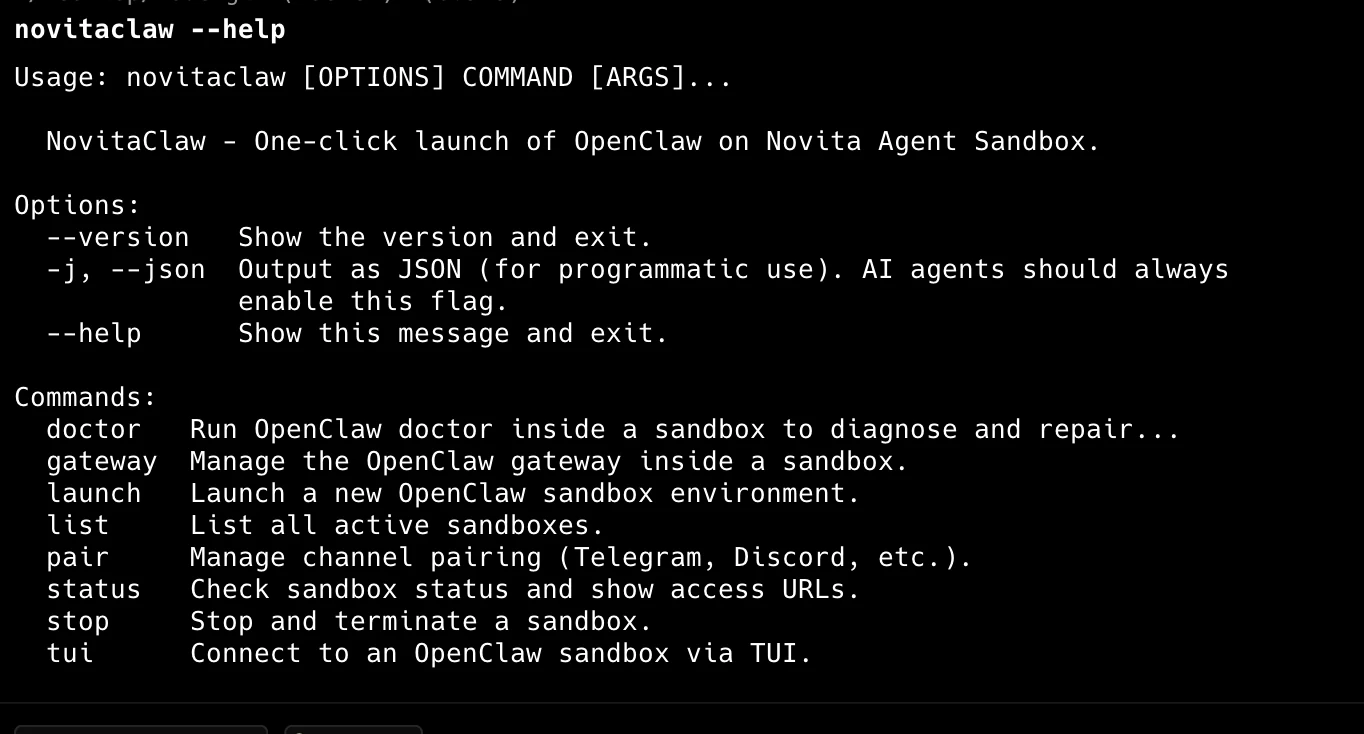
pip3 install novitaclaw --upgrade --force-reinstallAfter installation, verify it by typing novitaclaw --help. If you see a list of instructions, you’ve succeeded!
Special Note for Mac Users
If you get a zsh: command not found: novitaclaw error after installation, run these two commands in order to fix your environment path:
source ~/.zshrc
echo 'export PATH="'$(python3 -m site --user-base)'/bin:$PATH"' >> ~/.zshrc
macOS / Linux:
export NOVITA_API_KEY=sk_your_api_keyWindows PowerShell:
$env:NOVITA_API_KEY = "sk_your_api_key"Step 3: Launch instance
novitaclaw launch
On success, the CLI returns three values you’ll use to access and manage your agent:
- Web UI URL
- Gateway WebSocket URL & Token
- Web Terminal URL (for terminal access to the sandbox)
- File Manager URL (for browsing and managing workspace files)
- Login credentials (for Web Terminal & File Manager)
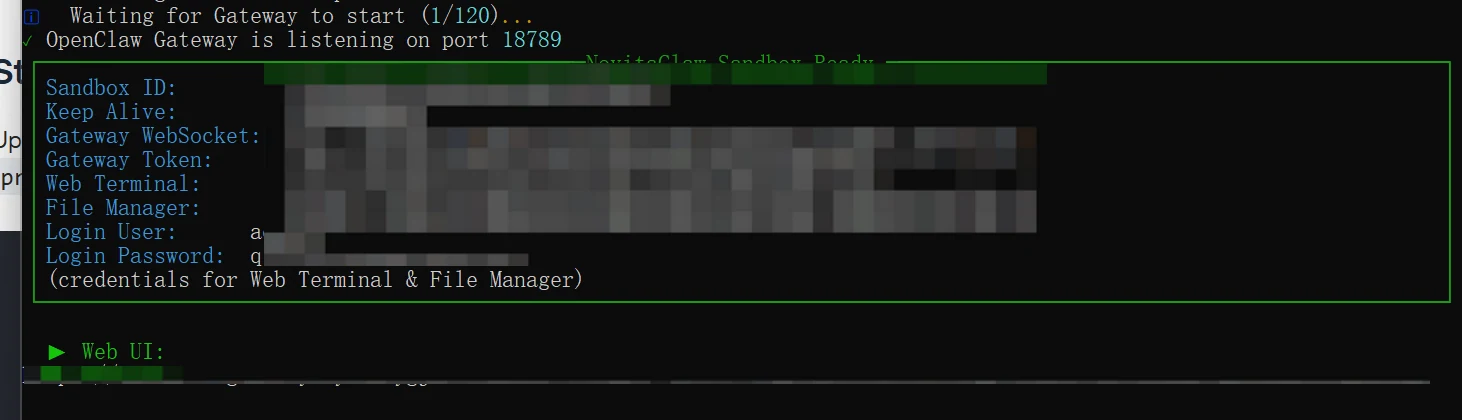
Open the returned Web UI URL and go to the Chat tab to use your agent. Use the Web Terminal URL to open a terminal session inside the sandbox, and the File Manager URL to browse and manage files in the sandbox workspace.
Full setup guide: NovitaClaw Integration
Access Method 4: Local Deployment
Self-hosting requires significant infrastructure. Kimi K2.5 is a 1 trillion parameter mixture-of-experts model with 32B active parameters.
VRAM Requirements
Based on GGUF quantization data from Unsloth:
| Quantization | File Size | Quality Impact |
|---|---|---|
| Q2_K | 373.8 GB | Significant quality loss |
| Q4_K_M | 621.2 GB | Moderate quality loss, acceptable for testing |
| Q6_K | 842.9 GB | Minimal quality loss |
| BF16 | 2053.2 GB | Full precision |
Access Method Comparison
| Method | Setup Time | Cost | Best For |
|---|---|---|---|
| Web Playground | 30 seconds | Free (with limits) | Quick evaluation, Agent Swarm testing, non-production prototypes |
| Novita AI API | 5 minutes | $0.60/$3.00 per 1M tokens | Production applications, variable workloads, cost-sensitive projects |
| Code Tools | 10-15 minutes | Free + API costs | Developers wanting IDE/terminal integration for agentic workflows |
| Local Deployment | Several days | $5,000-15,000 hardware + electricity | Enterprise with 2B+ tokens/month, strict data residency requirements |
Kimi K2.5’s four access pathways serve different deployment contexts. Explore capabilities via web playground → build applications with Novita API → integrate with code tools for development workflows. Self-host only if you have enterprise-scale workloads and strict data residency mandates.
Conclusion
Kimi K2.5 offers four flexible access paths to fit any workflow. Start with the web playground for zero-setup evaluation, move to Novita AI API for production-grade integration at $0.60/1M input tokens, plug into Claude Code or Cursor for AI-assisted development, or self-host for full data control. For most developers, the API route delivers the best balance of performance, cost, and reliability without infrastructure overhead.
Key Takeaway: Use the Novita AI API for the quickest path to production — OpenAI-compatible endpoints, no GPU management, and competitive pricing. Get started with Kimi K2.5 on Novita AI.
Frequently Asked Questions
How much does Kimi K2.5 API access cost?
Novita AI charges $0.60 per 1M input tokens and $3.00 per 1M output tokens — 76% cheaper than Claude Opus 4.5 for equivalent reasoning tasks.
Is Agent Swarm mode available through API?
No. Agent Swarm (100-agent parallel coordination) currently requires custom system prompts only available on kimi.com. Standard API endpoints provide base capabilities; replicating Agent Swarm behavior requires prompt engineering.
Should I self-host Kimi K2.5 or use an API?
Self-hosting requires significant infrastructure. Kimi K2.5 is a 1 trillion parameter mixture-of-experts model with 32B active parameters. At minimum quantization (Q2_K), you need ~374GB storage and multiple high-end GPUs. For most developers, Novita AI API access provides the same capabilities at $0.60/1M input tokens without managing GPU clusters. Self-host only if you have enterprise-scale workloads and strict data residency requirements.
Novita AI is an AI & agent cloud platform helping developers and startups build, deploy, and scale models and agentic applications with high performance, reliability, and cost efficiency.
Recommended Reading