GLM 4.1V 9B Thinking is a breakthrough AI model because it can both see images and explain its reasoning step by step. This is called chain-of-thought (CoT) reasoning, and GLM does it better than any other vision-language model its size. You’ll see how it stacks up against bigger models and how you can try it out yourself, even if you don’t have an expensive GPU.
What Changes did GLM 4.1V 9B Thinking Make in VLM models?
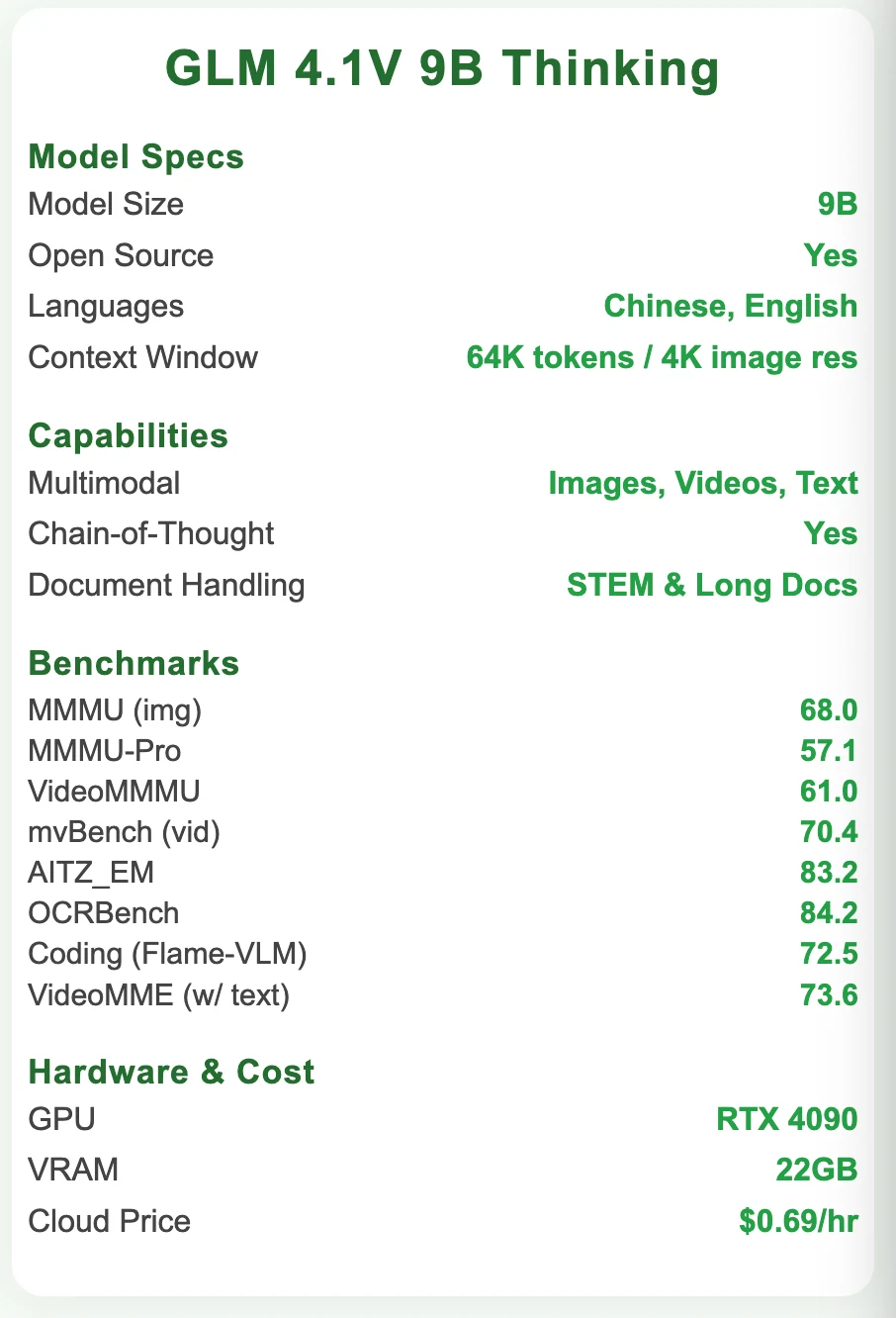
As the world’s first VLM model with chain-of-thought (CoT) reasoning, GLM has not only impressed with its powerful capabilities, but also gained recognition for achieving performance comparable to Qwen 2.5 72B, despite being a much smaller 9B model. Next, let’s take a closer look at GLM’s detailed specifications and benchmark results.
GLM 4.1V 9B Thinking‘s Attribute
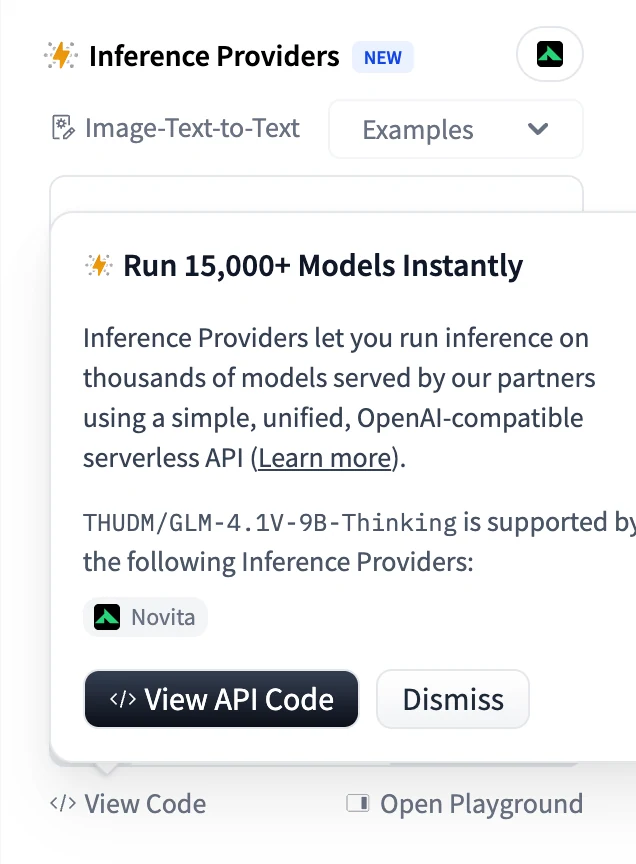
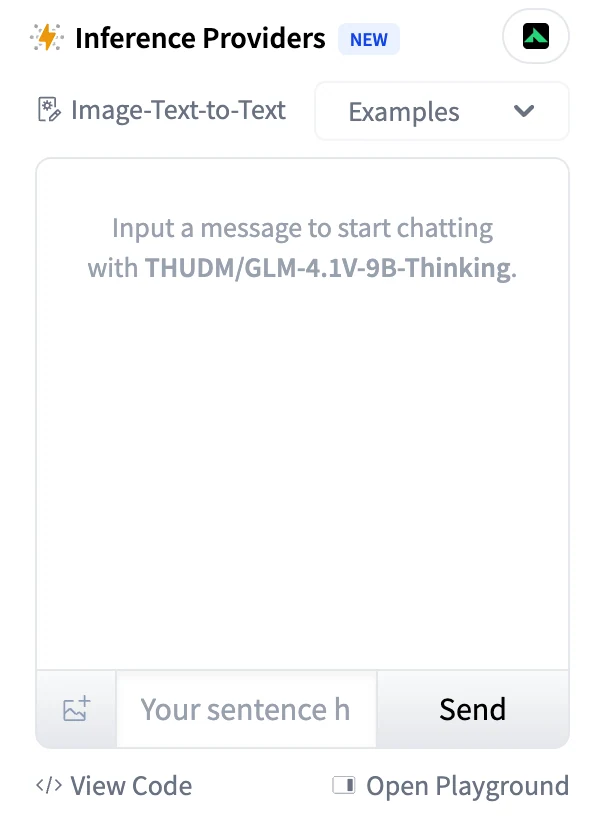
You can start a free trail on Hugging Face directly!
How Does GLM 4.1V 9B Thinking Achieve these Improvements?
- SFT Enforcement:
The training samples include explicit Chain‑of‑Thought (CoT) annotations, so the model learns to “think first, then answer.” This differs from traditional models that only output an answer without showing the reasoning steps. - RLCS Reinforcement:
The model’s reward isn’t based solely on correctness—it also evaluates the quality of the reasoning process and explanations, encouraging more coherent and thorough internal thinking. - Architectural Support:
A ViT vision encoder feeds into an MLP projector and then into the LLM decoder, enabling the model to seamlessly generate explicit reasoning paths from visual input, rather than mere retrieval or pattern matching. - Strong Reasoning Foundation:
And another key factor: the base model—GLM‑4‑9B 0414—already possesses robust reasoning abilities. For instance:- It demonstrates excellent mathematical reasoning and general task performance, ranking at the top among open-source models at its scale.
- Architecturally and training-wise, GLM‑4‑9B benefits from autoregressive blank‑infilling pre‑training and subsequent fine‑tuning that strengthen logical and multi-step reasoning skills.
You can get more details from the paper: GLM-4.1V-Thinking: Towards Versatile Multimodal Reasoning with Scalable Reinforcement Learning.
GLM 4.1V 9B Thinking VS Qwen 2.5 VL 72B
| Benchmark | GLM 4.1V 9B Thinking | Qwen 2.5 VL 72B | Winner |
|---|---|---|---|
| MMMU (image) | 68.0 | 70.2 | Qwen 2.5 VL |
| MMMU‑Pro | 57.1 | 51.1 | GLM |
| VideoMMMU | 61.0 | 60.2 | GLM |
| mvBench (video) | 70.4 | 64.6 | GLM |
| AITZ_EM (agent) | 83.2 | 35.3* | GLM |
| Agent (OSWorld) | 14.9 | 8.8 | GLM |
| Agent (AndroidWorld) | 41.7 | 35.0 | GLM |
| Agent (WebVoyageSom) | 69.0 | 40.4 | GLM |
| Agent (Webquest‑SingleQA) | 72.1 | 60.5 | GLM |
| Agent (Webquest‑MultiQA) | 54.7 | 52.1 | GLM |
| Coding (Design2Code) | 64.7 | 41.9 | GLM |
| Coding (Flame‑VLM‑Code) | 72.5 | 46.3 | GLM |
| OCRBench | 84.2 | 85.1 | Qwen 2.5 VL |
| VideoMME (w/o text) | 68.2 | 73.3 | Qwen 2.5 VL |
| VideoMME (w/ text) | 73.6 | 79.1 | Qwen 2.5 VL |
| MMVU | 59.4 | 62.9 | Qwen 2.5 VL |
Choose GLM 4.1V 9B Thinking if your priority is multimodal reasoning, agent capabilities, STEM problem solving, or coding.
Choose Qwen 2.5 VL 72B if you’re focusing on document/image/video understanding—especially OCR, structured extraction, and visual perception.
If you want to check out more detais, you can see this article: GLM 4.1V 9B Thinking vs Qwen2.5 VL 72B: Which Fits What?
It also provides a comparison with other leading models.
From THUDM
How to Access GLM 4.1V 9B Thinking?
1. Access Locally
Even more impressively, GLM 4.1V 9B Thinking has only 9 billion parameters, allowing it to run on GPUs like the RTX 4090 or even the 3090. Compared to other models with several times more parameters, GLM achieves outstanding performance with a much smaller size—an achievement that undoubtedly highlights the power of reinforcement learning.
From THUDM
Install Guide
Installation:
pip install git+https://github.com/huggingface/transformers.gitBasic Usage:
from transformers import AutoProcessor, Glm4vForConditionalGeneration
import torch

MODEL_PATH = "THUDM/GLM-4.1V-9B-Thinking"

messages = [
    {
        "role": "user",
        "content": [
            {
                "type": "image",
                "url": "https://upload.wikimedia.org/wikipedia/commons/f/fa/Grayscale_8bits_palette_sample_image.png"
            },
            {
                "type": "text",
                "text": "describe this image"
            }
        ],
    }
]

processor = AutoProcessor.from_pretrained(MODEL_PATH, use_fast=True)
model = Glm4vForConditionalGeneration.from_pretrained(
    pretrained_model_name_or_path=MODEL_PATH,
    torch_dtype=torch.bfloat16,
    device_map="auto",
)

inputs = processor.apply_chat_template(
    messages,
    tokenize=True,
    add_generation_prompt=True,
    return_dict=True,
    return_tensors="pt"
).to(model.device)

generated_ids = model.generate(**inputs, max_new_tokens=8192)
output_text = processor.decode(generated_ids[0][inputs["input_ids"].shape[1]:], skip_special_tokens=False)
print(output_text)
If purchasing a GPU seems too costly, you can take advantage of Novita AI’s cost-effective and reliable cloud GPUs—such as the RTX 4090 for just $0.69 per hour or the RTX 3090 for only $0.21 per hour!
2. Direct API Integration
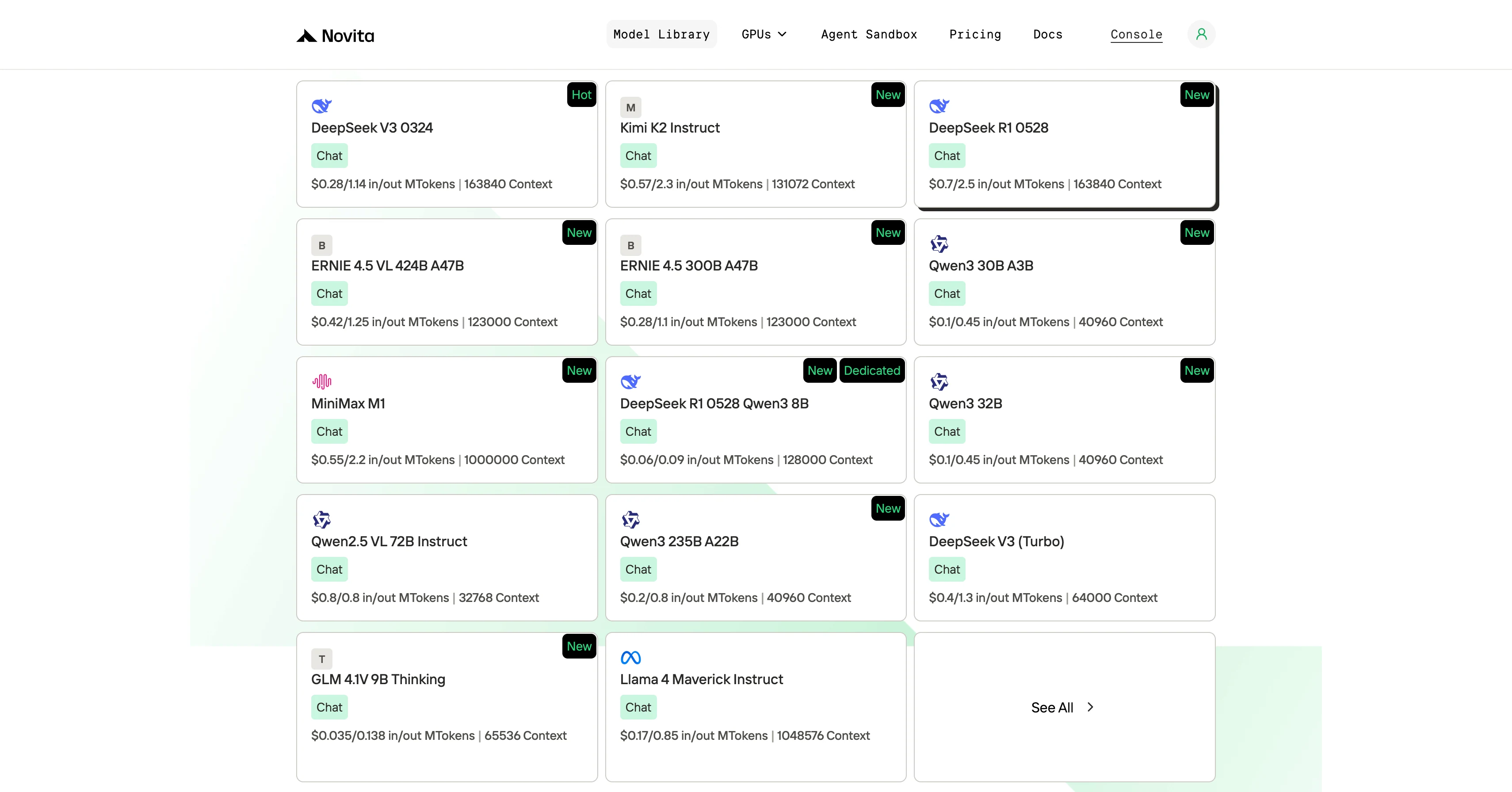
Step 1: Log In and Access the Model Library
Log in to your account and click on the Model Library button.

Step 2: Choose Your Model
Browse through the available options and select the model that suits your needs.
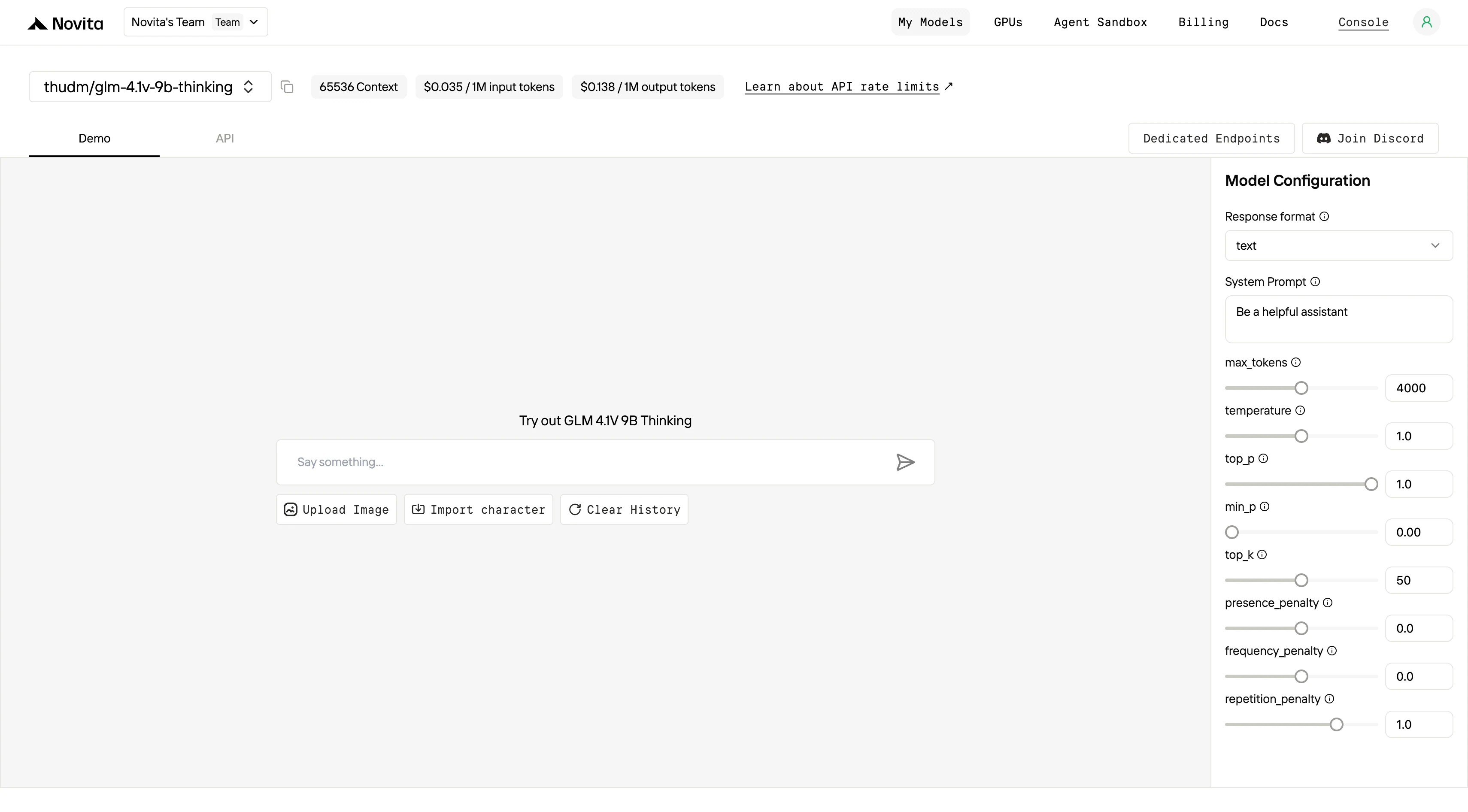
Step 3: Start Your Free Trial
Begin your free trial to explore the capabilities of the selected model.
Step 4: Get Your API Key
To authenticate with the API, we will provide you with a new API key. Entering the “Settings“ page, you can copy the API key as indicated in the image.

Step 5: Install the API
Install API using the package manager specific to your programming language.
After installation, import the necessary libraries into your development environment. Initialize the API with your API key to start interacting with Novita AI LLM. This is an example of using chat completions API for python users.
from openai import OpenAI

client = OpenAI(
    base_url="https://api.novita.ai/v3/openai",
    api_key="<YOUR Novita AI API Key>",
)

model = "thudm/glm-4.1v-9b-thinking"
stream = True # or False
max_tokens = 4000
system_content = ""Be a helpful assistant""
temperature = 1
top_p = 1
min_p = 0
top_k = 50
presence_penalty = 0
frequency_penalty = 0
repetition_penalty = 1
response_format = { "type": "text" }

chat_completion_res = client.chat.completions.create(
    model=model,
    messages=[
        {
            "role": "system",
            "content": system_content,
        },
        {
            "role": "user",
            "content": "Hi there!",
        }
    ],
    stream=stream,
    max_tokens=max_tokens,
    temperature=temperature,
    top_p=top_p,
    presence_penalty=presence_penalty,
    frequency_penalty=frequency_penalty,
    response_format=response_format,
    extra_body={
      "top_k": top_k,
      "repetition_penalty": repetition_penalty,
      "min_p": min_p
    }
  )

if stream:
    for chunk in chat_completion_res:
        print(chunk.choices[0].delta.content or "", end="")
else:
    print(chat_completion_res.choices[0].message.content)
Build a Simple Image Recognition Tool using MCP and GLM.
If you want to leverage the capabilities of GLM—such as building a simple image recognition tool to demonstrate its integration of visual recognition and reasoning—you can use the MCP functionality supported by Novita AI. Below is the sample code:
import os
import sys
from mcp.server.fastmcp import FastMCP
import requests
import uvicorn
from starlette.applications import Starlette
from starlette.routing import Mount

base_url = "https://api.novita.ai/v3"
headers = {
    "Content-Type": "application/json",
    "Authorization": f"Bearer {os.environ['NOVITA_API_KEY']}"
}

mcp = FastMCP("Novita_API")

@mcp.tool()
def list_models() -> str:
    """
    List all available models from the Novita API.
    """
    url = base_url + "/openai/models"
    response = requests.request("GET", url, headers=headers)
    data = response.json()["data"]

    text = ""
    for i, model in enumerate(data, start=1):
        text += f"Model id: {model['id']}\
"
        text += f"Model description: {model['description']}\
"
        text += f"Model type: {model['model_type']}\
\
"

    return text

@mcp.tool()
def get_model(model_id: str, message) -> str:
    """
    Provide a model ID and a message to get a response from the Novita API.
    """
    url = base_url + "/openai/chat/completions"
    payload = {
        "model": model_id,
        "messages": [
            {
                "content": message,
                "role": "user",
            }
        ],
        "max_tokens": 200,
        "response_format": {
            "type": "text",
        },
    }
    response = requests.request("POST", url, json=payload, headers=headers)
    content = response.json()["choices"][0]["message"]["content"]
    return content

@mcp.tool()
def vision_chat(model_id: str, image_url: str, question: str) -> str:
    """
    Use GLM-4.1V-9B-Thinking to answer a question about an image.
    """
    url = base_url + "/openai/chat/completions"
    payload = {
        "model": model_id,
        "messages": [
            {
                "role": "user",
                "content": [
                    {
                        "type": "image_url",
                        "image_url": {
                            "url": image_url,
                        }
                    },
                    {
                        "type": "text",
                        "text": question,
                    }
                ]
            }
        ],
        "max_tokens": 500
    }
    response = requests.post(url, json=payload, headers=headers)
    return response.json()["choices"][0]["message"]["content"]

if __name__ == "__main__":
   # Run using stdio transport
   mcp.run(transport="stdio")
If you want to get the details, you can check out this article: How to Build Your First MCP Server with Novita AI!
GLM 4.1V 9B Thinking is easy to use, super smart, and doesn’t need fancy hardware. You can test its image recognition and reasoning abilities with just a few lines of code, either on your own machine or in the cloud. If you want to see how far multimodal AI has come, give GLM a try!
What’s special about GLM 4.1V 9B Thinking?
It’s the first model that can both “see” and show its reasoning steps, not just give answers.
Can I try GLM 4.1V 9B if I don’t have a powerful GPU?
Yes! You can use affordable cloud GPUs or try it for free on Novita AI Playground.
How can I integrate GLM 4.1V 9B Thinking into my own projects?
You can run it locally using Python and Hugging Face, access it via Novita AI’s API, or even build your own image recognition tools using MCP as shown in the provided code samples.
Novita AI is the All-in-one cloud platform that empowers your AI ambitions. Integrated APIs, serverless, GPU Instance — the cost-effective tools you need. Eliminate infrastructure, start free, and make your AI vision a reality.