Llama 3.2 1B, Qwen2.5 7B, Qwen 3 (0.6B, 1.7B, 4B) ,GLM 4 — all available now on Novita AI to supercharge your projects without spending a dime!
Building with Novita AI Today!
DeepSeek R1 0528 has become one of the most sought-after large language models for personal and enterprise use. With its massive 685-billion-parameter architecture and support for both distilled and full versions, many developers and AI enthusiasts want to run it locally rather than rely on cloud APIs. But why is there so much interest in running DeepSeek R1 0528 on your own hardware? Let’s break down the main reasons, benefits, and challenges.
Benefits of Running Deepseek R1 0528 Locally
1. Offline Generation
- DeepSeek R1‑0528 can run entirely offline once set up, powered by its massive 685 billion‑parameter model—no network needed—making it perfect for environments where connection is unreliable or prohibited.
2. Low-Latency Performance
- Cloud-based APIs often deliver responses in 15–30 seconds due to network and server delays .Running DeepSeek R1 locally shaves that down to sub‑second response times—essential for coding assistants, interactive debugging, or live data analysis. Plus, local execution eliminates “service unavailable” errors often seen with overloaded cloud endpoints.
3. Stronger Privacy Protection
- With the model running totally on your machine, no sensitive data is sent to third-party servers. Everything stays local, giving you full control.
Hardware Demand of Running Deepseek R1 0528 Locally
| Category | Full Model Requirements | 8B Distilled Model Requirements |
|---|---|---|
| GPU | Enterprise-grade GPU with at least 80GB VRAM (e.g., NVIDIA H100/A100) | Consumer GPU with 24GB VRAM (e.g., NVIDIA RTX 4090) |
| Disk Space | ~715GB | Significantly less (depends on quantized model size) |
| System Memory | 256GB RAM or higher | 32GB to 64GB RAM |
| Memory Bandwidth | DDR5, clock speed 3200MHz or higher | DDR5, high clock speeds recommended |
| Storage Performance | NVMe SSD, PCIe Gen4 or Gen5 | NVMe SSD, PCIe Gen4 or Gen5 |
| Target Use Cases | Enterprise, cloud inference, research | Personal use, small experiments, development/testing |
| Price Estimate | GPU: $30,000+ per card, storage and RAM priced separately | GPU: $1,500–$2,000 per card |
- Concrete Reference for Running Requirements
VRAM (GPU) RAM (System) Token/s Notes 24GB 64GB ~1.5 RTX 3090 + 64GB RAM. Standard setup for quantized models. 24GB 96GB 1–2 RTX 3090TI + 96GB RAM. 1–2 token/s with 2k–16k context. Up to 8 concurrent inference slots for increased aggregate throughput. 0GB (GPU disabled) 96GB ~2.13 CPU-only. Dynamically quantized full R1 671B model (not distilled), using llama.cpp. From Reddit
Three Ways to Run DeepSeek R1 Locally
1. Using Ollama
Ollama provides the easiest way to run DeepSeek R1-0528 models locally, with minimal configuration and automatic GPU optimization.
# Install Ollama
curl -fsSL https://ollama.com/install.sh | sh

# Start Ollama daemon
ollama serve &
 # Distilled 8B version (lightweight, for laptops/desktops)
ollama run hf.co/unsloth/DeepSeek-R1-0528-Qwen3-8B-GGUF:Q4_K_XL

# Full quantized version (requires more RAM, 162GB)
ollama run hf.co/unsloth/DeepSeek-R1-0528-GGUF:TQ1_0
2. Visual Chat with WebUI
Open-WebUI offers a browser-based interface to interact with local models through Ollama, mimicking the ChatGPT experience.
docker pull ghcr.io/open-webui/open-webui:cuda

docker run -d -p 3000:8080 \
  --gpus all \
  --add-host=host.docker.internal:host-gateway \
  -v ollama:/root/.ollama \
  -v open-webui:/app/backend/data \
  --name open-webui \
  ghcr.io/open-webui/open-webui:cuda
3. Developer Integration via Python SDK
If you prefer programmatic access to DeepSeek R1-0528, use Hugging Face + transformers.
pip install transformers torch

from transformers import AutoTokenizer, AutoModelForCausalLM
import torch

# Load model
model_path = "deepseek-ai/DeepSeek-R1-0528"
tokenizer = AutoTokenizer.from_pretrained(model_path)
model = AutoModelForCausalLM.from_pretrained(
    model_path,
    torch_dtype=torch.float16,
    device_map="auto"
)

# Generate a response
def generate_response(prompt, max_tokens=512):
    inputs = tokenizer(prompt, return_tensors="pt")
    outputs = model.generate(
        **inputs,
        max_new_tokens=max_tokens,
        temperature=0.6,
        top_p=0.95,
        do_sample=True
    )
    return tokenizer.decode(outputs[0], skip_special_tokens=True)
Challenge of Running Deepseek R1 0528
1.Dependency & Compatibility Issues
- Frequent CUDA version mismatches between PyTorch and system drivers.
- Python env conflicts with multiple AI libraries (e.g., `transformers`, `accelerate`).
- Quantized model formats (GGUF vs Safetensors) often incompatible across tools.
2.Platform-Specific Barriers
- Windows: CUDA + PATH setup is complex and error-prone.
- macOS: No native GPU inference; fallback to CPU-only.
- Linux: Varies by distro (Debian, Arch, etc.); package manager issues common.
3.Power & Cooling Requirements
- Extended inference causes thermal throttling without proper cooling.
- High-end GPUs + multi-GPU setups may draw 1–3kW of power.
- Industrial-grade cooling is needed for long-session stability.
4.Security & Privacy Risks
- Model weights often stored as plain-text files.
- Inference logs may include sensitive prompts/responses.
- Network ports (e.g., WebUI) are sometimes left exposed without auth.
If You Don’t Want the Hassle: Try Novita AI API
Try Deepseek R1 0528 Demo Now!
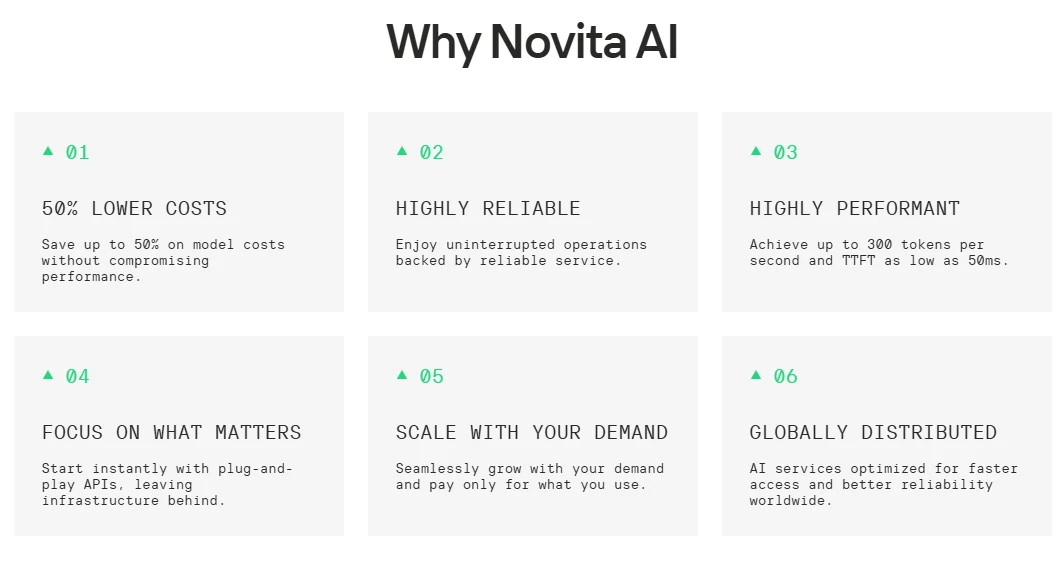
Transparent Pricing
High performance with clear costs.
- Context window: 163,840 tokens
- Pricing: $0.70 / 1M input tokens, $2.50 / 1M output tokens
- No upfront GPU investment
- Off-peak discounts and context caching available
Enterprise-Grade Security
Built-in encryption, access control, and compliance support.
- End-to-end encryption
- SOC 2 ready
- GDPR, HIPAA compliant
- Data residency options
Easy Integration
Use Deepseek R1 0528 in your favorite tools.
- Hugging Face Spaces, Transformers
- LangChain, Continue, Dify, Langflow
- Compatible with OpenAI API tools like Cursor and Cline
Focus on Products, Not GPU: Novita AI API Using Guide
Step 1: Log In and Access the Model Library
Log in to your account and click on the Model Library button.

Try Deepseek R1 0528 Demo Now!
Step 2: Choose Your Model
Browse through the available options and select the model that suits your needs.
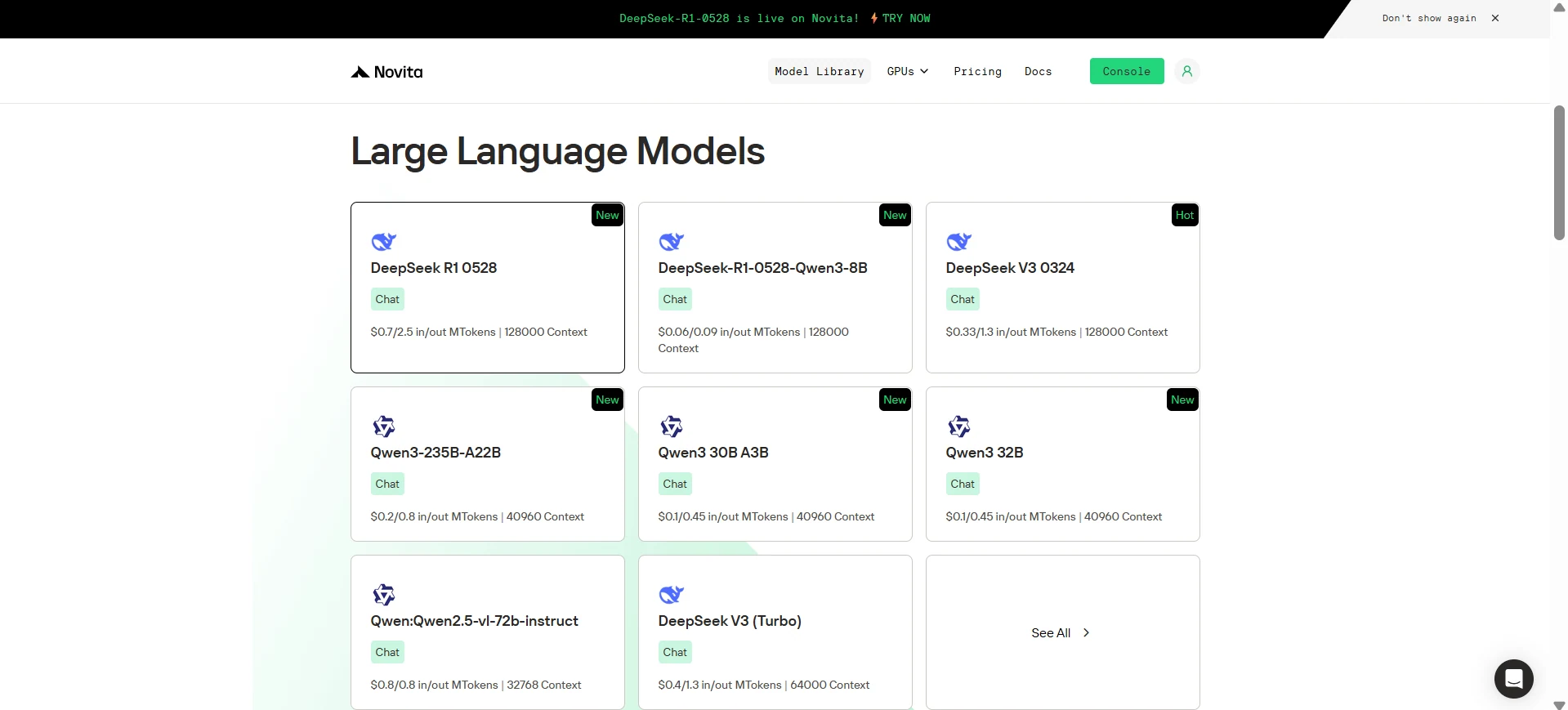
Step 3: Start Your Free Trial
Begin your free trial to explore the capabilities of the selected model.
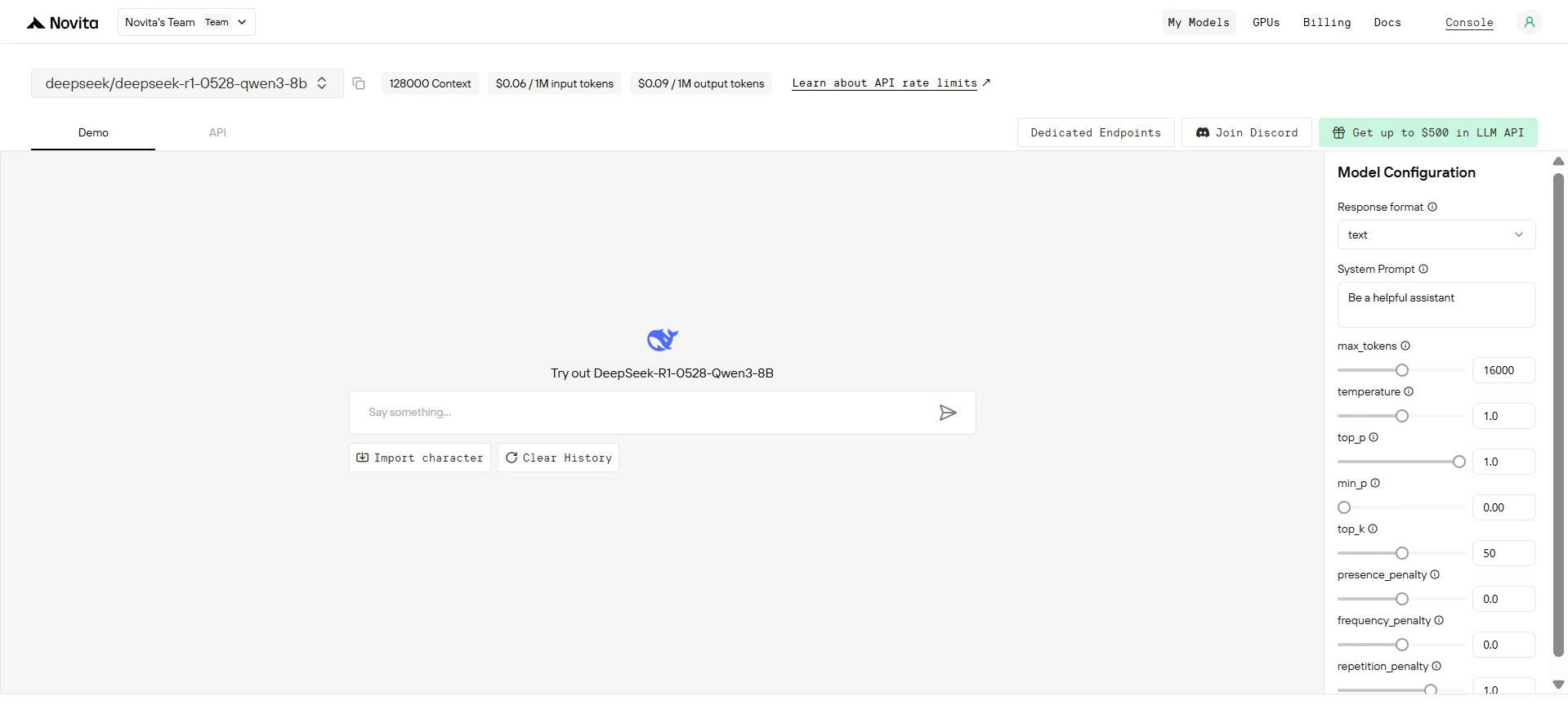
Step 4: Get Your API Key
To authenticate with the API, we will provide you with a new API key. Entering the “Settings“ page, you can copy the API key as indicated in the image.

Step 5: Install the API
Install API using the package manager specific to your programming language.
After installation, import the necessary libraries into your development environment. Initialize the API with your API key to start interacting with Novita AI LLM. This is an example of using chat completions API for python users.
from openai import OpenAI

client = OpenAI(
    base_url="https://api.novita.ai/v3/openai",
    api_key="<YOUR Novita AI API Key>",
)

model = "deepseek/deepseek-r1-0528-qwen3-8b"
stream = True # or False
max_tokens = 16000
system_content = ""Be a helpful assistant""
temperature = 1
top_p = 1
min_p = 0
top_k = 50
presence_penalty = 0
frequency_penalty = 0
repetition_penalty = 1
response_format = { "type": "text" }

chat_completion_res = client.chat.completions.create(
    model=model,
    messages=[
        {
            "role": "system",
            "content": system_content,
        },
        {
            "role": "user",
            "content": "Hi there!",
        }
    ],
    stream=stream,
    max_tokens=max_tokens,
    temperature=temperature,
    top_p=top_p,
    presence_penalty=presence_penalty,
    frequency_penalty=frequency_penalty,
    response_format=response_format,
    extra_body={
      "top_k": top_k,
      "repetition_penalty": repetition_penalty,
      "min_p": min_p
    }
  )

if stream:
    for chunk in chat_completion_res:
        print(chunk.choices[0].delta.content or "", end="")
else:
    print(chat_completion_res.choices[0].message.content)
Step 6: Monitor LLM API Metrics
Systematic evaluation helps determine the optimal deployment strategy based on specific requirements.
- Response Time: Measure end-to-end latency for typical requests.
- Throughput: Test concurrent request handling capacity.
- Reliability: Monitor uptime and error rates over time.
- Quality: Compare output consistency across deployment methods.
You can access these metrics through the LLM Metrics Console.
Due to the high hardware Running DeepSeek R1 0528 locally gives you speed, privacy, and freedom from cloud service limits. But it also comes with significant hardware, setup, and maintenance demands. For those who need maximum control and are ready to invest in high-end hardware, local deployment is unmatched. For everyone else, a managed API like Novita AI delivers the same power with less complexity.
Frequently Asked Questions
What are the main benefits of running DeepSeek R1 0528 locally?
Offline access, faster response times, and complete privacy for your data.
What hardware do I need for Running Deepseek R1 0528?
For best performance, an enterprise GPU (80GB+ VRAM) and at least 256GB RAM. The lightweight distilled model can run on a 24GB VRAM GPU and 32–64GB RAM.
Can I run Deepseek R1 0528 on my laptop?
Only the distilled or quantized versions might work on high-end laptops (e.g., RTX 4090 + 64GB RAM). The full model requires server-grade hardware.
Novita AI is the All-in-one cloud platform that empowers your AI ambitions. Integrated APIs, serverless, GPU Instance — the cost-effective tools you need. Eliminate infrastructure, start free, and make your AI vision a reality.



