주요 요점
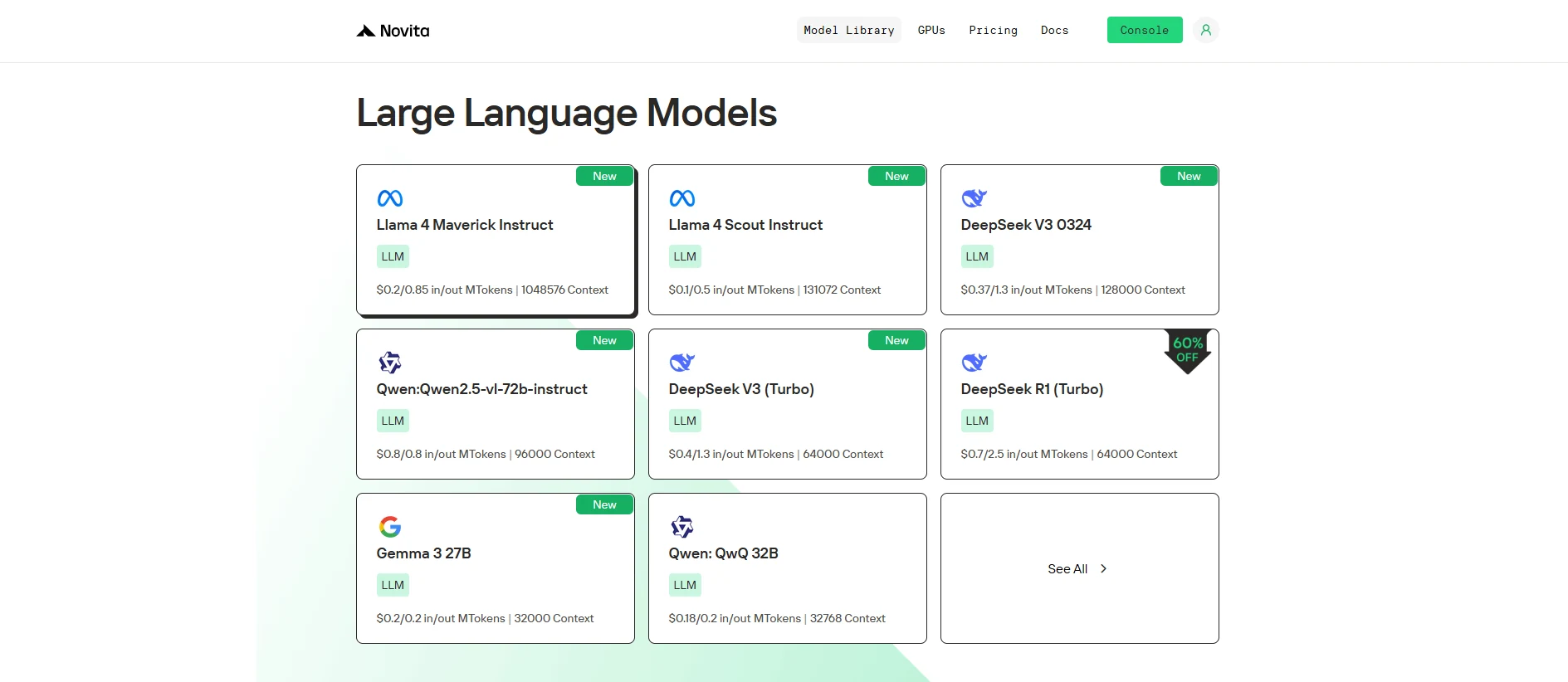
Novita AI가 Llama 4 Scout 를 출시했습니다! 또한 이 버전은 함수 호출(function calling) 을 완벽하게 지원합니다.
성능을 테스트하고 싶다면 Novita AI Playground에서 무료 체험을 시작하세요!
함수 호출을 통해 Llama 4 Scout 와 같은 LLM이 API 및 외부 도구와 통합되어 실제 작업을 수행할 수 있으며, 자연어 명령을 실행 가능한 결과로 변환합니다.
함수 호출이란?
함수 호출은 대규모 언어 모델(LLM)의 기능에 있어 중추적인 발전을 나타내며, 외부 도구, API 및 데이터 소스와 상호작용할 수 있게 합니다. 자연어 프롬프트를 구조화된 함수 호출로 변환하여 LLM이 실제 작업을 실행하고 동적 정보를 검색하며 고유한 텍스트 생성 능력을 넘어 복잡한 계산을 수행할 수 있습니다.
함수 호출 정의
함수 호출은 LLM이 사용자 질의를 기반으로 실행 가능한 명령을 생성하여 외부 시스템과 인터페이스할 수 있도록 하는 구조화된 방법입니다. 전통적인 LLM 출력이 텍스트 생성에 국한된 것과 달리, 함수 호출은 모델이 특정 매개변수를 사용하여 사전 정의된 함수를 트리거하고 외부 코드를 통해 해당 함수를 실행한 후 결과를 일관된 응답에 통합할 수 있게 합니다.
https://www.youtube.com/watch?v=i-oHvHejdsc&t=429s
함수 호출 작동 방식?
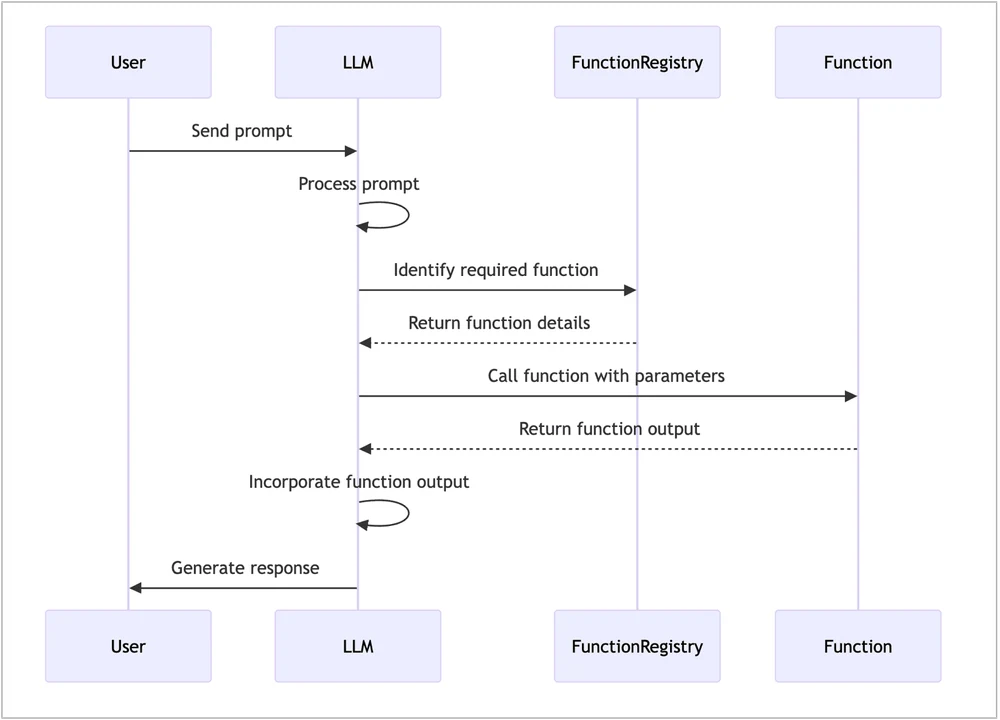
함수 호출은 대규모 언어 모델(LLM)이 사용자 프롬프트를 해석하여 실행할 사전 정의된 함수와 해당 매개변수를 결정하는 구조화된 프로세스를 포함합니다. 간략한 개요는 다음과 같습니다.
- 사용자 프롬프트: 사용자가 시스템에 쿼리를 제출합니다.
- LLM 해석: LLM이 프롬프트를 분석하여 적절한 함수와 매개변수를 식별합니다.
- 함수 실행: 시스템이 제공된 매개변수로 함수를 실행합니다.
- 응답 생성: 결과가 LLM으로 다시 전달되어 출력을 통합한 최종 응답을 생성합니다.
함수 호출 vs RAG
| **측면 ** | ** 함수 호출 ** | ** 검색 증강 생성** |
|---|---|---|
| 정의 | 실시간 작업을 위해 외부 함수(API, 데이터베이스) 호출 | 응답을 위해 외부 소스에서 정보 검색 및 종합 |
| 사용 사례 | 데이터베이스 조회, API 요청, 외부 도구(예: 결제) | 데이터를 검색하여 답변을 생성하는 Q&A 시스템 |
| 장점 | - 실시간 작업 - 외부 시스템과 상호작용 - 모듈식 시스템 |
- 대규모 지식 접근 - 복잡한 쿼리에 효율적 - 최신 데이터에 이상적 |
| 목적 | 외부 시스템 또는 서비스 호출 | 검색된 지식을 사용하여 생성 향상 |
| 구현 | 사전 정의된 외부 호출(예: API) | 생성 프로세스 중 정보 검색 |
| 유연성 | 실시간 상호작용에 더 유연함 | 생성을 위해 외부/내부 지식 활용 |
Novita AI를 통해 Llama 4 Scout 함수 호출 사용 방법
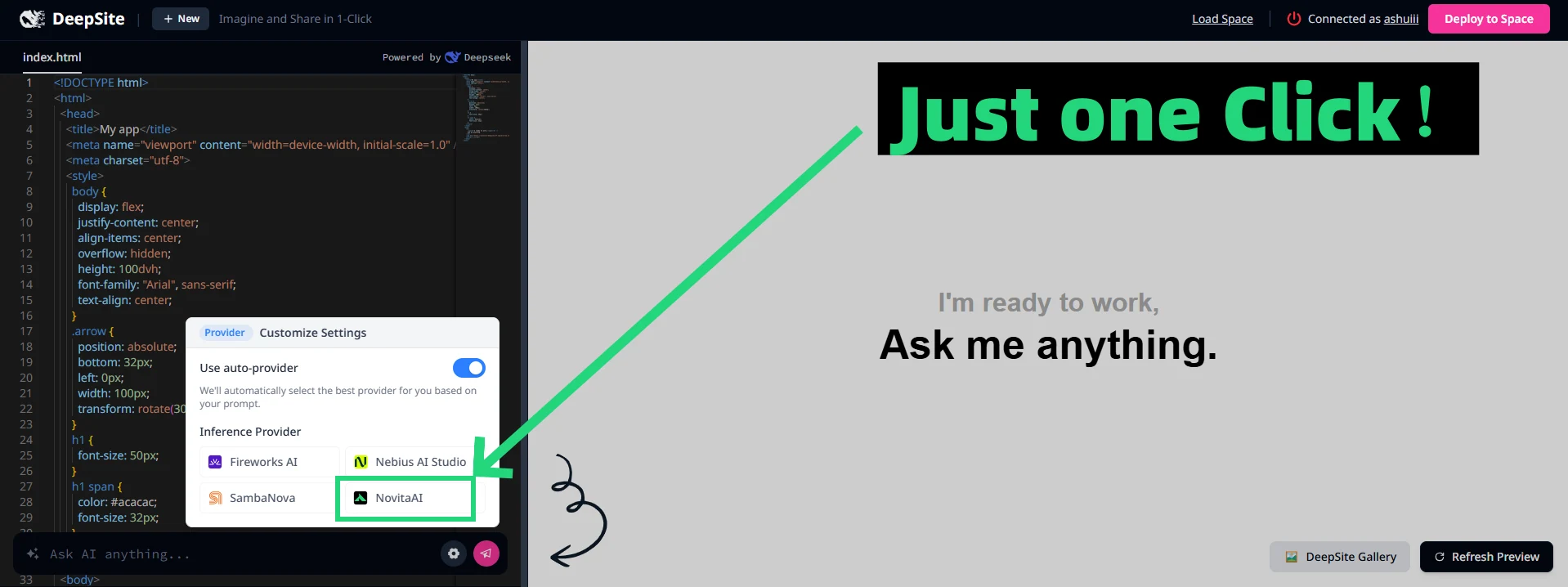
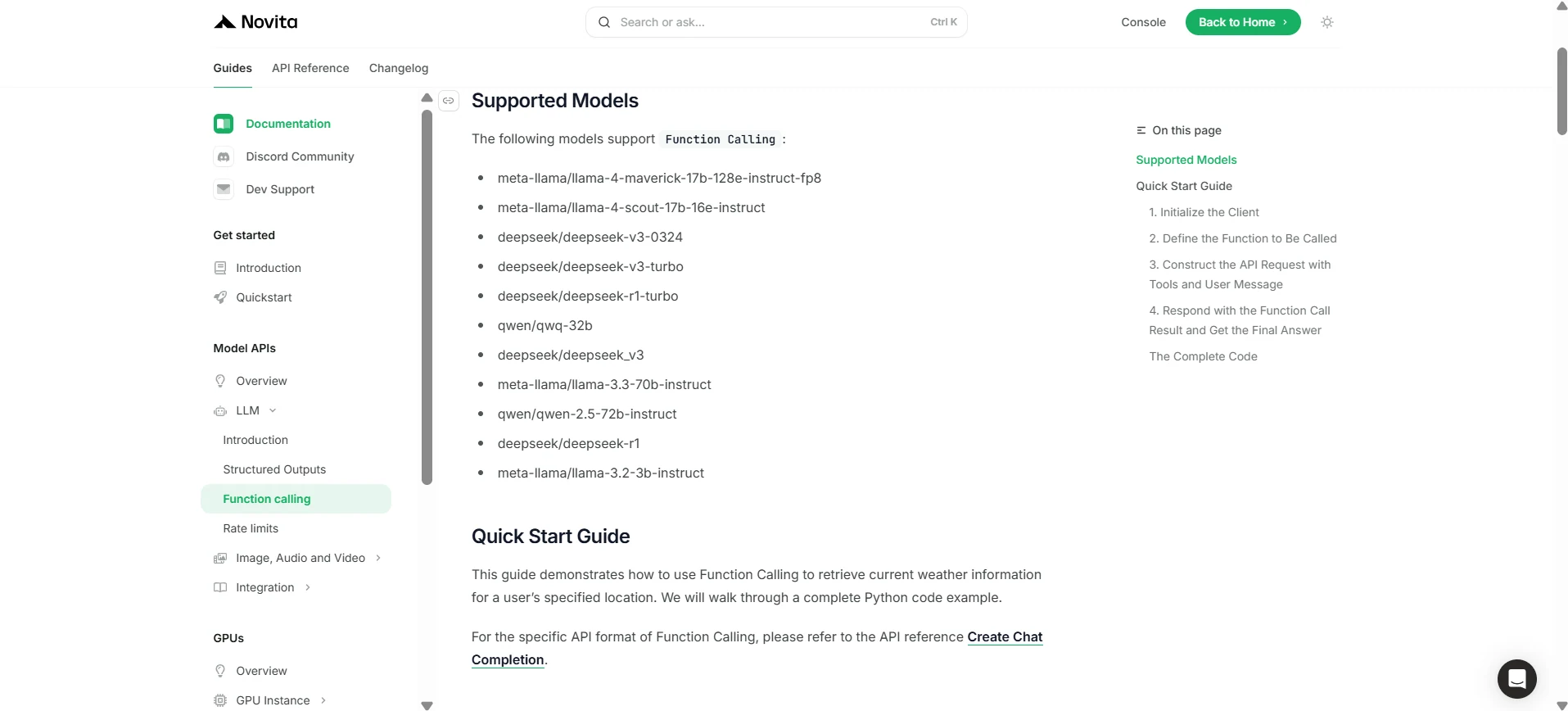
Novita AI는 각 LLM에 대한 지원 기능 설명을 출시했으며, 콘솔 및 문서에서 직접 확인할 수 있습니다.
1. 클라이언트 초기화
먼저 Novita API 키로 클라이언트를 초기화해야 합니다.
from openai import OpenAI
import json

client = OpenAI(
    base_url="https://api.novita.ai/v3/openai",
    # Get the Novita AI API Key from: https://novita.ai/settings/key-management.
    api_key="<YOUR Novita AI API Key>",
)

model = "meta-llama/llama-4-scout-17b-16e-instruct"
- 호출할 함수 정의
다음으로, 모델이 호출할 수 있는 Python 함수를 정의합니다. 이 예제에서는 날씨 정보를 가져오는 함수입니다.
# Example function to simulate fetching weather data.
def get_weather(location):
    """Retrieves the current weather for a given location."""
    print("Calling get_weather function with location: ", location)
    # In a real application, you would call an external weather API here.
    # This is a simplified example returning hardcoded data.
    return json.dumps({"location": location, "temperature": "60 degrees Fahrenheit"})
2. 도구 및 사용자 메시지로 API 요청 구성
이제 Novita 엔드포인트에 API 요청을 생성합니다. 이 요청에는 모델이 사용할 수 있는 함수를 정의하는 tools 매개변수와 사용자 메시지가 포함됩니다.
tools = [
    {
        "type": "function",
        "function": {
            "name": "get_weather",
            "description": "Get weather of an location, the user shoud supply a location first",
            "parameters": {
                "type": "object",
                "properties": {
                    "location": {
                        "type": "string",
                        "description": "The city and state, e.g. San Francisco, CA",
                    }
                },
                "required": ["location"]
            },
        }
    },
]

messages = [
    {
        "role": "user",
        "content": "What is the weather in San Francisco?"
    }
]

# Let's send the request and print the response.
response = client.chat.completions.create(
    model=model,
    messages=messages,
    tools=tools,
)

# Please check if the response contains tool calls if in production.
tool_call = response.choices[0].message.tool_calls[0]
print(tool_call.model_dump())
3. 출력
{'id': '0', 'function': {'arguments': '{"location": "San Francisco, CA"}', 'name': 'get_weather'}, 'type': 'function'}
4. 함수 호출 결과로 응답하고 최종 답변 얻기
다음 단계는 함수 호출을 처리하고 get_weather 함수를 실행한 후 결과를 다시 모델로 보내 사용자에게 최종 응답을 생성하는 것입니다.
# Ensure tool_call is defined from the previous step
if tool_call:
    # Extend conversation history with the assistant's tool call message
    messages.append(response.choices[0].message)

    function_name = tool_call.function.name
    if function_name == "get_weather":
        function_args = json.loads(tool_call.function.arguments)
        # Execute the function and get the response
        function_response = get_weather(
            location=function_args.get("location"))
        # Append the function response to the messages
        messages.append(
            {
                "tool_call_id": tool_call.id,
                "role": "tool",
                "content": function_response,
            }
        )

    # Get the final response from the model, now with the function result
    answer_response = client.chat.completions.create(
        model=model,
        messages=messages,
        # Note: Do not include tools parameter here.
    )
    print(answer_response.choices[0].message)
5. 출력
{'id': '0', 'function': {'arguments': '{"location": "San Francisco, CA"}', 'name': 'get_weather'}, 'type': 'function'}
Llama 4 Scout 와 Novita AI를 통해 함수 호출은 LLM 애플리케이션을 재정의하여 현대적 요구에 맞는 실시간 동적 솔루션을 제공합니다.
자주 묻는 질문
함수 호출이란 무엇인가요?
LLM이 작업을 수행하고 데이터를 검색하기 위해 외부 도구나 API를 트리거할 수 있게 합니다.
Llama 4 Scout는 함수 호출과 어떻게 작동하나요?
Llama 4 Scout는 Novita AI를 통해 실시간 시스템 통합을 단순화합니다.
함수 호출은 실시간 요구에 적합한가요?
네, API 호출이나 동적 데이터 쿼리와 같은 작업에 완벽합니다.
Novita AI는 AI 야망을 실현하는 올인원 클라우드 플랫폼입니다. 통합 API, 서버리스, GPU 인스턴스 — 비용 효율적인 도구를 제공합니다. 인프라를 제거하고 무료로 시작하여 AI 비전을 현실로 만드세요.