Gemma 3 1B is the smallest member of Google DeepMind’s Gemma 3 family, featuring 1 billion parameters. Designed for mobile and web applications, it is optimized for quick downloads and low latency. At just 0.5 GB when quantized, it can run entirely on-device, enabling offline AI usage without cloud dependency, reducing costs, and enhancing privacy. This article will give you free access to Gemma 3 1b to help you build your own AI!
Notably, Novita AI has launched a completely free and highly stable Gemma 3 1B API. You don’t even need to pay for hardware – you can build your own AI-powered mobile application at zero cost.
What is Gemma 3 1B?
Unlike the larger 4B+ models, the 1B model wasn’t given an image understanding capability, to keep it lean.
| Feature | Details |
|---|---|
| Model Type | Small Language Model (SLM) |
| Parameters | 1 billion |
| Size (Quantized) | ~0.5 GB |
| Multimodal Support | Text Input, text output |
| Context Window | 128K |
| Language Support | 140+ languages |
| Open Weights | Pre-trained and instruction-tuned variants |
How Is Gemma 3 1B Trained?
Training Data:
Gemma 3 1B was trained on a diverse text corpus of approximately 2 trillion tokens, including web pages (spanning 140+ languages), code, and mathematical or logical data.
Advantages of Code and Math Data:
The inclusion of code and math datasets enables the model to handle basic coding questions and reasoning tasks, despite its smaller size. Remarkably, Gemma 3 1B outperforms the older Gemma 2 (2B) model, achieving this while being only ~20% of its size. Google attributes this performance boost to advanced training techniques and optimizations.
What Has Gemma 3 1B Done To Make It Work On Small Hardware?
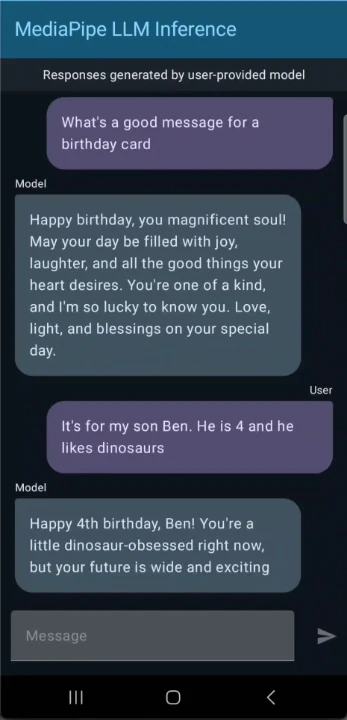
Use Gemma 3 1B to build a chat app for Android
Quantization and Model Size Optimization:
Gemma 3 1B uses Quantization-Aware Training (QAT), enabling weight precision down to 4 bits with minimal quality loss. Google offers an int4 quantized checkpoint (~529 MB), which preserves high accuracy while drastically reducing the model size.
Transformer Architecture Improvements:
The model features an optimized Transformer architecture, including improved key-value cache handling to reduce memory bandwidth overhead and weight sharing between the “prefill” and “decode” phases of inference. These adjustments boost throughput and reduce memory usage, making it highly efficient for limited hardware.
Where can I Download Gemma 3 1B for Free?
Gemma 3 1B System Requirements
In summary, any modern PC or smartphone from the last few years can potentially run Gemma 3 1B, as long as it has a few GB of memory available.
| Category | Details |
|---|---|
| Memory (RAM/VRAM) | 16-bit (BF16): 1.5 GB |
| 8-bit (SFP8): 1.1 GB | |
| 4-bit (INT4): 0.9 GB (861 MB) | |
| Recommended: Devices with 4 GB or more RAM for runtime overhead. | |
| Storage | Offline AI capability makes the storage trade-off manageable for mobile devices. |
| Performance | Can run on CPU-only systems (limited performance). |
| GPU significantly improves throughput (see Android metrics): | |
| Prefill (tokens/sec): CPU: 322.5/GPU 2585.9 | |
| Decode (tokens/sec): CPU: 47.4/GPU 56.4 | |
| Software Requirements | Python: Transformers 4.50+, Python 3.10+, PyTorch or TensorFlow (latest versions). |
| Mobile/C++: Gemma.cpp (optimized GGML/gguf port) or Google LiteRT runtime (C++ compiler needed). | |
| Recommended: Use Transformers with PyTorch for simplicity. |
Download Gemma 3 1B Methods
The Gemma 3 weights are free, but you should pay for hardware and agree to a responsible AI license.
Step 1: Choose Your Setup and Hardware
You can run Gemma 3 1B in one of the following ways:
- Option A: Use the Demo App on Android
Download the pre-built demo app from GitHub and install it on your Android device:
$ wget https://github.com/google-ai-edge/mediapipe-samples/releases/download/v0.1.3/llm_inference_v0.1.3-debug.apk
$ adb install llm_inference_v0.1.3-debug.apk- Option B: Run on Your Computer (CPU or GPU)
If you prefer to use a computer, you can skip the demo app and run the model directly using tools likegemma.cppor Python libraries (e.g.,Transformers). Ensure your hardware meets the requirements:
Step 2: Download the Model from Hugging Face
On the model selection screen (or via your own setup), download the quantized INT4 version of Gemma 3 1B. You’ll need to sign in to Hugging Face and accept the terms of use. The model, approximately 529 MB, will automatically optimize for your device after downloading, a process that takes just a few seconds.
Step 3: Run the Model
Start using Gemma 3! Interact with it through text-based tasks, such as summarizing articles, generating social media posts, or answering questions. The model leverages Google AI Edge’s LLM Inference API for efficient on-device processing.
Step 4: Customize Gemma 3 (Optional)
Create your own fine-tuned version of Gemma 3 1B using your data. Follow the provided Colab notebook to train, quantize, and deploy your customized model to mobile devices or computers.
This version merges the app setup and hardware selection into a single step while maintaining clarity and logical flow.
Where Can I Run Gemma 3 1B via API?
Notably, Novita AI has launched a completely free and highly stable Gemma 3 1B API. You don’t even need to pay for hardware – you can build your own AI-powered mobile application at zero cost.
Step 1: Log In and Access the Model Library
Log in to your account and click on the Model Library button.

Step 2: Choose Your Model
Browse through the available options and select the model that suits your needs.
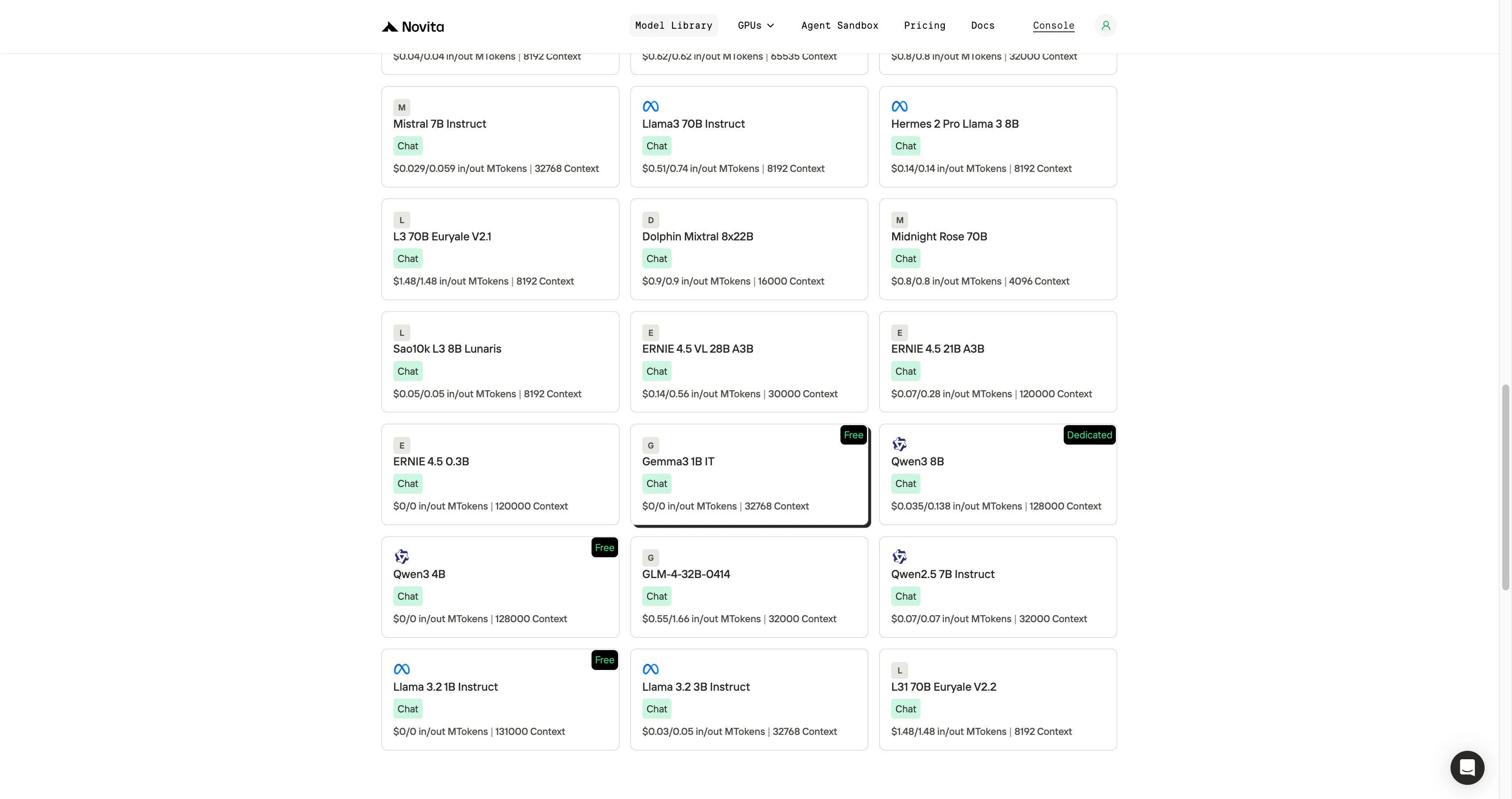
Step 3: Start Your Free Trial
Begin your free trial to explore the capabilities of the selected model.
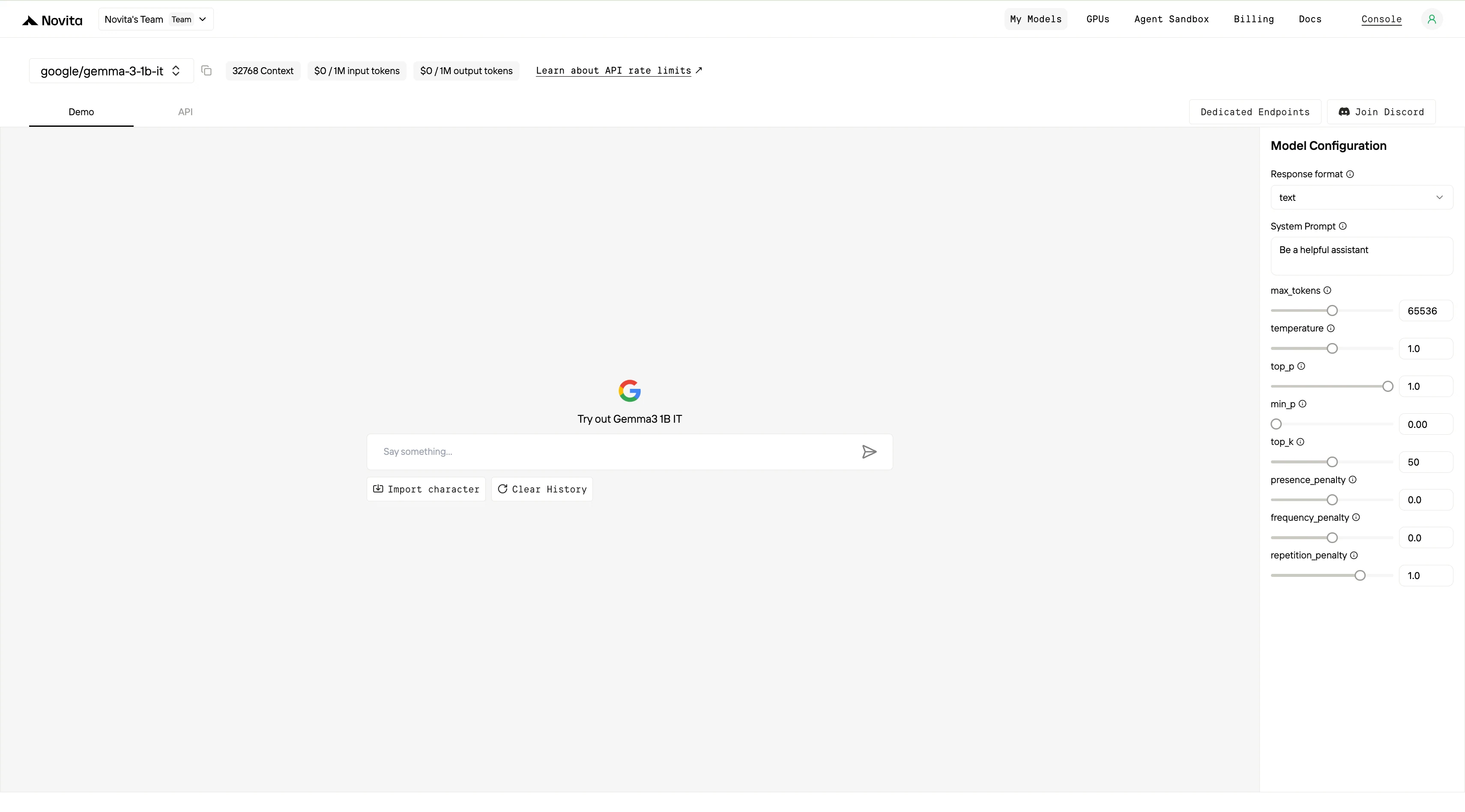
Step 4: Get Your API Key
To authenticate with the API, we will provide you with a new API key. Entering the “Settings“ page, you can copy the API key as indicated in the image.

Step 5: Install the API
Install API using the package manager specific to your programming language.
After installation, import the necessary libraries into your development environment. Initialize the API with your API key to start interacting with Novita AI LLM. This is an example of using chat completions API for python users.
from openai import OpenAI

client = OpenAI(
    base_url="https://api.novita.ai/openai",
    api_key="<YOUR Novita AI API Key>",
)

model = "google/gemma-3-1b-it"
stream = True # or False
max_tokens = 65536
system_content = "Be a helpful assistant"
temperature = 1
top_p = 1
min_p = 0
top_k = 50
presence_penalty = 0
frequency_penalty = 0
repetition_penalty = 1
response_format = { "type": "text" }

chat_completion_res = client.chat.completions.create(
    model=model,
    messages=[
        {
            "role": "system",
            "content": system_content,
        },
        {
            "role": "user",
            "content": "Hi there!",
        }
    ],
    stream=stream,
    max_tokens=max_tokens,
    temperature=temperature,
    top_p=top_p,
    presence_penalty=presence_penalty,
    frequency_penalty=frequency_penalty,
    response_format=response_format,
    extra_body={
      "top_k": top_k,
      "repetition_penalty": repetition_penalty,
      "min_p": min_p
    }
  )

if stream:
    for chunk in chat_completion_res:
        print(chunk.choices[0].delta.content or "", end="")
else:
    print(chat_completion_res.choices[0].message.content)
Gemma 3 1B shows how far open AI has come—packing 1B parameters into just ~0.5 GB. It runs fully offline on modern smartphones or PCs, offering low-latency AI without cloud costs. With free access via Hugging Face, Kaggle, or Novita AI’s stable API, you can experiment, prototype, or even ship your own AI-powered mobile app at zero cost. Gemma 3 1B makes “AI in your pocket” a practical reality.
Frequently Asked Questions
Do I need a GPU to use Gemma 3 1B?
No. It can run on CPU or mobile hardware with ≥4 GB RAM. GPUs improve speed but aren’t required.
What’s the difference between Gemma 3 1B PT and IT?
PT = pre-trained (raw model), IT = instruction-tuned (chat/assistant ready). Most developers should use the IT version.
How can I use Gemma 3 1B without downloading weights?
You can access it instantly via Novita AI’s free API, or test it in a Hugging Face demo.
Novita AI is an AI cloud platform that offers developers an easy way to deploy AI models using our simple API, while also providing an affordable and reliable GPU cloud for building and scaling.



