Key Highlights
DeepSeek V3 0324 brings substantial enhancements in logical reasoning, mathematical problem-solving, function-calling accuracy, and specialized language proficiency
You can start a free trail on Novita AI!
A major highlight is the extended 128,000-token context window, enabling better long-form understanding.
Pricing is highly competitive: $0.39 per 1M input tokens and $1.3 per 1M output tokens.
DeepSeek has once again raised the bar in artificial intelligence with the release of DeepSeek-V3-0324, an open-source language model that significantly outperforms its predecessors. The model effortlessly surpasses its top-notch competitors like GPT-4.5 and Claude 3.7 Sonnet.
What is DeepSeek V3 0324?
Overview of Deepseek V3 0324
| Basic Info | Release Date | March 24, 2025 |
| Model Size | 671B parameters (37B active/token) | |
| Open Source | Open | |
| Architecture | Mixture-of-Experts (MoE) | |
| Ability | Supports function calling | |
| Language Support | Supported Multilingual Languages | Enhanced capabilities in Chinese language |
| Multimodal | Multimodal Capability | Text to text |
| Training | Training Data | 14.8 trillion tokens of diverse |
| Model Size by Precision | Tensor type | BF16/F8_E4M3/F32 |
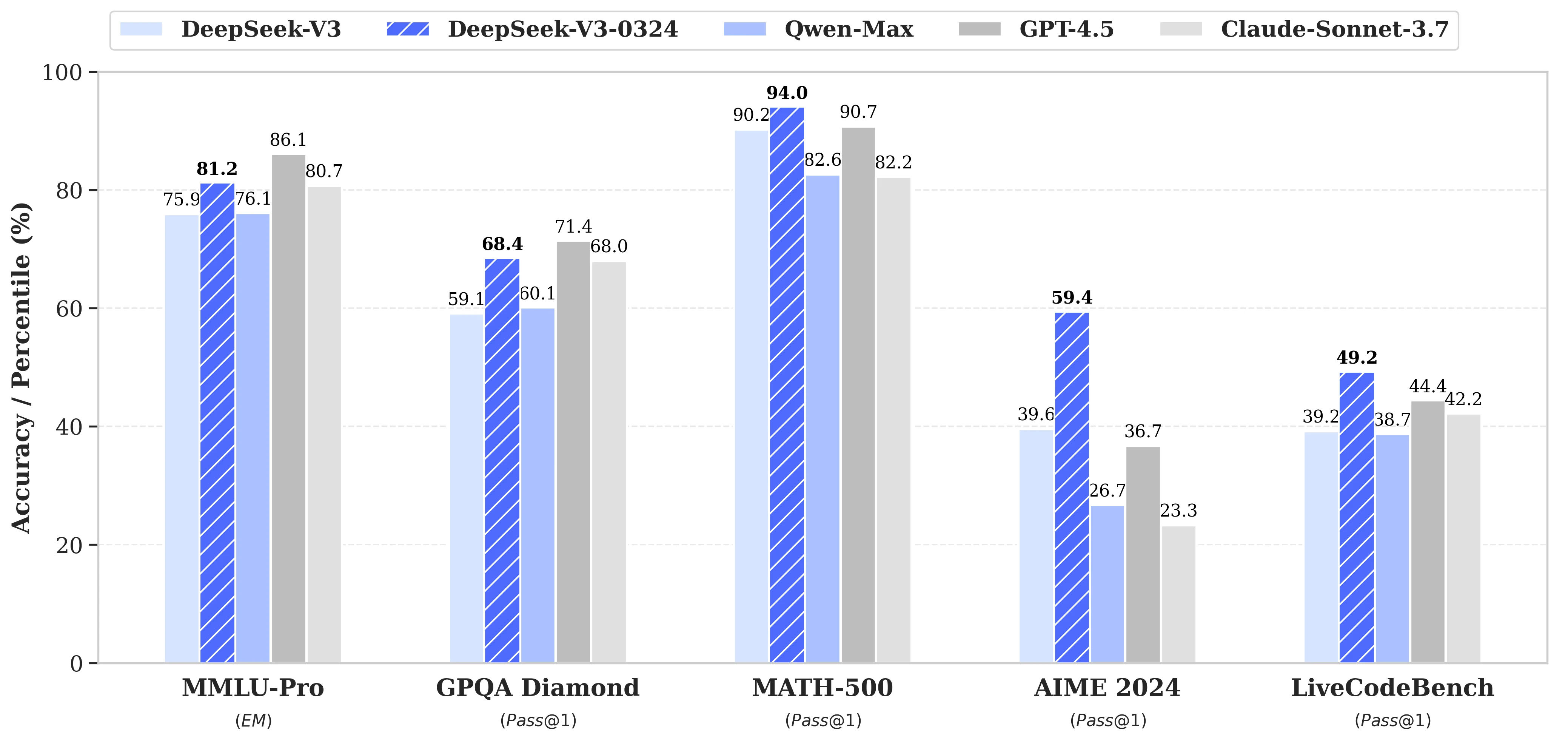
Keyhighlights of Deepseek V3 0324
Front-End Web Development
- Improved Code Executability:
- Follow best practices like using semantic HTML, keeping code clean, and using version control to ensure readability and maintainability.
- More Aesthetically Pleasing Web Pages and Game Front-ends:
- Use responsive design and CSS frameworks (e.g., Sass, Bootstrap) to improve the visual appeal and layout on different devices.
Chinese Writing Proficiency
- Enhanced Style and Content Quality:
- Study and emulate styles such as the elegant writing in Lantingji Xu to improve fluency and grace in writing.
- Better Quality in Medium-to-Long-Form Writing:
- Use structures like “Qi, Cheng, Zhuan, He” (beginning, development, twist, conclusion) for clear, logical flow in writing.
Feature Enhancements
- Improved Multi-Turn Interactive Rewriting:
- Develop tools with natural language processing to support multi-turn conversation and enhance interactivity.
- Optimized Translation Quality and Letter Writing:
- Use machine learning models like DeepSeek to improve translation accuracy and provide writing style suggestions for letters.
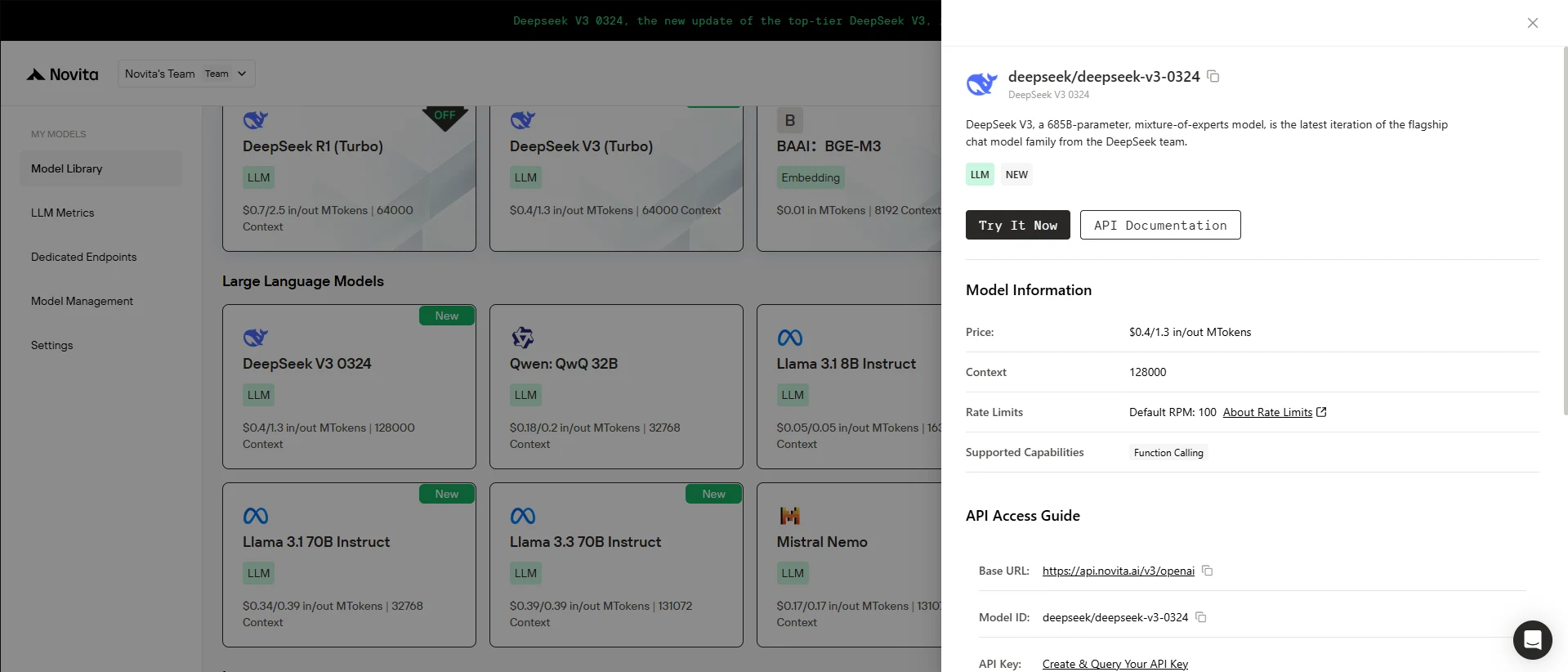
Novita AI has introduced DeepSeek V3 0324, offering longer 128000 context and amazing price( $0.39 / 1M input tokens and $1.3 / 1M output tokens)
Moreover, this version fully supports function calling.
You can start a free trail on Novita AI!
Using DeepSeek V3 0324 Locally
Hardware Needs
| Model | Model VRAM | GPU NEEDS | GPU Needs |
| Deepseek V3 0324 | ~1532 GB | 24Xh100(80*24GB) | 1920GB |
| 4-bit Model | ~386 GB | 8Xh100(80*24GB) | 640GB |
Or you can take other bits ways:
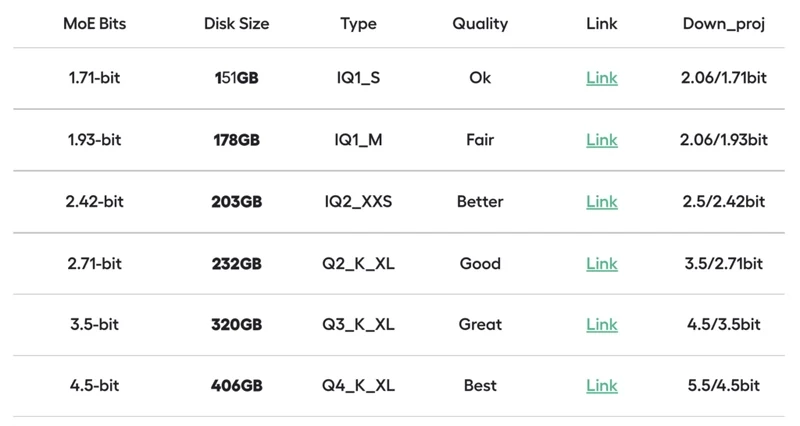
source from unsloth
Step by Step Guide
Step 1: Obtain and Build llama.cpp
1.Clone the repository and install dependencies:
<code>sudo apt-get update sudo apt-get install -y pciutils build-essential cmake curl libcurl4-openssl-dev git clone https://github.com/ggml-org/llama.cpp</code>2.Build llama.cpp:
<code>make llama.cpp -B llama.cpp/build \ -DBUILD_SHARED_LIBS=OFF -DGGML_CUDA=ON -DLLAMA_CURL=ON</code>3.Compile the binaries:
<code>cmake --build llama.cpp/build --config Release -j --clean-first --target llama-quantize llama-cli llama-gguf-split cp llama.cpp/build/bin/llama-* llama.cpp</code>Step 2: Download the Model
1.Install the required Python libraries:
<code>pip install huggingface_hub hf_transfer</code>2.Download DeepSeek-V3-0324 GGUF model:
import os
from huggingface_hub import snapshot_download

os.environ["HF_HUB_ENABLE_HF_TRANSFER"] = "1"
snapshot_download(
    repo_id="unsloth/DeepSeek-V3-0324-GGUF",
    local_dir="unsloth/DeepSeek-V3-0324-GGUF",
    allow_patterns=["*UD-Q2_K_XL*"]  # Dynamic 2.7-bit (230GB)
)
Step 3: Run the Model
Adjust parameters based on your hardware:
--threads: Number of CPU threads (e.g., 32 for high-core CPUs).
--ctx-size: Context length (e.g., 16384 for large memory).
--n-gpu-layers: Number of layers offloaded to GPU. Increase for better performance but reduce if GPU memory runs out. Omit this for CPU-only inference.
Using DeepSeek V3 0324 via API
Novita AI is an AI cloud platform that offers developers an easy way to deploy AI models using our simple API, while also providing the affordable and reliable GPU cloud for building and scaling.
Step 1: Log In and Access the Model Library
Log in to your account and click on the Model Library button.

Try DeepSeek V3 0324 Demo Now!
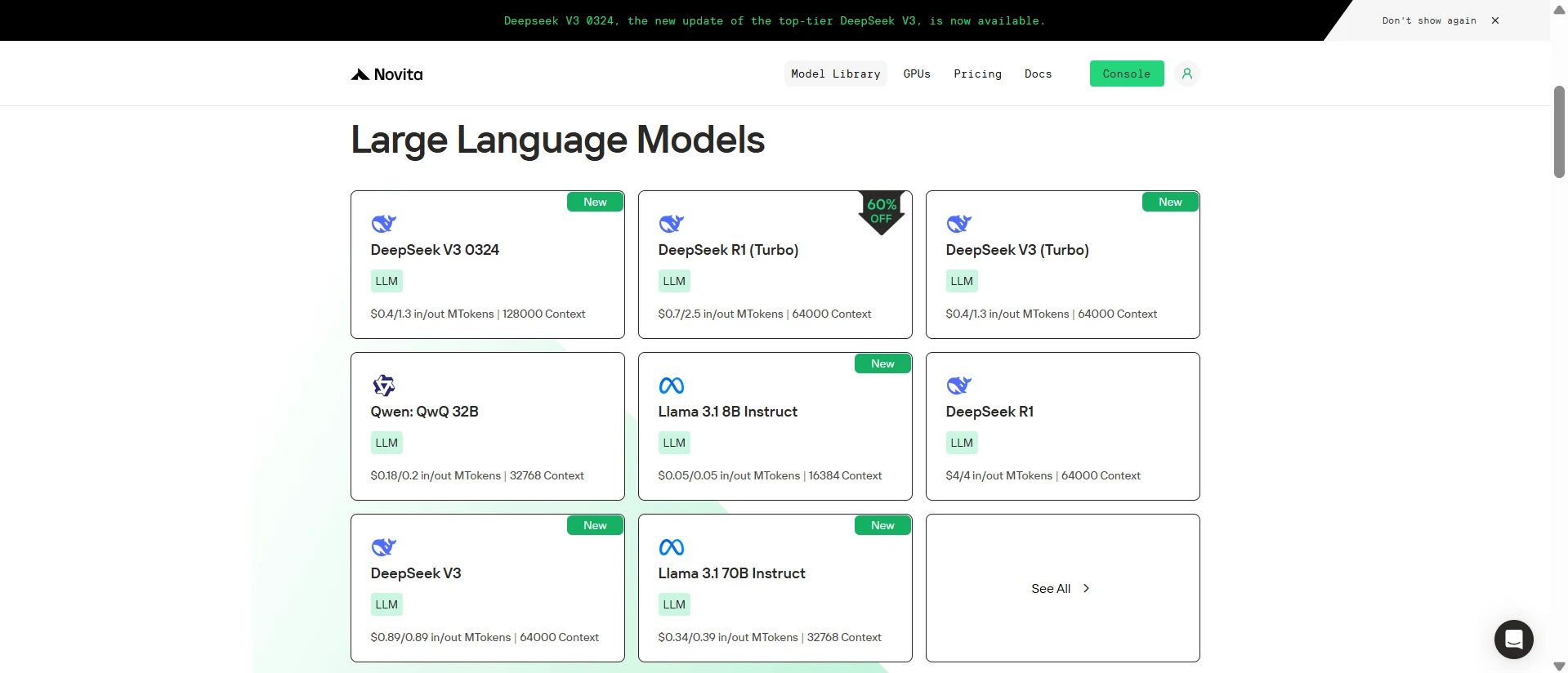
Step 2: Choose Your Model
Browse through the available options and select the model that suits your needs.
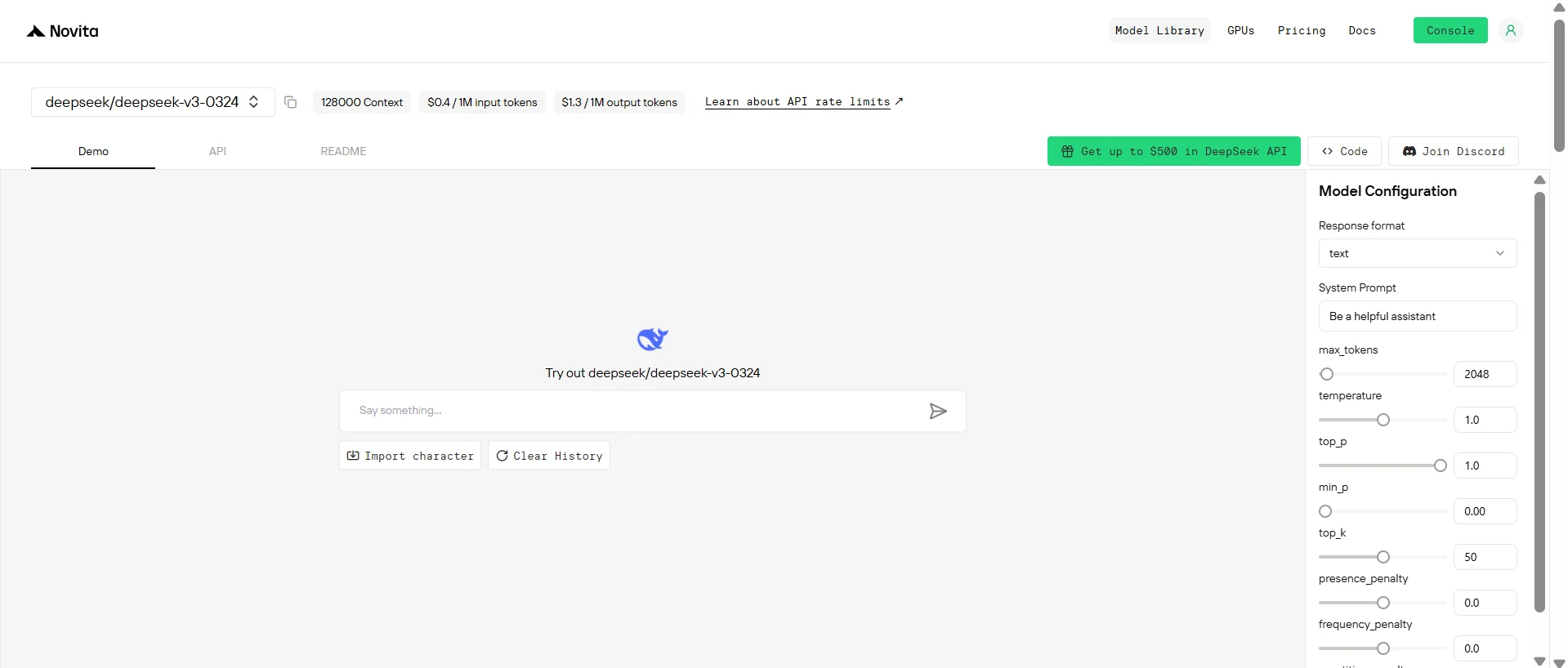
Step 3: Start Your Free Trial
Begin your free trial to explore the capabilities of the selected model.
Step 4: Get Your API Key
To authenticate with the API, we will provide you with a new API key. Entering the “Settings“ page, you can copy the API key as indicated in the image.

Step 5: Install the API
Install API using the package manager specific to your programming language.
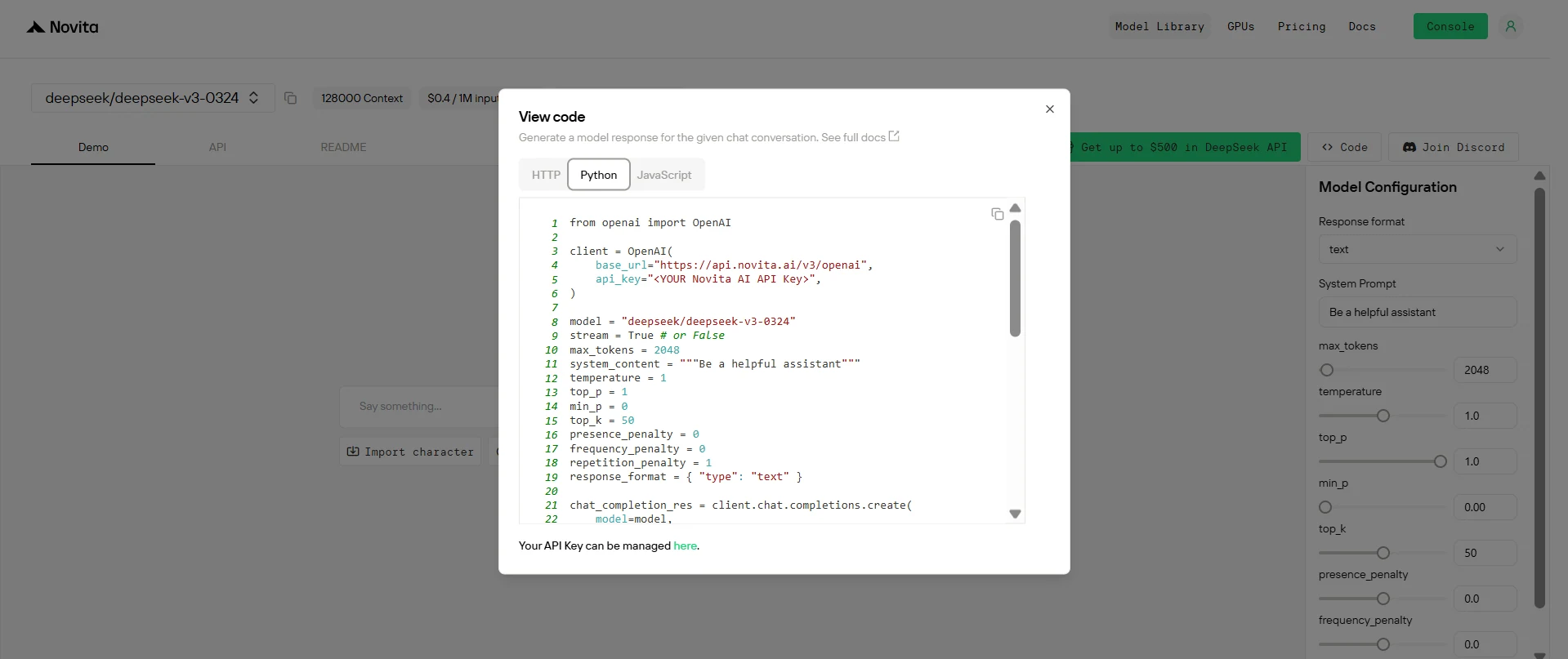
After installation, import the necessary libraries into your development environment. Initialize the API with your API key to start interacting with Novita AI LLM. This is an example of using chat completions API for python users.
from openai import OpenAI

client = OpenAI(
    base_url="https://api.novita.ai/v3/openai",
    api_key="<YOUR Novita AI API Key>",
)

model = "deepseek/deepseek-v3-0324"
stream = True # or False
max_tokens = 2048
system_content = """Be a helpful assistant"""
temperature = 1
top_p = 1
min_p = 0
top_k = 50
presence_penalty = 0
frequency_penalty = 0
repetition_penalty = 1
response_format = { "type": "text" }

chat_completion_res = client.chat.completions.create(
    model=model,
    messages=[
        {
            "role": "system",
            "content": system_content,
        },
        {
            "role": "user",
            "content": "Hi there!",
        }
    ],
    stream=stream,
    max_tokens=max_tokens,
    temperature=temperature,
    top_p=top_p,
    presence_penalty=presence_penalty,
    frequency_penalty=frequency_penalty,
    response_format=response_format,
    extra_body={
      "top_k": top_k,
      "repetition_penalty": repetition_penalty,
      "min_p": min_p
    }
  )

if stream:
    for chunk in chat_completion_res:
        print(chunk.choices[0].delta.content or "", end="")
else:
    print(chat_completion_res.choices[0].message.content)
Using DeepSeek V3 0324 via Chatbox
Step 1: Install Chatbox
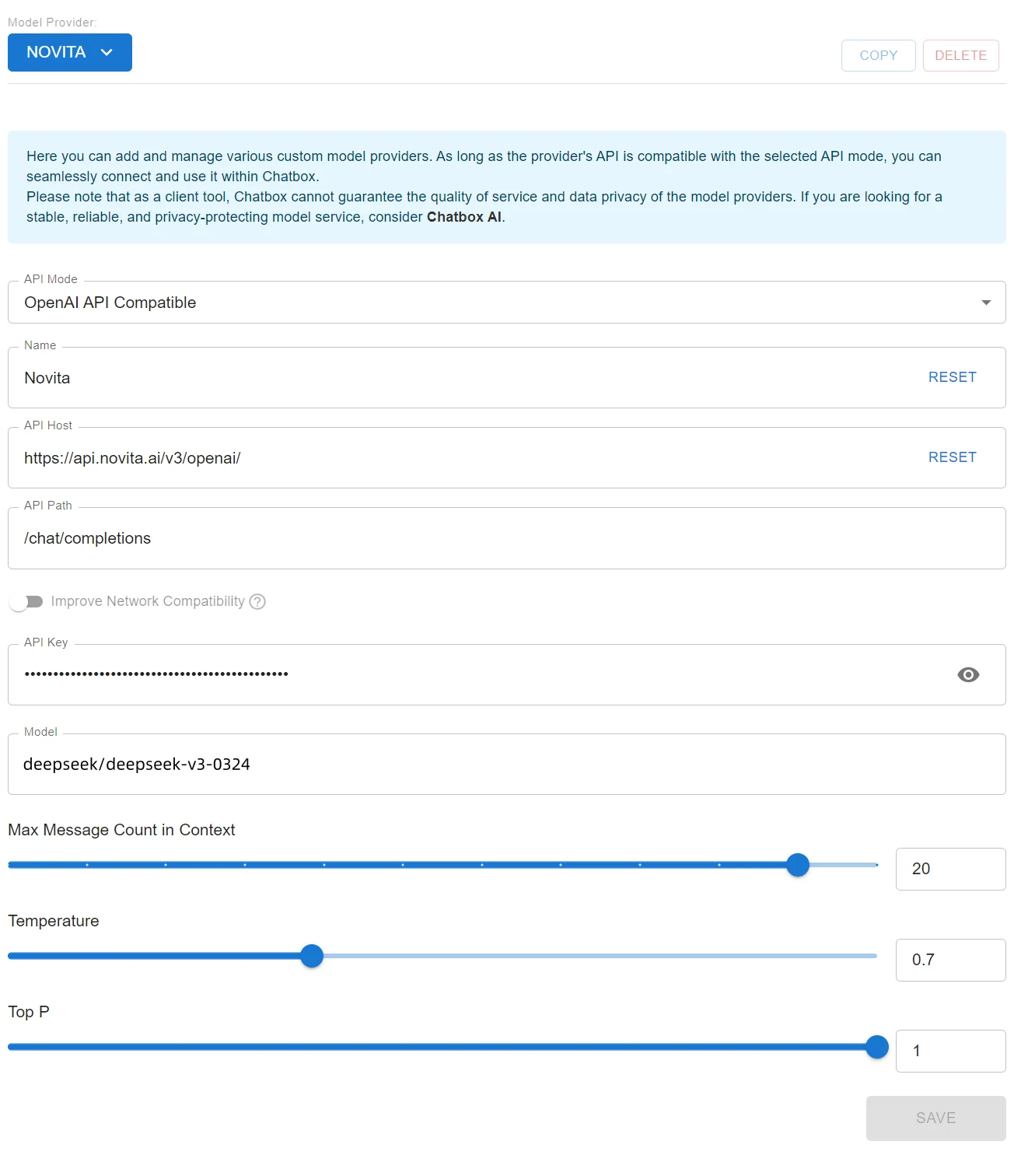
- Select the “Setting” option. This setting ensures compatibility with APIs following the OpenAI API standard, like Novita AI.
- Fill in the configuration fields:
- Base URL: Enter
https://api.novita.ai/v3/openai. - API Key: Paste your Novita AI API Key here.
- Model Name: Paste the model name you copied earlier (e.g.,
deepseek/deepseek-v3-0324).
- Base URL: Enter
- Once the configuration is filled out, click Done.
Using DeepSeek V3 0324 via Cloud GPU
Step1:Register an account
If you’re new to Novita AI, begin by creating an account on our website. Once you’re registered, head to the “GPUs” tab to explore available resources and start your journey.
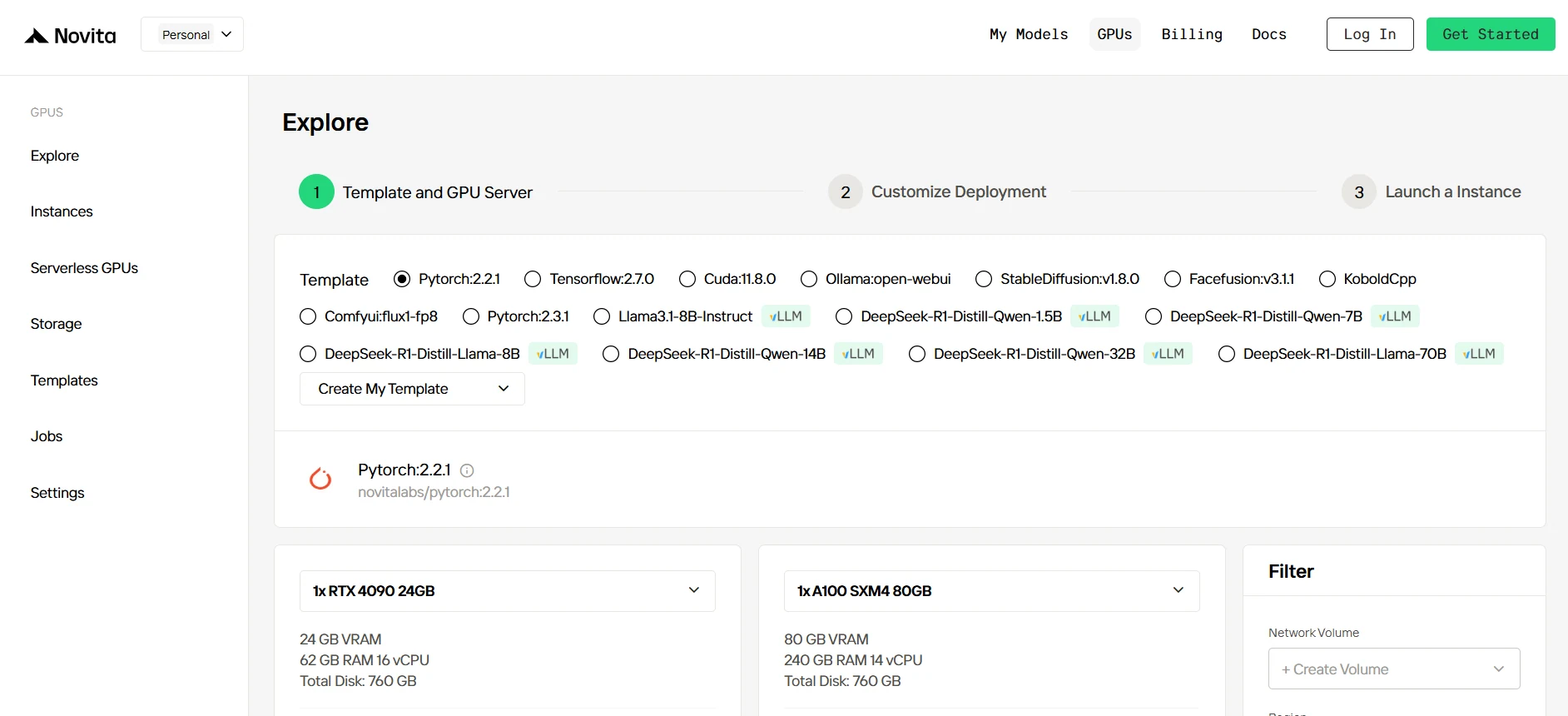
Step2:Exploring Templates and GPU Servers
Start by selecting a template that matches your project needs, such as PyTorch, TensorFlow, or CUDA. Choose the version that fits your requirements, like PyTorch 2.2.1 or CUDA 11.8.0. Then, select the A100 GPU server configuration, which offers powerful performance to handle demanding workloads with ample VRAM, RAM, and disk capacity.
Try Novita AI’s High-Performance GPUs
Step3:Tailor Your Deployment
After selecting a template and GPU, customize your deployment settings by adjusting parameters like the operating system version (e.g., CUDA 11.8). You can also tweak other configurations to tailor the environment to your project’s specific requirements.
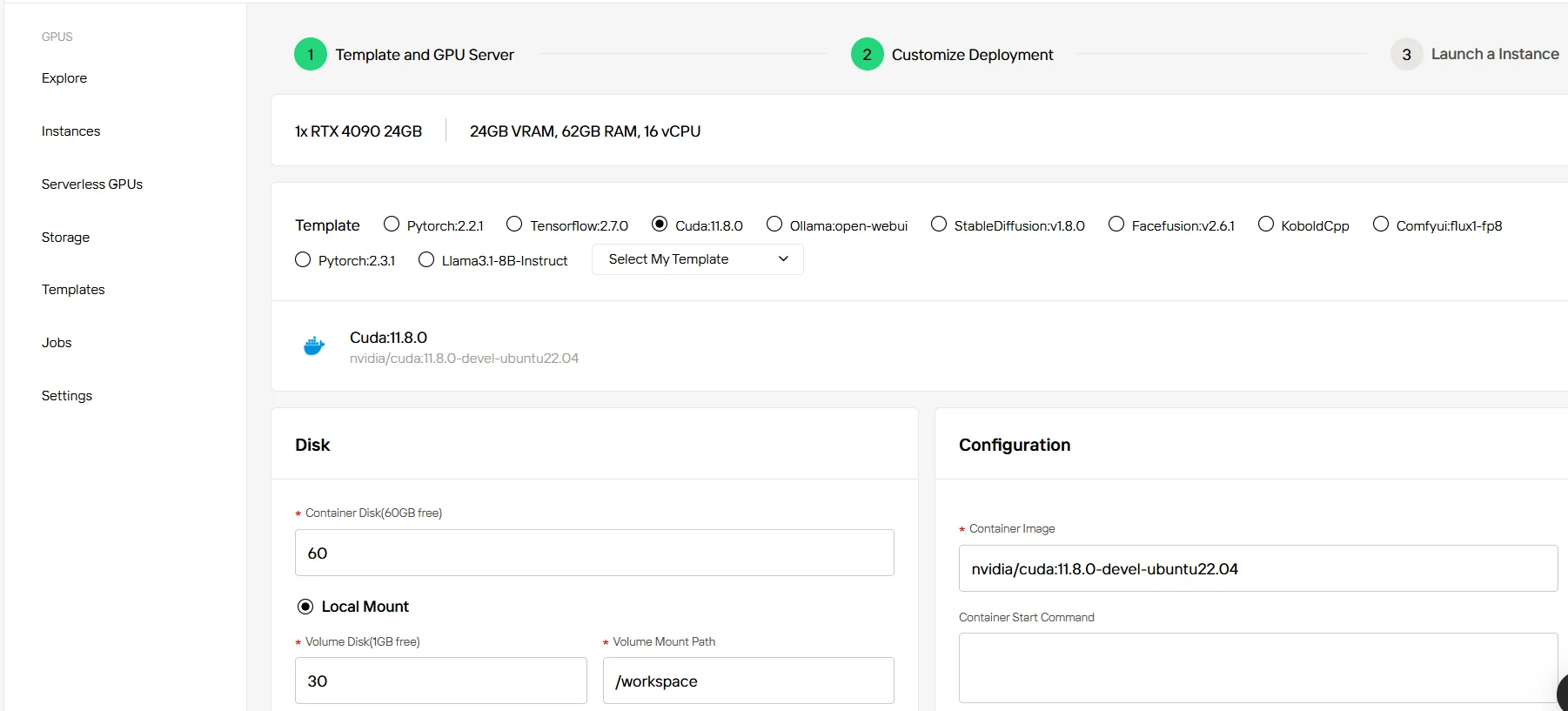
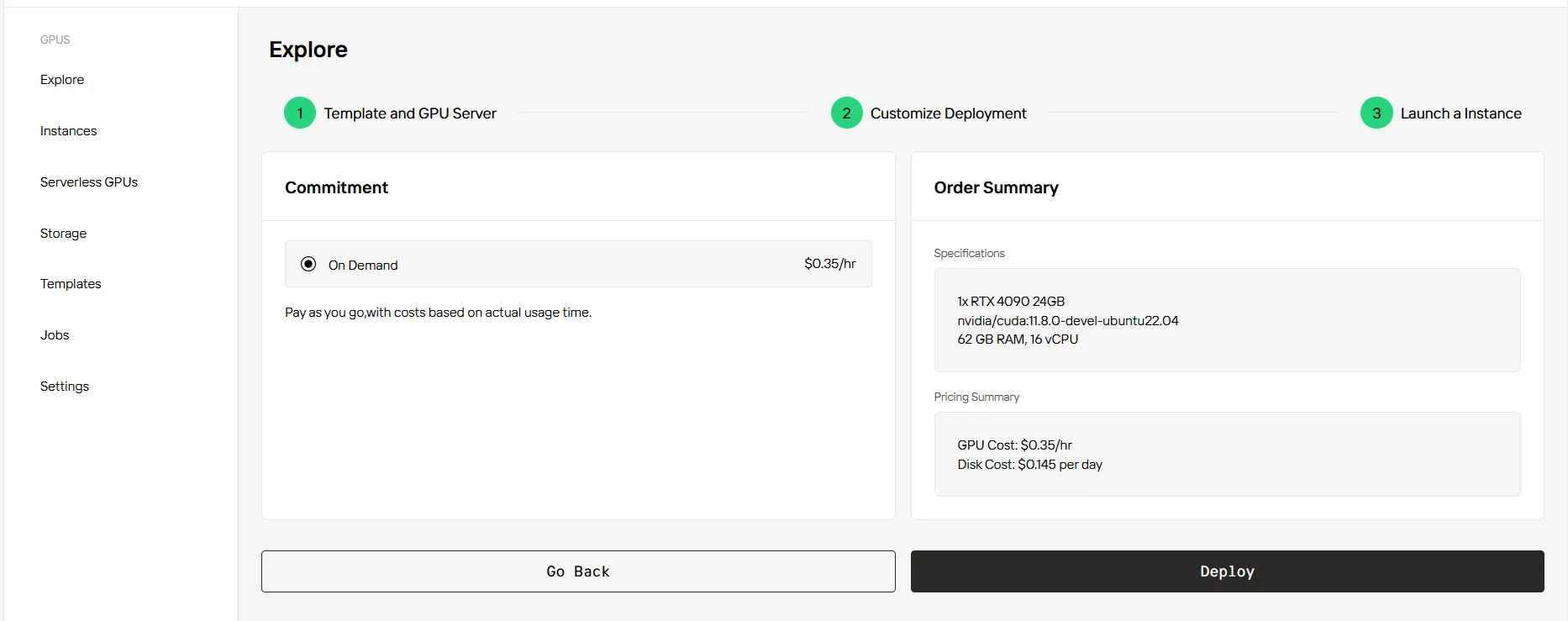
Step4:Launch an instance
Once you’ve finalized the template and deployment settings, click “Launch Instance” to set up your GPU instance. This will start the environment setup, enabling you to begin using the GPU resources for your AI tasks.
Novita AI Integrates with 15 Platforms
Novita AI has integrated with 15 platforms, and detailed tutorials can be found in the docs.
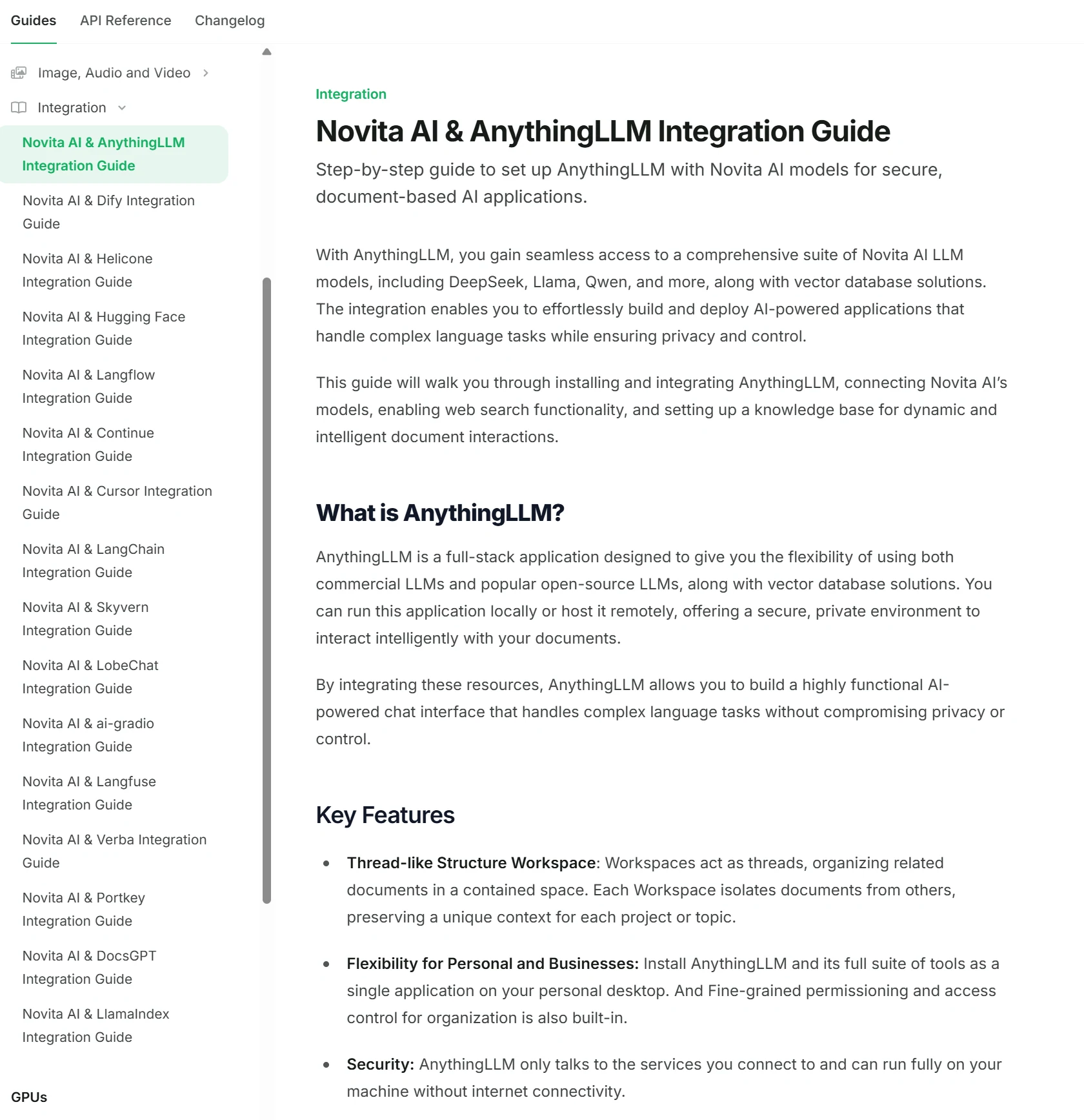
Check if your App Integration is Completed?
DeepSeek V3 0324 represents a significant advancement in AI capabilities, offering high performance with an affordable pricing structure. Its multilingual abilities, extended context window, and support for function calling make it a versatile tool for developers. Whether used locally or via the Novita AI API, DeepSeek V3 0324 provides a powerful solution for a variety of AI tasks, from natural language processing to multimodal applications.
Frequently Asked Questions
What is the pricing for DeepSeek V3 0324?
The pricing is $0.39 per 1M input tokens and $1.3 per 1M output tokens, making it cost-effective for developers on Novita AI.
What hardware do I need to run DeepSeek V3 0324 locally?
The model requires significant hardware resources, including around 1532 GB of VRAM and 24x H100 GPUs with 80GB each, totaling 1920 GB.
Does DeepSeek V3 0324 support function calls?
Yes, it fully supports function calling, allowing developers to integrate it into more complex workflows.
Novita AI is an AI cloud platform that offers developers an easy way to deploy AI models using our simple API, while also providing an affordable and reliable GPU cloud for building and scaling.