Key Highlights
What is DeepSeek R1 and Deepseek R1 Turbo?
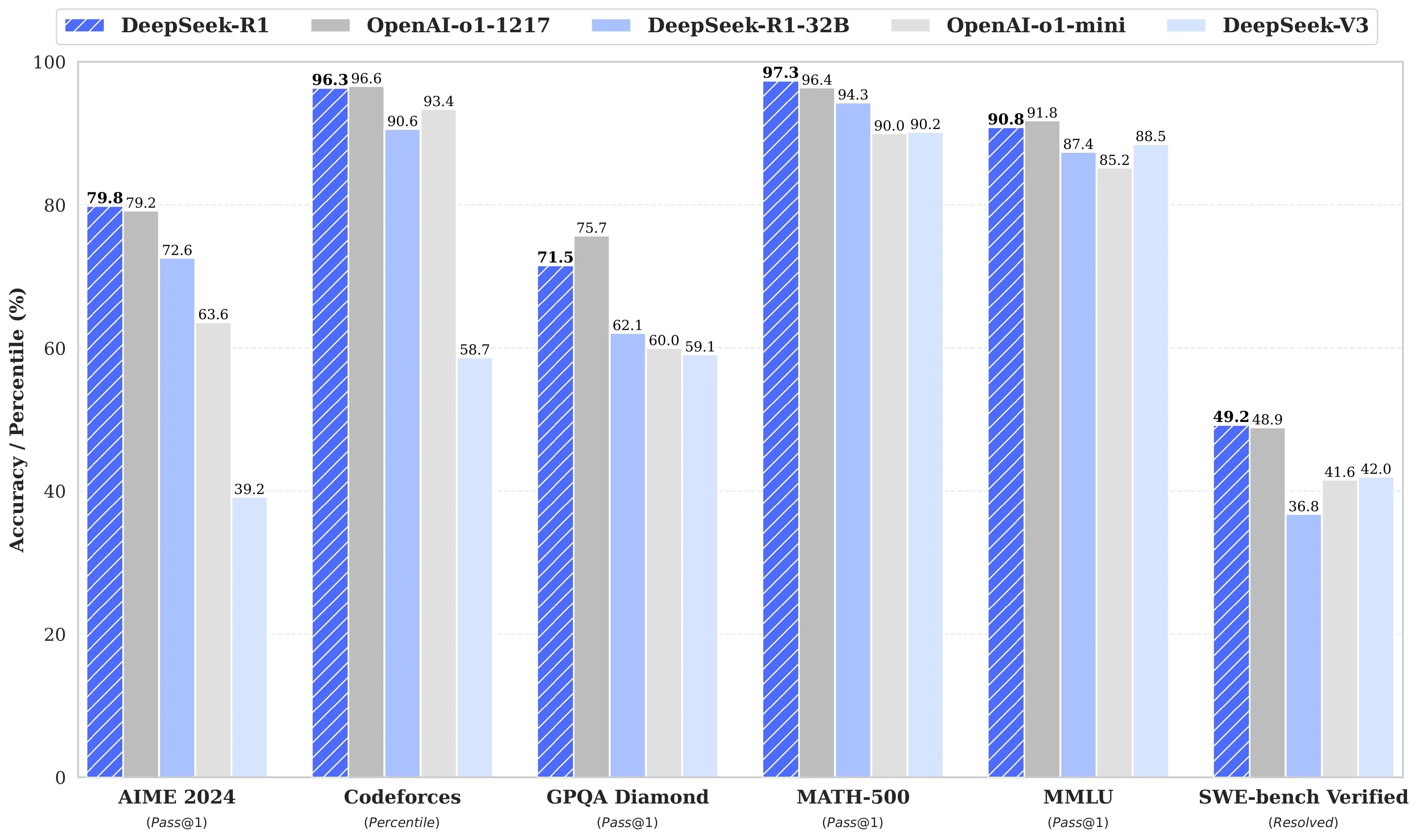
DeepSeek R1: 671B parameter MoE model, 128K context.
DeepSeek R1 Turbo: 3x speed, function-calling, 60% discount.
Using Deepseek R1 Locally
Simple local setup via Ollama.
Quick command-line usage.
Using Deepseek R1 via API
Easy, OpenAI-compatible API.
Customizable parameters, free trial available.
Using Deepseek R1 in a Vscode Extension
Install via Cline plugin.
Direct AI access in VSCode editor.
Using Deepseek R1 via Chatbox
Fast Chatbox API integration.
Easy conversational AI setup.
Using Deepseek R1 via Cloud GPU
GPU instances (A100) from Novita AI.
Customizable, high-performance deployments.
Experience the power of Deepseek R1 Turbo, offering 3x speed, built-in function-calling, and an exclusive 60% discount. Whether you’re working locally, integrating with APIs, or leveraging advanced GPU cloud instances, Deepseek R1 Turbo is designed for efficiency and flexibility across multiple platforms.
What is DeepSeek R1 and Deepseek R1 Turbo?
- Release Date: January 21, 2025
- Model Scale:
- Key Features:
- Model Size: 671B parameters (37B active/token)
- Tokenizer: Enhanced tokenizer with self-reflection tags
- Supported Languages: Multilingual with cultural adaptation
- Multimodal: Text-only
- Context Window: 128K tokens
- Storage Formats: Q8/Q5 quantization support
- Architecture: Mixture of Experts (MoE) + RL-enhanced training pipeline
- Training Method: Built on V3 base with RL pipeline (SFT → RL → SFT → RL)
- Training Data: V3 base + RL optimization data
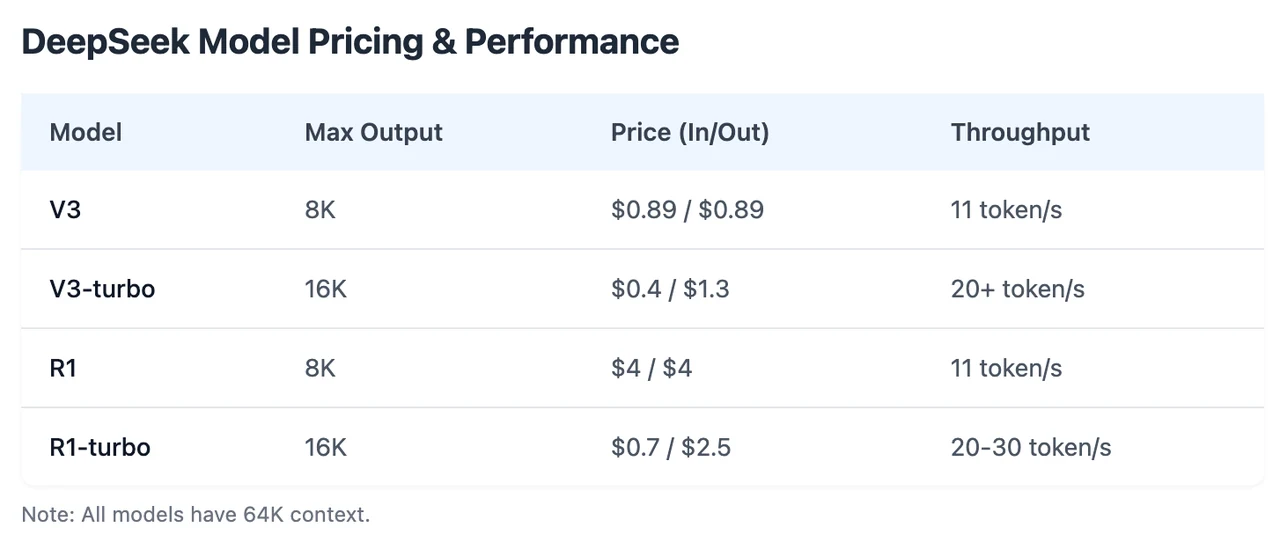
Novita AI has introduced DeepSeek R1 Turbo, offering 3x throughput and limited-time 60% discount. Moreover, this version fully supports function calling.
You can start a free trail on Novita AI!
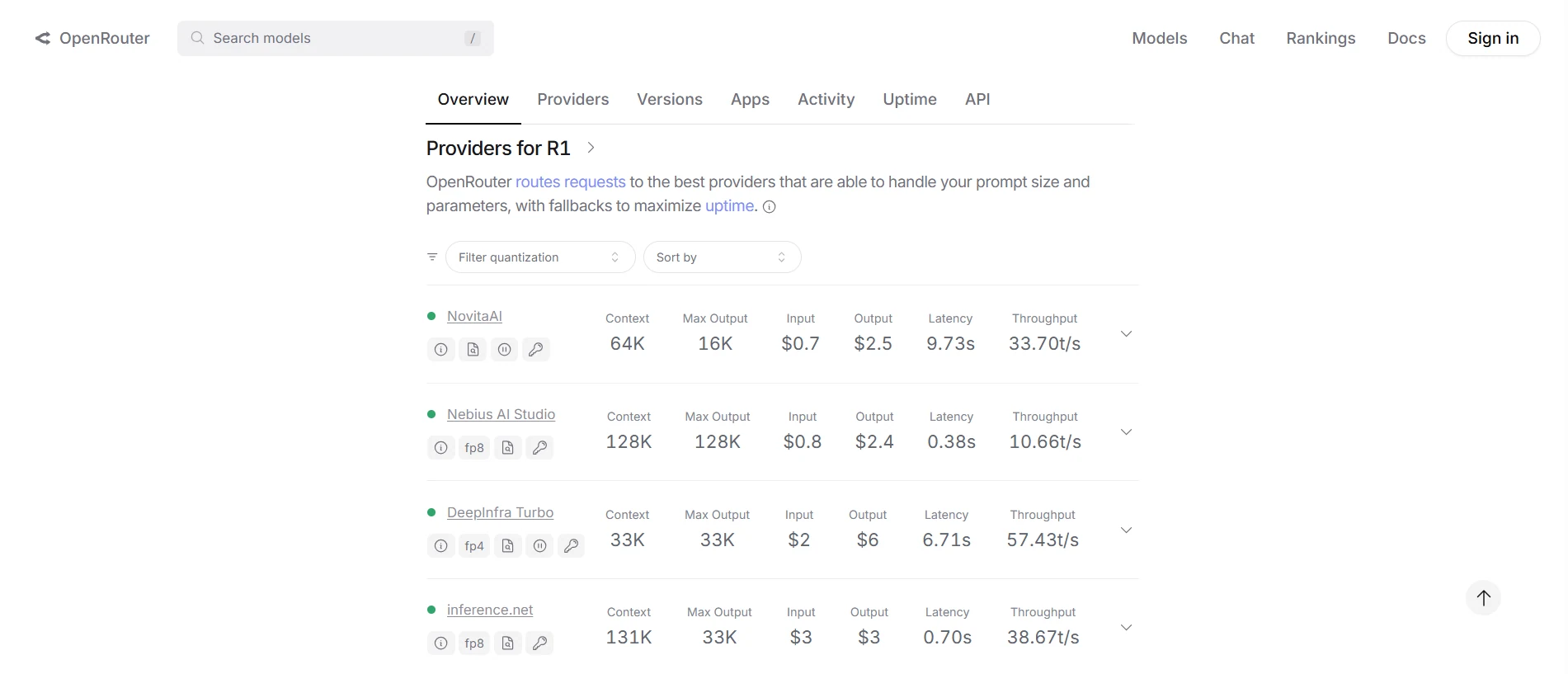
Even More Exciting: Novita AI Ranks 1 for DeepSeek R1 API on OpenRouter
Using Deepseek R1 Turbo Locally
1. Install Ollama
- Visit the Ollama website, download and install the version for your OS.
2. Download DeepSeek-R1 Model
- Open your terminal and run (using the 7B parameter version as an example): bashCopy
ollama run deepseek-r1:7b(Wait for download completion; time depends on network speed.)
ollama run deepseek-r1:7b3. Verify & Run
- Verify Installation:
ollama list # Check if "deepseek-r1" appears in the list- Start the Model:
ollama run deepseek-r1:7b4. Usage Examples
- Ask a Query: bashCopy
>>> "Explain quantum computing in simple terms." - Generate Code: bashCopy
>>> "Write a Python function to calculate the Fibonacci sequence."
Using Deepseek R1 Turbo via API
Novita AI is an AI cloud platform that offers developers an easy way to deploy AI models using our simple API, while also providing the affordable and reliable GPU cloud for building and scaling.
Step 1: Log In and Access the Model Library
Log in to your account and click on the Model Library button.

Try DeepSeek R1 Turbo Demo Now!
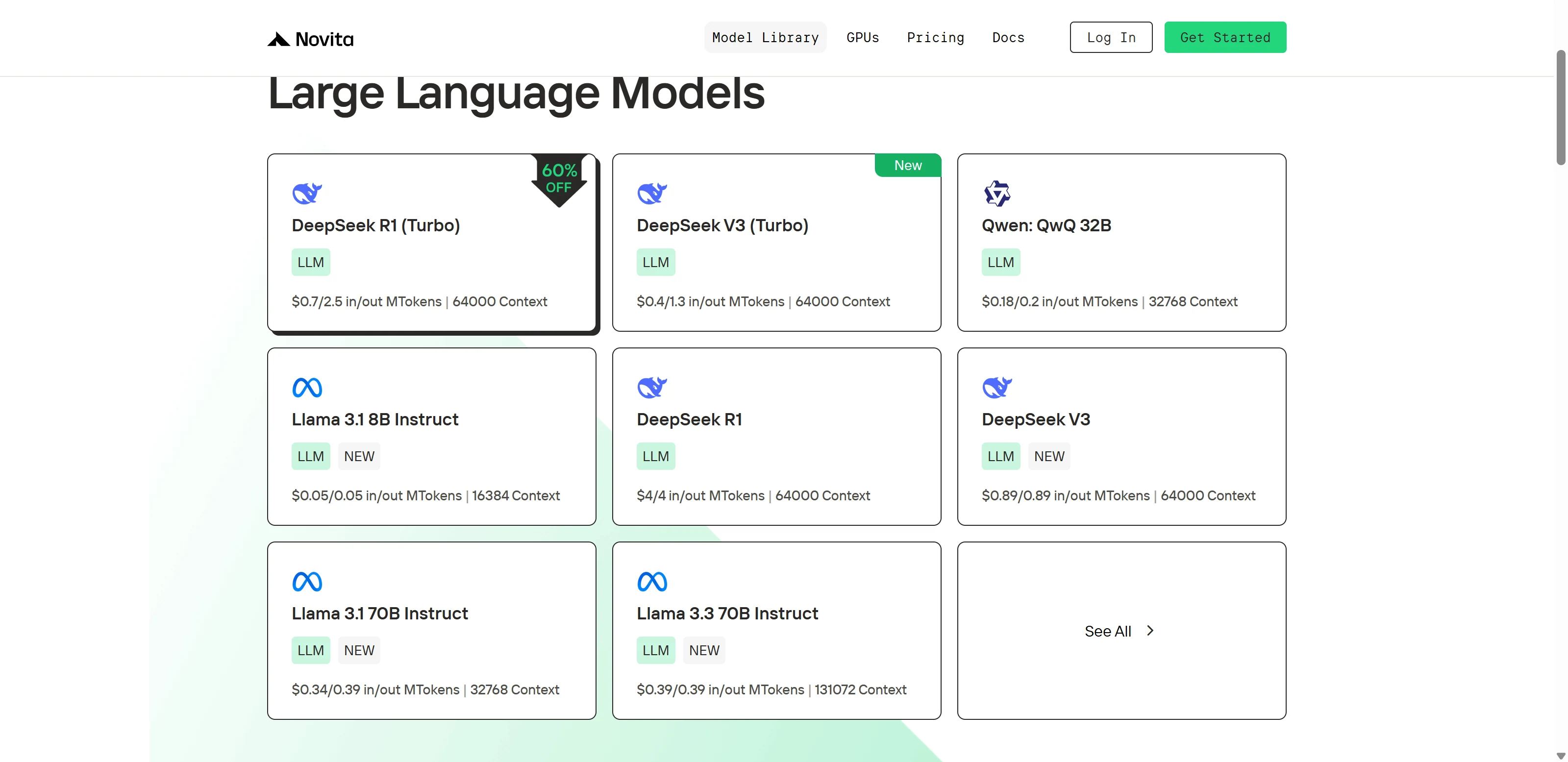
Step 2: Choose Your Model
Browse through the available options and select the model that suits your needs.
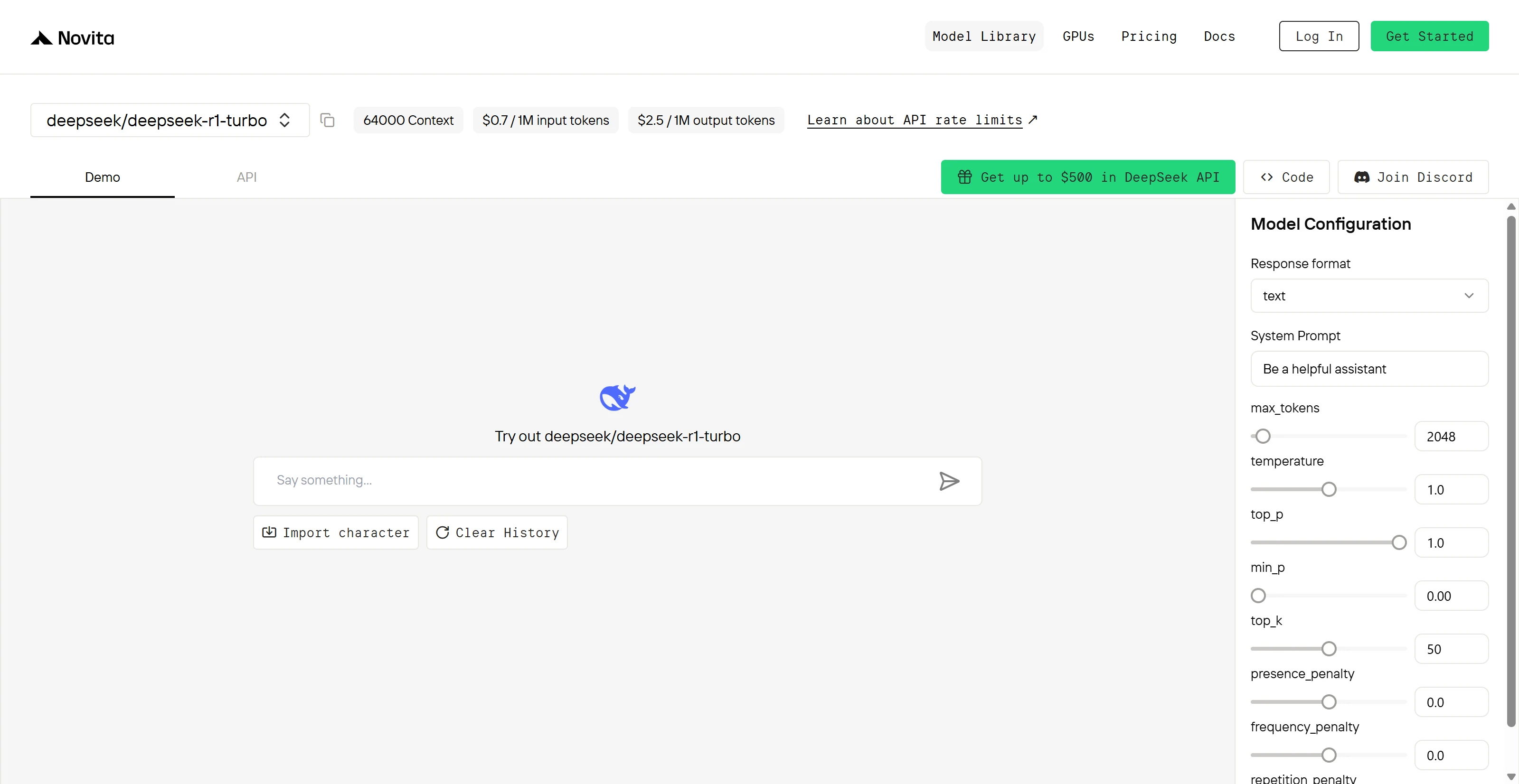
Step 3: Start Your Free Trial
Begin your free trial to explore the capabilities of the selected model.
Step 4: Get Your API Key
To authenticate with the API, we will provide you with a new API key. Entering the “Settings“ page, you can copy the API key as indicated in the image.

Step 5: Install the API
Install API using the package manager specific to your programming language.
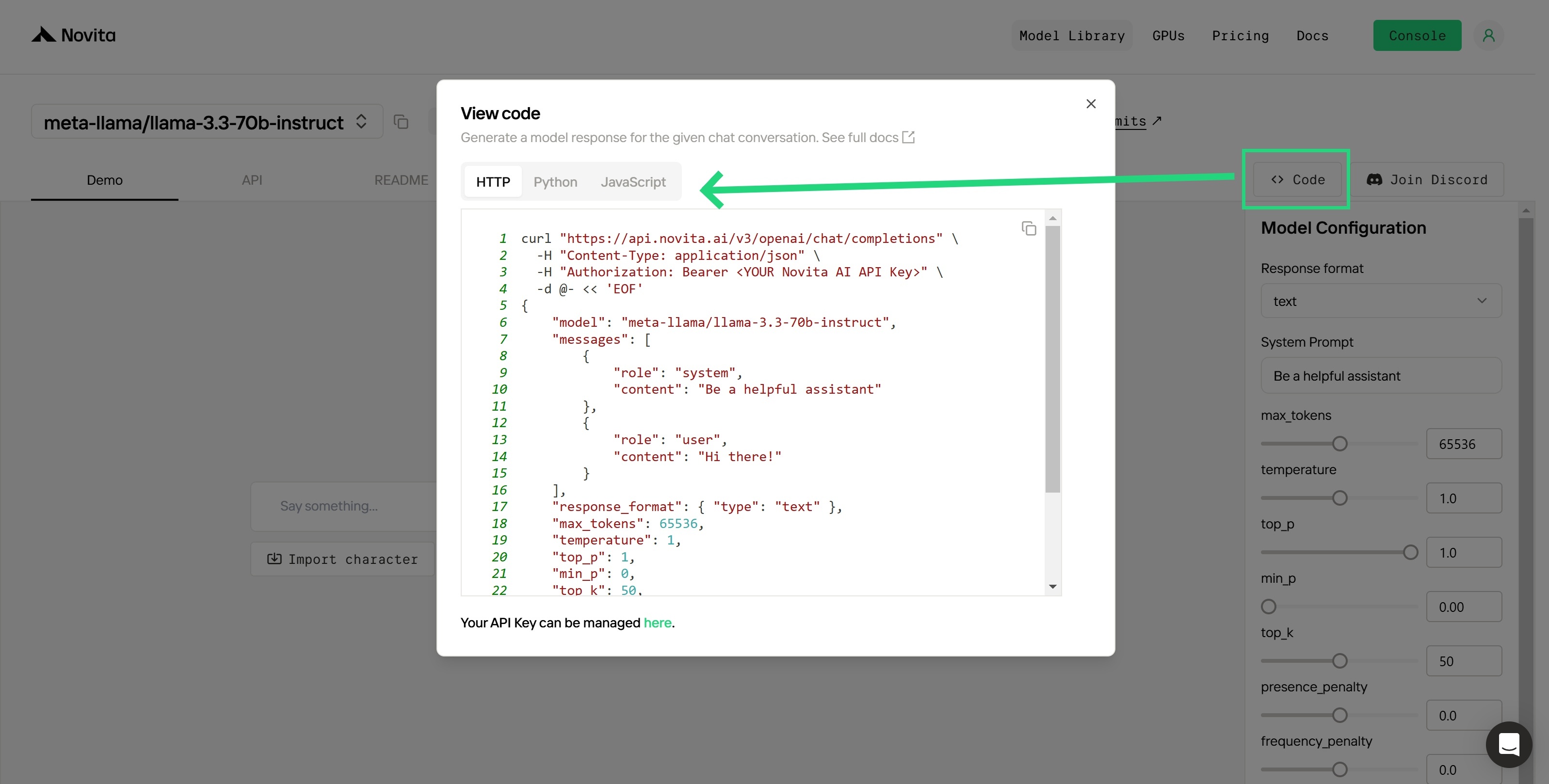
After installation, import the necessary libraries into your development environment. Initialize the API with your API key to start interacting with Novita AI LLM. This is an example of using chat completions API for python users.
from openai import OpenAI
client = OpenAI(
base_url="https://api.novita.ai/v3/openai",
api_key="<YOUR Novita AI API Key>",
)
model = "deepseek/deepseek-r1-turbo"
stream = True # or False
max_tokens = 2048
system_content = """Be a helpful assistant"""
temperature = 1
top_p = 1
min_p = 0
top_k = 50
presence_penalty = 0
frequency_penalty = 0
repetition_penalty = 1
response_format = { "type": "text" }
chat_completion_res = client.chat.completions.create(
model=model,
messages=[
{
"role": "system",
"content": system_content,
},
{
"role": "user",
"content": "Hi there!",
}
],
stream=stream,
max_tokens=max_tokens,
temperature=temperature,
top_p=top_p,
presence_penalty=presence_penalty,
frequency_penalty=frequency_penalty,
response_format=response_format,
extra_body={
"top_k": top_k,
"repetition_penalty": repetition_penalty,
"min_p": min_p
}
)
if stream:
for chunk in chat_completion_res:
print(chunk.choices[0].delta.content or "", end="")
else:
print(chat_completion_res.choices[0].message.content)
Using Deepseek R1 Turbo in a VScode Extension
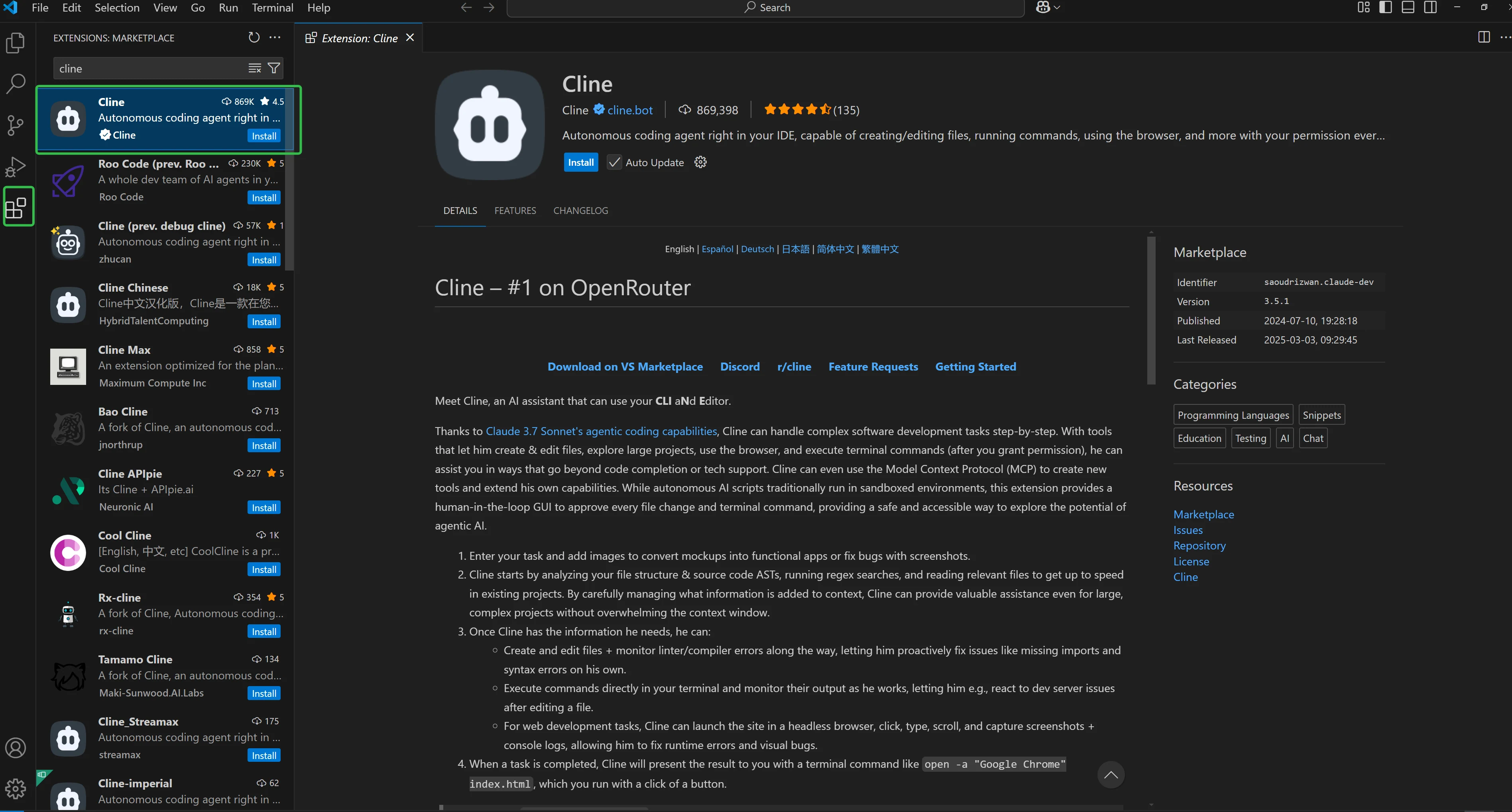
Step 1: Install the Cline Plugin in VSCode
- Open VSCode and navigate to the Extensions panel (or press
Ctrl + Shift + X). - In the search bar, type “Cline”.
- Click the Install button for the Cline plugin.
- After installation, the Cline icon will appear in the VSCode sidebar.
Step 2: Configure the Cline Plugin
Once the plugin is installed, you’ll need to configure it to connect with Novita AI’s LLM API:
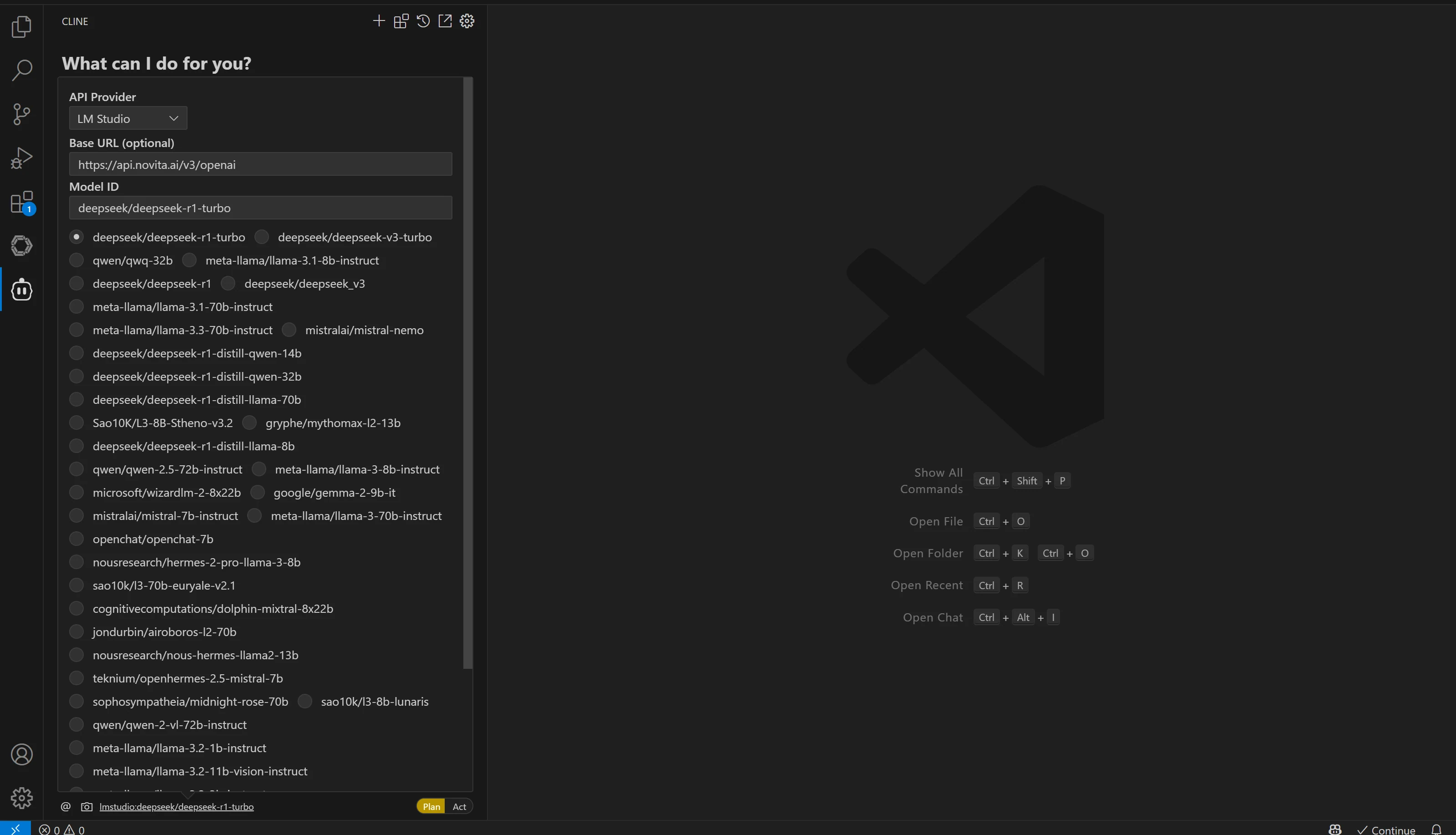
- Click the Cline icon in the sidebar to open the plugin interface.
- Select the “OpenAI Compatible” option. This setting ensures compatibility with APIs following the OpenAI API standard, like Novita AI.
- Fill in the configuration fields:
- Base URL: Enter
https://api.novita.ai/v3/openai. - API Key: Paste your Novita AI API Key here.
- Model Name: Paste the model name you copied earlier (e.g.,
deepseek/deepseek-r1).
- Base URL: Enter
- Once the configuration is filled out, click Done.
Step 3: Test the Integration
After configuring Cline with Novita AI’s API, it’s time to test the integration:
- Open a new or existing file in VSCode.
- Start typing or use the Cline plugin interface to interact with the selected model.
- Ensure that responses are being generated from the selected model, confirming that the setup was successful.
Using Deepseek R1 Turbo via Chatbox
Step 1: Install Chatbox
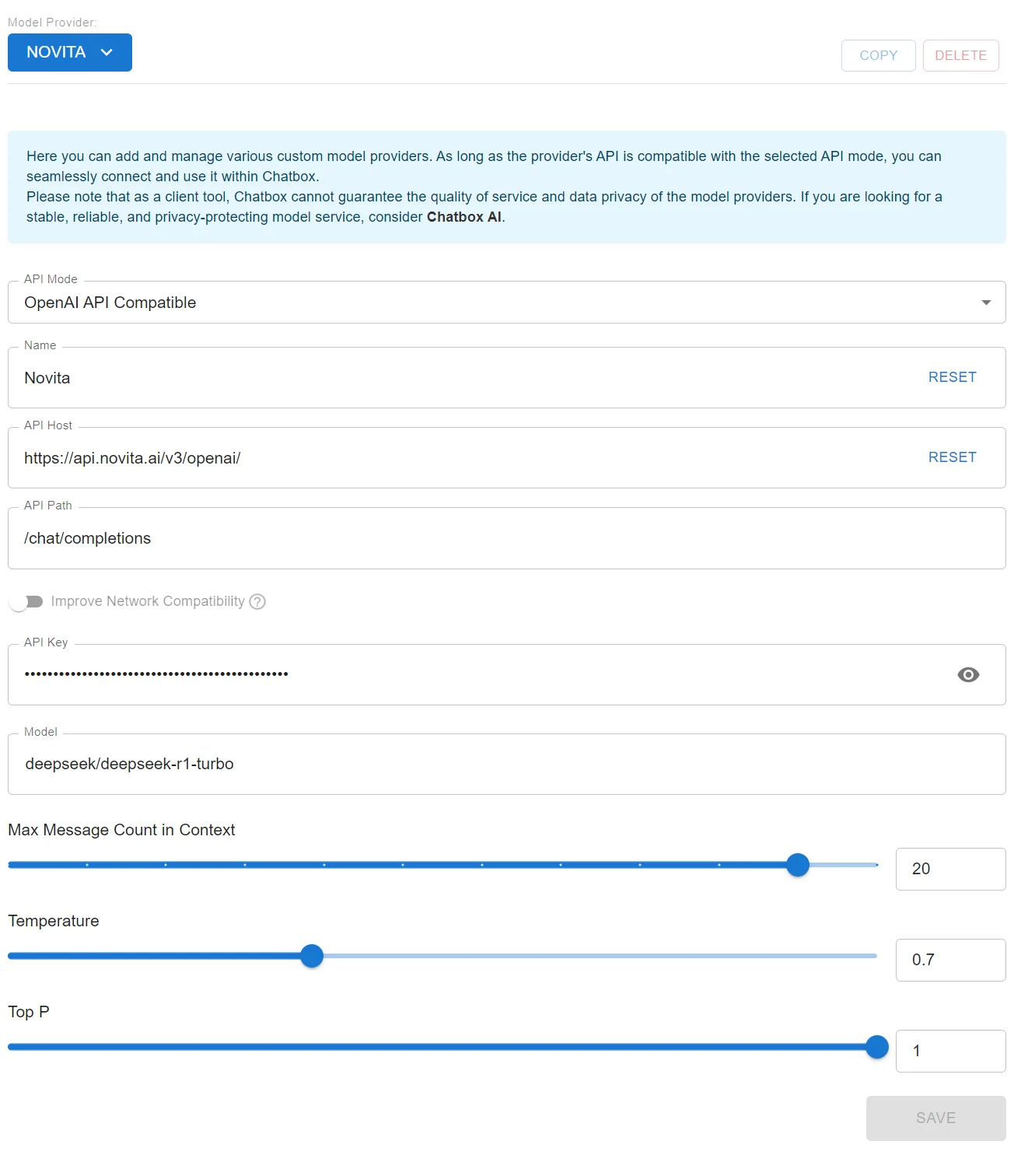
- Select the “Setting” option. This setting ensures compatibility with APIs following the OpenAI API standard, like Novita AI.
- Fill in the configuration fields:
- Base URL: Enter
https://api.novita.ai/v3/openai. - API Key: Paste your Novita AI API Key here.
- Model Name: Paste the model name you copied earlier (e.g.,
deepseek/deepseek-r1-turbo).
- Base URL: Enter
- Once the configuration is filled out, click Done.
Using Deepseek R1 Turbo via Cloud GPU
Step1:Register an account
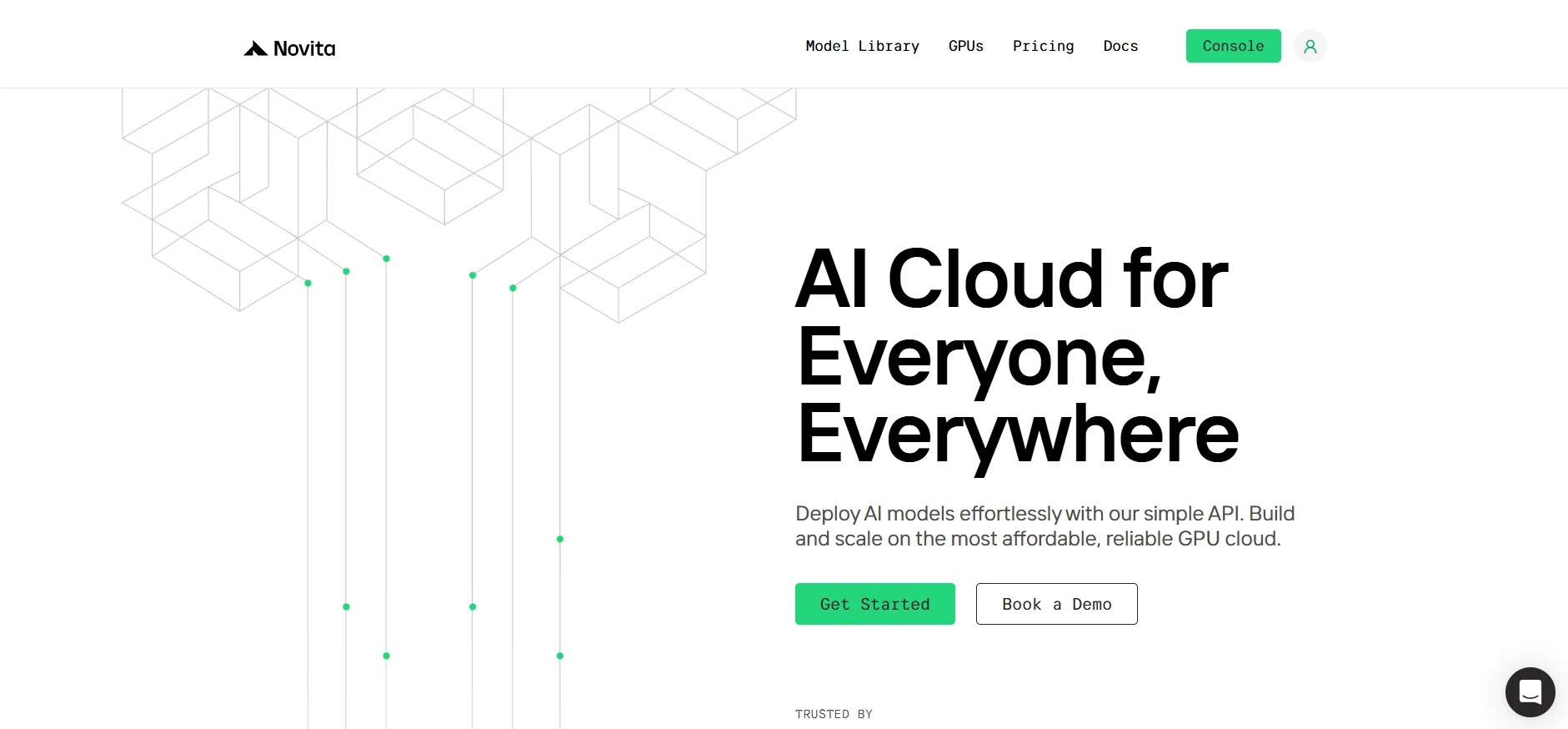
If you’re new to Novita AI, begin by creating an account on our website. Once you’re registered, head to the “GPUs” tab to explore available resources and start your journey.
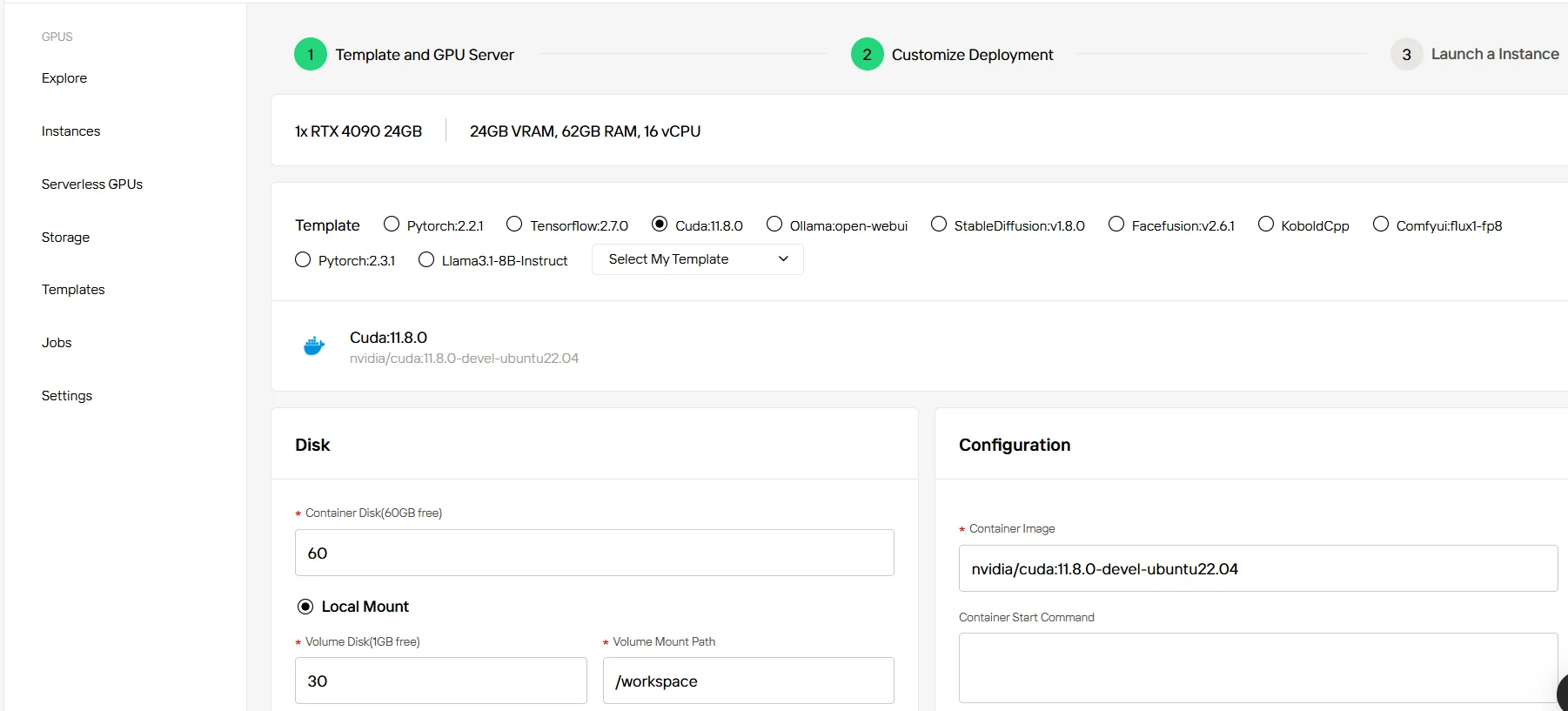
Step2:Exploring Templates and GPU Servers
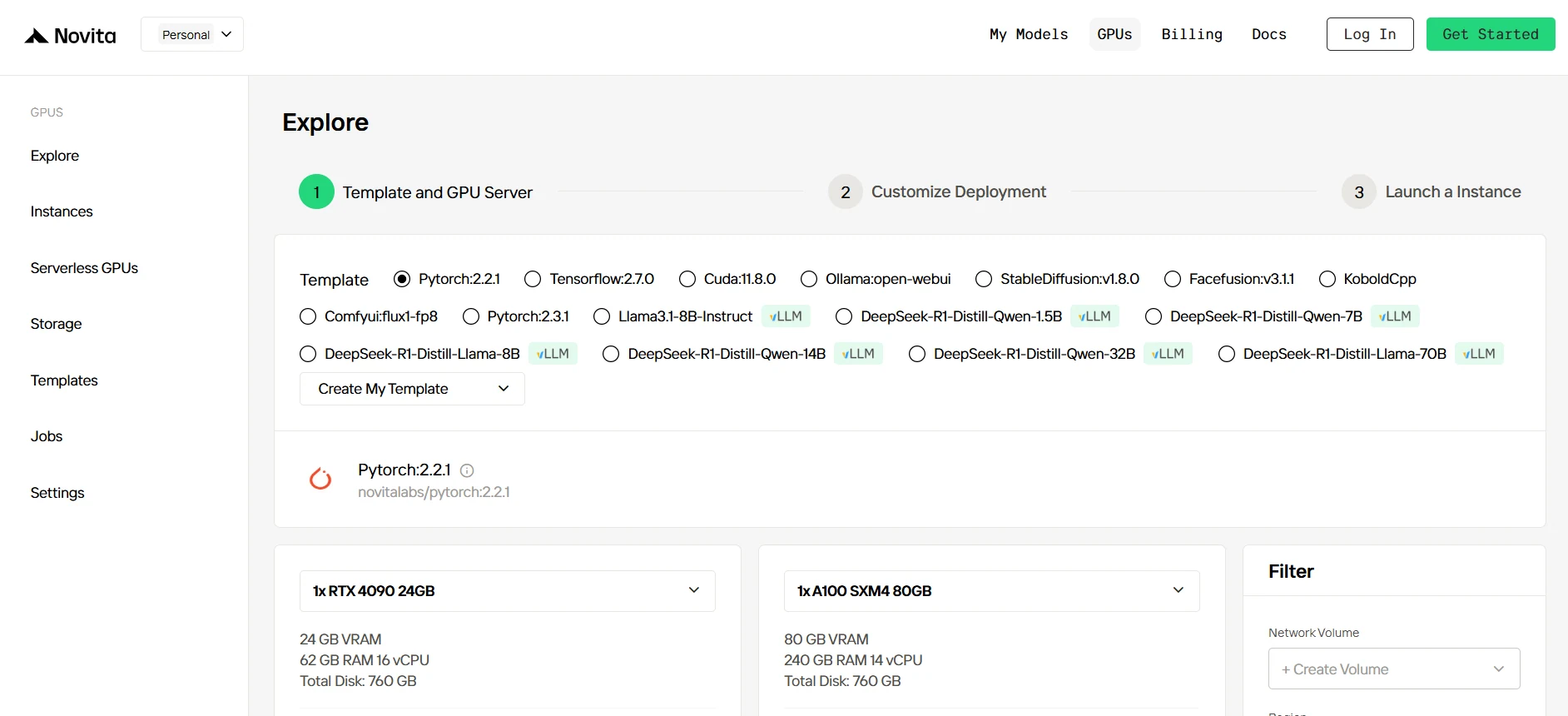
Start by selecting a template that matches your project needs, such as PyTorch, TensorFlow, or CUDA. Choose the version that fits your requirements, like PyTorch 2.2.1 or CUDA 11.8.0. Then, select the A100 GPU server configuration, which offers powerful performance to handle demanding workloads with ample VRAM, RAM, and disk capacity.
Try Novita AI’s High-Performance GPUs
Step3:Tailor Your Deployment
After selecting a template and GPU, customize your deployment settings by adjusting parameters like the operating system version (e.g., CUDA 11.8). You can also tweak other configurations to tailor the environment to your project’s specific requirements.
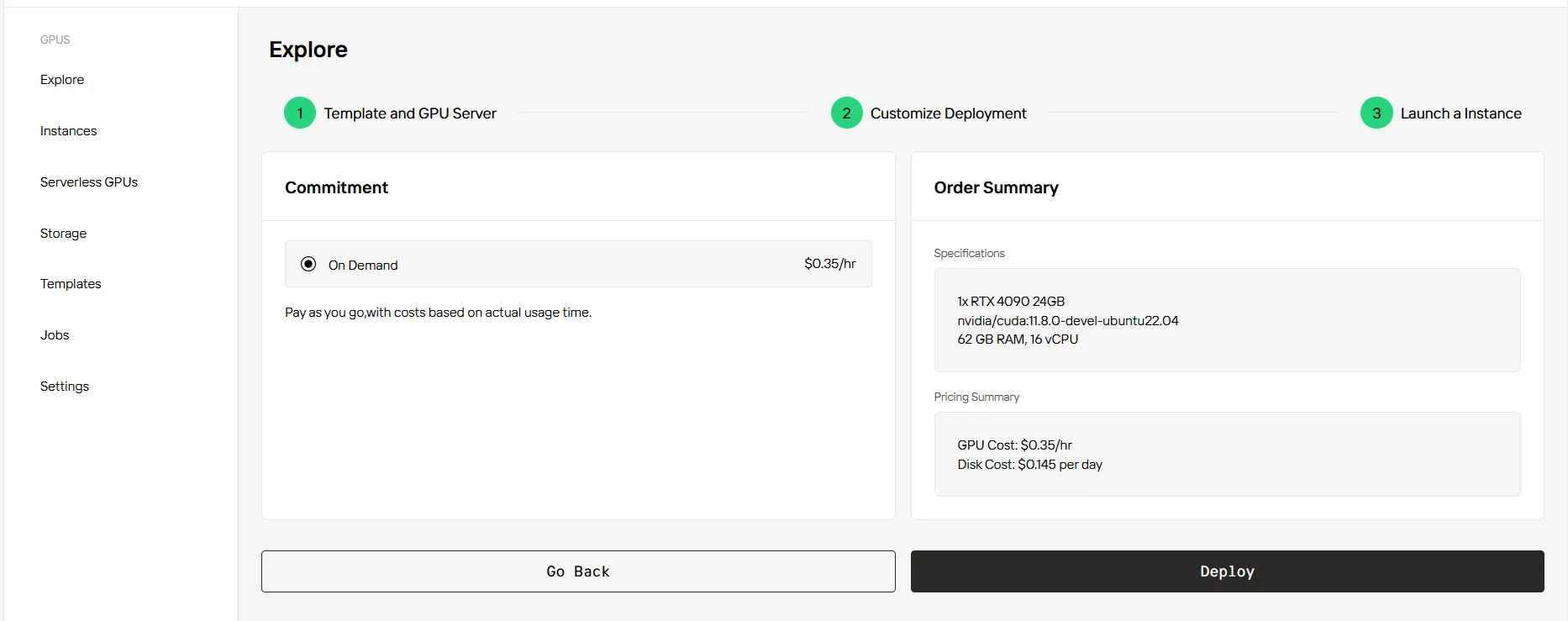
Step4:Launch an instance
Once you’ve finalized the template and deployment settings, click “Launch Instance” to set up your GPU instance. This will start the environment setup, enabling you to begin using the GPU resources for your AI tasks.
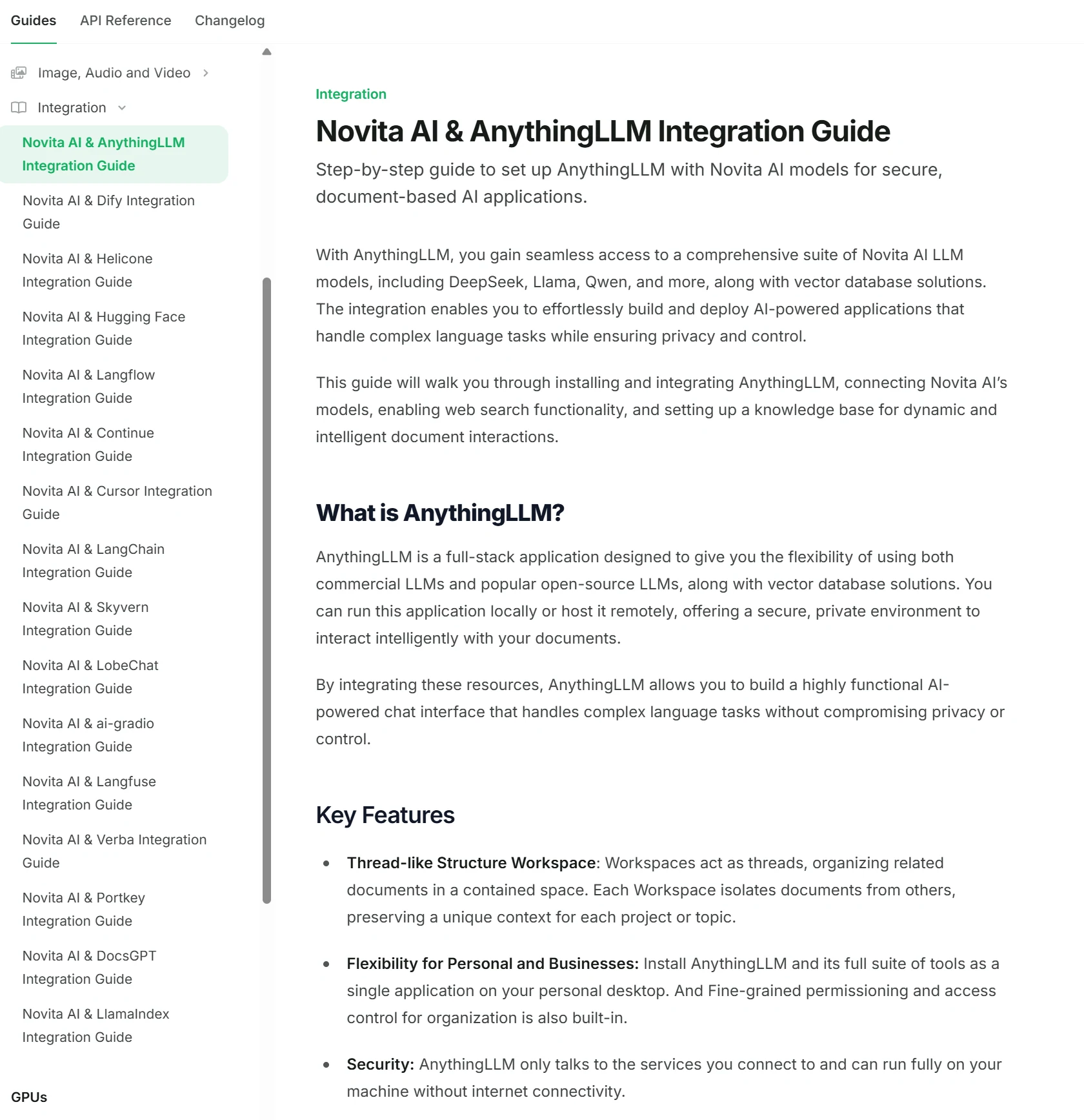
Novita AI Integrates with 15 Platforms
Novita AI has integrated with 15 platforms, and detailed tutorials can be found in the docs.
DeepSeek R1 and DeepSeek R1 Turbo by Novita AI represent advanced, next-generation large language models optimized for performance, scalability, and ease-of-use. With a powerful 671B parameter architecture, enhanced throughput, and extensive customization options—including local deployments, APIs, VSCode integration, Chatbox accessibility, and cloud GPU instances—DeepSeek R1 Turbo empowers developers and enterprises to efficiently integrate cutting-edge AI capabilities into their workflows.
Frequently Asked Questions
What is DeepSeek R1 Turbo?
DeepSeek R1 Turbo is an optimized version of DeepSeek R1 with 3x faster inference speed, function-calling support, and a limited-time 60% discount on Novita AI.
What hardware is recommended for running DeepSeek R1?
For optimal performance, enterprise-grade GPUs like NVIDIA H100 or A100 GPUs are recommended.
Is DeepSeek R1 multilingual?
Yes. It supports multilingual input with cultural context adaptation.
Novita AI is an AI cloud platform that offers developers an easy way to deploy AI models using our simple API, while also providing an affordable and reliable GPU cloud for building and scaling.



