Key Highlights
The answer may be NO!
High GPU Requirements
Although DeepSeek R1 lowers GPU requirements compared to other models, they are still relatively high for home setups.
Complex Deployment Process
Self-deployment involves configuring AI architectures, which can be time-consuming and challenging for individual developers.
Novita AI as an Alternative
Novita AI offers highly cost-effective Cloud GPU services and API solutions, enabling developers to access DeepSeek R1 without the need for specialized hardware or complex setups.
DeepSeek R1 is an advanced AI reasoning model recognized for its cutting-edge capabilities and open-source accessibility. Developed by a Chinese research team, it is engineered to address a diverse range of applications, from lightweight tasks to complex enterprise-level operations.But what kind of hardware is required to deploy this OpenAI-o1-level model? Can it run on a personal developer’s computer? This article will uncover the answers.
Introduction
- Release Date: January 21, 2025
- Model Scale:
- Key Features:
- Model Size: 671B parameters (37B active/token)
- Open Source
- Tokenizer: Enhanced tokenizer with self-reflection tags
- Supported Languages: Multilingual with cultural adaptation
- Multimodal: Text-only
- Context Window: 128K tokens
- Storage Formats: Q8/Q5 quantization support
- Architecture: Mixture of Experts (MoE) + RL-enhanced training pipeline
- Training Method: Built on V3 base with RL pipeline (SFT → RL → SFT → RL)
- Training Data: V3 base + RL optimization data
Detailed Hardware Requirements and Recommend GPU
| Model | Parameter Size | GPU Configuration |
|---|---|---|
| DeepSeek-R1-Distill-Llama-8B | 4.9B | 1 x NVIDIA RTX 4090 (24GB VRAM) with model sharding |
| DeepSeek-R1-Distill-Qwen-14B | 9.0B | 1 x NVIDIA A100 (40GB VRAM) or 2 x RTX 4090 (24GB VRAM) with tensor parallelism |
| DeepSeek-R1-Distill-Qwen-32B | 32B | 2 x NVIDIA A100 (40GB VRAM) or 1 x NVIDIA H100 (80GB VRAM) or 4 x RTX 4090 (24GB VRAM) with tensor parallelism |
| DeepSeek-R1-Distill-Llama-70B | 70B | 4 x NVIDIA A100 (40GB VRAM) or 2 x NVIDIA H100 (80GB VRAM) or 8 x RTX 4090 (24GB VRAM) with heavy parallelism |
| DeepSeek-R1:671b | 671B (37 billion active parameters) | 16 x NVIDIA A100 (40GB VRAM) or 8 x NVIDIA H100 (80GB VRAM), requires a distributed GPU cluster with InfiniBand |
1.8B (8 Billion Parameters)
- Inference:
- GPU:
- 1x NVIDIA RTX 4090 (24GB VRAM each) with model sharding.
- CPU: High-end multi-core CPU (e.g., AMD Ryzen 9 5900X or Intel i9-12900K).
- RAM: At least 64GB system memory.
- Disk Space: ~20GB for model weights.
- GPU:
2. 14B (14 Billion Parameters)
- Inference:
- GPU:
- 1 x NVIDIA A100 (40GB VRAM each)
- Or, 2 x RTX 4090 (24GB VRAM each) with tensor parallelism.
- CPU: Server-grade multi-core CPU (e.g., AMD EPYC 7003 series or Intel Xeon Platinum).
- RAM: 128GB system memory.
- Disk Space: ~35GB for model weights.
- GPU:
3. 32B (32 Billion Parameters)
- Inference:
- GPU:
- 2 x NVIDIA A100 (40GB VRAM each) or 1 x NVIDIA H100 (80GB VRAM each).
- Or, 4 x RTX4090 (24GB VRAM each) with tensor parallelism.
- CPU: High-performance server-grade multi-core CPU.
- RAM: 256GB system memory.
- Disk Space: ~80GB for model weights.
- GPU:
4. 70B (70 Billion Parameters)
- Inference:
- GPU:
- 4 x NVIDIA A100 (40GB VRAM each) or 2 x NVIDIA H100 (80GB VRAM each).
- Or,8 x RTX 4090 (24GB VRAM each) with heavy parallelism.
- CPU: Server-grade multi-core CPU (e.g., AMD EPYC or Intel Xeon Platinum).
- RAM: 512GB system memory.
- Disk Space: ~160GB for model weights.
- GPU:
5. 671B (671 Billion Parameters)-37 Billion Parameters Active
- Inference:
- GPU:
- 16 x NVIDIA A100 (40GB VRAM each), or 8 x NVIDIA H100 (80GB VRAM each)
- Requires a distributed GPU cluster with InfiniBand for communication.
- CPU: High-end multi-core server CPUs across multiple nodes. Example: AMD EPYC 7003 or Intel Xeon 4th Gen.
- RAM: ~8TB system memory across nodes.
- Disk Space: ~1.5TB for model weights.
- GPU:
Thanks to technologies like Mixture of Experts (MoE) and distributed training, DeepSeek R1 requires significantly less hardware compared to other models. However, while only a portion of the parameters can be activated during usage to reduce computational costs, the full set of parameters still needs to be stored during deployment. This results in high hardware requirements, making it challenging for individual developers to support its deployment.
Challenges for Home Servers and Optimizing Methods
Running advanced models like DeepSeek R1 (671B) on home servers presents several challenges due to the significant hardware requirements:
Challenges for Home Servers
- High VRAM Requirements: Larger models, such as the full DeepSeek R1, demand substantial VRAM, often requiring multi-GPU setups, which are typically impractical for home servers.
- Power and Cooling: High-end GPUs consume considerable power and generate significant heat, necessitating robust power supplies and effective cooling solutions.
- Hardware Compatibility: Configuring multi-GPU systems requires careful planning to ensure compatibility between GPUs, motherboards, and other system components.
- Cost: The high price of cutting-edge GPUs and supporting hardware can be prohibitive for individual users, making such setups inaccessible for many.
Optimizing Methods
To address these challenges, several optimization techniques can help reduce hardware demands:
- Quantization: Lowering the precision of model weights (e.g., using 4-bit quantization) can significantly reduce VRAM requirements while maintaining acceptable performance.
- Distillation: Leveraging smaller, distilled versions of the original model can reduce hardware demands while preserving much of the model’s performance.
- Offloading: Distributing workloads across GPUs, CPUs, and RAM can enable models to run on systems with lower VRAM, albeit at the cost of slower processing speeds.
- Inference Optimization: Adjusting batch sizes, fine-tuning processing settings, and leveraging optimized libraries can improve performance on hardware with limited capabilities.
By combining these optimization methods, it is possible to mitigate the challenges associated with running large models like DeepSeek R1 on home servers, although trade-offs in performance and efficiency may still be unavoidable.
A more convenient choice – Cloud GPU
Buying a GPU can be expensive, but using a cloud GPU is a much more convenient and cost-effective option. You only pay for what you use, and you don’t have to deal with the hassle of setting up the GPU or optimizing inference frameworks. This way, you can focus entirely on using the model without worrying about the technical details.
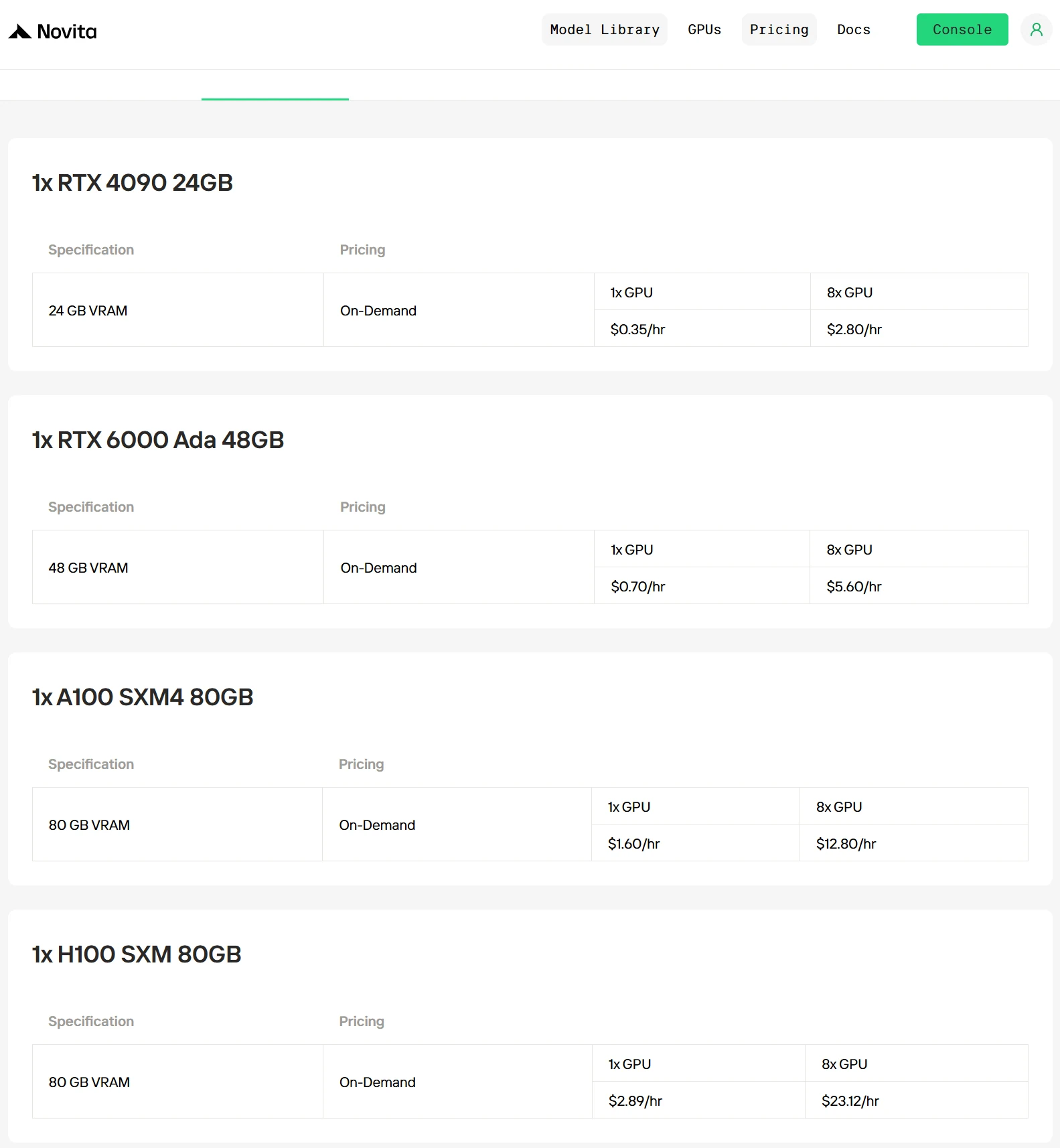
Novita AI now offers a variety of GPU models, such as RTX 4090, A100, H100, and more. Our prices are among the most competitive on the market.
The most convenient method – API
Novita AI is an AI cloud platform that offers developers an easy way to deploy AI models using our simple API, while also providing the affordable and reliable GPU cloud for building and scaling.
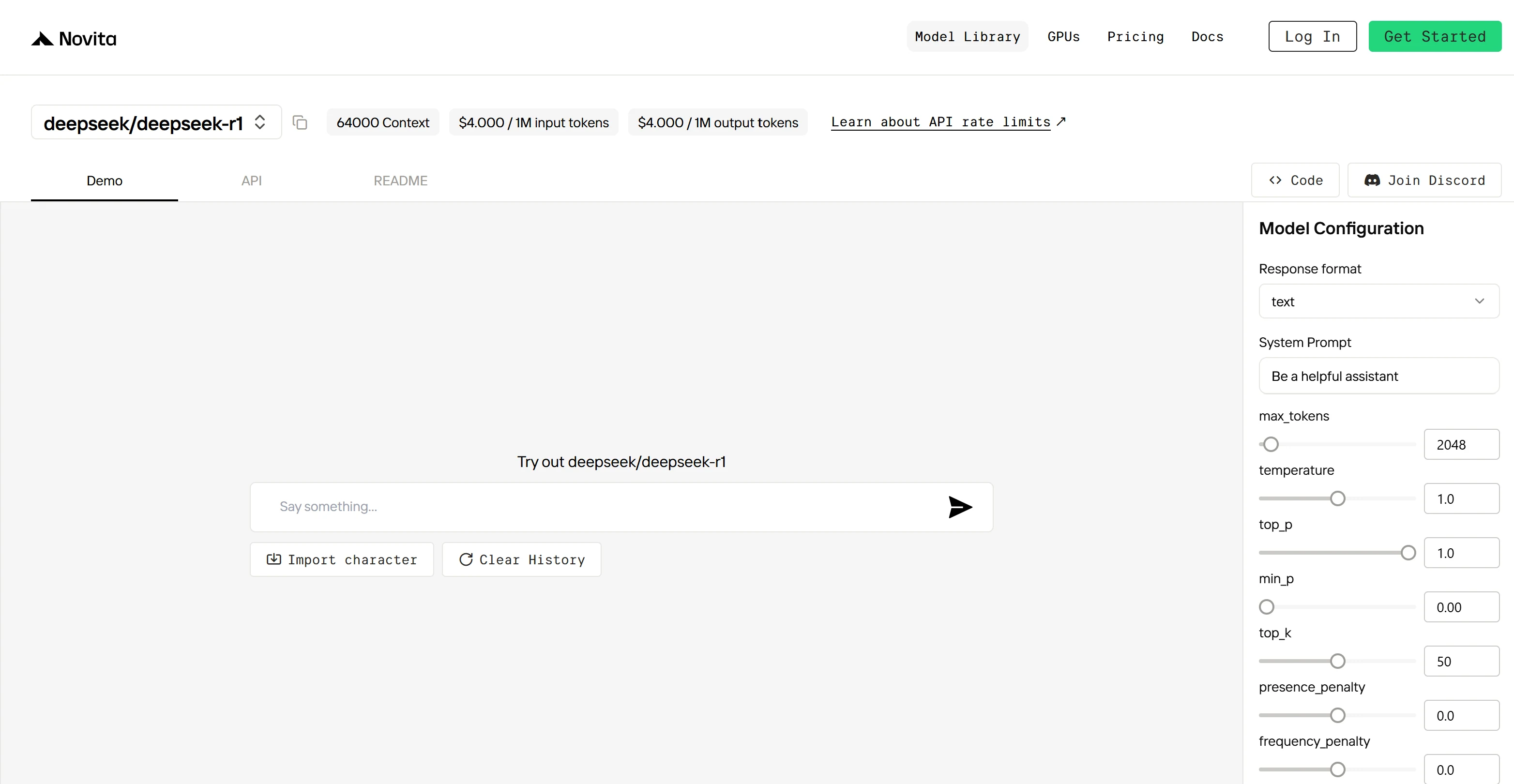
Step 1: Log In and Access the Model Library
Log in to your account and click on the Model Library button.

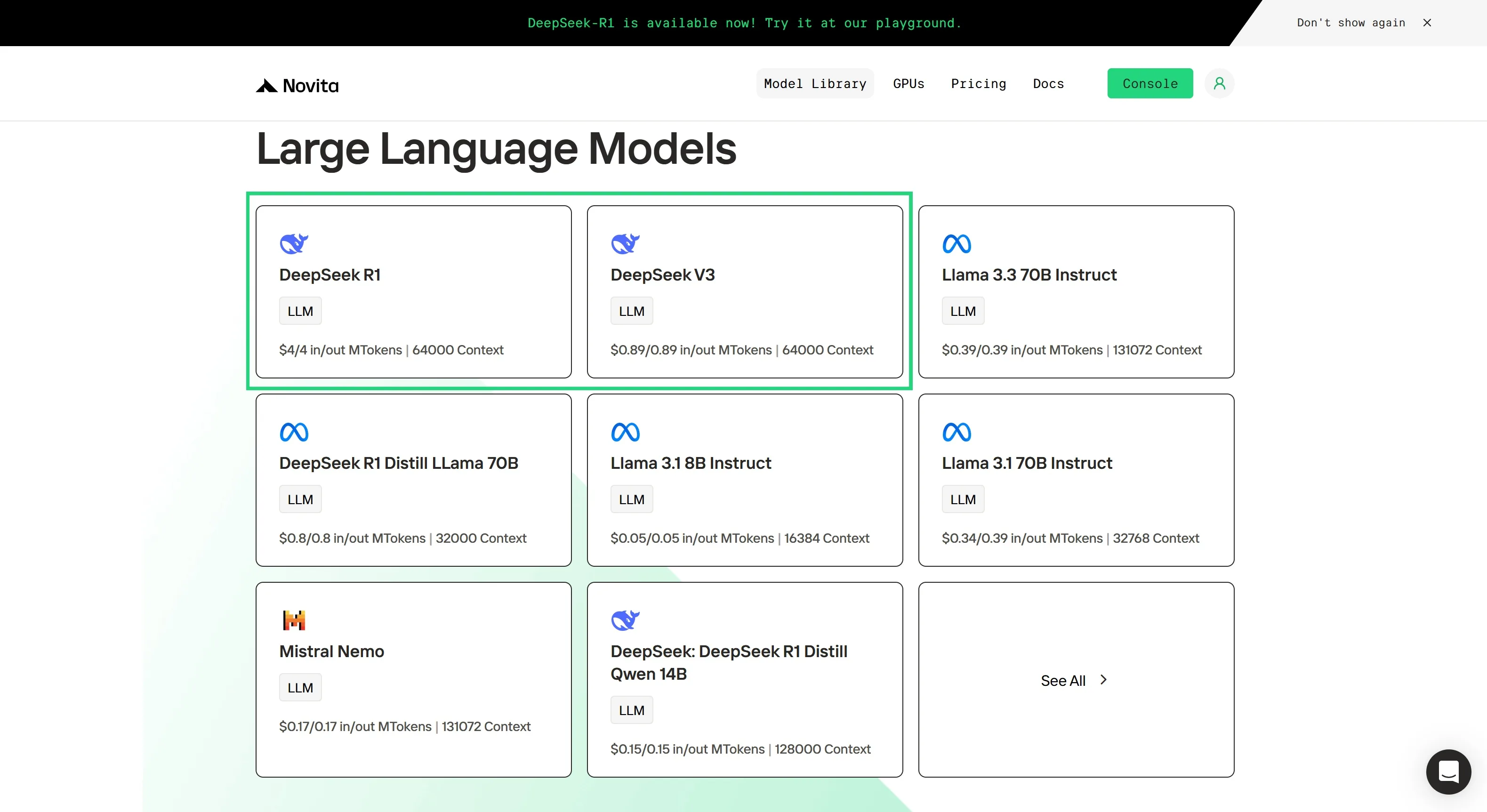
Step 2: Choose Your Model
Browse through the available options and select the model that suits your needs.
Step 3: Start Your Free Trial
Begin your free trial to explore the capabilities of the selected model.
Step 4: Get Your API Key
To authenticate with the API, we will provide you with a new API key. Entering the “Settings“ page, you can copy the API key as indicated in the image.

Step 5: Install the API
Install API using the package manager specific to your programming language.
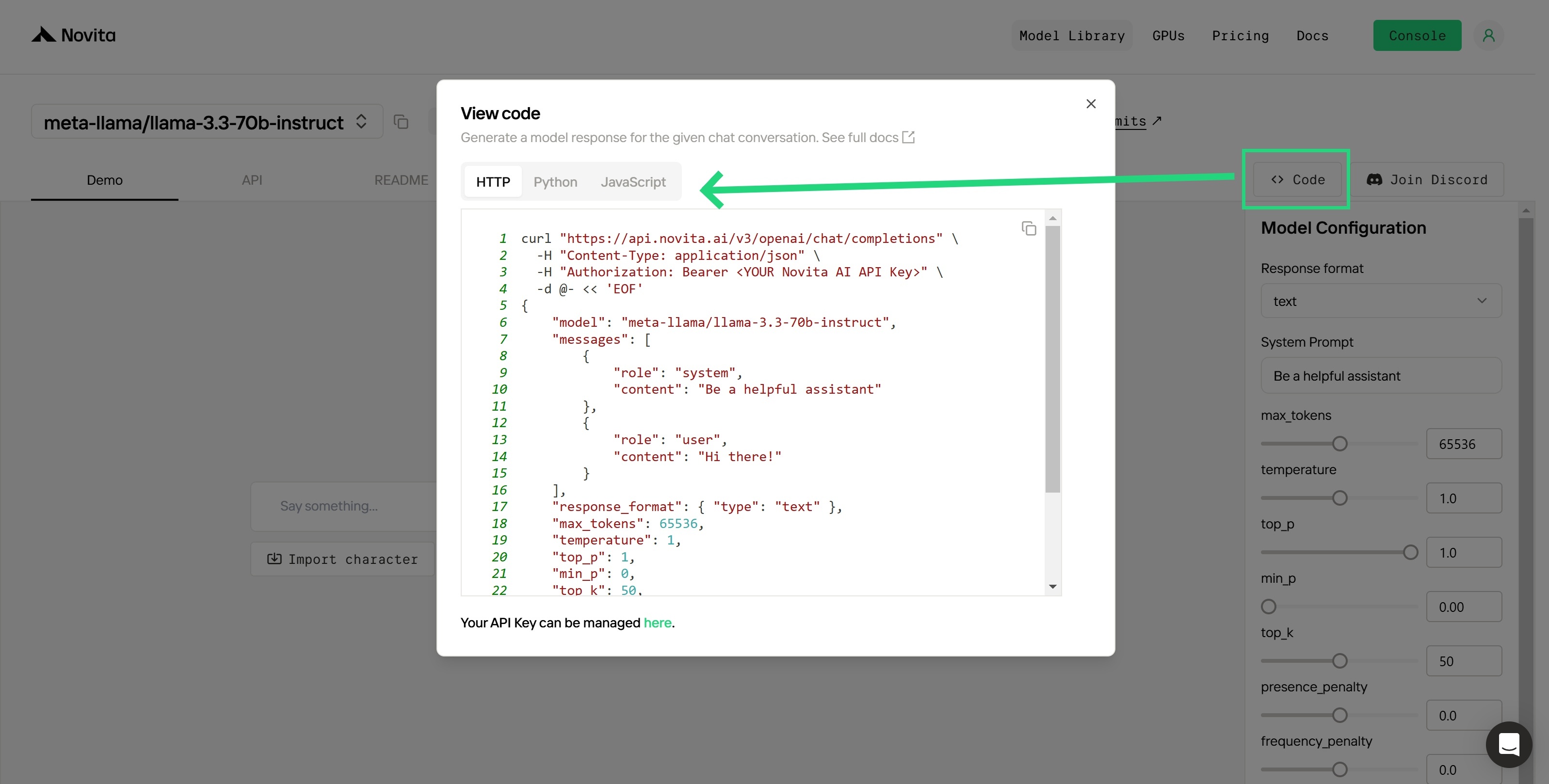
After installation, import the necessary libraries into your development environment. Initialize the API with your API key to start interacting with Novita AI LLM. This is an example of using chat completions API for python users.
from openai import OpenAI

client = OpenAI(
    base_url="https://api.novita.ai/v3/openai",
    api_key="<YOUR Novita AI API Key>",
)

model = "deepseek/deepseek_r1"
stream = True # or False
max_tokens = 2048
system_content = """Be a helpful assistant"""
temperature = 1
top_p = 1
min_p = 0
top_k = 50
presence_penalty = 0
frequency_penalty = 0
repetition_penalty = 1
response_format = { "type": "text" }

chat_completion_res = client.chat.completions.create(
    model=model,
    messages=[
        {
            "role": "system",
            "content": system_content,
        },
        {
            "role": "user",
            "content": "Hi there!",
        }
    ],
    stream=stream,
    max_tokens=max_tokens,
    temperature=temperature,
    top_p=top_p,
    presence_penalty=presence_penalty,
    frequency_penalty=frequency_penalty,
    response_format=response_format,
    extra_body={
      "top_k": top_k,
      "repetition_penalty": repetition_penalty,
      "min_p": min_p
    }
  )

if stream:
    for chunk in chat_completion_res:
        print(chunk.choices[0].delta.content or "", end="")
else:
    print(chat_completion_res.choices[0].message.content)
Upon registration, Novita AI provides a $0.5 credit to get you started!
If the free credits is used up, you can pay to continue using it.
DeepSeek R1 delivers powerful AI reasoning capabilities, but its hardware requirements can vary significantly depending on the model and its size. Full-scale models demand high-end, multi-GPU setups, while distilled versions offer a more accessible option for users with limited resources. For those without specialized hardware, leveraging DeepSeek R1 via an API provides a practical and efficient solution. By understanding its hardware needs and available optimization strategies, developers and researchers can harness DeepSeek R1 effectively to meet their unique requirements.
Frequently Asked Questions
What is the training methodology behind DeepSeek R1? of LLMs?
DeepSeek R1 employs a multi-stage training pipeline. DeepSeek-R1-Zero is trained using large-scale Reinforcement Learning (RL) directly on the base model, without initial Supervised Fine-Tuning (SFT).
What are some best practices for prompting DeepSeek R1 for optimal performance?
Key benefits include increased efficiency in processing tasks, enhanced flexibility for developers to update functions easily, scalability for adding new functionalities without extensive changes, and personalized user interactions.To achieve the best performance with DeepSeek R1, avoid adding a system prompt and include all instructions in the user prompt.
Novita AI is the All-in-one cloud platform that empowers your AI ambitions. Integrated APIs, serverless, GPU Instance — the cost-effective tools you need. Eliminate infrastructure, start free, and make your AI vision a reality.