Novita AI has revolutionized how developers interact with various AI tools, including Helicone. Helicone is well-known for its advanced observability platform tailored for developers working with Large Language Models (LLMs). Thus, this powerful integration offers a transformative opportunity for developers to seek a simple inference platform, robust LLM observability, and monitor solutions. This article delves into the features of Helicone, its integration with Novita AI, and how developers can benefit from this powerful combination.
What is Helicone?
Helicone is an all-in-one LLM observability platform for developers to monitor, debug, and improve production-ready AI applications. The platform specializes in providing comprehensive monitoring solutions with real-time logging capabilities, allowing developers to analyze and optimize their LLM applications at scale. What makes Helicone particularly valuable is its ability to integrate within seconds across multiple providers and its support for testing prompt variations on production traffic without requiring code modifications.
Key Features and Functions
Helicone offers key features to improve production-ready LLM applications:
- Centralized Observability: Helicone provides a robust platform that captures and visualizes comprehensive logs and metrics across all deployments of large language models (LLMs).
- LLM Performance Optimization: Helicone enhances LLM performance through features that support prompt experimentation, track success rates, and facilitate fine-tuning.
- Flexible Data Management: Prioritizing data privacy, Helicone offers various deployment options including dedicated instances, hybrid cloud integrations, and self-hosted environments.
- Deployment flexibility: Helicone accommodates both cloud-hosted and on-premises deployment options, utilizing production-ready HELM charts to ensure maximum security.
- Enterprise-grade security: This features SOC2 certification and HIPAA compliance, ensuring secure handling of sensitive data and meeting enterprise security requirements.
Setting Up Helicone AI Gateway
Setting up Helicone AI Gateway only requires four steps: creating an account, generating an API key, picking your preferred integration method, and sending your first request.
Step1: Create an Account
- Once you have an account, proceed to the next step.
Step 2: Generate an API Key
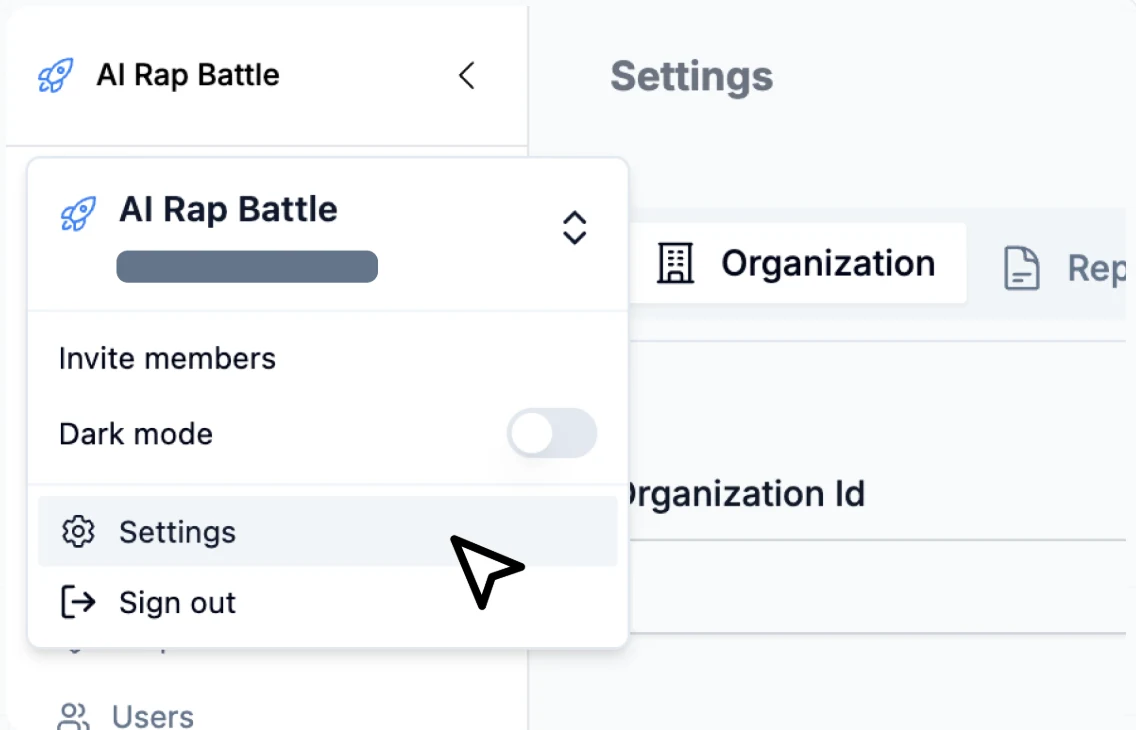
- Go to Settings: Click on your organization on the top left, then select
<mark>Settings</mark>from the dropdown.
- Select the API Key Tab
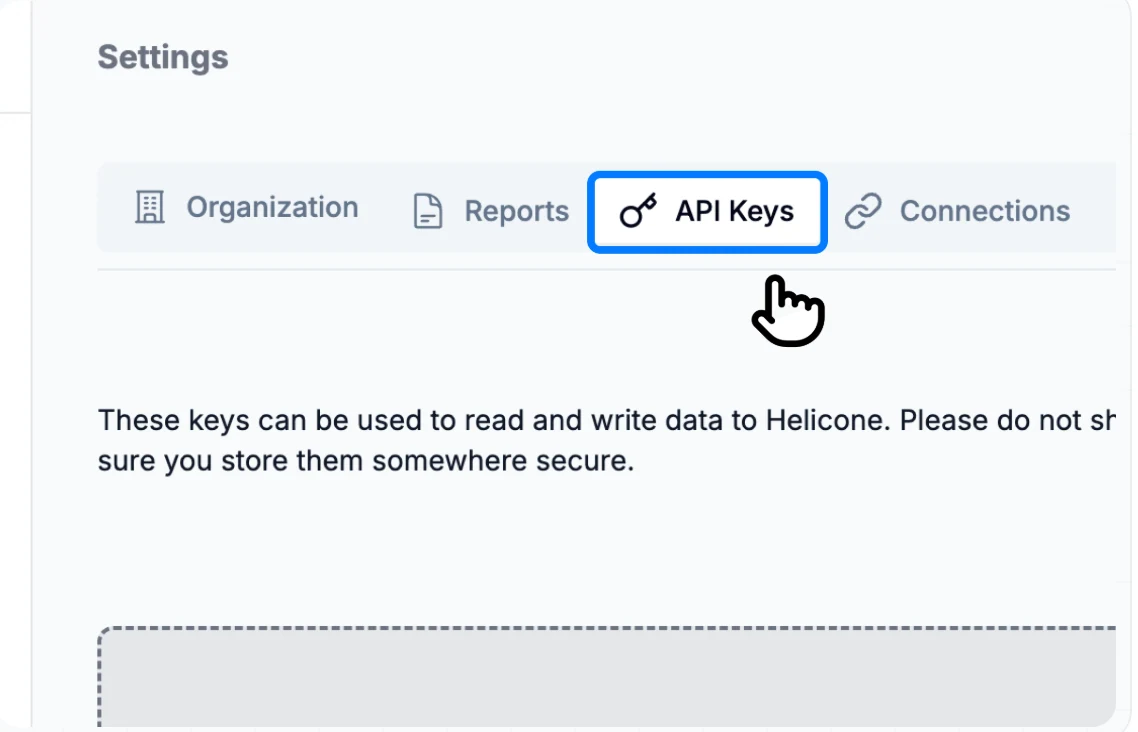
- Generate New Key: Click on
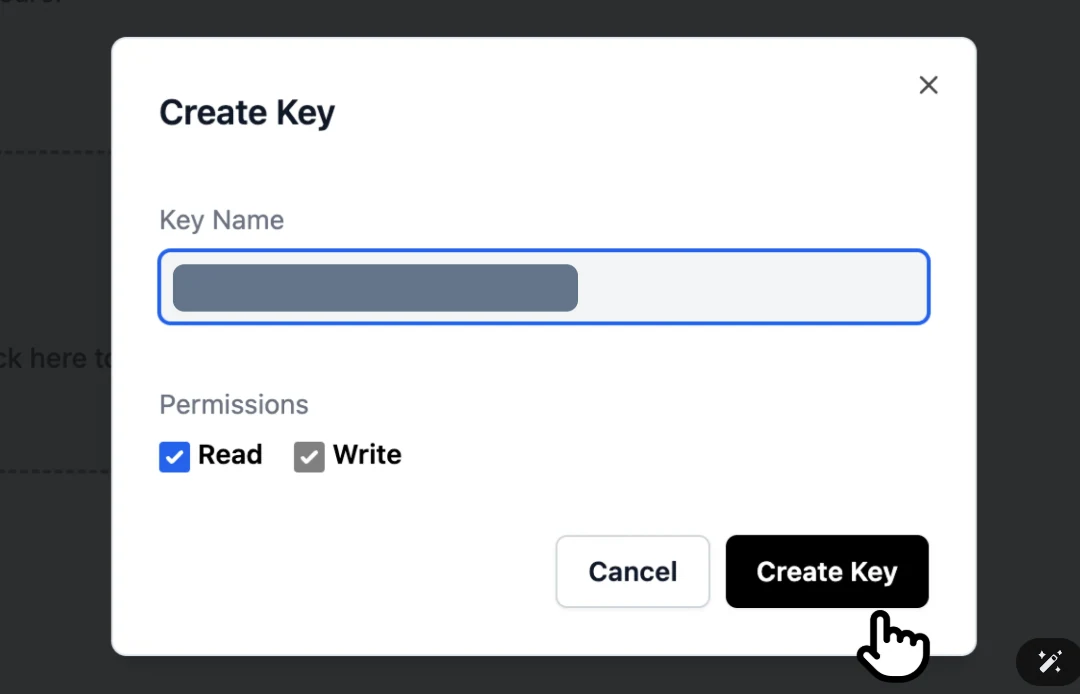
<mark>Generate new key</mark>. When creating a new Helicone API key, you can enablereadand<mark>write</mark>permissions. Write keys can be used through Helicone via our proxy, feedback or any other Helicone service when calling<mark>POST</mark>or using our gateway.
Step 3: Pick Your Preferred Integration Method
- Select the provider you are using below as the next instruction varies.
Step 4: Send Your First Request
-
Once we receive your requests, you will see them in the
<mark>Requests</mark>tab. -
You will also see that your
<mark>Dashboard</mark>has been updated with your new request.
Obtaining Novita AI API Key
Generating the Novita AI API key can be carried out in three steps: going to Novita AI and logging in, managing the Novita AI LLM API Key, and topping up credit.
Step 1: Go to Novita AI and Log in
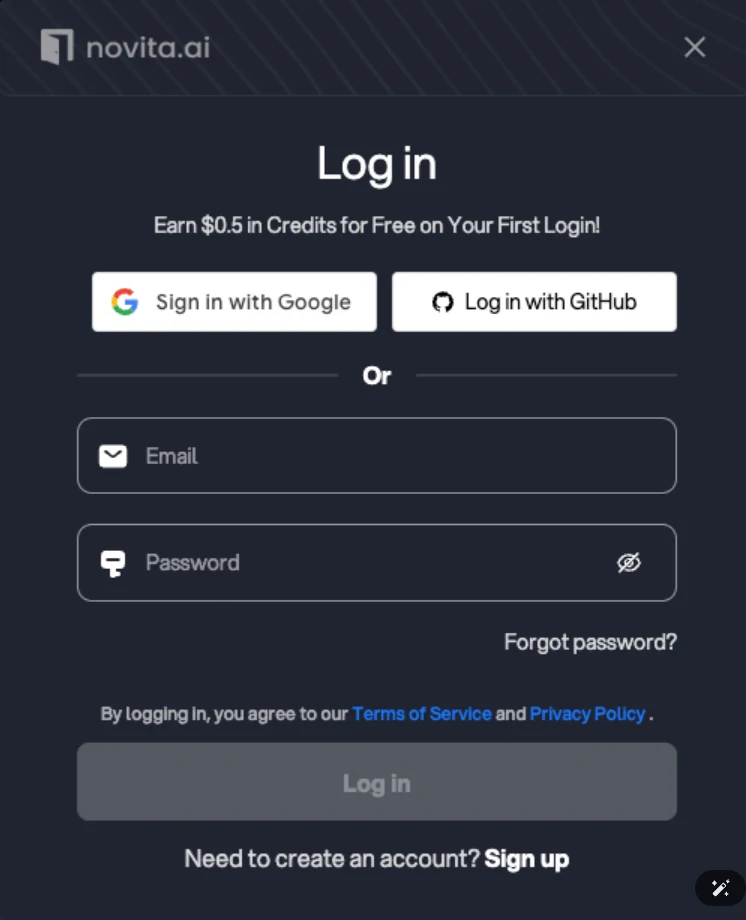
- You can log in on Novita AI with Google or GitHub, which will create a new account on your first login. Alternatively, you can register using your email address.
Step 2: Manage Novita AI LLM API Key
Novita AI secures API access through Bearer authentication by including an API Key in the request header, such as “Authorization: Bearer {API Key}”.
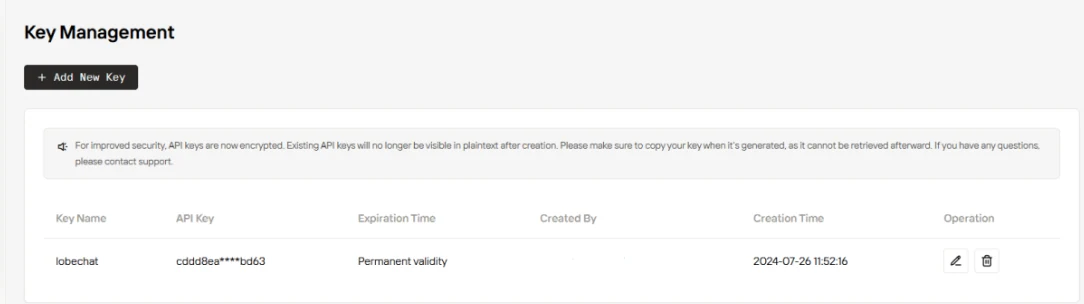
- To manage your keys, navigate to “Key Management” in the settings. A default key is automatically generated upon your first login.
- You can create additional keys by clicking “+ Add New Key”.
Step 3: Top up Credit
- Novita AI offers new users a voucher with some credit to try our products. To add more credit, please visit Billing and Payments and follow the guide on Payment Methods.
How to Integrate Novita AI API with Helicone
Integrating Novita AI with Helicone using an API key is a straightforward process which takes three steps: logging into your Novita AI and Helicone account, setting HELICONE_API_KEY and NOVITA_API_KEY as environment variables, modifying the base URL and adding Auth headers.
Step 1: Log into your Novita AI Account and Helicone Account
- Log into Novita AI or create an account. Once you have an account, you can generate an API key from your dashboard.
- Log into Helicone or create an account. Once you have an account, you can generate an API key.
Step 2: Set HELICONE_API_KEY and NOVITA_API_KEY as Environment Variables
HELICONE_API_KEY=<your API key>
NOVITA_API_KEY=<your API key>
Step 3: Modify the Base URL and Add Auth Headers
-
Replace the following Novita AI URL with the Helicone Gateway URL:
<mark>https://api.novita.ai</mark>-><mark>https://novita.helicone.ai</mark> -
Then add the following authentication headers:
Authorization: Bearer <your API key>Example
- Now you can access all the models on Novita AI with a simple fetch call:
curl \
--header 'Authorization: Bearer <NOVITA_API_KEY>' \
--header 'Content-Type: application/json' \
--data '{
"model": "deepseek/deepseek-r1",
"messages": [
{
"role": "user",
"content": "What language is mostly spoken in Singapore?"
}
]
}' \
--url https://novita.helicone.ai/v3/chat/completionsUseful Links and Resources
To further enhance your understanding and usage of Helicone AI Gateway with Novita AI, consider exploring these valuable resources:
Conclusion
Integrating Novita AI API with Helicone AI Gateway offers a robust foundation for deploying, monitoring, and optimizing LLM applications while maintaining security and cost efficiency. By combining Helicone’s observability platform with Novita AI’s infrastructure, developers gain access to comprehensive tools for managing their AI applications throughout the entire development lifecycle.
Frequently Asked Questions
Will Helicone’s monitoring affect the performance of my vLLM-powered applications?
No, the integration is optimized to work seamlessly with vLLM’s PagedAttention algorithm.
Is the integration compatible with open-source LLMs?
Yes, the integration fully supports open-source LLMs.
Can I monitor costs and resource utilization across my GPU infrastructure?
Yes, you can track resource utilization and costs through Helicone while using Novita AI’s affordable and reliable GPU cloud infrastructure.
Limited-time Offer
Novita AI now offers a Referral Program which can be a benefit for Helicone users: If someone is interested, users can share their invitation link/code, and both they and their referrals will receive $20 in credits to use with the DeepSeek R1 & V3 APIs.
About Novita AI
Novita AI is an AI cloud platform that offers developers an easy way to deploy AI models using our simple API, while also providing an affordable and reliable GPU cloud for building and scaling.