GPT-OSS-120B marks a new wave of open-weight language models, which was first set in motion by OpenAI and now rapidly advanced by the open-source community, with developers and enterprises looking for ways to tap into its potential. Yet with multiple API providers offering access, it’s not always clear which one fits your AI workloads best. This article breaks down the top providers from different angles such as cost, speed and more to help you pick the one that works best for your needs.
A Closer Look at GPT-OSS-120
| Feature | GPT-OSS-120B |
| Parameter | 117B in total, 5.1B activated |
| Architecture | Transformer-based MoE |
| Context Window | 128K Tokens |
| Multimodal | Text, Image, Audio |
| Open Source | Yes |
| Minimum Hardware Requirement | 1×NVIDIA H100 80GB (MXFP4 quantization) |
While GPT-OSS-120B’s technical profile shows its impressive scale and versatility, running such a model directly requires advanced infrastructure and high costs. For most developers and enterprises, the practical way to unlock its potential is through an API—which makes access simple, scalable, and cost-efficient.
Why Access GPT-OSS via API?
- Solve the hardware burden of local deployment
Running GPT-OSS-120B on your own requires powerful GPUs, optimized pipelines, and constant maintenance—resources that only a few can afford. APIs remove this barrier by offering instant access to the model’s capabilities without the need for specialized infrastructure.- Eliminate the cost and time sink of self-hosting
Setting up large-scale models usually means heavy upfront investment and weeks of engineering effort. By contrast, APIs follow a pay-as-you-go model and let you start in minutes. This combination of lower cost and faster integration makes APIs the most practical way to bring GPT-OSS into real applications.- Address reliability and scalability challenges
Even if you manage to deploy a massive model, ensuring stable performance at scale is another hurdle. API providers solve this with monitoring, clear SLAs, and optimized systems that guarantee consistent responses. For teams, this means focusing on building value while relying on providers to handle uptime and scaling.
How to Choose an API Provider?
| Metric | Why It Matters |
| Context Length (Higher is better) | Determines how much text the model can handle at once—longer windows enable document summarization, multi-turn dialogue, and more complex reasoning. |
| Token Cost (Lower is better) | Affects scalability and budget; lower cost per token means more queries and larger workloads without overspending. |
| Latency (Lower is better) | Directly impacts user experience; faster responses are essential for chatbots, assistants, and real-time applications. |
| Throughput (Higher is better) | Measures how many requests can run in parallel; higher throughput ensures stable performance under heavy or enterprise-level traffic. |
| Integration Capability | Strong SDKs, clear documentation, and multi-model support make it easier to integrate GPT-OSS into products and workflows, reducing developer friction. |
By weighing these five metrics, you get a clearer picture of how different providers stack up—not just on paper, but in real-world use. With that framework in mind, let’s look at today’s top API providers for GPT-OSS.
API Providers of GPT-OSS-120B: Comparison
| Provider | Context Window | Input Price ($/M tokens) | Output Price ($/M tokens) |
| Novita AI | 131K | 0.1 | 0.5 |
| Nebius | 128K | 0.15 | 0.6 |
| Fireworks | 131K | 0.15 | 0.6 |
| Provider | Output Speed (tokens /sec) | Latency (by 10k input tokens) | Latency (by 100k input tokens) |
| Novita AI | 273 | 1.2 | 5.9 |
| Nebius | 181 | 1.1 | 5.4 |
| Fireworks | 439 | 1.8 | 6.6 |
Novita AI
Novita AI’s greatest strength lies in combining competitive pricing with a generous 131K context window and above-average output speed at 273 tokens/sec. This rare balance of affordability and capability makes it an excellent fit for teams that want to scale cost-effectively without sacrificing performance. It’s particularly suitable for workloads like large-scale content generation, enterprise search, or multilingual applications where both long input handling and cost efficiency matter.
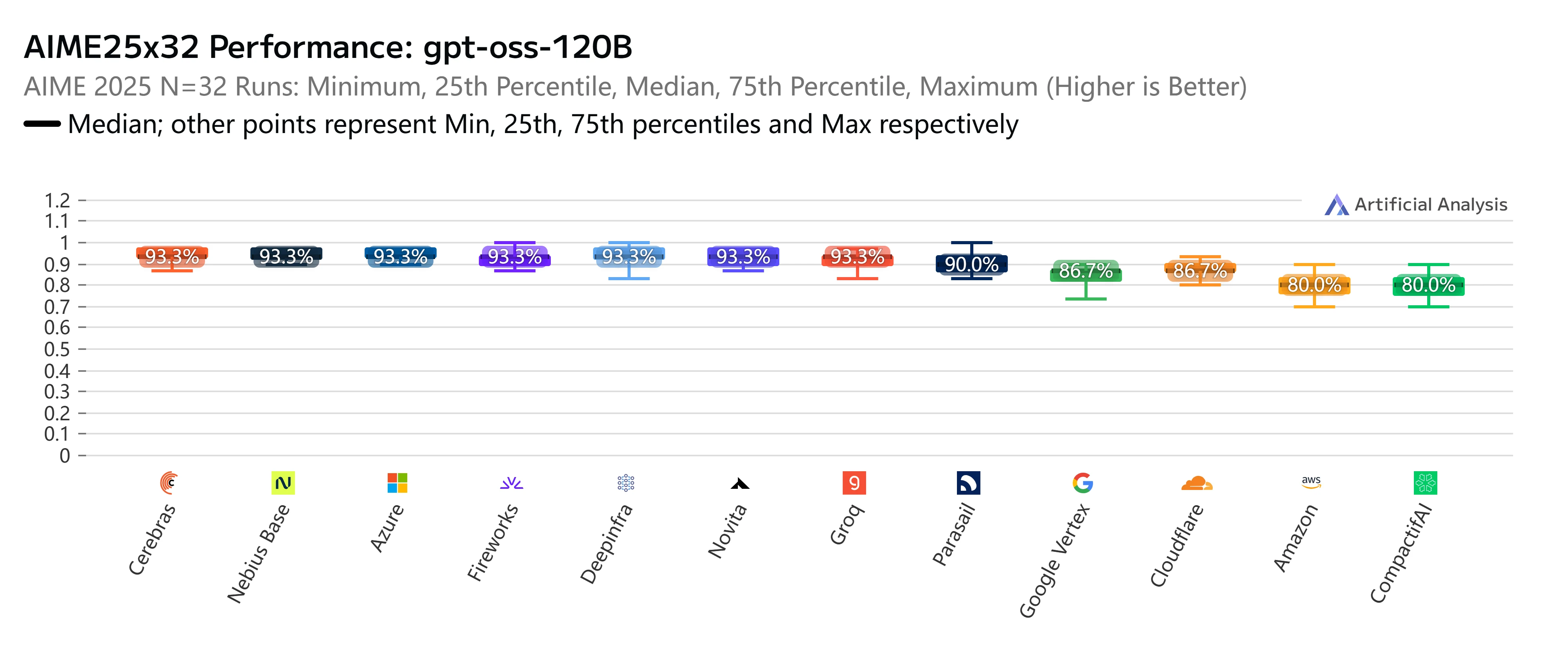
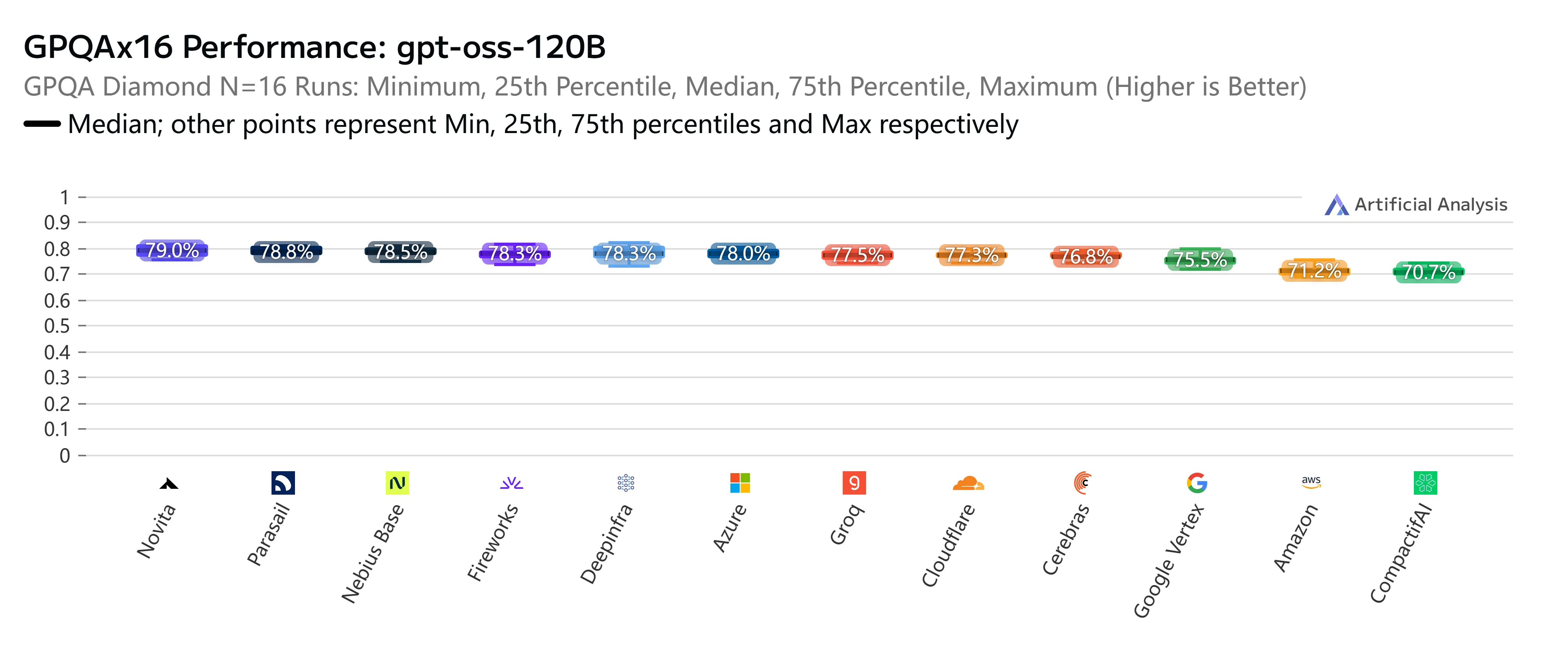
Beyond pricing and speed, Novita AI also stands out in rigorous independent benchmarks. On AIME25x32 (advanced mathematical reasoning), our GPT-OSS-120B endpoint consistently delivered top-tier accuracy at 93.3%, matching or outperforming nearly all major providers. Similarly, in the GPQAx16 (graduate-level scientific Q&A) evaluation, Novita again ranked among the best with a 79% score, underscoring its strength in complex reasoning tasks.
Nebius
Nebius stands out with its lowest latency among the three providers, keeping response times steady even for heavy workloads. Although its context window is slightly smaller at 128K and speed slower at 181 tokens/sec, this trade-off works well for enterprises that value predictability and system stability over raw speed. Nebius is a strong option for knowledge management, back-office automation, or cases where consistent, low-latency responses are critical.
Fireworks
Fireworks leads in raw performance, delivering the fastest output speed at 439 tokens/sec. This makes it highly attractive for real-time and interactive use cases, such as chatbots, AI assistants, and collaborative tools, where responsiveness defines the user experience. While its token pricing is higher and latency slightly larger, developers who prioritize smooth, instant interaction over cost will find Fireworks the most compelling choice.
Top 3 API Providers of GPT-OSS-120B: Novita AI
Novita AI provides a seamless API that makes deploying AI models simple and efficient, while also offering affordable and reliable GPU cloud that empowers developers to build and scale without heavy infrastructure costs.
Why you should choose Novita AI?
Key Benefits
- Accelerated Development: Popular multimodal models like DeepSeek V3.1, GPT-OSS, and GLM-4.5 come pre-integrated, cutting down setup time.
- Cost Efficiency: Proprietary optimization techniques help reduce inference expenses by 30%–50% compared with mainstream providers.
- Scalable Access: Pay-as-you-go pricing and automatic scaling options make the platform equally friendly to startups and enterprise users.
Core Capabilities
- Model Hosting: Reliable support for a wide range of open-source models.
- Playground Environment: A browser-based space to test models instantly and auto-generate API snippets.
- Developer Resources: Utilities that ease integration and experimentation.
- API Oversight: Real-time monitoring with detailed usage logs.
- Budget Control: Token-based billing paired with budget alerts.
- Enterprise Solutions: 1) Private, on-premises deployment for compliance-focused industries. 2) Custom optimization, from tailored model training to hardware acceleration for large-scale clients.
How to Access GPT-OSS on Novita AI?
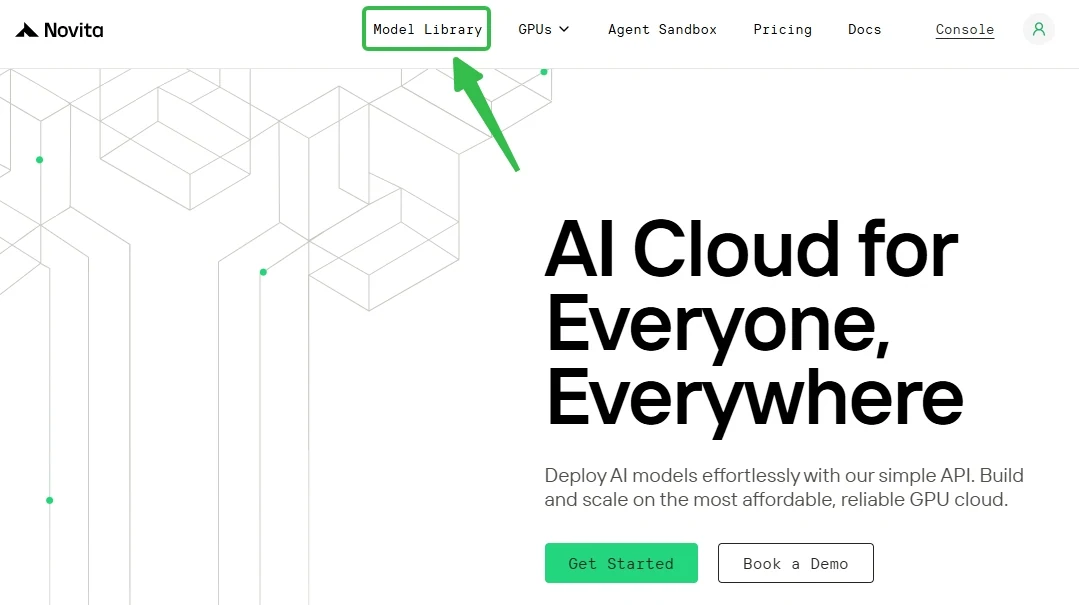
Step 1: Log In and Access the Model Library
Log in or sign up to your account and click on the Model Library button.
Step 2: Choose Your Model
Browse through the available options and select the model that suits your needs.
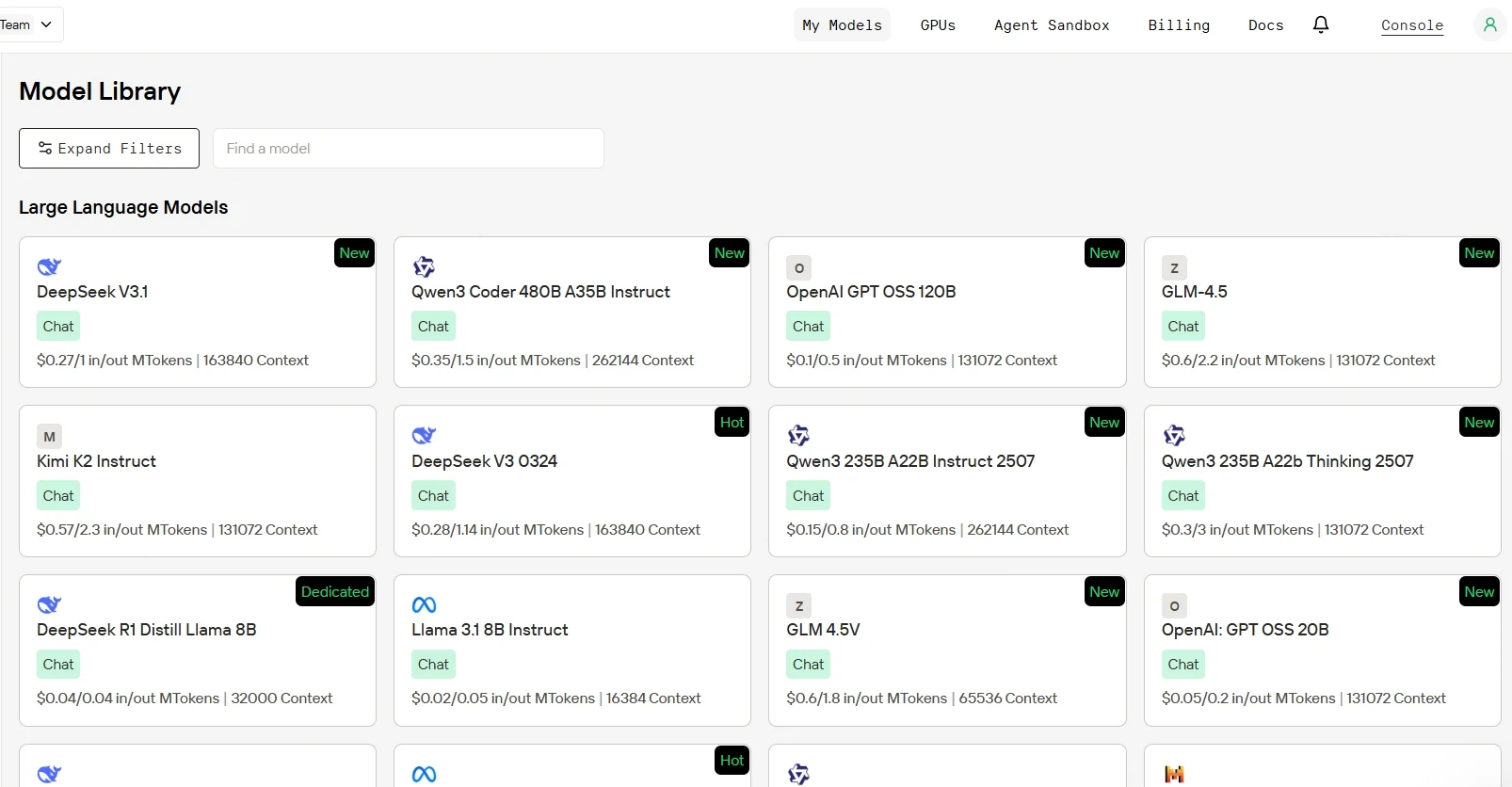
Novita AI’s Model Library Section
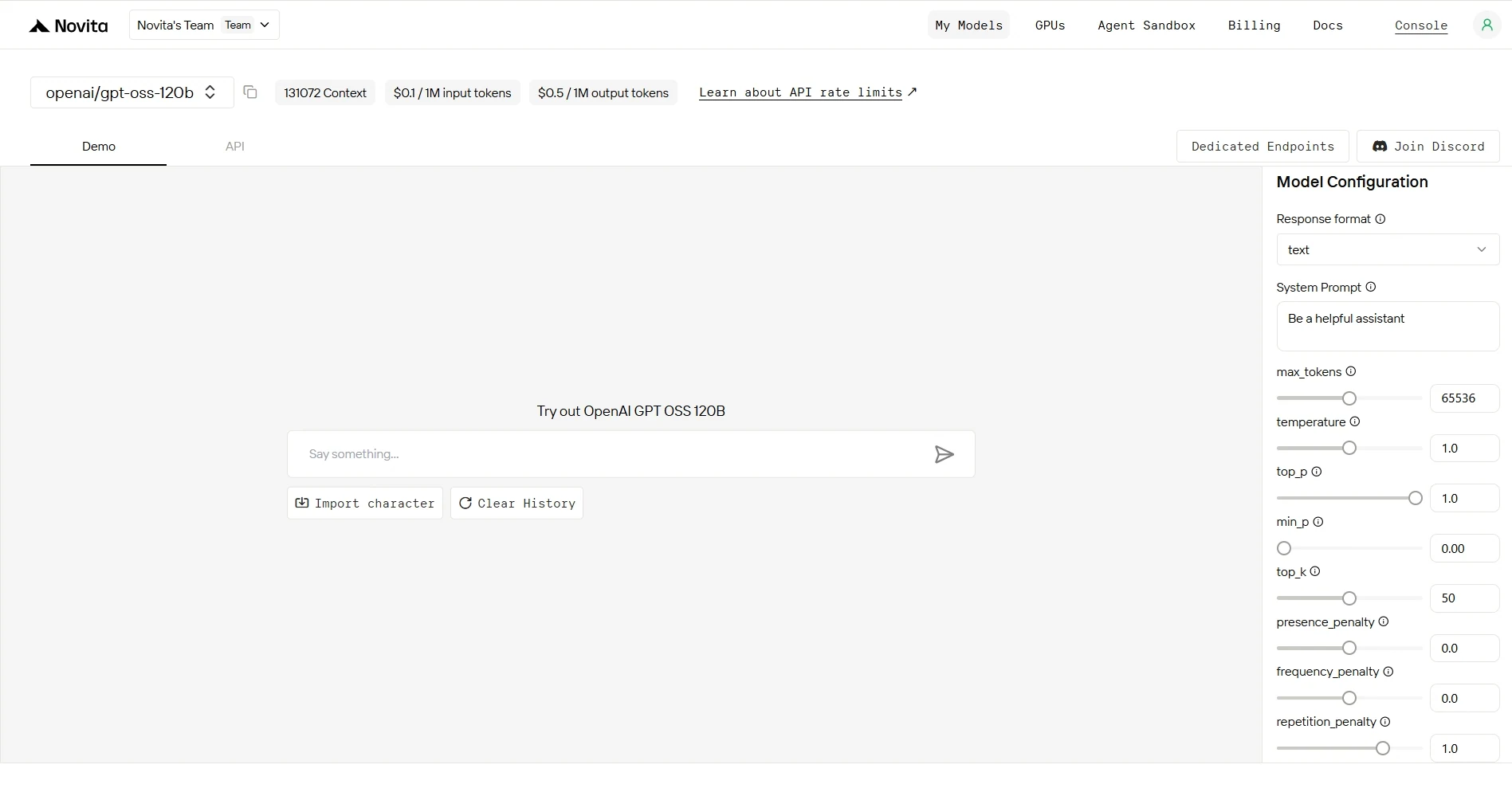
Step 3: Start Your Free Trial
Begin your free trial to explore the capabilities of the selected model.
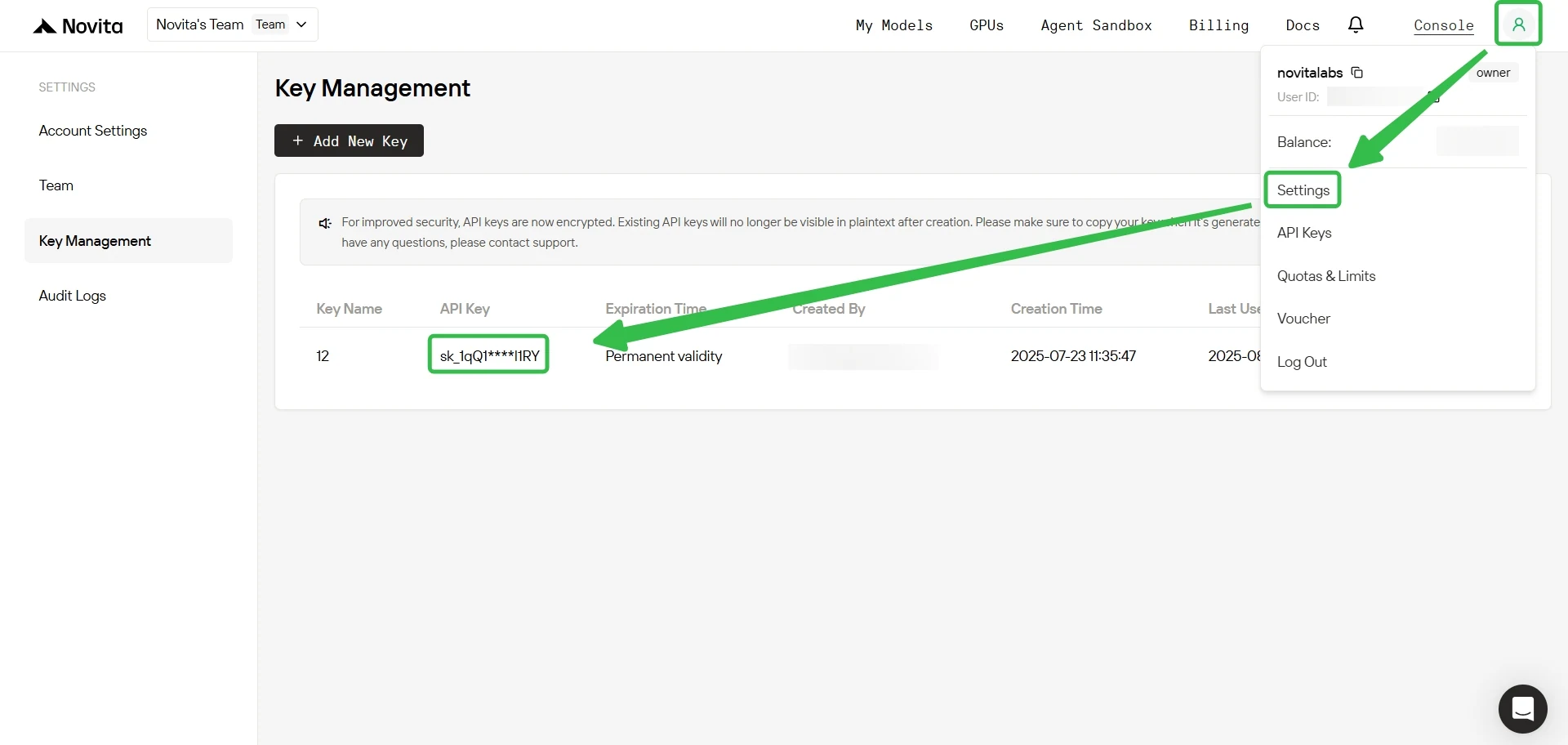
Step 4: Get API KEY
To authenticate with the API, Novita AI provides you with a new API key. Entering the “Settings“ page, you can copy the API key as indicated in the image.
Step 5: Install the API (Python Example)
Install API using the package manager specific to your programming language.
After installation, import the necessary libraries into your development environment. Initialize the API with your API key to start interacting with Novita AI LLM. This is an example of using chat completions API for python users.
from openai import OpenAI

client = OpenAI(
    base_url="https://api.novita.ai/v3/openai",
    api_key="",
)

model = "openai/gpt-oss-120b"
stream = True # or False
max_tokens = 65536
system_content = ""Be a helpful assistant""
temperature = 1
top_p = 1
min_p = 0
top_k = 50
presence_penalty = 0
frequency_penalty = 0
repetition_penalty = 1
response_format = { "type": "text" }

chat_completion_res = client.chat.completions.create(
    model=model,
    messages=[
        {
            "role": "system",
            "content": system_content,
        },
        {
            "role": "user",
            "content": "Hi there!",
        }
    ],
    stream=stream,
    max_tokens=max_tokens,
    temperature=temperature,
    top_p=top_p,
    presence_penalty=presence_penalty,
    frequency_penalty=frequency_penalty,
    response_format=response_format,
    extra_body={
      "top_k": top_k,
      "repetition_penalty": repetition_penalty,
      "min_p": min_p
    }
  )

if stream:
    for chunk in chat_completion_res:
        print(chunk.choices[0].delta.content or "", end="")
else:
    print(chat_completion_res.choices[0].message.content)
Top 3 API Providers of GPT-OSS-120B: Nebius
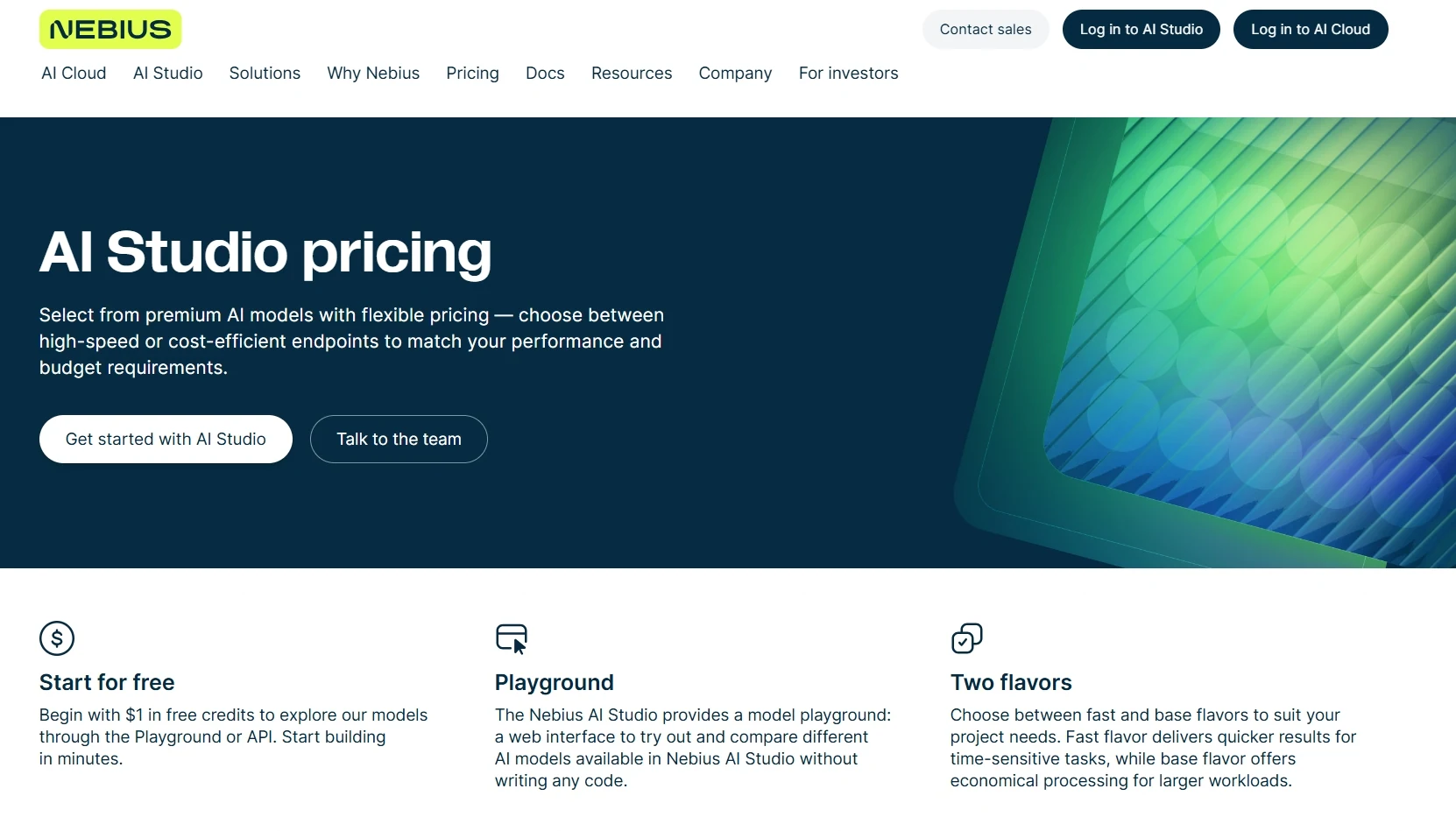
Nebius offers a competitive balance of cost and performance as a GPT-OSS-120B API provider. While not the lowest priced, it delivers the lowest latency for large inputs (5.4s for 100k tokens), making it efficient for long-context tasks.
How to Access GPT-OSS on it?
import os
from openai import OpenAI

client = OpenAI(
    base_url="https://api.studio.nebius.com/v1/",
    api_key=os.environ.get("NEBIUS_API_KEY")
)

response = client.chat.completions.create(
    model="openai/gpt-oss-120b",
    messages=[
        {
            "role": "system",
            "content": """SYSTEM_PROMPT"""
        },
        {
            "role": "user",
            "content": [
                {
                    "type": "text",
                    "text": """USER_MESSAGE"""
                }
            ]
        }
    ]
)

print(response.to_json())
Top 3 API Providers of GPT-OSS-120B: Fireworks
Fireworks distinguishes itself among GPT-OSS-120B API providers with the highest output speed—439 tokens per second—ideal for workloads requiring rapid generation. It also supports a large 131K context window, enabling seamless handling of long or complex prompts. While its input and output pricing ($0.15 and $0.6 per million tokens) aligns with Nebius, Fireworks is particularly strong for users who value speed and responsiveness in large-scale applications
How to Access GPT-OSS on it?
Step 1: Install SDK
pip install --upgrade fireworks-aiStep 2: Configure API Key (Windows Example)
You can open Command Prompt by searching for it in the Windows search bar or by pressing Win + R, typing cmd, and pressing Enter
setx FIREWORKS_API_KEY "<API_KEY>"Step 3: Sending the first API Request (Python Example)
import os
from openai import OpenAI

client = OpenAI(
    base_url="https://api.studio.nebius.com/v1/",
    api_key=os.environ.get("NEBIUS_API_KEY")
)

response = client.chat.completions.create(
    model="openai/gpt-oss-120b",
    messages=[
        {
            "role": "system",
            "content": """SYSTEM_PROMPT"""
        },
        {
            "role": "user",
            "content": [
                {
                    "type": "text",
                    "text": """USER_MESSAGE"""
                }
            ]
        }
    ]
)

print(response.to_json())
Conclusion
Choosing the right API provider for GPT-OSS ultimately comes down to your priorities. If cost efficiency is the main factor, Novita AI offers the most affordable option. For those who need the fastest response times and highest throughput, Fireworks or Nebius is the best choice. All major providers deliver essential capabilities, including large context windows and function calling. Consider what matters most for your project and use this comparison to identify the provider that best meets your needs.
Frequently Asked Questions
Novita AI is an AI cloud platform that offers developers an easy way to deploy AI models using our simple API, while also providing the affordable and reliable GPU cloud for building and scaling.



