To support the developer community, Qwen2.5-7B is currently available for free on Novita AI.
Qwen 2.5 VL 72B VS Qwen 2.5 72B: VRAM Requirements
From Hugging Face, we can find that Qwen 2.5VL 72B needs 384 VRAM at least, while Qwen 2.5 72B only needs 146.77GB!
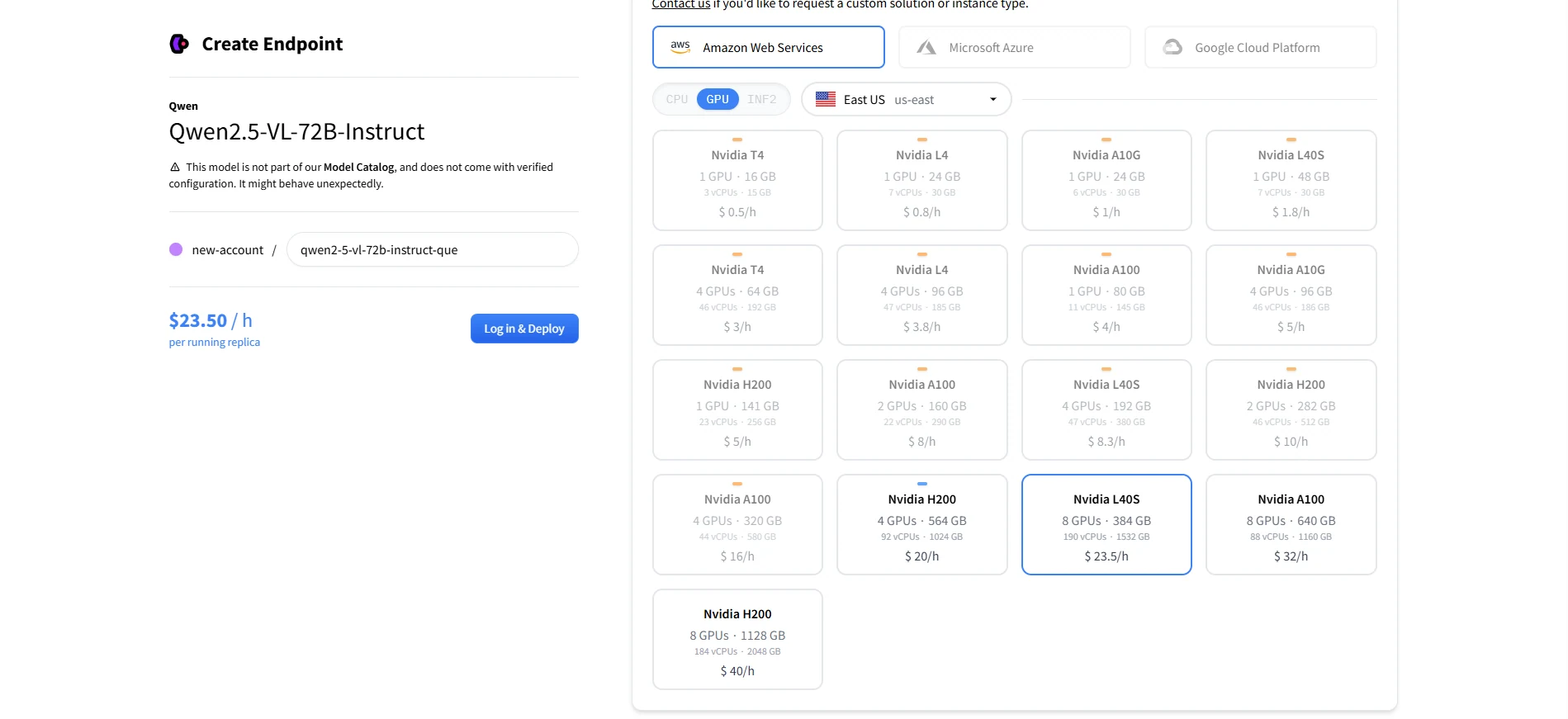
Recommended GPUs for Deployment Qwen 2.5 VL 72B
| Configuration | Total VRAM | Notes |
|---|---|---|
| 8× A100 80GB | 640 GB | Standard setup for large model inference |
| 8× H100 80GB | 640 GB | Better performance than A100s. |
| 8× L40S 48GB | 384 GB | NVIDIA’s newer enterprise GPU. Cost-effective, but may need optimized pipeline or 8-bit quantization to fit model fully. |
8× L40S = 384 GB total VRAM, which is right at the edge of Qwen2.5-VL-72B’s documented minimum.
You may need model parallelism and vLLM, DeepSpeed, or Hugging Face
accelerateoptimizations to ensure stability.Consider 8-bit or 4-bit quantization if FP16 doesn’t fit in memory.
The Cost of Deploying Qwen 2.5 VL 72B
1. Much Higher Deployment Cost
- You’ll need more GPUs (e.g., 8×A100 80GB or multiple H100s), or high-end GPU nodes.
- Cloud deployment becomes significantly more expensive compared to the text-only version.
2. Higher Hardware Barrier
- Many developers simply can’t run VL-72B locally. It requires multi-GPU setups and efficient model parallelism.
- Also demands high memory bandwidth and optimized infrastructure for stable inference.
3. More Expensive Inference
- API providers will charge more due to the increased resource consumption.
- Inference cost can be 2–3× higher (or more) than a pure text model of the same parameter size.
4. Slower Inference Speed
- Visual encoders and multimodal fusion layers add complexity.
- Processing images adds overhead to token throughput, increasing latency.
Why Qwen 2.5 VL 72B Requires More VRAM Than the Same-Size LLM
Qwen2.5-VL-72B is a state-of-the-art multimodal large language model developed by Alibaba Cloud, designed to understand and generate content from both visual (images and videos) and textual inputs.
With 72 billion parameters, it excels in tasks such as document parsing, chart analysis, visual question answering, and long video comprehension, making it suitable for complex applications like AI agents and enterprise automation.
1. Dynamic Resolution & Frame Rate Sampling
What It Does:
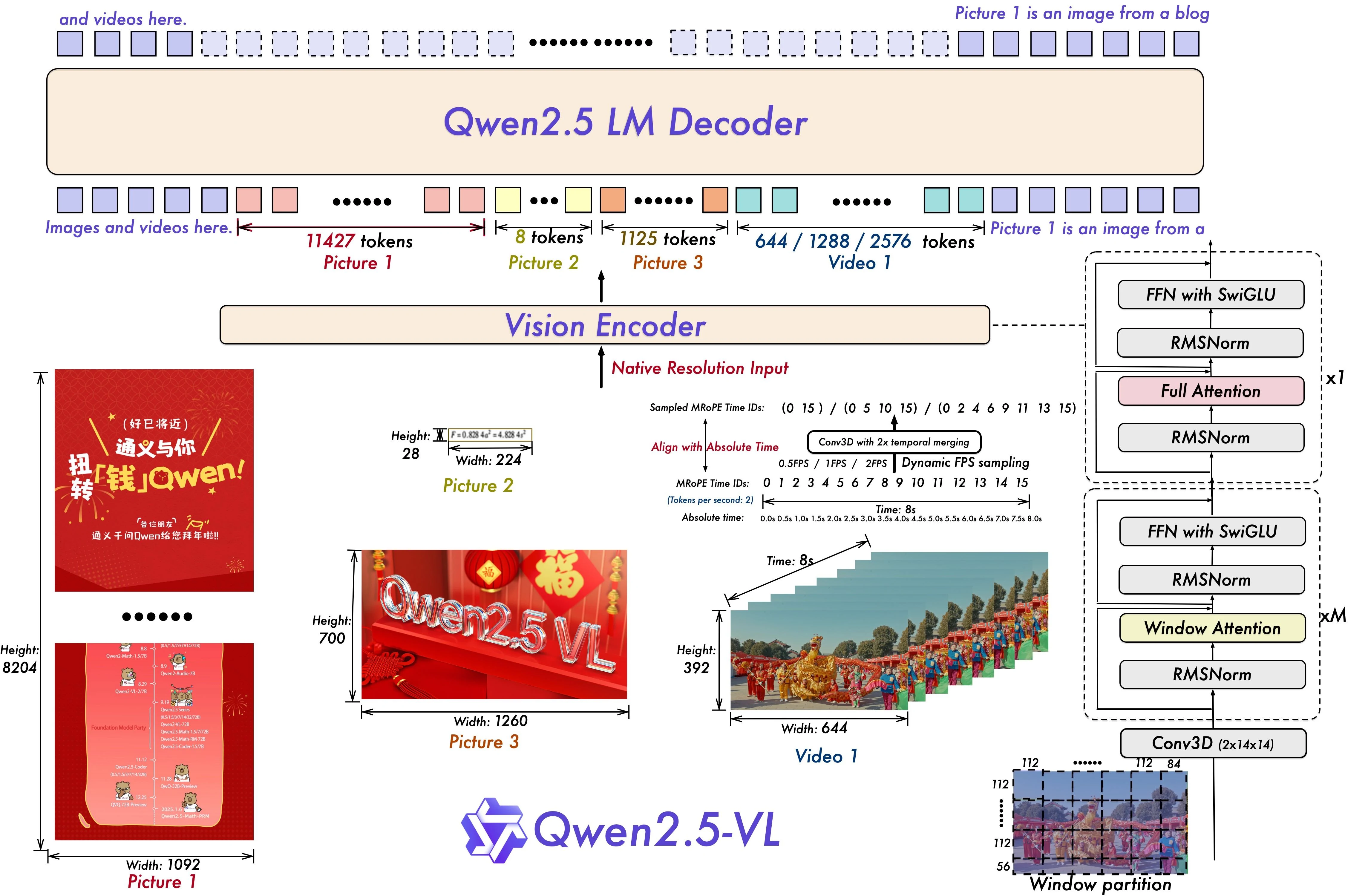
Qwen2.5-VL-72B introduces dynamic resolution and temporal frame sampling, allowing it to process videos at various frame rates. This means the model can adapt to different motion speeds, identify key events, and reason about time — such as “when something happened” in a scene. To support this, the model updates its multimodal rotary position embeddings (mRoPE) with absolute time and frame ID information.
How It Affects VRAM:
Although dynamic sampling sounds efficient, supporting variable resolutions and frame rates means the model must reserve capacity for multiple temporal patterns. This increases memory needs, especially when handling high-resolution or long-duration videos. Additionally, extending mRoPE to the time dimension means more tokens, more embeddings, and more attention layers — all of which push VRAM usage upward.
2. Streamlined Vision Transformer (ViT)
What It Does:
The model’s vision encoder is built on a Vision Transformer with window attention, which processes images in localized patches instead of all at once. This helps reduce computation. Qwen2.5-VL also uses SwiGLU and RMSNorm — modern techniques that improve convergence speed and numerical stability, while maintaining compatibility with the main Qwen2.5 language model.
How It Affects VRAM:
Window attention does help save memory compared to full attention, especially for high-res images. However, the visual encoder itself — especially in a 72B model — still adds significant overhead. SwiGLU and RMSNorm aren’t major VRAM hogs on their own, but they contribute additional layers and operations. The result is a visual stack that’s more efficient than some models but still requires dozens of extra gigabytes of VRAM to run smoothly, especially when paired with large batch sizes or long context.
Qwen2.5-VL-72B is optimized for performance, but its architecture is inherently multimodal and memory-intensive. It’s built to understand not only words but also complex visual and temporal patterns.
These capabilities come with significant VRAM tradeoffs, making it far more demanding than a standard 72B text-only model — even when architectural efficiency is a top priority.
Local Deployment Isn’t Easy for Qwen2.5 VL 72B
Deploying Qwen2.5-VL-72B locally can be overwhelming due to its massive memory needs — up to 384 GB of VRAM. While there are several ways to reduce the burden, each comes with its own complexity:
- Quantization compresses the model to 8-bit or even 4-bit precision, cutting memory usage by up to 75%. However, it requires tooling like GPTQ or AWQ, and may affect accuracy or compatibility.
- Model parallelism splits the model across multiple GPUs, allowing it to run even if no single GPU has enough memory. But this requires high-speed interconnects (like NVLink) and careful setup — not beginner-friendly.
- Efficient inference engines like vLLM can optimize memory reuse and throughput, but still demand solid infrastructure and some engineering work to integrate into production.
- Cloud-based deployment removes the hardware hurdle, but you’ll need to manage scaling, uptime, and cost — and it often still requires custom container setup.
In short: all of these solutions work, but they cost time, money, or both. That’s why for many developers, researchers, and teams looking for quick access to Qwen2.5-VL-72B’s multimodal power, the best option is often the simplest one — using a well-optimized API service.
Use the API Instead
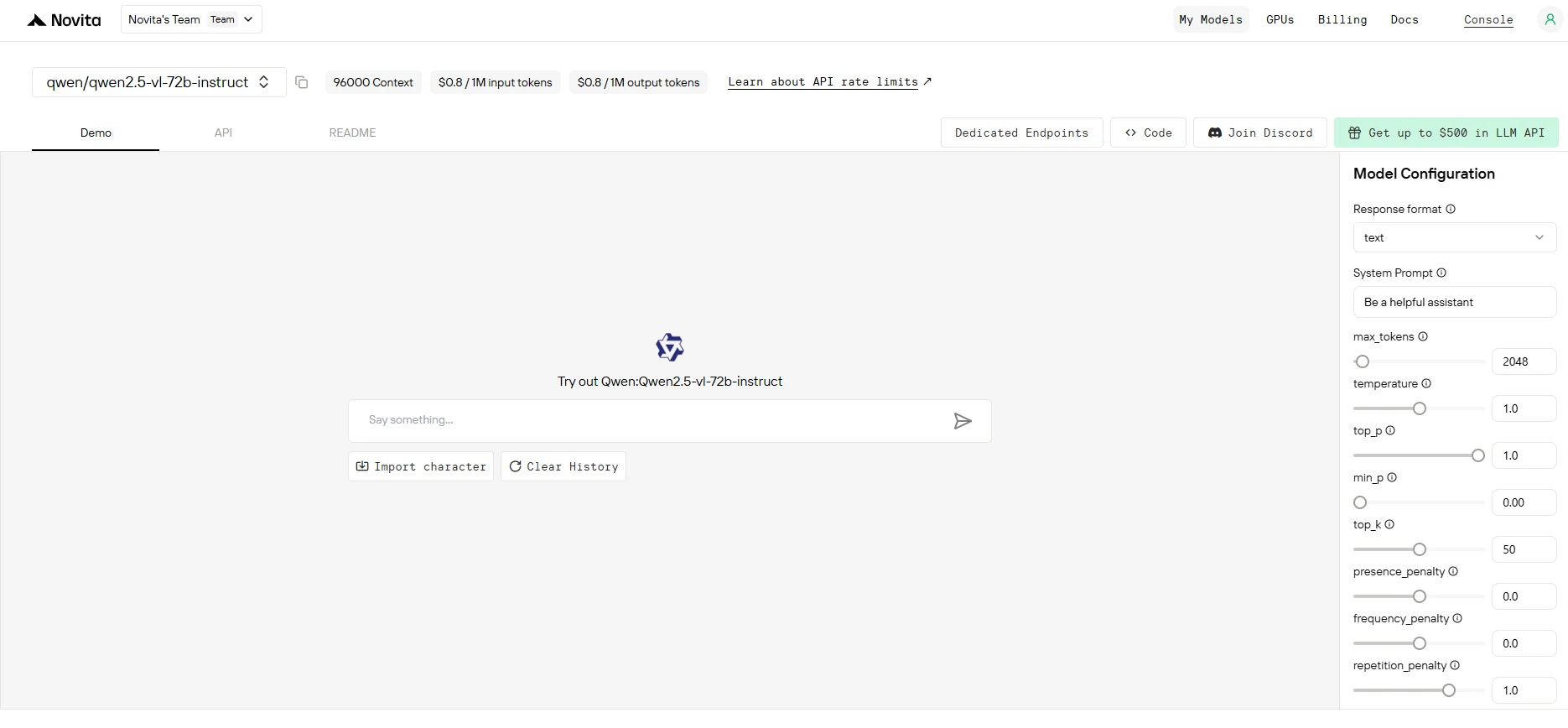
Using an API lets you skip the hassle of setting up hardware, managing memory, or worrying about compatibility. You get instant access to Qwen2.5-VL-72B’s full capabilities — vision, language, and video understanding — without the infrastructure burden. Just send a request, get a response, and focus on building.
Step 1: Log In and Access the Model Library
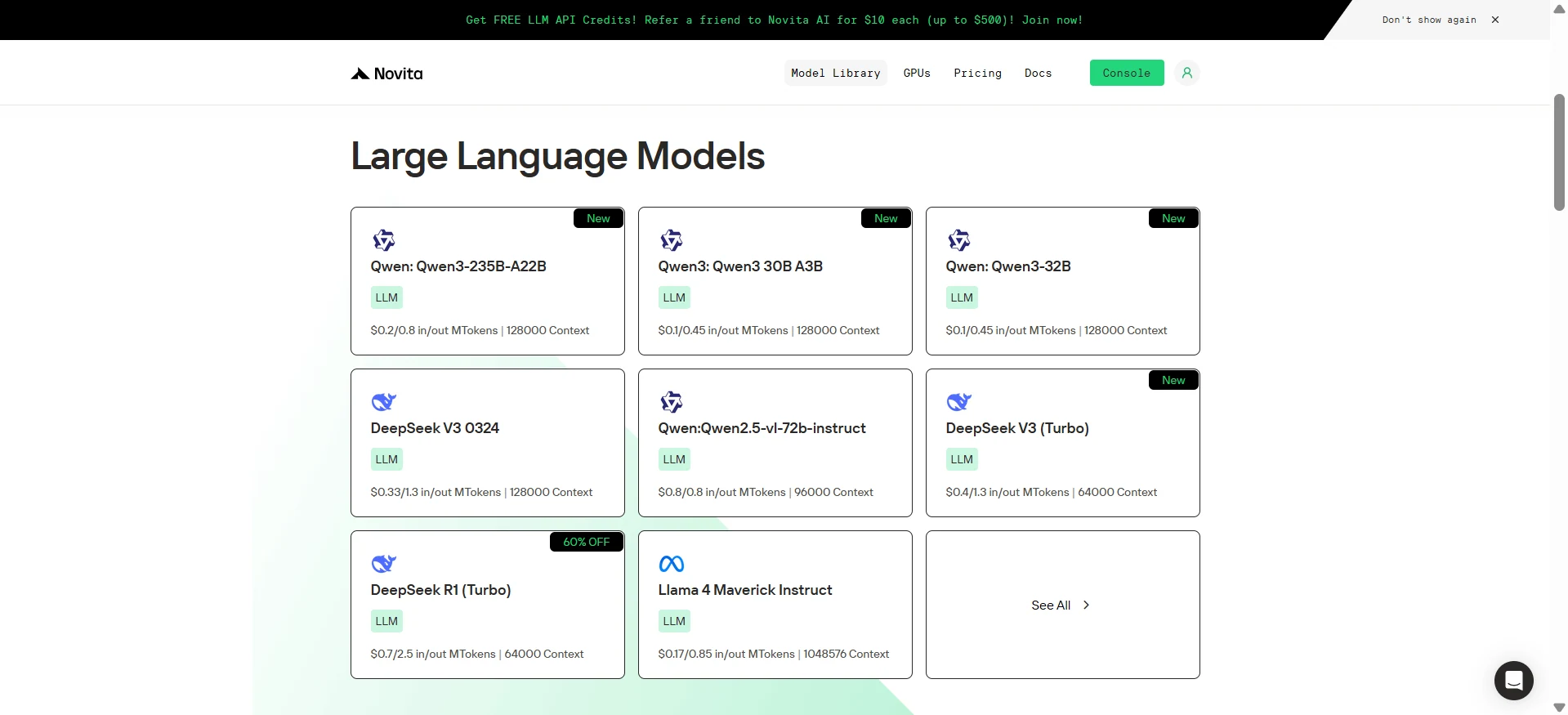
Log in to your account and click on the Model Library button.

Step 2: Choose Your Model
Browse through the available options and select the model that suits your needs.
Step 3: Start Your Free Trial
Begin your free trial to explore the capabilities of the selected model.
Step 4: Get Your API Key
To authenticate with the API, we will provide you with a new API key. Entering the “Settings“ page, you can copy the API key as indicated in the image.

Step 5: Install the API
Install API using the package manager specific to your programming language.
After installation, import the necessary libraries into your development environment. Initialize the API with your API key to start interacting with Novita AI LLM. This is an example of using chat completions API for python users.
from openai import OpenAI

from openai import OpenAI

client = OpenAI(
    base_url="https://api.novita.ai/v3/openai",
    api_key="<YOUR Novita AI API Key>",
)

model = "qwen/qwen2.5-vl-72b-instruct"
stream = True # or False
max_tokens = 2048
system_content = """Be a helpful assistant"""
temperature = 1
top_p = 1
min_p = 0
top_k = 50
presence_penalty = 0
frequency_penalty = 0
repetition_penalty = 1
response_format = { "type": "text" }

chat_completion_res = client.chat.completions.create(
    model=model,
    messages=[
        {
            "role": "system",
            "content": system_content,
        },
        {
            "role": "user",
            "content": "Hi there!",
        }
    ],
    stream=stream,
    max_tokens=max_tokens,
    temperature=temperature,
    top_p=top_p,
    presence_penalty=presence_penalty,
    frequency_penalty=frequency_penalty,
    response_format=response_format,
    extra_body={
      "top_k": top_k,
      "repetition_penalty": repetition_penalty,
      "min_p": min_p
    }
  )

if stream:
    for chunk in chat_completion_res:
        print(chunk.choices[0].delta.content or "", end="")
else:
    print(chat_completion_res.choices[0].message.content)
Qwen2.5-VL-72B is cutting-edge, but its resource requirements are high. Instead of navigating multi-GPU setups or tuning quantization, most users will benefit from using a high-performance API. It’s faster, simpler, and lets you focus on what matters — building smart applications.
Can I run Qwen2.5-VL-72B on a single GPU?
No, unless you quantize heavily (e.g., 4-bit) and use a very high-end GPU like the H100 120GB — even then, performance may suffer.
Is there a lightweight version of Qwen-VL?
Yes, Qwen2.5-VL-7B and Qwen2.5-VL-3B offer similar multimodal capabilities at lower hardware cost.
Can I use the API for image + text prompts?
Absolutely. Novita AI Qwen 2.5 VL 72B API supports full multimodal input — including long video frames, diagrams, and image-based Q&A.
Novita AI is an AI cloud platform that offers developers an easy way to deploy AI models using our simple API, while also providing the affordable and reliable GPU cloud for building and scaling.



