Gemma3-12B-IT is Google’s latest instruction-tuned language model, combining strong reasoning with accessibility. Beyond its capabilities lies a practical question: how much GPU memory is needed to run it well? VRAM is the deciding factor for local deployment, enterprise hardware, or cloud access. This article will guide you through Gemma3-12B-IT’s VRAM needs and compare local setups with API options.
Gemma3-12B-IT: Basics & Benchmark
| Feature | Gemma3 12B it |
| Model Size | 12B Parameters |
| Open Source | Yes |
| Context Window | 128K Tokens |
| Architecture | decoder-only transformer |
| Multimodality | Text and Images |
| Multilingual Support | English + 140 languages |
| Benchmark | Score |
| MMLU-Pro | 60% |
| GPQA Diamond | 35% |
| Humanity’s Last Exam | 4.8% |
| LiveCodeBench | 14% |
| SciCode | 17% |
| IFBench | 37% |
| AIME 2025 | 18% |
| AA-LCR | 7% |
Core Capabilities:
- Document Analysis: Derive meaningful insights from reports that include charts, graphs, and technical visuals.
- Visual Understanding: Address complex image-related questions with full contextual reasoning.
- Content Generation: Produce rich descriptions, captions, and explanatory text that blend visual and written information.
- Learning Support: Deliver in-depth tutoring that integrates clear explanations with visual learning resources.
What is VRAM?
Video Random Access Memory (VRAM) is the dedicated memory on a GPU used to store model parameters, weights, and intermediate computations. For large language models (LLMs), VRAM is critical because it determines whether a model can be loaded at all, how long the context window can be, and what batch size can be supported. Unlike general system RAM, VRAM operates with extremely high bandwidth to handle the massive matrix operations that define modern transformers. In short, VRAM is the bottleneck resource for both inference and training: too little VRAM means out-of-memory errors, restricted context length, or inefficient offloading.
VRAM Troubleshooting
Model Storage in VRAM
Large-scale models like Gemma-3-12B-it require tens of gigabytes just to load weights and parameters. If VRAM is insufficient, the model either cannot run or falls back on offloading parts of the workload to slower system RAM or disk. The practical solutions are using smaller or quantized checkpoints, or choosing GPUs with higher memory capacity.
Batch Processing Limits
Batch size directly impacts throughput and latency. Larger batches process more tokens per step but quickly consume additional VRAM. When memory is tight, developers must shrink batch sizes or split work into micro-batches, which slows performance. Ultimately, upgrading to GPUs with higher VRAM provides the cleanest path to stable, large-batch inference.
Model Optimization
Limited VRAM often forces efficiency trade-offs. Quantization—such as running in 8-bit or 4-bit instead of full precision—reduces memory needs by 2–4× while keeping most of the model’s quality. Pruning redundant parameters or offloading certain operations can also help. These techniques allow large models to run on more modest hardware without severe quality loss.
The KV-Cache Factor
Beyond weights, memory usage grows significantly because of the key-value cache in transformer models. This cache stores intermediate states for each attention layer and scales with sequence length. For Gemma-3-12B-it, which supports up to 128K tokens, the cache can exceed the model weights if left unchecked. Google reduced this overhead with a mixed local/global attention design, but developers still need to manage cache carefully. Strategies include limiting context length, adopting sliding-window attention, or using hardware with larger VRAM reserves.
Inference vs. Training
Inference typically requires less memory—8–24 GB is often enough depending on quantization—while training demands are much higher, easily climbing into the 80 GB+ range. This makes full training impractical for most teams. Instead, parameter-efficient fine-tuning methods such as LoRA or QLoRA are the go-to solutions, cutting memory costs while still adapting models effectively.
Gemma3-12B-IT VRAM Requirements
| Quantization | Weights Only (Approx.) | With KV-cache (Approx.) | Minimum Configuration | Recommended GPU |
| BF16 | 24.0 GB | 38.9 GB | Nvidia L40S ×1 | Nvidia H200 ×1 |
| SFP8 | 12.4 GB | 27.3 GB | Nvidia T4 ×1 | Nvidia A100 ×1 |
| INT4 | 6.6 GB | 21.5 GB | Nvidia T4 ×1 | Nvidia L40S ×1 |
Key takeaways:
- Full precision runs smoothly only on enterprise-grade GPUs.
- Quantized models dramatically lower memory demands, enabling deployment on consumer GPUs with trade-offs.
- KV-cache inflates requirements during long-context inference—planning for cache is as important as planning for weights.
Gemma-3-12B-IT: Local Deployment vs API Access
| Aspect | Local Deployment | Cloud GPU | API Access |
| Initial Investment | $15,000–$30,000+ (1–2 enterprise GPUs like H100/H200, plus hardware setup) | Pay-per-hour, no large upfront hardware investment | Pay-as-you-go pricing; no upfront hardware cost |
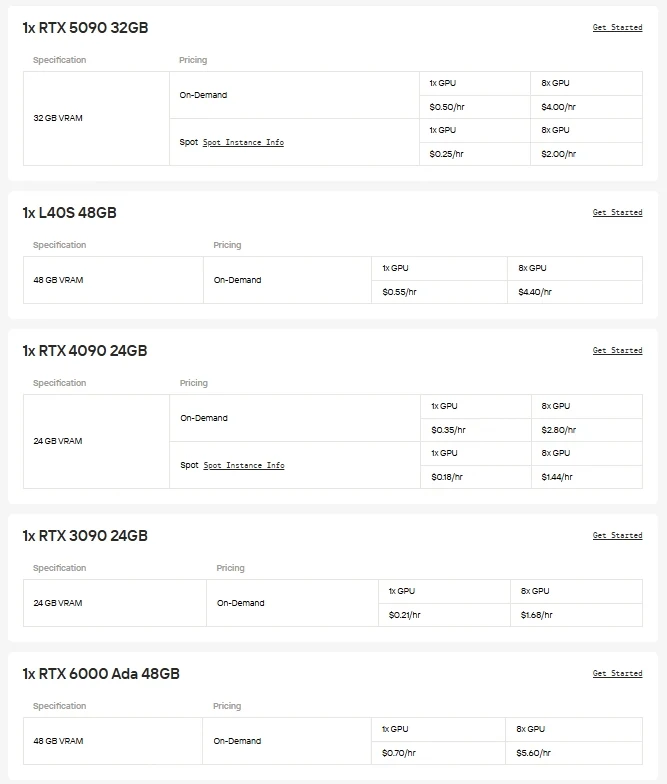
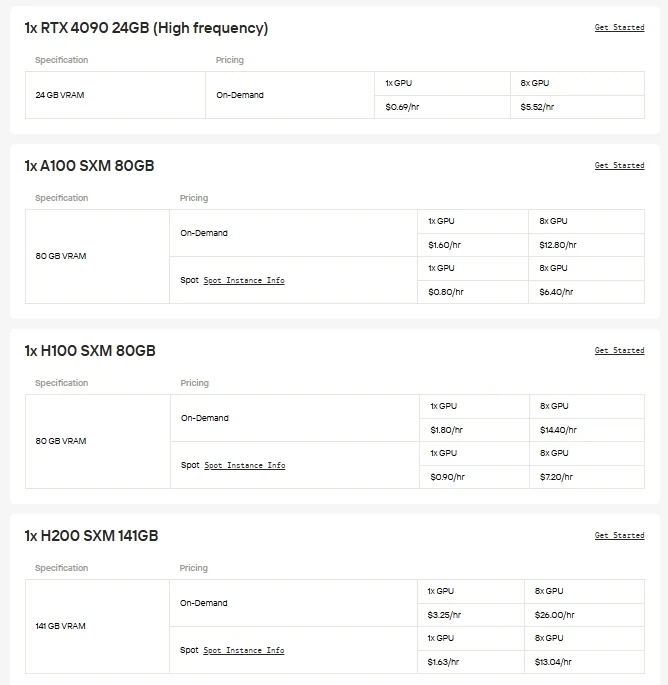
| Infrastructure | Requires GPUs, cooling, stable power supply | GPU instances (H100, H200, B200, RTX 6000 Ada, etc.) provided by Novita AI, available on demand | None required; runs on Novita AI’s optimized infrastructure |
| Technical Expertise | ML/DevOps expertise needed for setup, drivers, and environment | Only basic setup required; far less operational overhead than local deployment | Basic API usage knowledge |
| Maintenance | Ongoing monitoring, driver updates, hardware upkeep | Novita AI handles drivers, updates, and hardware upkeep; users only manage their applications | None required |
| Scalability | Limited by local hardware capacity | Elastic scaling—add or release GPU instances as workload changes | Instantly scalable, flexible resource allocation |
| Reliability | Performance tied to local setup stability | Backed by SLA guarantees and stable infrastructure | Enterprise-grade SLA and optimized runtime |
| Performance | Dependent on chosen GPU and configuration | Enterprise-grade GPU performance, with flexibility to choose the right instance type for the task | Provider-Optimized |
| Data Privacy | Full local control over data | Provider-Dependent | Provider-Dependent |
For users who prefer direct control and GPU flexibility, Novita AI offers on-demand Cloud GPU instances (including H100, H200, B200, RTX 6000 Ada, etc.), enabling high-performance deployment without the burden of local hardware setup.
Novita AI provides Gemma-3-12B-IT APIs with 131K context window at costs of $0.05/1M tokens input and $0.1/1M tokens output, delivering cost-effective access to state-of-the-art instruction-tuned capabilities.
How to Access Gemma-3-12B-IT via API
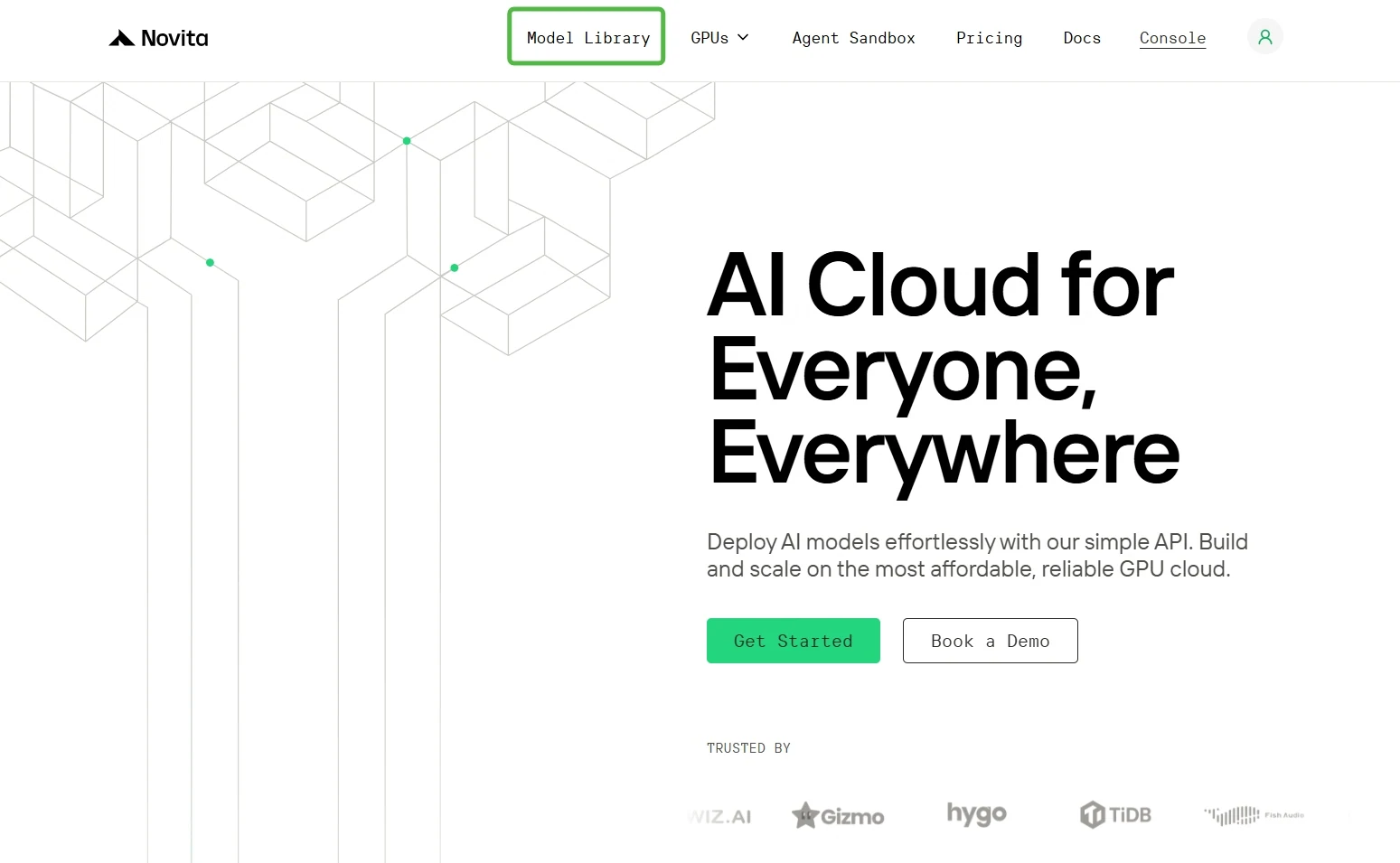
Step 1: Log In and Access the Model Library
Log in to your account and click on the Model Library button.
Step 2: Start Your Free Trial
Select your modal and begin your free trial to explore the capabilities of the selected model.
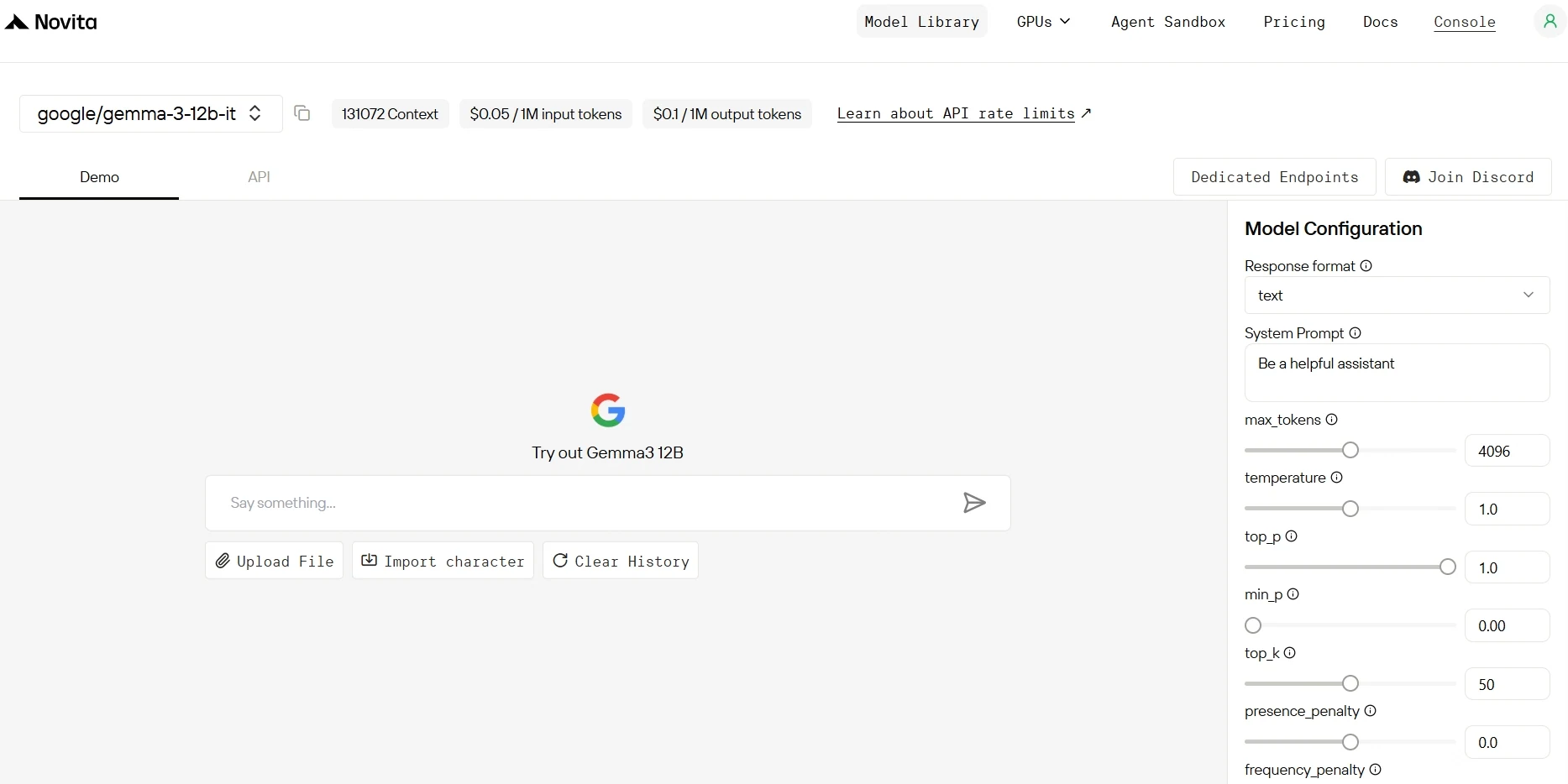
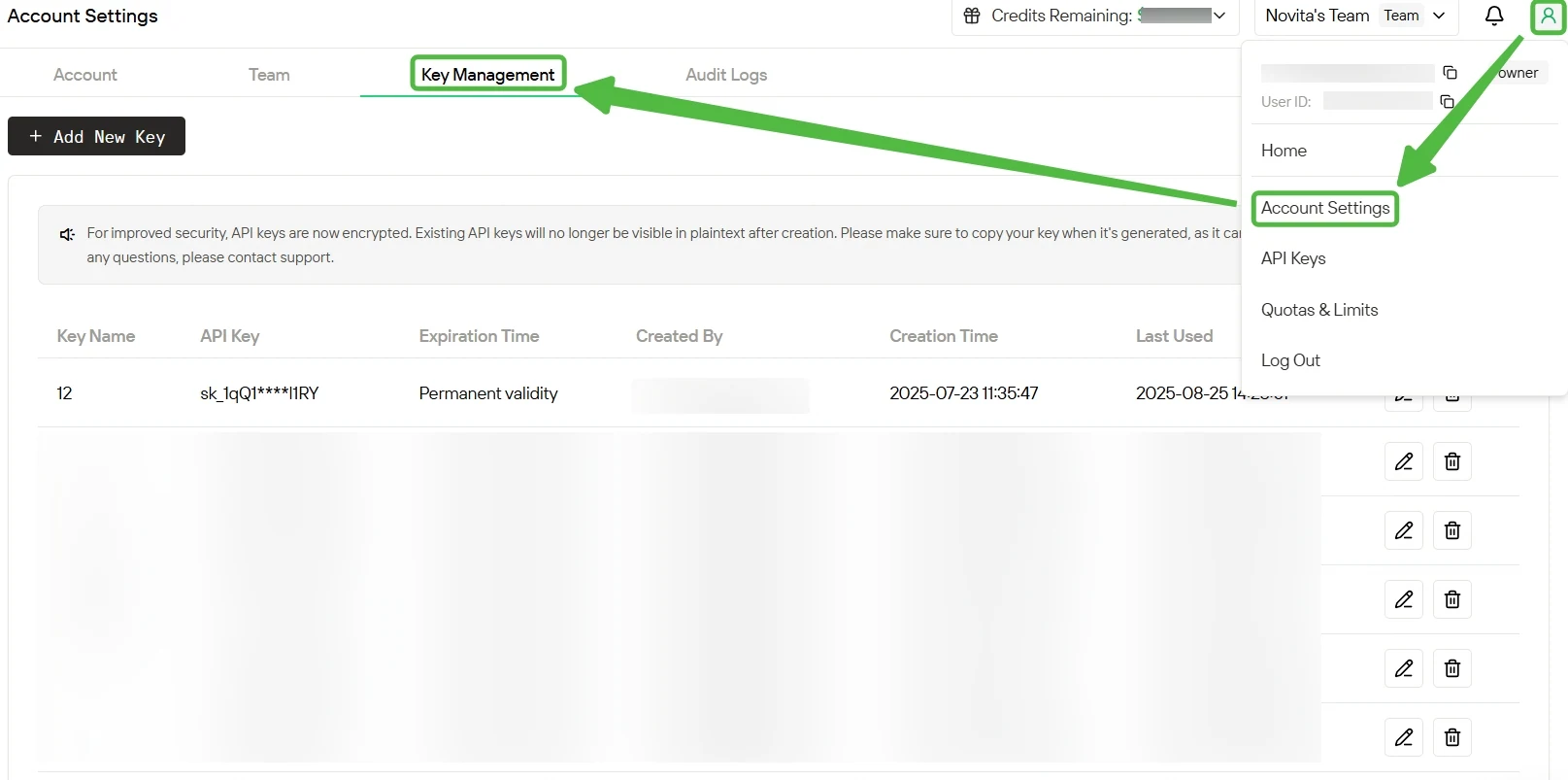
Step 3: Get Your API Key
To authenticate with the API, we will provide you with a new API key. Entering the “Settings“ page, you can copy the API key as indicated in the image.
Step 4: Install the API
Install API using the package manager specific to your programming language.
After installation, import the necessary libraries into your development environment. Initialize the API with your API key to start interacting with Novita AI LLM. This is an example of using chat completions API for python users.
from openai import OpenAI

client = OpenAI(
    base_url="https://api.novita.ai/openai",
    api_key="<YOUR Novita AI API Key>",
)

model = "google/gemma-3-12b-it"
stream = True # or False
max_tokens = 4096
system_content = "Be a helpful assistant"
temperature = 1
top_p = 1
min_p = 0
top_k = 50
presence_penalty = 0
frequency_penalty = 0
repetition_penalty = 1
response_format = { "type": "text" }

chat_completion_res = client.chat.completions.create(
    model=model,
    messages=[
        {
            "role": "system",
            "content": system_content,
        },
        {
            "role": "user",
            "content": "Hi there!",
        }
    ],
    stream=stream,
    max_tokens=max_tokens,
    temperature=temperature,
    top_p=top_p,
    presence_penalty=presence_penalty,
    frequency_penalty=frequency_penalty,
    response_format=response_format,
    extra_body={
      "top_k": top_k,
      "repetition_penalty": repetition_penalty,
      "min_p": min_p
    }
  )

if stream:
    for chunk in chat_completion_res:
        print(chunk.choices[0].delta.content or "", end="")
else:
    print(chat_completion_res.choices[0].message.content)
Frequently Asked Question
What is Gemma-3-12B-it?
Gemma-3-12B-it is an instruction-tuned large language model from Google’s Gemma 3 family. It supports text and multimodal inputs and is optimized for long-context reasoning.
Why is VRAM important when running Gemma-3-12B-it?
VRAM determines whether the model can be loaded and run effectively. It impacts model precision, context length, batch size, and overall inference speed.
How much VRAM is needed to run Gemma-3-12B-it locally?
In full BF16 precision, it requires around 24 GB just for weights and up to ~40 GB with cache. Quantized versions can run with 6–12 GB for weights, but cache still pushes requirements above 20 GB for longer contexts.
Novita AI is an AI cloud platform that offers developers an easy way to deploy AI models using our simple API, while also providing an affordable and reliable GPU cloud for building and scaling.



