Factory’s Droid is a high-performance software development agent that supports BYOK (Bring Your Own Key) for custom model providers. You can connect Novita AI to Droid in under 2 minutes by editing a single JSON config file — giving you access to powerful open-source models like Kimi K2.5 at a fraction of the cost.
What Is Droid?
Droid is an enterprise-grade AI coding agent by Factory AI. It works in your terminal and IDE (VS Code, Cursor, JetBrains), handling end-to-end development workflows — from analyzing code and implementing features to fixing bugs and running tests.
Droid uses a model-agnostic agent design, meaning its performance comes largely from its agent framework rather than any single model. On Terminal-Bench (a benchmark measuring AI agents’ ability to complete complex tasks in terminal environments), Droid has achieved strong results, with its agent framework extracting more capability from each model than many competing agents.
Droid supports BYOK (Bring Your Own Key) through its configuration, letting you connect any OpenAI-compatible or Anthropic-compatible API provider. This is where Novita AI comes in.
Why Use Novita AI with Droid?
Cost-Effective Open-Source Models
Novita AI provides access to 100+ open-source LLMs at competitive prices. Since Droid’s agent design is the primary performance driver (not just the model choice), pairing Droid with cost-effective models from Novita AI gives you strong coding performance without high API bills.
For example, Kimi K2.5 — a strong coding model with a 262K context window — is available on Novita AI at just $0.60/$3.00 per 1M input/output tokens.
You can browse all available models on the Novita AI Models page.
OpenAI and Anthropic-Compatible APIs
Novita AI’s LLM API is fully OpenAI-compatible, which maps directly to Droid’s generic-chat-completion-api provider. No adapter or proxy needed — just set your base URL and API key.
Novita AI also provides an Anthropic-compatible endpoint (https://api.novita.ai/anthropic) for tools that require the Anthropic Messages API format.
Prerequisites
Before you start, make sure you have:
- Droid CLI installed — If not, install it:
# macOS / Linux
curl -fsSL https://app.factory.ai/cli | sh

# Windows
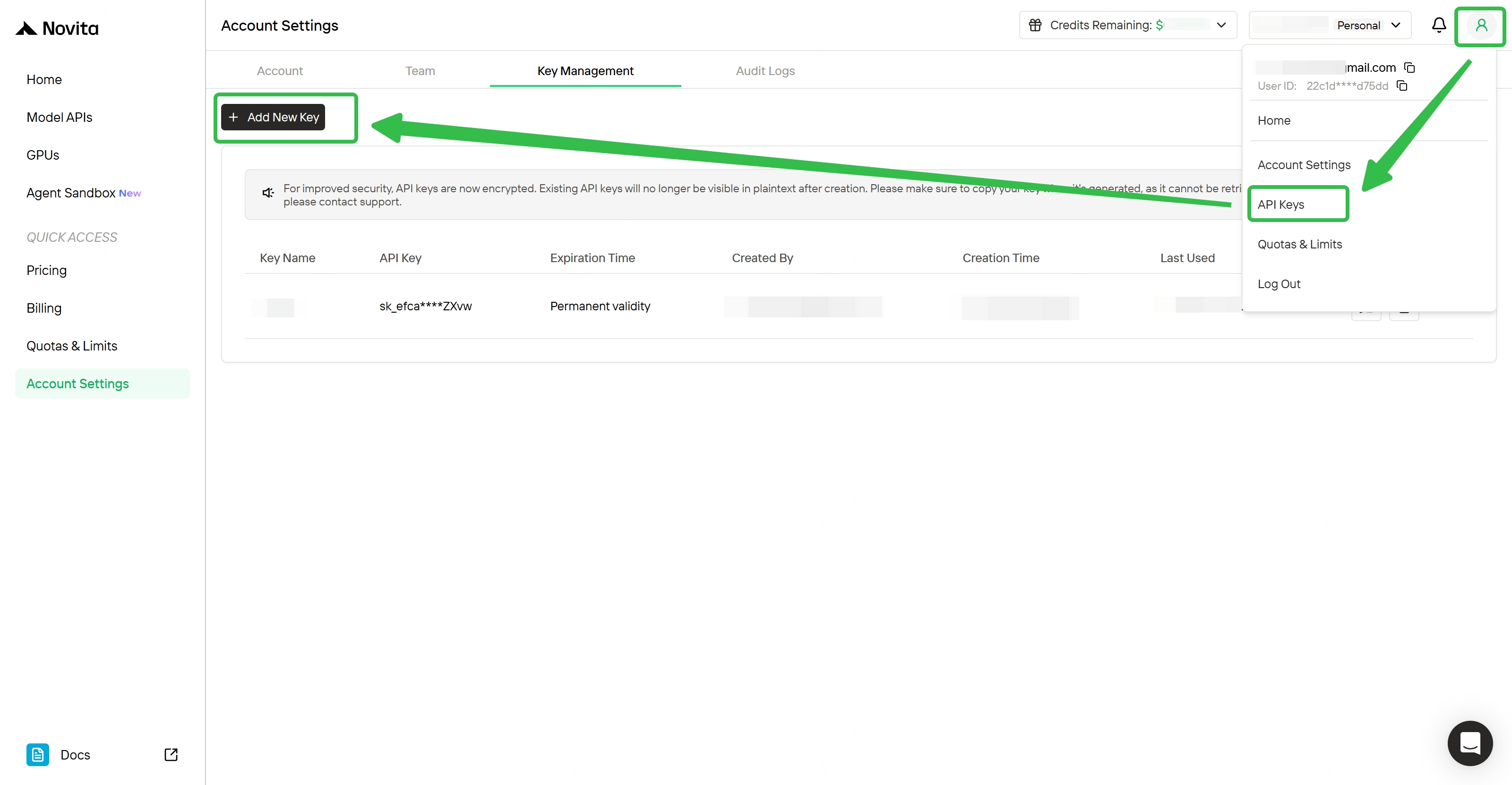
irm https://app.factory.ai/cli/windows | iex- A Novita AI API key — Sign up at novita.ai and get your key from the API Key Management page.
Create your Account and Get API Key
Step-by-Step Setup
Step 1: Locate the Droid Configuration File
Droid reads custom model configurations from a settings.json file:
- macOS/Linux:
~/.factory/settings.json - Windows:
%USERPROFILE%\.factory\settings.json
Step 2: Add Novita AI Models
Paste the following configuration. This example adds Kimi K2.5 via the OpenAI-compatible endpoint:
{
  "customModels": [
    {
      "model": "moonshotai/kimi-k2.5",
      "displayName": "Kimi K2.5 (Novita AI)",
      "baseUrl": "https://api.novita.ai/openai",
      "apiKey": "<YOUR_NOVITA_API_KEY>",
      "provider": "generic-chat-completion-api",
      "maxOutputTokens": 64000
    }
  ]
}
Alternatively, if you prefer the Anthropic Messages API format, use the Anthropic-compatible endpoint:
{
  "customModels": [
    {
      "model": "moonshotai/kimi-k2.5",
      "displayName": "Kimi K2.5 (Novita AI - Anthropic)",
      "baseUrl": "https://api.novita.ai/anthropic",
      "apiKey": "<YOUR_NOVITA_API_KEY>",
      "provider": "anthropic",
      "maxOutputTokens": 64000
    }
  ]
}
Replace <YOUR_NOVITA_API_KEY> with your actual API key. You can add more models by appending entries to the customModels array. Browse available model IDs on the Novita AI Models page.
Step 3: Launch Droid and Select Your Model
Navigate to your project and start Droid:
cd /path/to/your/project
droid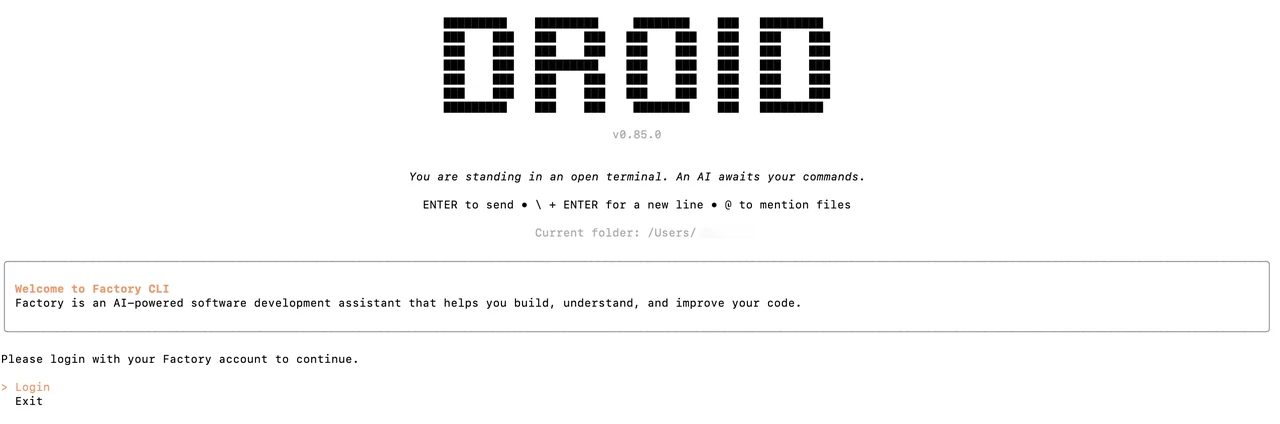
Once inside Droid, type /model to open the model selector. Your Novita AI models will appear under the Custom models section. Select the one you want to use.
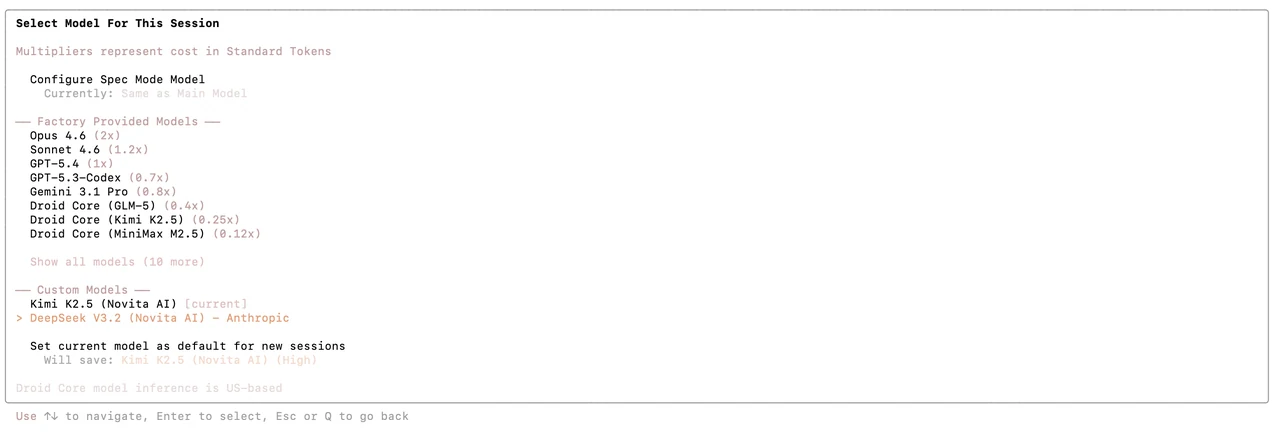
That’s it — you’re now coding with Droid powered by Novita AI.
Demo
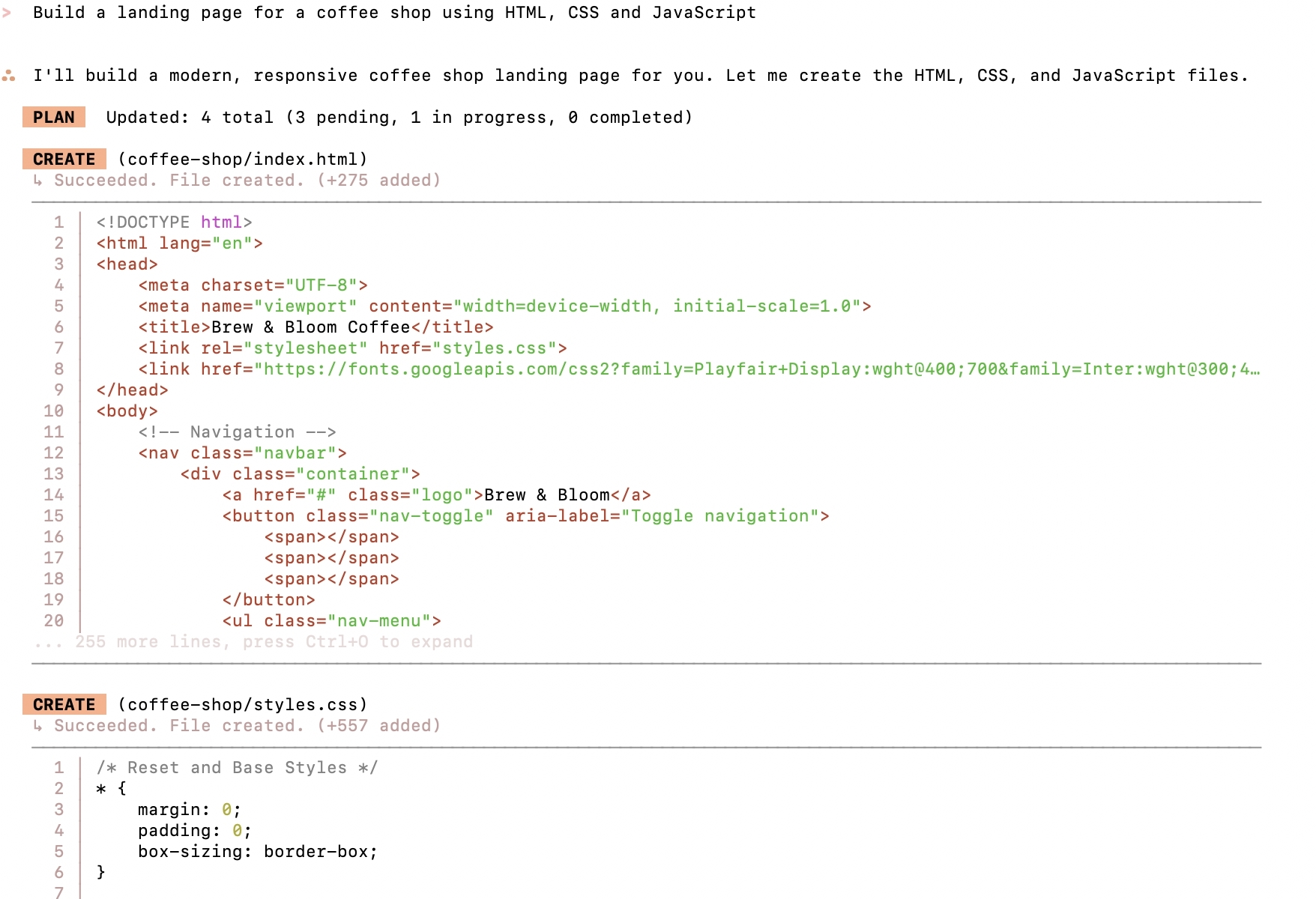
Here’s a quick demo — we asked Droid (powered by Kimi K2.5 via Novita AI) to build a landing page for a coffee shop using HTML, CSS, and JavaScript:
Conclusion
Droid’s model-agnostic design means you’re not locked into any single provider. By connecting Novita AI, you get access to a wide selection of open-source models at competitive prices — and Droid’s agent framework ensures strong performance regardless of which model you choose. The setup takes less than 2 minutes: edit one config file, set your API key, and start coding.
Novita AI is an AI & agent cloud platform helping developers and startups build, deploy, and scale models and agentic applications with high performance, reliability, and cost efficiency.
Frequently Asked Questions
What is Droid?
Droid is an AI coding agent by Factory AI that works in your terminal and IDE. It handles software development tasks end-to-end and has achieved strong results on the Terminal-Bench benchmark.
Is Droid free?
Droid offers a free tier with limited usage. For full access, check Factory AI’s pricing page. You’ll also need API credits from your model provider (like Novita AI).
Which Novita AI model should I use with Droid?
Kimi K2.5 is a strong choice — it offers a 262K context window at $0.60/$3.00 per 1M tokens. You can browse all available models on the Novita AI Models page and add any of them to your Droid config.