OpenClaw is a local-first agent platform that connects to the chat apps you already use—so your assistant can do real work, not just answer questions. It runs on your own machine, can call tools, and stays close to your files and workflows, which makes it ideal for building “digital employee” style automation.
In this guide, we’ll show how to run Kimi K2.5 inside OpenClaw using Novita’s API, so you can quickly go from installation to a working Telegram demo.
What is OpenClaw
OpenClaw is an open agent platform that runs locally on your machine and integrates seamlessly with the chat apps you already use. Whether it’s WhatsApp, Telegram, Discord, Slack, or Microsoft Teams, your AI assistant is always where you are.
- How it works: a single gateway for your chat apps
Instead of living in a browser tab, OpenClaw runs as a Gateway process on your machine (or a server) and lets you talk to your agent from apps you already use—WhatsApp, Telegram, Discord, iMessage, and more—then routes each conversation to the right agent/session.
- What it can do on your machine
Because it’s connected to your environment, OpenClaw can perform real workflows like running commands, handling files, controlling browsers, and interacting with tools—making it closer to a “digital employee” than a traditional chatbot.
- Skills and the ecosystem
OpenClaw supports a Skills system (local and built-in), and also a public registry called ClawHub for discovering and syncing Skills. This makes it easy to extend OpenClaw for specific jobs—research, ops, coding, and more
Why Kimi K2.5?
Kimi K2.5 is a strong match for OpenClaw agents because it combines native multimodality, real tool execution, and agentic capabilities in a single open model. Trained on ~15T mixed vision–text tokens, it can fluidly move between browsing, evidence gathering, code generation, and visual understanding—exactly what long-horizon agents need.
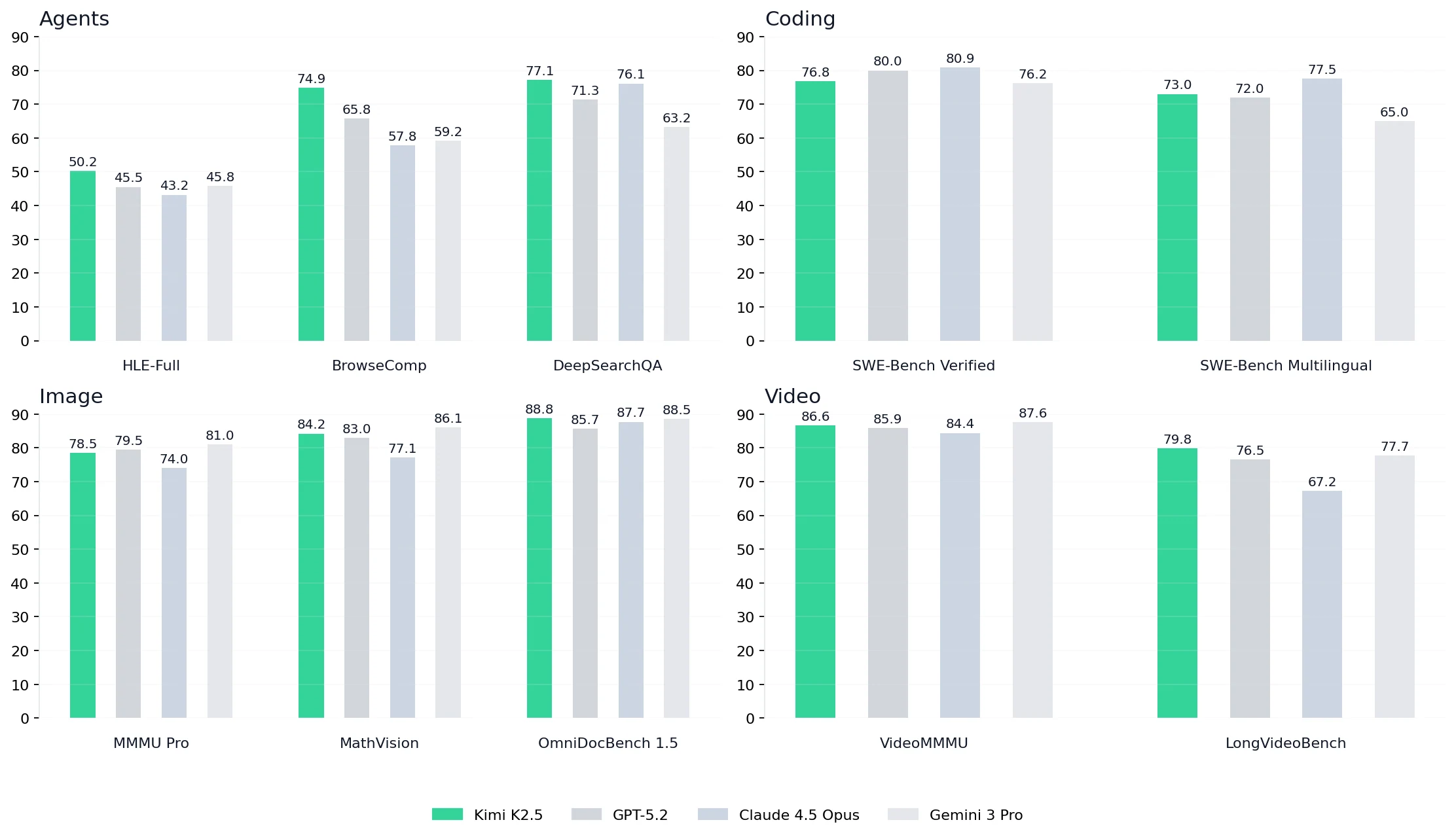
- Stronger agent benchmarks for long-horizon workflows: Leads key agent suites with HLE-Full 50.2, BrowseComp 74.9, DeepSearchQA 77.1, beating GPT-5.2 (65.8), Claude 4.5 Opus (57.8), and Gemini 3 Pro (59.2) on BrowseComp—useful for iterative search + refine loops.
- Competitive repo-level coding, with a multilingual edge: SWE-Bench Verified 76.8 and SWE-Bench Multilingual 73.0, staying strong on multi-file changes and mixed-language repos.
- Practical multimodal understanding for dev work: Top-tier image results like MMMU Pro 78.5 and OmniDocBench 1.5 88.8 help with reading docs/diagrams/UI, plus solid video reasoning (VideoMMMU 86.6, LongVideoBench 79.8) for demo and recording analysis.
On Novita, you can use Kimi K2.5 through an OpenAI-compatible API, making it easy to plug into OpenClaw with minimal configuration.
How to install OpenClaw
Prerequisites
Before you start, make sure you have:
- Node 22+
- A terminal with internet access (WSL2 is recommended if you’re on Windows)
Install OpenClaw
- macOS / Linux / WSL2
curl -fsSL https://openclaw.ai/install.sh | bash- Windows (PowerShell)
iwr -useb https://openclaw.ai/install.ps1 | iexHow to use Kimi K2.5 in OpenClaw
Step 1: Get your Novita API key
Create an API key in the Novita:
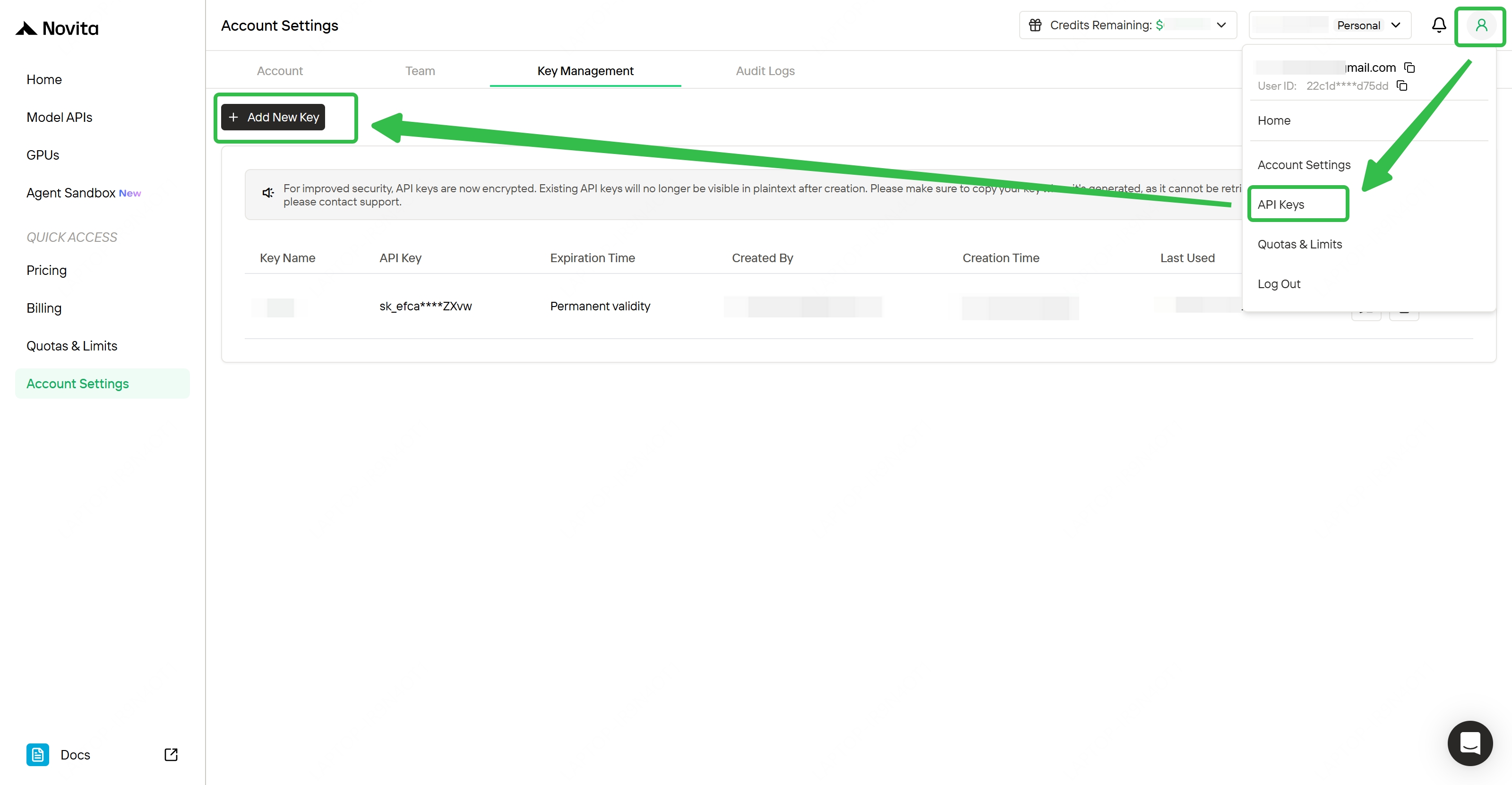
- Create or Login to Your Account: Visit
[https://novita.ai](https://novita.ai)and sign up or log in. - Navigate to Key Management: After logging in, find “API Keys”.
- Create a New Key: Click the “Add New Key” button.
- Save Your Key Immediately: Copy and store the key as soon as it is generated; it is shown only once.
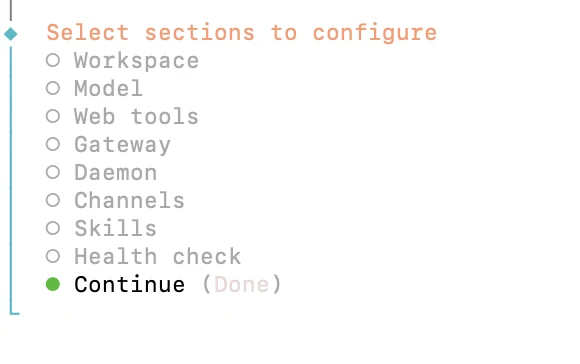
Step 2: Run OpenClaw config wizard
Start the OpenClaw configuration flow:
openclaw configIn the guided flow, configure these sections:
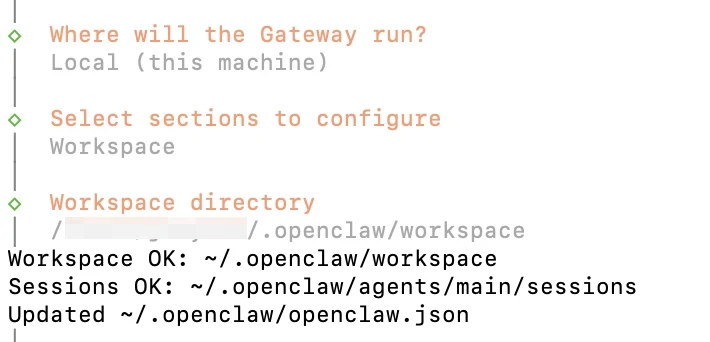
1. Workspace
- Choose Local (this machine)
2. Model
- Default model: enter manually
- Set to:
novita/moonshotai/kimi-k2.5
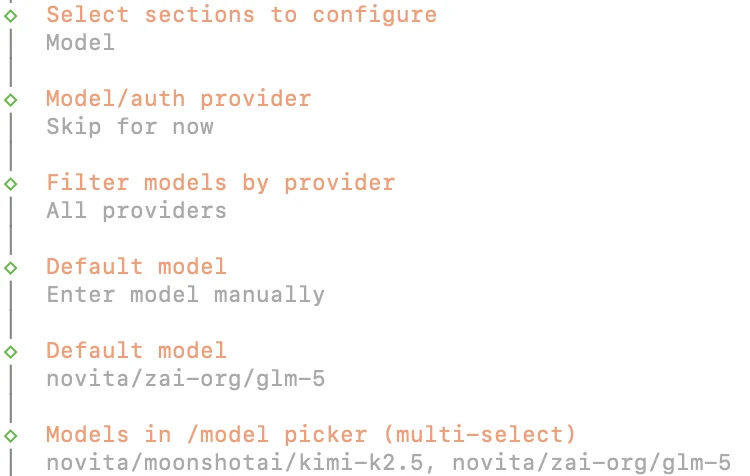
novita/moonshotai/kimi-k2.5follows the format:
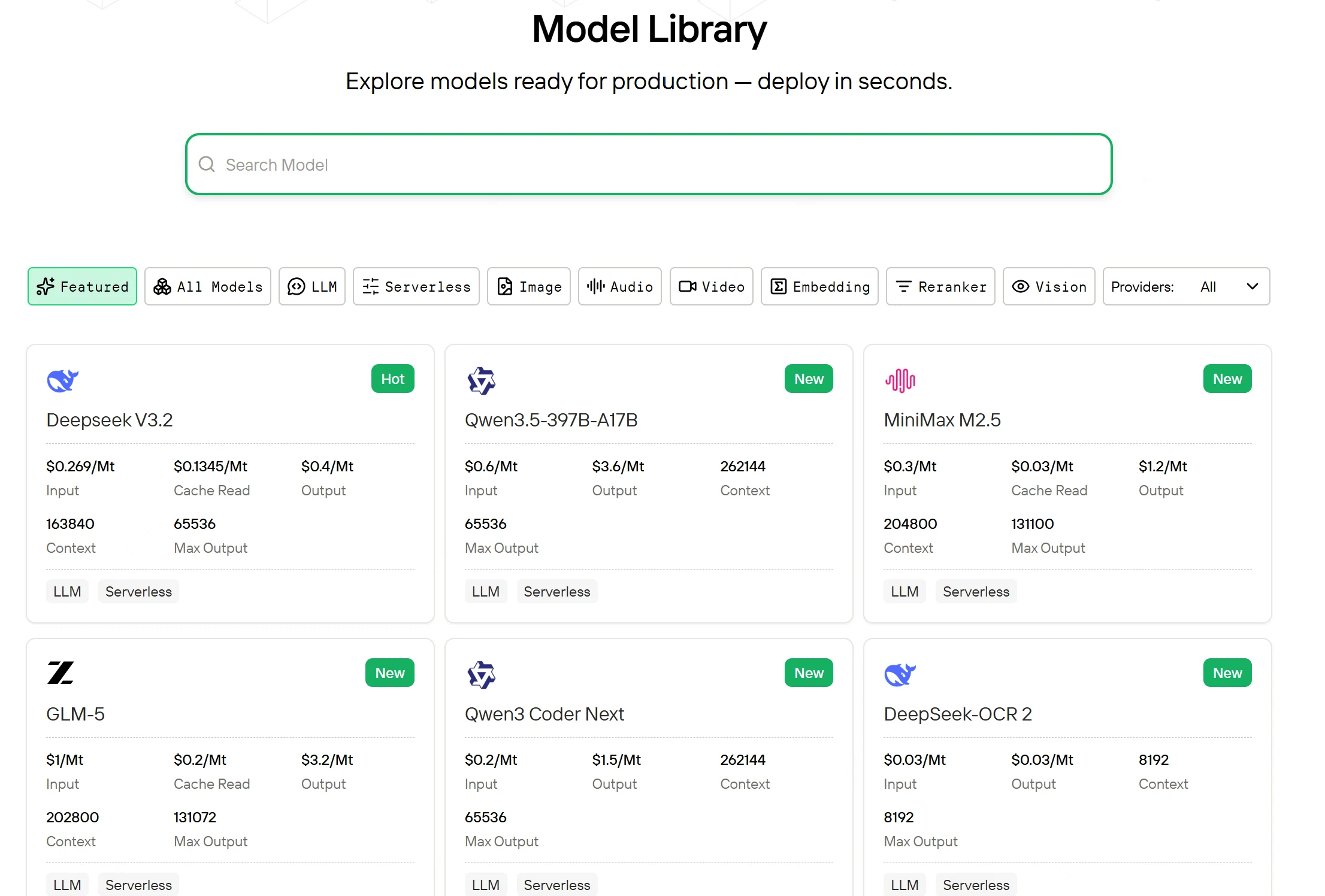
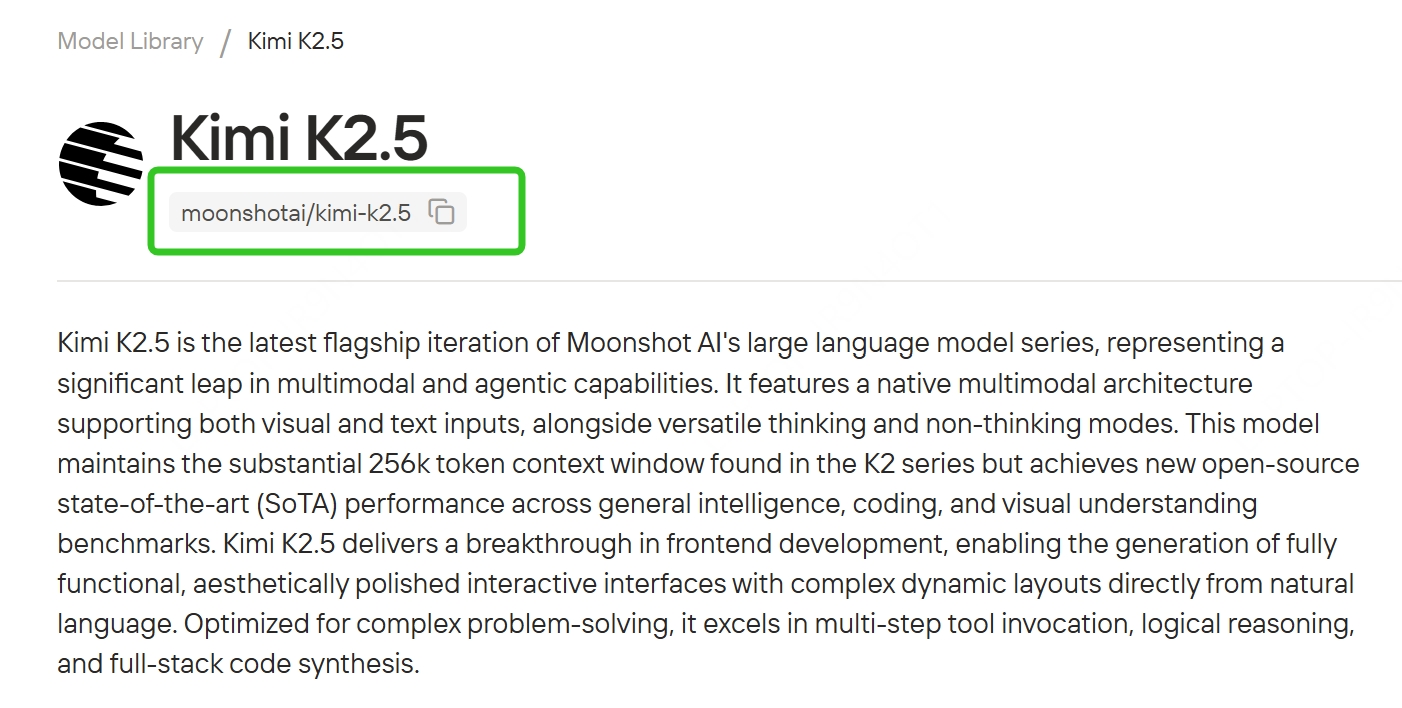
novita= provider (novita);moonshotai/kimi-k2.5= model IDYou can find available model IDs on the Novita website, and replace the model ID with any other supported model (keep the
novita/provider prefix).
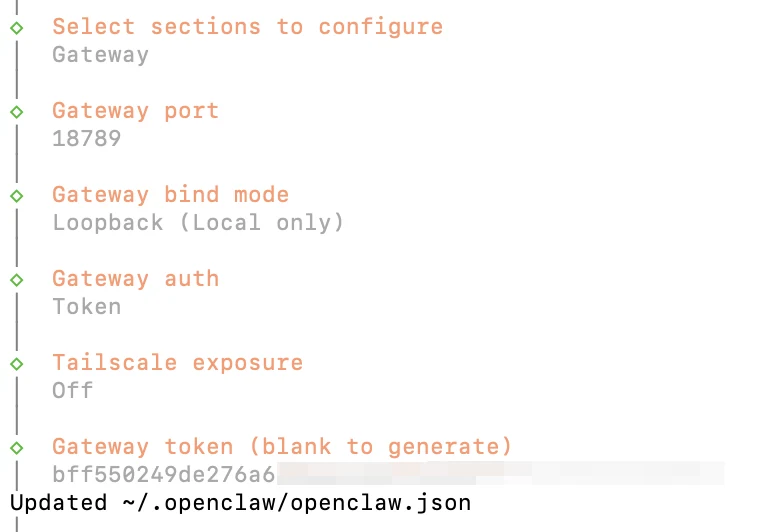
3. Gateway
Keep all settings as default — just press Enter to continue through each prompt.
4. Channels
- Select Configure/link
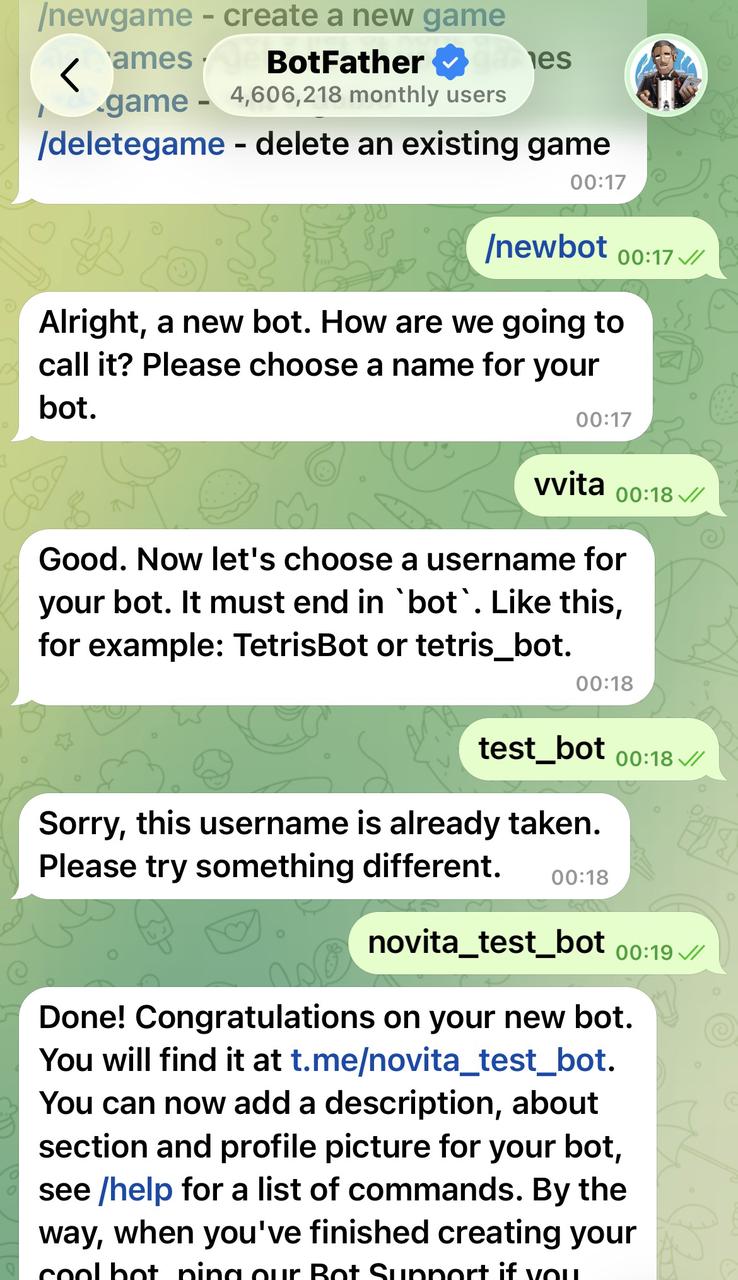
- Choose a channel: Telegram (Bot API) and enter Telegram Bot Token
- Enter Finished
- Configure DM access policies now and choose Pairing


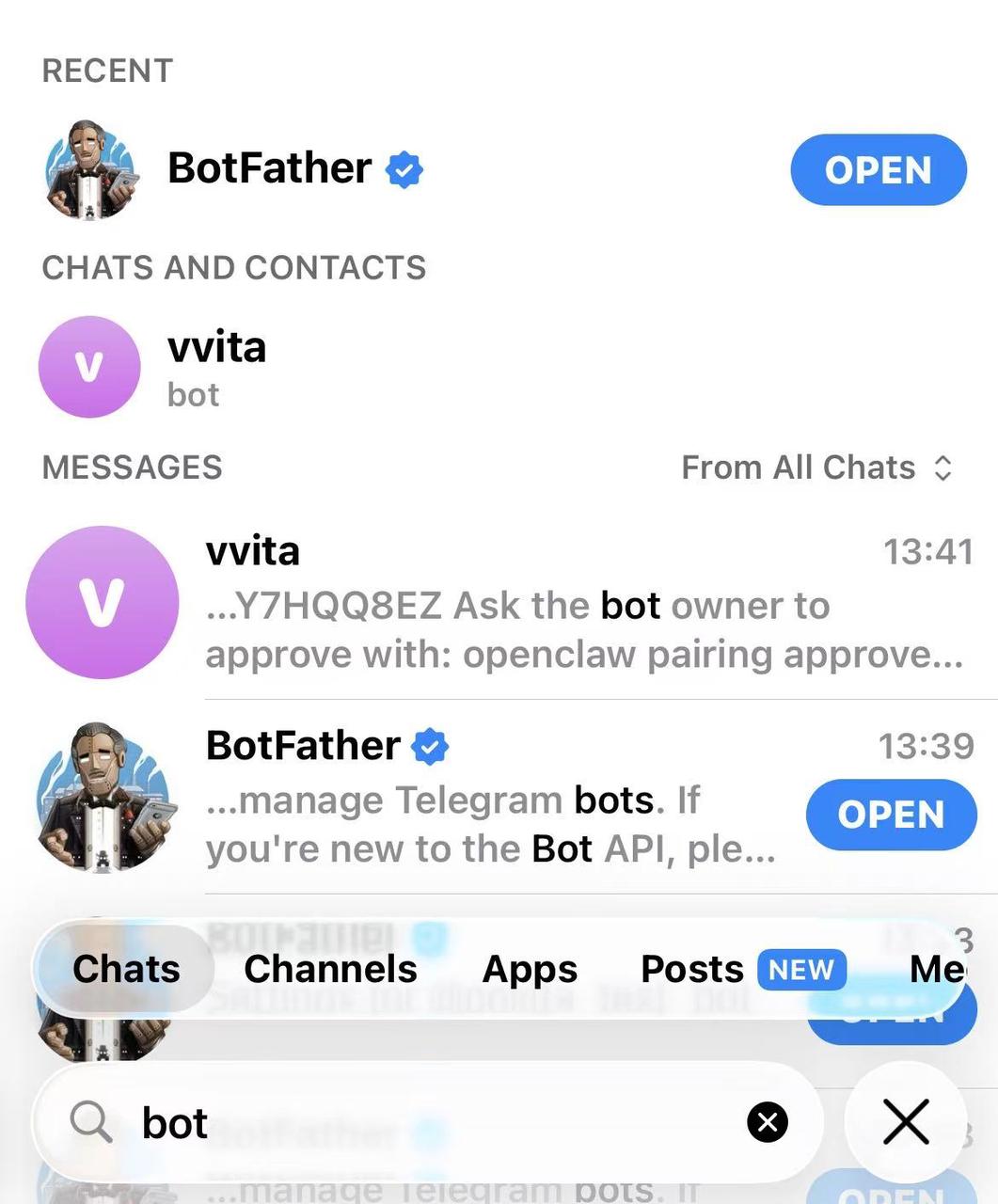
How to Get Telegram Bot Token?
Search for @BotFather in Telegram and Enter /newbot to create a new bot
5. Continue (finish wizard)
Step 3: Apply the Novita Provider Configuration
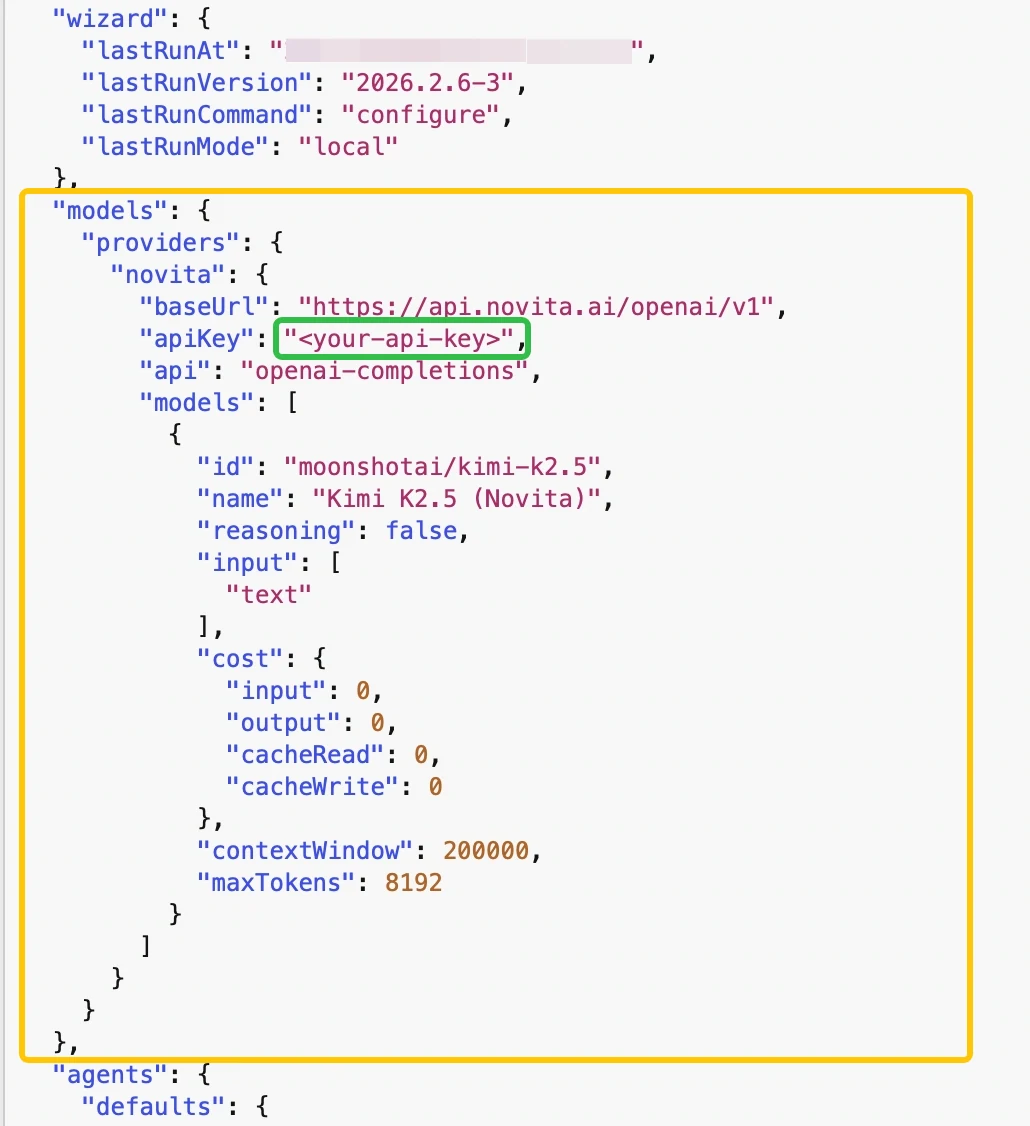
OpenClaw integrates with Novita through an OpenAI-compatible endpoint. Open your OpenClaw config file:
Config path: ~/.openclaw/openclaw.json
open ~/.openclaw/openclaw.jsonPaste the configuration block below into your config. Only update one field:
  "models": {
    "providers": {
      "novita": {
        "baseUrl": "https://api.novita.ai/openai/v1",
        "apiKey": "<your-api-key>", #set to your Novita API key
        "api": "openai-completions",
        "models": [
          {
            "id": "moonshotai/kimi-k2.5",
            "name": "Kimi K2.5 (Novita)",
            "reasoning": false,
            "input": [
              "text"
            ],
            "cost": {
              "input": 0,
              "output": 0,
              "cacheRead": 0,
              "cacheWrite": 0
            },
            "contextWindow": 200000,
            "maxTokens": 8192
          }
        ]
      }
    }
  },
Step 4: Start the gateway and pair Telegram
Install and restart the OpenClaw gateway:
openclaw gateway install
openclaw gateway restart
When Telegram shows you a pairing code, approve it in a new terminal:
openclaw pairing approve --channel telegram <your-pairing-code>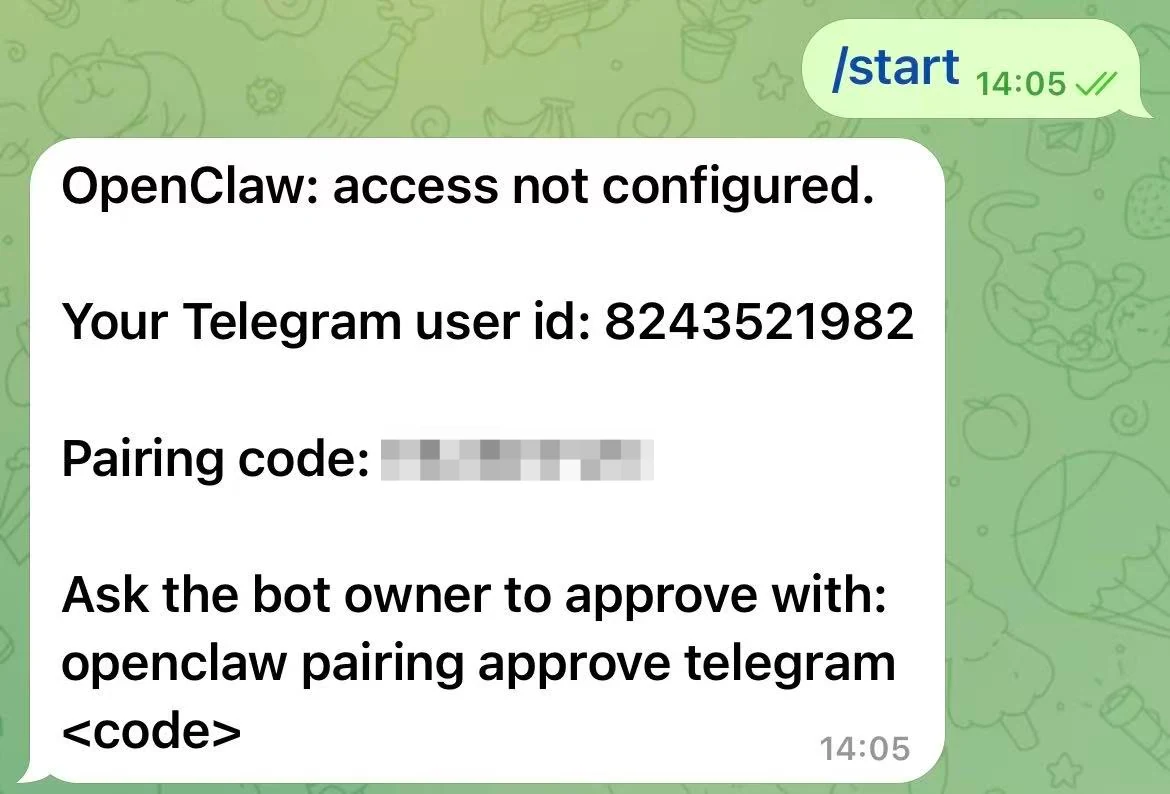
Telegram displays a pairing code for OpenClaw
Once approved, your Telegram bot is connected to the OpenClaw agent running locally, using Kimi K2.5 served by Novita.
Step 5: Quick verification in Telegram
Do a 10-second sanity check:
- In Telegram, run:
/model(confirm it shows Kimi K2.5 as the current model)
- Send a simple message:
hello(confirm you get a normal response)
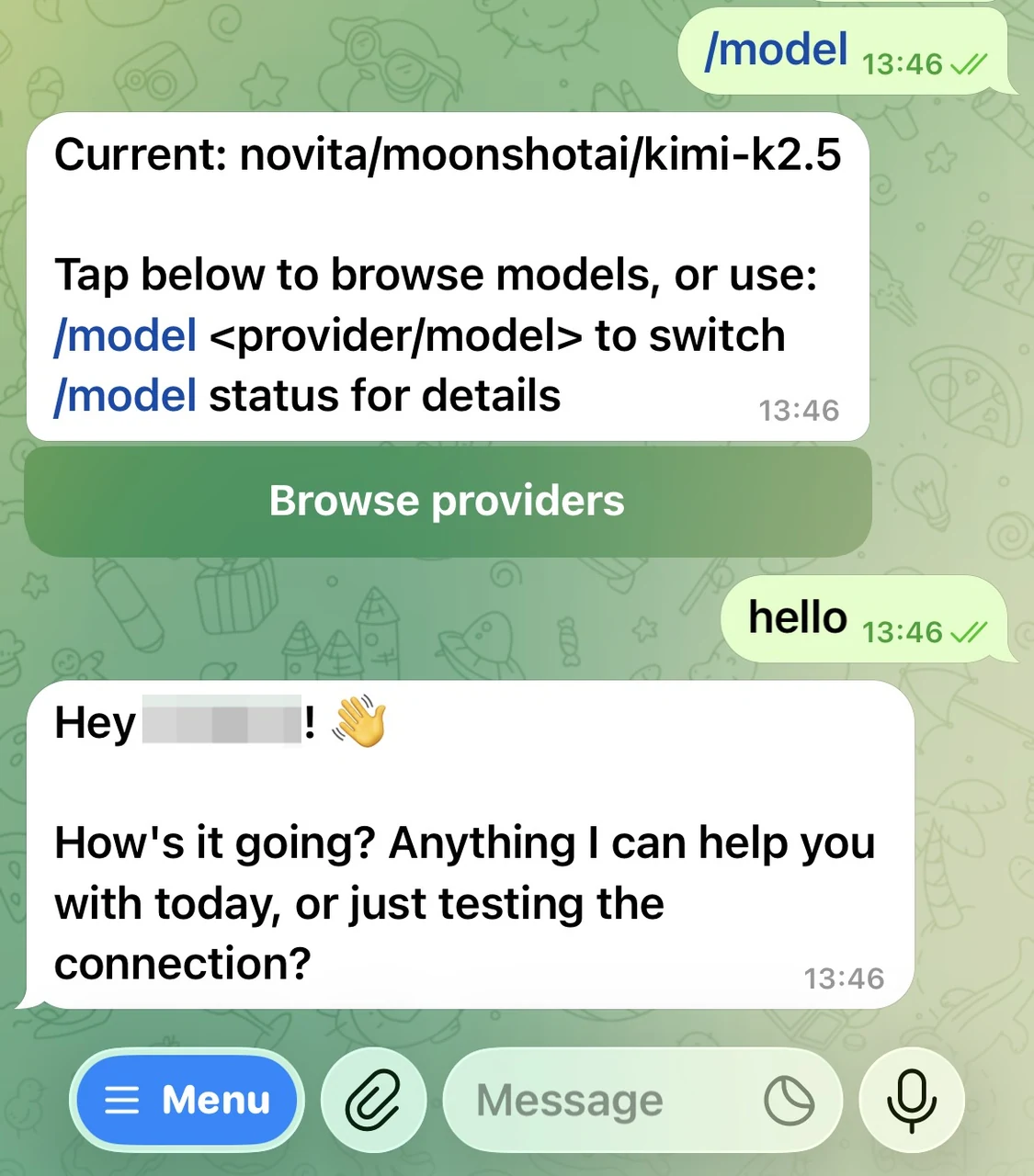
If both work, you’re ready to run real workflows (like message drafting, info-collection assistants, and customer support automations) in Telegram—powered by Novita + Kimi K2.5 inside OpenClaw.
Conclusion
OpenClaw makes agents practical by letting them run locally and act through the chat apps you already use. Paired with Kimi K2.5—strong at agent workflows and multimodal understanding, you can build assistants that browse, reason, and execute real tasks end to end.
With Novita’s OpenAI-compatible API, plugging Kimi K2.5 into OpenClaw is straightforward, so you can go from setup to a working demo in minutes.
Novita AI is a leading AI cloud platform that provides developers with easy-to-use APIs and affordable, reliable GPU infrastructure for building and scaling AI application.
Frequently Asked Questions
What does OpenClaw do?
OpenClaw is a self-hosted, open-source AI agent / assistant that connects chat apps (e.g., WhatsApp, Telegram, Discord, iMessage) to AI agents and lets them carry out actions via installed “skills” (extensions).
Is OpenClaw safe to use?
It can be safe if you run it carefully, but it’s not “safe by default.” Security reporting shows malicious skills have appeared in its public skills ecosystem, and the agent’s broad permissions can amplify risk if you install untrusted skills.
Is OpenClaw Moltbot?
Yes, OpenClaw is the rebranded project formerly known as Moltbot (and earlier Clawdbot).
Recommended Reading



