If you’re looking to supercharge your coding workflow with AI assistance, Kilo Code is one of the most powerful VS Code plugins available today. What makes it special? It supports MCP (Model Context Protocol), which means you can leverage cutting-edge AI models for efficient code development directly in your editor.
In this guide, we’ll walk you through everything you need to know to get started with Kilo Code and Novita AI’s LLM API.
What Can Kilo Code Do?
Before we dive into the setup, let’s look at what makes Kilo Code so powerful:
- 🚀 Generate Code from natural language descriptions
- 🔧 Refactor & Debug existing code
- 📝 Write & Update documentation
- 🤔 Answer Questions about your codebase
- 🔄 Automate repetitive tasks
- 🏗️ Create new files and projects
The basics are simple: you use the chat interface to tell Kilo Code what you need, and it relies on coding-optimized AI models to complete each request. You can switch modes to fit the task, control allowed actions, and run direct code actions.
Understanding Kilo Code’s Modes
One of Kilo Code’s standout features is its ability to adapt to different development scenarios through specialized modes:
Code Mode is your go-to for general-purpose coding tasks. Whether you’re building a new feature or fixing a bug, this mode handles the heavy lifting.
Architect Mode helps with planning and technical leadership. Use this when you need to design system architecture or make high-level technical decisions.
Ask Mode is perfect for answering questions and providing information about your codebase. Think of it as having a senior developer on call.
Debug Mode takes a systematic approach to problem diagnosis, helping you track down those tricky bugs.
Custom Modes let you create unlimited specialized personas for specific tasks like security auditing, performance optimization, documentation, or anything else you need.
Core Tools and Advanced Features
Kilo Code comes equipped with powerful tools that can read, write, and delete files in your project, execute commands in your VS Code terminal, control a web browser, ask follow-up questions, and search your codebase.
The real game-changer is MCP (Model Context Protocol) support. This allows you to add unlimited custom tools, integrate with external APIs, connect to databases, or create specialized development tools tailored to your workflow.
Getting Started with Novita AI
Now let’s get you set up with Novita AI’s powerful LLM models.
Step 1: Get Your API Key
First, you’ll need an API key from Novita AI:
- Head over to the Novita AI website and sign in with your Google, Huggingface, or GitHub account.
- Navigate to the keys page. You should see an API key listed there. If not, create a new one.
- Copy the API key—you’ll need it in just a moment.
Step 2: Choose Your Model
Novita AI supports a large and growing number of models. You can find the complete list on the Novita AI Models page. Make sure to copy the exact model name you want to use.
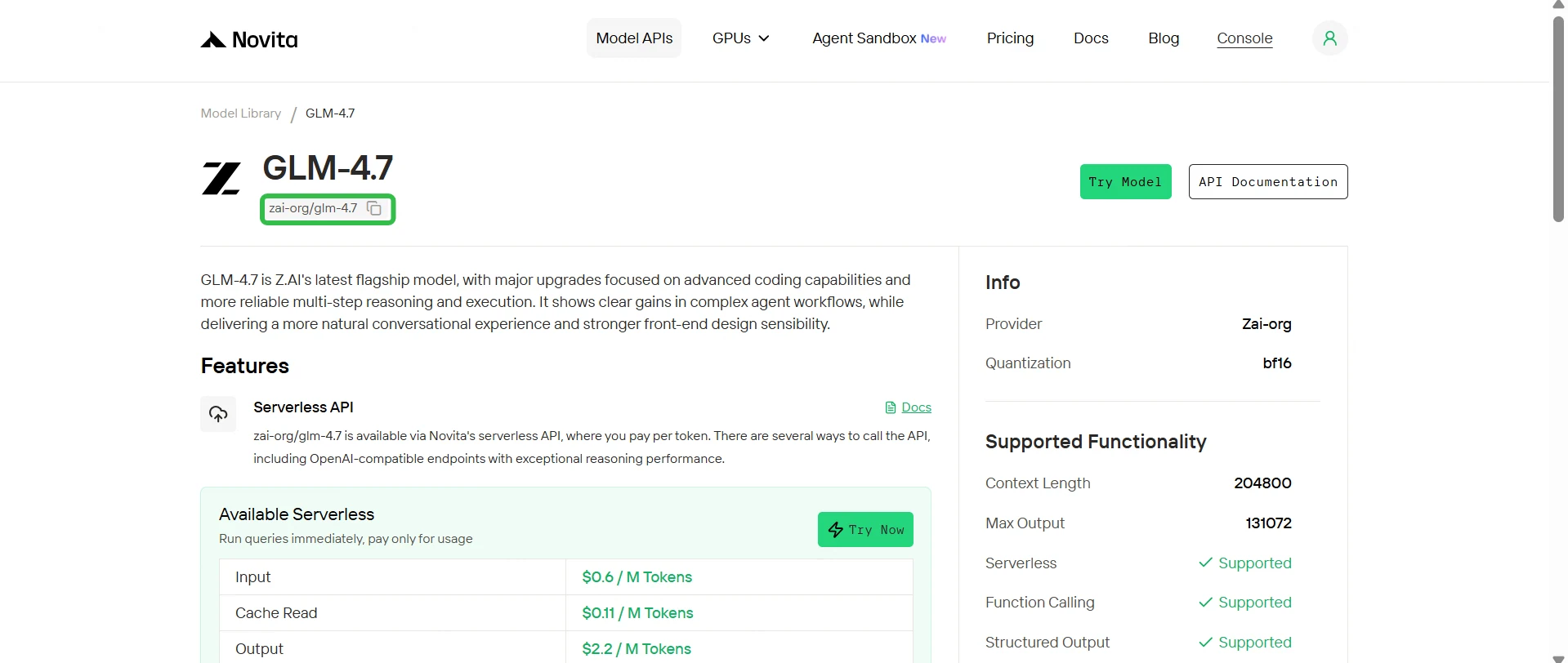
Here are our top recommendations for coding tasks:
zai-org/glm-4.7- Excellent for general coding tasksminimax/minimax-m2.1- Great balance of speed and capabilitydeepseek/deepseek-v3.2- Outstanding for complex problem-solvingopenai/gpt-oss-120b- Powerful for diverse coding challengesmoonshotai/kimi-k2-thinking- Excels at reasoning through complex logicqwen/qwen3-coder-480b-a35b-instruct- Optimized specifically for coding
Installing and Configuring Kilo Code
If you haven’t already, download VSCode from the official website.
Installing the Plugin
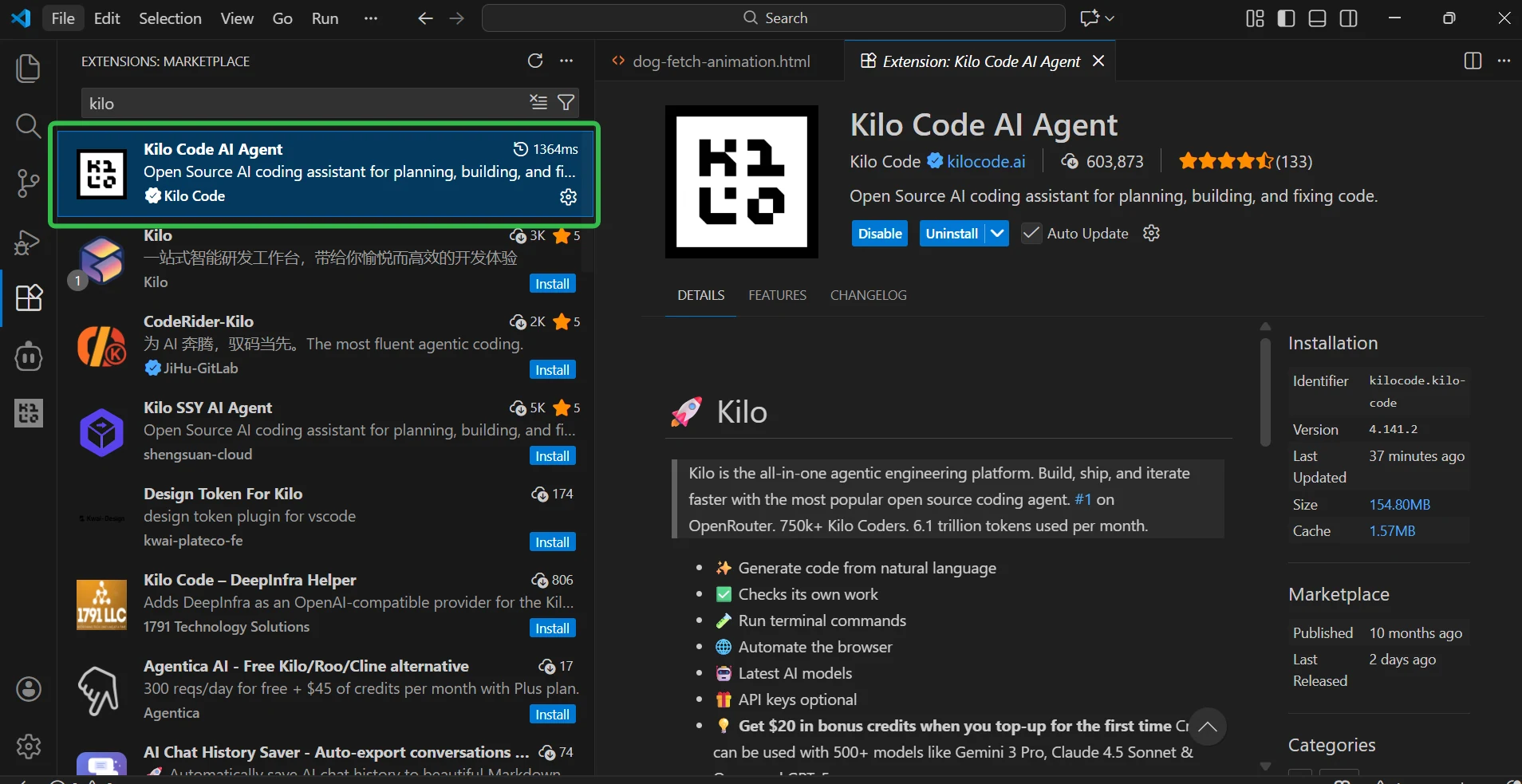
- Open VSCode and navigate to the Extensions panel (or press
Ctrl + Shift + X). - In the search bar, type “Kilo Code”.
- Click the Install button for the Kilo Code plugin.
- After installation, you’ll see the Kilo Code icon appear in the VSCode sidebar.
Connecting to Novita AI
Once the plugin is installed, it’s time to connect it to Novita AI:
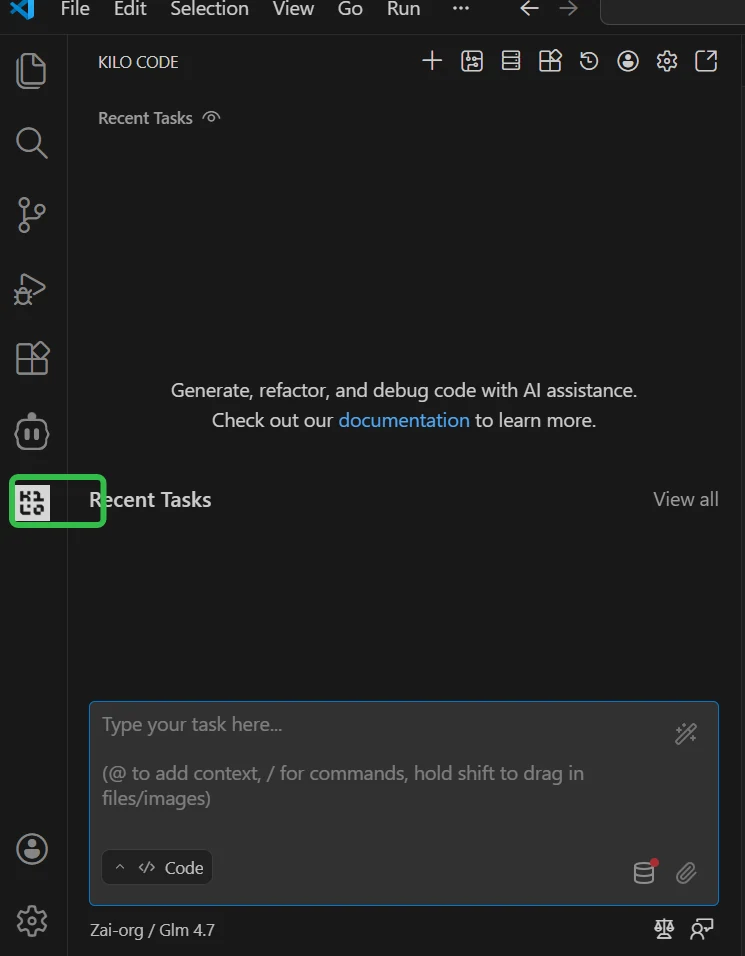
- Click the Kilo Code icon in the sidebar to open the plugin interface.
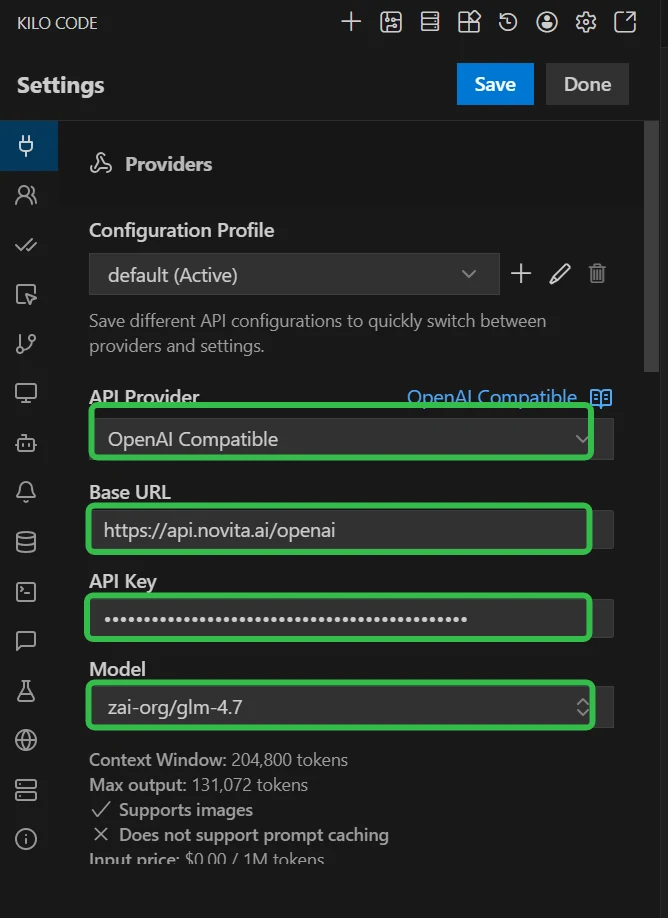
- Select “OpenAI Compatible” as the API provider. This ensures compatibility with APIs following the OpenAI standard, which Novita AI supports.
- Fill in the configuration fields:
- Base URL: Enter
https://api.novita.ai/v3/openai - API Key: Paste your Novita AI API Key
- Model Name: Enter the model name you chose (e.g.,
zai-org/glm-4.7)
- Base URL: Enter
- Click Done to save your configuration.
Testing Your Setup
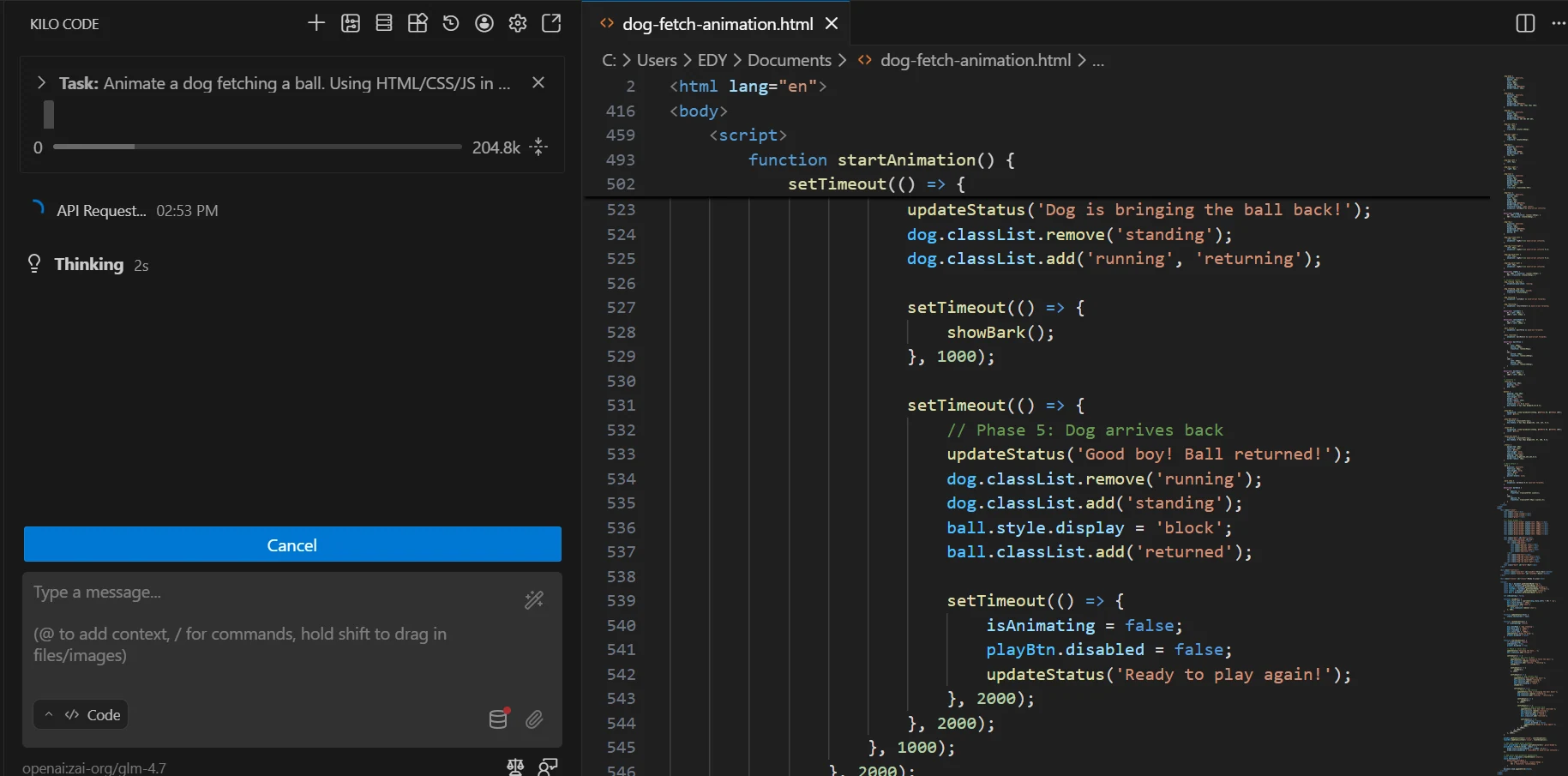
Now for the fun part! Try entering a prompt in the input box. Here are some things you can ask Kilo Code to do:
- Analyze database table structures
- Calculate statistics and averages from your data
- Generate and optimize SQL queries
- Generate code snippets or entire functions
- Refactor existing code for better performance
- Write comprehensive documentation
Real-World Use Cases
Let me show you how Kilo Code can transform your daily development workflow.
Code Generation Made Easy
Instead of writing boilerplate code from scratch, simply describe what you need:
“Create a REST API endpoint for user authentication with JWT tokens”
Kilo Code will generate the complete implementation, including error handling and best practices.
Debugging Without the Headache
Hit a confusing error? Paste the error message or problematic code snippet and ask:
“This function is throwing a null pointer exception. Can you help debug it?”
Kilo Code will analyze the code, identify the issue, and suggest fixes.
Documentation on Autopilot
Nobody likes writing documentation, but it’s essential. Let Kilo Code handle it:
“Write JSDoc comments for all functions in this file”
You’ll get comprehensive, well-formatted documentation in seconds.
Intelligent Refactoring
When your code needs improvement, Kilo Code can help:
“Refactor this code to follow SOLID principles”
It will restructure your code while maintaining functionality and improving maintainability.
Tips for Getting the Best Results
To maximize your productivity with Kilo Code and Novita AI, keep these tips in mind:
Be specific in your prompts. The more detail you provide, the more accurate and useful the results will be. Instead of “fix this,” try “optimize this database query to reduce execution time.”
Choose the right mode. Use Code Mode for implementation tasks and Ask Mode when you need explanations or want to understand how something works.
Leverage MCP tools. Don’t limit yourself to the built-in functionality. Extend Kilo Code’s capabilities with custom integrations that fit your specific needs.
Experiment with different models. Each model has its strengths. Try a few to find which one works best for your coding style and the types of problems you’re solving.
Always review generated code. AI is powerful, but it’s not perfect. Make sure you understand and verify any code before accepting changes into your project.
Explore More AI Coding Tools with Novita AI
Kilo Code is just one of many powerful AI coding tools you can integrate with Novita AI. We’ve created comprehensive guides to help you get started with other popular platforms:
- Claude Code - Advanced agentic coding workflows with Claude’s powerful reasoning capabilities
- Qwen Code - Specialized AI coding tool optimized for development tasks
- Cline - AI assistant integrated directly into VSCode
- Cursor IDE - Seamless AI-powered coding experience in a modern IDE
- Trae - Terminal-based AI development assistant
- Codex CLI - Command-line AI assistance for your workflow
Each tool offers unique features and workflows, so explore them to find the perfect fit for your development style.
Wrapping Up
Integrating Novita AI’s LLM API with Kilo Code is one of the easiest ways to bring AI assistance into your development workflow. With access to cutting-edge models like DeepSeek V3.2, GLM-4.7, and Qwen3 Coder, you can significantly boost your productivity and code quality.
The setup takes just a few minutes, but the time savings and improved code quality will compound over weeks and months of development. Whether you’re building a new project from scratch or maintaining a legacy codebase, having an AI assistant that understands your code and can help with everything from generation to debugging is invaluable.
Ready to transform your coding experience? Get started with Novita AI and Kilo Code today.
Novita AI is an AI cloud platform that offers developers an easy way to deploy AI models using our simple API, while also providing the affordable and reliable GPU cloud for building and scaling.



