Novita AI is launching its “Build Month” campaign, offering developers an exclusive incentive of up to 20% off on all major products!
Users building multimodal agents and complex workflows often struggle to understand how a single model can reliably interpret images, documents, and UI states, reason over visual constraints, coordinate tools, and remain stable across long contexts. GLM-4.6V directly addresses these challenges by providing a unified vision-language architecture, native multimodal tool use, and strong agentic reasoning capabilities. This article explains how GLM-4.6V is architected, how its effectiveness is validated by benchmarks, how it functions inside real workflows, and how developers can access GLM-4.6V efficiently via API.
What Is the Architecture of GLM-4.6V?
Native Multimodal Tool Use
GLM-4.6V is equipped with native multimodal tool calling capability:
- Multimodal Input: Images, screenshots, and document pages can be passed directly as tool parameters without being converted to text descriptions first, minimizing signal loss.
- Multimodal Output: The model can visually comprehend results returned by tools—such as searching results, statistical charts, rendered web screenshots, or retrieved product images—and incorporate them into subsequent reasoning chains.
Core architectural properties
-
Unified vision-language representation
- Visual features and textual semantics are aligned into a shared space for joint reasoning.
-
Long-context interaction
- Supports workflows that mix conversation history, documentation fragments, and tool outputs.
-
Structured-output friendliness
- Better suited to function calling, JSON schema compliance, and constraint-following than description-only VLM usage.
How Effective Is GLM-4.6V in Real-World Workflows According to Benchmark Results?
1. Visual-Driven Task Understanding
Grounding abstract tasks in diagrams, screenshots, and visual specifications
GLM-4.6V shows strong capability in transforming raw visual inputs into structured semantic understanding, which is essential for initializing agent workflows.
| Benchmark | Capability measured | GLM-4.6V |
|---|---|---|
| MMBench v1.1 | General visual question answering | 88.8 |
| MMBench v1.1 (CN) | Cross-lingual visual understanding | 88.2 |
| MMStar | Fine-grained multimodal perception | 75.9 |
| BLINK (val) | Visual grounding and alignment | 65.5 |
2. Multimodal Reasoning Over Visual Constraints
Using images as variables in logical and mathematical reasoning
Beyond perception, GLM-4.6V demonstrates competitive multimodal reasoning performance, which is critical for workflows where decisions depend on visual evidence.
| Benchmark | Reasoning focus | GLM-4.6V |
|---|---|---|
| MMMU (val) | General multimodal reasoning | 76.0 |
| MMMU-Pro | Hard multimodal reasoning | 66.0 |
| MathVista | Visual-math reasoning | 85.2 |
| AI2D | Diagram-based reasoning | 88.8 |
3. Screenshot-Based State Diagnosis
Interpreting UI states and runtime conditions from visual evidence
GLM-4.6V can infer system state from screenshots and visual artifacts, which is especially useful for debugging and monitoring agents.
| Benchmark | Capability measured | GLM-4.6V |
|---|---|---|
| VideoMMMU | Temporal and state reasoning | 74.7 |
| DynaMath | Dynamic visual reasoning | 54.5 |
| WeMath | Applied visual reasoning | 69.8 |
4. Agentic Planning and Tool Coordination
Planning, scheduling, and validating tool usage across steps
GLM-4.6V’s agentic benchmarks indicate its suitability as a central controller rather than a passive responder.
| Benchmark | Agentic behavior | GLM-4.6V |
|---|---|---|
| Design2Code | Visual-to-action planning | 88.6 |
| Flame-React-Eval | Multi-step reactive reasoning | 86.3 |
| OSWorld | Tool-based environment interaction | 37.2 |
| AndroidWorld | Mobile agent reasoning | 57.0 |
| WebVoyager | Web navigation and planning | 81.0 |
5. Long-Context Multimodal Alignment
Maintaining consistency across documents, images, and tool outputs
Long-context benchmarks show how well the model preserves constraints over extended interactions.
| Benchmark | Context capability | GLM-4.6V |
|---|---|---|
| MMLongBench-Doc | Document-level reasoning | 54.9 |
| MMLongBench-128K | Ultra-long context | 64.1 |
| LVBench | Long visual reasoning | 59.5 |
6. OCR, Charts, and Spatial Grounding
Extracting structure from documents and spatial layouts
These capabilities matter when workflows depend on screenshots of reports, dashboards, or scanned documents.
| Benchmark | Capability | GLM-4.6V |
|---|---|---|
| OCRBench | Text extraction | 86.5 |
| OCR-Bench v2 (EN) | English OCR | 65.1 |
| ChartQAPro | Chart understanding | 65.5 |
| OmniSpatial | Spatial reasoning | 52.0 |
| RefCOCO-avg (val) | Referring expression grounding | 88.6 |
What Role Does GLM-4.6V Play Within an End-to-End Workflow?
GLM-4.6V is most effective as the Reasoning and Coordination Layer rather than a single-shot answer generator. It interprets multimodal inputs, extracts constraints, plans tool usage, and validates intermediate results.
| Workflow Role | Typical Inputs | Downstream Usage |
|---|---|---|
| Reasoning + Coordination Layer (Overall Role) | Images, documents, UI screenshots, tool outputs, task goals | Stable tool-augmented workflows with reduced error propagation |
| Visual-driven Task Understanding | Architecture diagrams, sequence diagrams, deployment screenshots | Narrow repository searches; prioritize code paths; generate targeted test plans |
| Screenshot-based State Reasoning | Error dialogs, broken layouts, dashboard anomalies | Automated log retrieval; targeted tracing; incident runbooks |
| Document-aligned Reasoning | API documentation pages, SDK snippets, parameter tables | Code generation aligned with documentation; contract testing; schema validation |
| Multi-step Planning and Validation | High-level task goals; images; documents; intermediate tool outputs | Reliable agent loops; reduced context drift; safer multi-tool execution |
https://www.youtube.com/watch?v=5gqJKZWYOB4
How to Access GLM-4.6V via API?
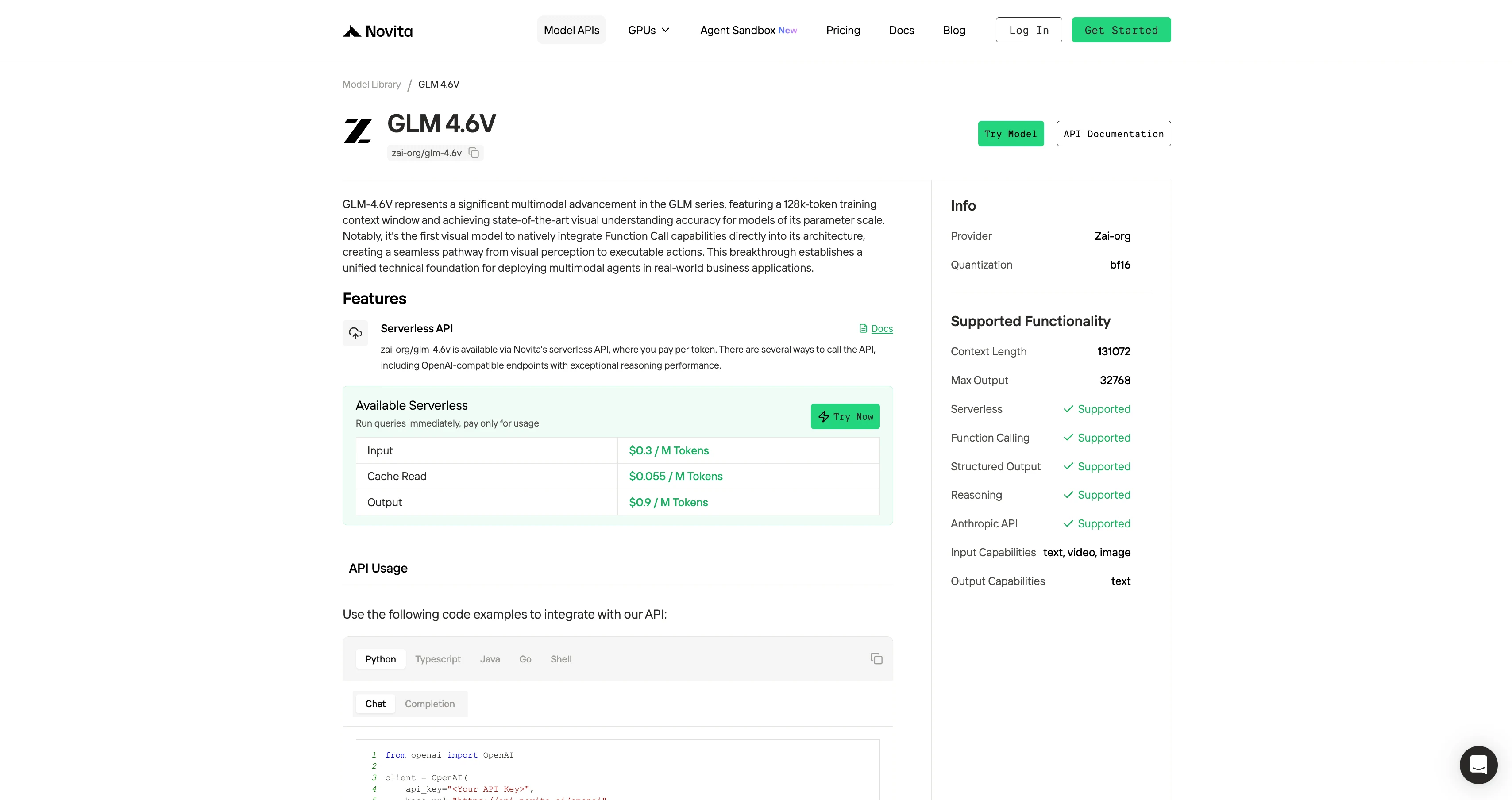
Novita AI offers ERNIE-4.5-VL-28B-A3B-Thinking APIs with a 131K context window at $0.3per input and $0.9 per output. supporting structured outputs and function calling.
Cache Read: $0.055 / M Token” indicates the cost for reading cached tokens when a cache hit occurs. These tokens have been previously computed and stored, so no additional model inference is required. In systems where many requests share the same prompt prefix, reuse conversation history, tool instructions, or fixed rule texts, or where RAG retrieval results are highly repetitive, a high cache hit rate can be achieved, significantly reducing the overall inference cost.
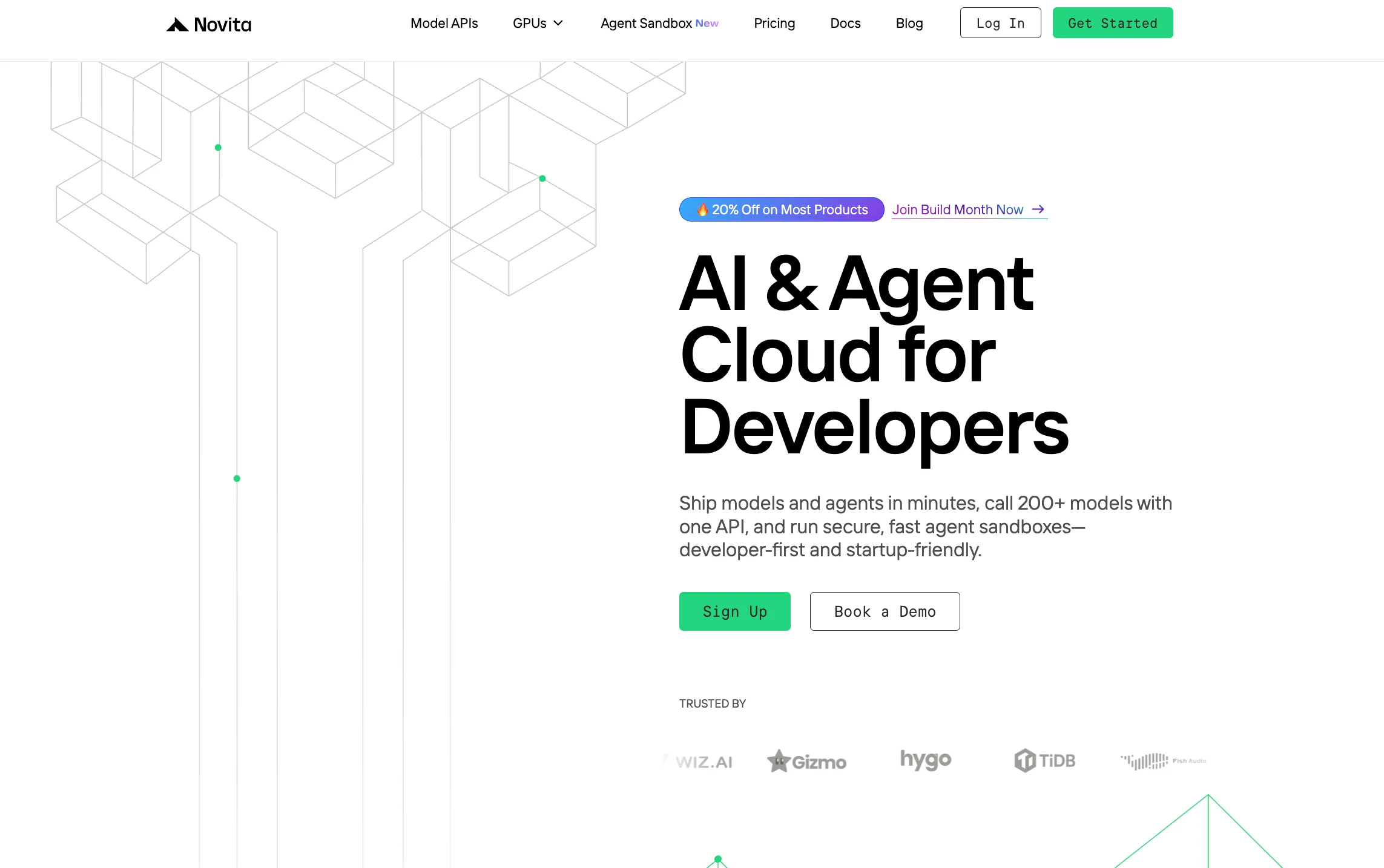
Step 1: Log In and Access the Model Library
Log in to your account and click on the Model Library button.
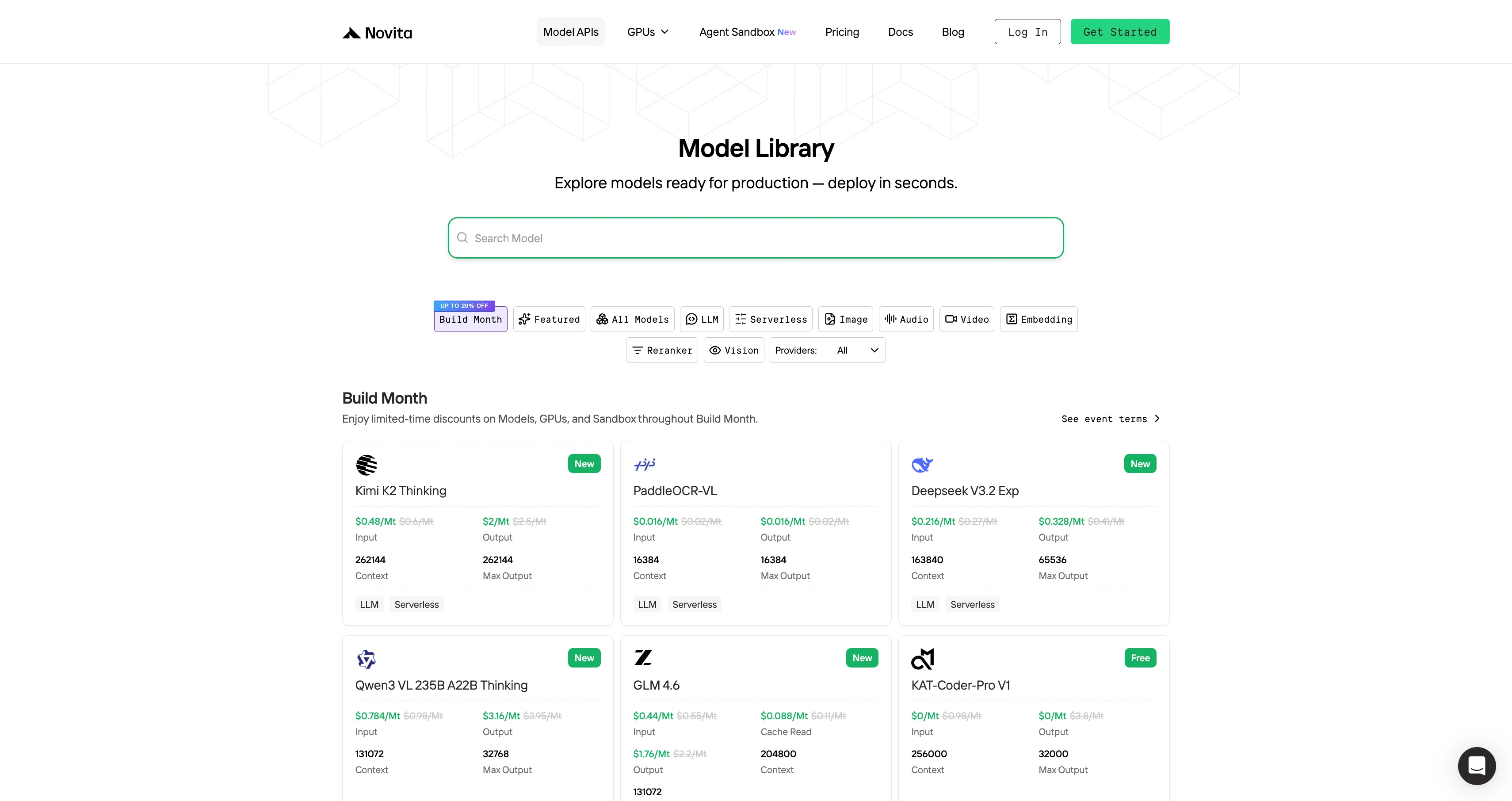
Step 2: Choose Your Model
Browse through the available options and select the model that suits your needs.
Step 3: Start Your Free Trial
Begin your free trial to explore the capabilities of the selected model.
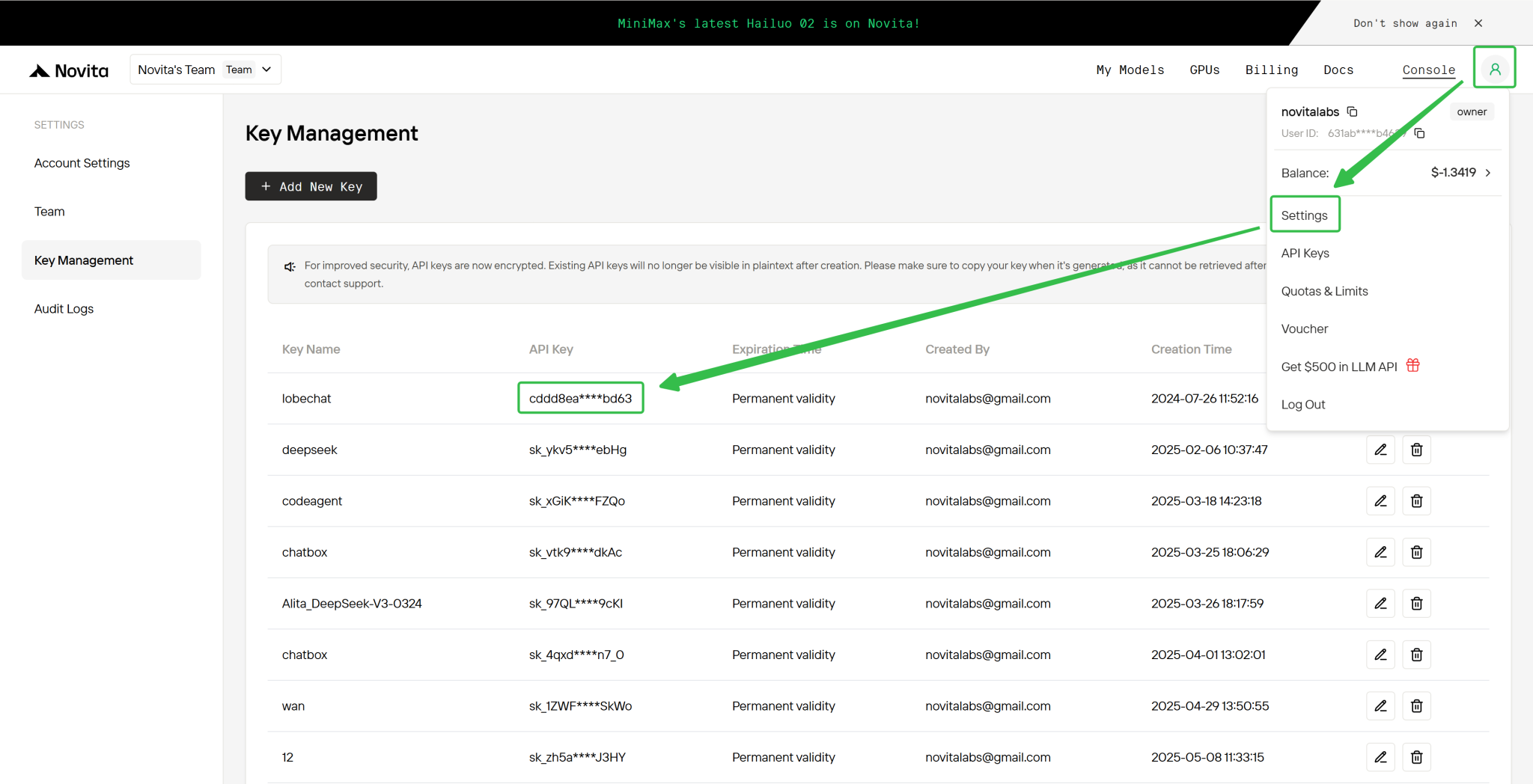
Step 4: Get Your API Key
To authenticate with the API, we will provide you with a new API key. Entering the “Settings“ page, you can copy the API key as indicated in the image.
from openai import OpenAI

client = OpenAI(
    api_key="<Your API Key>",
    base_url="https://api.novita.ai/openai"
)

response = client.chat.completions.create(
    model="zai-org/glm-4.6v",
    messages=[
        {"role": "system", "content": "You are a helpful assistant."},
        {"role": "user", "content": "Hello, how are you?"}
    ],
    max_tokens=32768,
    temperature=0.7
)

print(response.choices[0].message.content)
How to Access GLM 4.6V with OpenAIAgentsSDK
Build advanced multi-agent systems by integrating Novita AI with the OpenAI Agents SDK:
- Plug-and-play: Use Novita AI’s LLMs in any OpenAI Agents workflow.
- Supports handoffs, routing, and tool use: Design agents that can delegate, triage, or run functions, all powered by Novita AI’s models.
- Python integration: Simply point the SDK to Novita’s endpoint (
https://api.novita.ai/v3/openai) and use your API key.
How to Access GLM 4.6V on Third-Party Platforms
- Hugging Face: Use GLM 4.6V in Spaces, pipelines, or with the Transformers library via Novita AI endpoints.
- Agent & Orchestration Frameworks: Easily connect Novita AI with partner platforms like Continue, AnythingLLM,LangChain, Dify and Langflow through official connectors and step-by-step integration guides.
- OpenAI-Compatible API: Enjoy hassle-free migration and integration with tools such as Cline and Cursor, designed for the OpenAI API standard.
GLM-4.6V is best positioned as a reasoning and coordination layer for multimodal workflows rather than a simple visual question-answering model. Through unified vision-language representations, long-context alignment, and strong tool-planning ability, GLM-4.6V enables more reliable, scalable, and cost-efficient multimodal agent systems.
Frequently Asked Questions
What makes the architecture of GLM-4.6V suitable for multimodal workflows?
GLM-4.6V uses a unified vision-language representation and native multimodal tool calling, allowing images, documents, and tool outputs to be jointly reasoned over by GLM-4.6V.
What role does GLM-4.6V play inside an end-to-end agent workflow?
GLM-4.6V acts as the reasoning and coordination layer, interpreting multimodal inputs, planning tool usage, and validating intermediate results.
How can developers reduce costs when using GLM-4.6V via API?
By leveraging Cache Read pricing with GLM-4.6V, repeated prompts, shared prefixes, and repetitive RAG outputs can be reused, significantly lowering inference costs.
Novita AI is the All-in-one cloud platform that empowers your AI ambitions. Integrated APIs, serverless, GPU Instance — the cost-effective tools you need. Eliminate infrastructure, start free, and make your AI vision a reality.
Recommended Reading



