GLM 4.1V 9B Thinking is the world’s first vision-language model with chain-of-thought (CoT) reasoning. f you’re considering local deployment, a key question is: How much VRAM do you need, and what extra costs might be involved?
GLM 4.1V 9B Thinking’s VRAM Requirements
Built upon the GLM 4 9B 0414 foundation, GLM 4.1V 9B Thinking aims to advance reasoning abilities in vision-language AI. By adopting a novel “thinking-first” approach and utilizing reinforcement learning techniques, this model takes multimodal understanding to the next level. As the pioneering vision-language model to feature chain-of-thought (CoT) reasoning, GLM 4.1V 9B Thinking establishes a new standard for sophisticated reasoning across both text and images.
FromTHUDM
Detailed Hardware Requirements
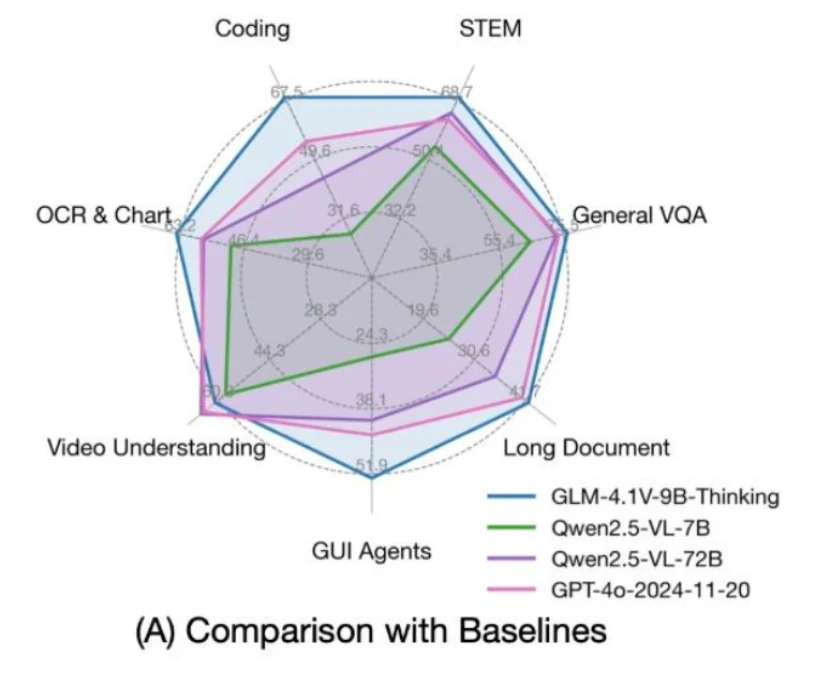
What’s even more remarkable is that GLM 4.1V 9B Thinking packs just 9 billion parameters, making it lightweight enough to run smoothly on consumer GPUs such as the RTX 4090 or even the 3090. Despite its compact size, GLM delivers top-tier results, outperforming many models that are much larger.
Inference
| Device (Single GPU) | Framework | Min Memory | Speed | Precision |
|---|---|---|---|---|
| NVIDIA A100 | transformers | 22GB | 14 - 22 Tokens / s | BF16 |
| NVIDIA A100 | vLLM | 22GB | 60 - 70 Tokens / s | BF16 |
Fine-tuning
| Device (Cluster) | Strategy | Min Memory / # of GPUs | Batch Size (per GPU) | Freezing |
|---|---|---|---|---|
| NVIDIA A100 | LORA | 21GB / 1 GPU | 1 | Freeze VIT |
| NVIDIA A100 | FULL ZERO2 | 280GB / 4 GPUs | 1 | Freeze VIT |
| NVIDIA A100 | FULL ZERO3 | 192GB / 4 GPUs | 1 | Freeze VIT |
| NVIDIA A100 | FULL ZERO2 | 304GB / 4 GPUs | 1 | No Freezing |
| NVIDIA A100 | FULL ZERO3 | 210GB / 4 GPUs | 1 | No Freezing |
VRAM Requirements Compared to Other Models
| Feature | GLM 4.1V 9B Thinking | Qwen 2.5 VL 72B |
|---|---|---|
| Total VRAM | 22 GB | 640 GB |
| GPUs Used | 1 GPU | 8 GPUs |
Tips for Picking a GPU That Supports GLM 4.1V 9B Thinking
- Architecture
Determines key features, operational efficiency, and system compatibility. - CUDA, Tensor, and RT Cores
Affect the speed of model training and inference, as well as graphics performance. - VRAM and Memory Bandwidth
Impact the maximum model size you can work with and the processing speed when handling large datasets. - FP8/FP16/FP32/FP64 Support
Influences computational precision, energy consumption, and performance for AI and scientific applications. - Power Consumption (TDP)
Has implications for electricity costs, cooling requirements, and hardware planning. - NVLink, MIG, ECC
Enable better scalability, enhanced reliability, and support for running multiple models simultaneously. - Ideal Use Cases
Indicates which types of workloads the GPU is best suited for. - Cost and Deployment
Affects budget considerations and how easily the GPU can be obtained and integrated.
Recommended GPUs
| Specification | NVIDIA A100 Pcle | NVIDIA RTX 3090 |
|---|---|---|
| Architecture | Ampere | Ampere |
| Primary Use Case | Data Center & HPC | Gaming & Content Creation |
| VRAM | 80 GB HBM2e | 24 GB GDDR6X |
| Memory Interface | 5120-bit | 384-bit |
| Memory Bandwidth | 1,935 GB/s | 936 GB/s |
| CUDA Cores | 6,912 | 10,496 |
| Tensor Cores | 432 (3rd Gen) | 328 (3rd Gen) |
| RT Cores | N/A | 82 (2nd Gen) |
| FP32 Performance | 19.5 TFLOPS | ~35.6 TFLOPS |
| Tensor Performance | 624 TFLOPS (FP16/BF16 w/ Sparsity) | ~142 TFLOPS (FP16 w/ Sparsity) |
| System Interface | PCIe 4.0 x16 | PCIe 4.0 x16 |
| NVLink Support | Yes (600 GB/s Bridge) | Yes (112.5 GB/s Bridge) |
| Max Power Draw | 300 W | 350 W |
| Special Features | MIG, ECC, FP64 Compute | Desktop Ampere, NVLink for Gaming |
How Much For GPUSs Above?
| GPU Model | Launch MSRP (USD) | Electricity Cost of 1 Year(USD) | Cloud GPU on Novita AI |
|---|---|---|---|
| NVIDIA RTX 3090 | $1,499 | $521.22 | $0.21/hr |
| NVIDIA A100 Pcle 80GB | $11,000 | $446.76 | $1.60/hr |
Check Out More Cloud GPU Prices
Buying your own GPU might seem like a good idea, but when you add up all the costs, using cloud GPUs is often cheaper—even if you don’t need huge amounts of memory.
For Small Developers, Choose Cloud GPU
Simply put, platforms like Novita AI let you tap into powerful GPUs without the high upfront costs or ongoing maintenance. This flexible approach helps you experiment and build more quickly, cut down on day-to-day expenses, and keep pace with the rapid changes in AI technology.
A Stable and Highly Cost-effective Option: Novita AI
| Provider | GPU Type | Price (USD/hr) |
|---|---|---|
| Novita AI | A100 Pcle | $1.60/hr |
| RTX3090 | $0.21/hr | |
| RunPod | A100 Pcle | $1.64/hr |
| RTX3090 | $0.46/hr |
When to Choose a Local GPU
1. Consistent Heavy Usage
If you need a GPU running 24/7—such as for inference servers or regular model training—owning your own hardware may be more cost-effective in the long run. Some researchers have found that an RTX 3090 can pay for itself compared to cloud services like AWS in about a year.
2. Low Latency or Local Data Requirements
Real-time applications like robotics or edge analytics require minimal latency. Cloud solutions inevitably introduce network delays, but local GPUs can avoid these issues entirely.
3. Handling Sensitive or Regulated Data
When you’re working with highly sensitive or regulated data (for example, in medical or financial fields), companies often prefer on-premise hardware or private cloud solutions to maintain full control over their data.
What Can You Gain from Using Cloud GPUs?
- Cost Savings: Pay only for what you use, avoiding large upfront hardware investments.
- Scalability: Instantly access more (or more powerful) GPUs as your workload grows.
- Flexibility: Easily switch between different GPU types and configurations to match your needs.
- No Maintenance: Save time and effort by letting the cloud provider handle hardware failures, updates, and cooling.
- Global Access: Work from anywhere and collaborate with teams across the world.
- Faster Innovation: Quickly start projects and experiment without waiting for hardware delivery or setup.
How to Access GLM 4.1V 9B Thinking on Cloud GPU like Novita AI?
Step1:Register an account
If you’re new to Novita AI, begin by creating an account on our website. Once you’re registered, head to the “GPUs” tab to explore available resources and start your journey.
Try Novita AI’s High-Performance GPUs
Step2:Exploring Templates and GPU Servers
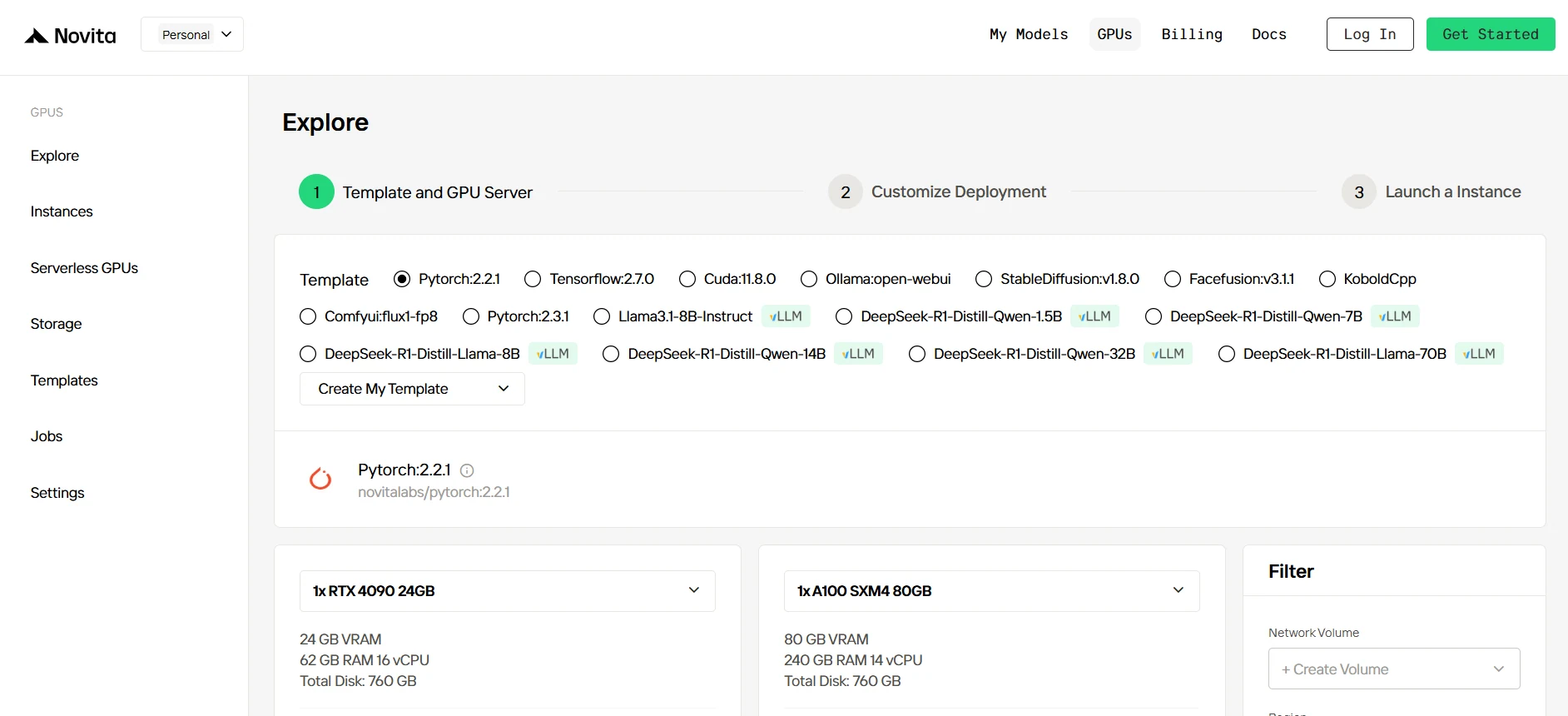
Start by selecting a template that matches your project needs, such as PyTorch, TensorFlow, or CUDA. Choose the version that fits your requirements, like PyTorch 2.2.1 or CUDA 11.8.0. Then, select the A100 GPU server configuration, which offers powerful performance to handle demanding workloads with ample VRAM, RAM, and disk capacity.
Step3:Tailor Your Deployment
After selecting a template and GPU, customize your deployment settings by adjusting parameters like the operating system version (e.g., CUDA 11.8). You can also tweak other configurations to tailor the environment to your project’s specific requirements.
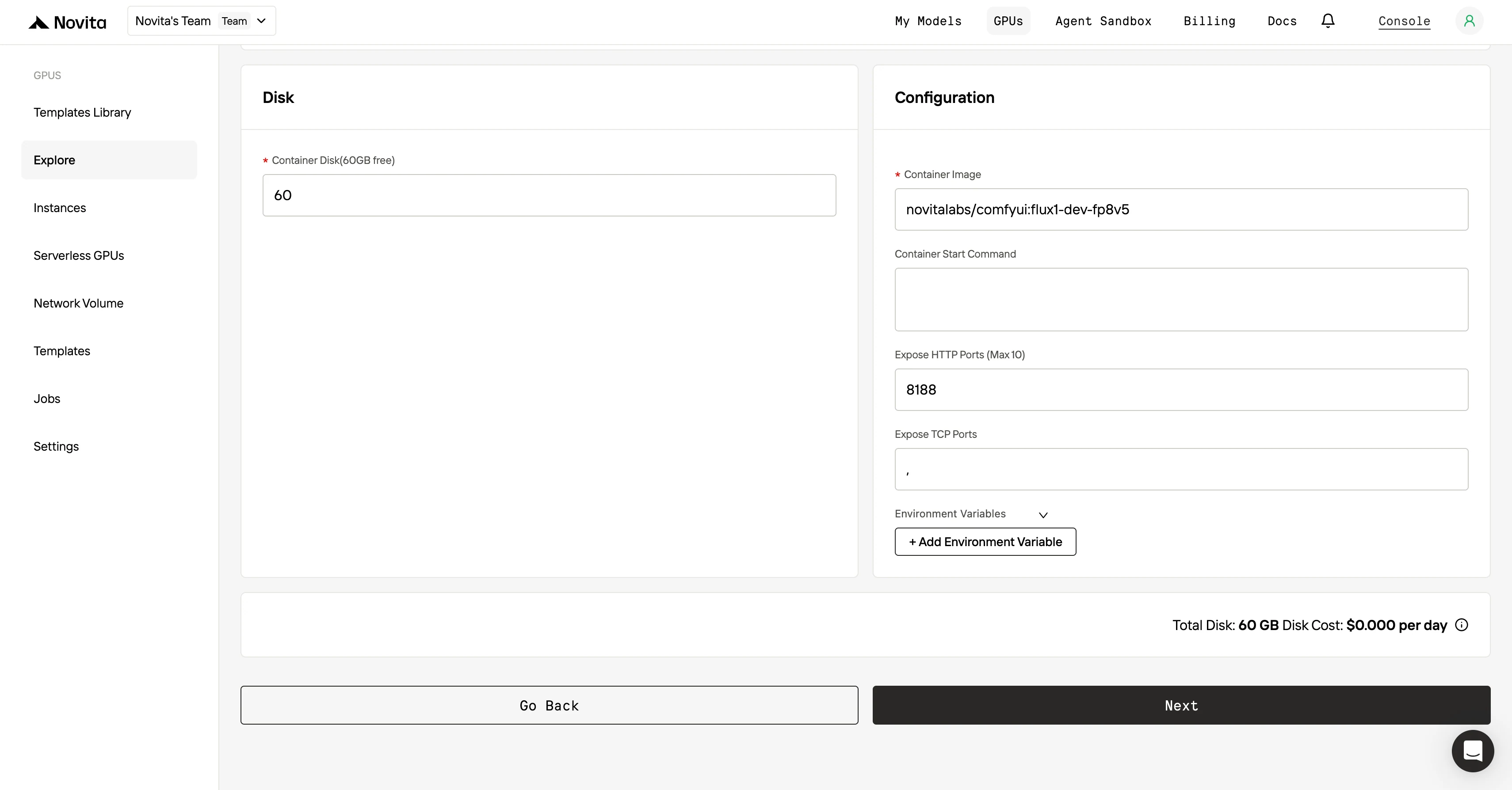
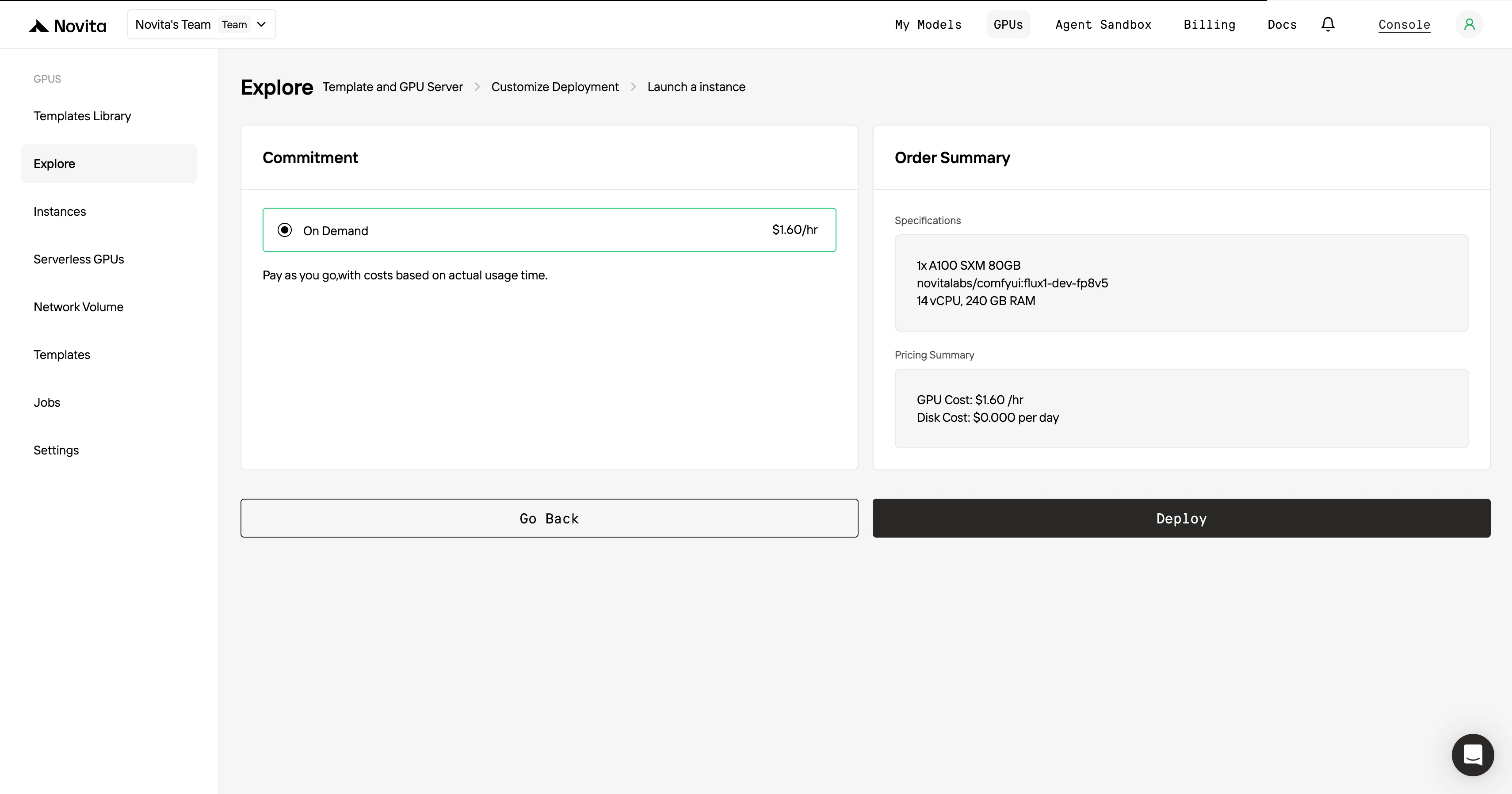
Step4:Launch an instance
Once you’ve finalized the template and deployment settings, click “Launch Instance” to set up your GPU instance. This will start the environment setup, enabling you to begin using the GPU resources for your AI tasks.
For Maximum Efficiency and Convenience, Choose the API!
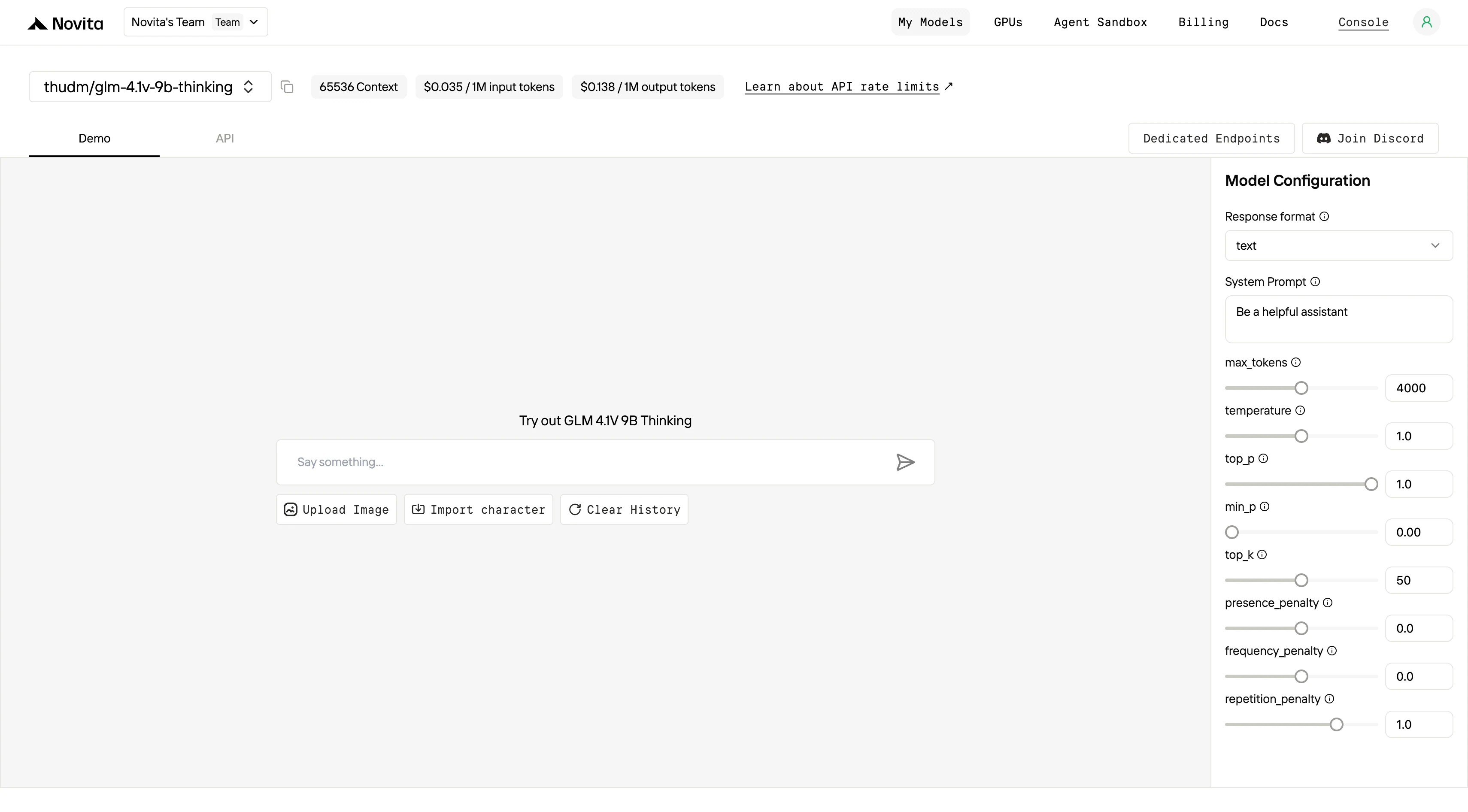
Novita AI provides GLM 4.1V 9B Thinking APIs with 65536 context, and costs of $0.035/input and $0.138/output.
From Openrouter
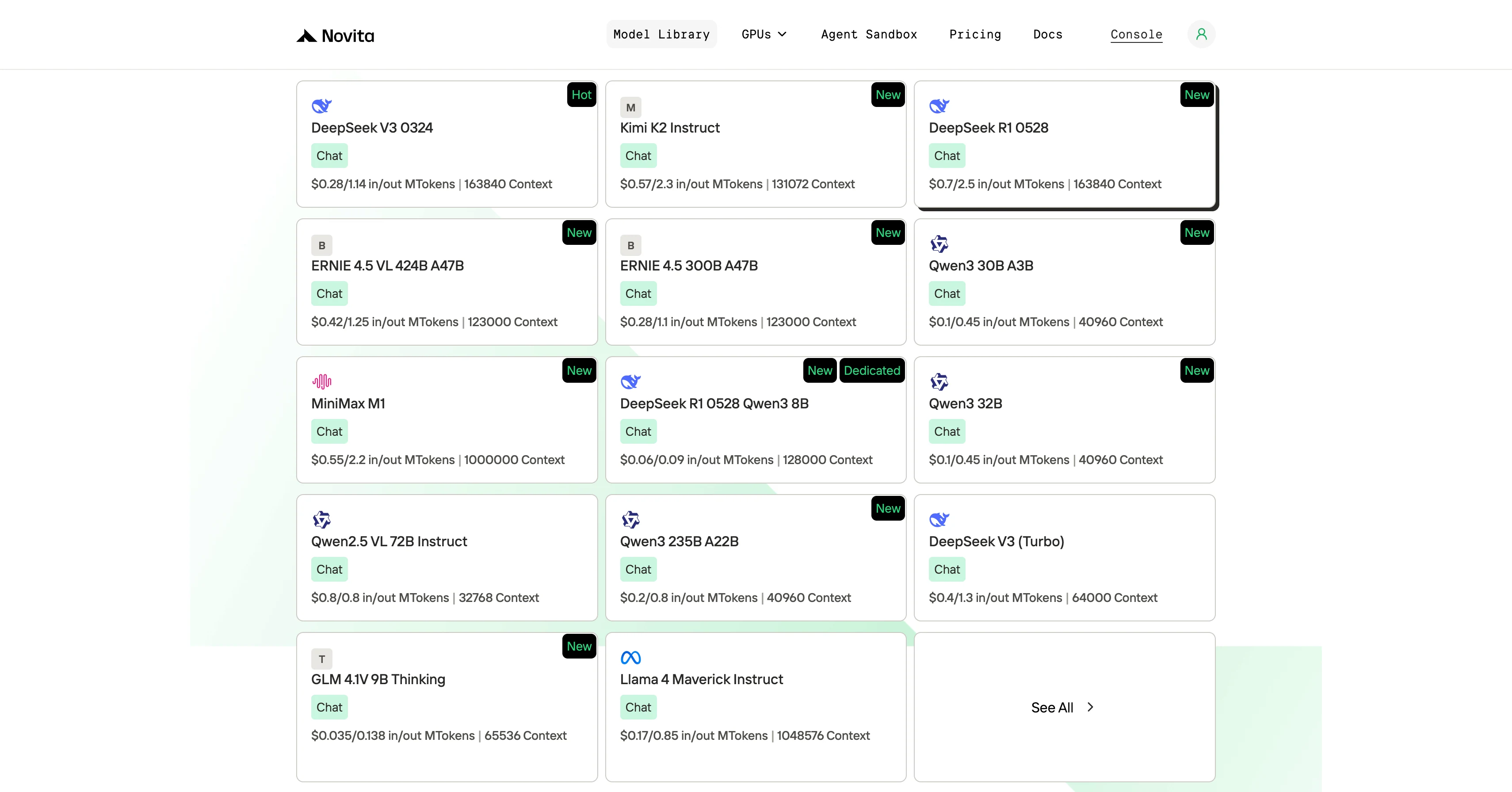
Step 1: Log In and Access the Model Library
Log in to your account and click on the Model Library button.

Step 2: Choose Your Model
Browse through the available options and select the model that suits your needs.
Step 3: Start Your Free Trial
Begin your free trial to explore the capabilities of the selected model.
Step 4: Get Your API Key
To authenticate with the API, we will provide you with a new API key. Entering the “Settings“ page, you can copy the API key as indicated in the image.

Step 5: Install the API
Install API using the package manager specific to your programming language.
After installation, import the necessary libraries into your development environment. Initialize the API with your API key to start interacting with Novita AI LLM. This is an example of using chat completions API for python users.
from openai import OpenAI

client = OpenAI(
    base_url="https://api.novita.ai/v3/openai",
    api_key="<YOUR Novita AI API Key>",
)

model = "thudm/glm-4.1v-9b-thinking"
stream = True # or False
max_tokens = 4000
system_content = ""Be a helpful assistant""
temperature = 1
top_p = 1
min_p = 0
top_k = 50
presence_penalty = 0
frequency_penalty = 0
repetition_penalty = 1
response_format = { "type": "text" }

chat_completion_res = client.chat.completions.create(
    model=model,
    messages=[
        {
            "role": "system",
            "content": system_content,
        },
        {
            "role": "user",
            "content": "Hi there!",
        }
    ],
    stream=stream,
    max_tokens=max_tokens,
    temperature=temperature,
    top_p=top_p,
    presence_penalty=presence_penalty,
    frequency_penalty=frequency_penalty,
    response_format=response_format,
    extra_body={
      "top_k": top_k,
      "repetition_penalty": repetition_penalty,
      "min_p": min_p
    }
  )

if stream:
    for chunk in chat_completion_res:
        print(chunk.choices[0].delta.content or "", end="")
else:
    print(chat_completion_res.choices[0].message.content)
GLM 4.1V 9B Thinking sets a new standard for visual-language reasoning. With a minimum VRAM requirement of 22GB (for inference), it runs smoothly on consumer GPUs like the RTX 3090 or 4090. While this is far more accessible than giant models needing server-grade hardware, you still need to factor in the high price of such GPUs, power consumption, and potential cooling or system upgrades. For most developers, cloud GPUs remain the most flexible and cost-effective choice to access GLM 4.1V 9B Thinking.
Frequently Asked Questions
How much VRAM do I need to run GLM 4.1V 9B Thinking locally?
At least 22GB of VRAM is required for inference. This means a single RTX 3090, 4090, or similar GPU is sufficient.
When does buying a local GPU make sense?
If your GPU will be busy almost all the time, or you need ultra-low latency, or you work with sensitive data that can’t leave your premises.
What’s the easiest way to use GLM 4.1V 9B Thinking?
Use a cloud provider like Novita AI and access the model via API—no need to worry about hardware, setup, or ongoing maintenance.
Novita AI is an AI cloud platform that offers developers an easy way to deploy AI models using our simple API, while also providing an affordable and reliable GPU cloud for building and scaling.