Key Highlights
Novita AI has introduced Deepseek V3 0324 ! Moreover, this version fully supports function calling.
DeepSeek V3 0324 combines MoE architecture, multilingual support, Function Calling, and optimized code generation for unmatched precision and development efficiency.
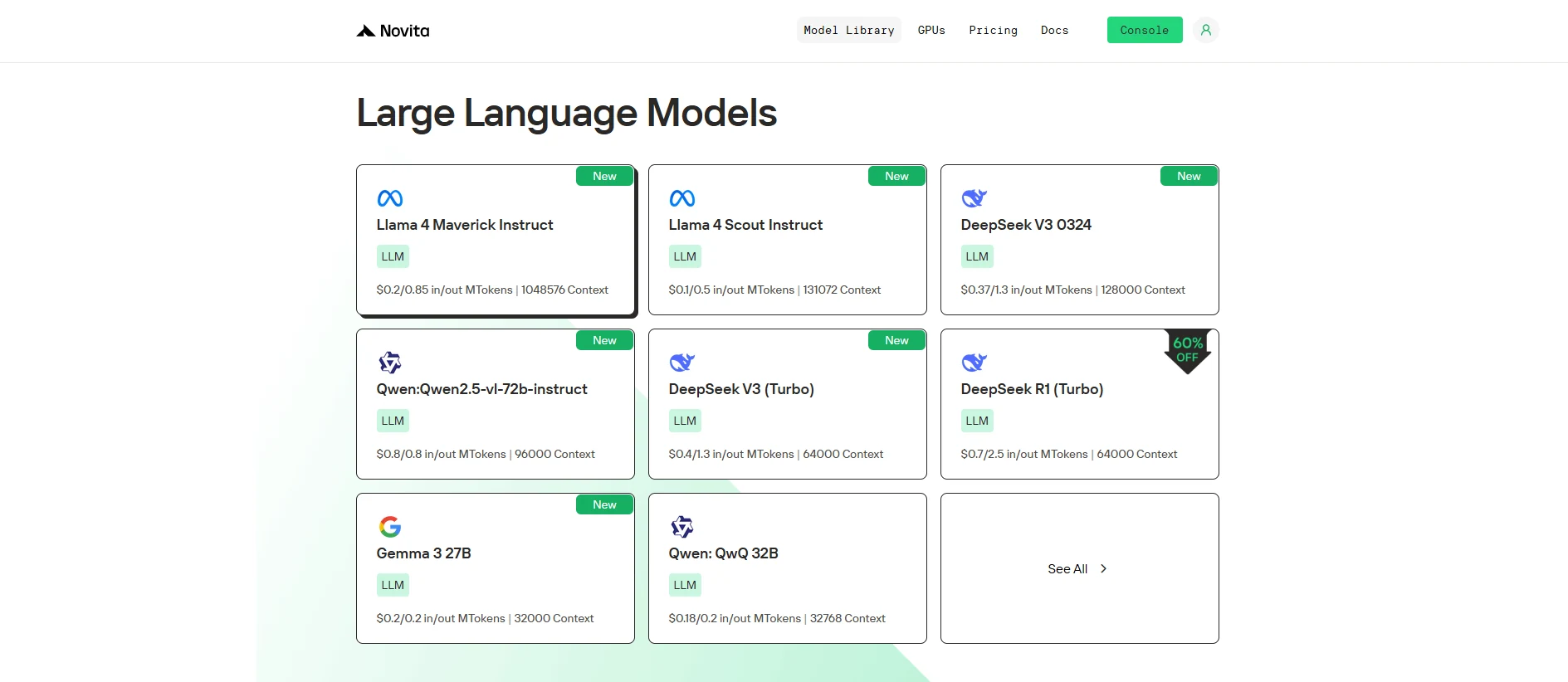
DeepSeek V3 0324 redefines AI capabilities with its unparalleled architecture and Function Calling support. Designed for text-to-text applications, it is ideal for developers aiming to create high-quality code and automate interface integrations. Its ability to handle complex scenarios with ease makes it a superior choice for cutting-edge development.
What is Deepseek V3 0324?
| Basic Info | Release Date | March 24, 2025 |
| Model Size | 671B parameters (37B active/token) | |
| Open Source | Open | |
| Architecture | Mixture-of-Experts (MoE) | |
| Ability | Supports function calling | |
| Language Support | Supported Multilingual Languages | Enhanced capabilities in Chinese language |
| Multimodal | Multimodal Capability | Not Multimodal Model, Text to text |
| Training | Training Data | 14.8 trillion tokens of diverse |
| Model Size by Precision | Tensor type | BF16/F8_E4M3/F32 |
Deepseek V3 0324 + Function Calling
DeepSeek V3 0324 supports Function Calling and features enhanced front-end code generation capabilities, bringing significant improvements to front-end development.
Firstly, DeepSeek V3 0324 demonstrates clear optimization in generating HTML, CSS, and JavaScript. It produces clean, semantic code suitable for responsive design and component-based development. This helps developers quickly build page structures and basic interaction logic, improving development efficiency.
Secondly, the Function Calling mechanism enables the model to invoke external interfaces, making it more effective in handling common front-end scenarios such as search, form submission, and dynamic data loading. Through Function Calling, the model can not only understand user intent but also generate function invocation logic, enabling smooth coordination between front-end and back-end.
In summary, the combination of DeepSeek V3 0324 and Function Calling allows the model to generate high-quality front-end code while automating interface integration. It is well-suited for building front-end features like search, recommendations, and data interactions, significantly boosting development efficiency and overall collaboration.
How to Use Deepseek V3 0324 Function Calling via Novita AI
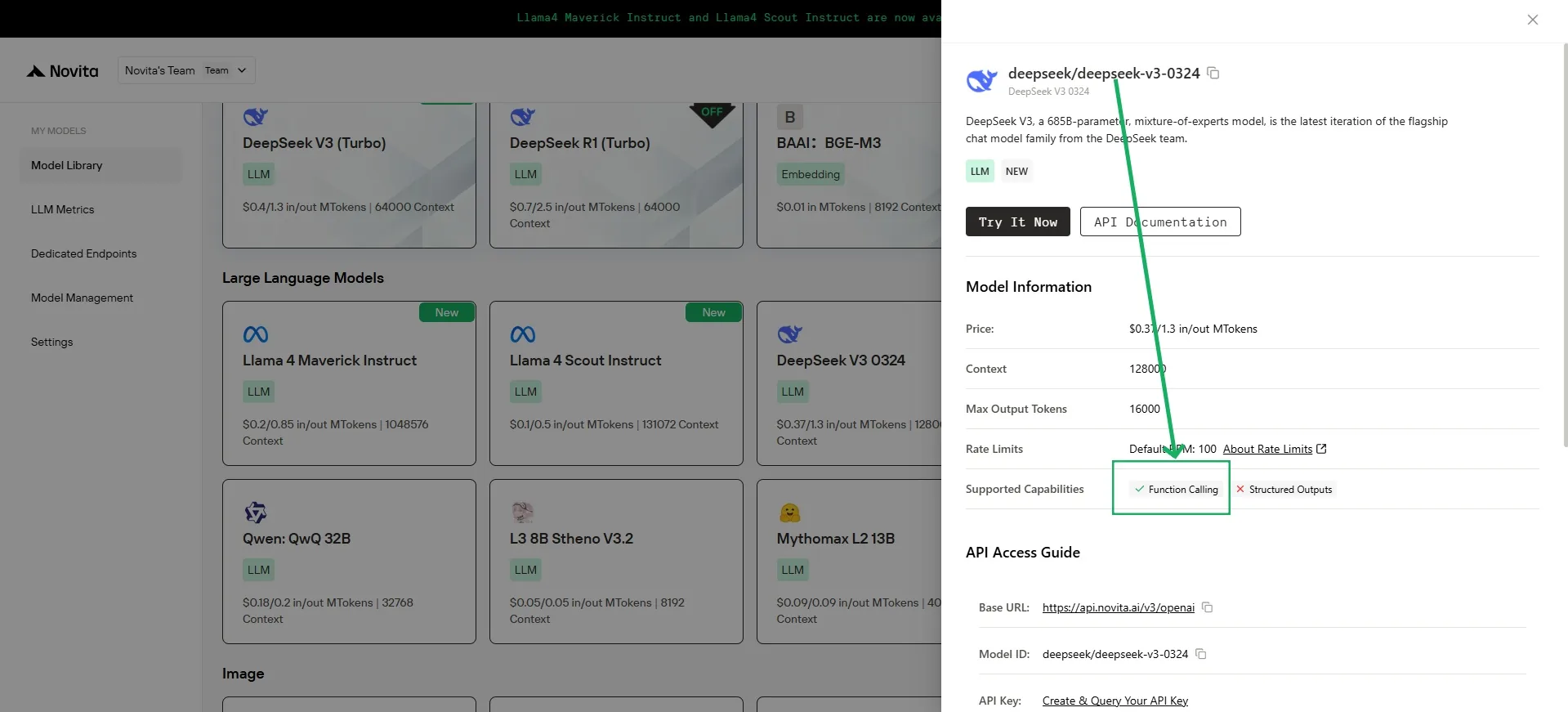
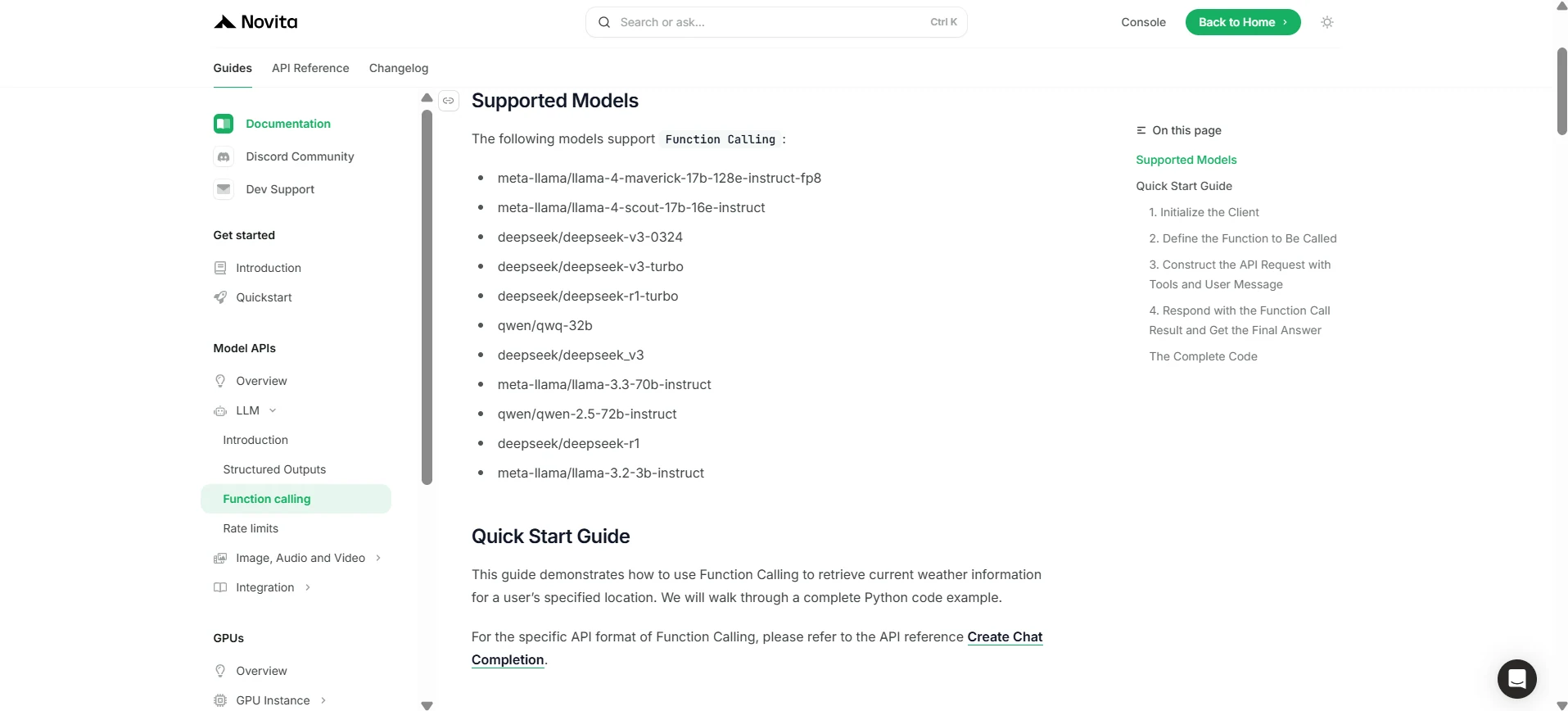
Novita AI has been launched support capability descriptions for each LLM, which you can directly view in the [console](https://novita.ai/models-console/?utm_source=blog_llm&utm_medium=article&utm_campaign=/ llama-4-maverick-function-calling/) and [docs](https://novita.ai/docs/guides/llm-function-calling/?utm_source=blog_llm&utm_medium=article&utm_campaign= llama-4-maverick-function-calling).
1.Initialize the Client
First, you need to initialize the client with your Novita API key.
from openai import OpenAI
import json

client = OpenAI(
    base_url="https://api.novita.ai/v3/openai",
    # Get the Novita AI API Key from: https://novita.ai/settings/key-management.
    api_key="<YOUR Novita AI API Key>",
)

model = "deepseek/deepseek-v3-0324"- Define the Function to Be Called
Next, define the Python function that the model can call. In this example, it’s a function to get weather information.
# Example function to simulate fetching weather data.
def get_weather(location):
    """Retrieves the current weather for a given location."""
    print("Calling get_weather function with location: ", location)
    # In a real application, you would call an external weather API here.
    # This is a simplified example returning hardcoded data.
    return json.dumps({"location": location, "temperature": "60 degrees Fahrenheit"})
2.Construct the API Request with Tools and User Message
Now, create the API request to the Novita endpoint. This request includes the tools parameter, defining the functions the model can use, and the user’s message.
tools = [
    {
        "type": "function",
        "function": {
            "name": "get_weather",
            "description": "Get weather of an location, the user shoud supply a location first",
            "parameters": {
                "type": "object",
                "properties": {
                    "location": {
                        "type": "string",
                        "description": "The city and state, e.g. San Francisco, CA",
                    }
                },
                "required": ["location"]
            },
        }
    },
]

messages = [
    {
        "role": "user",
        "content": "What is the weather in San Francisco?"
    }
]

# Let's send the request and print the response.
response = client.chat.completions.create(
    model=model,
    messages=messages,
    tools=tools,
)

# Please check if the response contains tool calls if in production.
tool_call = response.choices[0].message.tool_calls[0]
print(tool_call.model_dump())
3.Output
{'id': '0', 'function': {'arguments': '{"location": "San Francisco, CA"}', 'name': 'get_weather'}, 'type': 'function'}4.Respond with the Function Call Result and Get the Final Answer
The next step is to process the function call, execute the get_weather function, and send the result back to the model to generate the final response to the user.
# Ensure tool_call is defined from the previous step
if tool_call:
    # Extend conversation history with the assistant's tool call message
    messages.append(response.choices[0].message)

    function_name = tool_call.function.name
    if function_name == "get_weather":
        function_args = json.loads(tool_call.function.arguments)
        # Execute the function and get the response
        function_response = get_weather(
            location=function_args.get("location"))
        # Append the function response to the messages
        messages.append(
            {
                "tool_call_id": tool_call.id,
                "role": "tool",
                "content": function_response,
            }
        )

    # Get the final response from the model, now with the function result
    answer_response = client.chat.completions.create(
        model=model,
        messages=messages,
        # Note: Do not include tools parameter here.
    )
    print(answer_response.choices[0].message)
5.Output
{'id': '0', 'function': {'arguments': '{"location": "San Francisco, CA"}', 'name': 'get_weather'}, 'type': 'function'}DeepSeek V3 0324 is a next-generation AI model that outshines its predecessors by combining advanced Function Calling with robust language support and optimized code generation. Its efficiency in handling complex development scenarios ensures it is a powerful, indispensable tool for modern developers.
Frequently Asked Question
What is function calling?
It lets LLMs trigger external tools or APIs to perform tasks and retrieve data.
How can I start using DeepSeek V3 0324 Function Calling on Novita AI?
To use DeepSeek V3 0324, initialize the Novita AI client with your API key, define callable Python functions, construct API requests with tools, and process the model’s tool calls. Visit the Novita AI documentation for detailed steps.
Why is DeepSeek V3 0324 better than other models?
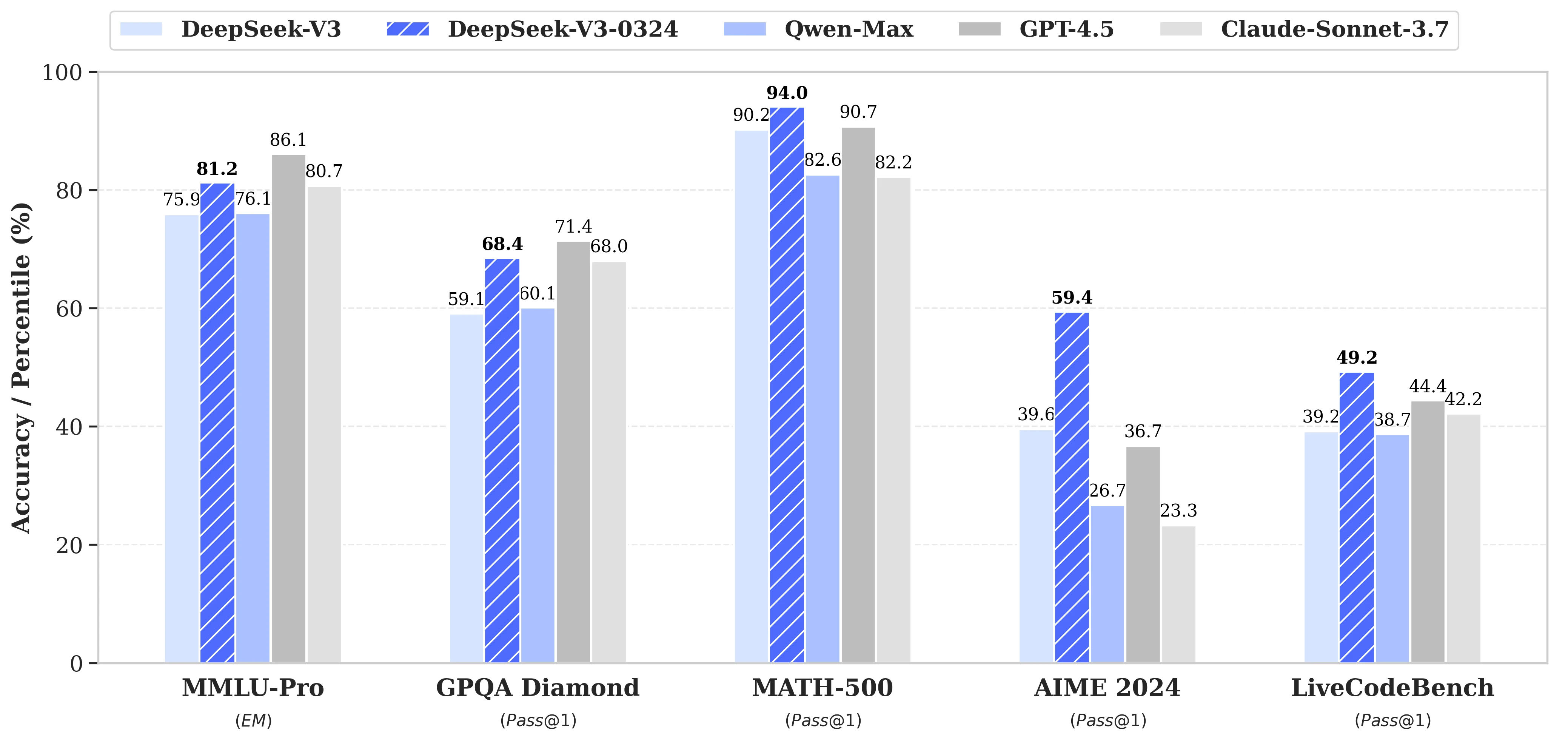
DeepSeek V3 0324 excels in generating clean, semantic front-end code (HTML, CSS, JavaScript) for responsive design and dynamic interactions.
Novita AI is the All-in-one cloud platform that empowers your AI ambitions. Integrated APIs, serverless, GPU Instance — the cost-effective tools you need. Eliminate infrastructure, start free, and make your AI vision a reality.



