Built in partnership with ShengShu Technology and Tsinghua University, Vidu Q1 leverages a cutting-edge Universal Vision Transformer (U-ViT) architecture to deliver visually consistent, high-quality videos with synchronized sound effects.
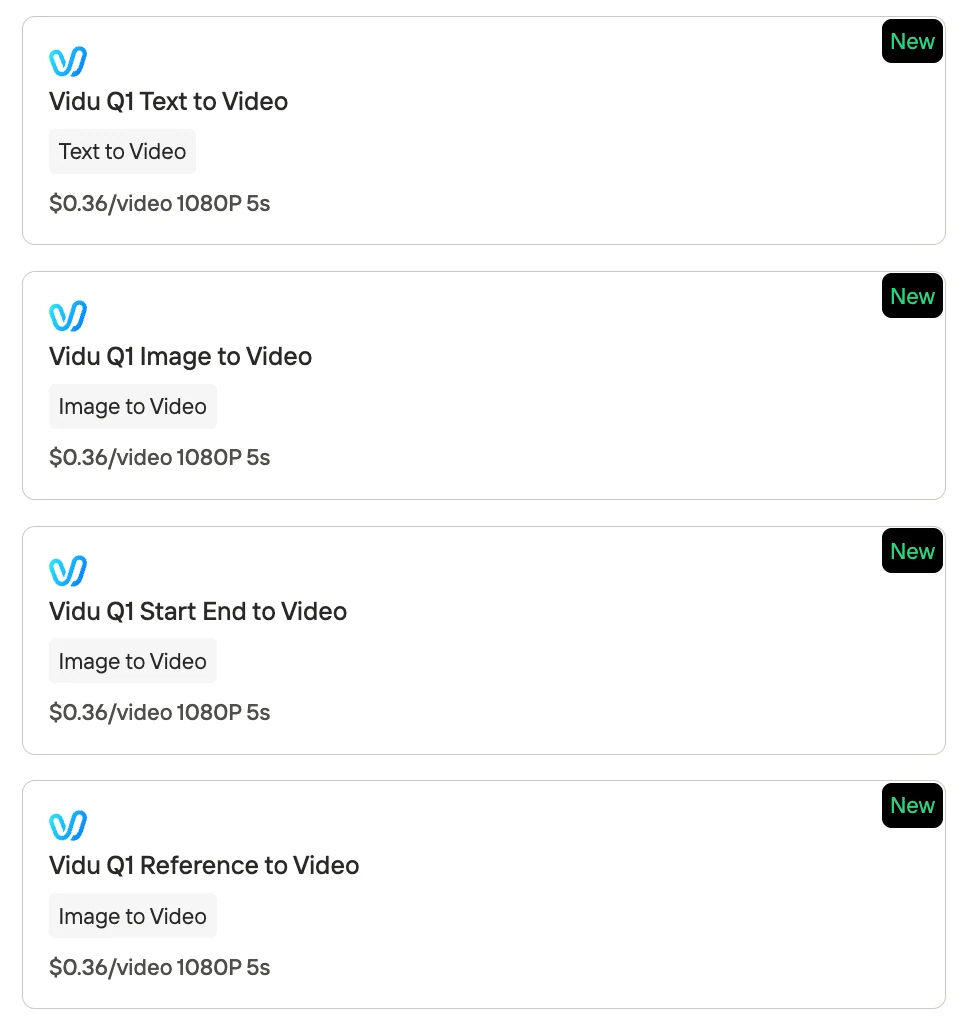
Whether you need Text-to-Video, Image-to-Video, Start-End-to-Video, or Reference-to-Video generation, each mode is available for only $0.36 per video (1080P/5s) on Novita AI. This makes Vidu Q1 a practical and scalable solution for creating explainer videos, product demos, and attention-grabbing social media content. With easy API access and rapid rendering, users can seamlessly turn concepts or static images into polished video clips—no filming or advanced editing required
What is Vidu Q1?5s 1080p Video Focused on Visual Consistency with Sound Effects
Vidu Q1 is a state-of-the-art AI video generation model launched in April 2025 by Vidu—a joint initiative of ShengShu Technology and Tsinghua University. As a multimodal generative system, Vidu Q1 accepts multiple input types, including text descriptions, images, and reference visuals, and produces high-quality video outputs with synchronized audio. Specializing in the creation of short-form content, Vidu Q1 can generate up to 5 seconds of 1080p (Full HD) video per clip. The model outputs standard video files (such as MP4), delivering crisp 1920×1080 resolution visuals paired with matching soundtracks.
https://www.youtube.com/watch?v=mHXshs0xqfA
Vidu Q1 is built on a cutting-edge Universal Vision Transformer (U-ViT) architecture, combining the strengths of Diffusion models (which excel at generating high-quality images) with Transformer models (which are powerful at understanding context and complex prompts). This hybrid design allows Vidu Q1 to accurately interpret detailed requests and maintain strong visual consistency across video frames, resulting in cohesive and realistic outputs.
Vidu Q1 generates professional-quality 1080p videos up to 5 seconds long. Each clip includes synchronized, high-fidelity sound effects and background audio at 48 kHz quality, This makes Vidu Q1 a leader in next-generation AI video generation.
| Feature | How to Use |
|---|---|
| Vidu Q1 T2V | Enter a text prompt describing the scene or action you want; AI generates a matching video. |
| Vidu Q1 I2V | Upload a still image; AI animates the image or extends it into a dynamic short video. |
| Vidu Q1 Start-End to Video | Upload a start frame and an end frame; AI creates a smooth animated transition between them. |
| Vidu Q1 Reference-to-Video | Upload 1–7 reference images or clips; AI generates a video that stays visually consistent. |
What are the Pros and Cons of Vidu Q1?
Pros:
- High-Quality Output (1080p with Sound): Produces crisp, professional HD videos (1920×1080) with fine visual details and integrated audio (background music and 48 kHz sound effects), making videos polished and immersive.
- Multi-Modal Creative Flexibility: Supports text, image, and reference inputs—enabling text-to-video, image animation, start/end transitions, and style consistency in one platform.
- Ease of Use & Speed: Simple interface for non-experts; type a prompt or upload an image and get results in as little as 10 seconds. Affordable, with plans for individuals and businesses.
- Advanced Features (Consistency & Transitions): Maintains visual consistency with reference images and enables smooth first-to-last-frame transitions, supporting complex storytelling and recurring characters.
- Supports Diverse Styles: Handles both photorealistic and stylized (including anime) outputs, adapting to a wide range of creative needs.
- Active Community and Updates: Rapid improvements, active user base, growing documentation, tutorials, and API/third-party integrations.
Cons:
- Short-Form Focus Only: Not suitable for real-time or long narrative videos or talking character generation; best used for short, creative, visually rich clips.
- Occasional Consistency/Coherence Issues: In complex scenes, may produce artifacts or misinterpret details; sometimes misses specific prompt instructions.
- Proprietary Platform (Closed Model): Not open-source or self-hostable; must use Vidu’s studio or API with subscription/credits, leading to potential vendor lock-in.
- Resource and Skill Requirements for Best Results: High compute demand for scale; effective prompt writing and reference prep may require experimentation and learning.
Vidu Q1 Reference to Video Test
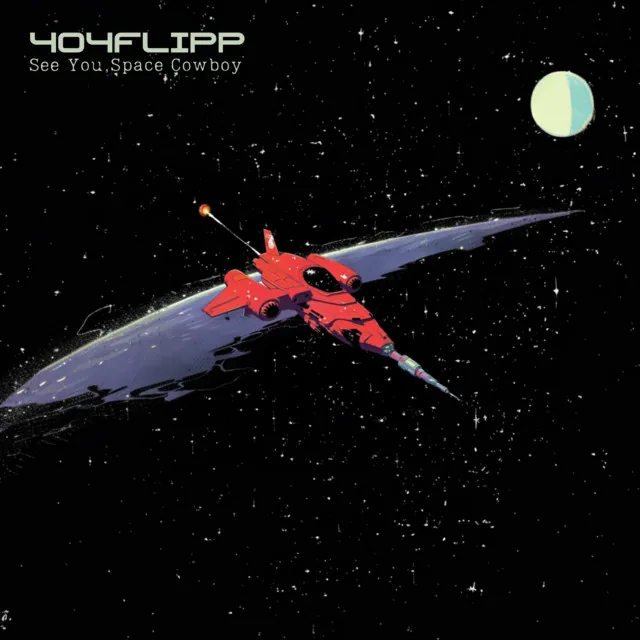
Input: In the style of Cowboy Bebop:The figure from Image 1 pilots the ship from Image 2 through the void of space. Stars dot the inky blackness, distant nebulas hue the background in faint swathes of color. The ship glides steady, engines humming a low, constant drone. The pilot’s posture is relaxed but alert, hands resting loosely on the controls as they cut through asteroid debris and drift past derelict satellites—just another stretch of empty, endless frontier.

Output:
Is Vidu Q1 Suitable for Creating Short Explainer Videos?
Yes – Vidu Q1 is well-suited for creating short explainer videos, especially if you approach the task as a series of brief high-quality segments.
Prompt: A simple animation showing how a wireless earbud connects to a smartphone via Bluetooth. The phone screen displays a connection icon, and cheerful background music plays
Pros:
- Produces crisp, high-quality 1080p visuals with integrated audio for each scene
- Supports text, image, and style reference input, allowing consistent branding and creative flexibility
- Extremely fast and easy to use—ideal for non-experts and rapid prototyping
- Perfect for modern explainer videos as a sequence of short, impactful clips
- No need for filming or manual animation; AI generates scenes from simple prompts
- Short clips are optimized for social media sharing (Instagram Reels, TikTok, etc.)
Cons:
- Does not generate spoken voice-over; narration must be added separately
- Not suitable for one-shot, continuous long-form videos or real-time presentations
Vidu Q1 vs Wan, Kling, Hailuo
Architecture Comparsion
| Dimension | Vidu Q1 | Alibaba Wan 2.1 | Kling 2.1 |
|---|---|---|---|
| Output Quality & Style | High visual quality, strong emotional expression; supports both realistic and anime/cartoon styles | Top-tier realism, very clean details; wide range of artistic style presets | Excels at fine motion details and effects (e.g. sizzling/bubbling); smooth realistic animation |
| Features | Built-in audio, multi-reference consistency, start–end frame control; “Pro Mode” generates prompts from images | Start–end frame control, open-source/API for custom use; supports text/image-to-video, editing, audio | “DeepSeek” helps optimize prompts; supports text/image input, weaker audio integration |
| Performance & Accuracy | Strong on complex scenes (e.g. multiple facial expressions); sometimes misses small details like blinking | High prompt fidelity, stable and reliable; trained on large-scale data | Sometimes more accurate on fine motions (e.g. blinking), but occasional misinterpretation |
| Speed & GPU Needs | Not disclosed; closed system, likely optimized internally | Efficient: 1.3B version runs on ~8GB VRAM (e.g. RTX 4090 local deployment) | No clear specs; known for smooth and realistic motion |
| Openness & Ecosystem | Closed system, feature-rich but not customizable | Fully open-source, customizable, active developer community, fast iteration | Closed system, commercial platform; no sign of open-source ecosystem |
| Best Use Cases | Ideal for polished visuals and emotional storytelling with built-in audio | Best for developers/enterprises needing customization, local deployment, multi-task support | Best when precise motion details and easy prompt optimization are required |
Performance Comparsion
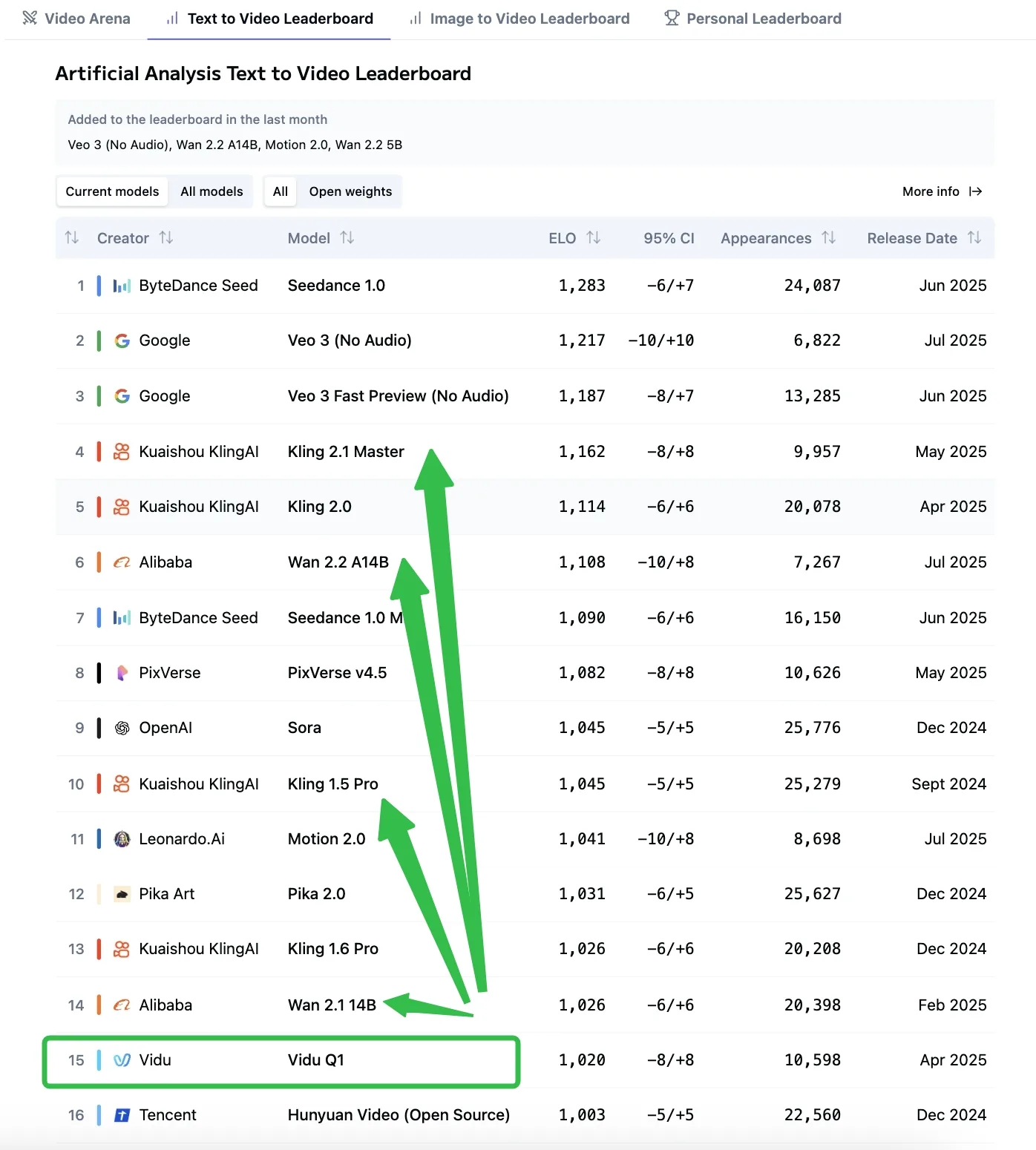
T2V Comparsion from AA
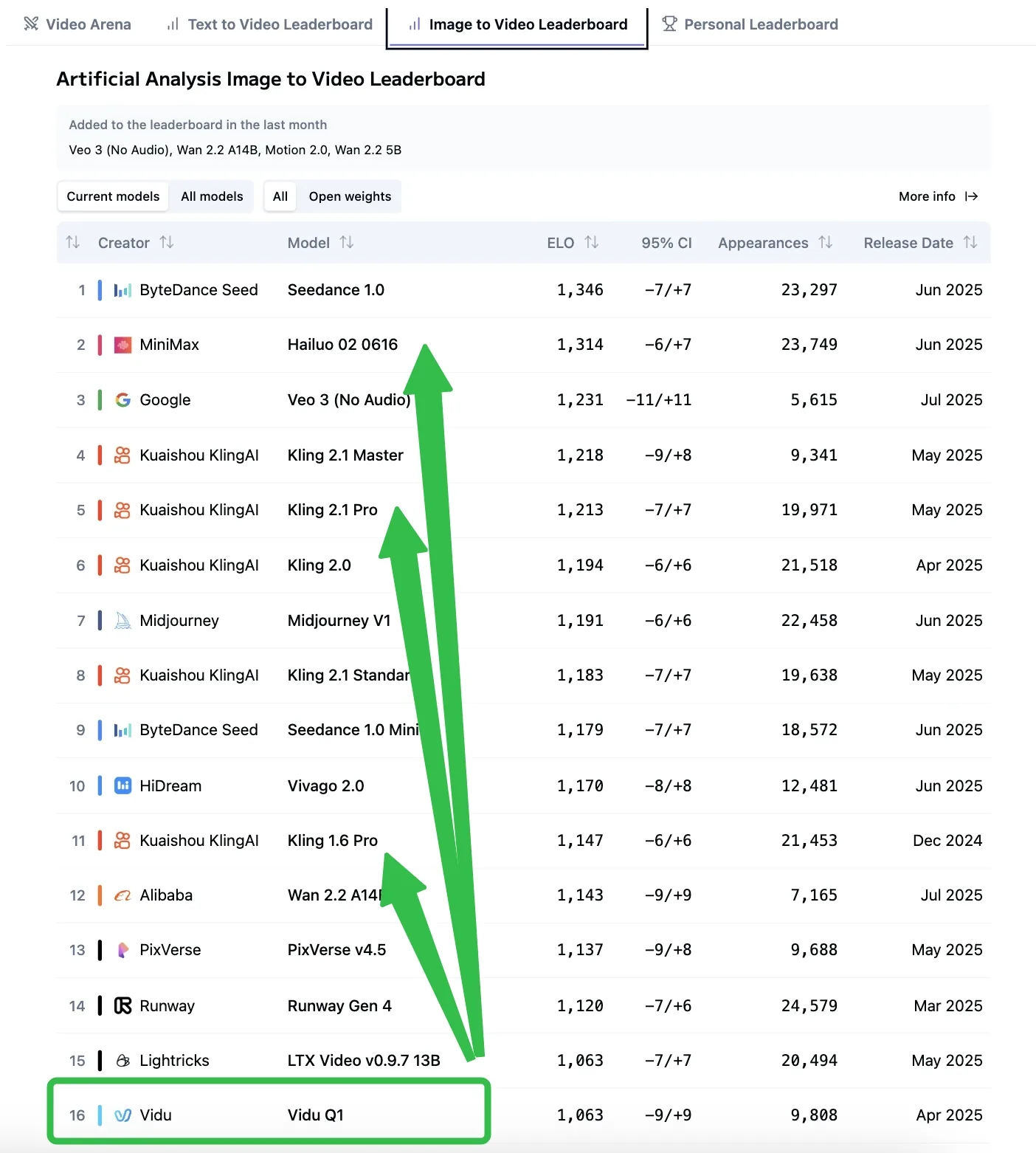
I2V Comparsion from AA
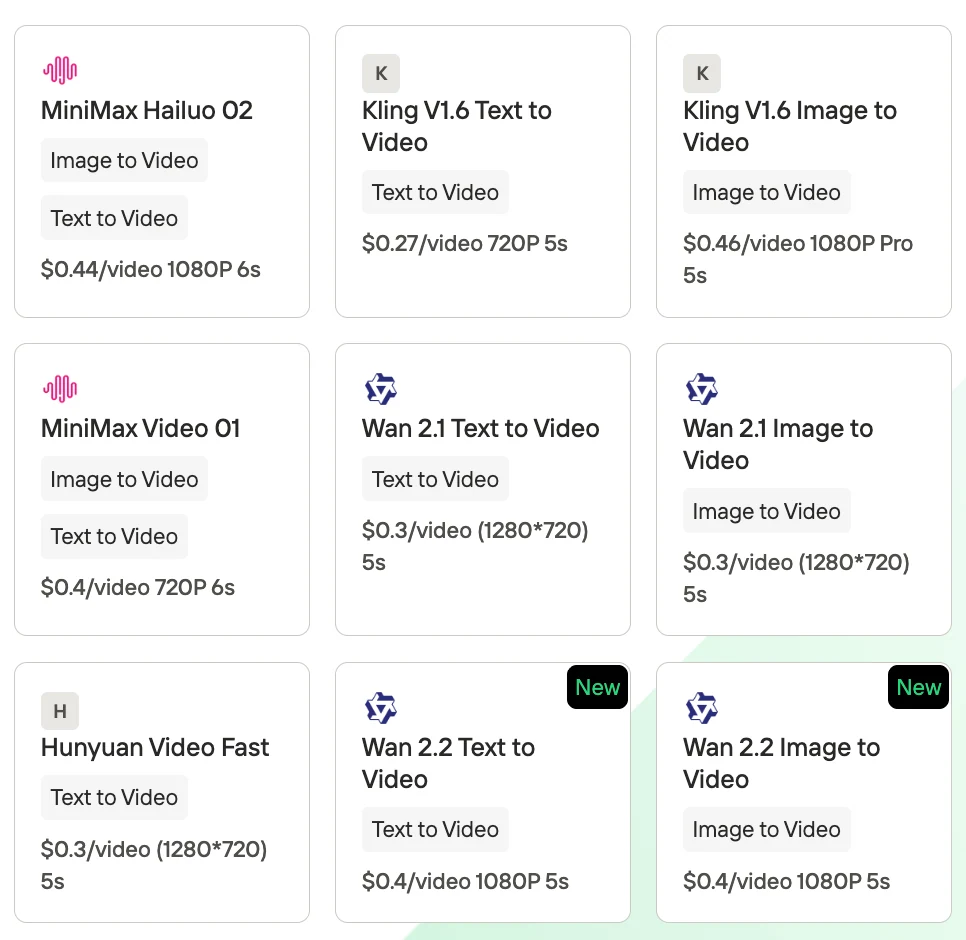
If you want to try Wan,Kling, Hailuo, Hunyuan, you can also get access to Novita AI to start a free trail!
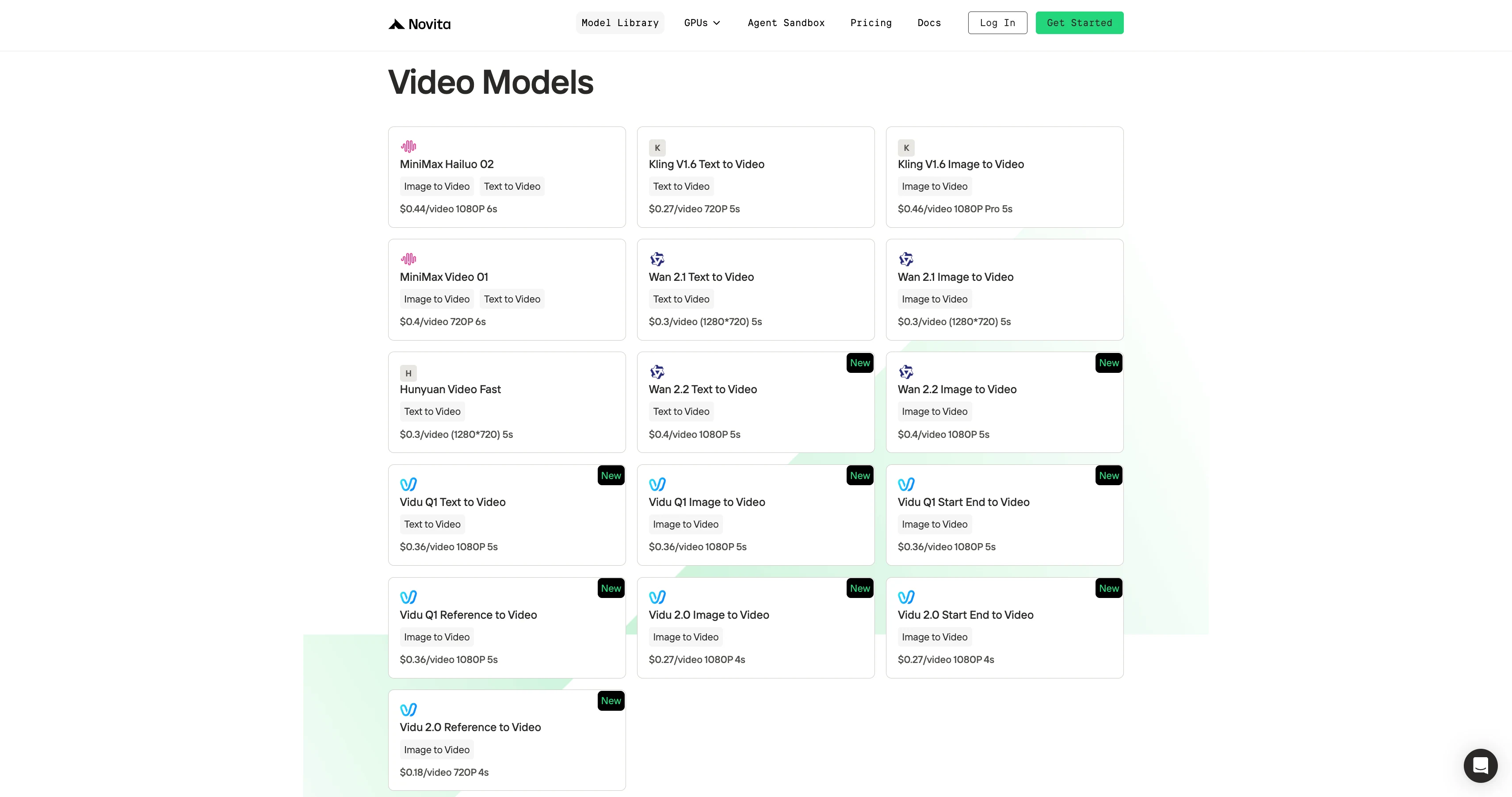
How to Access Vidu Q1 at $0.36/video?
Step 1: Log In and Access the Model Library
Log in to your account and click on the Model Library button.

Step 2: Choose Your Model
Browse through the available options and select the model that suits your needs.
Step 3: Get Your API Key
To authenticate with the API, we will provide you with a new API key. Entering the “Settings“ page, you can copy the API key as indicated in the image.

Step 4: Install the API
Install API using the package manager specific to your programming language.
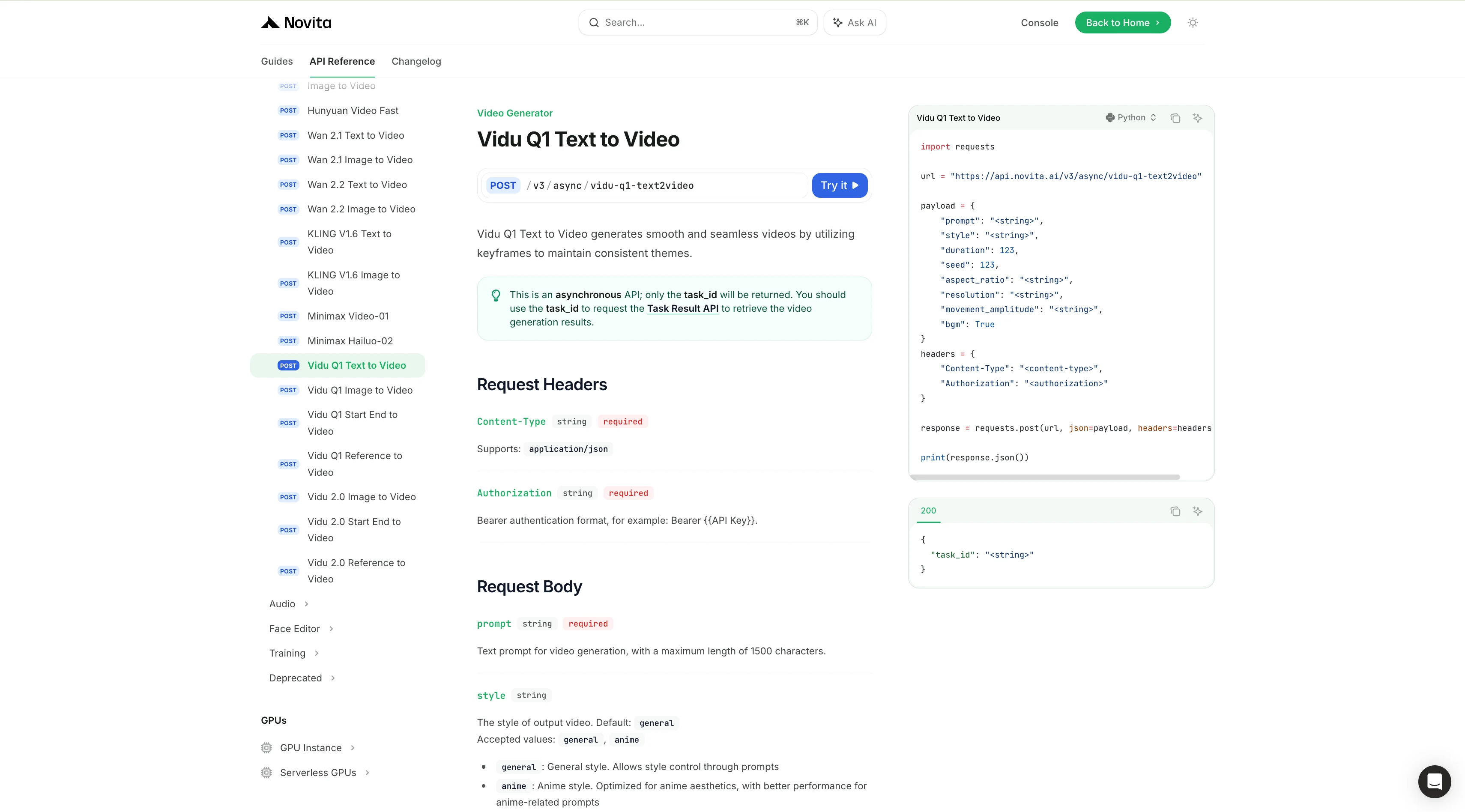
After installation, import the necessary libraries into your development environment. Initialize the API with your API key to start interacting with Novita AI LLM. This is an example of using chat completions API for python users.
import requests

url = "https://api.novita.ai/v3/async/vidu-q1-text2video"

payload = {
    "prompt": "<string>",
    "style": "<string>",
    "duration": 123,
    "seed": 123,
    "aspect_ratio": "<string>",
    "resolution": "<string>",
    "movement_amplitude": "<string>",
    "bgm": True
}
headers = {
    "Content-Type": "<content-type>",
    "Authorization": "<authorization>"
}

response = requests.post(url, json=payload, headers=headers)

print(response.json())
With Vidu Q1’s powerful multimodal capabilities, stunning 1080p quality, and seamless API access, Vidu Q1 is the perfect solution for developers, marketers, and creators looking to automate and elevate their video production. Whether you’re making explainer videos, dynamic product demos, or eye-catching social media content, Vidu Q1 empowers you to create polished results—faster and more affordably than ever.
Frequently Asked Questions
What is Vidu Q1 and what makes its API unique?
Vidu Q1 is an advanced AI video generation model that produces 5-second, 1080p videos with synchronized sound effects. Its API enables seamless integration of multimodal video generation (text, image, reference input) into any workflow or application.
What are the supported input types for Vidu Q1?
Vidu Q1 API supports text-to-video (T2V), image-to-video (I2V), start-end frame to video, and reference-to-video generation, allowing for flexible and creative content creation.
Can I use Vidu Q1 for explainer or marketing videos?
Wan 2.2 uses 3D spatio-temporal compression through Wan-VAE, ensuring smooth transitions and coherent lighting aAbsolutely. Vidu Q1 excels at generating concise, visually striking clips that are perfect for explainers, product showcases, social media, and branding.
Novita AI is the All-in-one cloud platform that empowers your AI ambitions. Integrated APIs, serverless, GPU Instance — the cost-effective tools you need. Eliminate infrastructure, start free, and make your AI vision a reality.