Refer your friends to Novita AI and both of you will earn $10 in LLM API credits—up to $500 in total rewards.
To support the developer community, Llama 3.2 1B, Qwen2.5-7B, Qwen 3 0.6B, Qwen 3 1.7B, Qwen 3 4B is currently available for free on Novita AI.
LLaMA 3.2 1B may have modest VRAM requirements—just ~3.14 GB for inference—but don’t be fooled: local deployment is still a technical hassle. The good news: you don’t have to go through all that. Novita AI now offers free API access to LLaMA 3.2 1B, letting you skip the setup entirely and start building right away. With just an API key, you’re ready to explore the model’s full capabilities from any device or platform.
Llama 3.2 1B: Basic VRAM Requirements
| Task | Precision | VRAM | Recommended GPU |
|---|---|---|---|
| Inference | FP16 | ~3.14 GB | RTX 4060 (8GB) or 3090 |
| Finetuning | FP16 | ~14.11 GB | RTX 4090 (24GB) |
To save memory, try INT8 or 4-bit quantized models.
These reduce inference VRAM needs to 1–2 GB, making it possible to run on entry-level GPUs like GTX 1650.
References
Even though LLaMA 3.2 1B has relatively low VRAM requirements, that doesn’t mean deployment is effortless. In the next section, I’ll walk you through the other essential components you’ll need.
Llama 3.2 1B: Additional System Requirements
| Component | Recommendation |
|---|---|
| OS | Ubuntu 20.04 / 22.04 or Windows 11 (with WSL2) |
| Python Version | Python 3.10+ |
| Key Libraries | transformers, accelerate, bitsandbytes (for quantized models) |
| Storage | At least 10–50 GB free (models + logs + cache) |
| CUDA Toolkit | Match your GPU (e.g., CUDA 12.x for RTX 40 series) |
| Optional Engines | vLLM, text-generation-webui, llama.cpp for faster inference |
Challenges and Risks of Using LLaMA 3.2 1B Locally
Technical Hurdles
- WSL2 Setup Complexity
Configuring WSL2 on Windows involves BIOS changes and system tweaks that can be overwhelming for non-technical users. - Python Environment Conflicts
Managing Python 3.10+ often leads to dependency clashes, especially when juggling multiple machine learning libraries. - CUDA Version Matching
Installing the correct CUDA version (e.g. 12.x for RTX 40 series) is essential. A mismatch can cause GPU detection failures.
System Risks
- Storage Pressure
While the base model is small, logs, cache files, and runtime artifacts can quickly consume 10–50 GB or more. Over time, storage use may grow beyond your expectations. - High Resource Consumption
Running inference or training consumes significant CPU, GPU, and RAM—slowing down your machine, especially if it’s not high-end. - Thermal Concerns
Long-running GPU workloads generate heat. Without proper cooling, there’s a real risk of hardware damage or thermal throttling.
Maintenance Challenges
- Frequent Library Updates
Libraries liketransformersandaccelerateupdate rapidly. Keeping up requires regular installs, testing, and adjustments. - Multi-Engine Complexity
Tools such asvLLM,llama.cpp, andtext-generation-webuihave separate configurations, adding extra setup work. - Cross-Platform Headaches
Switching between Ubuntu and Windows (via WSL2) can cause issues with paths, file permissions, and package compatibility.
Inflexible Resource Usage
- No Dynamic Scaling
Even during idle periods, the model and its environment often lock up large portions of GPU memory and RAM. - Wasted Resources
If you’re not using the model constantly, your hardware remains underutilized—leading to inefficient power and memory use on personal machines.
For Small Developers, Using API to access llama 3.2 1B Can Be More Cost-Effective
Using an API solves many of the headaches of local deployment:
- No setup: No CUDA, no WSL2, no Python conflicts
- No updates: Dependencies and libraries are maintained for you
- No stress on your local machine: No GPU, CPU, or memory load
- No storage problems: All logs, weights, and outputs stay in the cloud
- No waste: Pay-as-you-go; no idle resource usage
- No platform issues: Works on any OS with a simple HTTP call
Novita AI: the Most Suitable Option
Step 1: Log In and Access the Model Library
Log in to your account and click on the Model Library button.

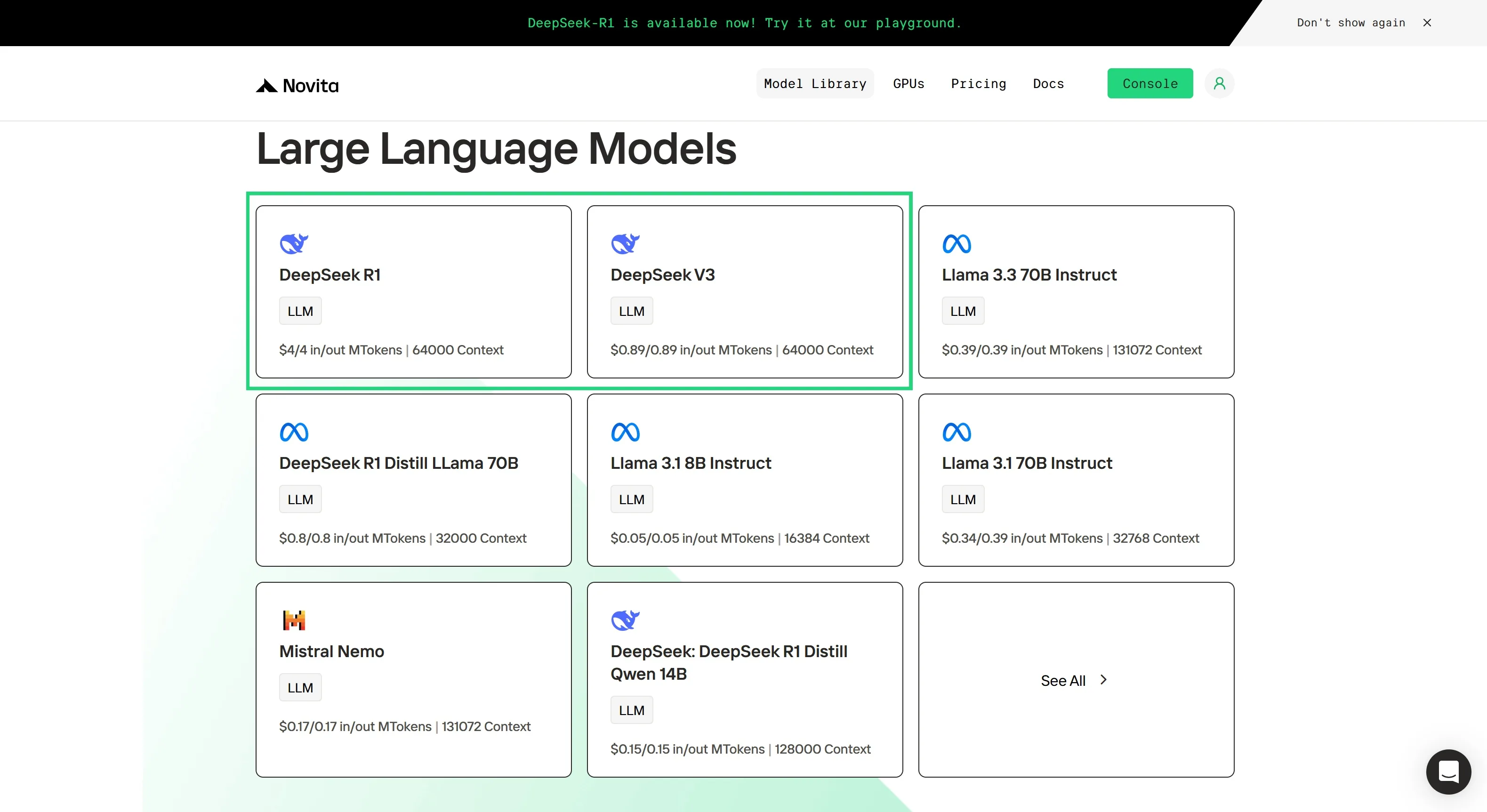
Step 2: Choose Your Model
Browse through the available options and select the model that suits your needs.
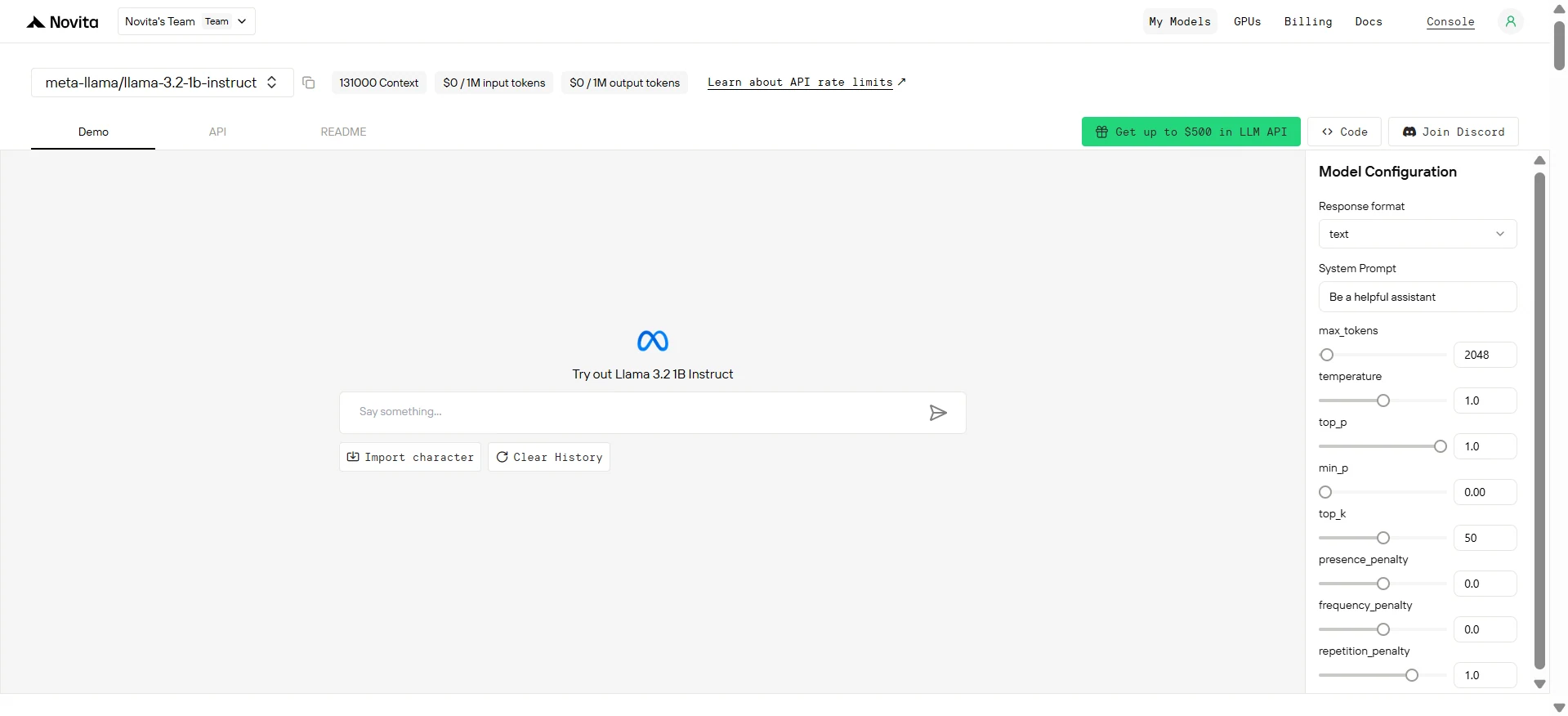
Step 3: Start Your Free Trial
Begin your free trial to explore the capabilities of the selected model.
Step 4: Get Your API Key
To authenticate with the API, we will provide you with a new API key. Entering the “Settings“ page, you can copy the API key as indicated in the image.

Step 5: Install the API
Install API using the package manager specific to your programming language.
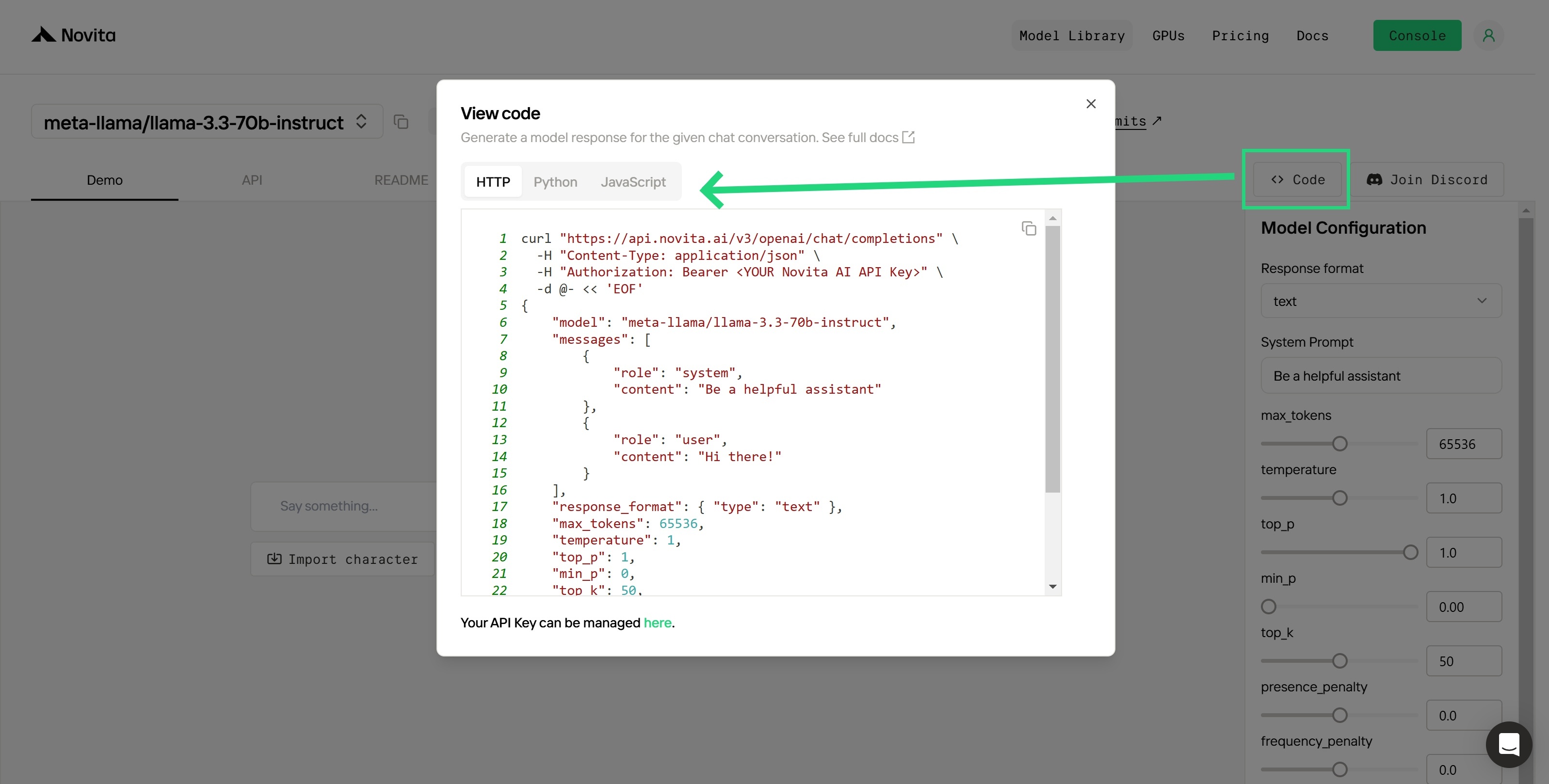
After installation, import the necessary libraries into your development environment. Initialize the API with your API key to start interacting with Novita AI LLM. This is an example of using chat completions API for python users.
from openai import OpenAI

client = OpenAI(
    base_url="https://api.novita.ai/v3/openai",
    api_key="<YOUR Novita AI API Key>",
)

model = "meta-llama/llama-3.2-1b-instruct"
stream = True # or False
max_tokens = 2048
system_content = """Be a helpful assistant"""
temperature = 1
top_p = 1
min_p = 0
top_k = 50
presence_penalty = 0
frequency_penalty = 0
repetition_penalty = 1
response_format = { "type": "text" }

chat_completion_res = client.chat.completions.create(
    model=model,
    messages=[
        {
            "role": "system",
            "content": system_content,
        },
        {
            "role": "user",
            "content": "Hi there!",
        }
    ],
    stream=stream,
    max_tokens=max_tokens,
    temperature=temperature,
    top_p=top_p,
    presence_penalty=presence_penalty,
    frequency_penalty=frequency_penalty,
    response_format=response_format,
    extra_body={
      "top_k": top_k,
      "repetition_penalty": repetition_penalty,
      "min_p": min_p
    }
  )

if stream:
    for chunk in chat_completion_res:
        print(chunk.choices[0].delta.content or "", end="")
else:
    print(chat_completion_res.choices[0].message.content)
Although LLaMA 3.2 1B lowers the VRAM barrier, full local deployment still demands considerable configuration, system resources, and ongoing maintenance. For developers—especially those with limited hardware or time—using Novita AI’s API can dramatically simplify the workflow, offering cost-effective access with zero setup.
Frequently Asked Questions
Can I run LLaMA 3.2 1B on an 8GB GPU?
Yes, for inference with FP16 or using quantized versions like 4-bit.
What’s the biggest risk of local deployment of Llama 3.2 1B?
Improper configuration or poor cooling can lead to GPU damage or deployment failure.
Where can I try Llama 3.2 1B API?
Sign up at Novita AI, start your free trial, and get your API key in minutes.
Novita AI is the All-in-one cloud platform that empowers your AI ambitions. Integrated APIs, serverless, GPU Instance — the cost-effective tools you need. Eliminate infrastructure, start free, and make your AI vision a reality.



