Refer your friends to Novita AI and both of you will earn $10 in LLM API credits—up to $500 in total rewards.
To support the developer community, Llama 3.2 1B, Qwen2.5-7B, Qwen 3 0.6B, Qwen 3 1.7B, Qwen 3 4B is currently available for free on Novita AI.
Llama 3.2 1B is a compact, efficient language model built for real-world deployment—even on mobile and edge devices. Thanks to its lightweight architecture and support for quantization, it runs smoothly on Android and iOS with limited memory, making it ideal for private, offline inference scenarios.
This guide walks you through three practical ways to access Llama 3.2 1B based on your needs:
- Local deployment for full control on your own hardware,
- On-device execution for mobile and embedded use cases,
- API access via Novita AI for fast, scalable integration.
What is Llama 3.2 1B?
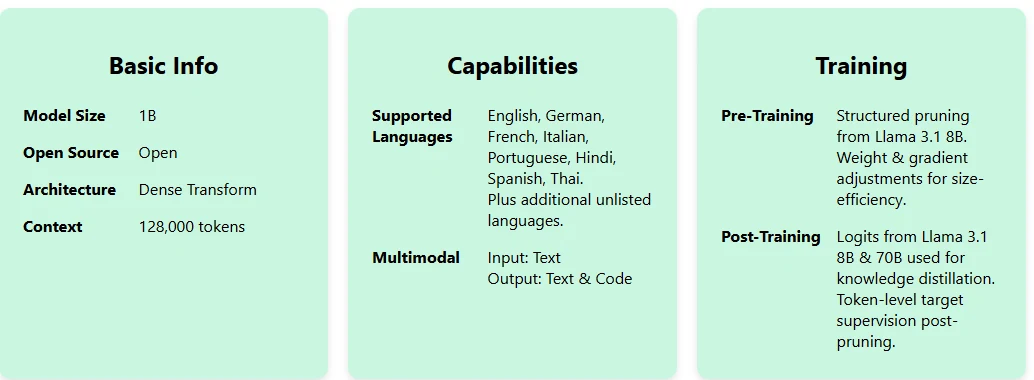
Llama 3.2 1B is a compact, distilled language model optimized for efficient deployment on edge devices, with support for multilingual input and code generation.
Llama 3.2 1B Benchmark
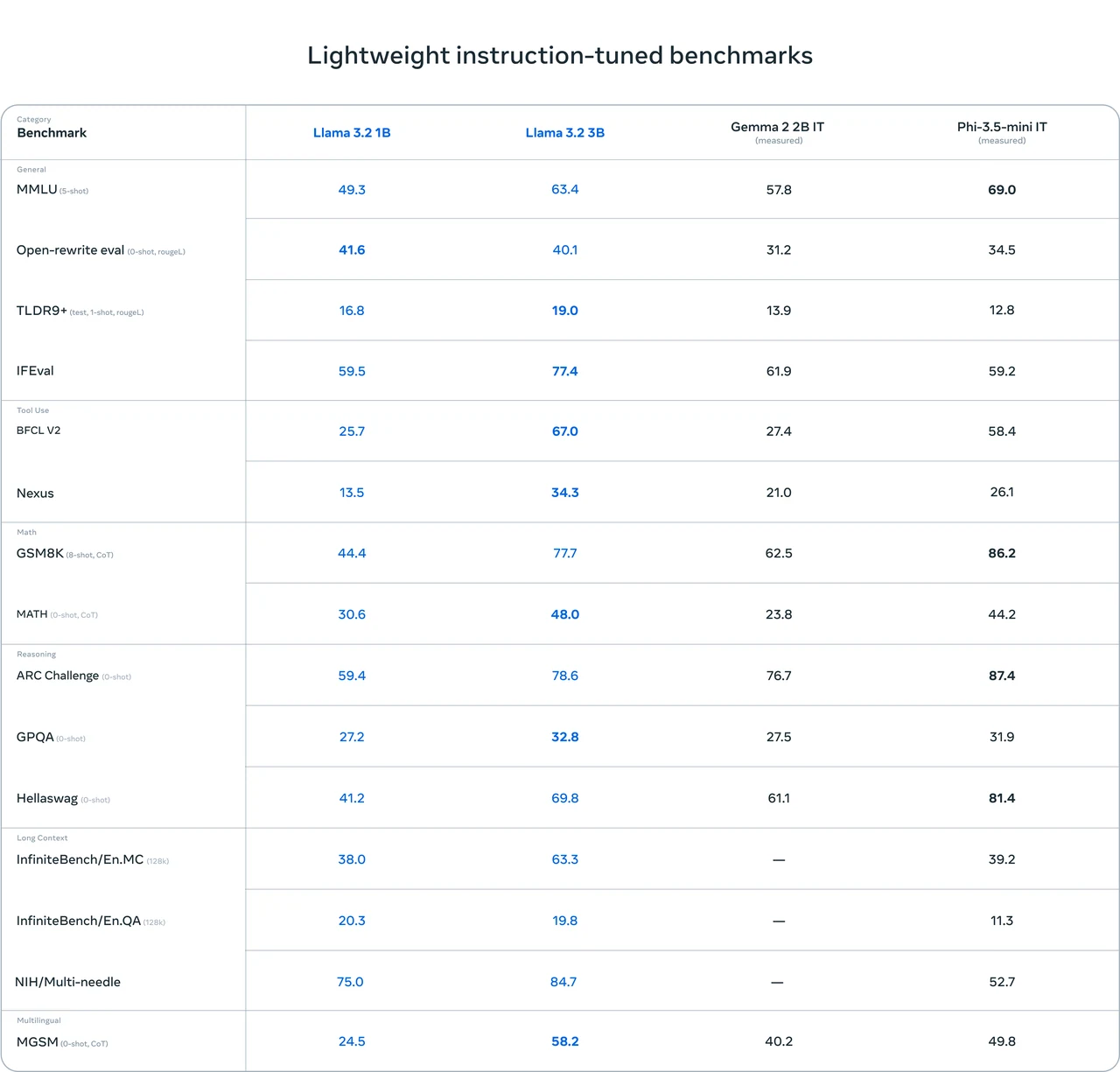
From Meta
Llama 3.2 1B demonstrates strong overall capabilities for its size, particularly in reasoning and language understanding tasks. While it may not outperform larger or more specialized models across the board, it offers a solid balance between performance and efficiency.
How to Access Llama 3.2 1B Locally?
Hardware Requirements
| Task | Model | Quantization | VRAM Usage | Compatible GPU |
|---|---|---|---|---|
| Inference | Llama 3.2 1B | FP16 | 3.14 GB | RTX 3090 (12GB), RTX 4060 (8GB) |
| Fine-tuning | Llama 3.2 1B | FP16 | 14.11 GB | RTX 4090 (24GB) |
Step-by-Step Installation Guide
# Step 1: Install Python and Create a Virtual Environment
# Ensure Python (>=3.8) is installed. Then create and activate a virtual environment.
python3 -m venv llama_env
source llama_env/bin/activate  # On Windows, use `llama_env\Scripts\activate`

# Step 2: Install Required Libraries
pip install torch torchvision torchaudio --index-url https://download.pytorch.org/whl/cu118  # For GPU optimization
pip install bitsandbytes  # Efficient GPU memory utilization

# Step 3: Install the Hugging Face CLI and Log In
pip install huggingface-cli
huggingface-cli login  # Follow the prompts to authenticate

# Step 4: Request Access to Llama-3.3 70B
# Visit the Hugging Face model page for Llama-3.3 70B and request access.
# URL: https://huggingface.co/meta-llama/Llama-3.3-70B-Instruct

# Step 5: Download the Model Files
huggingface-cli download meta-llama/Llama-3.3-70B-Instruct --include "original/*" --local-dir Llama-3.3-70B-Instruct

# Step 6: Load the Model Locally
import torch
from transformers import AutoModelForCausalLM, AutoTokenizer

# Model ID and local directory path
model_id = "meta-llama/Llama-3.2-1B-Instruct"
local_model_dir = "./Llama-3.2-1B-Instruct"

# Load the model with GPU optimization
model = AutoModelForCausalLM.from_pretrained(
    local_model_dir,
    device_map="auto",          # Automatically map model layers to GPU(s)
    torch_dtype=torch.bfloat16  # Use bfloat16 for efficient memory usage
)

# Load the tokenizer
tokenizer = AutoTokenizer.from_pretrained(local_model_dir)

# Step 7: Run Inference
# Define input text
input_text = "Explain the theory of relativity in simple terms."

# Tokenize the input
inputs = tokenizer(input_text, return_tensors="pt").to("cuda")  # Send inputs to GPU

# Generate a response
with torch.no_grad():
    outputs = model.generate(
        **inputs,
        max_length=100,  # Set maximum response length
        temperature=0.7,  # Adjust creativity (lower = less creative, higher = more creative)
        top_k=50,         # Top-k sampling for diversity
    )

# Decode the output tokens
response = tokenizer.decode(outputs[0], skip_special_tokens=True)
print("Response:", response)
How to Access Llama 3.2 1B on Device?
On Android Devices
You can run Llama 3.2 1B on Android using tools like:
- Termux + Ollama: Set up a Linux environment with Termux, install Ollama, and run the model locally. Devices with at least 2GB of RAM are technically capable, though 4GB+ is recommended for smoother performance.
- Torchchat Framework: Use Torchchat to download and run the model with a built-in chat interface, enabling basic text generation directly on your Android phone.
On iOS Devices
On iOS, apps like Private LLM allow you to run Llama 3.2 1B entirely on-device:
- Works on iPhones and iPads with 6GB RAM or more (e.g., iPhone 12 Pro or newer).
- Offers private, offline inference with no data sent to the cloud.
Llama 3.2 1B can be quantized (e.g., with QLoRA or other formats) to reduce memory use and run efficiently even on CPUs. When optimized, it can generate over 40 tokens per second on some devices.
How to Access Llama 3.2 1B via API?
Novita AI offers an affordable, reliable, and simple inference platform with scalable Llama 3.2 1B API, empowering developers to build AI applications. Try the Llama 3.2 1B Demo today!
Option 1: Direct API Integration
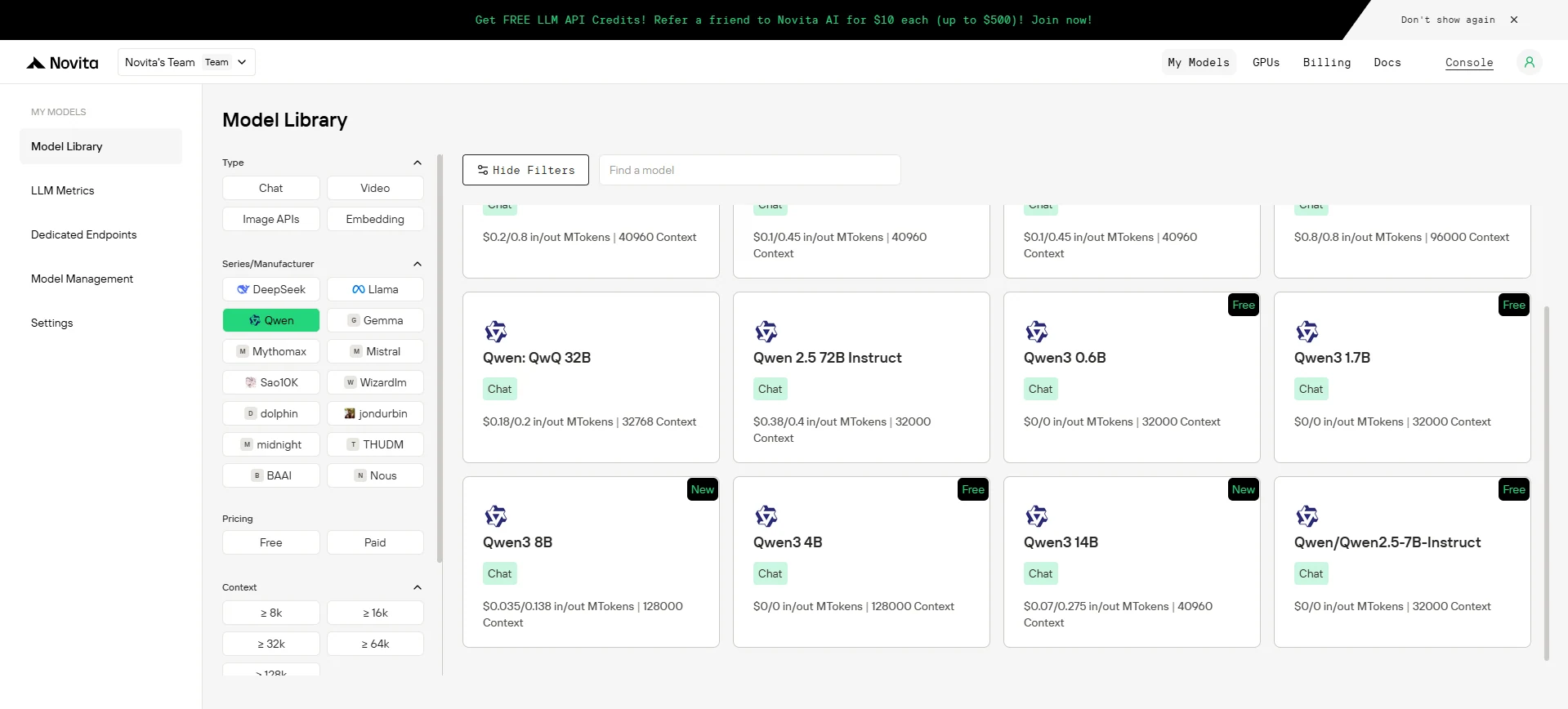
Try Llama 3.2 1B at very low price Now!
Key Features:
- Unified endpoint:
/v3/openaisupports OpenAI’s Chat Completions API format. - Flexible controls: Adjust temperature, top-p, penalties, and more for tailored results.
- Streaming & batching: Choose your preferred response mode.
Option 2: Multi-Agent Workflows with OpenAI Agents SDK
Build advanced multi-agent systems by integrating Novita AI with the OpenAI Agents SDK:
- Plug-and-play: Use Novita AI’s LLMs in any OpenAI Agents workflow.
- Supports handoffs, routing, and tool use: Design agents that can delegate, triage, or run functions, all powered by Novita AI’s models.
- Python integration: Simply point the SDK to Novita’s endpoint (
https://api.novita.ai/v3/openai) and use your API key.
Connect Qwen 3 API on Third-Party Platforms
-
Hugging Face: Use Qwen 3 in Spaces, pipelines, or with the Transformers library via Novita AI endpoints.
-
Agent & Orchestration Frameworks: Easily connect Novita AI with partner platforms like Continue, AnythingLLM,LangChain, Dify and Langflow through official connectors and step-by-step integration guides.
-
OpenAI-Compatible API: Enjoy hassle-free migration and integration with tools such as Cline and Cursor, designed for the OpenAI API standard.
Which AI Access Methods Are Suitable for You?
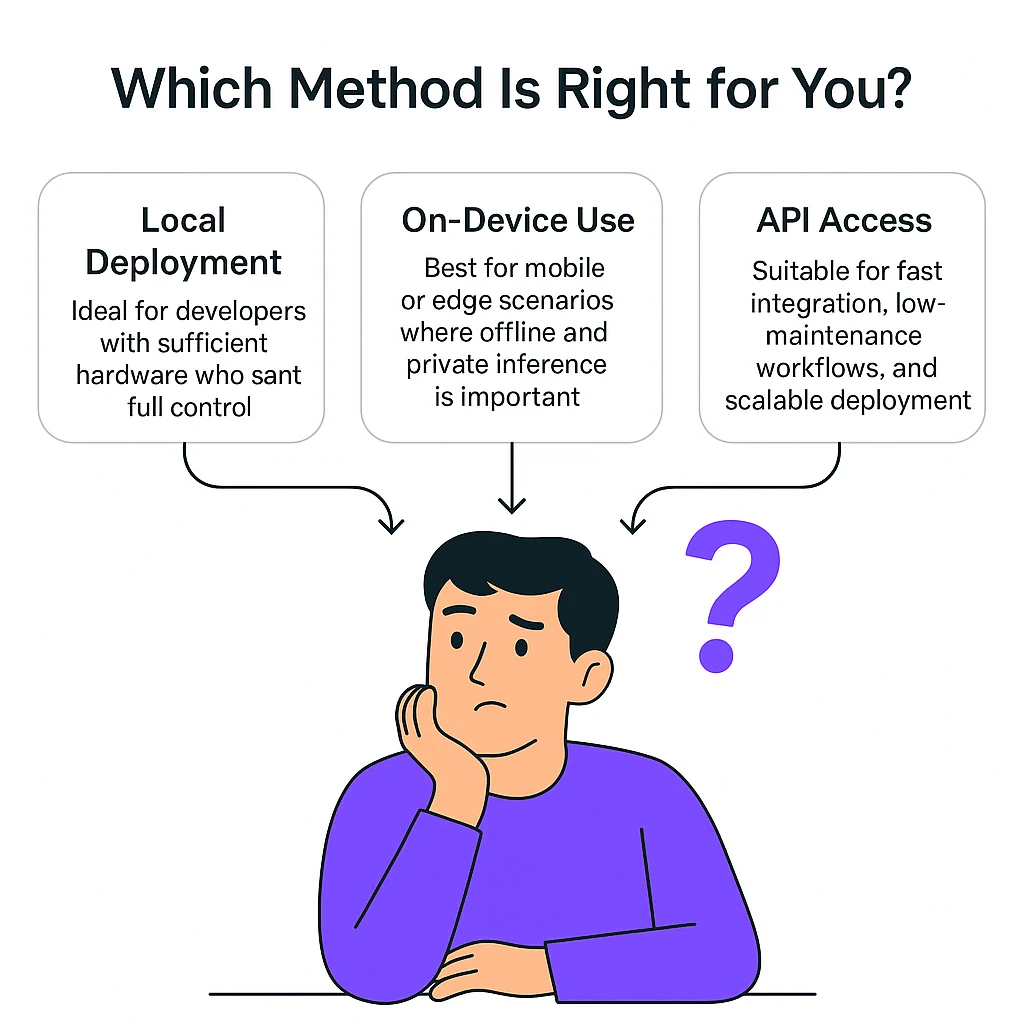
Llama 3.2 1B can be accessed through three main approaches: local deployment, on-device execution, and API access. Here’s how to choose the right method based on your needs:
- Local deployment: Ideal for developers with sufficient hardware who want full control.
- On-device use: Best for mobile or edge scenarios where offline and private inference is important.
- API access: Suitable for fast integration, low-maintenance workflows, and scalable deployment.
Whether you’re deploying on a laptop, mobile device, or cloud, Llama 3.2 1B offers a practical solution for fast, private, and low-cost AI generation. With full support for modern frameworks and developer workflows, it’s a go-to choice for lightweight, production-ready AI.
Frequently Asked Questions
What are the hardware requirements for local use?
At least 8–12 GB VRAM (e.g., RTX 4060, 3090). Fine-tuning requires 24 GB.
How do I access Llama 3.2 1B via API?
Use Novita AI’s /v3/openai endpoint with OpenAI-compatible tools and SDKs.
Does Llama 3.2 1B support multi-agent systems?
Yes. It integrates with OpenAI Agents SDK for tool use, routing, and orchestration.
Novita AI is the All-in-one cloud platform that empowers your AI ambitions. Integrated APIs, serverless, GPU Instance — the cost-effective tools you need. Eliminate infrastructure, start free, and make your AI vision a reality.



