Modern developers struggle to turn large codebases into something an AI can truly understand and act on. Chat-style models often lose project context, break workflows, or stall in long-running tasks.
This article shows how MiniMax M2.1 + Cursor solves these problems by combining repository-level awareness with an agent-optimized coding model. It explains how this stack reduces cognitive load, enables multi-file automation, and supports continuous, production-grade development through clear architecture, benchmarks, and real integration steps.
What is Cursor?
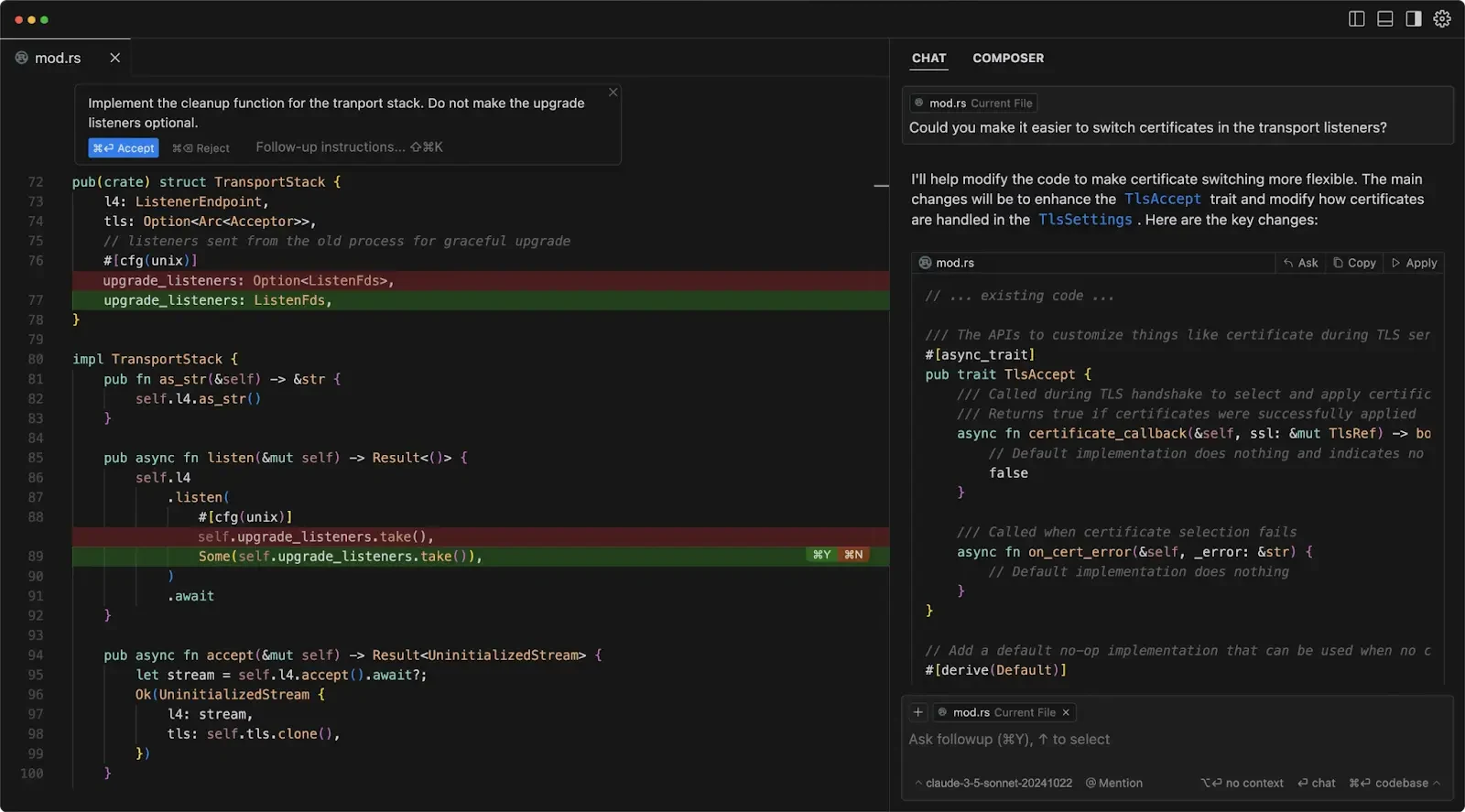
From UI Bakery
Cursor AI is an AI-native code editor that embeds intelligence directly into the development workflow. It understands the structure and relationships of an entire codebase, allowing developers to query how a system works, refactor multiple files by intent, and fix errors with full contextual awareness. By turning exploration, modification, and debugging into a conversational process, it compresses the traditionally expensive cycle of reading, tracing, and rewriting code, making complex systems faster to understand and evolve.
Key Advantages of Cursor
1. Deep Codebase Awareness
Rather than predicting text tokens, Cursor reasons about the structure and semantics of your repository: modules, imports, call graphs, and definitions.
2. Faster Onboarding and Navigation
You can ask natural language questions about unfamiliar systems and instantly get precise references or summaries.
3. Higher-Order Refactoring
Capable of whole-system transformations triggered by intent rather than manual search-and-replace or scripting.
4. Reduced Cognitive Load
Less time spent exploring code manually, more on high-level design, logic, and stability.
5. Real-World Debugging Support
Stack trace understanding and corrective suggestions accelerate diagnosis and fixes.
6. Amplifies Experienced Engineers
Cursor shines most for developers who think in systems — those maintaining large codebases, redesigning architecture, or untangling legacy systems.
Pricing of Cursor
| Plan | Price | Usage Limits |
|---|---|---|
| Free Plan | $0 | 2000 completions, limited slow premium usage |
| Pro Plan | $20 per user / month | Unlimited standard completions, 500 fast premium requests, unlimited slow premium requests |
| Business / Team | Custom pricing | Same as Pro |
What is Minimax M2.1?
MiniMax M2.1 targets developers building autonomous coding agents, IDE copilots, and long-running automation systems. Its design prioritizes engineering completeness over conversational polish, making it suitable for real-world, multi-hour development loops.
| Field | Value |
|---|---|
| Model ID | MiniMaxAI/MiniMax-M2.1 |
| Total Parameters | 230B |
| Active Parameters | 10B (MoE) |
| Context Window | 204,800 tokens |
| Max Output | 131,072 tokens |
| Precision | FP8 |
| License | Modified MIT |
| Weights | HuggingFace (MiniMaxAI/MiniMax-M2.1) |
Programming Agent Positioning
MiniMax M2.1 is optimized for agent loops, not just chat-based assistance. Compared with Claude, which emphasizes general reasoning and conversational coherence, M2.1 focuses on engineering execution:
- Faster agent-loop cycles
- Stronger multi-language orchestration
- Alignment with IDE-style workflows
- Stability in continuous coding and long-running tasks
- Practical for mobile development and autonomous agents
This makes M2.1 suitable for systems that iteratively plan, modify, test, and repair code over extended sessions.
Multi-Language Engineering Strength
M2.1 delivers consistent, production-grade output across system and application stacks. These cover backend systems, embedded logic, mobile apps, and full-stack web development, enabling cross-language refactors and coordinated multi-service changes.
| Benchmark | M2.1 | M2 | Claude Sonnet 4.5 | Claude Opus 4.5 | Gemini 3 Pro | GPT-5.2 (thinking) | DeepSeek V3.2 |
|---|---|---|---|---|---|---|---|
| SWE-bench Verified | 74.0 | 69.4 | 77.2 | 80.9 | 78.0 | 80.0 | 73.1 |
| Multi-SWE-bench | 49.4 | 36.2 | 44.3 | 50.0 | 42.7 | 37.4 | x |
| SWE-bench Multilingual | 72.5 | 56.5 | 68.0 | 77.5 | 65.0 | 72.0 | 70.2 |
| Terminal-bench 2.0 | 47.9 | 30.0 | 50.0 | 57.8 | 54.2 | 54.0 | 46.4 |
When Minimax M2.1+Cursor Is Most Valuable?
Consider choosing MiniMax M2.1 + Cursor when you want:
- Autonomous multi-step coding tasks directly inside your editor.
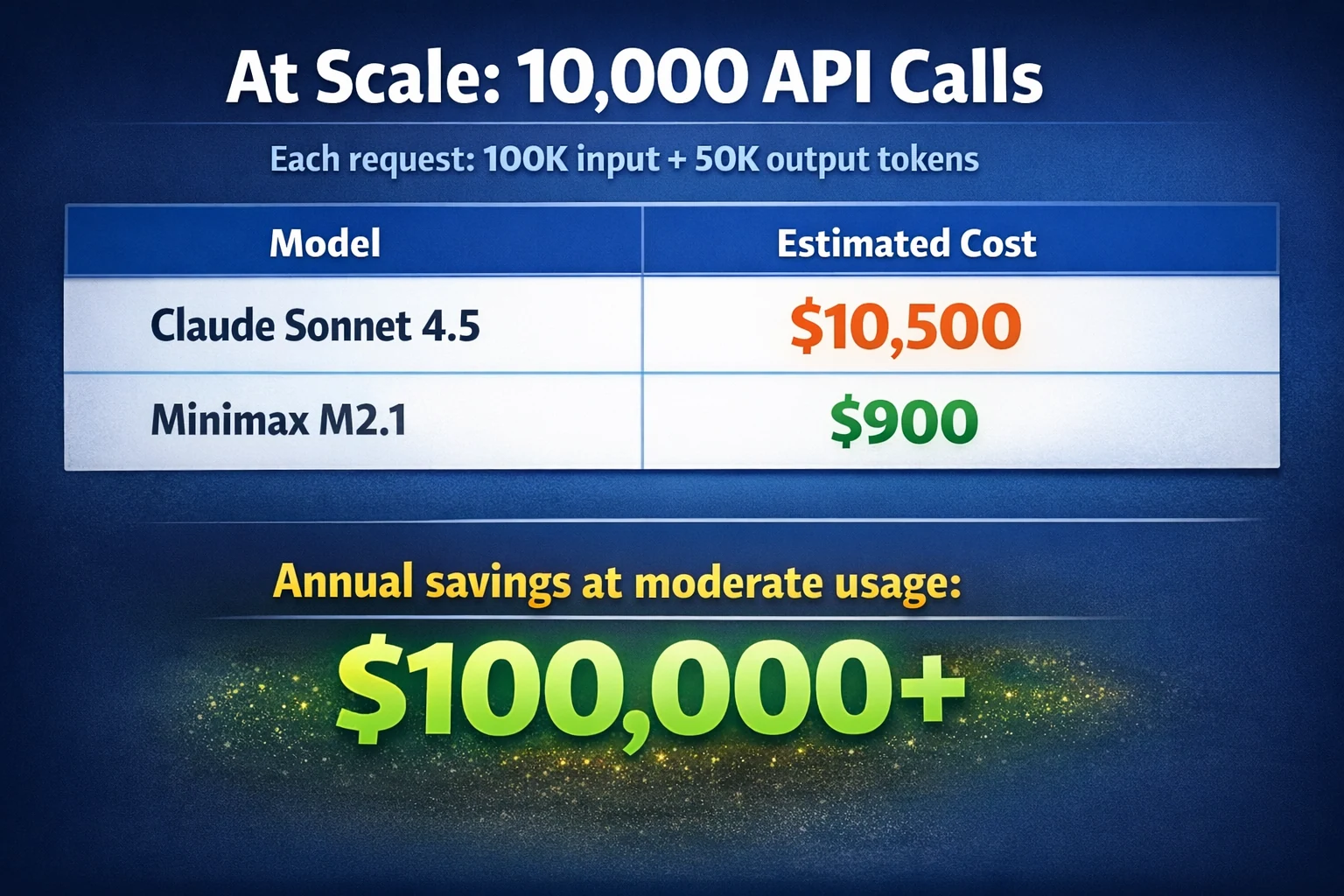
- Lower cost and faster responses compared to heavier large models.
- A model that leverages deep project context (repository awareness).
- Integration with agentic coding features (e.g., step planning, multi-file edits).
How to Use Minimax M2.1 in Cursor?
Prerequisite: Get an API Key
Novita AI provides Minimax
APIs with 204K context and costs of $0.3/1M input and $1.2/1M output, empowering MiniMax M2.1 to perform at its highest potential in agentic coding tasks.Novita AI
Step 1: Create your Account
Sign up for a Novita AI account. Once you’re logged in, you’ll begin by generating an API key, which you’ll use to authenticate requests.
Step 2: Generate your API Key
Navigate to Key Management and select Add New Key. This key serves as your request credential. It will only be displayed once, so make sure to copy it immediately and store it somewhere safe—you’ll need it for the steps that follow.
Step 3: Verify Model Access
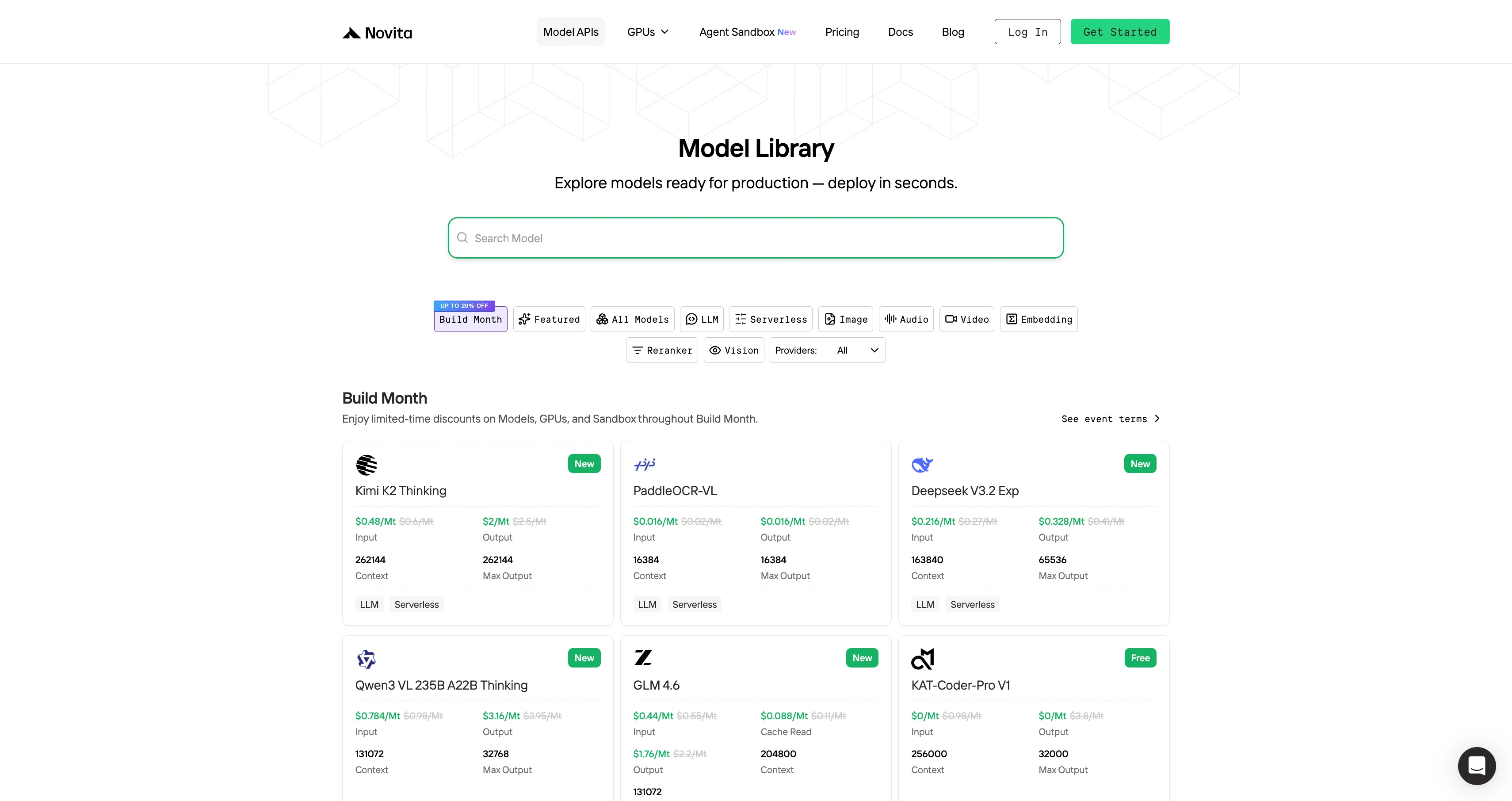
- Select a Model Name: You’ll need to copy the model name you want to use from Novita AI’s Model Library.
- API Endpoint:
https://api.novita.ai/openai - Compatibility: Full OpenAI API standard support
Complete Cursor Installation and Setting Guide
Step 1: Install and Activate Cursor
- Download the newest version of Cursor IDE from cursor.com
- Subscribe to the Pro plan to enable API-based features
- Open the app and finish the initial configuration
Step 2: Access Advanced Model Settings
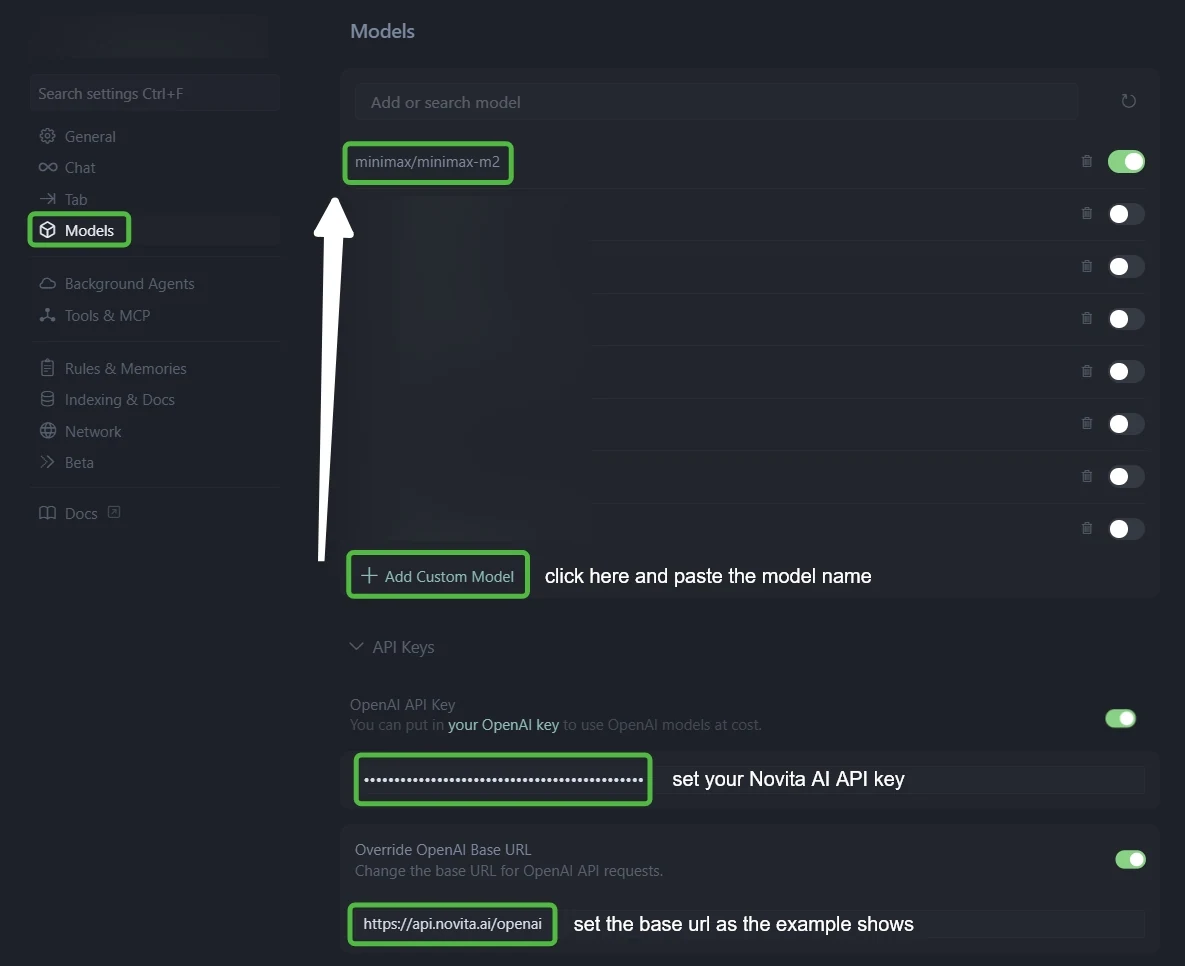
- Open Cursor Settings (use Ctrl + F to find it quickly)
- Navigate to the “Models” tab in the left menu
- Find the “API Configuration” section
Step 3: Configure Novita AI Integration
- Go to the API Keys settings.
- Enable both OpenAI API Key and Override OpenAI Base URL.
- Enter your Novita AI API key in the API Key field.
- Replace the Base URL with:
https://api.novita.ai/openai.
Step 4: Add Multiple AI Coding Models
Click ”+ Add Custom Model” and add each model:
minimax/minimax-m2qwen/qwen3-coder-480b-a35b-instructzai-org/glm-4.6deepseek/deepseek-v3.1moonshotai/kimi-k2-0905openai/gpt-oss-120bgoogle/gemma-3-12b-it
Step 5: Test Your Integration
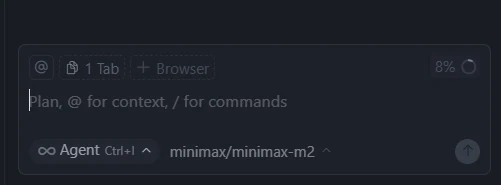
- Start new chat in Ask Mode or Agent Mode
- Try multiple models across different coding scenarios
- Confirm each model returns valid responses
By pairing Cursor’s deep codebase awareness with the agent-oriented design of MiniMax M2.1, developers gain fast, low-cost, long-context automation inside their IDE. The result is a system built for real workflows: multi-file refactors, mobile development, and long-running coding agents that operate reliably at scale.
Frequently Asked Questions
What is Cursor and how does it work with MiniMax M2.1?
Cursor is an AI-native code editor that understands your entire repository. When paired with MiniMax M2.1, it enables project-aware, multi-file reasoning and execution directly inside the IDE.
Why choose MiniMax M2.1 over other models in Cursor?
MiniMax M2.1 is optimized for agent loops, long contexts, and continuous coding, making it more stable and efficient for real engineering workflows than chat-first models.
Can MiniMax M2.1 handle large codebases inside Cursor?
Yes. MiniMax M2.1 supports a 204K-token context, allowing Cursor to pass whole-repo structure for cross-file refactors and long-session tasks.