Consistency is the Achilles’ heel of short AI-generated video: 5-second limits force mid-clip re-sampling that spawns sudden plot twists, wardrobe glitches and misaligned backgrounds. Novita AI’s latest upgrade unleashes Kling 1.6’s 10-second image-to-video (I2V) mode, doubling runtime for only twice the credit cost yet multiplying coherence.
Novita AI offers Kling 1.6 at highly affordable rates—just $0.27 for a 720P image-to-video (I2V) 5 second clip, and only $0.46 for a 1080P image-to-video (I2V) 10 second output. The 10-second video only costs twice the price.
Big Update: Novita AI Unleashes Kling 1.6 10 Second I2V Power!
Kling 10s
2*Kling 5s
Narrative Completeness
10 s run – enough time for a micro-story arc (setup → shift → payoff).
5 s × 2 – feels like two isolated fragments; the mid-cut disrupts flow.Character & Scene Consistency
10 s run – one diffusion pass keeps skin tones, clothing, and lighting steady across ~300 frames.
5 s × 2 – second pass re-samples latents, so fingers, props, or backgrounds can jump or misalign.Creative Headroom
10 s run – allows slow push-ins, 360° orbits, light-shift time-lapses, and gradual mood builds without seams.
5 s × 2 – tight window forces quicker cuts; long camera moves or particle effects risk visible resets.
What is Kling 1.6?
Key Features of Kling 1.6
Enhanced Motion Dynamics
Creates lifelike movements and natural facial expressions, resulting in smooth, realistic, emotionally engaging footage.
Improved Prompt Adherence
Interprets user instructions with exceptional precision, faithfully matching specified camera angles, transitions, and motion paths.
Superior Video Quality
Generates vibrant colours, detailed textures, and convincing lighting, delivering polished, professional-grade clips with minimal effort.
Why Choose Kling AI 1.6?
Time-Saving
Automated workflows and rapid rendering produce striking videos in minutes.
Cost-Efficient
Available free through MimicPC, eliminating the need for costly production tools or software licenses.
Creative Freedom
Advanced animation, seamless transitions, and customisable styles enable truly distinctive, eye-catching results.
Video Leaderboard: Kling 1.6 I2V
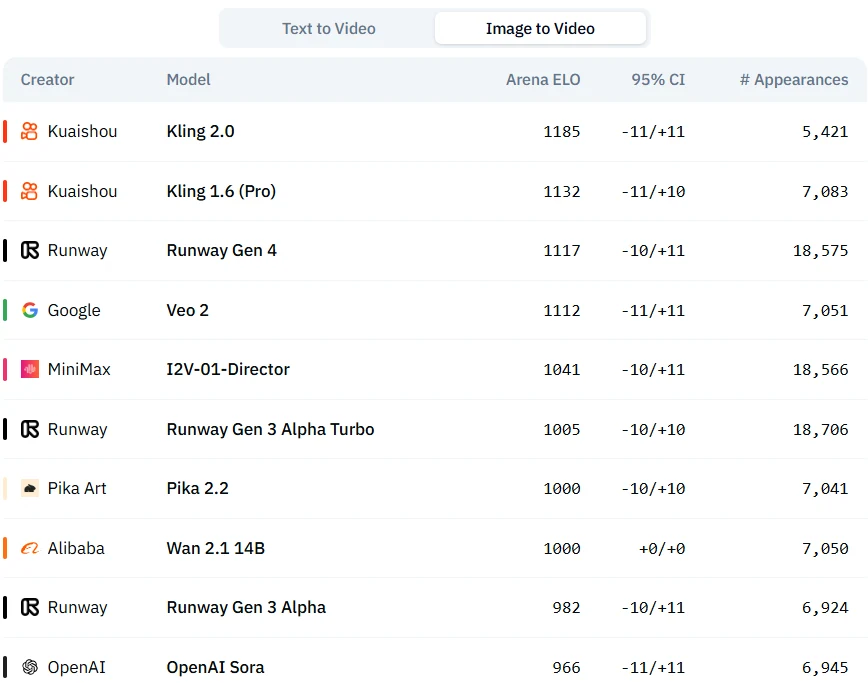
Source from Artificial Analysis
Key Benefits of 10-Second Video AI
Efficiency
- Drastically reduces video production time from hours or days to mere minutes.
- Enables rapid prototyping to quickly test creative ideas.
- Provides real-time responsiveness, ideal for urgent projects or immediate content needs.
Cost-Effectiveness
- Significantly lowers video production costs by reducing manpower and equipment requirements.
- Empowers small teams or individuals to produce professional-quality videos.
- Reduces trial-and-error expenses by generating multiple versions for comparison.
Creative Expansion
- Makes video creation accessible to non-experts, lowering the creative barrier.
- Supports quick iterations and experimentation with different visual styles.
- Offers creators inspiration and foundational materials for their projects.
Application
- Social Media Content: Designed for short video platforms to meet high-demand trends.
- Advertising and Marketing: Quickly generates promotional materials and dynamic ads.
- Education and Training: Produces engaging educational videos and training resources.
- Product Showcases: Creates professional product demonstrations and explainer videos.
How to Access Kling 1.6 I2V 10s?
Step 1: Log In and Access the Model Library
Log in to your account and click on the Model Library button.

Step 2: Choose Your Model
Browse through the available options and select the model that suits your needs.
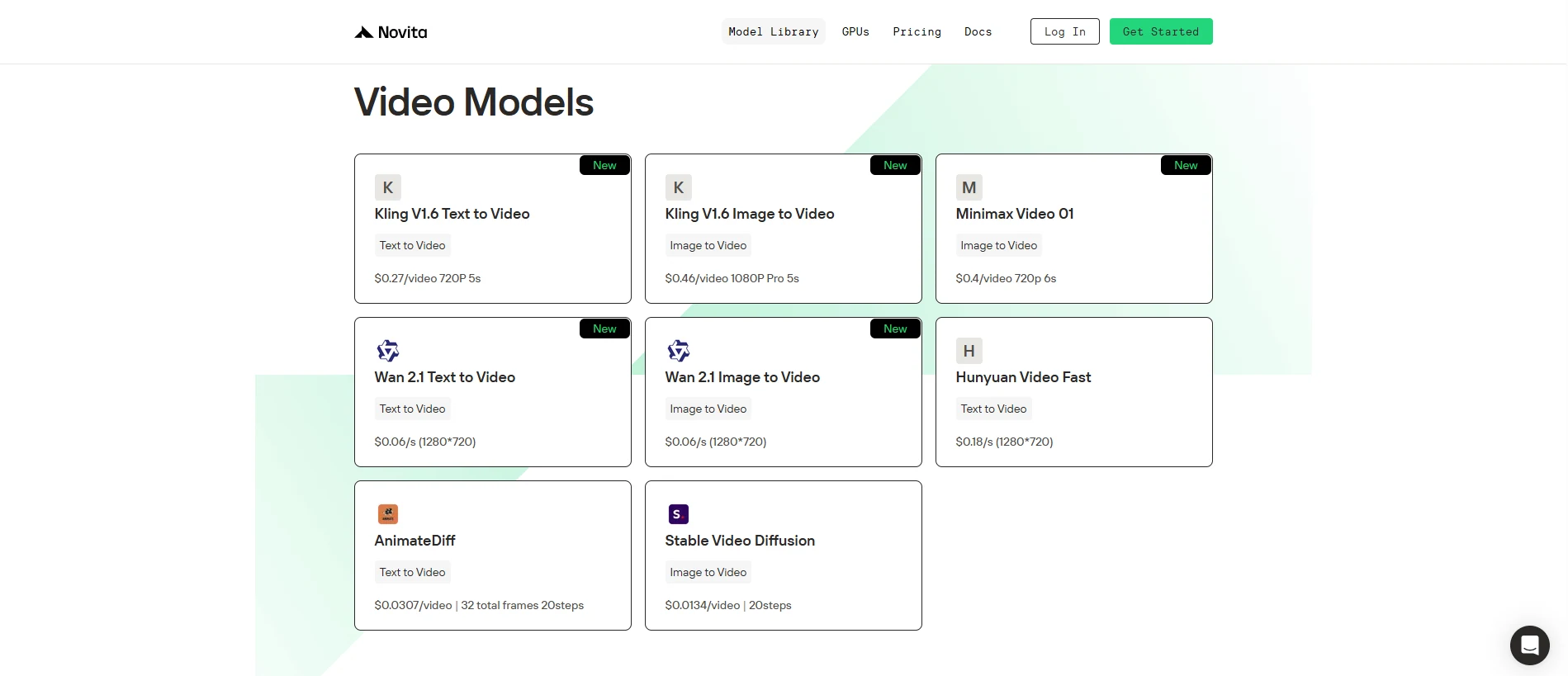
Step 3: Start your Free Trail
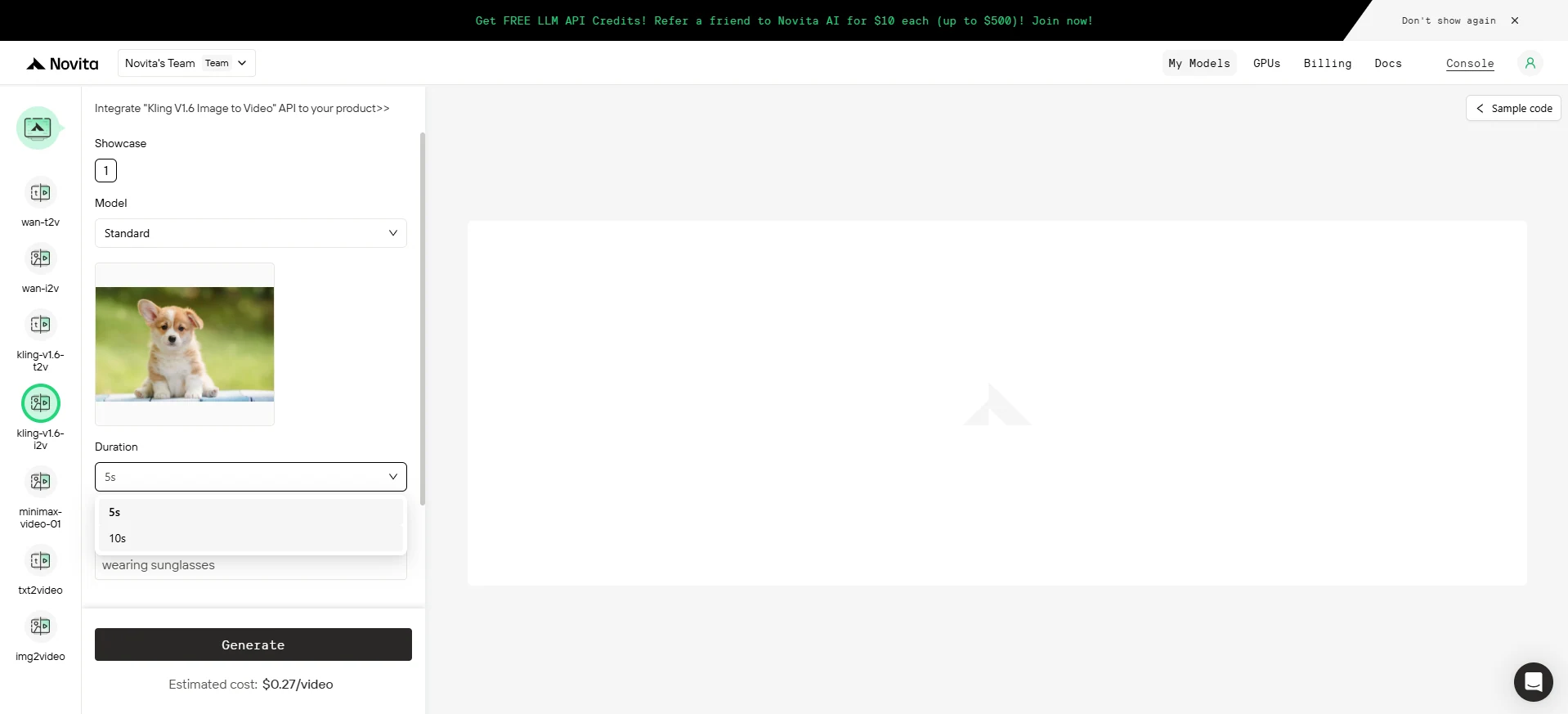
Step 4: Install the API
Install API using the package manager specific to your programming language.
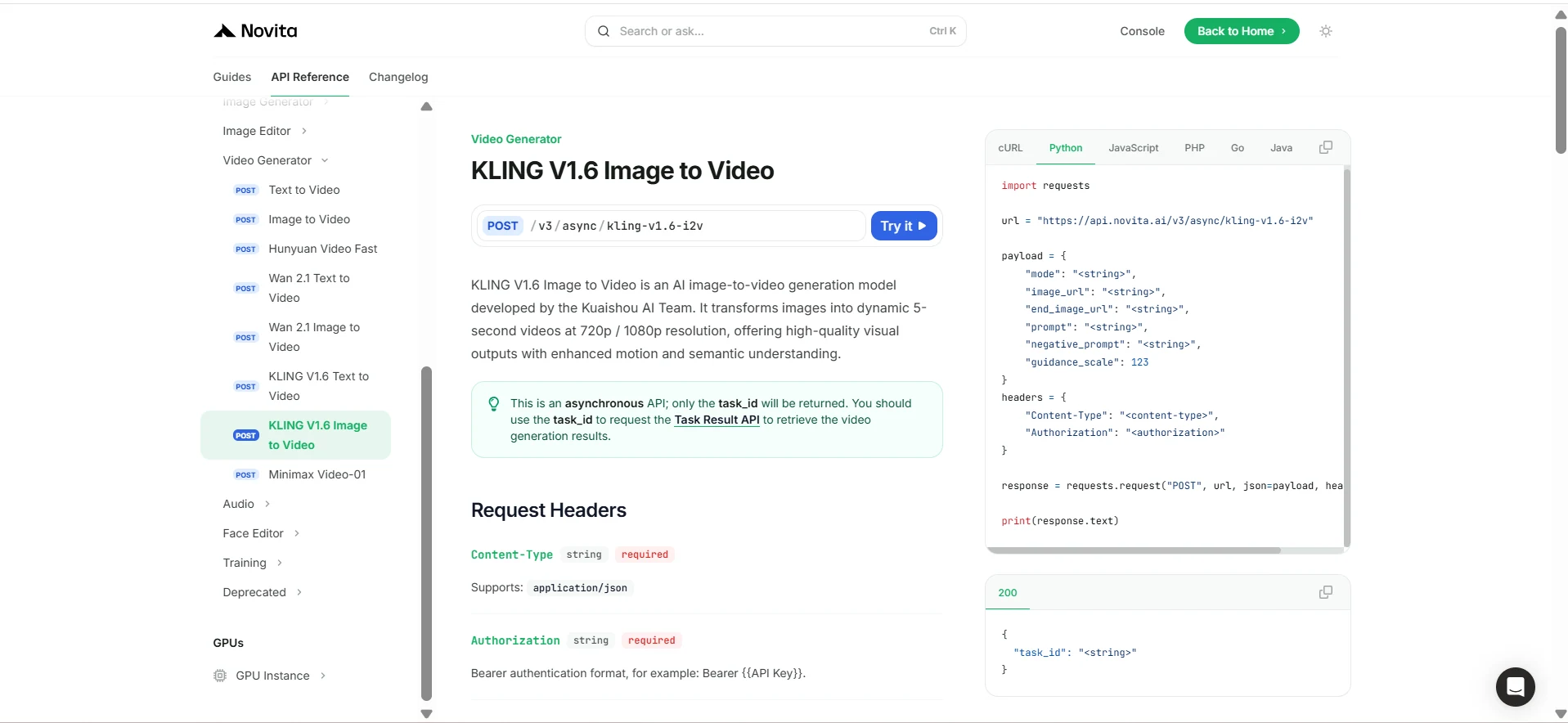
After installation, import the necessary libraries into your development environment. Initialize the API with your API key to start interacting with Novita AI LLM. This is an example of using chat completions API for python users.
import requests

url = "https://api.novita.ai/v3/async/kling-v1.6-i2v"

payload = {
    "mode": "<string>",
    "image_url": "<string>",
    "end_image_url": "<string>",
    "prompt": "<string>",
    "negative_prompt": "<string>",
    "guidance_scale": 123
}
headers = {
    "Content-Type": "<content-type>",
    "Authorization": "<authorization>"
}

response = requests.request("POST", url, json=payload, headers=headers)

print(response.text)
Kling 1.6’s 10-second I2V tier transforms rapid prototyping into studio-grade output: steadier visuals, richer storytelling, and creative moves previously impossible in a 5-second box. Try it free on Novita AI, plug the API into your pipeline, and ship polished videos in minutes—not days.
Frequently Asked Questions
What is Kling 1.6 I2V?
Kling 1.6 “Image-to-Video” turns a single still (or start + end frames) plus a text prompt into a fully animated clip.
Why move from 5 s to 10 s?
A single 10-second pass keeps lighting, props, and character design stable across ~300 frames, enabling smoother camera moves and micro-story arcs.
How do I try Kling 1.6?
Log in to Novita AI → Model Library → select Kling 1.6 I2V.
Use the web UI or call the serverless REST API
A free trial tier lets you test before upgrading.
Novita AI is the All-in-one cloud platform that empowers your AI ambitions. Integrated APIs, serverless, GPU Instance — the cost-effective tools you need. Eliminate infrastructure, start free, and make your AI vision a reality.