In high-performance computing and professional graphics processing, selecting the right GPU is crucial for business operational efficiency and cost control. This article provides an in-depth comparison between the NVIDIA RTX 4090 vs RTX 6000 Ada to help businesses make informed decisions.
Overview of the NVIDIA RTX 4090
Target Audience
The RTX 4090 primarily serves business users requiring powerful computing capabilities, including:
- Small to medium-sized AI development teams
- 3D rendering studios
- Game development studios
- Content creation enterprises
Key Features
- Architecture: Ada Lovelace
- CUDA Cores: 16,384
- VRAM: 24GB GDDR6X memory
- Clock Speeds: 2,235 MHz base, up to 2,520 MHz boost
- Power: 450W TGP
- DLSS 3: Support for latest DLSS 3 framework for enhanced performance
Performance
- Gaming: Excellent performance for game development testing
- Content Creation: Superior performance in 3D rendering and video editing
- AI and Machine Learning: Suitable for small to medium-scale AI training and inference
- Ray Tracing: Third-generation RT cores for outstanding ray tracing performance
Benchmark tests consistently show the RTX 4090 outperforming previous generation cards by 50-70% in most applications, setting a new standard for consumer GPU performance.
Overview of the NVIDIA RTX 6000 Ada
Target Audience
The RTX 6000 Ada targets more demanding professional users:
- Enterprise-level AI research departments
- Professional visualization studios
- High-end engineering design firms
Key Features
- Architecture: Ada Lovelace
- CUDA Cores: 18,176
- VRAM: 48GB GDDR6 ECC memory
- Clock Speeds: 915 MHz base, up to 2,505 MHz boost
- Power: 300W TGP
- Certified Drivers: Optimized for professional software like Siemens NX and ANSYS.
Performance
- Professional Visualization: Excels in applications like Autodesk Maya, 3ds Max, and SolidWorks, providing smooth performance even with the most complex models.
- AI and Deep Learning: The expanded memory capacity allows for larger neural networks and datasets to be processed efficiently.
- Scientific Computing: Performs exceptionally well in CUDA-accelerated scientific applications, making it ideal for research institutions.
- Rendering: Offers outstanding performance in professional rendering engines like V-Ray, Arnold, and Redshift.
- Virtualization: Supports NVIDIA Virtual GPU (vGPU) technology, enabling multiple users to share GPU resources in virtualized environments.
Direct Comparison and Key Differentiators
Professional vs. Consumer Design Philosophy
While both cards target enterprise users, their approaches differ markedly. The RTX 6000 Ada emphasizes enterprise-grade reliability with 24/7 operation capability, advanced thermal design, and 8-way NVLink scalability. In contrast, the RTX 4090 prioritizes performance-per-dollar with professional capabilities in a more conventional package, supporting 2-way GPU configurations.
Memory Systems: Beyond the Specifications
| Feature | RTX 4090 | RTX 6000 Ada |
|---|---|---|
| VRAM | 24GB GDDR6X | 48GB ECC GDDR6 |
| Bandwidth | 1,008 GB/s | 960 GB/s |
| ECC Memory | No | Yes |
Memory architecture highlights distinct use cases. The RTX 4090’s 24GB GDDR6X delivers higher bandwidth for performance-intensive tasks, making it ideal for rendering and AI training. The RTX 6000 Ada’s 48GB ECC GDDR6 memory ensures data integrity for mission-critical workloads, with superior virtualization support.
Software Ecosystem
The RTX 4090 offers broader software compatibility with regular performance-focused updates, suitable for development and creative workflows. The RTX 6000 Ada features certified drivers for professional applications, priority enterprise support, and enhanced security features.
Total Cost of Ownership Analysis
| Factor | RTX 4090 | RTX 6000 Ada |
|---|---|---|
| Upfront Cost | $1,599 | $6,800 |
| Cloud Service(Novita AI) | $0.35/hr | $0.7/hr |
| Power Consumption | 450W | 300W |
| Resale Value | ~40-50% after 3 years | ~60-70% after 3 years |
| Enterprise Support | Limited | 5-year warranties, 24/7 support |
Initial investment varies significantly ($6,800 for RTX 6000 Ada vs $1,599 for RTX 4090), with additional considerations for power consumption (300W vs 450W), cooling requirements, and long-term support costs. The choice impacts operational expenses, maintenance, and potential upgrade paths.
Making the Right Choice
When to Choose RTX 4090
The RTX 4090 presents an optimal choice for organizations where performance and cost-efficiency are primary concerns. It excels in environments requiring:
- Machine learning development and testing
- 3D visualization and rendering
- Content creation workflows
- Development environments
- Medium-scale AI training
When to Choose RTX 6000 Ada
Consider the RTX 6000 Ada when reliability and enterprise features are non-negotiable, particularly for:
- Production AI deployments
- Mission-critical applications
- Multi-user environments
- Scientific computing
- Enterprise virtualization
Choosing Novita AI for Cloud GPU Services
Novita AI provides enterprise-grade cloud GPU infrastructure featuring both RTX 4090 and RTX 6000 Ada options, enabling organizations to leverage high-performance computing capabilities without capital expenditure. For development teams requiring the raw computing power of the RTX 4090 or enterprise operations demanding the professional-grade RTX 6000 Ada with ECC memory, Novita AI’s enterprise platform delivers scalable resources with guaranteed performance. Our solution eliminates infrastructure management overhead and technology refresh cycles while offering consumption-based pricing, making advanced GPU computing a strategic advantage for businesses focusing on AI development, scientific computing, and professional visualization workloads.
To start using Novita AI, simply follow these steps:
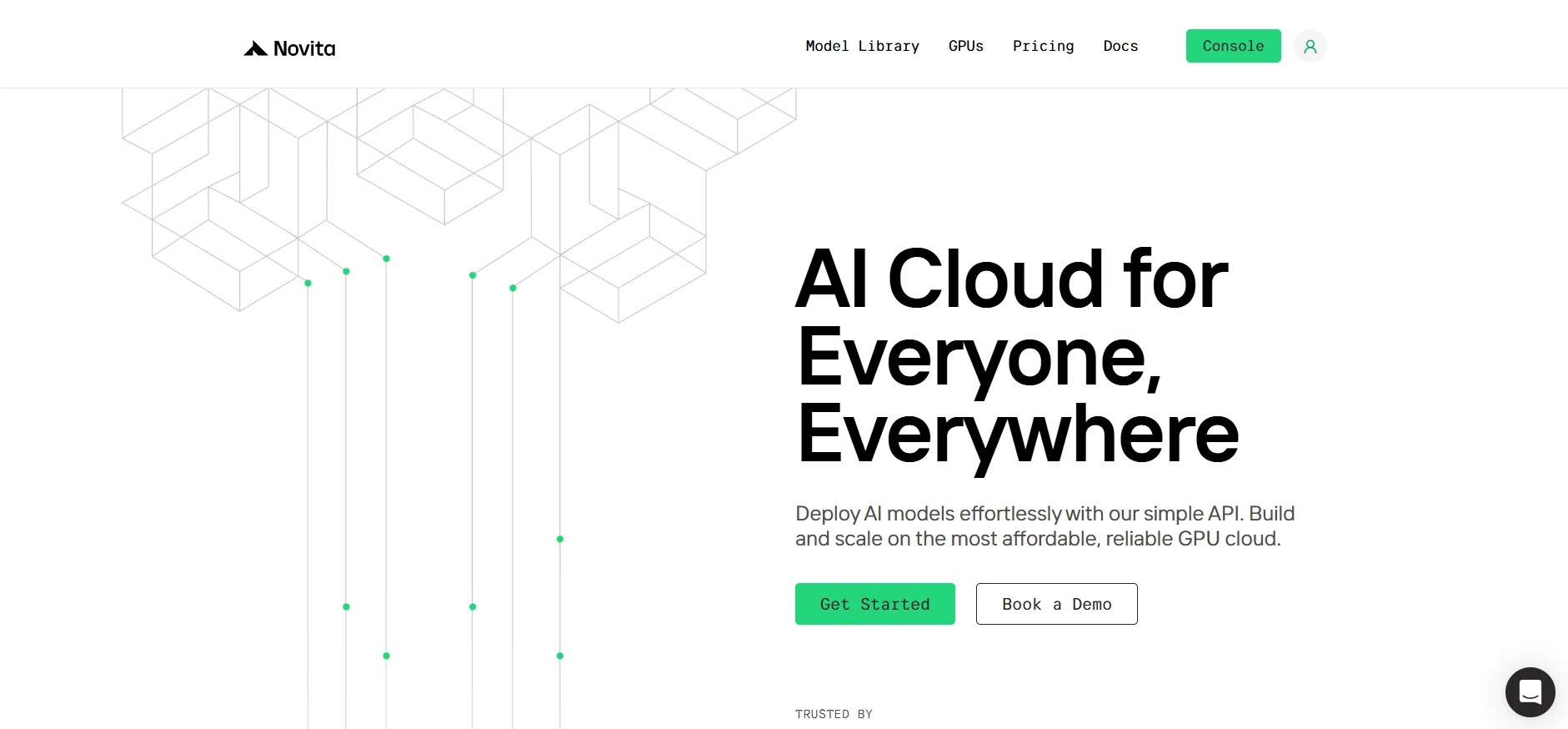
Step1:Register an account
Create your Novita AI account through our website. After registration, go to the “[GPUs](https://novita.ai/gpus/?utm_source=blogs_GPU&utm_medium=article&utm_campaign=NVIDIA RTX 4090 vs. RTX 6000 Ada: Choosing the Right GPU for Your Needs)” tab to view available resources and begin your journey.
[Try Novita AI now](https://novita.ai/?utm_source=blogs_GPU&utm_medium=article&utm_campaign=NVIDIA RTX 4090 vs. RTX 6000 Ada: Choosing the Right GPU for Your Needs)
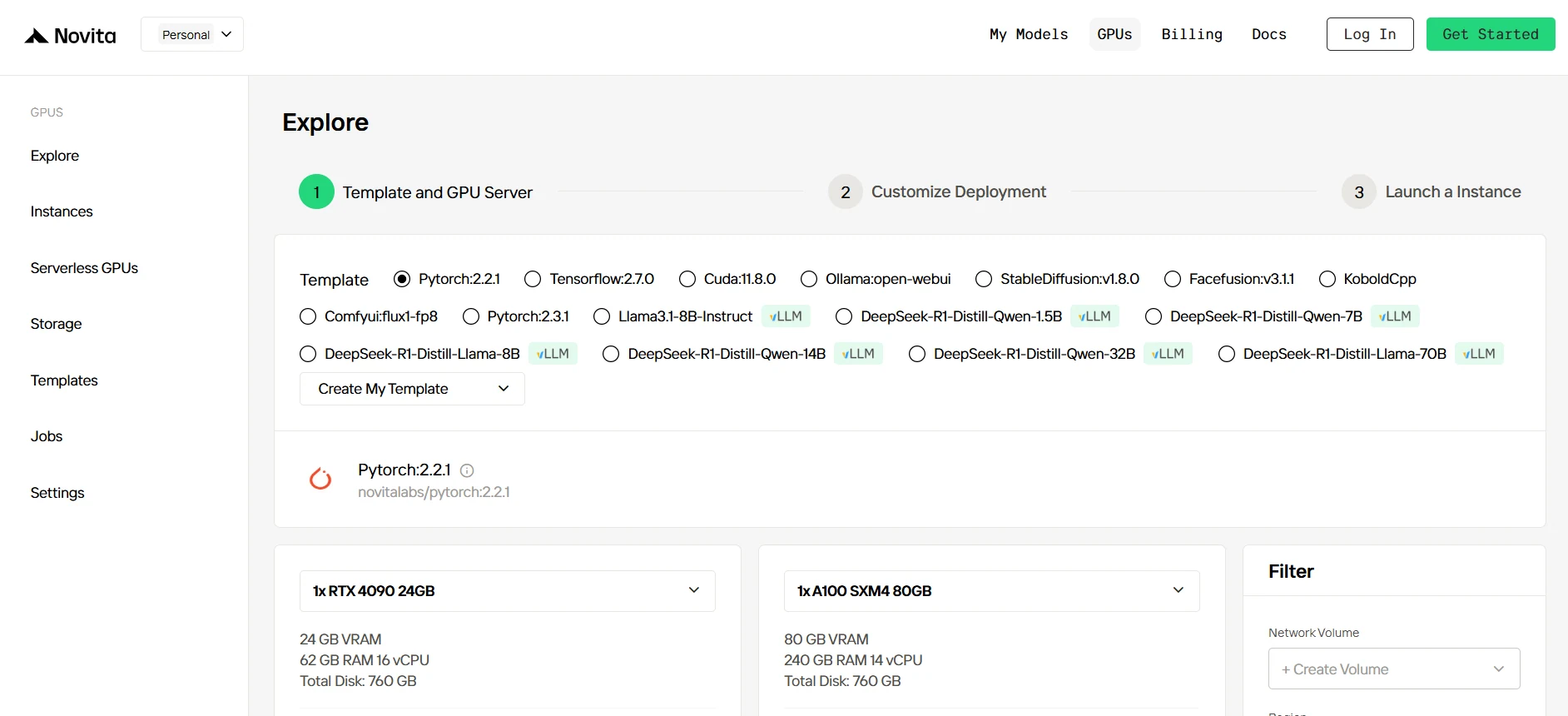
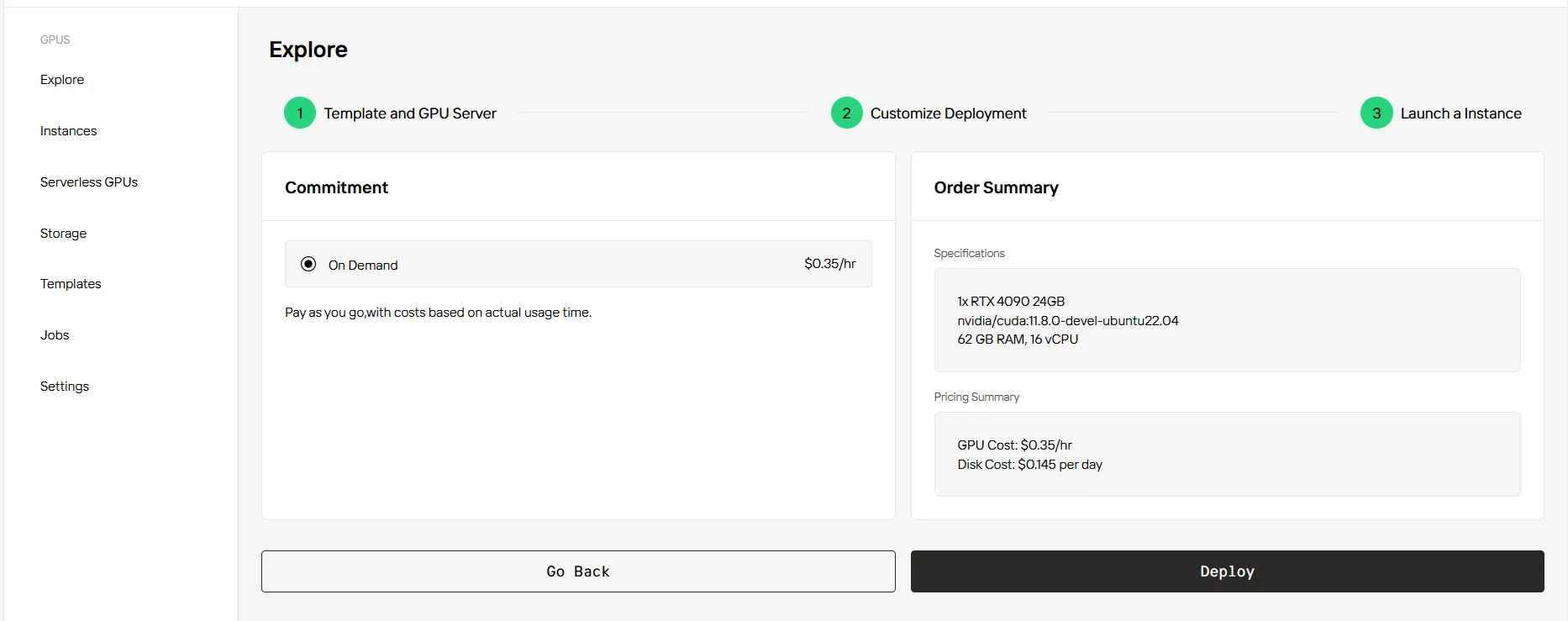
Step2:Exploring Templates and GPU Servers
Choose from templates like PyTorch, TensorFlow, or CUDA that match your project needs. Then select your preferred GPU configuration—options include the powerful RTX 4090 or RTX 6000 Ada, each with different VRAM, RAM, and storage specifications.
[Try Novita AI’s High-Performance GPUs](https://novita.ai/gpus-console/?utm_source=blogs_GPU&utm_medium=article&utm_campaign=NVIDIA RTX 4090 vs. RTX 6000 Ada: Choosing the Right GPU for Your Needs)
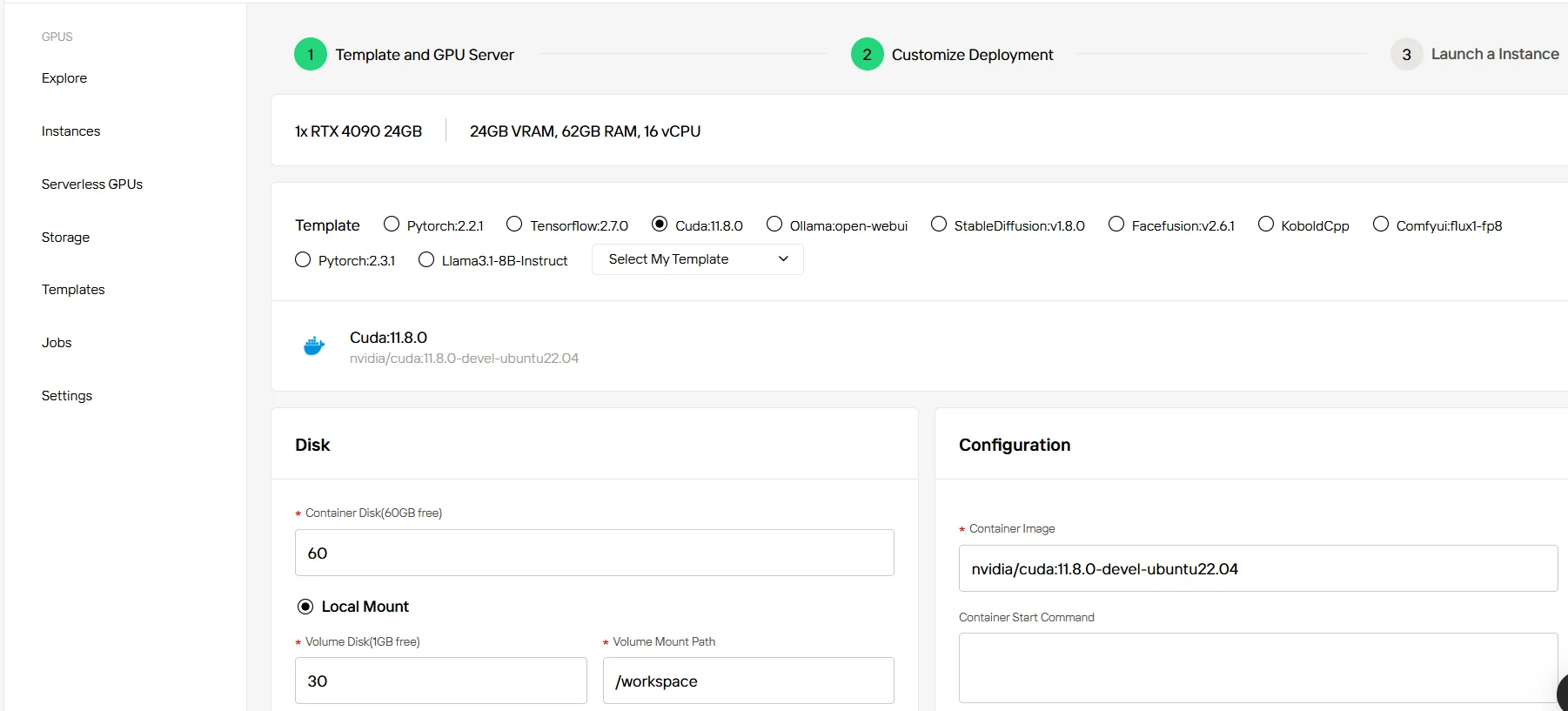
Step3:Tailor Your Deployment
Fine-tune your deployment by adjusting parameters such as operating system version and other configuration settings to optimize for your specific workload requirements.
Step4:Launch an instance
Click “Launch Instance” to deploy your configured environment. Within minutes, you’ll have access to high-performance GPU resources ready for your machine learning, rendering, or computational tasks.
Conclusion
The choice between the RTX 4090 and RTX 6000 Ada ultimately depends on your organization’s specific needs and constraints. The RTX 4090 offers exceptional performance for cost-conscious operations, while the RTX 6000 Ada provides enterprise-grade reliability and features for mission-critical applications. Consider NOVITA AI’s cloud services as a flexible alternative when capital expenditure or resource management becomes a concern. Regular evaluation of your requirements and workload patterns will ensure optimal resource utilization and return on investment.
Frequently Asked Questions
Is the RTX 6000 Ada worth the price premium over the RTX 4090?
For professional workloads requiring 48GB VRAM, ECC memory, and certified drivers, the RTX 6000 Ada’s premium is justified. For gaming and most content creation, the RTX 4090 offers significantly better value at less than 25% of the price.
What are the key virtualization capabilities of each GPU?
The RTX 6000 Ada provides comprehensive virtualization support with features like GPU partitioning and multi-user access. The RTX 4090’s virtualization capabilities are more limited, focusing on single-user workstation scenarios. This difference significantly impacts enterprise deployment options.
Can I use these GPUs in a multi-GPU setup?
Yes, but the RTX 6000 Ada is better suited for multi-GPU configurations due to its dual-slot design, lower power consumption (300W vs 450W), and professional driver optimizations for such setups.
[Novita AI](https://novita.ai/?utm_source=blogs_GPU&utm_medium=article&utm_campaign=NVIDIA RTX 4090 vs. RTX 6000 Ada: Choosing the Right GPU for Your Needs) is an AI cloud platform that offers developers an easy way to deploy AI models using our simple API, while also providing the affordable and reliable GPU cloud for building and scaling.
Recommended Reading
What is GPU Cloud: A Comprehensive Guide



