Kling 2.0 is making waves as a serious rival to OpenAI’s Sora, with cool camera moves, longer videos, and better scene control. But does it really live up to the hype? While Kling 2.0 is still on the way on Novita AI , you can already try Kling 1.6 on Novita AI at super low prices—just $0.27 for a 5-second 720P T2V video, and $0.46 for a 1080P I2V one. So is Kling 2.0 worth the wait? What can it do better—and where does it still mess up? In this post, we’ll break it all down and share tips to get the best results when you use it.
Simple Version of Kling 2.0 and Kling 1.6
I2V Version of Kling 2.0 and Kling 1.6
Prompt: POV of a soldier riding fast on a horse in a snowy battle field, a giant is in the front shouting and fighting the men around. Game of thrones style

Kling 2.0
Kling 1.6
I2V Version of Kling 2.0 and Kling 1.6
Prompt:In a dimly lit bar, purplish light bathes the face of a mature man, his eyes blinking thoughtfully as he ponders in close-up, the background artfully blurred to focus on his introspective expression, the ambiance of the bar a mere suggestion of shadows and soft lighting.
Kling 2.0
Kling 1.6
From Short Clips to Cinematic Quality: Kling 2.0 and Kling 1.6
Kling 1.6 employs a Diffusion Transformer (DiT) architecture, integrated with a 3D spatiotemporal joint attention mechanism. This enables the model to generate video outputs with smooth motion transitions and realistic physical interactions. The design ensures spatial and temporal coherence, laying the groundwork for cinematic-quality generation.
Kling 2.0 retains and advances this architecture. It strengthens semantic alignment between text and visual output, allowing the model to interpret nuanced prompts with higher precision. The enhanced Diffusion Transformer enables deeper comprehension of how textual descriptions map to scene dynamics, improving both fidelity and prompt consistency across extended sequences.
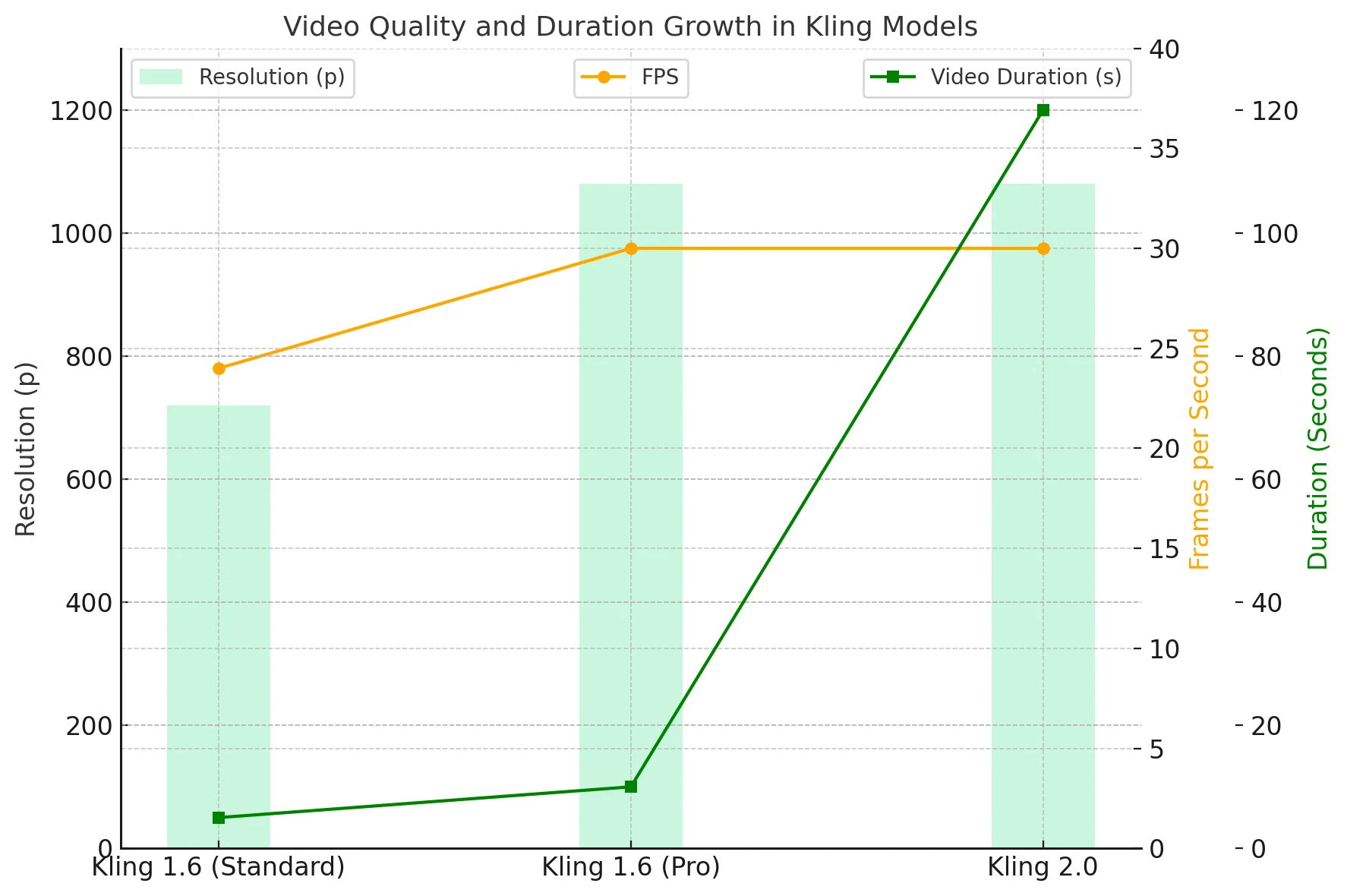
- Resolution: Increased from 720p to 1080p
- Frame Rate: Upgraded from 24fps/30fps to a consistent 30fps
- Duration: Extended from 5 seconds to up to 2 minutes (120 seconds)
Performance Enhancement: Kling 2.0 and Kling 1.6
Source from Artificial Analysis
Source from Artificial Analysis
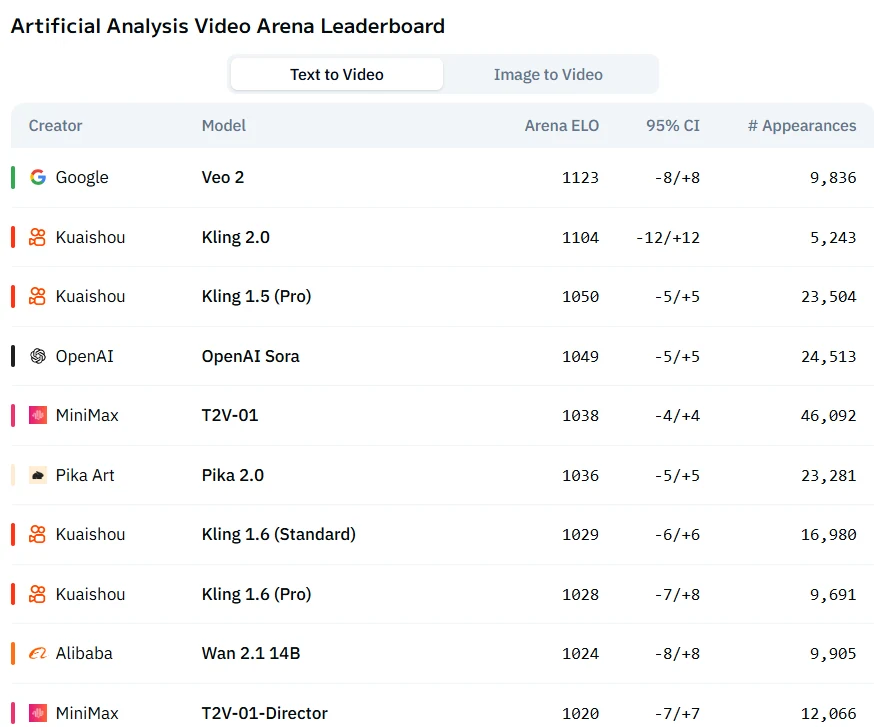
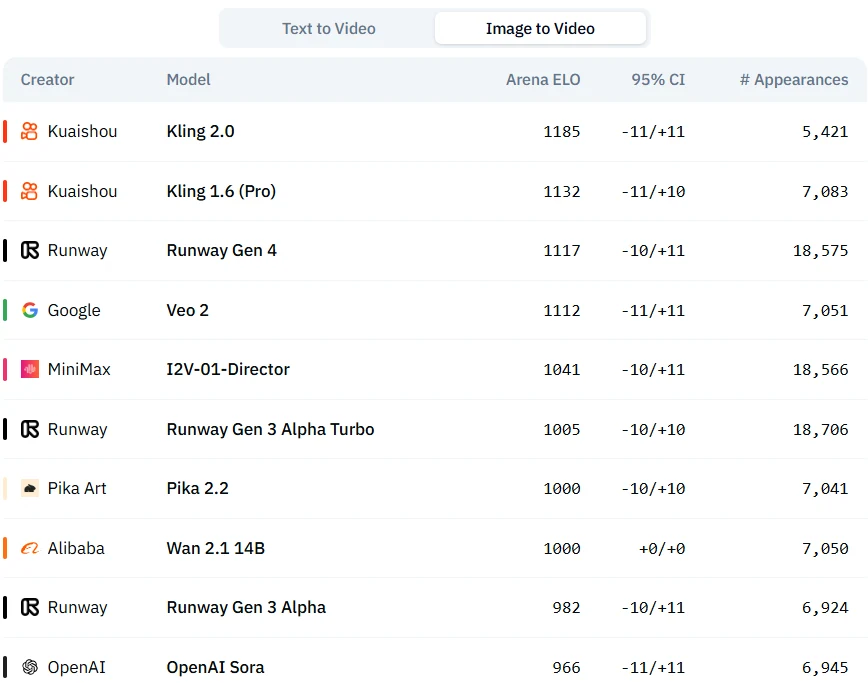
In both “Image to Video” and “Text to Video” modes, Kling 2.0 outperforms Kling 1.6 (Pro) in Arena ELO ratings while having similar confidence - interval ranges, yet Kling 1.6 series seems more widely used currently.
From Snippets to Stories: Kling 2.0’s Cinematic Breakthrough
1. Cinematic Camera Control
Kling 2.0 understands how a camera should move in a scene:
- Executes dolly shots, pans, and overhead flyovers with realism
- Preserves depth of field across multiple frames
- Responds to virtual lighting cues like a pro studio setup
Whether you’re aiming for a centered Wes Anderson zoom or a foggy, handheld push-in, Kling delivers the vibe without overengineering your prompt.
2. Spatial & Environmental Coherence
Forget flickering shadows or melting backgrounds—Kling 2.0 locks the world in place:
- Shadows stick to objects accurately
- Reflective surfaces respond properly to motion and light
- Backgrounds stay consistent, even during complex motion
This unlocks reliable scene transitions, moody environmental shots, and longer motion sequences with professional polish.
3. Extended Video Generation
Kling 2.0 finally breaks the short-form ceiling:
Maintains prompt fidelity and internal consistency far beyond the 5-second limit of other models
Supports videos up to 2 minutes long
Delivers stable quality for 30s product trailers, 1-minute music visuals, even 90s narrative reels
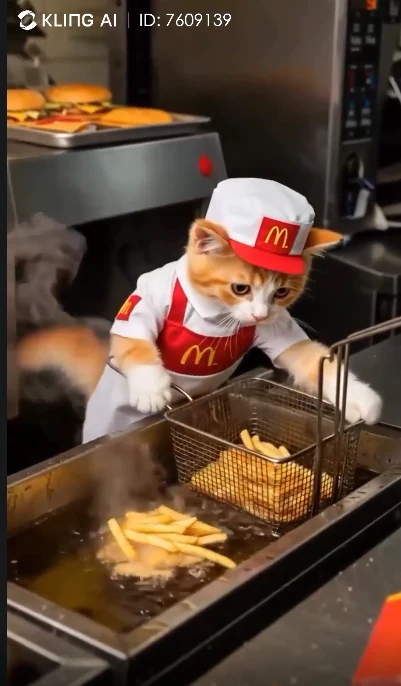
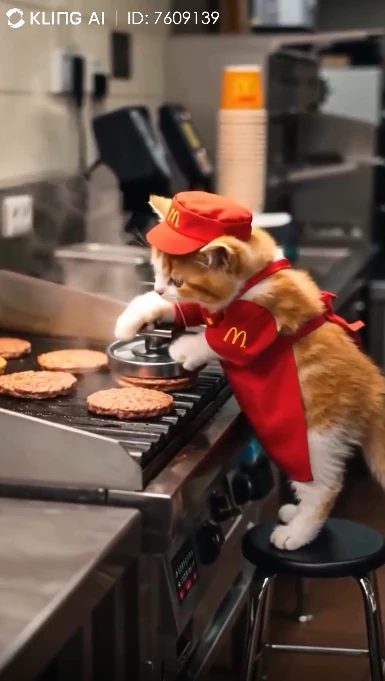
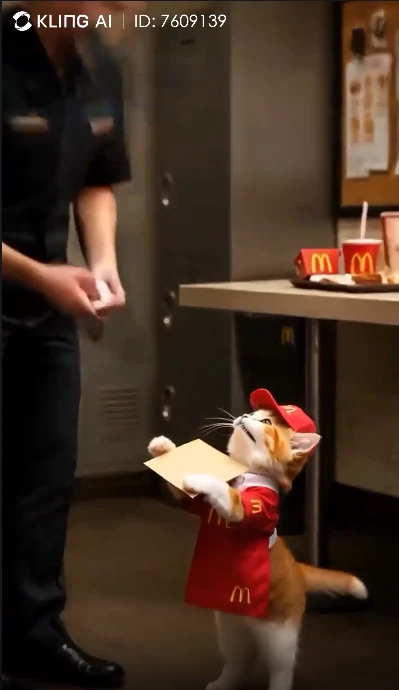
You can experience this capability directly from the video! Or start your free trial on Novita AI at an incredibly low cost today!
How to Access Kling 1.6 on Novita AI?
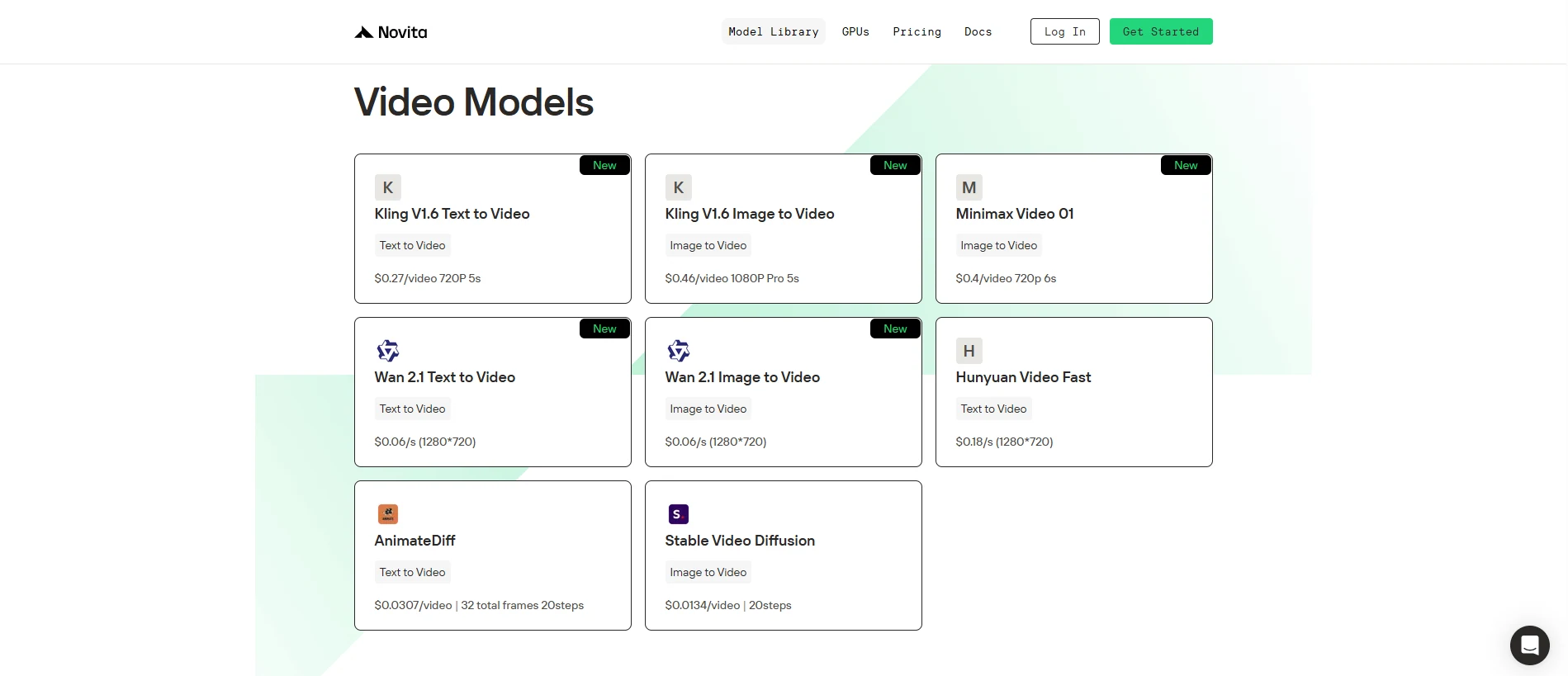
Novita AI offers Kling 1.6 at highly affordable rates—just $0.27 for a 720P text-to-video (T2V) 5-second clip, and only $0.46 for a 1080P image-to-video (I2V) 5-second output. As for Kling 2.0, Novita AI is actively working on integration—stay tuned!
Step 1: Log In and Access the Model Library
Log in to your account and click on the Model Library button.

Step 2: Choose Your Model
Browse through the available options and select the model that suits your needs.
Step 3: Start your Free Trail
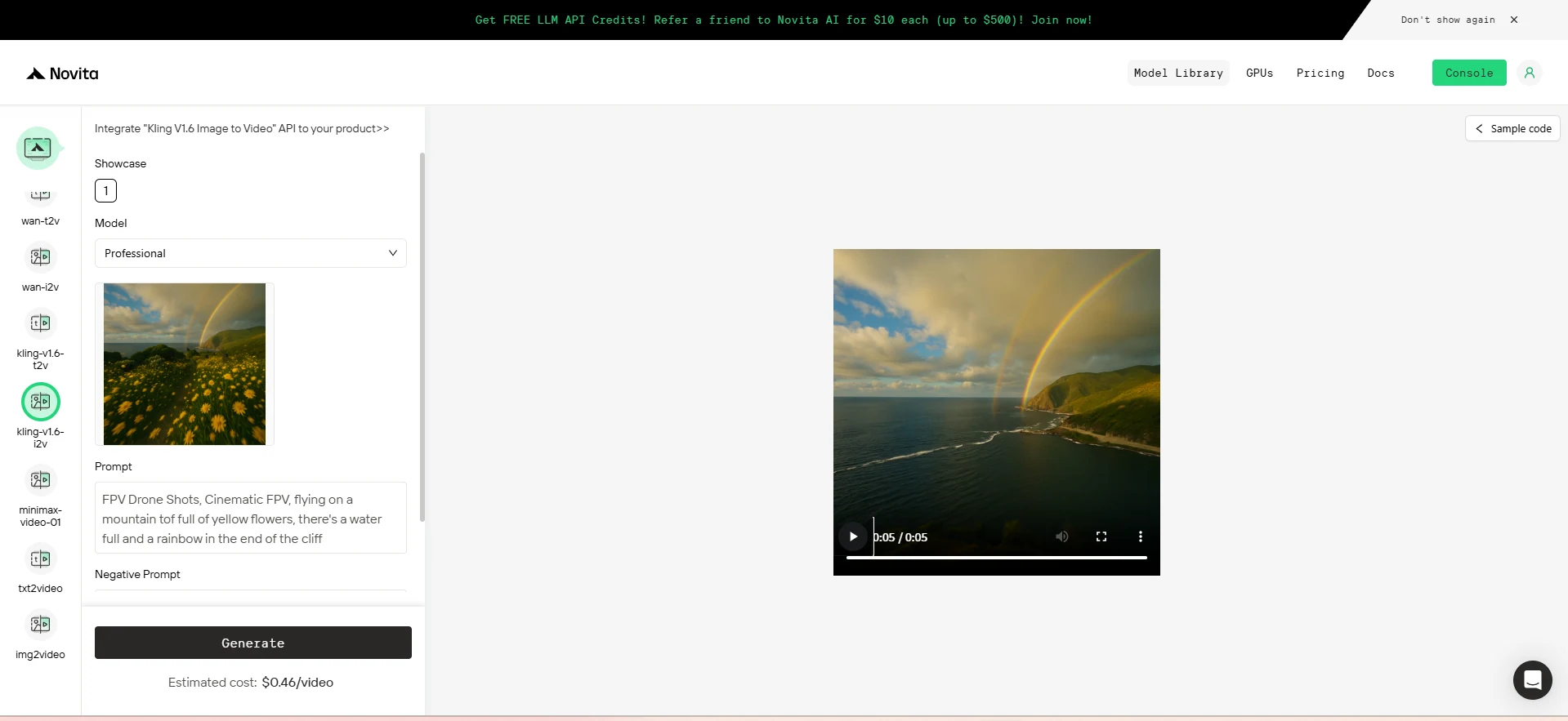
Step 4: Install the API
Install API using the package manager specific to your programming language.
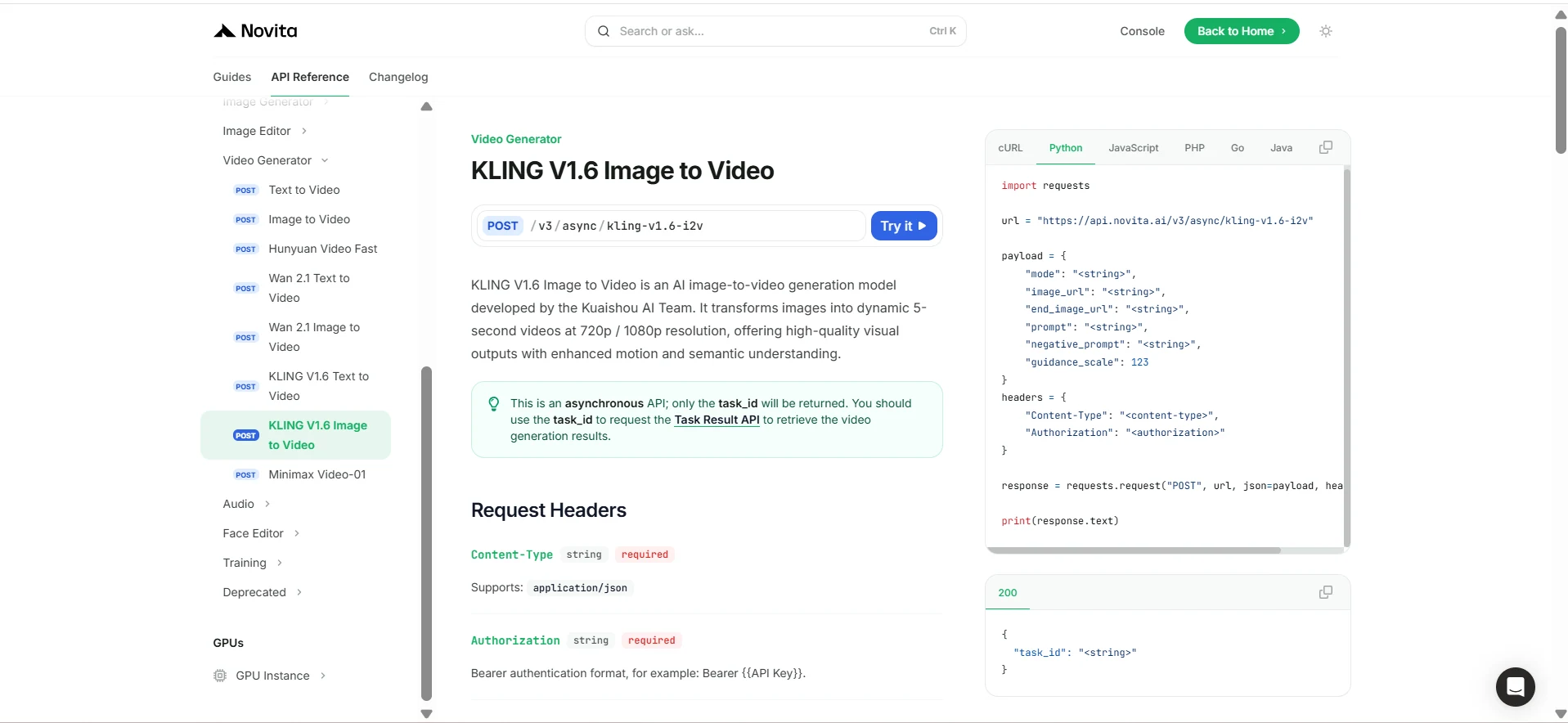
After installation, import the necessary libraries into your development environment. Initialize the API with your API key to start interacting with Novita AI LLM. This is an example of using chat completions API for python users.
import requests

url = "https://api.novita.ai/v3/async/kling-v1.6-i2v"

payload = {
    "mode": "<string>",
    "image_url": "<string>",
    "end_image_url": "<string>",
    "prompt": "<string>",
    "negative_prompt": "<string>",
    "guidance_scale": 123
}
headers = {
    "Content-Type": "<content-type>",
    "Authorization": "<authorization>"
}

response = requests.request("POST", url, json=payload, headers=headers)

print(response.text)
Tips for Using Kling 2.0 Effectively
| Principle | Description | Common Issues |
|---|---|---|
| Keep It Simple – One Beat at a Time | Overloading a prompt with multiple events can cause instability. | Skipped actions- Scene drift- Jumbled sequences |
| One Character Works Best | Multi-character interactions often introduce errors or visual confusion. | Awkward hugs and handshakes- Off-beat choreography- Limb clipping or merging |
| Realism by Default – Not Always Ideal | Kling defaults to cinematic realism, which may clash with stylized goals like 2D, comic, or anime aesthetics. | Flat 2D styles not rendered- Comic/anime prompts still appear photorealistic |
Frequently Asked Questions
Can I use Kling 2.0 for anime or comic-style animation?
Kling defaults to cinematic realism. Use strong image references to steer style direction, especially for 2D or stylized outputs.
What if I want multiple characters interacting?
Kling 2.0 may struggle with complex character interactions. For best results, break scenes into isolated clips and merge them later.
Is Kling 2.0 available now on Novita AI?
Not yet—but Novita AI is actively integrating it. You can already try Kling 1.6 with T2V and I2V for as low as $0.27 per video.
Novita AI is the All-in-one cloud platform that empowers your AI ambitions. Integrated APIs, serverless, GPU Instance — the cost-effective tools you need. Eliminate infrastructure, start free, and make your AI vision a reality.