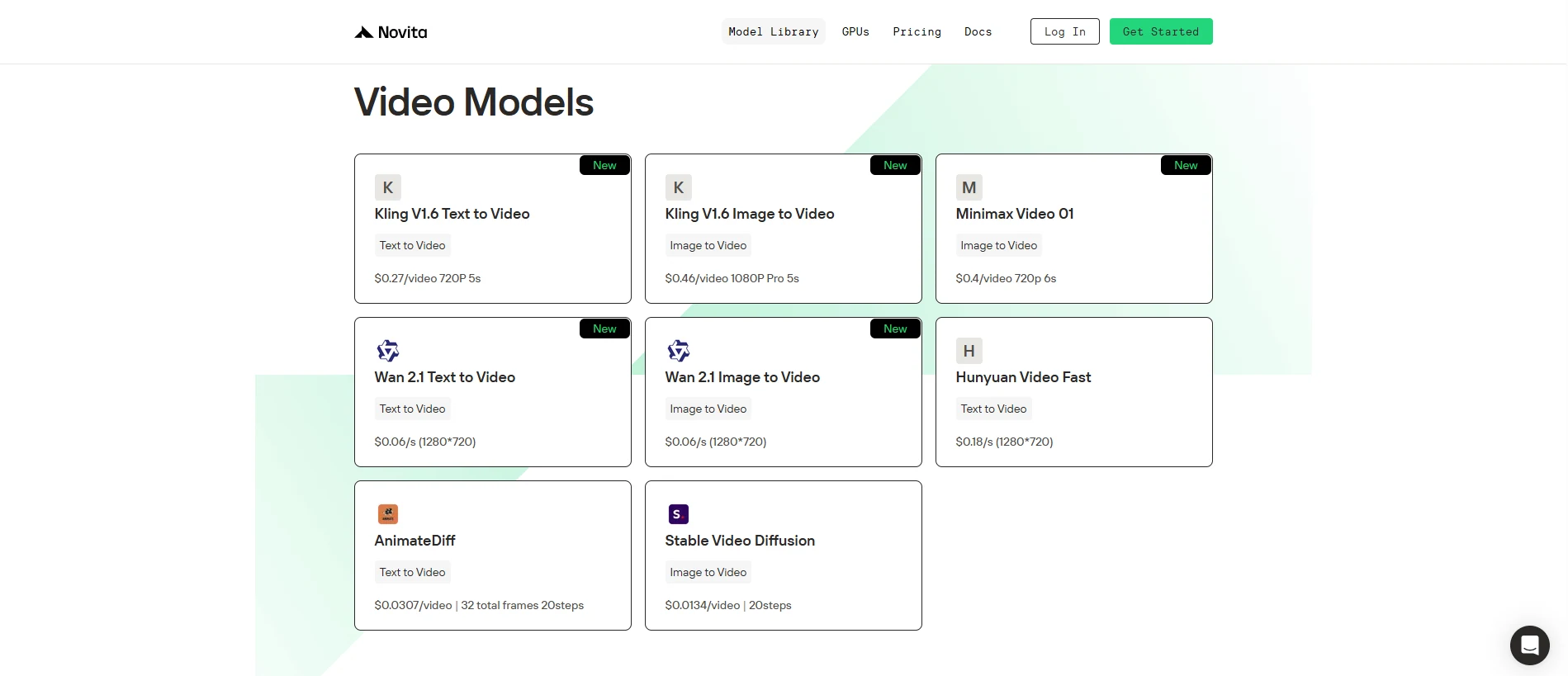
Novita offers highly competitive pricing in the market.
For example, a Kling 1.6 720P T2V 5-second video costs only $0.27 per video
Kling 1.6 T2V is a cutting-edge text-to-video model that transforms simple text prompts into vivid, cinematic-quality videos. With enhanced prompt understanding, faster rendering, and advanced motion control, Kling 1.6 T2V empowers creators to easily produce professional-grade content in seconds.
Kling 1.6 T2V
Prompt: a towering ancient tree in the center of a misty forest, its branches forming natural bridges to nearby cliffs, glowing bioluminescent plants growing at its roots, and a lone traveler with a lantern standing in awe at its base during twilight.
Key Features of Kling 1.6
Ease of Use and Prompt Handling:
Kling 1.6 enables users to effortlessly generate videos by inputting descriptive text prompts, whether brief or detailed. The model interprets these prompts with high precision, producing videos that closely align with the described scenes, actions, and settings. Compared to earlier versions, Kling 1.6 offers enhanced prompt processing for more accurate and realistic outputs.
Video Quality and Realism:
Producing videos at up to 1080p resolution and 30 frames per second, Kling 1.6 delivers smooth motion and high visual fidelity. It leverages advanced techniques, including a Diffusion Transformer Architecture, to minimize flickering and maintain frame coherence, resulting in cinematic-quality visuals with realistic lighting, skin textures, and natural character movements.
Advanced Motion and Camera Controls:
Users can manipulate camera movements—such as pan, tilt, zoom, roll, and combined motions (e.g., panning left while zooming in)—to add dynamic storytelling elements. These capabilities allow creators to craft engaging, cinematic experiences directly from text prompts.
Kling 1.6 Advantages: Faster, Smarter, More Flexible
Kling 1.6 achieves up to 30% faster rendering times compared to earlier models, thanks to enhanced GPU acceleration. It offers a smoother, more efficient creation experience for all users.
Two versions are available to match different needs:
- Standard Version: Supports 720p resolution, up to 10-second videos, and both text-to-video and image-to-video generation. It’s ideal for quick content creation like social media clips and educational materials.
- Pro Version: Unlocks 1080p resolution, extended video durations (up to 3 minutes), advanced camera control, AI-generated sound, multi-image referencing, and negative prompting for professional-grade projects like ads, trailers, and cinematic short films.
Kling 1.6 is also available via a serverless API, making it easy to integrate powerful video generation into your apps without heavy infrastructure.
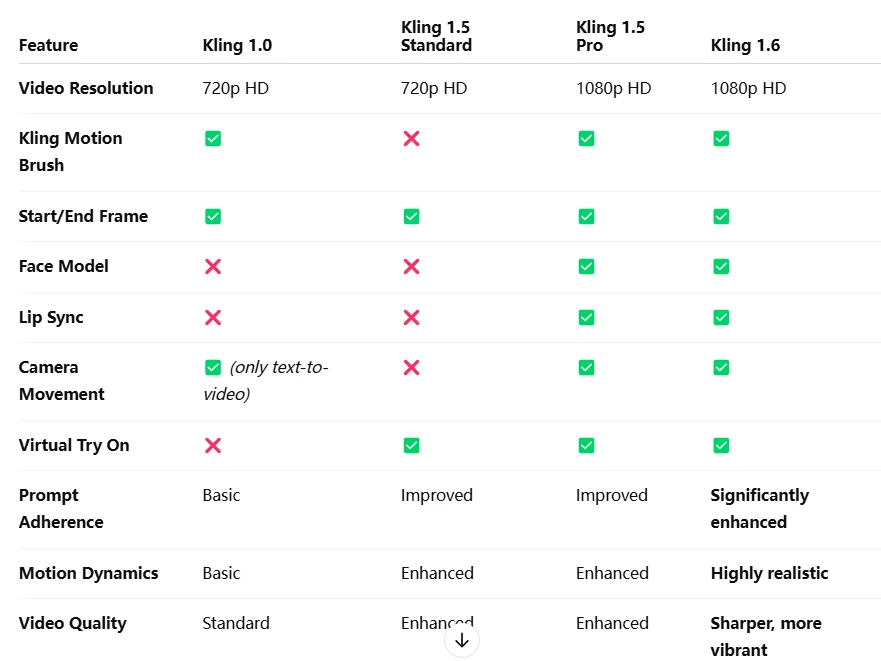
Kling 1.6 VS Kling 1.5,Kling 1.0
Get Started with Kling 1.6 I2V on Novita AI!
Novita AI is an AI cloud platform that offers developers an easy way to deploy AI models using our simple API, while also providing the affordable and reliable GPU cloud for building and scaling.
Step 1: Log In and Access the Model Library
Log in to your account and click on the Model Library button.

Step 2: Choose Your Model
Browse through the available options and select the model that suits your needs.
Step 3: Start your Free Trail
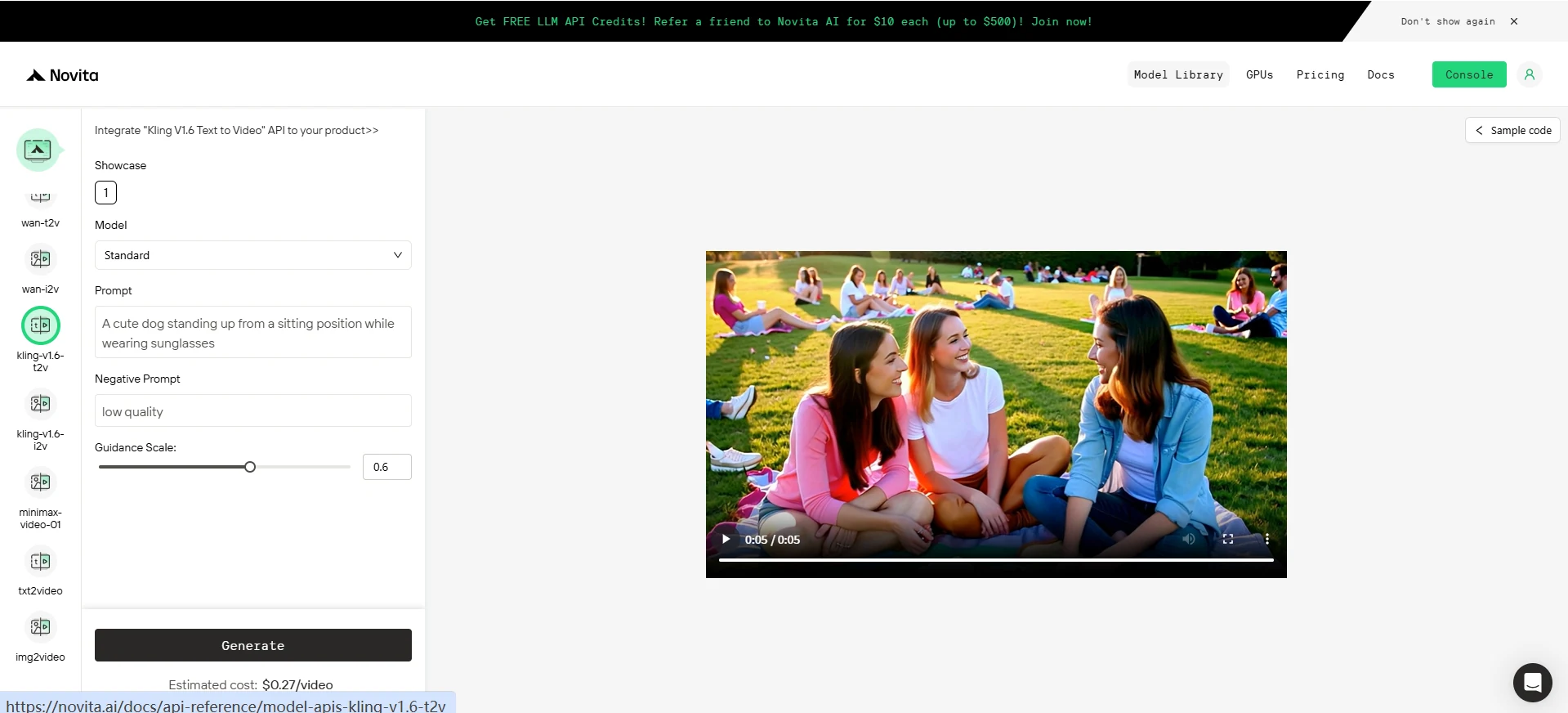
Step 4: Install the API
Install API using the package manager specific to your programming language.
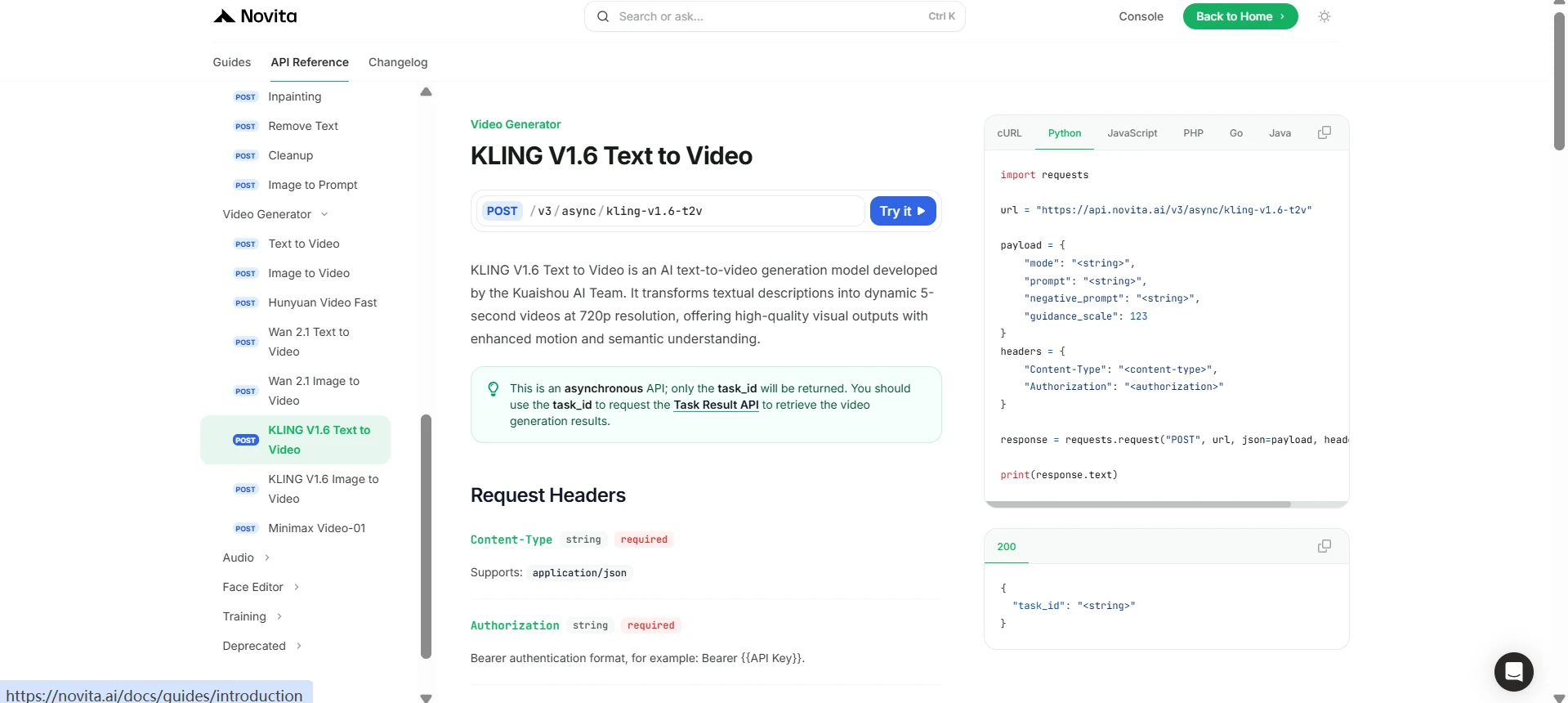
After installation, import the necessary libraries into your development environment. Initialize the API with your API key to start interacting with Novita AI LLM. This is an example of using chat completions API for python users. Check the Docs for more details.
import requests

url = "https://api.novita.ai/v3/async/kling-v1.6-t2v"

payload = {
    "mode": "<string>",
    "prompt": "<string>",
    "negative_prompt": "<string>",
    "guidance_scale": 123
}
headers = {
    "Content-Type": "<content-type>",
    "Authorization": "<authorization>"
}

response = requests.request("POST", url, json=payload, headers=headers)

print(response.text)
Kling 1.6 T2V redefines what’s possible with text-to-video generation. Whether you’re creating quick social clips or cinematic storytelling pieces, Kling 1.6 T2V delivers fast, flexible, and stunning results — now easily accessible via Novita AI’s intuitive platform.
Frequently Asked Questions
What is Kling 1.6 T2V?
Kling 1.6 T2V is a text-to-video model that generates high-quality, realistic videos based on descriptive text prompts.
What makes Kling 1.6 T2V different from earlier versions like Kling 1.5?
Kling 1.6 T2V offers 30% faster rendering, better scene realism, smoother motion, and advanced camera controls compared to Kling 1.5 and Kling 1.0.
How can I start using Kling 1.6 T2V on Novita AI?
Simply log in to Novita AI, access the Model Library, select Kling 1.6 T2V, start your free trial, and install the API for easy integration into your applications.
Novita AI is the All-in-one cloud platform that empowers your AI ambitions. Integrated APIs, serverless, GPU Instance — the cost-effective tools you need. Eliminate infrastructure, start free, and make your AI vision a reality.