Key Highlights
1. Advanced Performance
Superior Reasoning: Dominates math (AIME 2024, MATH-500) and coding (Codeforces) benchmarks.
Architecture: MoE + RL-enhanced training with 671B parameters (37B active/token).
2. Local Access via Ollama
Install Ollama; Run ollama run deepseek-r1:7b to download; Verify with ollama list and interact via terminal.
3. Local Deployment Challenges
Hardware: Requires high-end GPUs (e.g., H800) with 24GB+ VRAM.
Memory: 671B parameters slow loading; disk swapping risks.
Setup: Manual install of weights, libraries, and config.
Distilled Models: Smaller versions (e.g., Qwen-32B) reduce resources but sacrifice performance.
4. API Access: Novita AI offers an API for DeepSeek R1. Just sign up for a free trial and use the API with simple requests.
DeepSeek R1 is a cutting-edge AI model known for its strong reasoning capabilities, particularly in math and coding. This article will guide you through the various ways you can access DeepSeek R1, either by running it locally or by using an API,.
What is DeepSeek R1?
- Release Date: January 21, 2025
- Model Scale:
- Key Features:
- Model Size: 671B parameters (37B active/token)
- Tokenizer: Enhanced tokenizer with self-reflection tags
- Supported Languages: Multilingual with cultural adaptation
- Multimodal: Text-only
- Context Window: 128K tokens
- Storage Formats: Q8/Q5 quantization support
- Architecture: Mixture of Experts (MoE) + RL-enhanced training pipeline
- Training Method: Built on V3 base with RL pipeline (SFT → RL → SFT → RL)
- Training Data: V3 base + RL optimization data
https://www.youtube.com/watch?v=ApvcIYDgXzg
Benchmark Comparsion
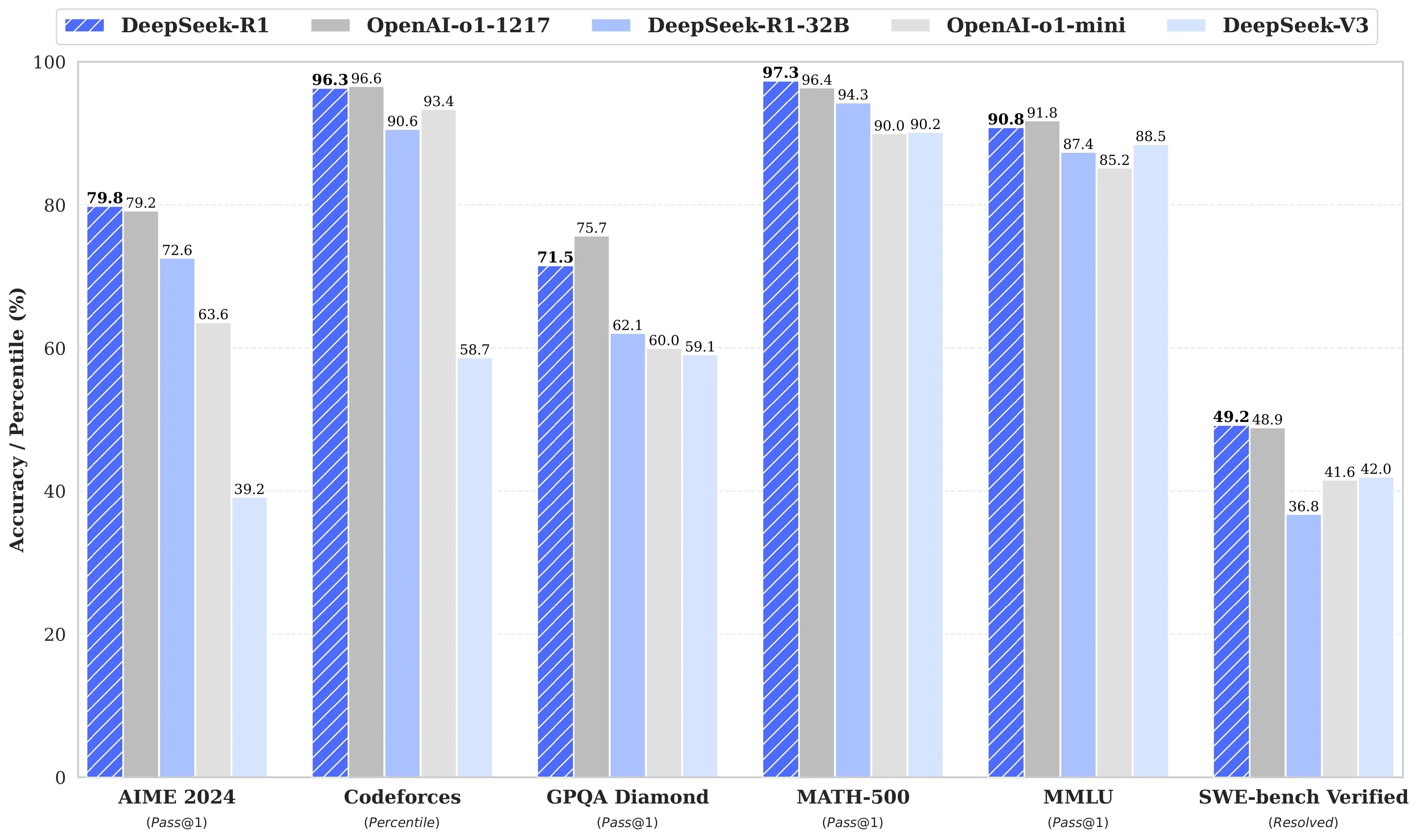
DeepSeek-R1 demonstrates superior performance in most tests, particularly in tasks requiring high accuracy and complex reasoning (such as AIME 2024, Codeforces, MATH-500, and MMLU). It outperforms models like OpenAI-o1-1217 and OpenAI-o1-mini in these areas. However, DeepSeek-R1 shows weaker performance in specific tasks like GPQA Diamond and SWE-bench Verified, indicating potential areas for improvement compared to models like Open AI O1.
Applications
- Mathematical problem-solving and code generation.
- Complex logical reasoning tasks.
- Assisting in diagnosing complex problems.
- Analyzing multi-step scenarios.
- Synthesizing insights from large datasets.
- Customer service applications.
How to Access DeepSeek R1 Locally
https://www.youtube.com/watch?v=pbCQnDDj-bo
Step-by-Step Installation Guide
1. Install Ollama
- Visit the Ollama website, download and install the version for your OS.
2. Download DeepSeek-R1 Model
- Open your terminal and run (using the 7B parameter version as an example): bashCopy
ollama run deepseek-r1:7b(Wait for download completion; time depends on network speed.)
ollama run deepseek-r1:7b3. Verify & Run
- Verify Installation:
ollama list # Check if "deepseek-r1" appears in the list- Start the Model:
ollama run deepseek-r1:7b4. Usage Examples
- Ask a Query: bashCopy
>>> "Explain quantum computing in simple terms." - Generate Code: bashCopy
>>> "Write a Python function to calculate the Fibonacci sequence."
Challenges in Local Deployment
1. Hardware Limitations
- High Resource Demands:
- Requires high-end GPUs/TPUs (e.g., H800) with substantial VRAM/RAM.
- Memory Constraints:
- 671B parameters (37B activated per token) lead to slow loading.
- Insufficient VRAM/RAM causes disk swapping or failure.
2. Setup & Configuration
- Complex Installation:
- Manual steps: Download model weights (Hugging Face), install libraries (e.g.,
transformers), configure frameworks. - Requires technical expertise for optimization.
- Manual steps: Download model weights (Hugging Face), install libraries (e.g.,
- Software Optimization:
- Must force responses to start with
<think>\to ensure proper reasoning patterns.
- Must force responses to start with
3. Performance Bottlenecks
- Slow Inference:
- CPU/GPU limitations and memory bandwidth reduce processing speed.
- Maintenance Overhead:
- Manual updates for new model versions add ongoing effort.
4. Trade-offs with Distilled Models
- Reduced Resource Needs:
- Smaller versions (e.g., Qwen-32B, Llama-70B) lower hardware requirements.
- Example: Qwen-32B outperforms OpenAI-o1-mini in benchmarks.
- Performance Drawbacks:
- Sacrifice accuracy or capability compared to the full 671B model.
- May struggle with complex tasks requiring deep reasoning.
For Full Capability: Opt for API access to avoid hardware and setup challenges.How to Access DeepSeek R1 via Novita AI
Novita AI is an AI cloud platform that offers developers an easy way to deploy AI models using our simple API, while also providing the affordable and reliable GPU cloud for building and scaling.
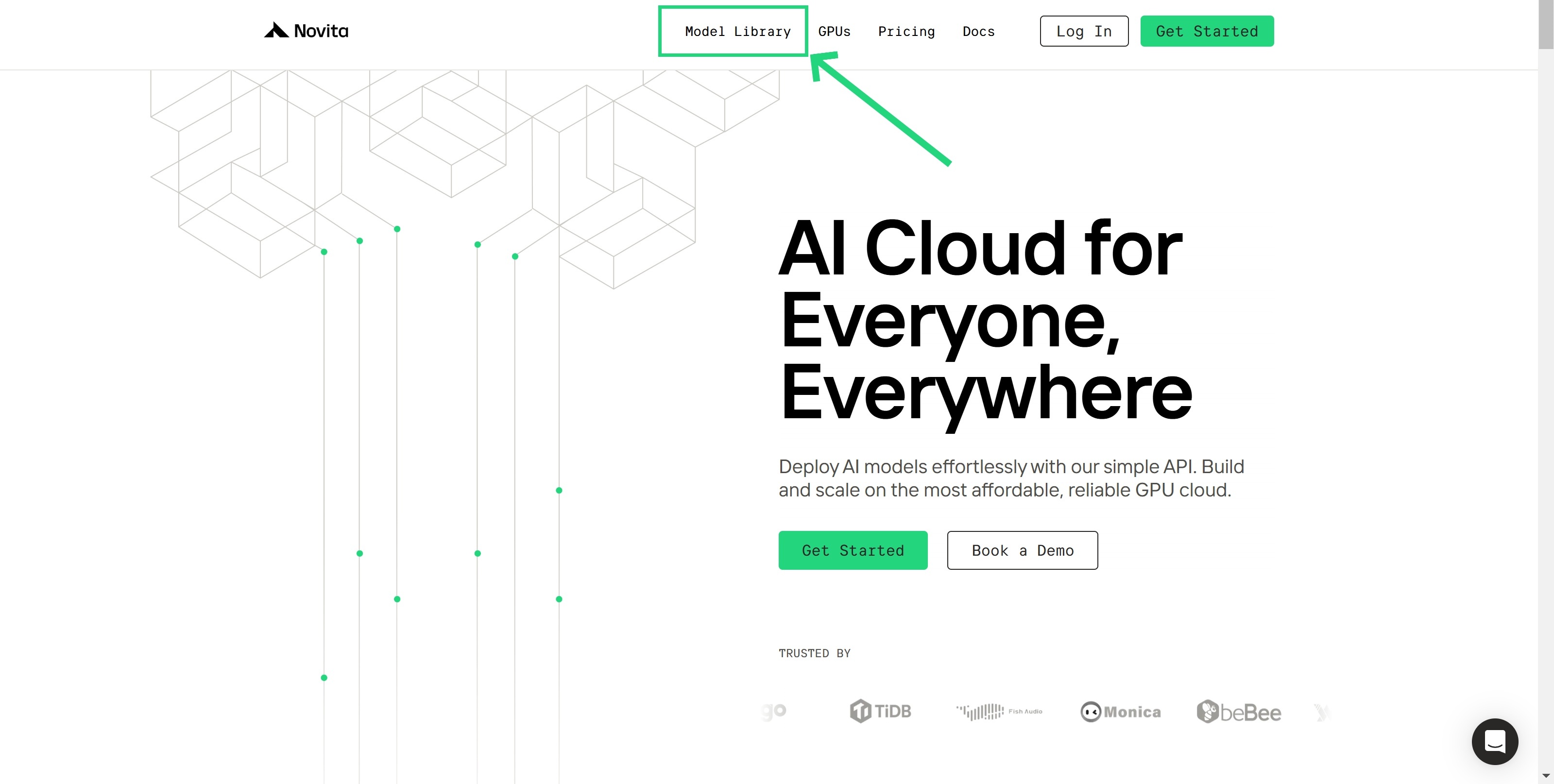
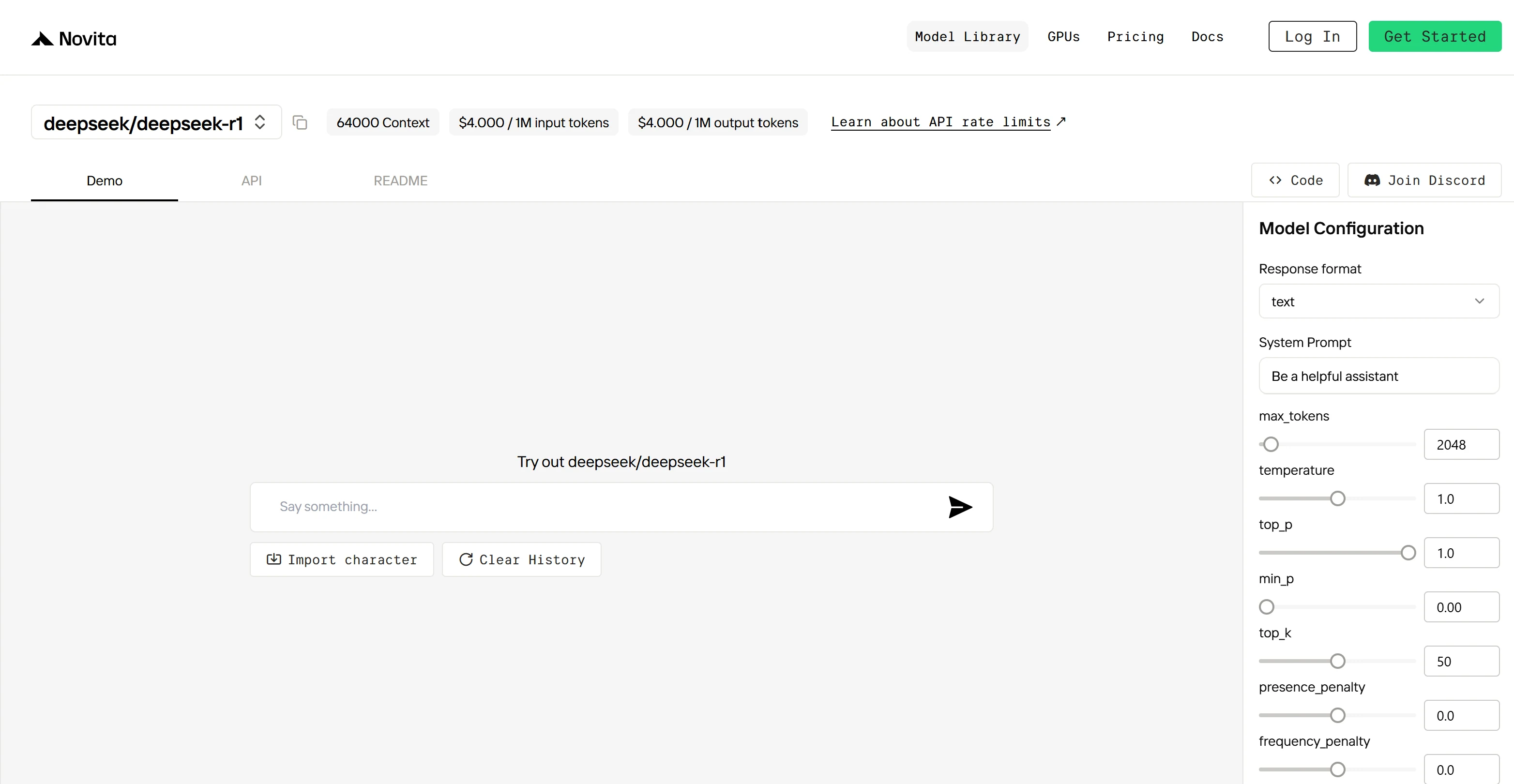
Step 1: Log In and Access the Model Library
Log in to your account and click on the Model Library button.
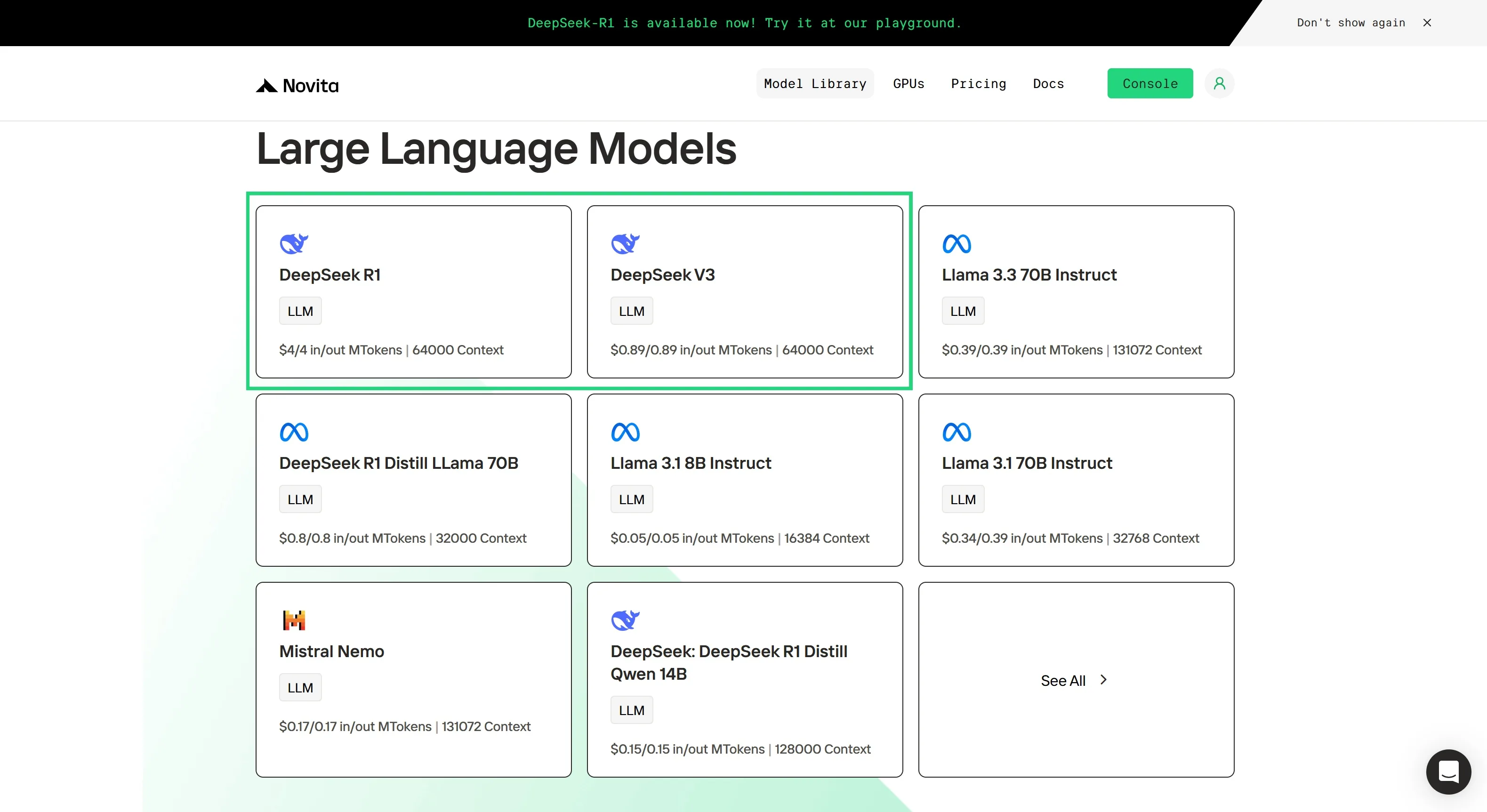
Step 2: Choose Your Model
Browse through the available options and select the model that suits your needs.
Step 3: Start Your Free Trial
Begin your free trial to explore the capabilities of the selected model.
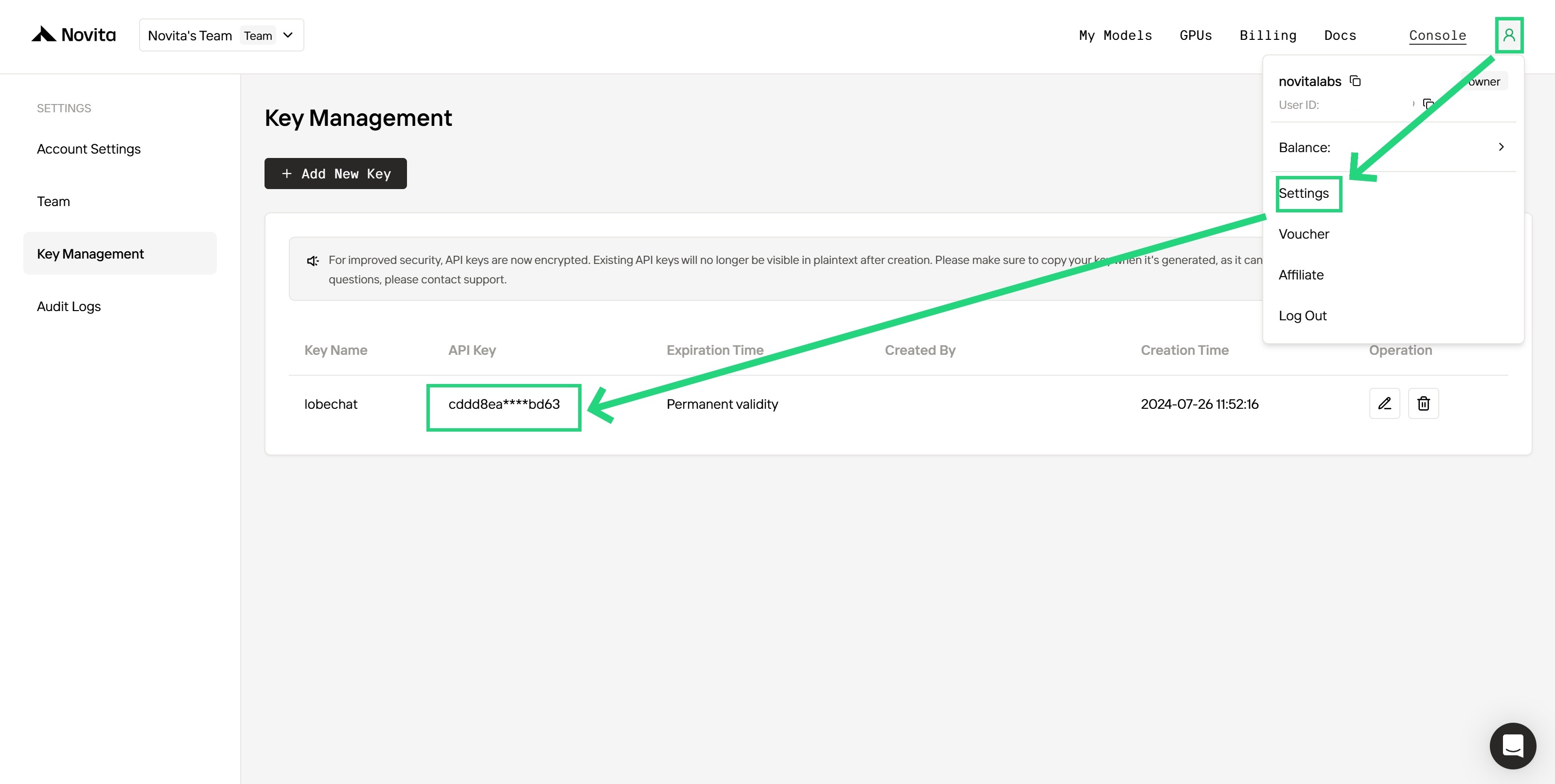
Step 4: Get Your API Key
To authenticate with the API, we will provide you with a new API key. Entering the “Settings“ page, you can copy the API key as indicated in the image.
Step 5: Install the API
Install API using the package manager specific to your programming language.
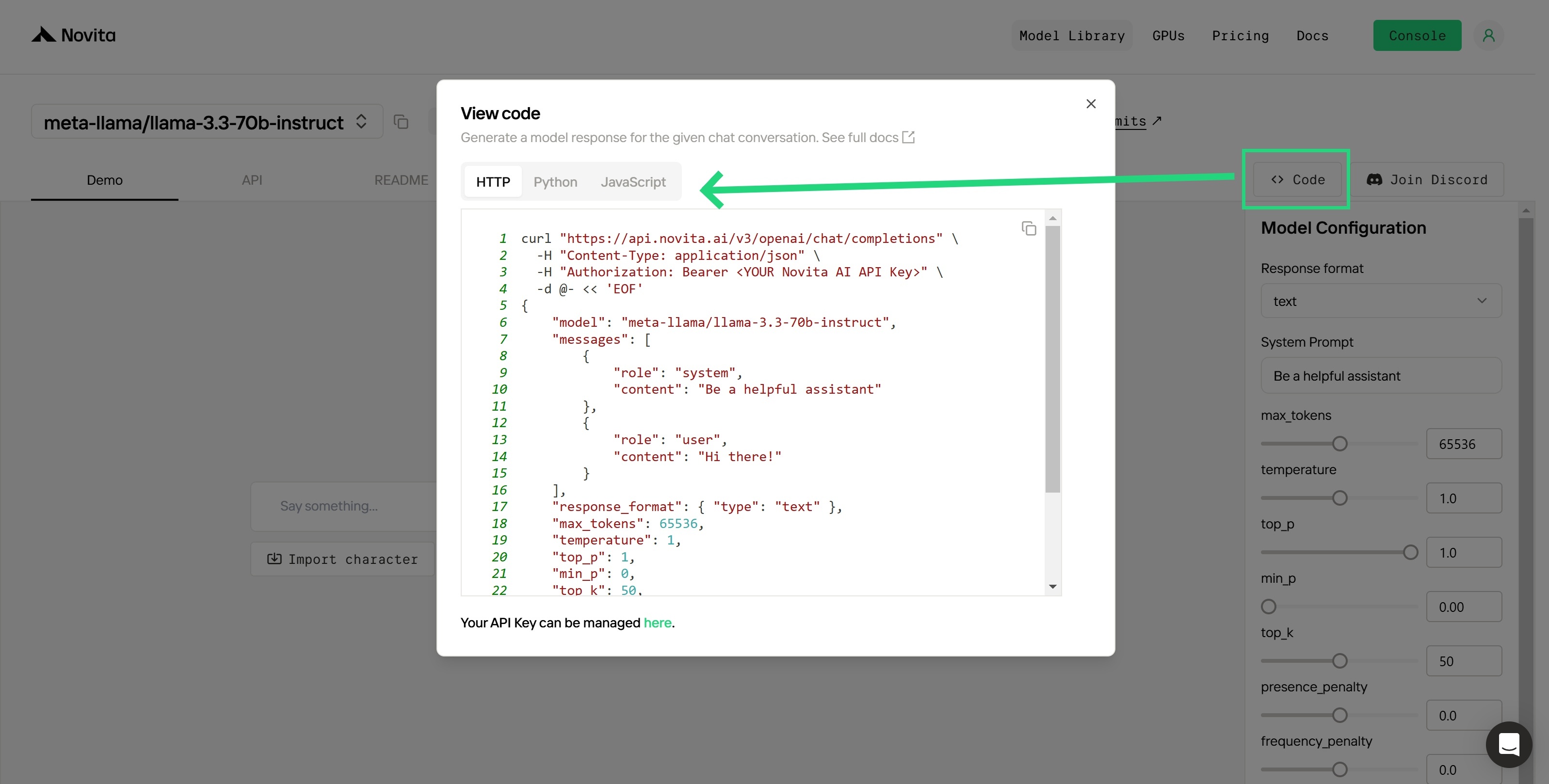
After installation, import the necessary libraries into your development environment. Initialize the API with your API key to start interacting with Novita AI LLM. This is an example of using chat completions API for python users.
from openai import OpenAI
client = OpenAI(
base_url="https://api.novita.ai/v3/openai",
api_key="<YOUR Novita AI API Key>",
)
model = "deepseek/deepseek_r1"
stream = True # or False
max_tokens = 2048
system_content = """Be a helpful assistant"""
temperature = 1
top_p = 1
min_p = 0
top_k = 50
presence_penalty = 0
frequency_penalty = 0
repetition_penalty = 1
response_format = { "type": "text" }
chat_completion_res = client.chat.completions.create(
model=model,
messages=[
{
"role": "system",
"content": system_content,
},
{
"role": "user",
"content": "Hi there!",
}
],
stream=stream,
max_tokens=max_tokens,
temperature=temperature,
top_p=top_p,
presence_penalty=presence_penalty,
frequency_penalty=frequency_penalty,
response_format=response_format,
extra_body={
"top_k": top_k,
"repetition_penalty": repetition_penalty,
"min_p": min_p
}
)
if stream:
for chunk in chat_completion_res:
print(chunk.choices[0].delta.content or "", end="")
else:
print(chat_completion_res.choices[0].message.content)
Upon registration, Novita AI provides a $0.5 credit to get you started!
If the free credits is used up, you can pay to continue using it.
Which Methods Are Suitable for You?
-
Researchers: Local access is generally preferred for flexibility and control over experiments.
-
Developers:
- API access is suitable for building applications and rapid prototyping.
- Local access is better for fine-tuning and custom workflows.
-
Businesses: API access is beneficial for quick integration into services without high upfront costs. Local deployment may suit teams with consistent requirements and the ability to invest in infrastructure.
-
Small Teams/Individuals: API access is generally more practical due to lower startup costs.
-
Users with Limited Technical Skills: API access is preferable as it eliminates the need for deep technical knowledge.
In conclusion, DeepSeek R1 is an impressive model with state-of-the-art reasoning capabilities. Whether you choose to run it locally or use an API, you will need to consider the trade-offs between control, cost, and convenience. By carefully considering these factors and the specific recommendations in this article, you can choose the best access method for your goals.
Frequently Asked Questions
Is DeepSeek R1 better than OpenAI’s o1?
eepSeek R1 offers comparable performance, especially in reasoning tasks, with the added benefit of being open source and more cost-effective.
How can I fine-tune DeepSeek R1?
As an open-source model, DeepSeek R1 can be fine-tuned for specific tasks, provided you have the computational resources and data.
How are the models trained?
DeepSeek R1 is significantly cheaper than OpenAI’s o1 models.
Novita AI is the All-in-one cloud platform that empowers your AI ambitions. Integrated APIs, serverless, GPU Instance — the cost-effective tools you need. Eliminate infrastructure, start free, and make your AI vision a reality.