We at Novita AI are thrilled to join the Hugging Face Hub as a serverless Inference Provider! Our integration brings powerful inference capabilities directly to Hub model pages, allowing developers to leverage our optimized infrastructure with minimal setup. Fully compatible with Hugging Face’s JS and Python SDKs, Novita AI makes deploying and scaling AI models simpler than ever - no infrastructure management required.
What is Hugging Face?
Hugging Face is a leading AI and machine learning platform focused on natural language processing (NLP) and democratizing AI. It provides access to state-of-the-art pre-trained models, open-source libraries like Transformers, Datasets, and Tokenizers, and tools for fine-tuning and deploying models. With a collaborative community of over 100,000 developers, Hugging Face enables seamless integration of cutting-edge AI into real-world applications, making it a cornerstone for AI innovation.
Key Features and Functions
- Transformers Library: This provides thousands of pre-trained models for tasks like text classification, sentiment analysis, translation, and supporting frameworks like PyTorch and TensorFlow.
- Datasets Library: This offers access to a wide range of curated datasets to simplify data loading, preprocessing, and sharing for machine learning projects.
- Tokenizers Library: This efficiently processes text data into machine-readable tokens, supporting multiple languages and formats for NLP tasks.
- Model Hub: This is a centralized repository with 100,000+ pre-trained models, enabling easy search, fine-tuning, and deployment for various applications.
- Inference API: This allows seamless integration of models into production environments, supporting real-time predictions without complex infrastructure management.
- Community Collaboration: This fosters a collaborative ecosystem where developers can share models, datasets, and applications, promoting innovation and open-source development.
How to leverage Novita AI on Hugging Face
The integration between Novita AI and Hugging Face empowers developers by providing access to cutting-edge tools, open-source models, and collaborative resources that streamline AI development. A comprehensive guide on how it works will be introduced from two aspects: the website UI and the client SDKs.
1. Use Novita AI on Hugging Face in the Website UI
Step 1: Configure API Keys
- Navigate to your user account settings to manage your API keys.
- Add your custom API keys of Novita AI to the Hugging Face.
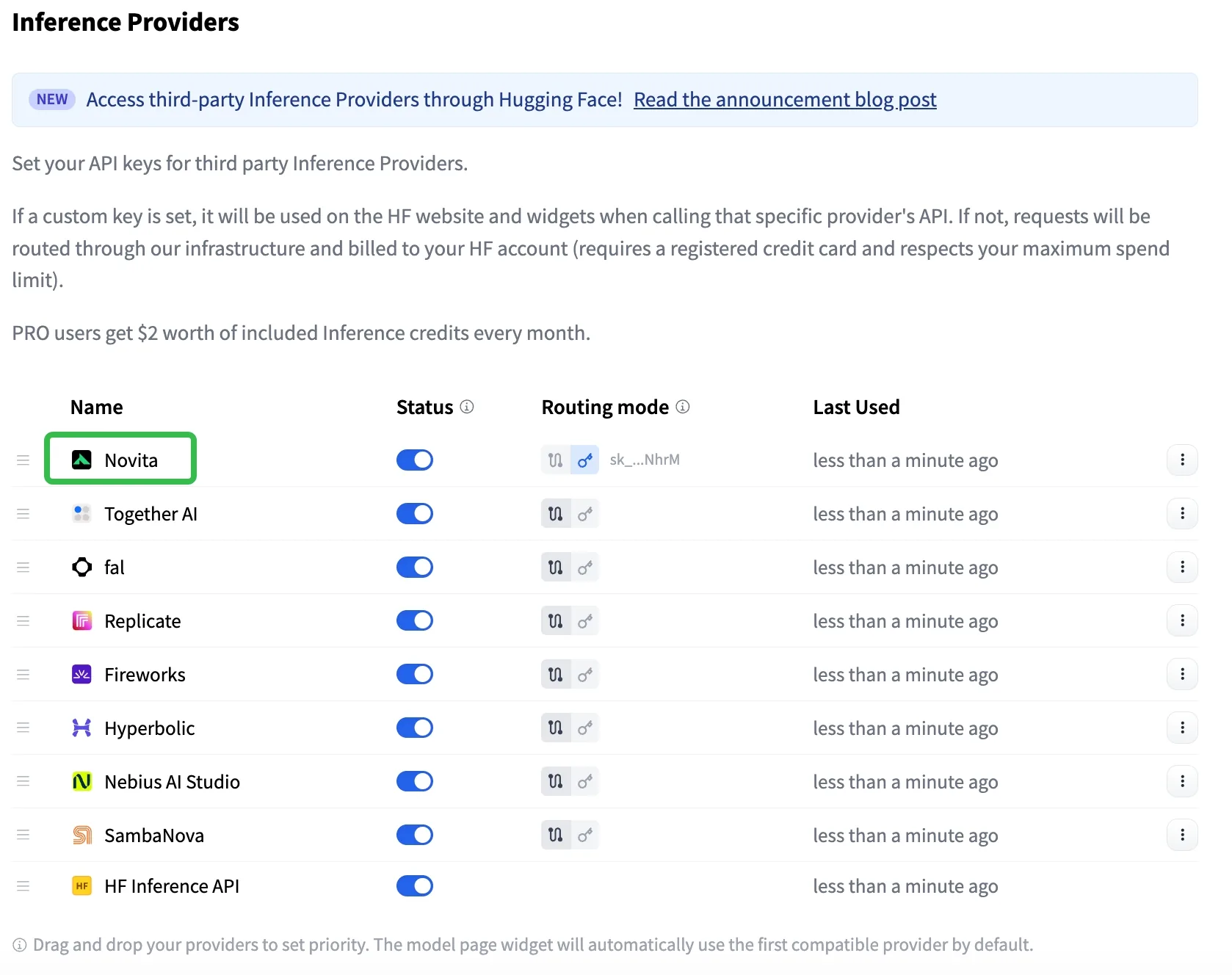
Step 2: Choose Inference API Modes
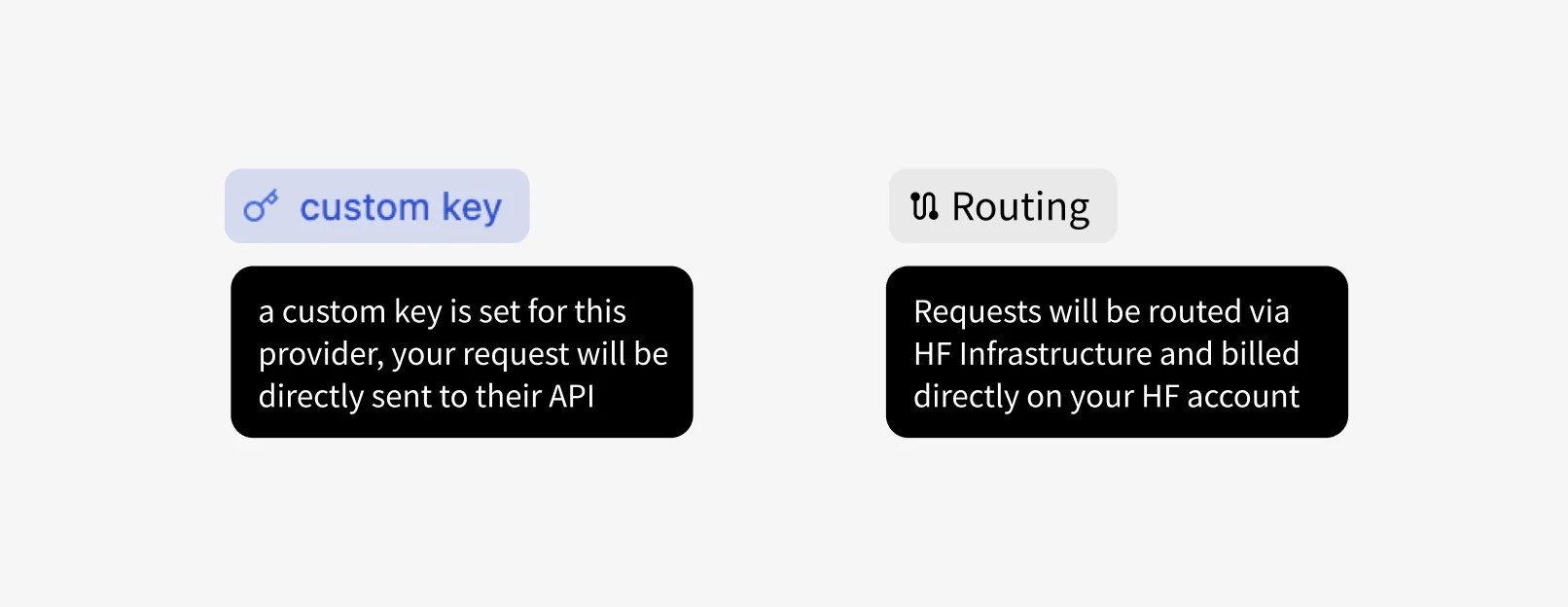
- Custom Key Mode: Calls are sent directly to the inference provider, utilizing your own API key.
- HF-Routed Mode: In this mode, no provider token is required. Charges are applied to your Hugging Face account instead of the provider’s account.
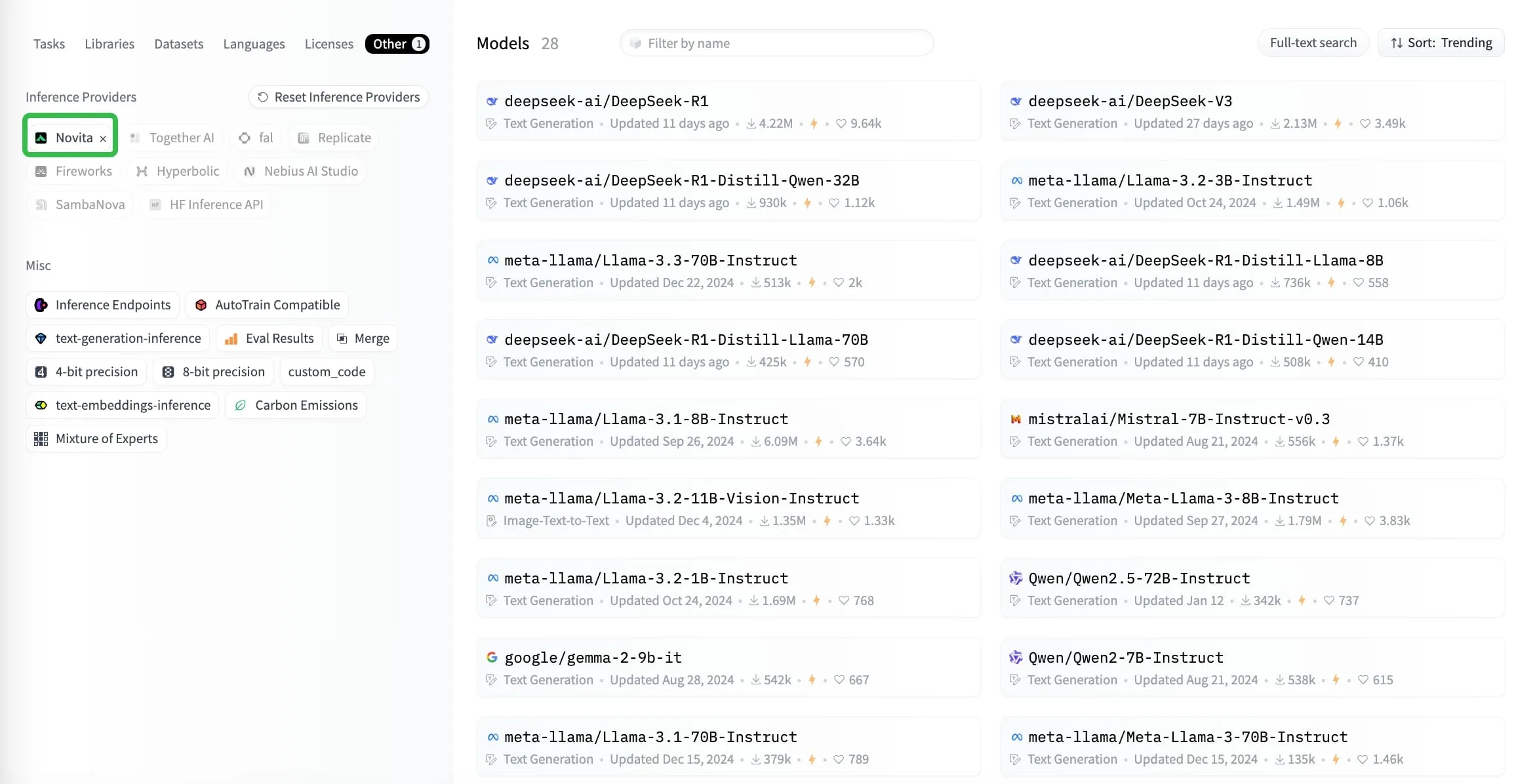
Step 3: Explore Compatible Providers on Model Pages
- Model pages display third-party inference providers compatible with the selected model (the ones that are compatible with the current model, sorted by user preference).
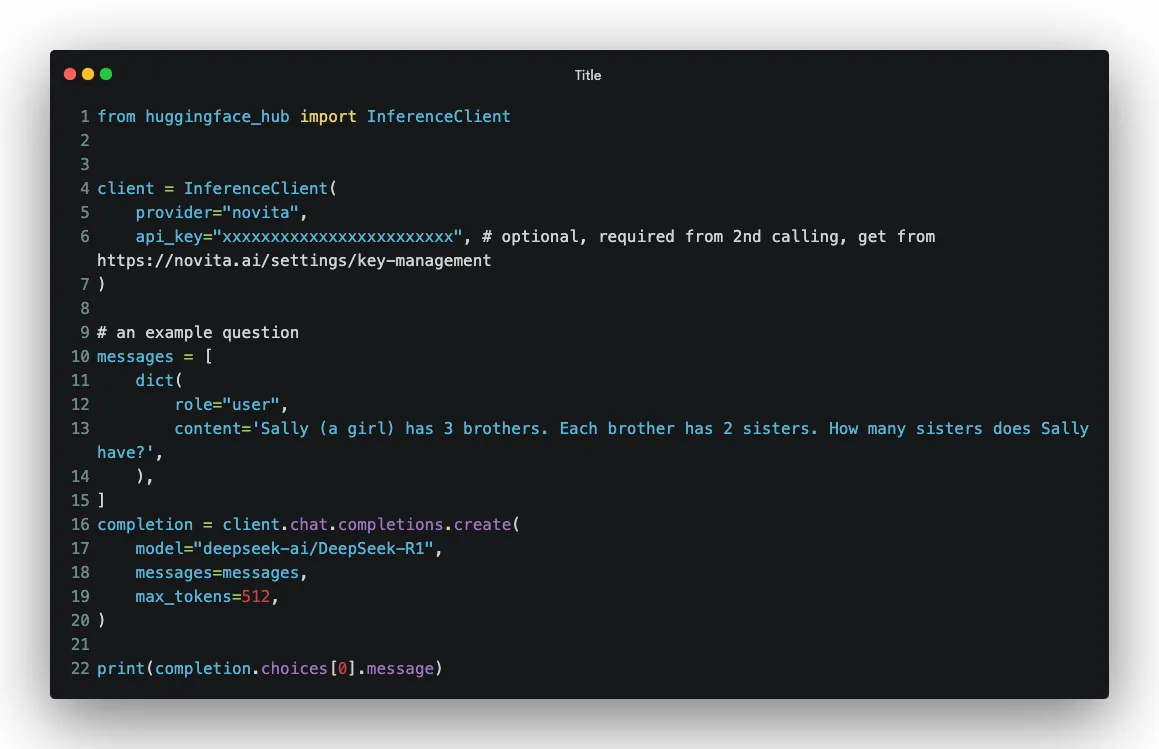
2. Use Huggingface_hub from Python by the Client SDKs
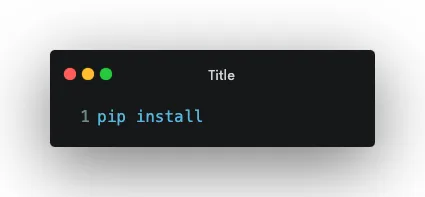
Step 1: Install Huggingface_hub
Step 2: Call model API in Python
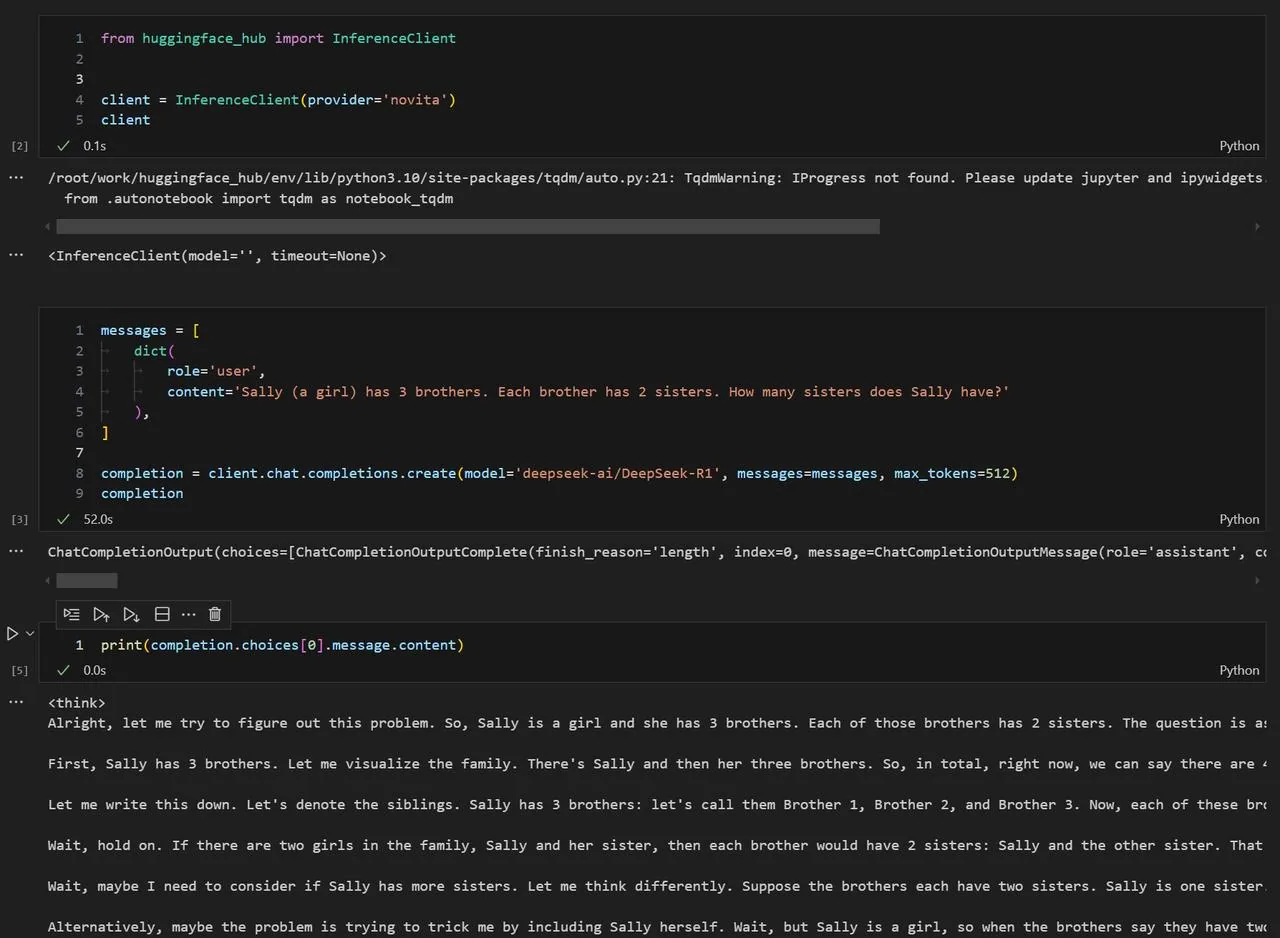
Example: Test in a Jupyter Notebook
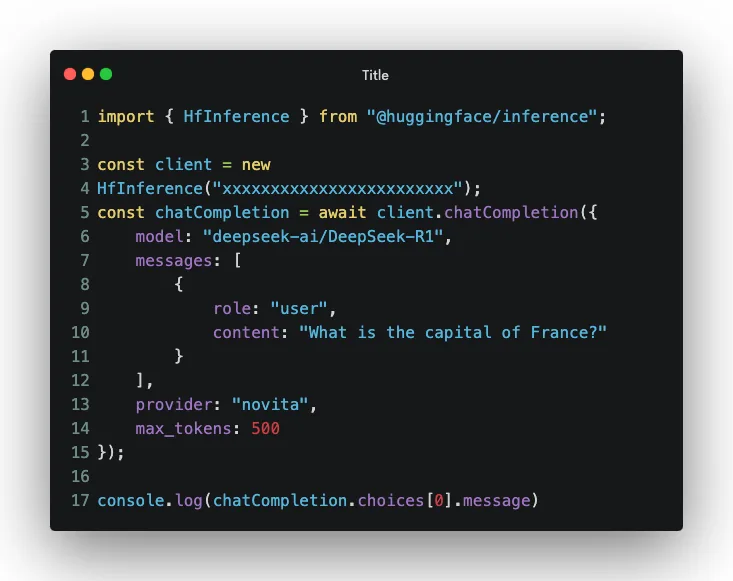
3. Use Huggingface_hub from JS by the Client SDKs
Billing
1. Simple Guide for Hugging Face Payment
- For direct requests, i.e. when you use the key from an inference provider, you are billed by the corresponding provider. For instance, if you use a Novita AI API key you’re billed on your Novita AI Studio account.
- Important Note ‼️ PRO users get $2 worth of Inference credits every month. You can use them across providers. 🔥
2. Simple Steps to Manage Payments and Enable Auto Top-Up for Novita AI Payment
2.1 Adding or Updating Payment Methods to Novita AI
To prevent service interruptions, it’s essential to set up a valid payment method in your Novita AI account. Here’s how:
Step 1: Access Payment Settings
- Log in to your Novita AI account.
- Navigate to the Payment Methods section under the Billing tab in your dashboard.
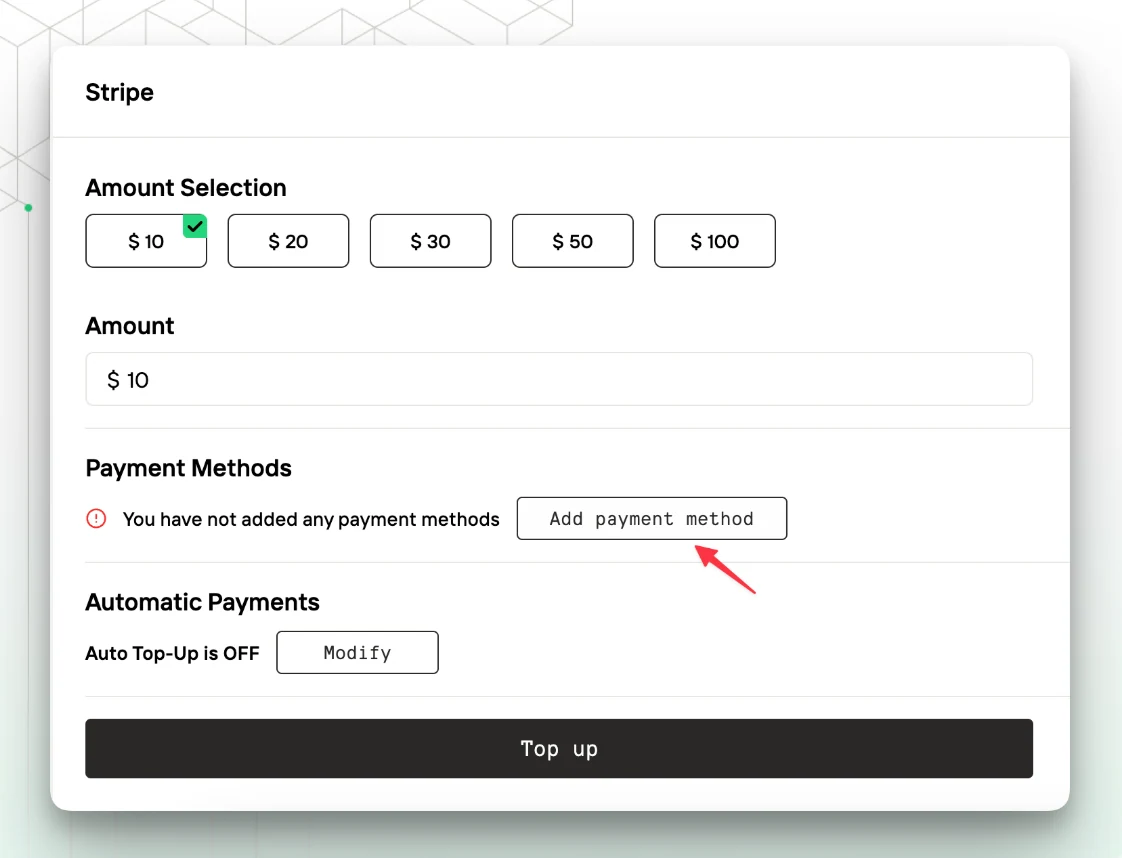
Step 2: Add a Payment Method
- Click on the Add Payment Method button.
- Provide your payment details, such as credit or debit card information.
Step 3: Save Payment Details
- Ensure the details are accurate, then click Save to link the payment method to your account.
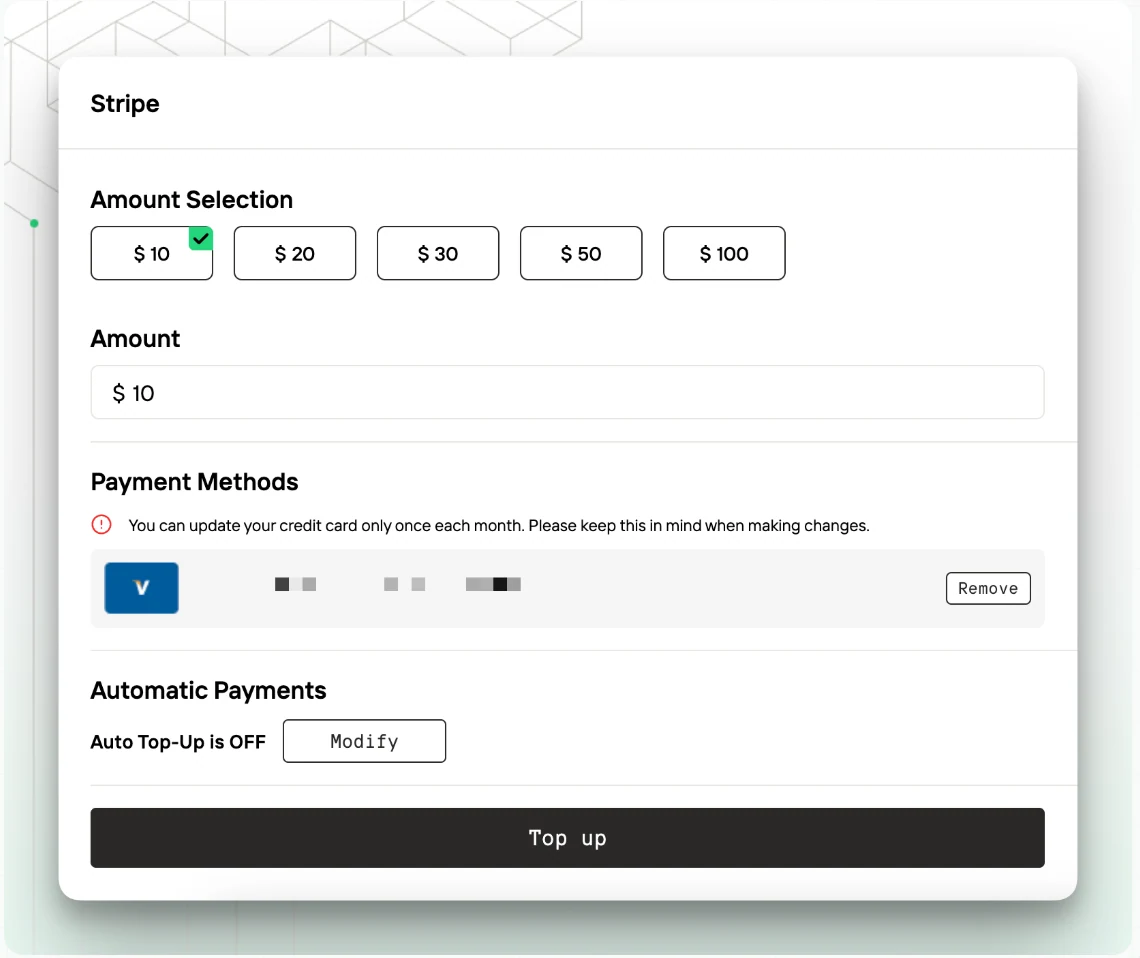
2.2 Enabling Auto Top-Up for Seamless Billing
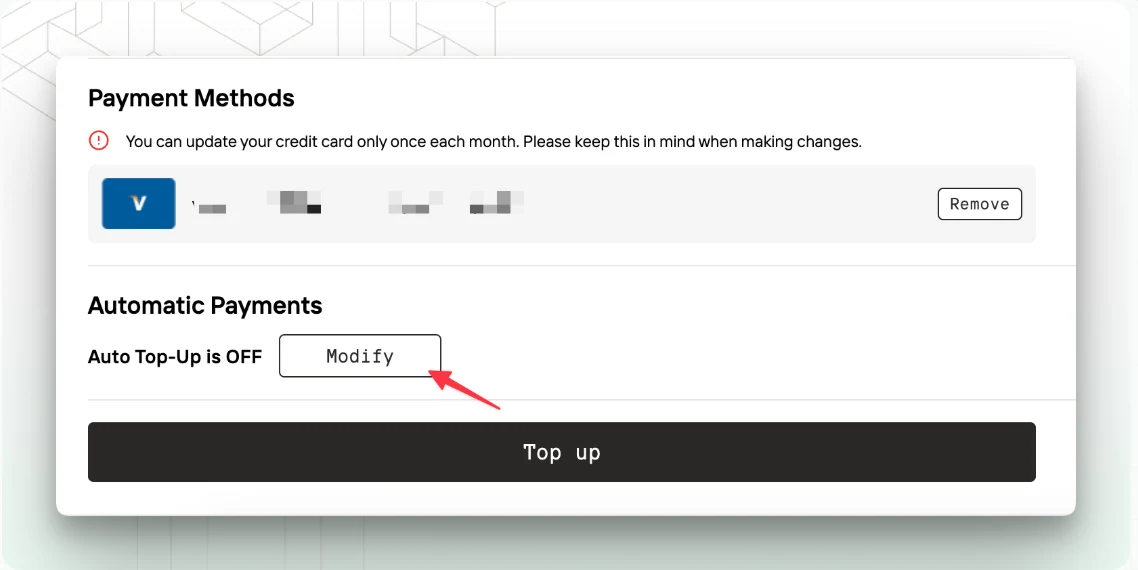
To avoid running out of credits while using Novita AI, enable the Auto Top-Up feature. This ensures your account is automatically recharged when your balance falls below a specified threshold.
Step 1: Go to Auto Top-Up Settings
- Navigate to the Auto Top-Up section in your account’s Billing tab.
Step 2: Configure Auto Top-Up
- Set a minimum balance threshold (the amount at which the auto top-up will trigger).
- Define the top-up amount to be added when the threshold is reached.
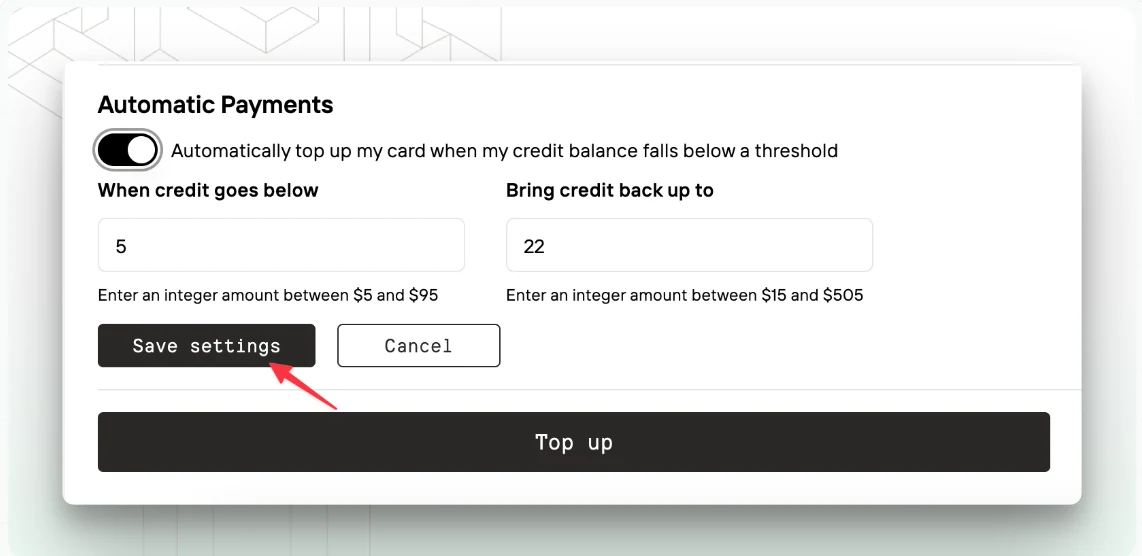
Step 3: Activate Auto Top-Up
- Enable the toggle for Auto Top-Up and confirm your settings.
- Limited-time Offer ‼️Novita AI now offers a Referral Program which can be a benefit for Hugging Face users: If someone is interested, users can share their invitation link/code (like【1A5DHW】), and both they and their referrals will receive $20 in credits to use with the DeepSeek R1 & V3 APIs.🔥
Conclusion
The integration of Novita AI with Hugging Face revolutionizes how developers access and deploy AI models. By combining Novita AI’s powerful cloud infrastructure with Hugging Face’s robust ecosystem, this partnership empowers developers to push the boundaries of innovation in AI. Whether you’re a researcher, developer, or enterprise, this collaboration opens up new possibilities for creating, fine-tuning, and deploying AI solutions efficiently.
Frequently Asked Questions
Can I fine-tune Novita AI models using Hugging Face?
Yes, you can fine-tune Novita AI models just like any other model on Hugging Face.
Can I switch between different inference providers easily?
Yes, switching between providers is simple.
Do I need a Hugging Face PRO plan to use Novita AI?
No, you can use Novita AI without a Hugging Face PRO plan.
About Novita AI
Novita AI is an AI cloud platform that offers developers an easy way to deploy AI models using our simple API, while also providing an affordable and reliable GPU cloud for building and scaling.